手动链接时 ftxui-component 必须排在其他 FTXUI 库之前;README 推荐用 CMake FetchContent 并锁定具体 tag 版本;C++20 Modules 与单头文件(Amalgamated)用法需另查专门文档。
include(FetchContent)
FetchContent_Declare(ftxui
  GIT_REPOSITORY https://github.com/ArthurSonzogni/ftxui
  GIT_TAG v7.0.3
)
FetchContent_MakeAvailable(ftxui)
target_link_libraries(your_target PRIVATE ftxui::ftxui) 硬件要求按 README 说明
README 未说明,纯终端库无 GPU/显存要求;支持 Linux/MacOS、Windows 与 WebAssembly。
跨平台 C++ 终端 UI 库,用函数式风格快速搭建带交互的 TUI 界面
用 C++ 函数式风格写终端界面,像搭积木一样组合组件,省去手写 ANSI 转义和 curses 的麻烦。
核心能力
- 用 hbox/vbox/gridbox/flexbox 组合式布局构建界面
- 提供 screen、dom、component 三层模块,含组件与事件主循环
- 支持键盘与鼠标导航
- 支持 UTF8 与全角字符渲染
- 支持动画与 Canvas 绘制,且无第三方依赖
容易踩的坑
内容由模型根据 README 生成,可能不完整或不准确,以官方文档为准。看原文 README
- v7.0.3最新正式版2026-08-06 · 2026-08-06 07:35 UTC
Component
- Bugfix: Fix incorrect mouse position in non-alternate-screen modes. The cursor position request (used to convert mouse coordinates from screen space to frame space) could be sent asynchronously, after the cursor had already moved away from the frame's origin, causing the terminal's reply to be misread as the wrong offset. Regressed by the 7.0.2 throttle fix, which made the request's 500ms throttle actually engage for the first time. See #1310.
- v7.0.22026-08-01 · 2026-08-01 16:40 UTC
查看更新说明
Component
- Bugfix: Fix high CPU usage (app and terminal emulator, e.g. tmux) caused by a cursor position request/reply feedback loop redrawing the screen at ~60fps in the non-alternate-screen modes. See #1302.
- Animation frames are now produced only when requested via
animation::RequestAnimationFrame()(e.g. byanimation::Animator), as in FTXUI 6. Receiving an event no longer implicitly triggers an animation frame. - Bugfix:
App::PostEventis now thread safe again, as documented. Since the 7.0.0 event loop rework it pushed into an unsynchronized buffer, racing with the main loop when called from another thread. - Bugfix: Fix unbounded memory growth in the event buffer. A receiver used
during terminal setup was kept for the whole
Applifetime, retaining every subsequent event (including every mouse move).
Dom
- Performance:
textcomputes its requirement once and renders only the visible lines. This makes scrolling a large text inside aframesignificantly faster. Thanks @patlefort. See #1309. - Performance:
textselection now only visits and stores the selected line range, instead of scanning and allocating one entry per line of the whole text on every frame.
- v7.0.12026-07-14 · 2026-07-14 12:12 UTC
查看更新说明
Minor release to fix bugs introduced by v7.0.0
Screen
- Bugfix: Restore TrueColor support on Windows Terminal (default to TrueColor on Windows and check
WT_SESSIONenvironment variable for WSL compatibility). See #1305. - Feature: Honor the
NO_COLORenvironment variable (https://no-color.org). When set and non-empty, colors degrade to the terminal's default colors. - Bugfix: Apple's Terminal.app (
TERM_PROGRAM=Apple_Terminal) is now reported asPalette256instead ofTrueColor; it does not support 24bit colors. - Bugfix: An empty terminal name or terminal emulator name is now treated as unidentified by
Terminal::ComputeColorSupport, instead of implying TrueColor support. - Bugfix (Windows): Downgrade color support when the console rejects VT processing (legacy consoles), instead of emitting TrueColor escape sequences.
- Bugfix: Avoid segmentation fault / crash during static initialization if
Color::RGBor other color constants are constructed globally/statically beforemain(). See #1303.
Build
- Bugfix: Fix build failure when an older FTXUI is installed in a system
include path (e.g. MacPorts upgrade). A CMake deduplication quirk was
promoting the project's own
-I include/to-isystem, causing package managers'-I/opt/local/include(which may contain stale headers) to win. See #1299, #1300.
- Bugfix: Restore TrueColor support on Windows Terminal (default to TrueColor on Windows and check
- v7.0.02026-06-13 · 2026-06-13 21:50 UTC
查看更新说明
7.0.0 (2026-06-13)
Doc
- Fix broken Doxygen output. See @markmandel in #1029.
- Use Doxygen awesome. Add our own theme.
- Break the documentation into several pages.
Build
- Feature: Support amalgamated version.
This provides a single-header (
ftxui.hpp) and single-source (ftxui.cpp) version of the library, as well as a truly single-file header-only version (ftxui_all.hpp). This is the easiest way to vendor FTXUI into your project. See #1252. - Feature: Support umbrella header and target.
Usage:
CMake:#include <ftxui/ftxui.hpp>target_link_libraries(your_target PRIVATE ftxui::ftxui)Bazel:deps = ["@ftxui//:ftxui"]See #1252. - Feature: Support C++20 modules.
This requires:
- Using the Ninja or MSVC generator
- A recent Clang/GCC/MSVC compiler.
- Cmake 3.28 or higher. Usage:
Thanks @mikomikotaishi for PR #1015.import ftxui; import ftxui.component; import ftxui.dom; import ftxui.screen; import ftxui.util; - Consolidate C++20 code into named modules to reduce compile times and improve flexibility. Thanks @mikomikotaishi in #1221.
- Feature: Support Meson build system. Thanks @mintonmu in #1259.
- Remove dependency on 'pthread'.
- Bugfix: Bazel target @ftxui is now visible. Thanks @dskkato in #1157.
- ABI: Explicitly size all public enums to
uint8_tfor ABI layout stability. - ABI: Add reserved virtual methods to
ScreenandNodefor future extensibility without breaking ABI.
General
-
Breaking (Renames):
Pixelis renamed toCell.Imageis renamed toSurface.ScreenInteractiveis renamed toApp.PixelAtmethod is renamed toCellAt. Compatibility aliases and headers are provided to avoid breaking existing code.
-
Breaking. Move to
std::string_viewinstead ofconst std::string&where applicable. This yields better interoperability with string literals and avoids unnecessary copies. Thanks @mikomikotaishi for PR #1154
Component
- Feature: Improved signal handling. Upgrade signal interception to use POSIX
sigactionfor robust signal masking and cleanup handler preservation. Protect against double terminal restoration on exit using atomic raw-state tracking. Add support for additional POSIX signals (SIGBUS,SIGSYSas crash signals, andSIGQUIT,SIGHUPas deferred termination signals) and fix async-signal-safety issues in crash paths. - Bugfix: Fix
Inputcursor visibility when using a customRendereron nested containers. See #1220. Thanks @nmarks99. - Fix
Inputcursor positioning and scroll stability. See #1196. Thanks @739C1AE2. - Fix
Inputsupport for non-ASCII characters in password mode. See #1196. Thanks @739C1AE2. - Performance: Mitigate cursor flickering during redraw in
App. See #1196. Thanks @739C1AE2. - Feature: POSIX Piped Input Handling.
- Allows FTXUI applications to read data from stdin (when piped) while still receiving keyboard input from the terminal.
- Enabled by default.
- Can be disabled using
App::HandlePipedInput(false). - Only available on Linux and macOS. Thanks @HarryPehkonen for PR #1094.
- Fix App::FixedSize screen stomps on the preceding terminal output. Thanks @zozowell in #1064.
- Fix vertical
ftxui::Slider. The "up" key was previously decreasing the value. Thanks @its-pablo in #1093 for reporting the issue. - Fix Windows UTF-16 key input handling. Emoji and other code points outside the Basic Multilingual Plane (BMP) are now correctly processed. Thanks @739C1AE2 in #1160 for fixing the issue.
- Fix Input style is now colorschem agnostic. Thanks @Smail in #1170 for reporting and fixing the issue.
- Fix
App::Post(..)is now thread safe. Thanks @739C1AE2 in ~1183 for reporting the issue. This regressed in non released versions.
Dom
- Feature: Support newline
\nwithintext()andvtext(). Thanks
- v6.1.92025-05-07 · 2025-05-07 20:49 UTC
查看更新说明
Build
If all goes well (pending), ftxui should appear in the Bazel central repository. It can be imported into your project using the following lines:
MODULE.bazel
bazel_dep(name = "ftxui", version = "6.1.9")Thanks @robinlinden and @kcc for the reviews.
dom
- Bugfix: Restore the
dboxbehavior from ftxui 5.0.0. To apply bgcolor blending between the two layers, a newdboxBlendwill be added.
- Bugfix: Restore the
用户点评
登录用户的真实使用记录,可按版本和硬件筛选共 0 条
还没有人点评。第一个说出真实体验的人最有价值。
FTXUI
Functional Terminal (X) User interface
A simple cross-platform C++ library for terminal based user interfaces!
[!TIP] Check out RTXUI, my other project. It is a different, experimental TUI library based on reactive HTML/CSS/C++: structure with semantic HTML, style with real CSS (flexbox, grid, transitions), and bind plain C++ state. Live demo.
Feature
- Functional style. Inspired by 1 and React
- Simple and elegant syntax (in my opinion)
- Keyboard & mouse navigation.
- Support for UTF8 and fullwidth chars (→ 测试)
- Support for animations. Demo 1, Demo 2
- Support for drawing. Demo
- No dependencies.
- C++20 Module support
- Cross platform: Linux/MacOS (main target), WebAssembly, Windows (Thanks to contributors!).
- Learn by examples, and tutorials
- Multiple packages:
- CMake FetchContent (preferred)
- Bazel
- vcpkg
- Conan Debian package
- Ubuntu package
- Arch Linux
- OpenSUSE
- XMake repository package
- Nix
- Amalgamated (single-header/source) (from 7.0.0)
- conda-forge
- Good practices: documentation, tests, fuzzers, performance tests, automated CI, automated packaging, etc...
Documentation
- Starter CMake
- Starter Bazel
- Documentation
- Examples (WebAssembly)
- Build using CMake
- Build using Bazel
- Build using Meson
Example
#include <ftxui/ftxui.hpp>
using namespace ftxui;

int main() {
  auto document =
    vbox({
      hbox({
        text("one") | border,
        text("two") | border | flex,
        text("three") | border | flex,
      }),

      gauge(0.25) | color(Color::Red),
      gauge(0.50) | color(Color::White),
      gauge(0.75) | color(Color::Blue),
    });

  auto screen = Screen::Create(Dimension::Full());
  Render(screen, document);
  screen.Print();

  return 0;
}
Short gallery
FTXUI is organized into three modules:
- screen: Low-level rendering (colors, pixels, terminal)
- dom: Layout and composition (hierarchical elements)
- component: User interaction (widgets, events, main loop)
For most users, including everything at once is the simplest way to start:
- Header:
#include <ftxui/ftxui.hpp> - CMake target:
ftxui::ftxui - Bazel target:
@ftxui//:ftxui
DOM
This module defines a hierarchical set of Element. An Element manages layout and can be responsive to the terminal dimensions.
They are declared in <ftxui/dom/elements.hpp>
Element can be arranged together:
- horizontally with
hbox - vertically with
vbox - inside a grid with
gridbox - wrap along one direction using the
flexbox.
Element can become flexible using the flex decorator.
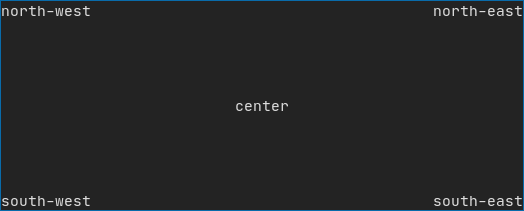
Example using hbox, vbox and filler.
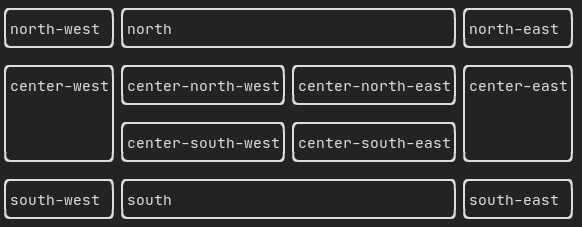
Example using gridbox:
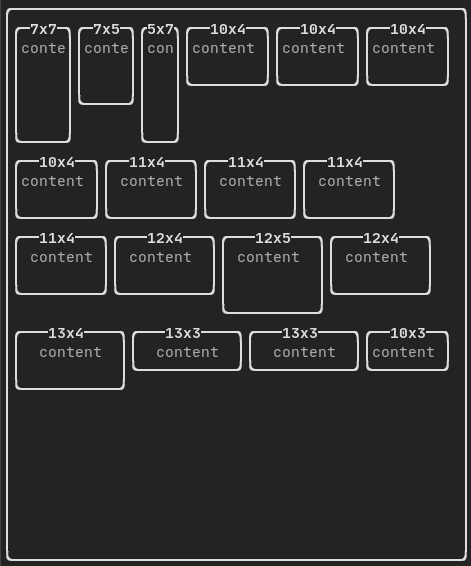
Example using flexbox:
An element can be decorated using the functions:
bolditalicdiminvertedunderlinedunderlinedDoubleblinkstrikethroughcolorbgcolorhyperlink

FTXUI supports the pipe operator. It means: decorator1(decorator2(element)) and element | decorator1 | decorator2 can be used.
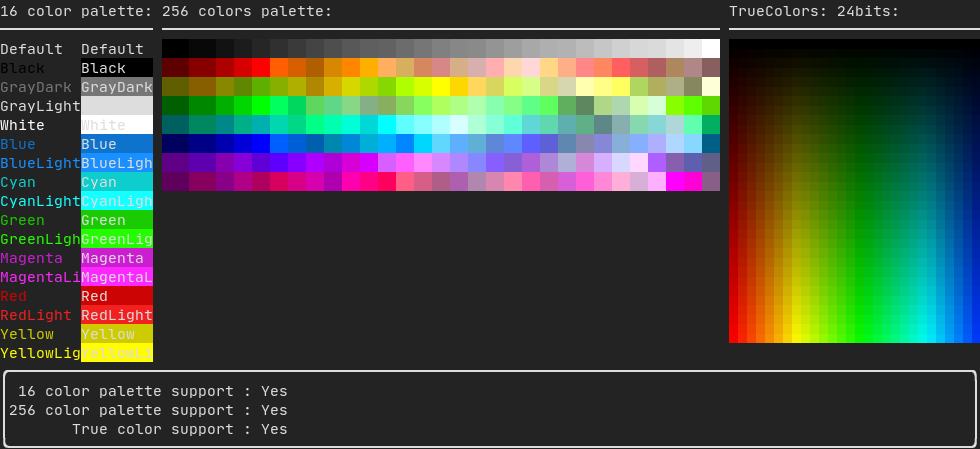
FTXUI supports every color palette:
Color gallery:
Use decorator border and element separator() to subdivide your UI:
Element document = vbox({
    text("top"),
    separator(),
    text("bottom"),
}) | border;
Demo:

A simple piece of text is represented using text("content").
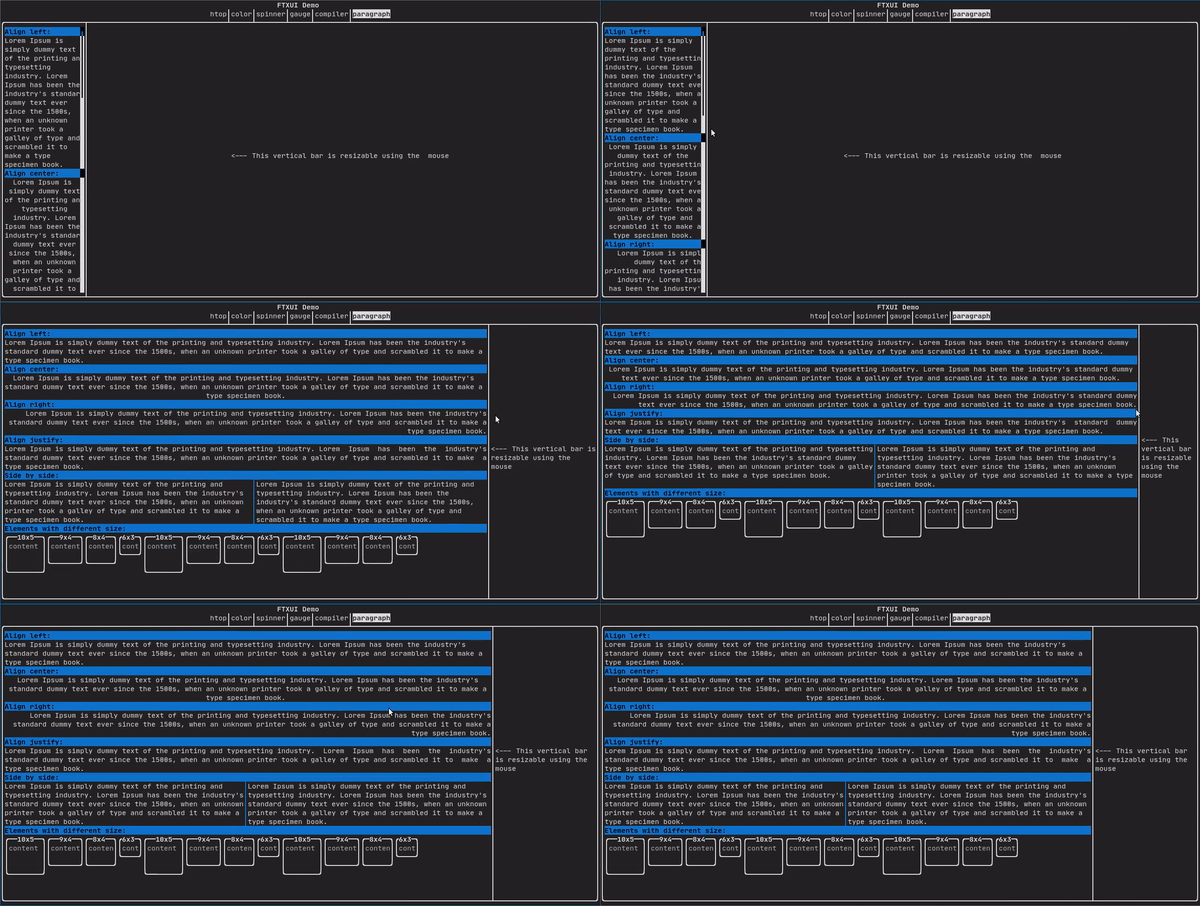
To support text wrapping following spaces the following functions are provided:
Element paragraph(string text);
Element paragraphAlignLeft(string text);
Element paragraphAlignRight(string text);
Element paragraphAlignCenter(string text);
Element paragraphAlignJustify(string text);
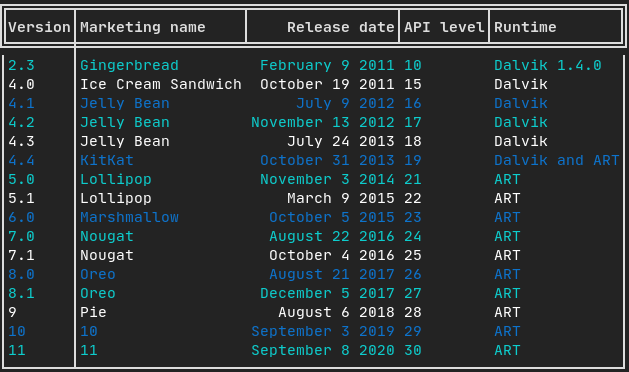
A class to easily style a table of data.
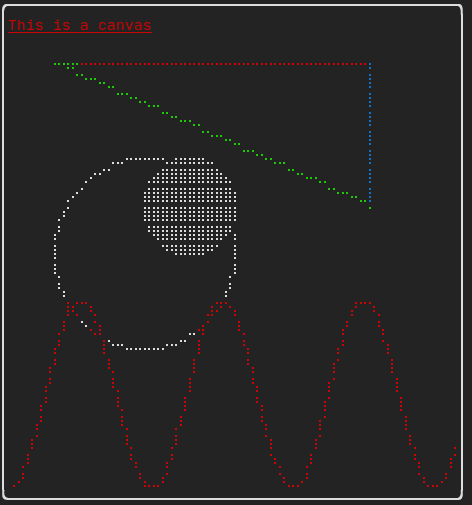
Drawing can be made on a Canvas, using braille, block, or simple characters:
Simple example:
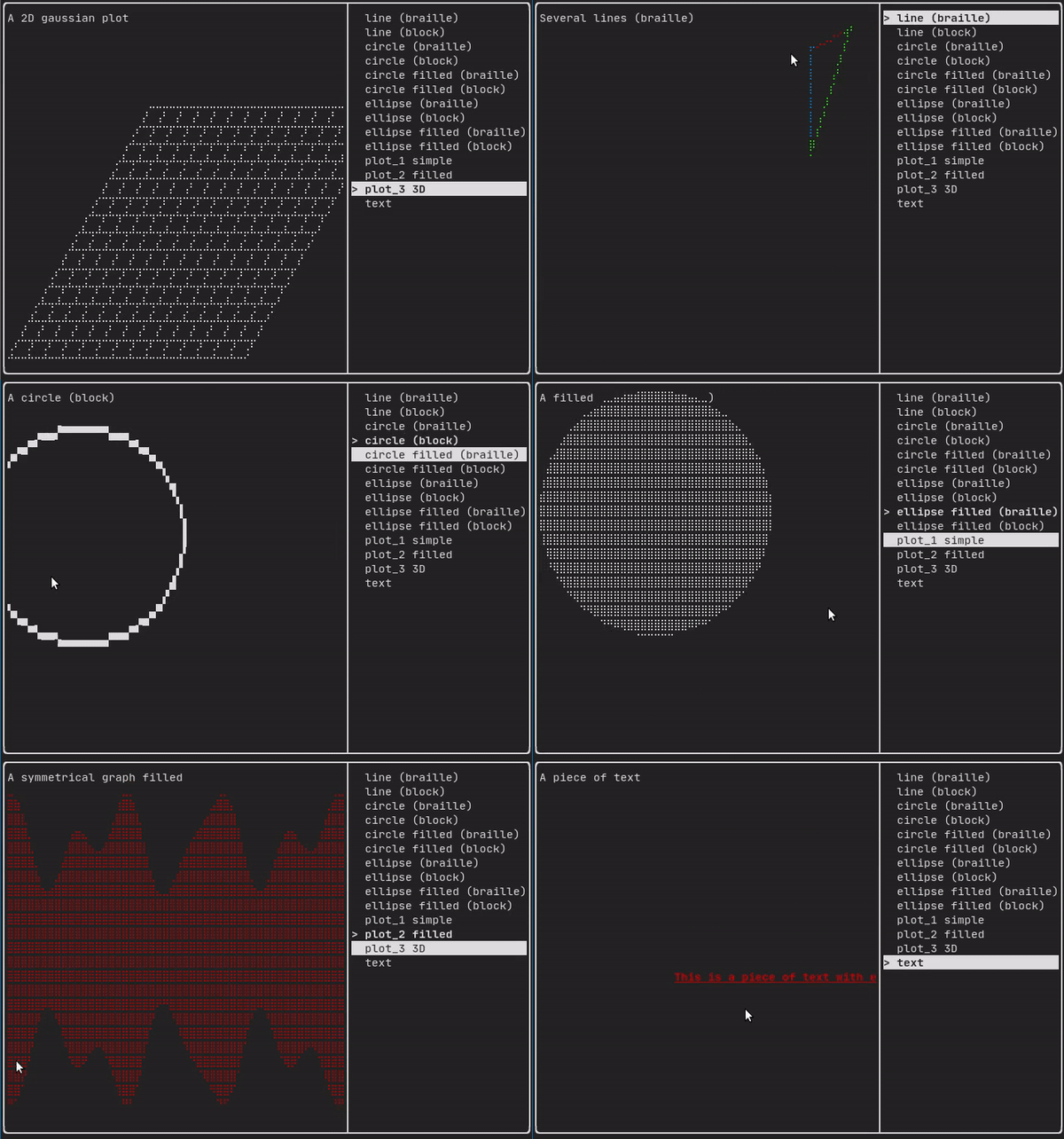
Complex examples:
Component
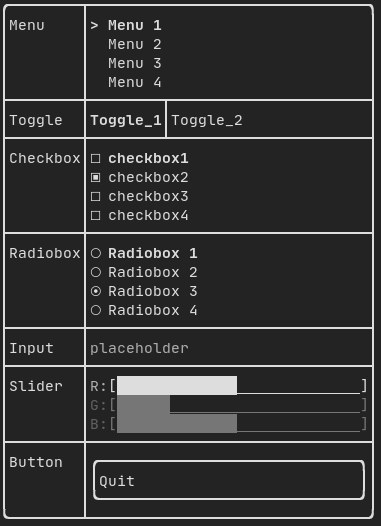
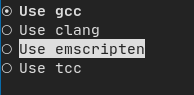
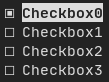
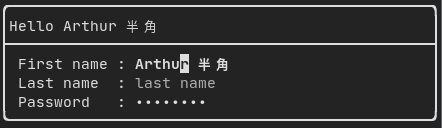
ftxui/component produces dynamic UI, reactive to the user's input. It defines a set of ftxui::Component. A component reacts to Events (keyboard, mouse, resize, ...) and Renders as an Element (see previous section).
Prebuilt components are declared in <ftxui/component/component.hpp>
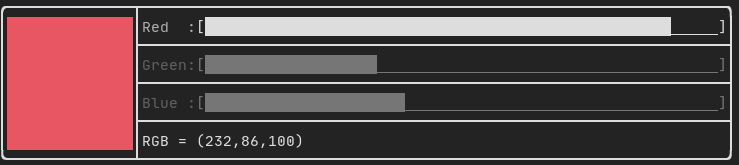
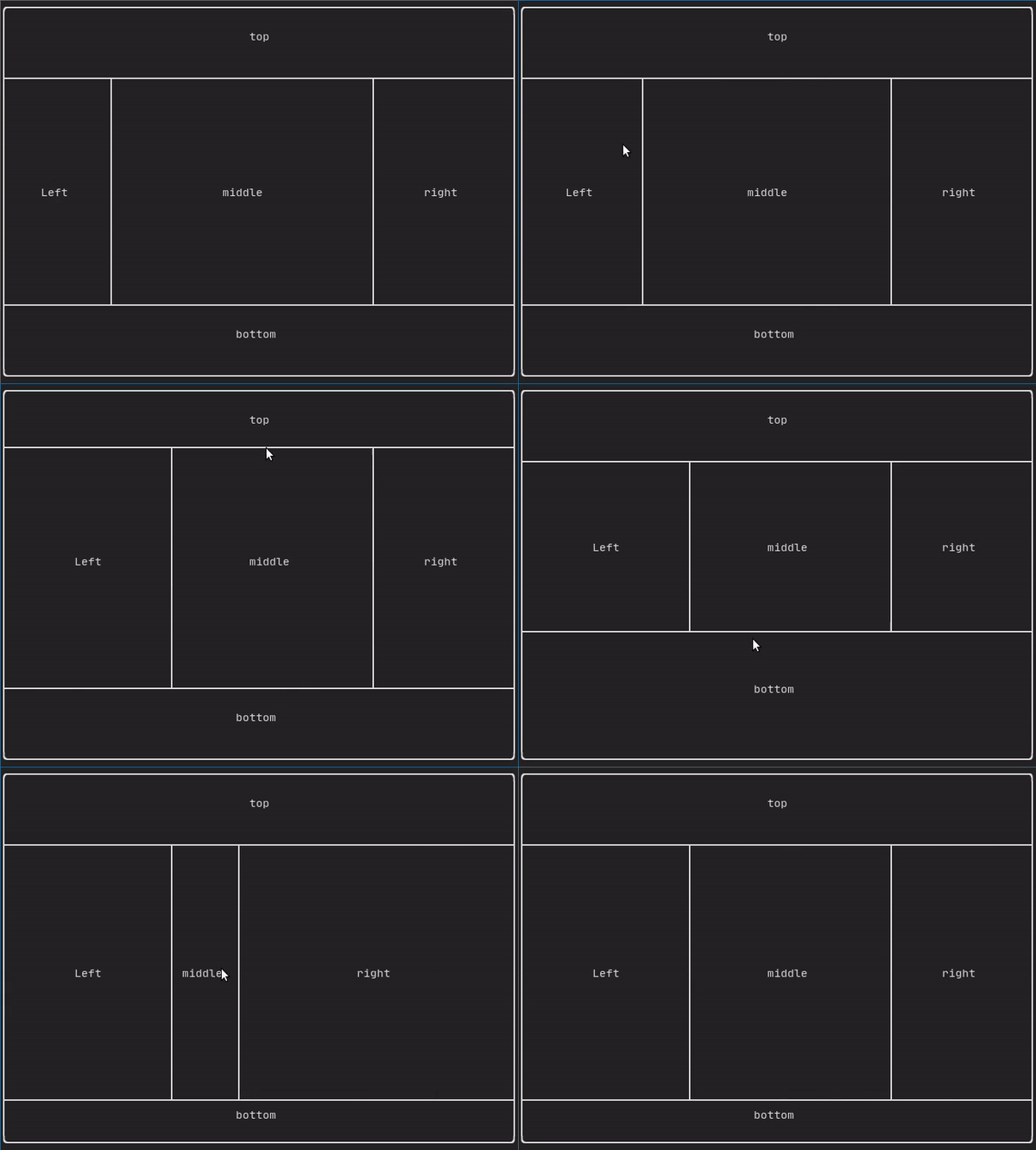
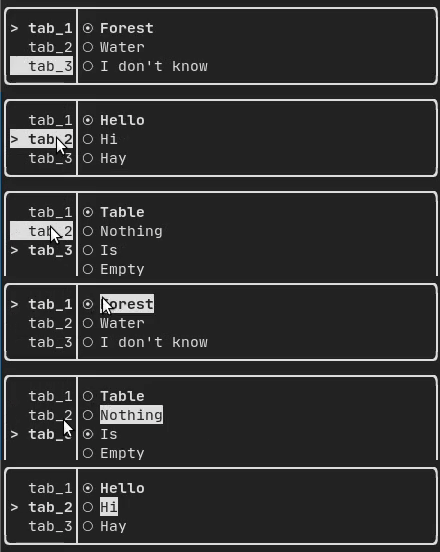
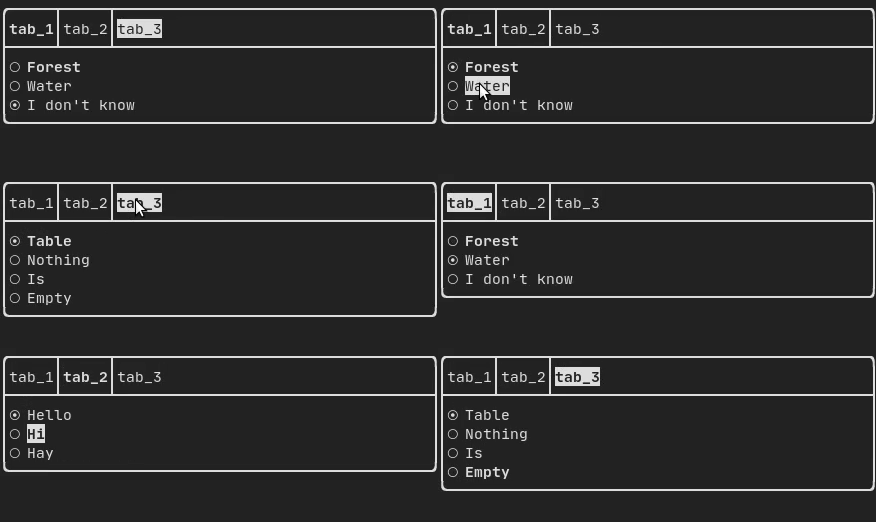
Gallery of multiple components. (demo)



Libraries for FTXUI
- Want to share a useful Component for FTXUI? Feel free to add yours here
- ftxui-grid-container
- ftxui-ip-input
- ftxui-image-view: For Image Display.
- ftxui-image-view-async: Fork of the original, without image reloads and conversions on every frame redraw.
- ftxui-navigation-tree
- MarkdownFTXUI: Markdown Editor/Viewer for the terminal.
Project using FTXUI
Feel free to add your projects here:
- 2048-cpp
- BestEdrOfTheMarket
- Captain's log
- Caravan
- CryptoCalculator
- FTB - tertminal file browser
- FTowerX
- Fallout terminal hacking
- Imza - Coding Agent
- Lazylist
- Memory game
- nfolens
- Path Finder
- Pigeon ROS TUI
- SHOOT!
- StartUp
- Step-Writer
- TUISIC
- Terminal Animation
- TimeAccumulator
- UDP chat
- VerifySN (Fast Hash Tool)
- XJ music
- beagle-config
- cachyos-cli-installer
- eCAL monitor
- ftxuiFileReader
- ftxui_CPUMeter
- hastur
- i3-termdialogs
- inLimbo
- keywords (Play web version :heart:)
- LookForward Calendar
- ltuiny
- openJuice
- ostree-tui
- OvenbirdBT
- pciex
- resource-monitor
- rw-tui
- simpPRU
- sweeper (Play web version :heart:)
- tabdeeli
- terminal-rain
- tic-tac-toe
- tiles
- todoman
- turing_cmd
- typing-speed-test
- vantage
- x86-64 CPU Architecture Simulation
- C++ Process Manager
- Baobab TUI Remake
- Youtube Music Client
- TUI_DB
- Tpedia - Terminal Wikipedia
cpp-best-practices/game_jam
Several games using the FTXUI have been made during the Game Jam:
- TermBreaker [Play web version]
- Minesweeper Marathon [Play web version]
- Grand Rounds
- LightsRound
- DanteO
- Sumo
- Drag Me aROUND
- DisarmSelfDestruct
- TheWorld
- smoothlife
- Consu
Build using CMake
It is highly recommended to use CMake FetchContent to depend on FTXUI so you may specify which commit you would like to depend on.
include(FetchContent)
FetchContent_Declare(ftxui
  GIT_REPOSITORY https://github.com/ArthurSonzogni/ftxui
  GIT_TAG v7.0.3
)
FetchContent_MakeAvailable(ftxui)

target_link_libraries(your_target PRIVATE
    # Use the umbrella target (recommended)
    ftxui::ftxui

    # Or chose a submodule
    # ftxui::component
    # ftxui::dom
    # ftxui::screen
)
Build using Bazel
MODULE.bazel
bazel_dep(
    name = "ftxui",
    version = "7.0.3",
)
BUILD.bazel
cc_binary(
    name = "your_target",
    srcs = ["your_source.cc"],
    deps = [
        # Choose submodules
        "@ftxui//:component",
        "@ftxui//:dom",
        "@ftxui//:screen",

        # Or use the single ftxui target (includes all modules)
        # "@ftxui//:ftxui",
    ],
)
Build using Meson
FTXUI can also be built using Meson. See doc/installation_meson.md for detailed instructions.
meson setup builddir
ninja -C builddir
To use FTXUI as a subproject in your Meson project, create a subprojects/ftxui.wrap file or use it as a dependency:
ftxui_dep = dependency('ftxui-component')
Build with something else:
If you don't, FTXUI may be used from the following packages:
- CMake FetchContent (preferred),
- Bazel,
- vcpkg,
- Conan
- Debian package,
- Ubuntu package,
- Arch Linux,
- OpenSUSE,
- Nix,

If you choose to build and link FTXUI yourself, ftxui-component must be first in the linking order relative to the other FTXUI libraries, i.e.
g++ . . . -lftxui-component -lftxui-dom -lftxui-screen . . .
To build FTXUI with modules, check documentation