部分主题字体因版权不能内置,需自行下载并放入 themes/<theme_name>/font/ 才会自动加载;旧发行版若用 Qt5 版 SDDM 会报库导入错误,需重跑 sddm.sh 并选 Qt5 (Legacy) 选项;Quickshell 锁屏在 KDE Plasma 上不可用,因 KWin 不支持 ext-session-lock-v1 协议。
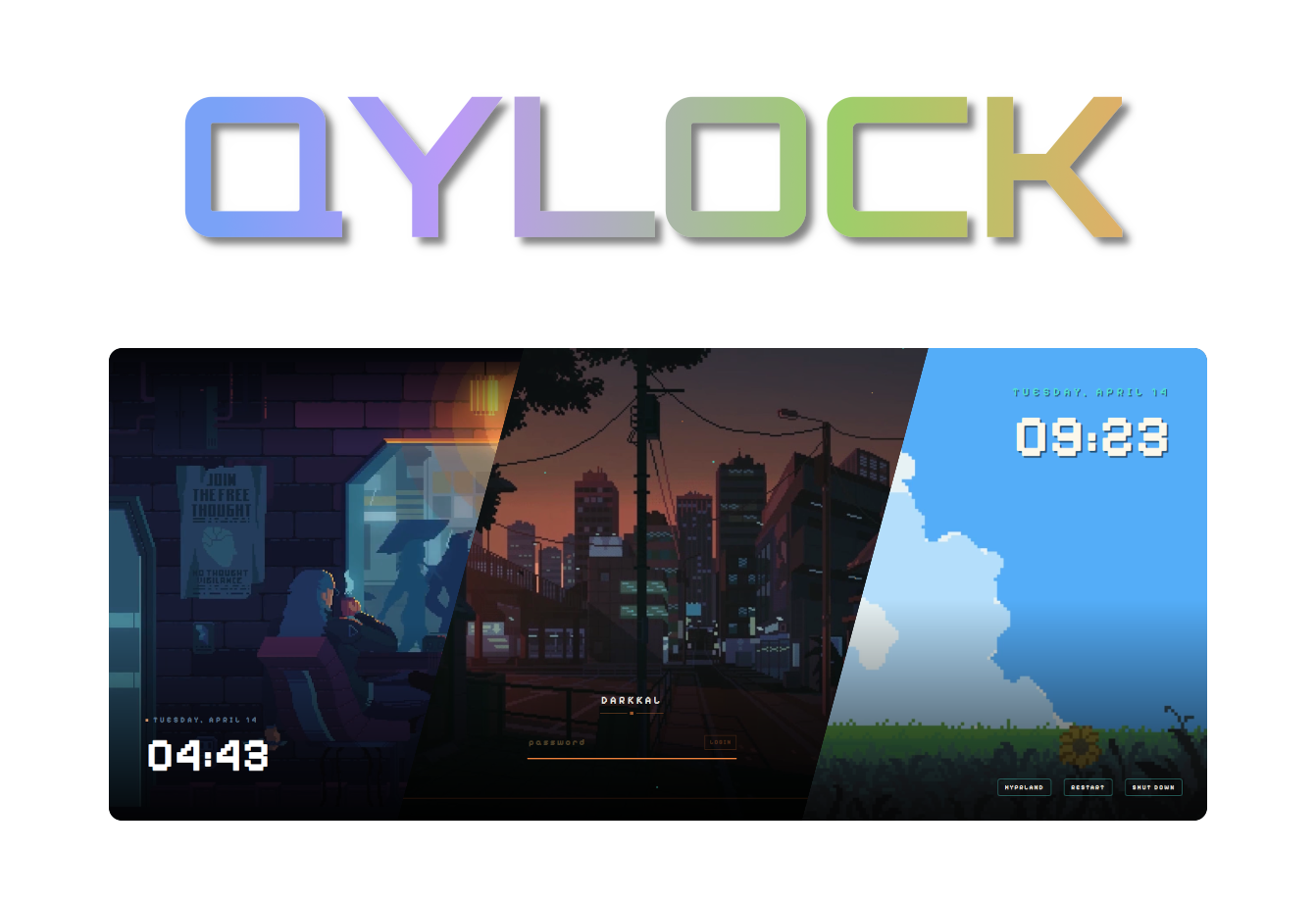
qylock
Darkkal44GPL-3.0活跃维护一套 SDDM 登录主题和 Quickshell 锁屏配置合集,用来给 Linux 桌面换上好看又统一的登录与锁屏界面。
A cozy collection of sddm-themes & quickshell lockscreen setups.
暂无版本3,057star +15 / 7 天126fork同步于 2026-11-10 23:43 UTC
chmod +x sddm.sh && ./sddm.sh
chmod +x quickshell.sh && ./quickshell.sh 硬件要求按 README 说明
README 未说明显存或 CPU 要求;仅说明主题在 Arch Linux 上制作和测试,脚本在多数发行版可用,需自行装好对应依赖。
一套 SDDM 登录主题与 Quickshell 锁屏主题合集,让 Linux 桌面登录和锁屏界面更好看
一套 SDDM 登录主题和 Quickshell 锁屏配置合集,用来给 Linux 桌面换上好看又统一的登录与锁屏界面。
核心能力
- 提供 SDDM 登录界面主题,脚本一键安装
- 提供 Quickshell 锁屏主题,绑定 WM 快捷键即可调用
- 支持视频背景,依赖 qt6-multimedia 与 GStreamer 插件
- 提供 NixOS flake,用 programs.qylock 声明式选主题
- 安装脚本可自动转换为 Qt5 兼容版本供旧发行版使用
容易踩的坑
内容由模型根据 README 生成,可能不完整或不准确,以官方文档为准。看原文 README
暂无 release 数据(可能没有发版,或尚未同步)。
用户点评
登录用户的真实使用记录,可按版本和硬件筛选共 0 条
还没有人点评。第一个说出真实体验的人最有价值。
[!IMPORTANT] Have a problem? Please check the FAQ before opening a new issue. Most common setup errors are already documented there!
Start by installing these dependencies using the package manager of your distro. (Note: Names might vary depending on your distribution.)
📦 DEPENDENCIES
| Packages | |
|---|---|
| Core | sddm qt6-declarative qt6-5compat qt6-svg |
| Video | qt6-multimedia qt6-multimedia-ffmpeg |
| GStreamer | gst-plugins-base gst-plugins-good gst-plugins-bad gst-plugins-ugly |
| Optional | fzf |
Some themes rely on fonts that cannot be bundled here (copyright issues). Download the font and drop it into themes/<theme_name>/font/ — it loads automatically.
| Theme | Font | Filename |
|---|---|---|
| NieR: Automata | FOT-Rodin Pro DB | FOT-Rodin Pro DB.otf |
| Terraria | Andy Bold | Andy Bold.ttf |
| Genshin Impact | HYWenHei-85W | zhcn.ttf |
| Sword | The Last Shuriken | The Last Shuriken.ttf |
| Minecraft | Minecraft Regular | minecraft.ttf |
| Honkai: Star Rail | DIN Next | font.ttf |
| osu! | Torus Regular | Torus Regular.otf |
🚀 INSTALLATION
[!NOTE] These themes are made and tested only on arch linux, but the script will work in most of the distro's out there, so all you gotta do is get the dependencies right as its different for all the distros.
chmod +x sddm.sh && ./sddm.sh
Start by installing these dependencies using the package manager of your distro. (Note: Names might vary depending on your distribution.)
📦 DEPENDENCIES
| Packages | |
|---|---|
| Core | quickshell qt6-declarative qt6-5compat |
| Video | qt6-multimedia qt6-multimedia-ffmpeg |
| GStreamer | gst-plugins-base gst-plugins-good gst-plugins-bad gst-plugins-ugly |
| Optional | fzf |
🚀 INSTALLATION
chmod +x quickshell.sh && ./quickshell.sh
⌨️ SHORTCUT BINDING
Point your Window Manager keybind (e.g., in Hyprland, Qtile, Sway, or i3) directly to:
~/.local/share/quickshell-lockscreen/lock.sh
A flake is provided for NixOS users — no sddm.sh / quickshell.sh needed. Themes live in the Nix store and the active theme is chosen declaratively.
🚀 USAGE
Add the input and import the module in your flake.nix:
{
  inputs.qylock.url = "github:Darkkal44/qylock";

  outputs = { self, nixpkgs, qylock, ... }: {
    nixosConfigurations.my-host = nixpkgs.lib.nixosSystem {
      system = "x86_64-linux";
      modules = [
        qylock.nixosModules.default
        ({ pkgs, ... }: {
          services.displayManager.sddm.enable = true;
          services.displayManager.sddm.wayland.enable = true;

          programs.qylock = {
            enable = true;
            theme = "nier-automata";          # any directory name under themes/
            # sddm.enable = true;             # installs theme + sets it active (default)
            # quickshell.enable = true;       # adds `qylock-lock` to PATH (default)

            # Optional per-theme tweaks (replaces the interactive prompts):
            themeOptions = {
              terraria.backgroundMode = "time";              # time | random | static
              Genshin.backgroundMode = "time";
              clockwork.orbital = { themeMode = "dark"; enableWindup = true; };
              osu.gameMode = "menu";                         # menu | game
            };
          };
        })
      ];
    };
  };
}
[!IMPORTANT] To display Quickshell-based wallpapers on NixOS, make sure the following GStreamer packages are installed system-wide. Without these, background videos will fail to render.
{ config, pkgs, ... }: {
  environment.systemPackages = with pkgs; [
    gst_all_1.gstreamer
    gst_all_1.gst-plugins-base
    gst_all_1.gst-plugins-good
    gst_all_1.gst-plugins-bad
    gst_all_1.gst-plugins-ugly
  ];
}
[!NOTE]
qt6.qtmultimediais not required here — theqylock-lockwrapper already wires the QML import path. It is only needed if you invokequickshelldirectly.
For the Quickshell lockscreen, bind your WM keybind to qylock-lock (instead of ~/.local/share/quickshell-lockscreen/lock.sh). Pass a theme name as $1 to override on the fly: qylock-lock clockwork/tape.
📦 OUTPUTS
| Output | Purpose |
|---|---|
packages.<sys>.qylock-sddm-themes | SDDM themes under share/sddm/themes/ |
packages.<sys>.qylock-quickshell | qylock-lock wrapper with Qt6 QML deps wired in |
devShells.<sys>.default | quickshell, qt6, gstreamer, fzf — to run the bash scripts locally |
nixosModules.default | programs.qylock.* options shown above |
[!NOTE] The flake pins
nixos-unstablebecausequickshellisn't in stable nixpkgs yet. If your system tracks a stable channel, override the flake'snixpkgsinput to your unstable channel.
[!TIP] Can't find your issue here? Feel free to open a discussion or an issue, but please double-check the sections below first!
⌨️ Virtual Keyboard popping up?
If the virtual keyboard keeps opening on its own at startup, you can disable it in your SDDM config:
- Open
/etc/sddm.conf.d/virtualkeyboard.confas root. - Under the
[General]section, setInputMethodto empty:
[General]
InputMethod=
📺 Low quality background video?
To keep the download size small, some videos are compressed. For the full 4K/HD version:
- Get the original video from the links in the Acknowledgements section.
- Rename it to
bg.mp4. - Replace the
bg.mp4inside your current theme's folder.
🛠️ Themes not loading (library import version error)?
[!NOTE] This error typically occurs because many stable distributions (like Debian or older Fedora versions) still use the Qt5-based version of SDDM. Since these themes are written in native Qt6 for modern systems, they require a specific transpilation step to work on legacy backends.
If you encounter library errors at the login screen:
- Re-run the installation script:
./sddm.sh. - When prompted, select the Qt5 (Legacy) option.
- The script will automatically convert the themes and install the compatible versions for you.
| Required Packages (Qt5 Legacy Mode) | |
|---|---|
| Core | sddm qt5-declarative qt5-graphicaleffects qt5-quickcontrols2 |
| Video | qt5-multimedia gst-plugins-base gst-plugins-good gst-plugins-bad gst-plugins-ugly |
| Tools | perl |
❄️ Quickshell not working on KDE Plasma?
[!NOTE] This is a known limitation of KWin. You can still use the SDDM portion of the themes for your login screen, but the Quickshell lockscreen itself is a no-go on Plasma because it lacks support for the
ext-session-lock-v1protocol.
Huge thanks to all the amazing artists for these wallpapers and fonts! Here's where everything comes from:
| Theme | Wallpaper | Font | Theme | Wallpaper | Font |
|---|---|---|---|---|---|
| Pixel · Coffee | MoeWalls | Pixelify Sans | Pixel · Munchlax | MoeWalls | Pixelify Sans |
| Pixel · Dusk City | WallsFlow | Pixelify Sans | Pixel · Night City | WallsFlow | Pixelify Sans |
| Pixel · Hollow Knight | MoeWalls | Pixelify Sans | Pixel · Rainy Room | MoeWalls | Pixelify Sans |
| Pixel · Skyscrapers | WallsFlow | Pixelify Sans | Pixel · Cyberpunk | Pixiv | Pixelify Sans |
| Pixel · Emerald | - | Pixelify Sans | Pixel · Sakura | - | Pixelify Sans |
| Pixel · Waterfall | - | Pixelify Sans | Enfield | WallsFlow | Orbitron |
| Sword | WallsFlow | The Last Shuriken | The Last of Us | MoeWalls | Outfit |
| Field | MoeWalls | - | Girl · Coffee | MoeWalls | - |
| Girl · Pillow | MoeWalls | Itim | Man · Bicycle | MoeWalls | Itim |
| Women · Umbrella | MoeWalls | Itim | Forest | MoeWalls | Figtree |
| Winter | MoeWalls | Orbitron | Dog Samurai | MoeWalls | Orbitron |
| Honkai: Star Rail | YouTube | DIN Next | Genshin Impact | YouTube | HYWenHei |
| Wuthering Waves | YouTube | Orbitron | osu! | Official | Torus Regular |
| osu! mania | Official | Torus Regular | Minecraft | Minecraft Wiki | Minecraft |
| NieR: Automata | FOT-Rodin Pro DB | Reverse: 1999 | Taptap | Outfit | |
| Clockwork | WallsFlow | Orbitron | Terraria | Terraria Forums | Andy Bold |
| Ninja Gaiden | Noisy Pixel | Tektur | Windows 7 | WallpaperAccess | Segoe UI |
| Skyrim | The Elder Scrolls V: Skyrim | Futura Condensed Light | - | - | - |
💖 SUPPORTERS
Max • Awkward • Chương Kính • MerhawiGhebrekal • Silenett • wawzi • franchecol • MerhawiGhebrekal • Trench Martyr
🛠️ SPECIAL THANKS
Pumphium, kaizky, DragonChicken

ohmyzsh
ohmyzsh·Shell
一套社区维护的 zsh 配置管理框架,内置 300+ 插件和 140+ 主题,帮你快速搭好顺手的终端环境并自动更新。
zsh 配置+4桌面美化 / 主题
190435+9927k2026-11-09 12:36 UTC
warp
warpdotdev·Rust
基于 Rust 打造的智能体开发环境,从终端演化而来,把 AI 代理能力直接融入命令行,让写代码、跑命令和调试更顺手。
终端模拟器+4桌面美化 / 主题进阶
65967+665.8kv0.2026.06.09.19.54.dev_002026-11-10 22:48 UTC
NvChad
NvChad·Lua
基于 Lua 的 Neovim 配置框架,开箱即用,自带合理默认设置和漂亮界面,省去从零折腾配置的麻烦。
Neovim 配置+3桌面美化 / 主题进阶
28542+102.2kv2.52026-10-24 22:01 UTC

.tmux
gpakosz·Shell
一套开箱即用的 tmux 配置,自带主题、状态栏和常用快捷键,省去自己写 .tmux.conf 的麻烦,让终端多窗口操作更顺手。
tmux 配置+4桌面美化 / 主题进阶
25471+33.6k2026-10-21 15:47 UTC