- 带新人熟悉分支模型:提交图直接画出来,merge/rebase 前后能看见 ref 怎么动,比
git log --graph直观,省掉逐条解释 reflog 的时间 - 在只有 shell 的远程机器上做可视化操作:服务跑在远端、浏览器在本地开,不用装 X11 转发或桌面版客户端
- 临时救火时看历史:clone 完
npm install -g ungit就能起,比装 Sourcetree/GitKraken 这类重客户端快,适合一次性排查 - 需要外部 merge tool 或 PGP 签名提交的团队:README 明说支持这两项配置,能在 UI 里走完流程而不用切回终端

专家点评
上手难度:进阶更新于 2026-11-11给 git 套一层本地网页 UI,把分支和提交历史变成可点选的对象,替代命令行教学和 GUI 客户端
适用场景
踩坑
- 版本门槛卡在安装阶段:node ≥ 20.19.0、npm ≥ 10.8.2、git ≥ 2.34.x,低于这个区间
npm install -g直接失败,老 CI 镜像或系统包管理器给的 node 往往不够新 - 非英文 locale 下状态解析会出错:git 输出被本地化后 UI 读不懂,撞上的场景是中文/日文系统或
LANG没设成 C 的服务器 - 广告拦截器会拦掉 localhost 的 API 请求,表现为页面能开但数据不刷新,需要手动把本地地址加白名单
- issue 里反复出现的是许可证从 MIT 改成 Faircode 的争议(两个高反应 issue 都是这个),以及打包成 Electron 应用的诉求;前者影响你能不能在公司内部分发,后者说明它至今仍是要自己起服务的形态
同类对比
要桌面一体化体验选 GitKraken / Sourcetree / GitHub Desktop;要在终端里补可视化选 lazygit 或 tig,后者没有 node 依赖、启动更快。ungit 的差异点是浏览器远程访问,只有这个需求成立时才值得多背一层 node 服务。
npm install -g ungit
ungit 硬件要求按 README 说明
README 未说明显存或 GPU 要求;只需能运行 node.js 与 git 的环境,属于纯 CPU 的本地/服务器进程,通过浏览器访问。
项目说明
由 README 自动翻译提炼给 git 套上网页图形界面的工具,让不熟命令的人也能看懂并操作分支与提交
用可视化界面替代命令行操作 Git,在浏览器里就能完成提交、分支、合并等日常操作,跨平台可用,适合不熟悉命令的开发者。
核心能力
- 用浏览器打开的可视化 UI 展示提交历史与分支
- 基于 Node.js 的本地服务,跑在支持 node 与 git 的任意平台
- 可部署在云端或纯 shell 机器,浏览器远程访问 UI
- 页面浏览时递归监听 git 目录并自动刷新内容
- 支持配置外部合并工具与 PGP 签名提交
容易踩的坑
需先装好 node.js(≥ 20.19.0)、npm(≥ 10.8.2)和 git(≥ 2.34.x),版本过低会装不上;默认监听 8448 端口,可用 ungit --port=8080 或 ~/.ungitrc 修改;部分广告拦截器会拦截 localhost 的 API 调用,需把本地地址加白名单;git 输出非英文会导致状态解析异常。
内容由模型根据 README 生成,可能不完整或不准确,以官方文档为准。看原文 README
用户点评
登录用户的真实使用记录,可按版本和硬件筛选共 0 条
还没有人点评。第一个说出真实体验的人最有价值。
ungit


The easiest way to use git. On any platform. Anywhere.

Git is known for being a versatile distributed source control system that is a staple of many individuals, communities, and even for the City of Chattanooga to crowd source bicycle parking locations. However, it is not known for userfriendliness or easy learning curve.
Ungit brings user friendliness to git without sacrificing the versatility of git.
- Clean and intuitive UI that makes it easy to understand git.
- Runs on any platform that node.js & git supports.
- Web-based, meaning you can run it on your cloud/pure shell machine and use the ui from your browser (just browse to http://your-cloud-machine.com:8448).
- Works well with GitHub.
- Gerrit integration through plugin: https://github.com/FredrikNoren/ungit-gerrit
Quick intro to ungit: https://youtu.be/hkBVAi3oKvo

Installing
Requires node.js (≥ 20.19.0), npm (≥ 10.8.2, comes with node.js) and git (≥ 2.34.x). To install ungit just type:
npm install -g ungit
NOTE: If your system requires root access to install global npm packages, make sure you use the -H flag:
sudo -H npm install -g ungit
Prebuilt electron packages are available here (git is still required).
Using
Anywhere you want to start, just type:
ungit
This will launch the server and open up a browser with the ui.
Configuring
Put a configuration file called .ungitrc in your home directory (/home/USERNAME on *nix, C:/Users/USERNAME/ on windows). Configuration file must be in json format. See source/config.js for available options.
You can also override configuration variables at launch by specifying them as command line arguments; ungit --port=8080. To disable boolean features use --no: ungit --no-autoFetch.
Example of ~/.ungitrc configuration file to change default port and enable bugtracking:
{
	"port": 8080,
	"bugtracking": true
}
PGP
Git and github both supports PGP signing. Within Ungit these features can be enabled via doing either one of the below two actions.
git config --global commit.gpgsign true(or without--globalat the repo)- Add
isForceGPGSign: truetoungit.rcfile
Currently, Ungit DOES NOT support GPG authentication! While git allows robust programmatic authentication via credential-helper, I could not find an easy way to do something equivalent with GPG.
Therefore, password-less gpg authentication or 3rd party gpg password must be configured when using Ungit to commit with gpg. Below are several way to enable password-less gpg authentication for various OSs.
- Cache GnuPG passphrase
- gpg-agent with pinentry-mac
brew install gnupg gpg-agent pinentry-macecho "test" | gpg --clearsign# See gpg authentication prompt when gpg is accessed.- Optionally you can save it to keychain.

I understand this is not convenient, but security is hard. And I'd much rather have bit of inconvenience than Ungit having security exposure.
External Merge Tools
If you have your own merge tool that you would like to use, such as Kaleidoscope or p4merge, you can configure ungit to use it. See MERGETOOL.md.
Auto Refresh
Ungit will watch git directory recursively upon page view and automatically refresh contents on git operations or changes on files that are not configured to be ignored in .gitignore.
Text Editor Integrations
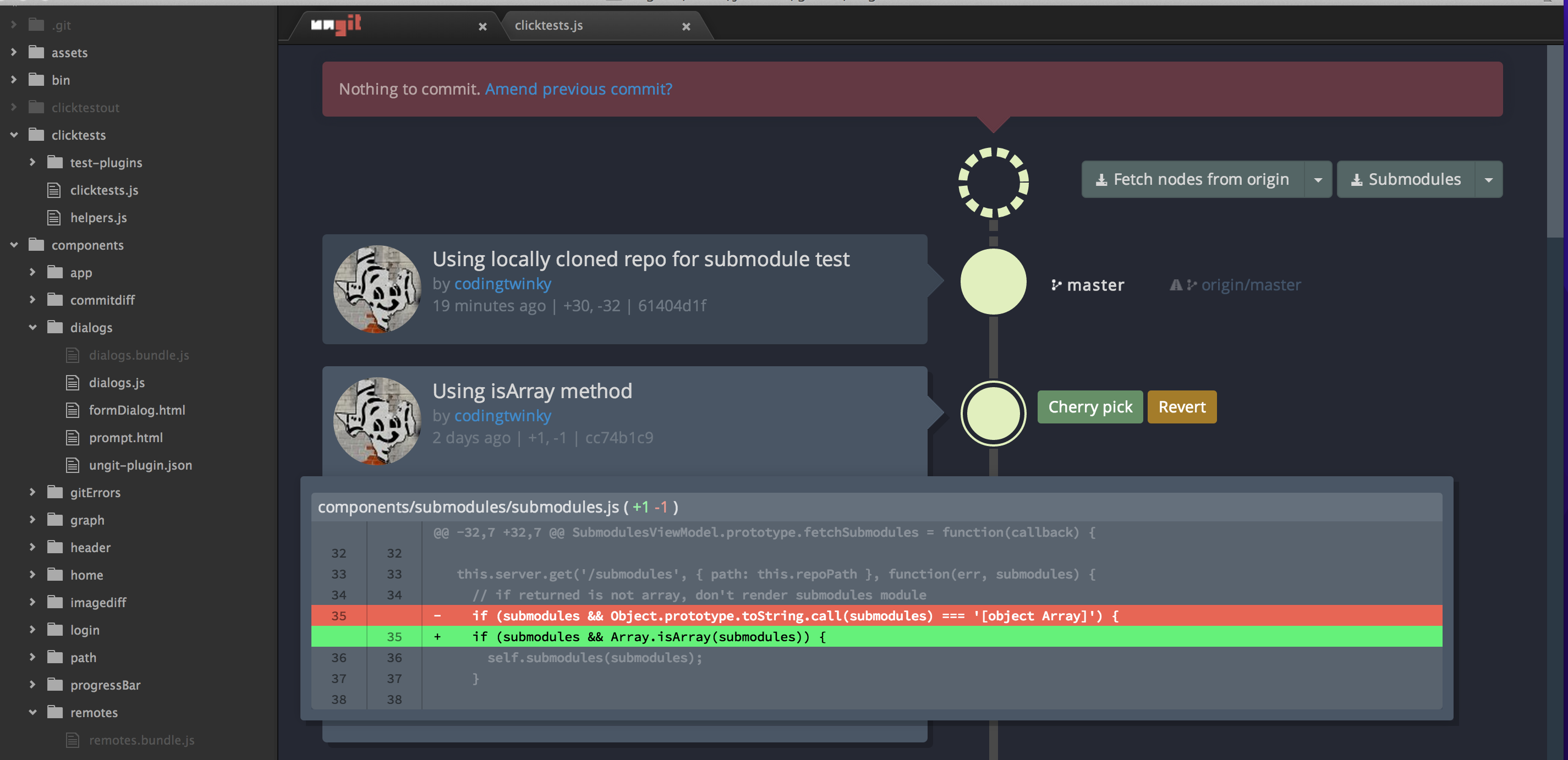
- atom-ungit for Atom.io by @codingtwinky
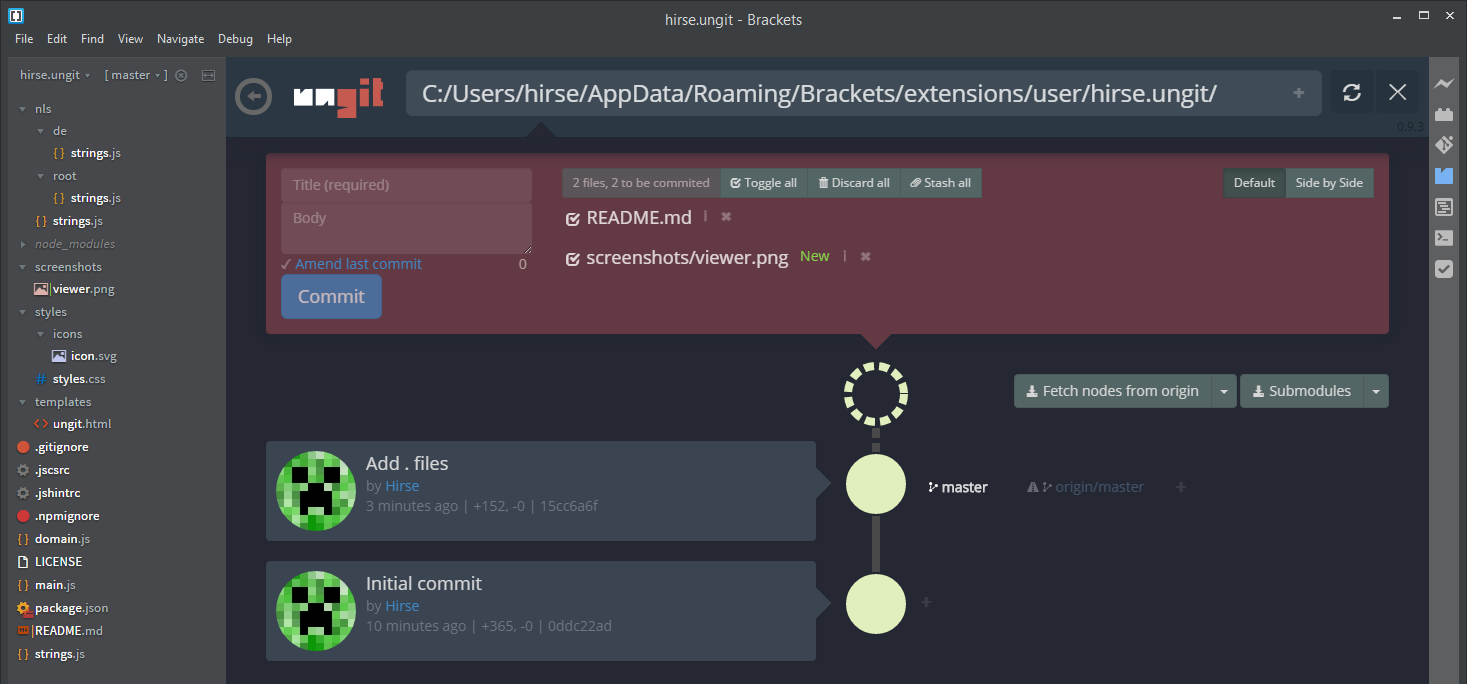
- brackets-ungit for Brackets.io by @Hirse
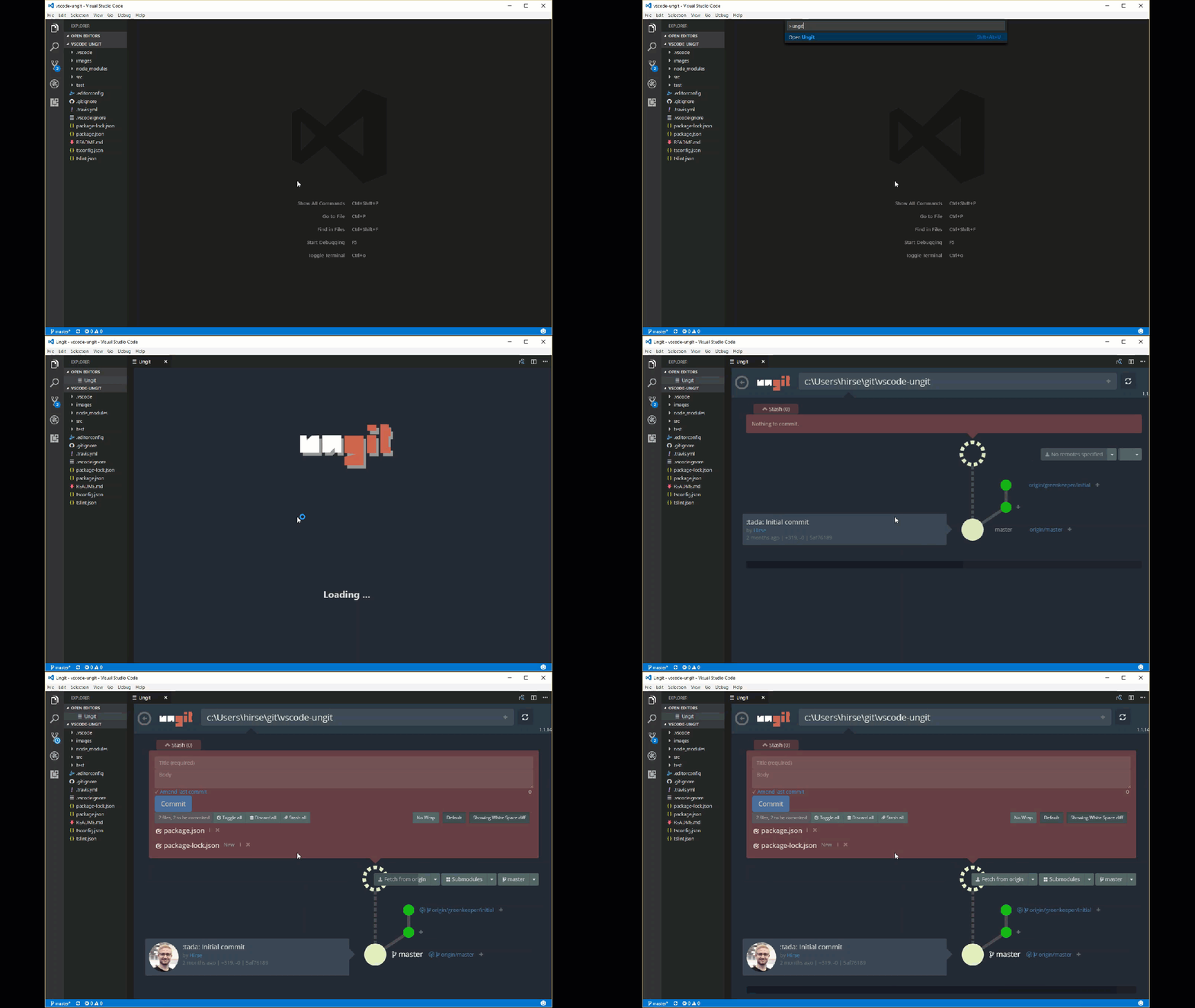
- vscode-ungit for Visual Studio Code by @Hirse
Developing
See CONTRIBUTING.md.
Maintainers
- FredrikNoren Fredrik's Patreon page for donations
- Jung-Kim JK's (codingtwinky) Patreon page for donations
- campersau
Known issues
- If you're running MacOSX Mavericks and Ungit crashes after a few seconds; try updating npm and node. See #259 and #249 for details.
- Ubuntu users may have trouble installing because the node executable is named differently on Ubuntu, see #401 for details.
- Debian Wheezy's supported git and nodejs packages are too old, therefore download newest git and nodejs tarballs and build from source.
- Adblocker may block Ungit! Some ad blockers, such as Adblock plus and uBlock, don't like localhost api calls and assume that it is a cross domain attack. Please whitelist
{localhost|127.0.0.1|$UngitURL}:{ungit port number}. #887 #892 - Running git in non English language will result in unexpected behavior! Ungit parses git command results in English to detect repos' states and this causes confusion when git results are not in English. #959
Changelog
See CHANGELOG.md.
License (MIT)
See LICENSE.md. To read about the Faircode experiment go to #974. Ungit is now once again MIT.


gitignore
github
汇集各种语言和开发环境的 .gitignore 模板,帮你在初始化仓库时快速挑到合适的忽略规则,省去手写配置的麻烦。
gitignore模板+3开发库 / 框架
176450+26882k2026-11-09 17:05 UTC

30-seconds-of-code
Chalarangelo·JavaScript
收录大量短小精悍的 JavaScript、CSS、Git 等代码片段与教程,帮开发者在几分钟内学会一个实用技巧,快速补齐日常开发所需知识。
代码片段+4开发库 / 框架入门
129482+4213kv14.0.02026-11-09 00:53 UTC

devops-exercises
bregman-arie·Python
一套覆盖 Linux、Kubernetes、AWS、Terraform 等主题的 DevOps 练习题与面试题库,帮运维和 SRE 系统刷题、准备面试。
DevOps 面试题+4开发库 / 框架入门
86705+11621k2025-12-27 14:22 UTC

lazygit
jesseduffield·Go
在终端里用键盘快捷操作完成提交、分支、rebase、cherry-pick 等 Git 日常操作,不用记命令,适合喜欢命令行但嫌 Git 命令繁琐的开发者。
终端界面+4开发库 / 框架入门
83808+1113.3kv0.66.32026-11-10 13:06 UTC