Stable-Diffusion

FurkanGozukaraGPL-3.0活跃维护

汇集 FLUX、Stable Diffusion、SDXL 等图像生成模型的训练与微调教程,涵盖 LoRA、DreamBooth、ComfyUI 和云端 Notebook 实操指南。

FLUX, Stable Diffusion, SDXL, SD3, LoRA, Fine Tuning, DreamBooth, Training, Automatic1111, Forge WebUI, SwarmUI, DeepFake, TTS, Animation, Text To Video, Tutorials, Guides, Lectures, Courses, ComfyUI, Google Colab, RunPod, Kaggle, NoteBooks, ControlNet, TTS, Voice Cloning, AI, AI News, ML, ML News, News, Tech, Tech News, Kohya, Midjourney, RunPod

暂无版本2,782star +1 / 7 天374fork同步于 2026-11-10 11:43 UTC

怎么上手

由 README 提炼,执行前请确认
README 未提供安装命令,内容为教程视频链接列表
硬件要求按 README 说明

README 未说明统一硬件要求;其中一条教程标题提到 8 GB 显存可做 LoRA 训练,其余以各视频说明为准

8G 显存可跑纯 CPU 可运行需要 CUDA
下载:源码 zip·GitHub Releases(安装包)本站不镜像安装包

项目说明

由 README 自动翻译提炼

生成式 AI 教程合集,覆盖 Stable Diffusion、FLUX、LoRA 训练与 WebUI 部署

汇集 FLUX、Stable Diffusion、SDXL 等图像生成模型的训练与微调教程,涵盖 LoRA、DreamBooth、ComfyUI 和云端 Notebook 实操指南。

核心能力

  • 收录 Automatic1111、Forge、SwarmUI、ComfyUI 等 WebUI 教程
  • 讲解 DreamBooth、LoRA、Textual Inversion 训练与微调流程
  • 覆盖 ControlNet、图像放大、换脸、TTS 与视频生成专题
  • 提供 RunPod、Colab、Kaggle 云端部署与数据迁移指南
  • 视频均配人工校对字幕与章节,便于按需跳转

容易踩的坑

本仓库是教程索引而非可安装软件,需按各视频步骤自行搭建环境;部分教程依赖 Automatic1111 WebUI 等第三方项目,需另行下载模型权重;云端教程涉及 RunPod、Colab 等平台账号与付费资源

内容由模型根据 README 生成,可能不完整或不准确,以官方文档为准。看原文 README

最近发版

0 个版本

暂无 release 数据(可能没有发版,或尚未同步)。

用户点评

登录用户的真实使用记录,可按版本和硬件筛选
共 0 条

    还没有人点评。第一个说出真实体验的人最有价值。

    README 原文

    未翻译

    image Hits Patreon BuyMeACoffee Furkan Gözükara Medium Codio Furkan Gözükara Medium

    YouTube Channel Furkan Gözükara LinkedIn Udemy Twitter Follow Furkan Gözükara

    Expert-Level Tutorials on Generative AI

    Hello everyone. I am Dr. Furkan Gözükara. I am a PhD Computer Engineer working as an asistant professor + full time Generative AI researcher + developer + tutorials maker

    SECourses is a dedicated YouTube channel for the following topics : Tech, AI, News, Science, Robotics, Singularity, ComfyUI, SwarmUI, ML, Artificial Intelligence, Humanoid Robots, Wan 2.2, FLUX, Krea, Qwen Image, VLMs, Stable Diffusion, SDXL, SeedVR2, TOPAZ, SUPIR, ChatGPT, Gemini, LLMs, Claude, Coding, Agents, Agentic, Animation, Deep Fakes, Fooocus, ControlNet, RunPod, Massed Compute, Windows, Hardware, Inpainting, Cloud, Kaggle, Colab, Automatic1111, SD Web UI, TensorRT, DreamBooth, LoRA, Training, Fine Tuning, Kohya, OneTrainer, Upscale, 3D, Musubi Tuner, Tutorials, Qwen Image Edit, Image Upscaling, Video Upscaling, TTS, Voice Training, Text-to-Speech, Text-to-Music, Image2Image, Text2Video, Video2Video, Style Transfer, Style Training, FLUX Kontext, Face Swap, Lip Sync, Text-to-3D, Avatar Generation, 3D Generation, AGI, Prompt Engineering, Engineering, Gradio, CUDA, GGUF, Quantization, GPT-5, Whisper and more

    Our Platform Links

    1️⃣ SECourses YouTube (48,000+ subscribers) a must follow one ⤵️
    1️⃣ https://www.youtube.com/@SECourses

    2️⃣ SECourses Patreon (25,000+ subscribers) a must follow one ⤵️
    2️⃣ https://www.patreon.com/c/SECourses

    3️⃣ SECourses Discord (10,000+ members) a must join one ⤵️
    3️⃣ https://discord.com/servers/software-engineering-courses-secourses-772774097734074388

    LinkedIn : https://www.linkedin.com/in/furkangozukara
    Twitter : https://twitter.com/GozukaraFurkan
    Linktr : https://linktr.ee/FurkanGozukara
    Google Scholar : https://scholar.google.com/citations?user=_2_KAUsAAAAJ&hl=en
    Mastodon : https://mastodon.social/@furkangozukara

    Our 2,500+ Stars GitHub Stable Diffusion and other tutorials repo ⤵️
    https://github.com/FurkanGozukara/Stable-Diffusion

    Regarding This Repository

    I am keeping this list up-to-date. I got upcoming new awesome video ideas. Trying to find time to do that.

    I am open to any criticism you have. I am constantly trying to improve the quality of my tutorial guide videos. Please leave comments with both your suggestions and what you would like to see in future videos.

    All videos have manually fixed subtitles and properly prepared video chapters. You can watch with these perfect subtitles or look for the chapters you are interested in.

    Since my profession is teaching, I usually do not skip any of the important parts. Therefore, you may find my videos a little bit longer.

    Playlist link on YouTube: Stable Diffusion Tutorials, Automatic1111 Web UI & Google Colab Guides, DreamBooth, Textual Inversion / Embedding, LoRA, AI Upscaling, Video to Anime

    Tutorial Videos

    1. How To Install Python, Setup Virtual Environment VENV, Set Default Python System Path & Install Gitimage2. Easiest Way to Install & Run Stable Diffusion Web UI on PC by Using Open Source Automatic Installerimage
    3. How to use Stable Diffusion V2.1 and Different Models in the Web UI - SD 1.5 vs 2.1 vs Anything V3image4. Zero To Hero Stable Diffusion DreamBooth Tutorial By Using Automatic1111 Web UI - Ultra Detailedimage

    5. DreamBooth Got Buffed - 22 January Update - Much Better Success Train Stable Diffusion Models Web UIimage6. How to Inject Your Trained Subject e.g. Your Face Into Any Custom Stable Diffusion Model By Web UIimage
    7. How To Do Stable Diffusion LORA Training By Using Web UI On Different Models - Tested SD 1.5, SD 2.1image8. 8 GB LoRA Training - Fix CUDA & xformers For DreamBooth and Textual Inversion in Automatic1111 SD UIimage

    9. How To Do Stable Diffusion Textual Inversion (TI) / Text Embeddings By Automatic1111 Web UI Tutorialimage10. How To Generate Stunning Epic Text By Stable Diffusion AI - No Photoshop - For Free - Depth-To-Imageimage
    11. How to Run and Convert Stable Diffusion Diffusers (.bin Weights) & Dreambooth Models to CKPT Fileimage12. Forget Photoshop - How To Transform Images With Text Prompts using InstructPix2Pix Model in NMKD GUIimage

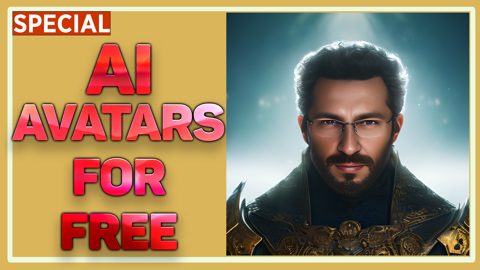
    13. Transform Your Selfie into a Stunning AI Avatar with Stable Diffusion - Better than Lensa for Freeimage14. Stable Diffusion Google Colab, Continue, Directory, Transfer, Clone, Custom Models, CKPT SafeTensorsimage
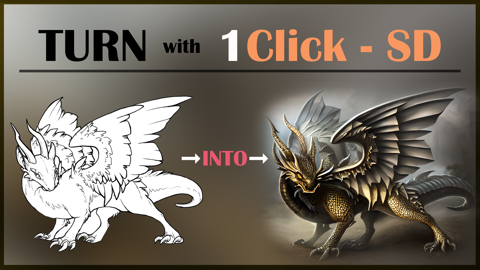
    15. Become A Stable Diffusion Prompt Master By Using DAAM - Attention Heatmap For Each Used Token - Wordimage16. Transform Your Sketches into Masterpieces with Stable Diffusion ControlNet AI - How To Use Tutorialimage

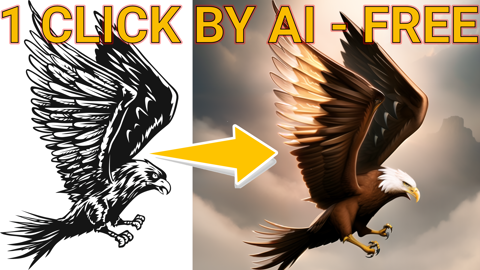
    17. Sketches into Epic Art with 1 Click: A Guide to Stable Diffusion ControlNet in Automatic1111 Web UIimage18. Ultimate RunPod Tutorial For Stable Diffusion - Automatic1111 - Data Transfers, Extensions, CivitAIimage
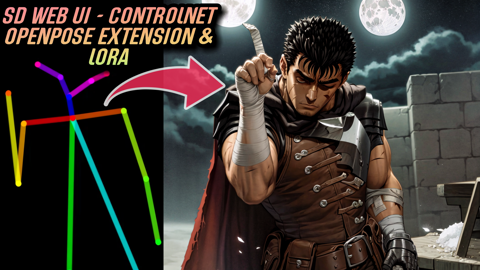
    19. How To Install DreamBooth & Automatic1111 On RunPod & Latest Libraries - 2x Speed Up - cudDNN - CUDAimage](https://youtu.be/c_S2kFAefTQ)20. Fantastic New ControlNet OpenPose Editor Extension & Image Mixing - Stable Diffusion Web UI Tutorialimage

    21. Automatic1111 Stable Diffusion DreamBooth Guide: Optimal Classification Images Count Comparison Testimage22. Epic Web UI DreamBooth Update - New Best Settings - 10 Stable Diffusion Training Compared on RunPodsimage
    23. New Style Transfer Extension, ControlNet of Automatic1111 Stable Diffusion T2I-Adapter Color Controlimage24. Generate Text Arts & Fantastic Logos By Using ControlNet Stable Diffusion Web UI For Free Tutorialimage

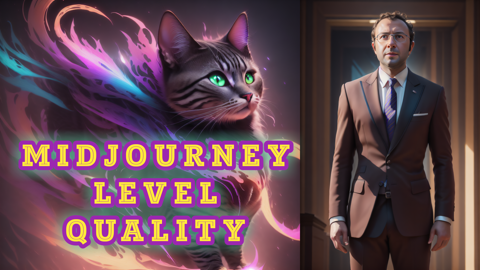
    25. How To Install New DREAMBOOTH & Torch 2 On Automatic1111 Web UI PC For Epic Performance Gains Guideimage26. Training Midjourney Level Style And Yourself Into The SD 1.5 Model via DreamBooth Stable Diffusionimage
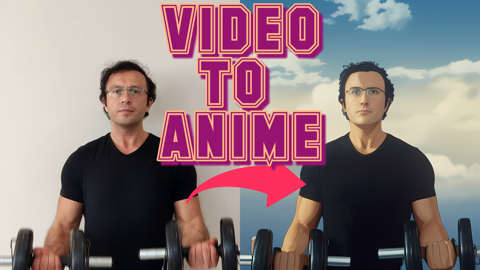
    27. Video To Anime - Generate An EPIC Animation From Your Phone Recording By Using Stable Diffusion AIimage28. Midjourney Level NEW Open Source Kandinsky 2.1 Beats Stable Diffusion - Installation And Usage Guideimage

    29. RTX 3090 vs RTX 3060 Ultimate Showdown for Stable Diffusion, ML, AI & Video Rendering Performanceimage30. Generate Studio Quality Realistic Photos By Kohya LoRA Stable Diffusion Training - Full Tutorialimage
    31. DeepFloyd IF By Stability AI - Is It Stable Diffusion XL or Version 3? We Review and Show How To Useimage32. How To Find Best Stable Diffusion Generated Images By Using DeepFace AI - DreamBooth / LoRA Trainingimage

    33. Mind-Blowing Deepfake Tutorial: Turn Anyone into Your Favorite Movie Star! PC & Google Colab - roopimage34. Stable Diffusion Now Has The Photoshop Generative Fill Feature With ControlNet Extension - Tutorialimage
    35. Human Cropping Script & 4K+ Resolution Class / Reg Images For Stable Diffusion DreamBooth / LoRAimage36. Stable Diffusion 2 NEW Image Post Processing Scripts And Best Class / Regularization Images Datasetsimage

    37. How To Use Roop DeepFake On RunPod Step By Step Tutorial With Custom Made Auto Installer Scriptimage38. Zero to Hero ControlNet Tutorial: Stable Diffusion Web UI Extension - Complete Feature Guideimage
    39. The END of Photography - Use AI to Make Your Own Studio Photos, FREE Via DreamBooth Trainingimage40. How To Use Stable Diffusion XL (SDXL 0.9) On Google Colab For Freeimage

    41. Stable Diffusion XL (SDXL) Locally On Your PC - 8GB VRAM - Easy Tutorial With Automatic Installerimage42. How To Use SDXL On RunPod Tutorial. Auto Installer & Refiner & Amazing Native Diffusers Based Gradioimage
    43. ComfyUI Master Tutorial - Stable Diffusion XL (SDXL) - Install On PC, Google Colab (Free) & RunPodimage44. First Ever SDXL Training With Kohya LoRA - Stable Diffusion XL Training Will Replace Older Modelsimage

    45. How To Use SDXL in Automatic1111 Web UI - SD Web UI vs ComfyUI - Easy Local Install Tutorial / Guideimage46. How to use Stable Diffusion X-Large (SDXL) with Automatic1111 Web UI on RunPod - Easy Tutorialimage
    47. Become A Master Of SDXL Training With Kohya SS LoRAs - Combine Power Of Automatic1111 & SDXL LoRAsimage48. How To Do SDXL LoRA Training On RunPod With Kohya SS GUI Trainer & Use LoRAs With Automatic1111 UIimage

    49. How to Do SDXL Training For FREE with Kohya LoRA - Kaggle - NO GPU Required - Pwns Google Colabimage50. How Use Stable Diffusion, SDXL, ControlNet, LoRAs For FREE Without A GPU On Kaggle Like Google Colabimage
    51. Turn Videos Into Animation With Just 1 Click - ReRender A Video Tutorial - Installer For Windowsimage52. Turn Videos Into Animation / 3D Just 1 Click - ReRender A Video Tutorial - Installer For RunPodimage

    53. Double Your Stable Diffusion Inference Speed with RTX Acceleration TensorRT: A Comprehensive Guideimage54. How to Install & Run TensorRT on RunPod, Unix, Linux for 2x Faster Stable Diffusion Inference Speedimage
    55. SOTA Image PreProcessing Scripts For Stable Diffusion Training - Auto Subject Crop & Face Focusimage56. Fooocus Stable Diffusion Web UI - Use SDXL Like You Are Using Midjourney - Easy To Use High Qualityimage

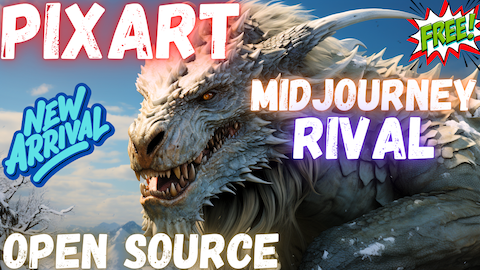
    57. How To Do Stable Diffusion XL (SDXL) DreamBooth Training For Free - Utilizing Kaggle - Easy Tutorialimage58. PIXART-α : First Open Source Rival to Midjourney - Better Than Stable Diffusion SDXL - Full Tutorialimage
    59. Essential AI Tools and Libraries: A Guide to Python, Git, C++ Compile Tools, FFmpeg, CUDA, PyTorchimage60. MagicAnimate: Temporally Consistent Human Image Animation using Diffusion Model - Full Tutorialimage

    61. Instantly Transfer Face By Using IP-Adapter-FaceID: Full Tutorial & GUI For Windows, RunPod & Kaggleimage62. Detailed Comparison of 160+ Best Stable Diffusion 1.5 Custom Models & 1 Click Script to Download Allimage
    63. SUPIR: New SOTA Open Source Image Upscaler & Enhancer Model Better Than Magnific & Topaz AI Tutorialimage64. Full Stable Diffusion SD & XL Fine Tuning Tutorial With OneTrainer On Windows & Cloud - Zero To Heroimage

    65. Improve Stable Diffusion Prompt Following & Image Quality Significantly With Incantations Extensionimage66. Complete Guide to SUPIR Enhancing and Upscaling Images Like in Sci-Fi Movies on Your PCimage
    67. IDM-VTON: The Most Amazing Virtual Clothing Try On Application - Open Source - 1 Click Install & Useimage68. IDM-VTON: The Most Amazing Virtual Clothing Try On Application - RunPod - Massed Compute - Kaggleimage

    69. Stable Cascade Full Tutorial for Windows - Predecessor of SD3 - 1-Click Install Amazing Gradio APPimage70. Stable Cascade Full Tutorial for Cloud - Predecessor of SD3 - Massed Compute, RunPod & Kaggleimage
    71. How to Download (wget) Models from CivitAI & Hugging Face (HF) & upload into HF including privatesimage72. Testing Stable Diffusion Inference Performance with Latest NVIDIA Driver including TensorRT ONNXimage

    73. Mind-Blowing Deepfake Tutorial: Turn Anyone into Your Fav Movie Star! Better than Roop & Face Fusionimage74. Best Deepfake Open Source App ROPE - So Easy To Use Full HD Feceswap DeepFace, No GPU Required Cloudimage
    75. V-Express: 1-Click AI Avatar Talking Heads Video Animation Generator - D-ID Alike - Free Open Sourceimage76. V-Express 1-Click AI Talking Avatar Generator - Like D-ID - Massed Compute, RunPod & Kaggle Guideimage

    77. Zero to Hero Stable Diffusion 3 Tutorial with Amazing SwarmUI SD Web UI that Utilizes ComfyUIimage78. How to Use SwarmUI & Stable Diffusion 3 on Cloud Services Kaggle (free), Massed Compute & RunPodimage
    79. Animate Static Photos into Talking Videos with LivePortrait AI Compose Perfect Expressions Fastimage80. LivePortrait: No-GPU Cloud Tutorial - RunPod, MassedCompute & Free Kaggle Account - Animate Imagesimage

    81. Kling AI Video is FINALLY Public (All Countries), Free to Use and MIND BLOWING - Full Tutorialimage82. FLUX: The First Ever Open Source txt2img Model Truly Beats Midjourney & Others - FLUX is Awaited SD3image
    83. SUPIR Online - Ultimate Image Upscaler by Official Developers - Full Tutorial - SUPIR 2 Incomingimage84. FLUX LoRA Training Simplified: From Zero to Hero with Kohya SS GUI (8GB GPU, Windows) Tutorial Guideimage

    85. Blazing Fast & Ultra Cheap FLUX LoRA Training on Massed Compute & RunPod Tutorial - No GPU Required!image86. Invoke AI Full Install and Run Tutorial for Windows, RunPod and Massed Compute - 1-Click Easy Guideimage
    87. How to Install Python, CUDA, cuDNN, C++ Build Tools, FFMPEG & Git Tutorial for AI Applicationsimage88. How to Use MimicPC Full Tutorial - Run Best AI APPs in Your Browser Through MimicPC Serversimage

    89. How To Enable VPN For Only A Single APP With Cloudflare Zero Trust Free Warp VPN - Split Tunnelingimage90. FLUX Full Fine-Tuning / DreamBooth Training Master Tutorial for Windows, RunPod & Massed Computeimage
    91. Stable Diffusion 3.5 Large How To Use Tutorial With Best Configuration and Comparison With FLUX DEVimage92. How To Use Mochi 1 Open Source Video Generation Model On Your Windows PC, RunPod and Massed Computeimage

    93. FLUX Tools Outpainting, Inpainting (Fill), Redux, Depth & Canny Ultimate Tutorial Guide with SwarmUIimage94. Best Open Source Image to Video Generator CogVideoX1.5-5B-I2V Step by Step Windows & Cloud Tutorialimage
    95. SANA: Ultra HD Fast Text to Image Model from NVIDIA Step by Step Tutorial on Windows, Cloud & Kaggleimage96. NVIDIA SANA 4K: Mind-Blowing 16MP Text-to-Image AI Model Runs on 8GB GPUs - Game-Changing Techimage

    97. MSI RTX 5090 TRIO FurMark Benchmarking + Overclocking + Noise Testing and Comparing with RTX 3090 TIimage98. RTX 5090 Tested Against FLUX DEV, SD 3.5 Large, SD 3.5 Medium, SDXL, SD 1.5, AMD 9950X + RTX 3090 TIimage
    99. SwarmUI free Kaggle Account Notebook Full Tutorial - SD 1.5, SDXL, SD 3.5, FLUX, Hunyuan, SkyReelsimage100. How ChatGPT (LLMs) Works - Excellent Graphical Illustration Videoimage

    101. Wan 2.1 AI Video Model: Ultimate Step-by-Step Tutorial for Windows & Affordable Private Cloud Setupimage102. Ultra Advanced Wan 2.1 App Updates & Famous Squish Effect to Generate Squishing Videos Locallyimage
    103. MMAudio from Sony AI Full Tutorial - Open Source AI Audio Generator for Videos, Images and Textimage104. FramePack Full Tutorial: 1-Click to Install on Windows - Up to 120 Second Image-to-Videos with 6GBimage

    105. Master Local AI Art & Video Generation with SwarmUI (ComfyUI Backend): The Ultimate 2025 Tutorialimage106. Step by Step TRELLIS Tutorial to Generate Amazing High-Quality 3D Assets from Static Images Locallyimage
    107. Transfer Any Clothing Into A New Person & Turn Any Person Into A 3D Figure - ComfyUI Tutorialimage108. Wan 2.1 Text-to-Video T2V & Image-to-Video I2V Tutorial for SwarmUI with CausVid LoRA Extreme Speedimage

    109. SwarmUI Teacache Full Tutorial With Very Best Wan 2.1 I2V & T2V Presets - ComfyUI Used as Backendimage110. VEO 3 FLOW Full Tutorial - How To Use VEO3 in FLOW Guideimage
    111. CausVid LoRA V2 of Wan 2.1 Brings Massive Quality Improvements, Better Colors and Saturationimage112. Hi3DGen Full Tutorial With Ultra Advanced App to Generate the Very Best 3D Meshes from Static Imagesimage

    113. Ultimate ComfyUI & SwarmUI on RunPod Tutorial with Addition RTX 5000 Series GPUs & 1-Click to Setupimage114. WAN 2.1 FusionX is the New Best of Local Video Generation with Only 8 Steps + FLUX Upscaling Guideimage
    115. FLUX Kontext Dev Detailed Local Windows How To Tutorial - Better Than ChatGPT & Gemini Image Editingimage116. MultiTalk Full Tutorial With 1-Click Installer - Make Talking and Singing Videos From Static Imagesimage

    117. MultiTalk Levelled Up - Way Better Animation Compared to Before with New Workflows - Image to Videoimage118. SECourses Video and Image Upscaler Pro STAR vs TOPAZ StarLight vs Image Based Best Upscalersimage
    119. Wan 2.2 & FLUX Krea Full Tutorial - Automated Install - Ready Perfect Presets - SwarmUI with ComfyUIimage120. Qwen Image Dominates Text-to-Image: 700+ Tests Reveal Why It's Better Than FLUX - Presets Publishedimage

    121. Wan 2.2, FLUX & Qwen Image Upgraded: Ultimate Tutorial for Open Source SOTA Image & Video Gen Modelsimage122. Qwen Image Edit Full Tutorial: 26 Different Demo Cases, Prompts & Images, Pwns FLUX Kontext Devimage
    123. Nano Banana (Gemini 2.5 Flash Image) Full Tutorial - 27 Unique Cases vs Qwen Image Edit - Free 2 Useimage