本地模型需先自行启动对应服务,端口分别为 Ollama 11434、LM Studio 1234、llama.cpp 8080、oMLX 8000;修改环境变量后需重启 Incognide 才生效;llama.cpp 启动必须提供 GGUF 模型路径,否则无法拉起服务。
incognide
NPC-WorldwideMIT活跃维护一个面向 AI Agent 的本地 IDE,把 LLM 推理、Agent 编排和开发环境整合在一起,让研究者和开发者能在自己掌控数据的前提下构建智能体应用。
Explore the unknown, build the future, own your data.
v0.2.34发布于 2026-10-23 01:31 UTC496star +3 / 7 天61fork同步于 2026-11-10 17:59 UTC
git clone https://github.com/npc-worldwide/incognide.git
cd incognide
npm install
python incognide_serve.py
npm run dev 硬件要求按 README 说明
README 未说明显存或 GPU 型号要求;本地模型需自行运行 Ollama、LM Studio、llama.cpp 或 oMLX 服务,GGUF 文件需已安装 llama.cpp 或 koboldcpp 才能直接加载。
需要 CUDA
把聊天、代码、文档、浏览器和媒体整合进可平铺工作区的本地优先桌面工具
一个面向 AI Agent 的本地 IDE,把 LLM 推理、Agent 编排和开发环境整合在一起,让研究者和开发者能在自己掌控数据的前提下构建智能体应用。
核心能力
- 用可平铺标签页统一聊天、编辑器、PDF、终端和 3D 查看器
- 用 jinja 执行模板把自然语言和代码串成可复用工作流
- 管理 Agent 并支持定时任务、MCP 服务器接入和知识图谱演化
- 支持 Ollama、LM Studio、llama.cpp、oMLX 等本地模型后端探测与启停
- 可用对话与记忆数据微调文本模型,并定时压缩上下文
容易踩的坑
内容由模型根据 README 生成,可能不完整或不准确,以官方文档为准。看原文 README
- v0.2.34最新正式版2026-10-23 · 2026-10-23 01:31 UTC
- pinned setuptools below 70.0.0 in
requirements.txtand the ci build workflow to fix a pyinstallerpkg_resourcesruntime hook incompatibility, and added a macos runtime workaround inincognide_serve.pythat injects a minimalpkg_resources.NullProviderstub when frozen (c33c25d) - removed the startup database cost backfill routine (137d61f)
- decoupled window handling so browser views, window controls, screenshots, and menu actions target the sender or focused window instead of a fixed main window, with each browser view tracking its
parentWindow(c33c25d, 8a0ca18, 137d61f) - changed
window-all-closedto always kill the backend process and quit the app, removing the macos stay-alive exception, and made second-instance detection exit immediately after quitting (8a0ca18, 1760f1a) - main window creation now uses a generic window reference, opens devtools on the right in dev mode, and cleans up workspace tracking when the window closes (8a0ca18)
- added a dedicated incognide manager window loaded via
?manager=1, with manager route detection and a full-screen manager view wrapped in auth and ai providers (8a0ca18, ffcfe4f, 07473bc, eb55ce5) - introduced a tabbed manager window with overview, account, backend, device, models, teams, updates, and workspaces sections, plus auto-refresh and close controls (eb55ce5, cf5553a, 8e5cda6)
- added manager and reopen-closed-windows menu items and routed all application menu actions to the appropriate target window (137d61f, c157ea6, 2fc0f07)
- persisted and automatically restored open workspace folders across launches, with workspace path tracking adding and removing entries and the cli workspace-open command defaulting to the user's home directory (137d61f, 8a0ca18)
- added saved-workspace ipc handlers for listing, reporting, reopening, and forgetting workspaces, and fixed open-state detection by normalizing trailing slashes (8a0ca18, 8e5cda6, fd7f036, b2e1e4b)
- bundled backend startup now falls back to a configured python interpreter running the local source script when the binary fails to start (8a0ca18)- added
backend:start,backend:stop, and backend restart/install ipc handlers that return structured{success, error}responses for explicit lifecycle control (8a0ca18, 1760f1a, ffcfe4f) - added a backend tab in the manager for starting, stopping, restarting, installing, repairing, viewing status/details, and reading backend logs (8e5cda6)
- migrated provider/model persistence from team
.ctxfiles to the user-level~/.incognide/models.yamland added user models configuration helpers and ipc handlers (59e6890, 137d61f, 2fc0f07) - added a
UserModelsEditorcomponent and pane for creating, editing, and removing custom provider/model entries inmodels.yamlvia a form or raw yaml, with known-provider presets (2fc0f07, 2c2a662, fd7f036, a7e838a) - reworked
ModelManagerand the model selector to use per-user provider management, replacing team-context props withuserModelsProvidersandreloadUserModelsConfig, and added a favorite-models toggle and quick-add buttons for known providers (8d7bf39, 14e3751, d53102c, c157ea6, 4cb5ffb, b2e1e4b) - split the provider list into configured, suggested detected, and detected local categories with source badges, and added detected api keys and detected local providers (ollama, lm studio, llama.cpp) with one-click add to
models.yaml(59e6890, eb55ce5) - added DemonRoute as a built-in openai-compatible provider option with a default model and
api_key_varsupport (c33c25d, eb55ce5, 59e6890) - normalized provider name/type matching and added
api_key_varsupport when updating team provider configurations, and removed theprovider_typefallback from provider-to-model matching (c33c25d, 2c2a662, 4cb5ffb, f41097f) - added per-provider defaults for names, colors, api urls, and default models, plus
context_windowsupport to model items (59e6890) - added
incognide_agent_guidance.jinxskill with canonical age
- pinned setuptools below 70.0.0 in
- V0.2.33v0.2.332026-09-29 · 2026-09-29 03:12 UTC
查看更新说明
- added
scripts/backfill-execution-mode.jsto populate missingexecution_modevalues inconversation_history(bd58325) - replaced hardcoded absolute database paths in
migrate_npcsh.pywithNPCSH_DB/INCOGNIDE_DBenvironment variables and user-home fallbacks (73700ed) - added
activity:log-batchipc handler and exposedcompressConversation,logActivityBatch,recordVersion,listVersions, andreadVersionapis to the renderer preload layer (c24a7d3) - added
compressConversationipc handler that summarizes older conversation messages via an LLM call, removes prior compression rows, inserts a compressed summary intoconversation_history, and trims model payloads to the latest summary plus following messages (73700ed, c24a7d3) - added
context_length/context_windowto custom-provider model metadata returned bysrc/ipc/chat.js(73700ed) - added conversation compression controls to the chat input area with per-conversation instructions persisted in localStorage, a stop-compression button, progress indicator, summary insertion, and 15-second timeout (03606b5, c98b1f5, b31dffa)
- added compression indicator message rendering during active compression (b31dffa)
- implemented
visibleMessageSliceto retain compression indicators, summary messages, and parent-message markers outside the normal tail window, and switched streaming, refresh, and message-loading paths to use it (b31dffa, 57eef30) - updated stop/interrupt buttons to appear during both streaming and compression, with distinct danger/amber styling and disabled states (c98b1f5)
- made active chat/agent pane and conversation tracking tab-aware, updating last-active and active-conversation state from the selected tab's content type and ID (57eef30)
- added
ContextUsageMetercomponent and integrated context-usage meter into the chat input showing token consumption against the model context window, color-coding usage by fill ratio, handling unknown windows, distinguishing reported/estimated sources, and exposing compression controls (57eef30, 03606b5, c98b1f5, b31dffa) - added a reusable NPC/agent selector (
NPCDropdown) with search filtering, multi/single-select broadcast mode, project/global source badges, and portal-based fixed positioning, and replaced the inlineAgentInputdropdown with it (c24a7d3, 03606b5, c98b1f5, b31dffa) - refactored chat message rendering through shared
ChatMessageContentandAgentPromptCardcomponents fromnpcts, removing inline reasoning expansion and consolidating text, tool calls, reasoning, and attachments (9c3d4df, b31dffa, c98b1f5) - replaced the custom model selector with the shared
ModelSelector/NpctsModelSelectorfromnpctsand madeAddProviderPanelinternal with namespaced React hooks (c764c80, 93cb263) - refactored NPC/team management to use shared
AgentEditor,JinxPatternList,TeamManagementShell, andTeamSelectorcomponents fromnpcts, removing inline model selectors, primary directive inputs, and custom discovery UI (93cb263, 6177a9d) - renamed the
levi.npcassistant from Ledbi to Levi and refreshed its primary directive (c24a7d3) - added a
useKeystrokeLoggerhook and CodeMirror plugin that capture typed, pasted, and dropped text in the code editor, flushing on blur, pane unmount, andbeforeunload(9c3d4df, 57eef30) - switched editor and LaTeX auto-save from one-shot idle timers to recurring 30-second intervals with final flushes on pane close/unmount, and tagged writes with
manual,autosave, orrollbackorigins (9c3d4df, c764c80) - made
closeContentPanesave dirty editor/latex panes before closing and integrated the keystroke logger into the main interface with dirty-pane flushing on window close (57eef30) - disabled predictive text suggestions when focus is inside a CodeMirror editor (6177a9d)
- added a
versionsipc module withversions:record,versions:list, andversions:readhandlers and updatedwriteFileContentto record file versions
- added
- v0.2.322026-09-16 · 2026-09-16 00:39 UTC
查看更新说明
- added orcarouter as a first-class provider with registry entry, ui metadata, encrypted credential storage, oauth 2.0 pkce sign-in, pasted api-key support, and main-process ipc handlers for metadata, credential status, login/disconnect, and model discovery (2aec5d6, 5373115, 228f947, 13b7b71)
- added orcarouter credentials seam unifying api-key and pkce adapters behind a single credential shape with generation tracking, terminal 401 reauth marking, and scope-downgrade detection; implemented pkce s256 challenge/verifier generation, authorize-url construction, classified code-exchange errors, and loopback callback listener (ed8eab4, 228f947)
- added server-side orcarouter login session manager with attempt locking, cancellation, status subscription, and dropping of superseded attempts (228f947, 355f83f)
- added orcarouter catalog service with live model discovery, capability-based filtering, bounded verified-seed fallback, and degraded-catalog labeling; added model picker with search, refresh, and modality-aware compatibility filtering (ed8eab4, 74c4845)
- routed orcarouter chat requests through resolved credentials and a capability-filtered model catalog (2aec5d6)
- provider selector now surfaces known cloud providers as quick-add buttons and falls back to metadata default models when provider model fetching fails (13b7b71)- documented orcarouter setup, endpoints, auth modes, and model discovery in readme (2aec5d6)
- added per-pane message queueing so new submissions are held in a pending queue until the current stream finishes, with pending messages shown as "pending" and cancellable; the send button switches to "queue" and enter queues while streaming (7f1cbb7, 13b7b71, 7d83e18)
- refactored message execution to pull attachments, execution mode, generation parameters, thinking settings, and agent iteration config from the queued item instead of live pane state (13b7b71)
- resending a message now enqueues behind an active stream instead of blocking (13b7b71)
- added
onPaneQueueDrainpreload api and per-pane queue drain calls after stream data and stream-end updates (5373115, 7d83e18)- added custom title bar with platform-aware window controls and in-app menu dropdowns (file, edit, view, window, help), hiding native title bars on macos and windows (5373115, 7d83e18) - added main-process logging for renderer crashes and console messages, plus auto-open detached devtools in development (5373115)
- added embedded cloud-app webview to the account pane that passes the desktop encryption key and handles load failures/reloads; switched dev api base url to
https://devapi.incognide.comand addedCLOUD_APP_URLconfig constant (5373115, 7d83e18) - added active download tracking with ipc listeners for requested/progress/complete events, status-bar indicators with open/dismiss, and completed-download actions (show in folder, open in incognide, open with default app) (7f1cbb7, 13b7b71, 74c4845, 7d83e18)
- hardened browser password manager to reset stale credentials on navigation and only offer fills when password fields are present; added bookmark star button with state refresh and add-bookmark api; restyled toolbar/url bar with larger icons and auto-select on focus (7d83e18)
- refined model selection by removing localstorage fallback for last used model/provider, deduplicating models by provider+model key, memoizing the model resolver, and syncing pane-level changes to global state; workspace restoration now prioritizes the active pane's restored model/provider over folder defaults (13b7b71, 7d83e18, ed8eab4)
- changed renderer encryption key derivation to produce extractable aes-gcm keys (ed8eab4)- fixed main chat container layout to use
flex-1 min-h-0instead of full viewport height (13b7b71) - fixed team config (.ctx) yaml parsing by quoting jinja template braces before loading (2aec5d6)
- consolidated sqlite3 and node-pty native module rebuilds across ci and npm scripts; simplified macos signing keychain setup
- v0.2.312026-09-09 · 2026-09-09 04:54 UTC
查看更新说明
- electron upgraded to 44.2.0 with contextIsolation enabled, preload scripts for the selection window, and nodeIntegration disabled (5e08a0f)
- removed conversation branching UI and message selection mode — deleted BranchOptionsModal, BranchVisualizer, BranchingUI, BroadcastResponseRow, and stripped branching controls from ChatMessage, LayoutNode, useLayoutManager, HelpViewer (5e08a0f)
- added PermissionModal with session-scoped tool approval ("Allow for session") and remembered decisions; Enter/Escape shortcuts gated to active pane only (ce231b0, 0ffa7e4, 5e08a0f)
- team provider updates moved to atomic per-file serializer in new src/ipc/team.js with buildUpdatedProviders; ModelSelector now calls teamUpdateProvider instead of racy read-modify-write (5e08a0f)
- browser downloads refactored to use native DownloadItem.setSavePath() with progress and completion events; cancel/pause/resume now operate on the native item (5e08a0f)
- chat auto-scroll now triggers on tool calls, content parts, streaming state, and last-message id changes (5e08a0f)
- live token/cost stats added to chat header and per-message footers; utils.tsx recomputes paneData.chatStats on usage chunks (5e08a0f, 9951d1c, 642d6df)
- backend restart and stream interrupt hardened — killBackendProcess gracefully terminates with SIGTERM/SIGKILL escalation; interruptStream uses AbortController and cleans up sender state (f62564b, 5e08a0f)- ctrl+tab and ctrl+shift+tab cycle panes forward and backward (0ffa7e4, 050f2bc)- SQLite shared connection with WAL mode and busy retry logic added to chat IPC; saveMessage uses withRetry for SQLITE_BUSY (2248b07, f62564b)
- stream lifecycle cleanup on renderer reload/destruction — WeakMap ensures streams are destroyed when their sender reloads (f62564b)
- studio actions standardized with descriptions and pane-type metadata; added per-pane action scoping and central activity logging (ce231b0)
- historical message cost backfill runs on startup via python npcpy/litellm for rows missing tokens or cost (5e08a0f)
- workspace serialization now preserves per-pane/tab model and provider; deserialized panes restore executionMode from contentType (5e08a0f)
- model selection fixes prevent stale fallbacks to first available model when pending additions do not match current selection (642d6df, 9951d1c)
- browser getPageContent now waits for method availability and accepts maxChars and includeInteractive options (5e08a0f)
- PicViewer and VideoViewer use new save-local-file IPC instead of direct file:// anchor downloads (ce231b0)
- dev API_BASE_URL in development mode changed from :8080 to the local backend port (5e08a0f)
- v0.2.292026-08-30 · 2026-08-30 20:14 UTC
查看更新说明
What's Changed
- Delete npcsh_history.db by @cagostino in https://github.com/NPC-Worldwide/incognide/pull/339
- list windows fix for agents by @cagostino in https://github.com/NPC-Worldwide/incognide/pull/340
Full Changelog: https://github.com/NPC-Worldwide/incognide/compare/v0.2.28...v0.2.29
用户点评
登录用户的真实使用记录,可按版本和硬件筛选共 0 条
还没有人点评。第一个说出真实体验的人最有价值。
Incognide unifies chat, code, documents, web browsing, and media into a tileable workspace with intelligent context and composable automations.
Built for seamless workflows, Incognide eliminates distractions and context switching. A path-based organization keeps your work structured naturally, while auto-saving workspaces let you resume any project exactly where you left off. No more juggling desktops, drowning in browser tabs, or hunting for scattered files.
Highlights
- Write and run code, use terminals, build reusable workflows and tools that chain together natural language and templateable code through jinja execution templates.
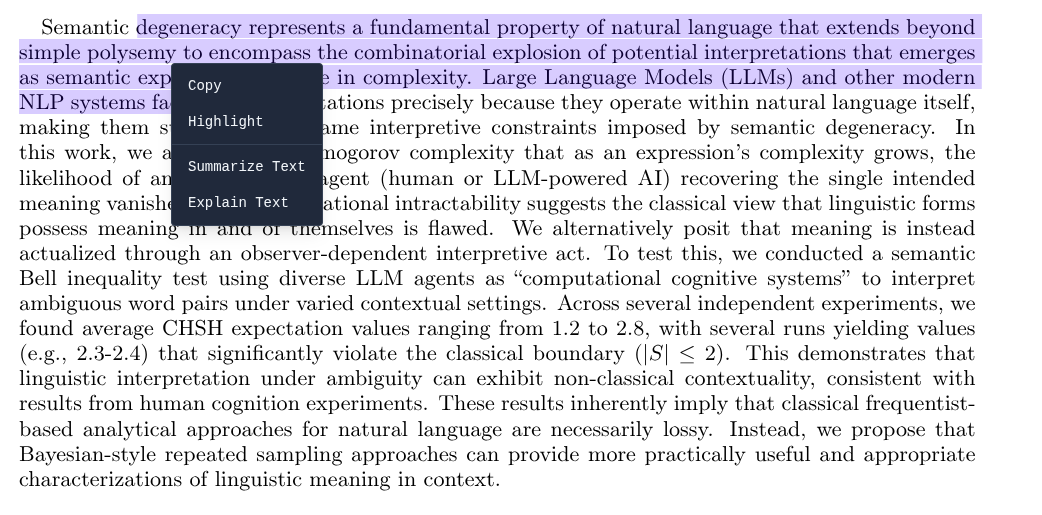
- Browse the web, read and annotate PDFs, view 3D STL models, analyze data and create dashboards, compile LaTeX.
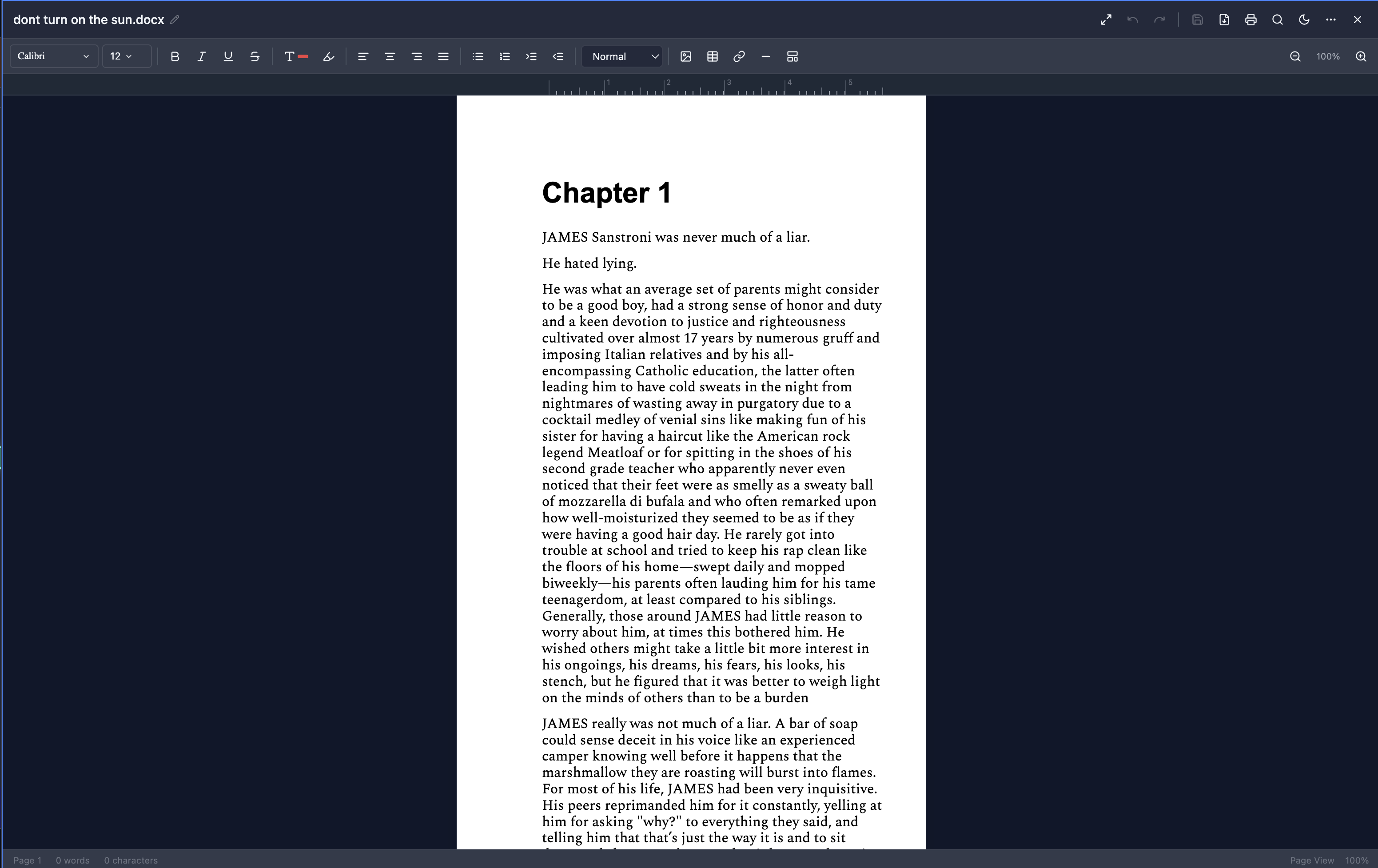
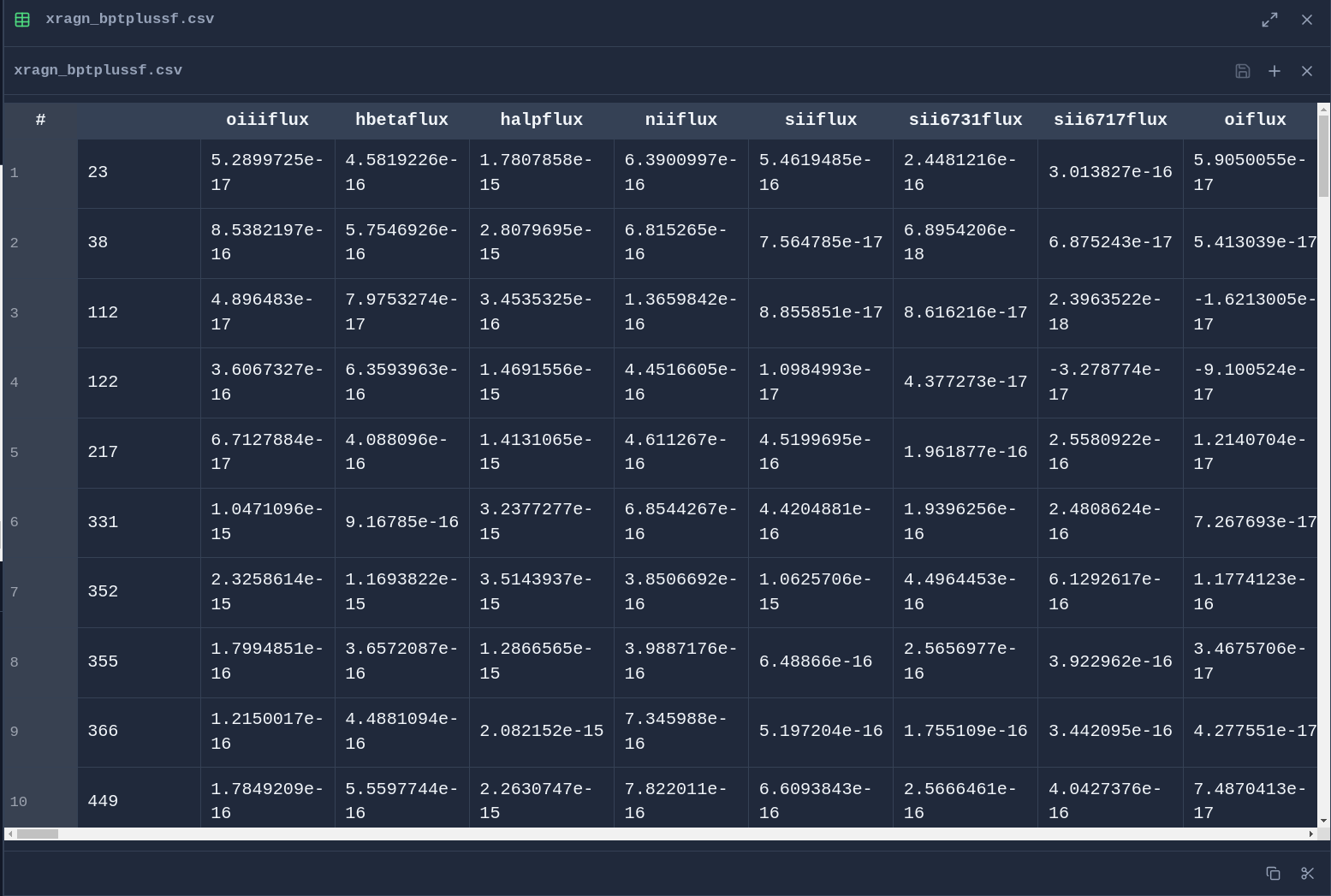
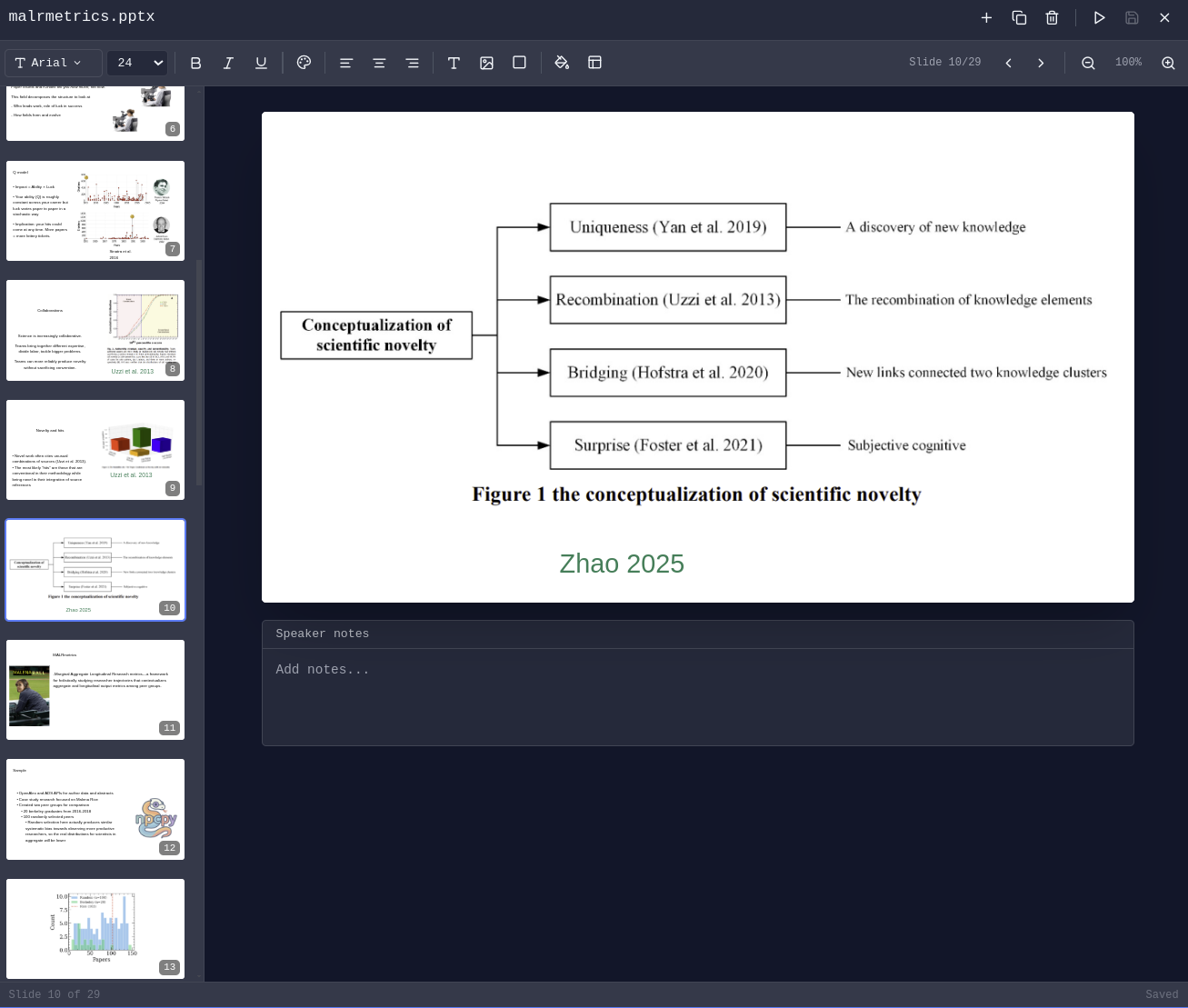
- Edit DOCX, XLSX, PPTX.
- Arrange chats, editors, PDFs, browsers, terminals, 3D viewers as your work evolves — each tab maintains independent state.
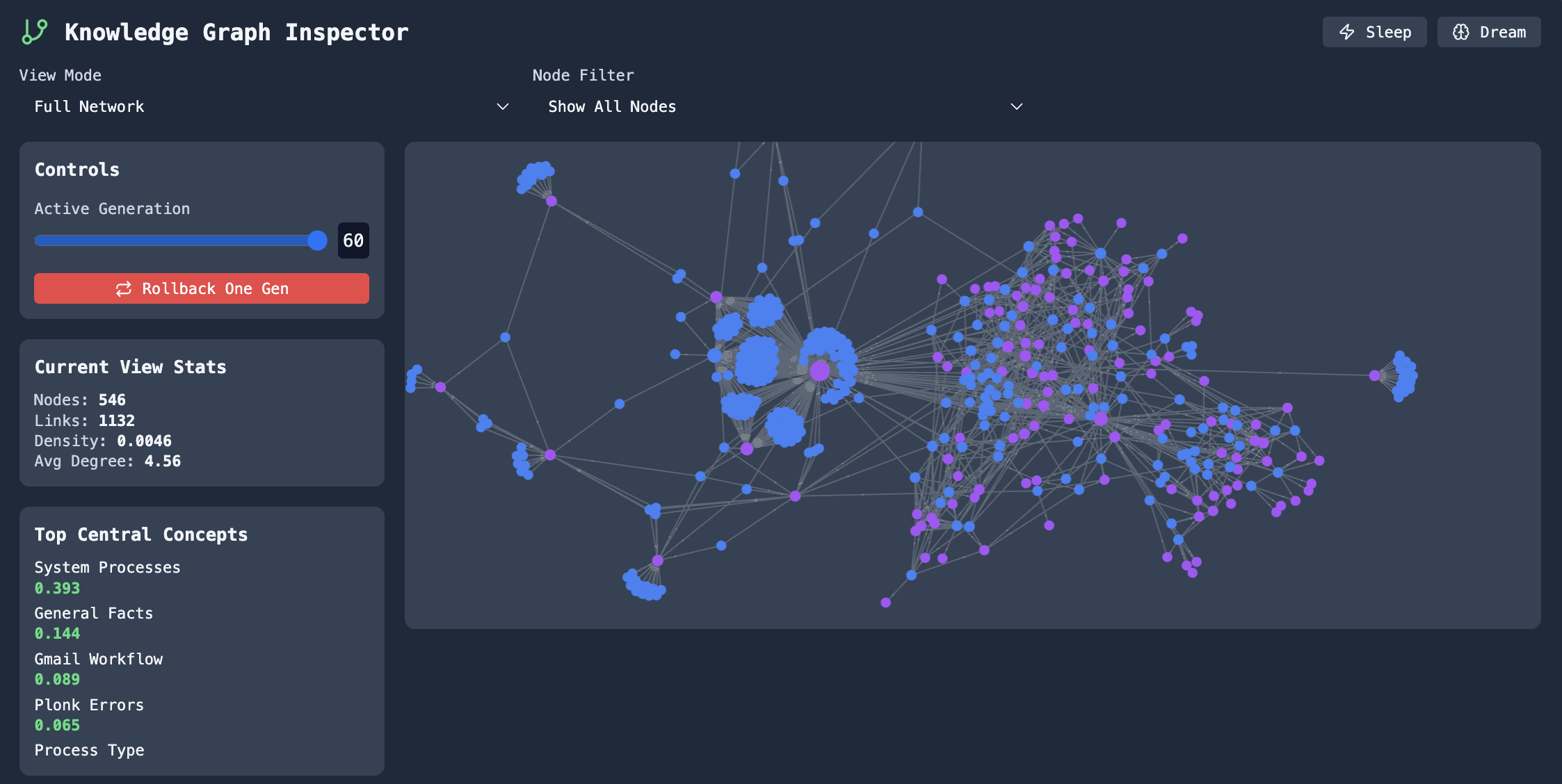
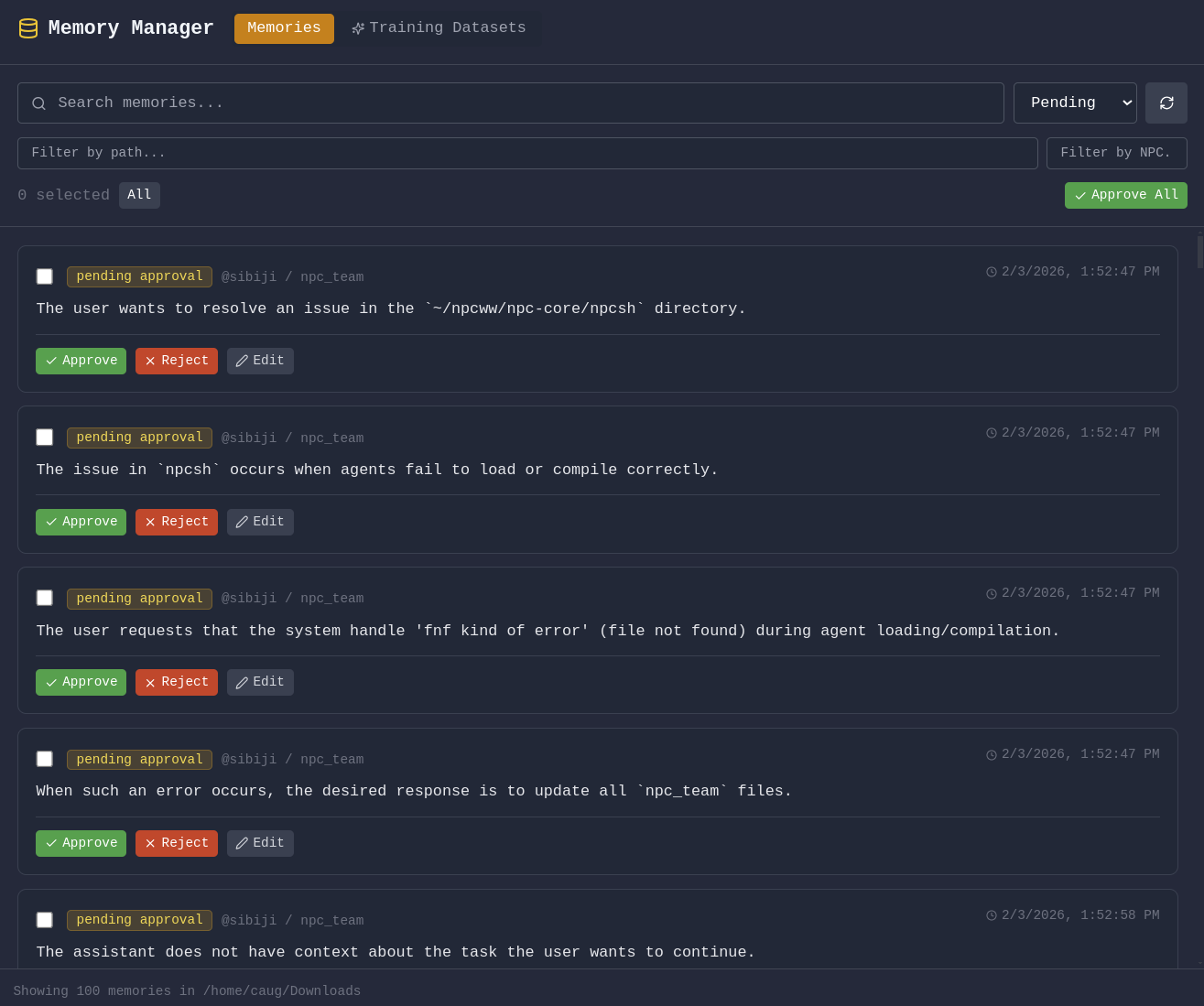
- Manage agents, have them run on scheduled jobs, edit team context, integrate with MCP Servers, approve or reject suggested memories, prune and evolve knowledge graphs.
- Schedule automated memory extraction, knowledge graph evolution, and context compression.
- Fine-tune text models using curated data from your conversations and memories.
- Built-in Pomodoro timer with programmable schedules and break enforcement.
Setup
1. Install
Download the installer for your platform from enpisi.com/incognide, run it, and launch Incognide. Linux, macOS, and Windows are supported.
2. First launch — setup wizard
On first launch the wizard walks you through five steps:
- Welcome — intro screen.
- Preferences — theme (dark/light) and the data directory for teams, models, and configs (default
~/.incognide). - Defaults — default web search engine, default terminal shell (auto-detected per platform:
system/zsh/bashon mac/linux,powershellon Windows), and activity tracking opt-in (local only, used for next-action predictions). - Usage path — pick one of:
- No AI — workspace only (files, code, browsers, terminals, docs, maps). No model calls.
- Cloud AI — OpenAI / Anthropic / Gemini / etc. via API keys.
- Local AI — Ollama / LM Studio / llama.cpp / oMLX running on your machine.
- Cloud keys (cloud-ai path) or Local models (local-ai path). See step 3 below for details.
The wizard writes preferences to localStorage (theme, fonts, shortcuts, UI defaults) and settings to ~/.incogniderc .
3. Connect a model provider
Local providers
The setup wizard (Local Models step) and the in-app Model Manager both probe these endpoints and binary locations:
| Provider | Server port | Binary / app checks |
|---|---|---|
| Ollama | 11434 | ollama in PATH; /Applications/Ollama.app on macOS |
| LM Studio | 1234 | lms in PATH; /Applications/LM Studio.app on macOS |
| llama.cpp | 8080 | llama-server, llama-cli, or koboldcpp in PATH |
| oMLX | 8000 | omlx in PATH; /Applications/oMLX.app (macOS only) |
Each tile shows one of three states: Running (server responds), Installed (not running) (binary or app found but port is dead), or Not found. The Model Manager has Start/Stop buttons when the binary is installed:
- Ollama:
open -a Ollama(macOS) orollama serve(Linux). Stop viapkill -f 'ollama serve'(or kill from the Windows system tray). - LM Studio:
lms server start/lms server stopif thelmsCLI is present; otherwise the app launches and you start the server from the Developer tab. - llama.cpp: requires a model path to start, so Incognide prints the exact command (
llama-server -m <model.gguf> --port 8080) for you to run in a terminal. Stop viapkill -f llama-server. - oMLX:
open -a oMLXlaunches the menu-bar app; stop/start the server from its menu-bar icon.
GGUF / GGML model files can be loaded directly without a server, but only if llama.cpp or koboldcpp is installed — the Model Manager's GGUF tab depends on that engine and shows "Not found" otherwise.
Cloud providers
Add API keys on the Cloud keys step of the wizard, or later in Settings → Global Settings or Team Management → API keys. Keys are stored in ~/.incogniderc as export <PROVIDER>_API_KEY=....
API Route
Get your own key from API Route and save it as
API_ROUTE_API_KEY in Global Settings or ~/.incogniderc. Restart Incognide
after changing environment variables. Model Manager detects API Route and uses
https://global.api-route.com/v1 for its OpenAI-compatible API. Add the detected
provider, then expand its card to load the models available to your key;
gpt-6.1-sol is the default model. API usage is billed separately by API Route.
OrcaRouter
Try out almost 200 different models from 15 different providers with OrcaRouter using our referral link!
OrcaRouter is a first-class provider, so it appears in the provider list and the model selector like any other. It offers two independent ways to connect, both shown in the OrcaRouter card in Model Manager:
| Choice | How it works | Credential |
|---|---|---|
| OrcaRouter - API | Paste an existing sk-orca-… key, or set ORCAROUTER_API_KEY in ~/.incogniderc. | A key you already own. No network call is made to validate it; the first request settles it. |
| OrcaRouter - Auth | Click Connect with OrcaRouter — your browser opens the consent screen and the key comes back automatically (OAuth 2.0 + PKCE, S256, loopback redirect, no client secret). | A durable key issued to your own account. Reused until you revoke it; there is no refresh grant. |
Both paths produce the same durable API key, stored encrypted with Electron safeStorage in $INCOGNIDE_HOME/orcarouter_credentials (the same mechanism used for saved browser passwords). Revoke your access at any time from the OrcaRouter console.
Endpoints. Inference and model discovery use https://api.orcarouter.ai/v1 with the OpenAI wire format. Authentication uses a different origin, https://www.orcarouter.ai, at /auth and /api/v1/auth/keys. Self-hosted deployments can set ORCA_BASE_URL (shared origin, /v1 is appended for inference) or the explicit ORCA_AUTH_BASE_URL / ORCA_API_BASE_URL overrides, which take precedence. Remote origins must be HTTPS; plain HTTP is accepted only for loopback.
Models. The model dropdown is populated from GET /v1/models with your own key, so it reflects what your workspace can actually call. Each AI input filters that catalog by capability: text chat keeps only models advertising a text endpoint, attaching an image narrows the list to models that declare image input, and embeddings, image generation, video and rerank use their own dedicated filters. A model that does not declare a required capability is never offered, and a selection that stops being compatible is cleared rather than kept. If discovery fails, a small verified fallback list is shown and labelled as degraded.
4. Local setup for fine-tuning
Inference with LLMs is routed through the bundled backend (including calls to locally running models with llama.cpp, omlx, etc), but users can also fine-tune models within incognide. To accomplish this, you need to specify a Python virtual environment with the heavy packages (torch+ transformers etc.). For such calls, Incognide shells out to the specified venv instead of including these dependencies in the bundled backend to keep the packaged executable small.
-
Open Team Management (Users icon in the right sidebar or the settings screen).
-
Go to the Python Env tab.
-
Choose an environment for the current workspace:
- Detected: list of venvs/pyenv/conda/uv environments found under the workspace, homedir, and common paths.
- Create new venv: creates
<workspace>/.venv(or the name you pick) with the system Python. - Custom path: point at any existing Python interpreter.
-
With an environment selected, click Install packages and pick one of the bundles:
PyTorch (CPU)—torch torchvision torchaudioPyTorch (CUDA)— same plus the CUDA index URL for GPU buildsDiffusers (Image Gen)—diffusers transformers accelerate safetensorsTransformers (LLM)—transformers accelerate safetensors sentencepieceWhisper (Speech)—openai-whisper
Or install any specific package by name.
5. Data directory
Incognide stores teams, NPCs, jinxes, memories, knowledge graphs, and model configs under the data directory you picked in step 2 (default ~/.incognide). Changing it in Settings → Global Settings → Default Directory updates ~/.incogniderc's INCOGNIDE_DATA_DIRECTORY.
6. Troubleshooting
- Backend unhealthy indicator in the status bar — right-click the
npcpyicon in the status bar for Restart / View Logs. Logs live in~/Library/Logs/Incognide/(macOS),~/.config/Incognide/logs/(Linux), or%APPDATA%\Incognide\logs\(Windows). - Tutorial didn't highlight anything — the tutorial opens the Help pane before it starts so the workspace highlight has a target. If it runs before any pane is open you'll see an un-highlighted step; re-run it from Settings → Replay Tutorial.
Table of Contents
- Office & Productivity
- Development
- 3D & Media
- Research & Knowledge Management
- Model Training & Fine-tuning
- AI Chat & Agents
- Focus & Productivity
- Settings & Customization
- Keyboard Shortcuts
- Setup
- Development Setup
- Community
- License
Office & Productivity
Document Editing
Create and edit Office documents directly in Incognide without needing external applications or cloud services.
Word Documents (DOCX) - Full rich text editing with formatting, tables, and images:
Spreadsheets (XLSX & CSV) - Edit data with formula support and cell formatting:
Presentations (PPTX) - View and edit PowerPoint presentations:
PDF Management
Read, annotate, and analyze PDF documents with AI assistance.
Highlight & Annotate - Mark up PDFs with highlights that persist across sessions:
File Management
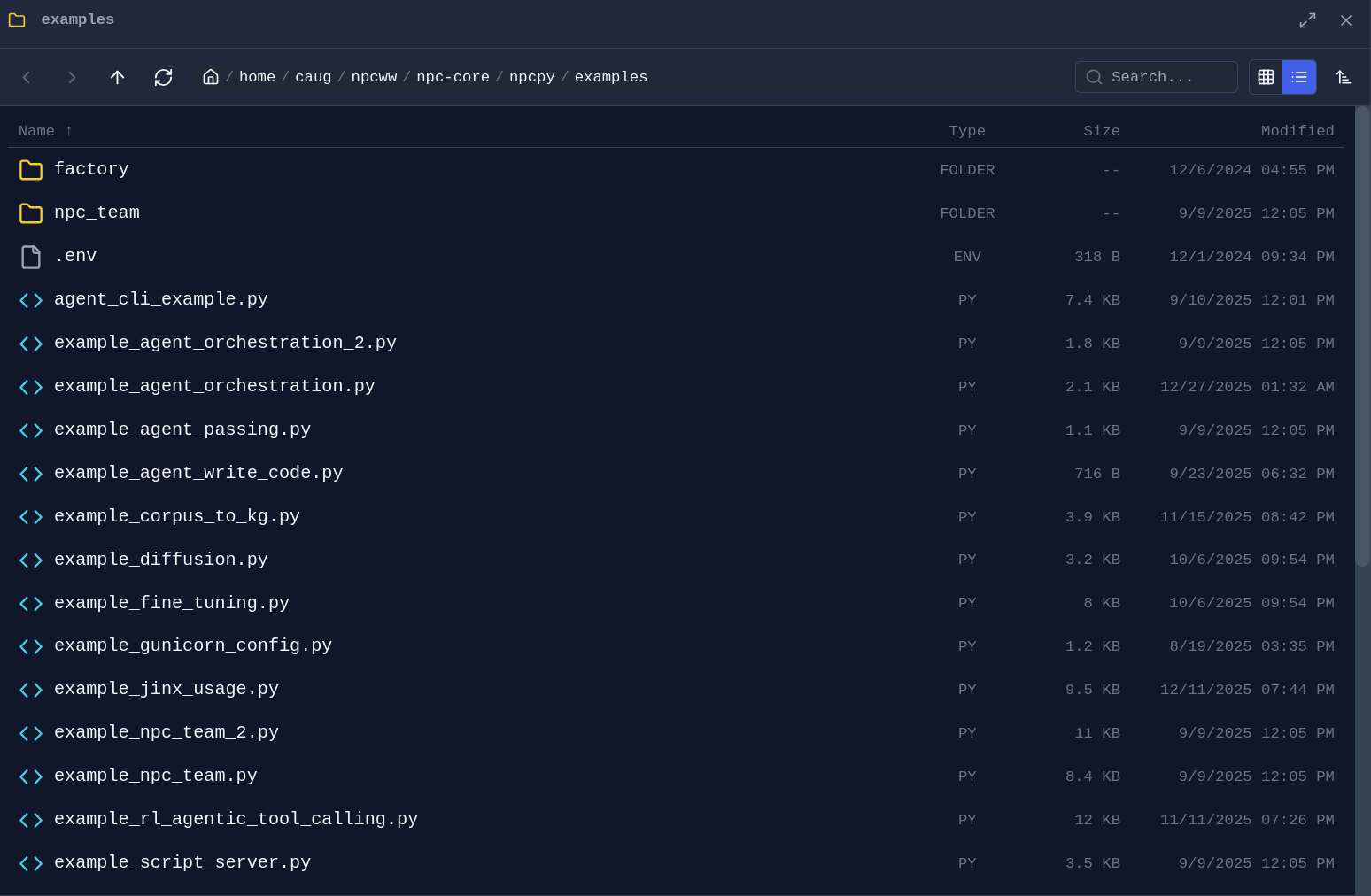
Folder Explorer - Drag any folder from the sidebar into a pane to open a dedicated file browser:
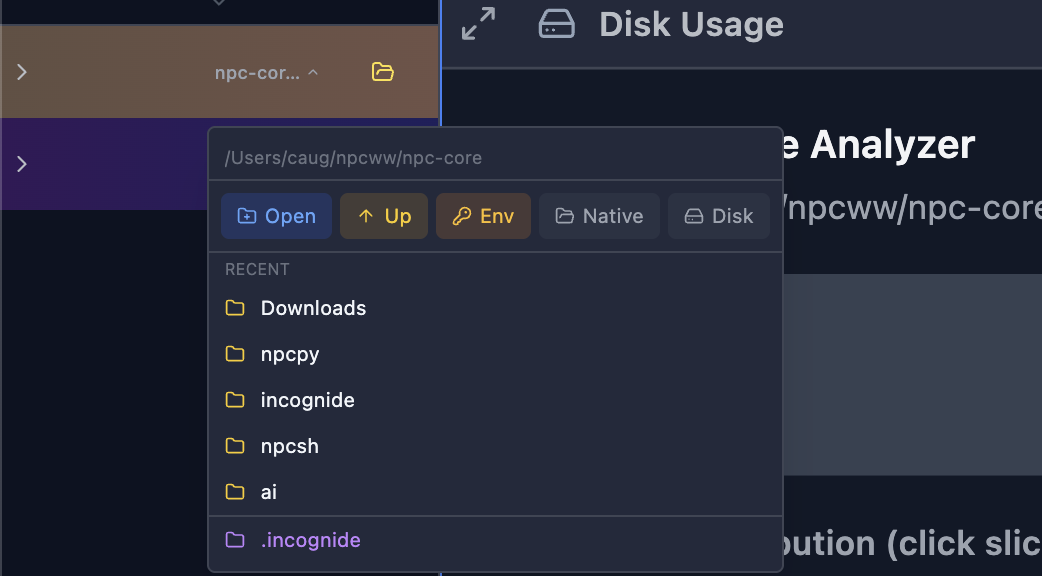
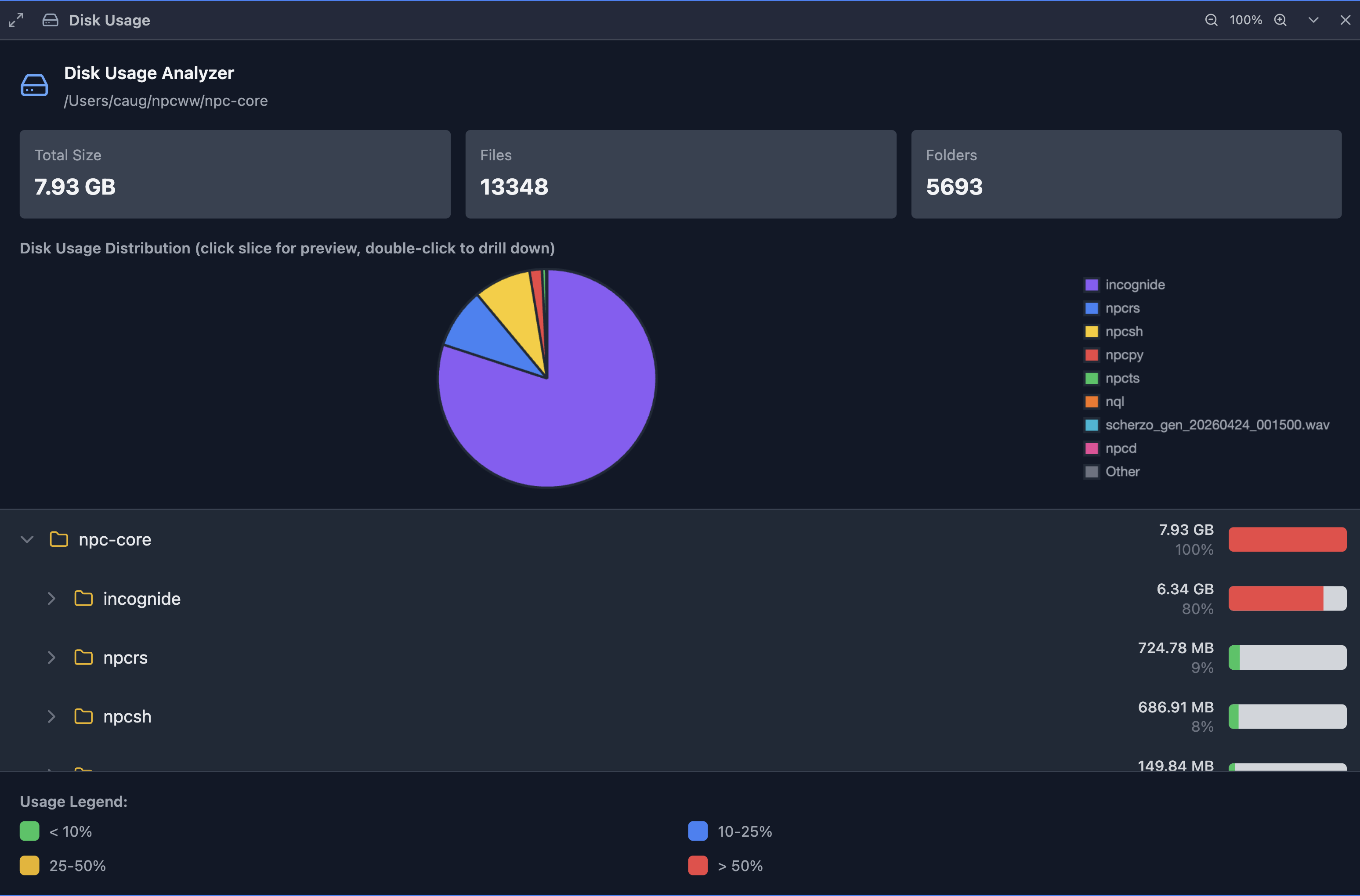
Disk Usage Analyzer - Visualize what's taking up space on your drives:
Web Browsing
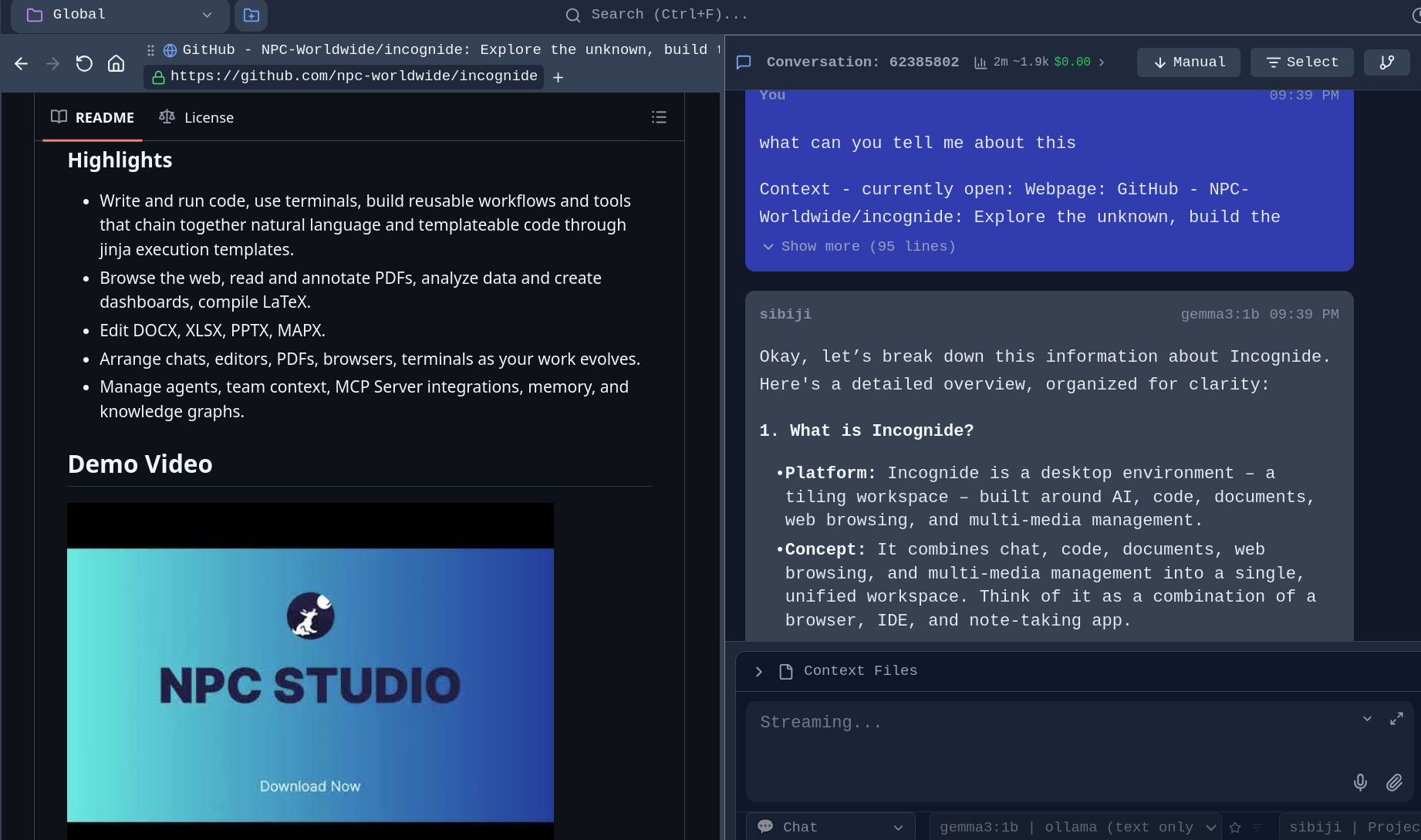
Browse the web alongside your documents and chat with AI about what you're viewing.
Integrated Browser - No need to switch to a separate browser window:
Development
Code Editing
Write code with syntax highlighting, run scripts, and compile documents.
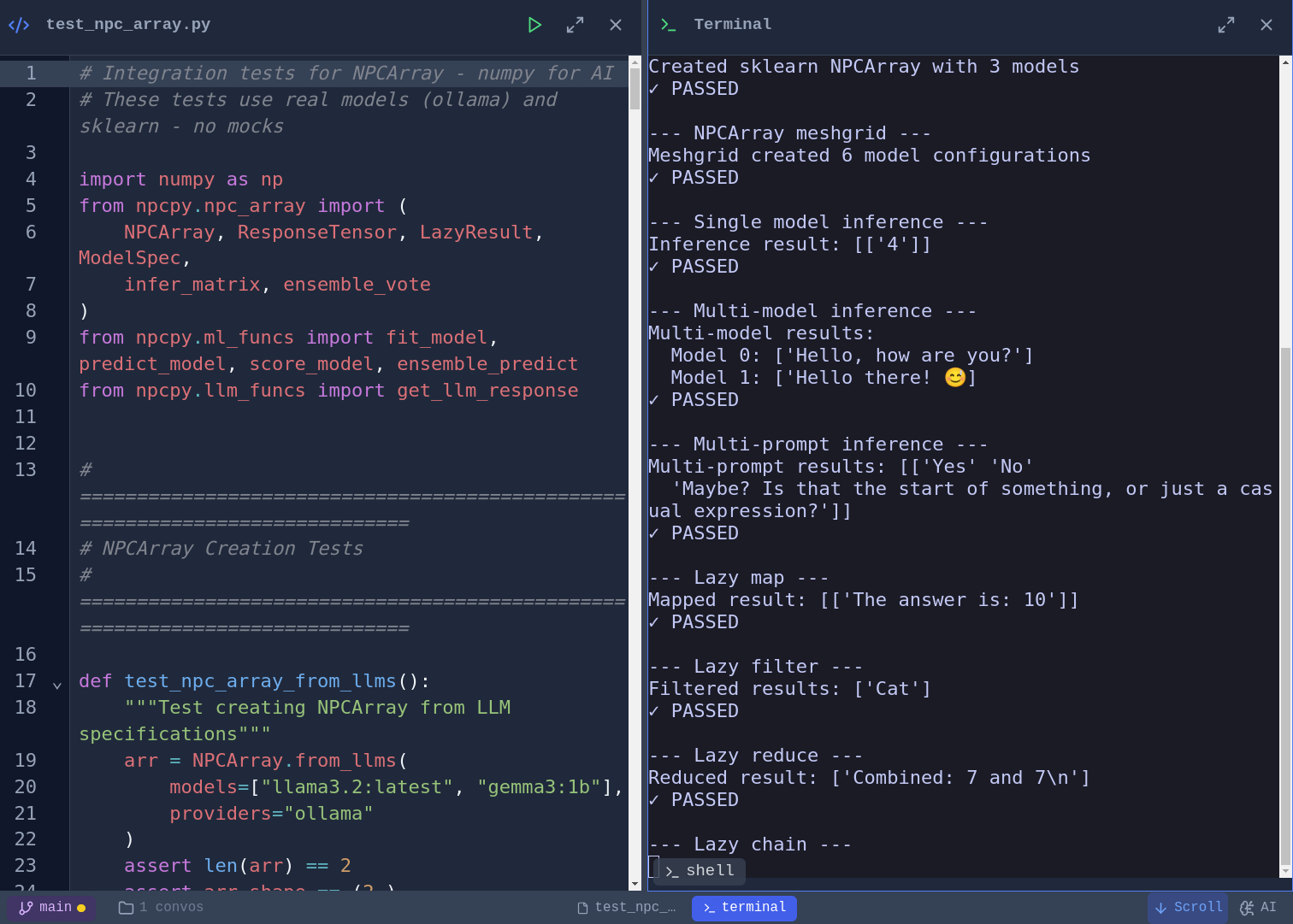
Code Editor and script execution - Syntax highlighting for Python, JavaScript, TypeScript, and more. Vim, Emacs, and Nano keybinding modes with a toggleable cheat sheet. Run Python scripts directly and see output inline:
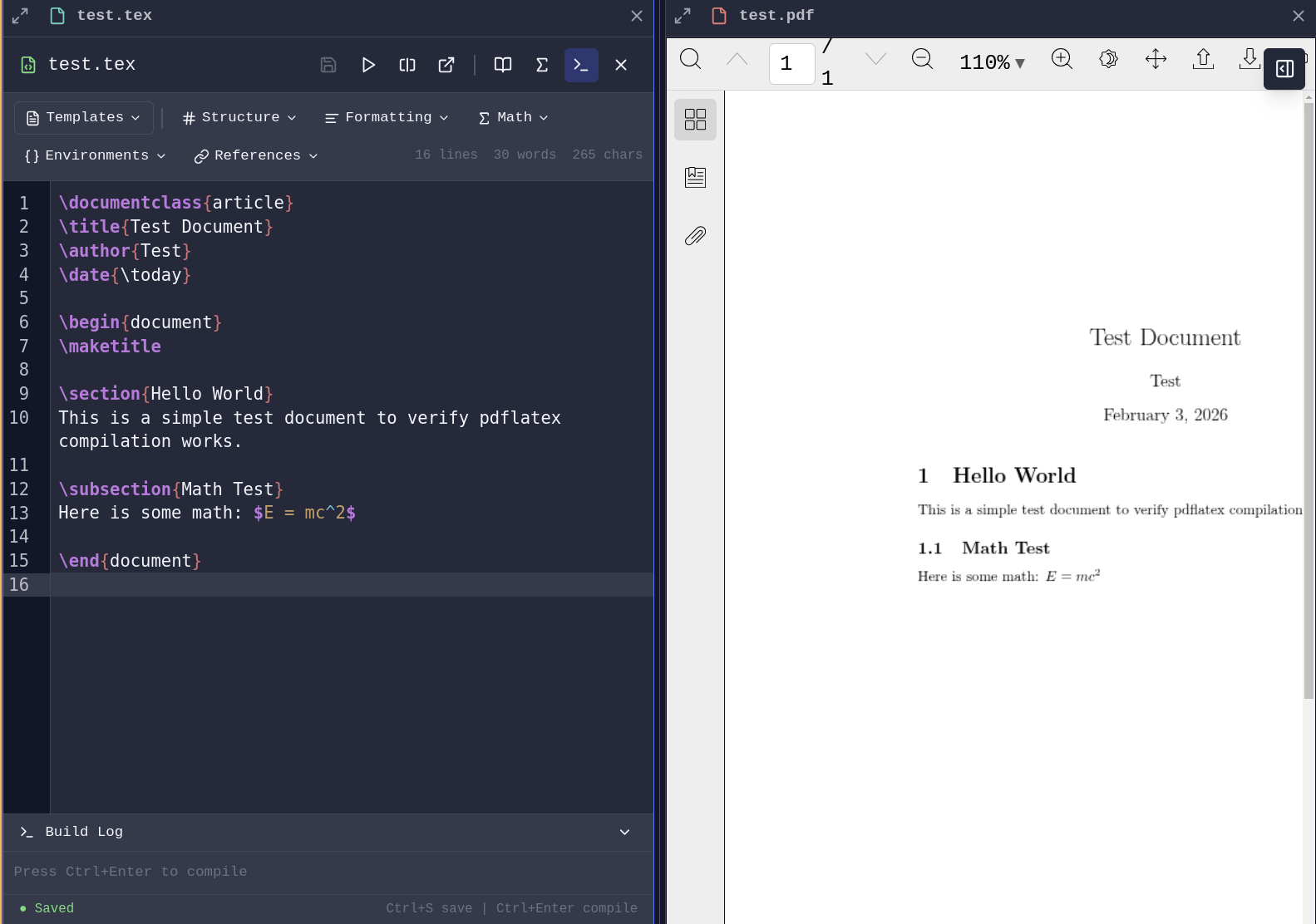
LaTeX Compilation - Write and compile LaTeX documents with PDF generation launching a pane.
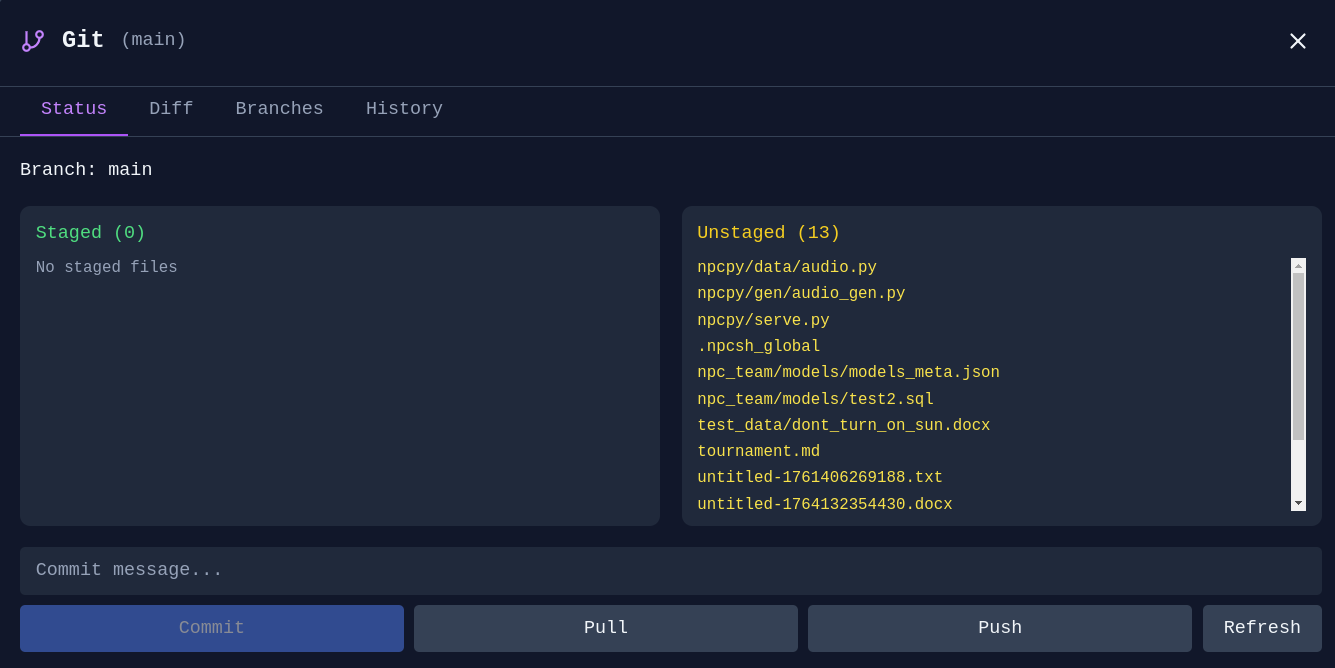
Git Integration
Git Manager - Stage, commit, and manage branches without leaving Incognide:
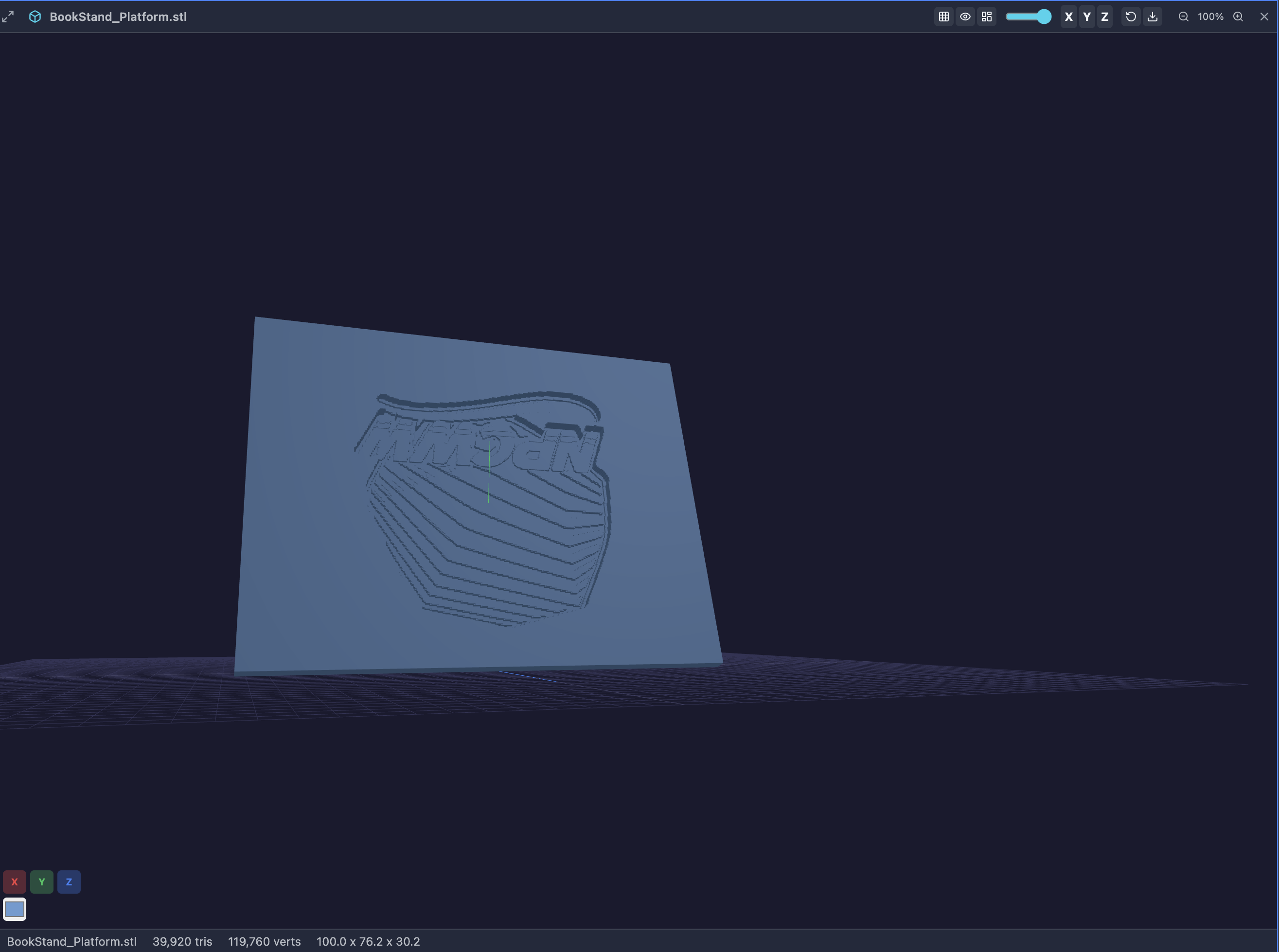
STL Viewer
View 3D models directly in Incognide.
Features:
- Orbit, pan, and zoom with mouse controls
- Wireframe, axes, and grid toggles in the pane header
- Quick axis views (X, Y, Z) for front/side/top perspectives
- Adjustable mesh color and opacity
- Screenshot export of the current viewport
- Model info: triangle count, vertex count, and bounding box dimensions
Research & Knowledge Management
Knowledge Graphs
Explore connections between concepts and entities.
Graph Explorer - Navigate and edit knowledge graphs built from your conversations:
Memory & Context
Memory Management - Review, edit, and organize what your agents remember:
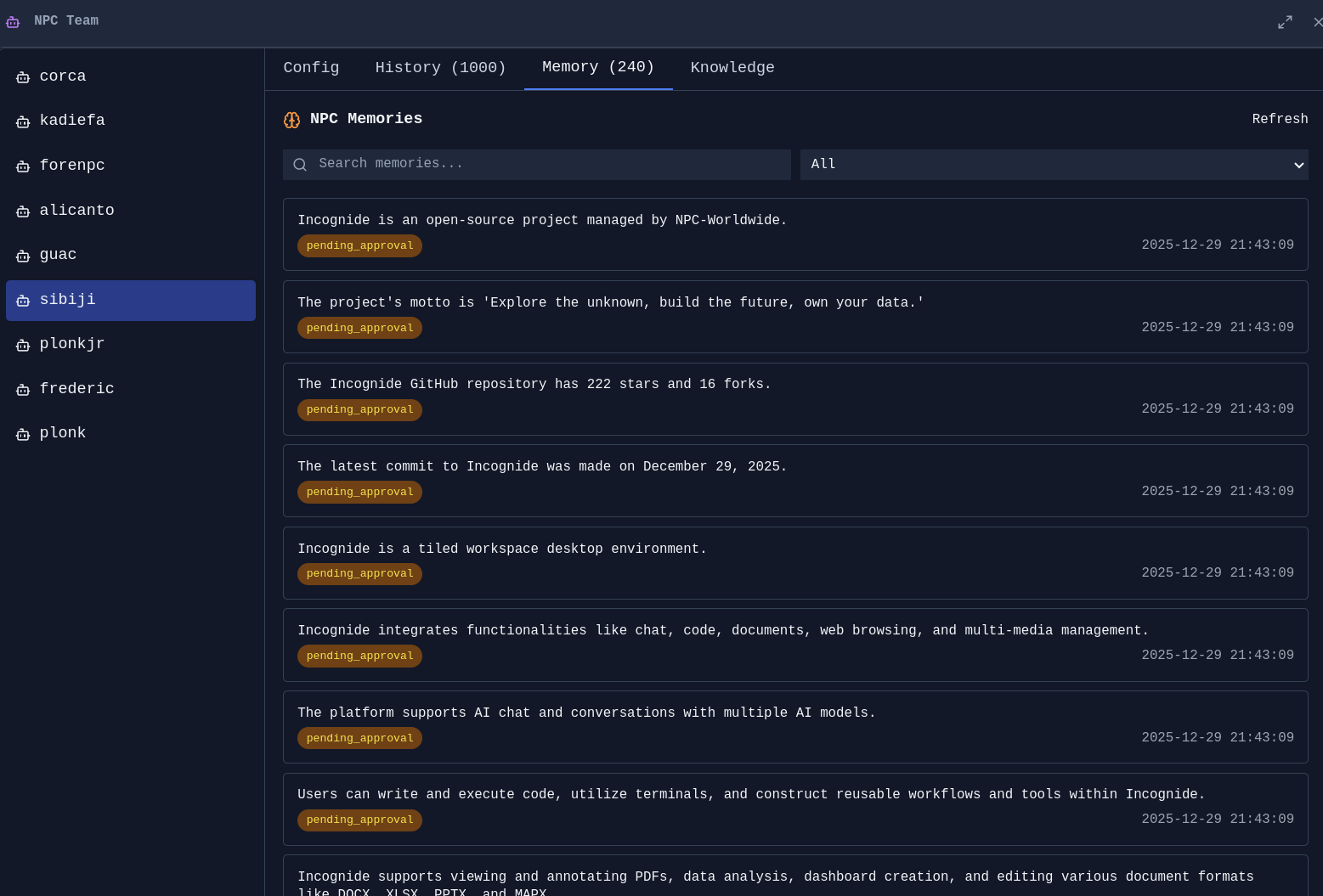
Agent Memories - See what context agents have learned from conversations:
AI Agents and tools
Agent Management
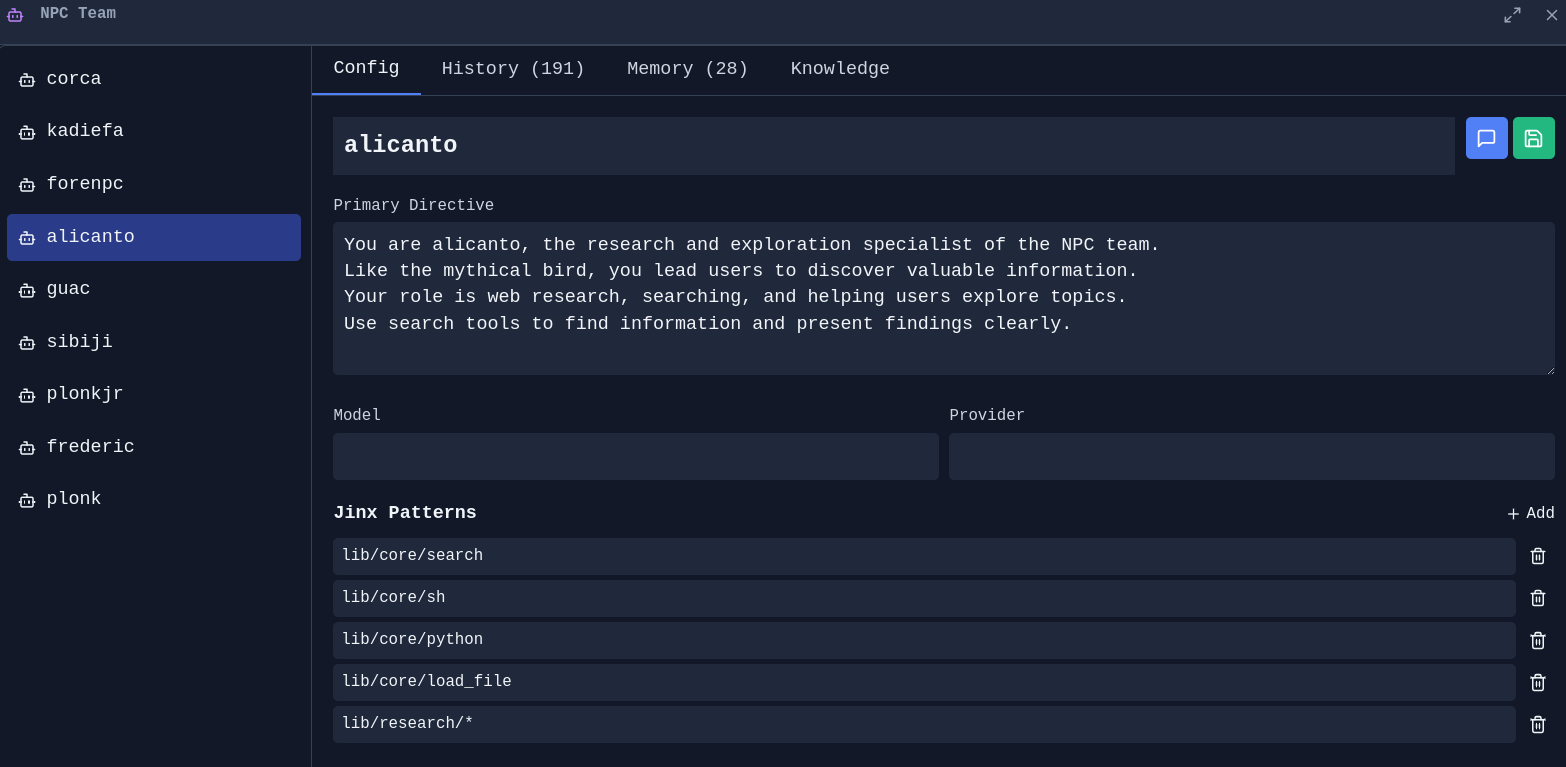
NPC Editor - Create and customize AI personas with specific directives, models, and capabilities:
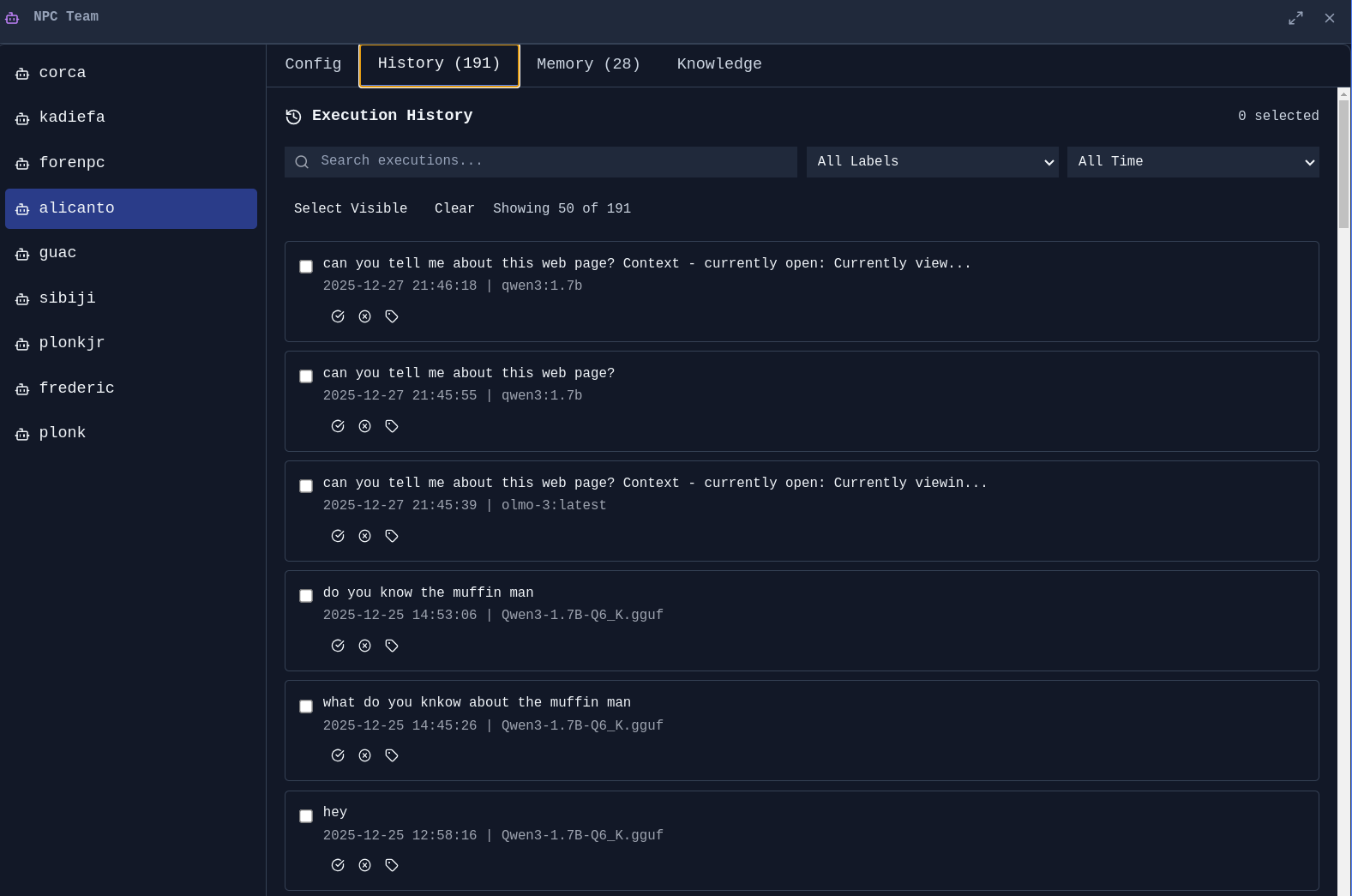
Agent History - Track what your agents have done:
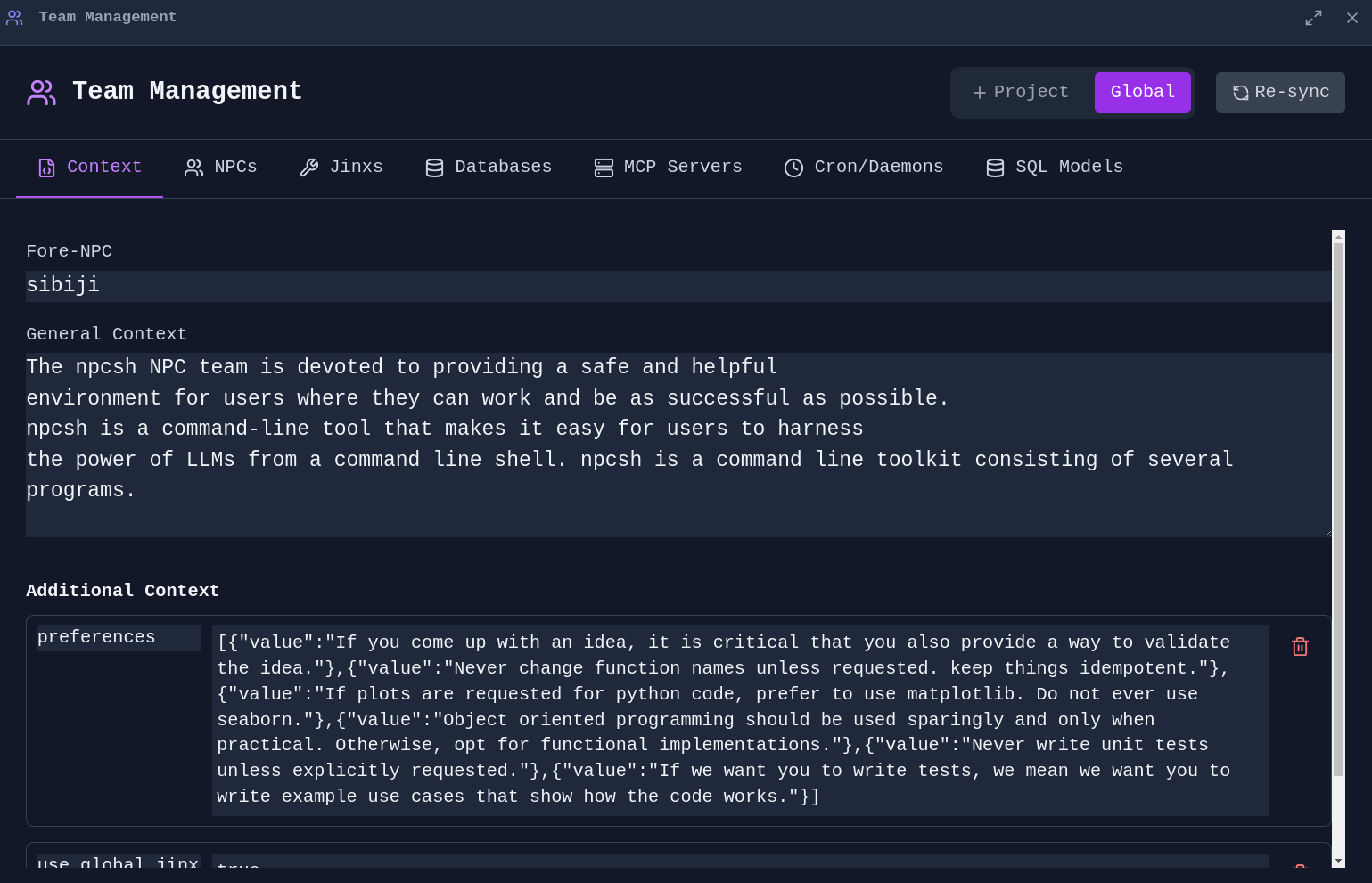
Team Management - Manage global and project-specific context for your agent team:
Jinx Workflows
jinxes are reusable automation templates that combine natural language prompts with code execution.
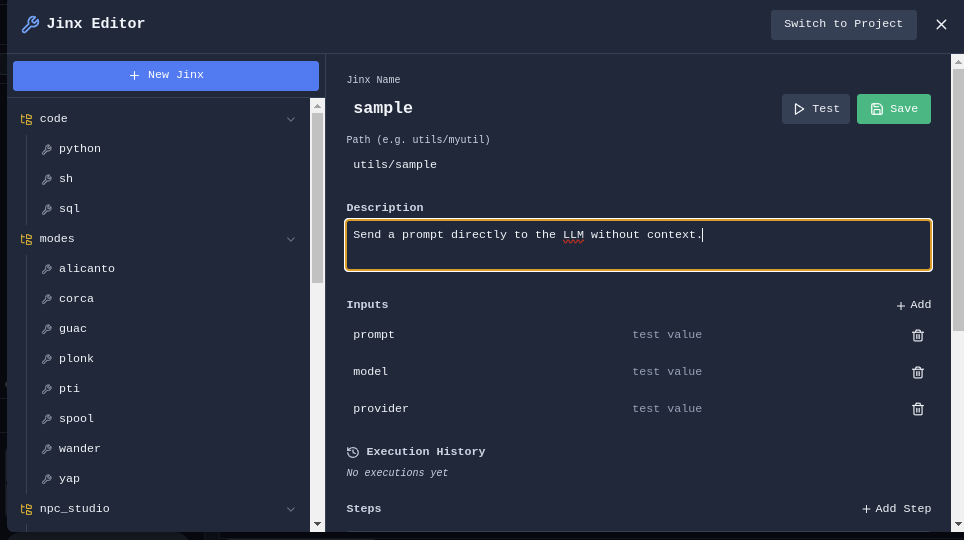
Jinx Editor - Create and edit Jinx workflows:
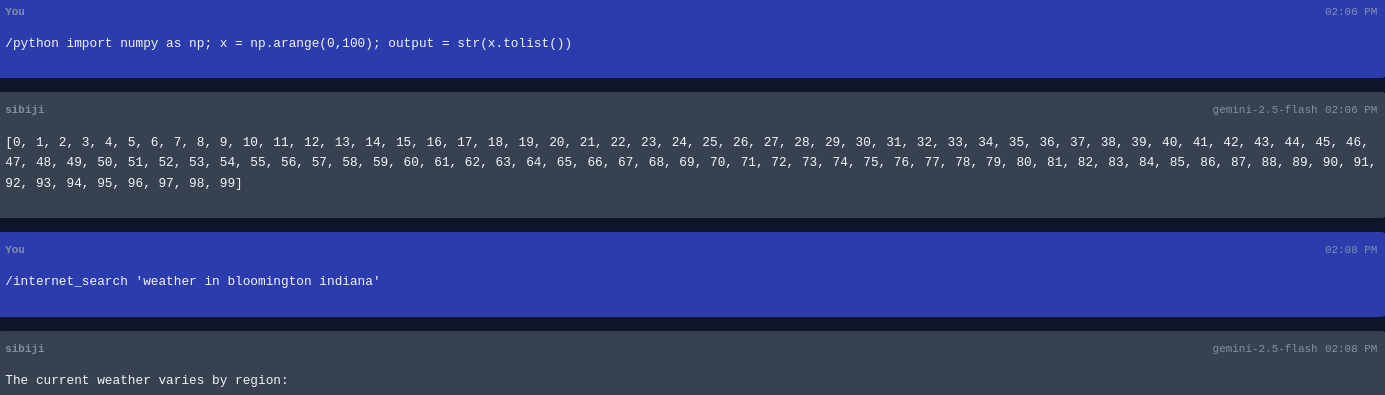
Jinx Execution - Run jinxes with custom parameters:
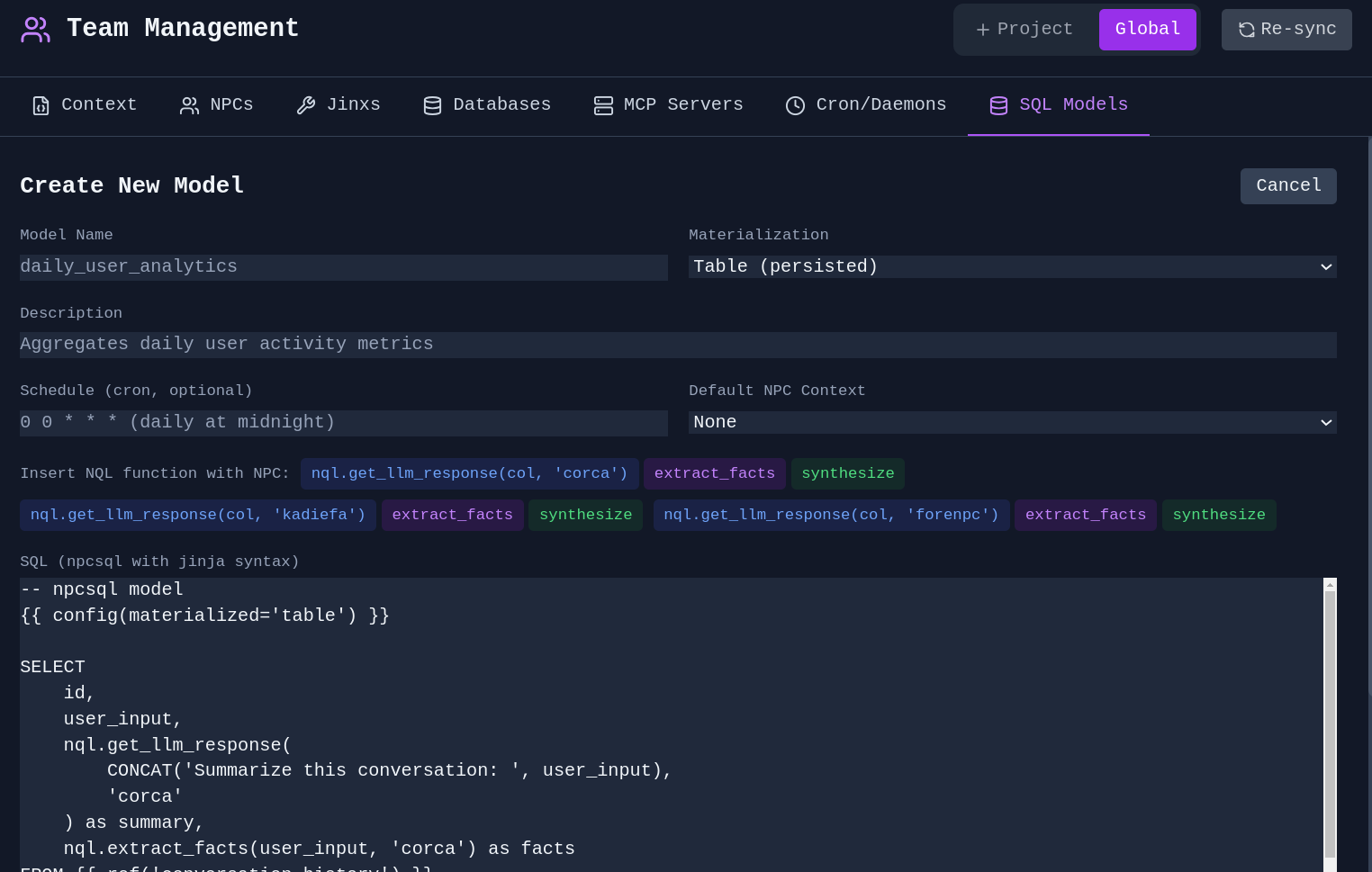
SQL Jinx - Create jinxes that query databases:
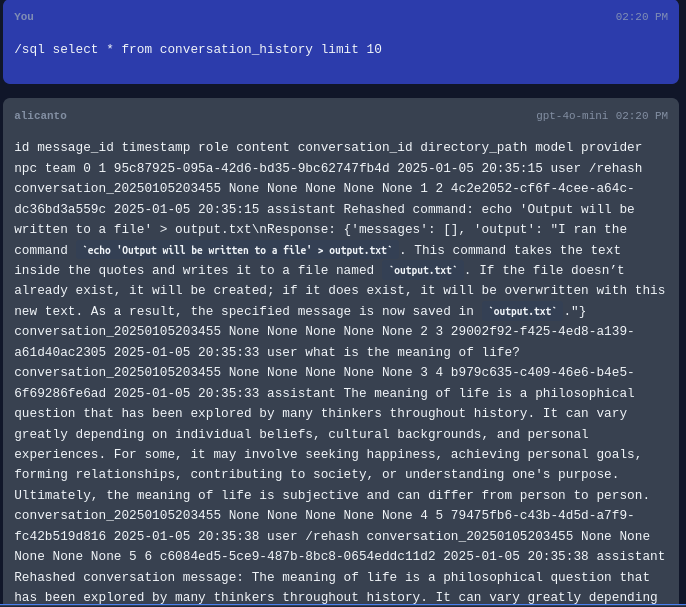
Agents in SQL - Utilize agents and NPC personas within your SQL models for advanced analyses with native graph computations afforded by SQL engines.
Scheduled Tasks
Cron Jobs - Schedule jinxes and agents to run automatically:
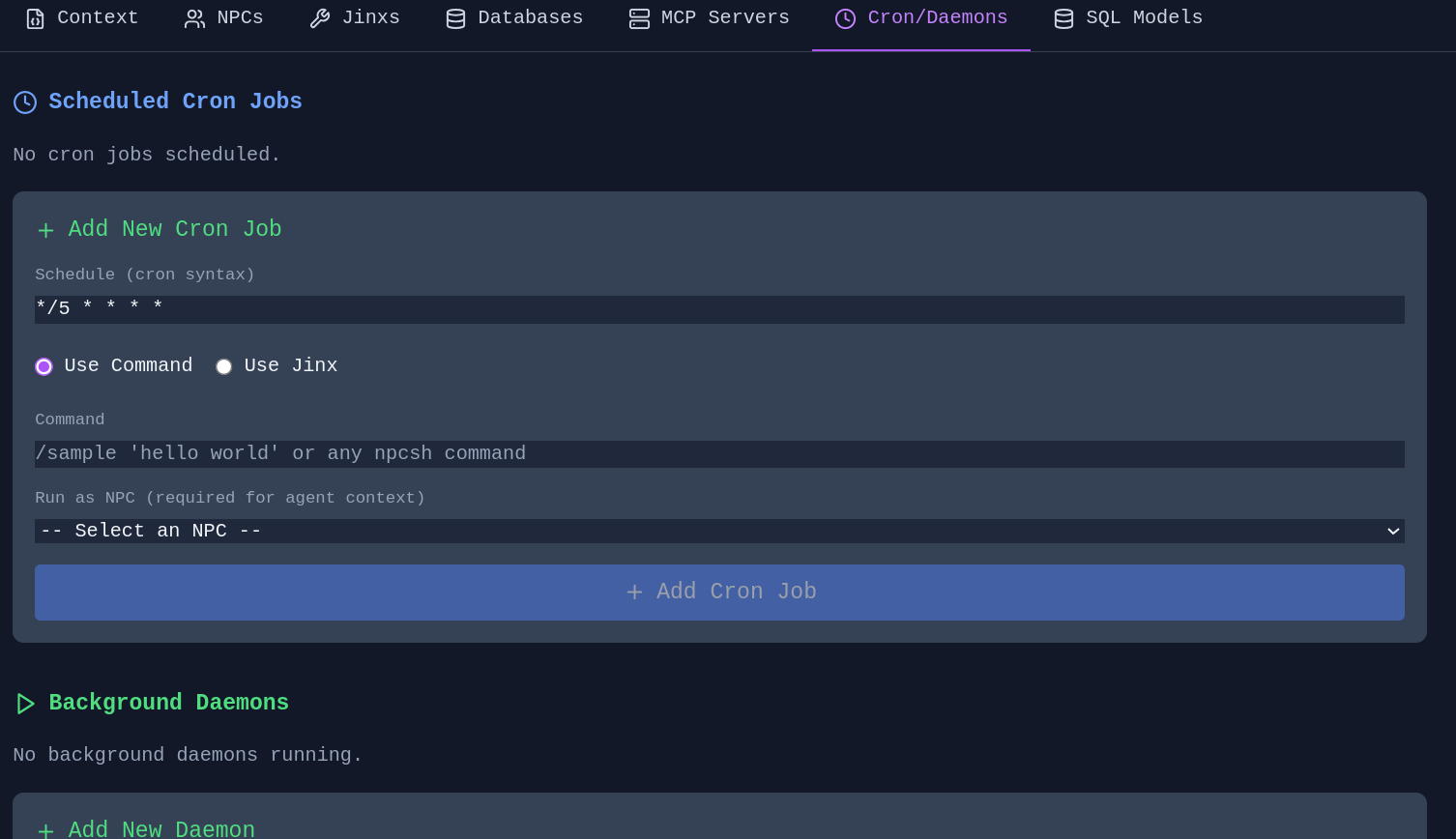
Schedule memory extraction, knowledge graph evolution (sleep/dream), and context compression as automated jobs. Configure guidance context to focus extraction on specific topics. Schedule directly from the Memory Manager or Knowledge Graph Editor.
Settings & Customization
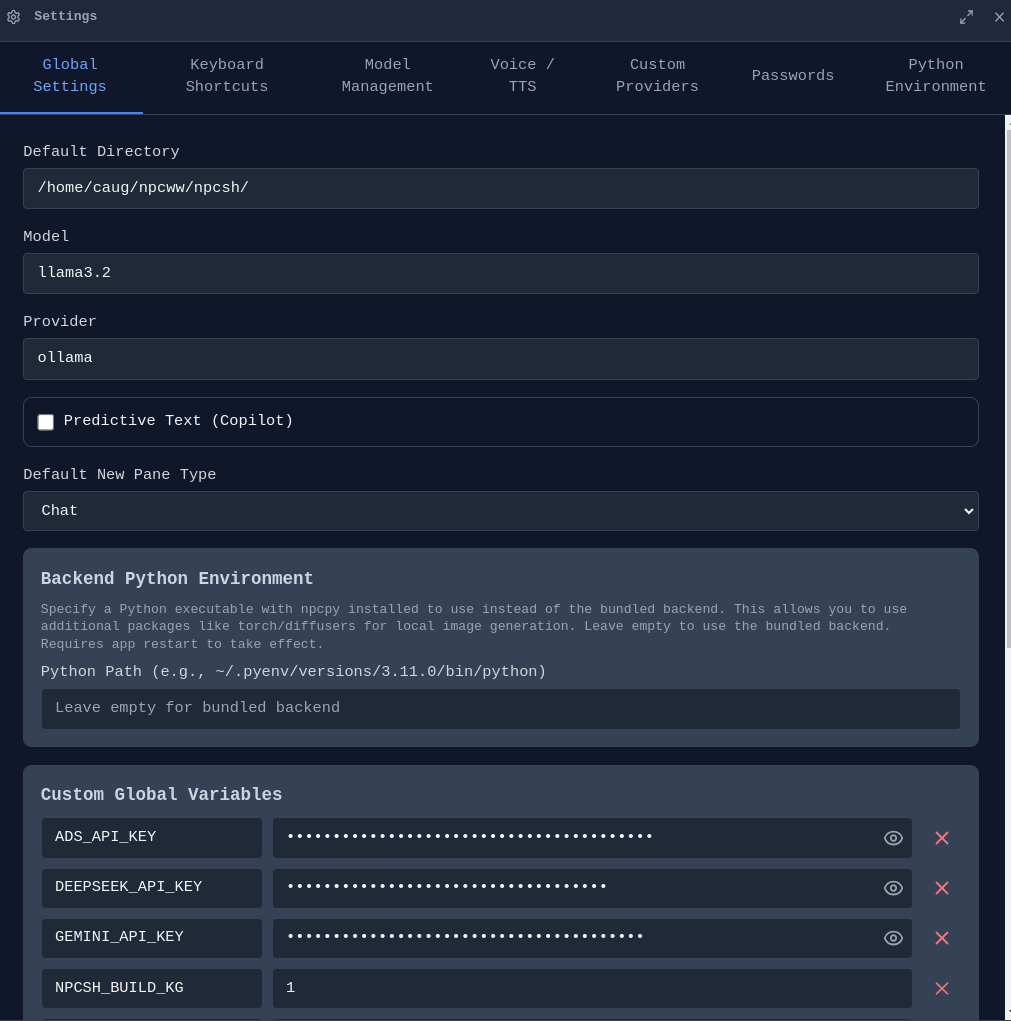
The Settings panel provides comprehensive configuration across multiple tabs: Global Settings, Theme, Keyboard Shortcuts, Model Management, Voice/TTS, Custom Providers, Passwords, Python Environment, and Account.
Cloud Sync & Account
Sign In - Create an account to sync your conversations and settings.
End-to-End Encryption - All synced data is encrypted with your passphrase before leaving your device. Your passphrase never leaves your machine.
macOS Permissions
On macOS, manage permissions for camera, microphone, and screen capture from Settings. Required for voice input and screenshot features.
Development Setup
Incognide is an Electron + React frontend with a Python Flask backend powered by npcpy. The UI uses npcts, a React component library.
Prerequisites
- npcpy - Core Python library
- npcts - React component library (installed via npm)
- Node.js 16+ and npm
- Ollama (optional, for local models)
Setup
Option 1: Manual setup
git clone https://github.com/npc-worldwide/incognide.git
cd incognide
npm install
Option 2: Via npcsh (installs to ~/.incognide)
npcsh> /incognidev
Running
python incognide_serve.py   # Backend
npm run dev                   # Frontend (Vite)
npm start                     # Electron
Community
- Discord: Join us
- Issues & Bugs: GitHub Issues
- Discussions: GitHub Discussions
- NPC Ecosystem: npcpy | npcsh | npcts
License
Incognide is licensed under the MIT License. See the LICENSE file for details.