需先自备 Obsidian 和支持 Agent Skills 的 AI coding agent,并安装 Node.js 才能用 npm 装技能;装完还要在 agent 里运行 /second-brain 向导生成 vault,不会自动建库;图片需在 Obsidian 里把附件目录设为 raw/assets/ 并手动下载,否则外链图片不落地
second-brain
NicholasSpisak更新放缓用 LLM 自动维护 Obsidian 个人知识库,按 Karpathy 的 LLM Wiki 模式把零散笔记整理成持续更新的个人维基。
LLM-maintained personal knowledge base for Obsidian. Based on Andrej Karpathy's LLM Wiki pattern.
暂无版本771star116fork同步于 2026-11-07 07:33 UTC
npx skills add NicholasSpisak/second-brain 硬件要求按 README 说明
README 未说明,无本地显存或 GPU 要求,计算在所选 AI coding agent 侧完成
把原始资料交给 LLM 编译成结构化 wiki,在 Obsidian 里浏览的个人知识库
用 LLM 自动维护 Obsidian 个人知识库,按 Karpathy 的 LLM Wiki 模式把零散笔记整理成持续更新的个人维基。
核心能力
- 把 raw/ 里的文章论文笔记编译成结构化 wiki 页面
- 自动生成交叉引用与 wiki/index.md 总目录
- 提供 ingest、query、lint 四个 Agent Skill 分工处理
- 按 sources/entities/concepts/synthesis 分类组织页面
- lint 检查索引一致性并修复断链的 wikilink
容易踩的坑
内容由模型根据 README 生成,可能不完整或不准确,以官方文档为准。看原文 README
暂无 release 数据(可能没有发版,或尚未同步)。
用户点评
登录用户的真实使用记录,可按版本和硬件筛选共 0 条
还没有人点评。第一个说出真实体验的人最有价值。
Second Brain
An LLM-maintained personal knowledge base built on the LLM Wiki pattern. Drop raw sources into a folder, let the LLM compile them into a structured wiki, and browse it all in Obsidian.

How It Works
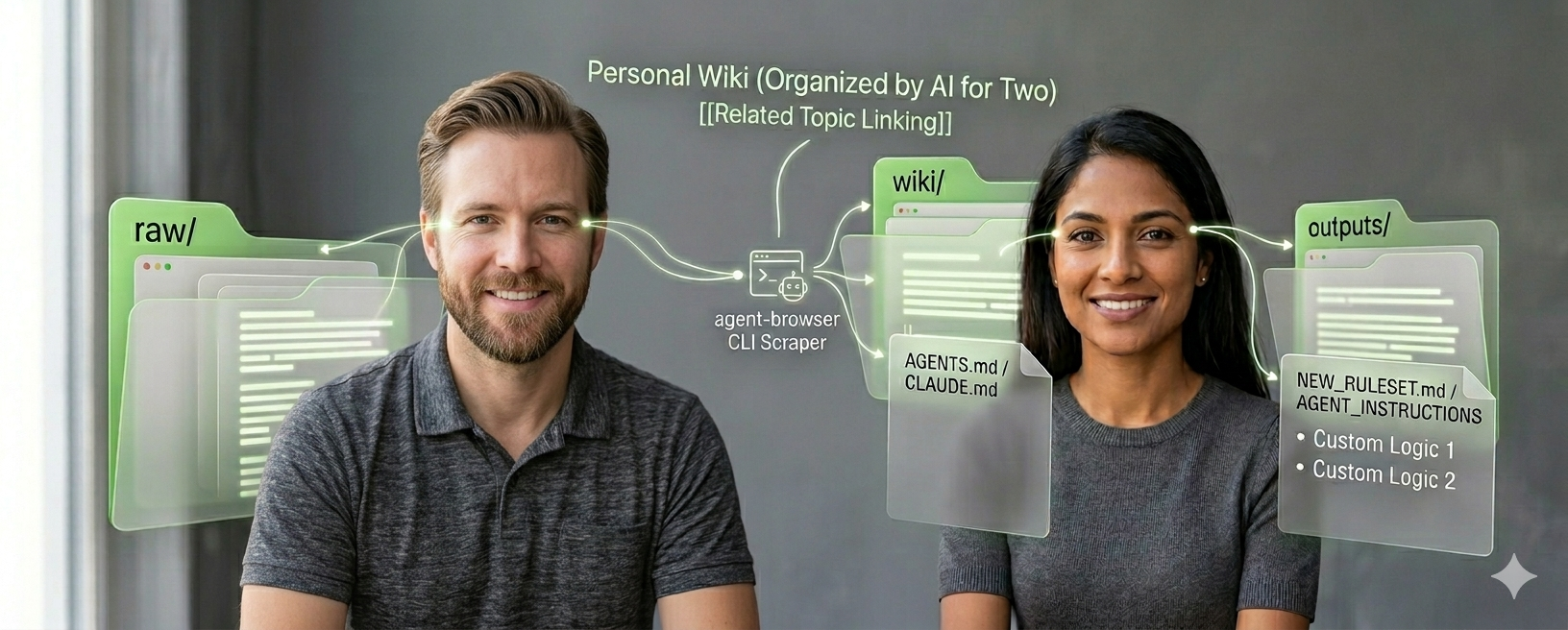
You feed raw material (articles, papers, notes, transcripts) into a raw/ folder. The LLM reads everything, writes structured wiki pages, creates cross-references, and maintains an index. You browse the results in Obsidian — following links, exploring the graph view, and asking questions.
The LLM is the librarian. You're the curator.
Prerequisites
- Obsidian — the markdown editor you'll browse your wiki in
- An AI coding agent — Claude Code, Codex, Cursor, Gemini CLI, or any agent that supports Agent Skills
- Node.js — required for installing the skills via npm
Install
npx skills add NicholasSpisak/second-brain
This installs four skills into your AI agent (Claude Code, Codex, Cursor, Gemini CLI, and 40+ others):
| Skill | What it does |
|---|---|
/second-brain | Set up a new vault (guided wizard) |
/second-brain-ingest | Process raw sources into wiki pages |
/second-brain-query | Ask questions against your wiki |
/second-brain-lint | Health-check the wiki |
Quick Start
- Install the skills (see above)
- Run the wizard: type
/second-brainin your AI agent — it walks you through naming, location, domain, and tooling - Install Web Clipper: Obsidian Web Clipper — configure it to save to your vault's
raw/folder - Open in Obsidian — launch Obsidian, choose "Open folder as vault", select your vault folder
- Clip your first article to
raw/, then run/second-brain-ingest— the LLM will discuss key takeaways and build wiki pages - Browse your wiki in Obsidian — follow
[[wikilinks]], explore the graph view, checkwiki/index.md - Keep going —
/second-brain-queryto ask questions,/second-brain-lintto health-check
What You Get
your-vault/
├── raw/                    # Your inbox — drop sources here
│   └── assets/             # Images and attachments
├── wiki/                   # LLM-maintained wiki
│   ├── sources/            # One summary per ingested source
│   ├── entities/           # People, orgs, products, tools
│   ├── concepts/           # Ideas, frameworks, theories
│   ├── synthesis/          # Comparisons, analyses, themes
│   ├── index.md            # Master catalog of all pages
│   └── log.md              # Chronological operation record
├── output/                 # Reports and generated artifacts
└── CLAUDE.md               # Agent config (varies by agent)
Optional Tools
The wizard offers to install these. All optional but recommended:
- summarize — summarize links, files, and media from the CLI
- qmd — local search engine for markdown files (useful as wiki grows)
- agent-browser — browser automation for web research
FAQ
The wizard failed or I need to re-run setup.
Run /second-brain again — the onboarding script is idempotent. It won't overwrite existing files, so your data is safe. If you need a fresh start, delete the vault folder and re-run.
I accidentally modified a file in raw/.
That's OK. The wiki was built from the original content. If you need the original back, check your git history (if the vault is a git repo) or re-clip the source. The wiki pages are unaffected.
wiki/index.md is out of sync with actual pages.
Run /second-brain-lint — it checks index consistency and offers to fix mismatches.
Wikilinks are broken after renaming a page.
Run /second-brain-lint — it scans for broken [[wikilinks]] and reports which files need updating.
The wiki is getting large and queries are slow.
Install qmd (npm i -g @tobilu/qmd). The query skill uses it automatically when available. It provides fast hybrid search across your wiki files.
Can I use this with multiple AI agents? Yes. The wizard generates config files for each agent you select. They all follow the same wiki schema, so multiple agents can work on the same vault.
How do I handle images in clipped articles?
In Obsidian, set Settings → Files and links → Attachment folder path to raw/assets/. After clipping an article, use "Download attachments for current file" to save images locally.
How often should I lint? After every 10 ingests or monthly — whichever comes first. Also run it before any major query or synthesis work.
Based On
- Andrej Karpathy's LLM Wiki pattern
- Agent Skills open standard
- Blueprint & origin story — the founding document for this project

prompts.chat
f·MDX
社区共建的提示词分享与发现平台,可自托管部署,让团队在完全私密的环境里收集和管理 ChatGPT、Claude、Gemini 等模型的提示词。
提示词库+4知识库
176810+70523k2026-11-10 07:21 UTC
generative-ai-for-beginners
microsoft·Jupyter Notebook
微软出品的 21 节生成式 AI 入门课程,用 Jupyter Notebook 带你从零理解大模型、提示工程和 ChatGPT 应用开发。
生成式AI+3知识库
123281+19766k2026-11-05 03:43 UTC
Understand-Anything
Egonex-AI·TypeScript
把任意代码库转成可交互的知识图谱,支持浏览、搜索和提问,兼容 Claude Code、Cursor、Copilot 等主流 AI 编程工具。
知识图谱+4知识库
91821+6747.8kv2.9.02026-11-09 17:56 UTC

llm-course
mlabonne
一套系统的大语言模型入门课程,用学习路线图和可直接运行的 Colab 笔记本,带你从零掌握 LLM 的原理与实战。
大语言模型+4知识库
85024+859.9k2026-02-05 13:09 UTC