必须先把 ImageMagick 加入 PATH 并在安装时勾选安装 libraries,否则只能退化用 Pillow;sepia 和 vignette 仅在 Wand/ImageMagick 可用时生效;macOS Apple Silicon 需设置 MAGICK_HOME=/opt/homebrew 才能找到 ImageMagick;Linux 下剪贴板功能依赖 xclip
apt-get install python3-pip python3-tk python3-wand imagemagick xclip
python3 -m pip install fotokilof
fotokilof 硬件要求按 README 说明
README 未说明显存或 GPU 要求;需 Windows/Linux/macOS/BSD 桌面环境,建议 FullHD 屏幕,另需 Python 3.10+ 与 ImageMagick
支持 Apple Silicon
给 ImageMagick 套上图形界面的批量图片处理工具,不用记命令行也能缩放裁剪加水印
给 ImageMagick、Wand 和 Pillow 套上图形界面的桌面图像处理工具,不用敲命令行就能完成裁剪、对比度调整等常见操作。
核心能力
- 用 GUI 调用 ImageMagick/Wand,缺失时回退 Pillow
- 支持批量处理整个目录,原图只读不改
- 裁剪可用预览点选或坐标、gravity 加偏移
- 内置文字标注、边框、旋转、镜像、对比度、暗角
- 可手写 ImageMagick convert 参数做自定义处理
容易踩的坑
内容由模型根据 README 生成,可能不完整或不准确,以官方文档为准。看原文 README
- 5.3.05.3.0. update ttkbootstrap最新正式版2026-07-23 · 2026-07-23 15:10 UTC
Fixed
- #230 compatibility with ttkbootstrap 2.0
- 5.2.45.2.4 Added heif2026-04-13 · 2026-04-13 19:32 UTC
查看更新说明
Added heif
- 5.2.35.2.3 Added heic and webp2025-12-06 · 2025-12-06 21:03 UTC
查看更新说明
Fixed
- #223 support heic, webp and dng (only input)
- more order in code around file formats
- 5.2.25.2.2 fix issue with new ttkbootstrap2025-11-29 · 2025-11-29 19:24 UTC
查看更新说明
Fixed
#221 - issue with new ttkbootstrap >= 1.18
Now FotoKilof requires ttkbootstrap >=1.18.0
What's Changed
- 5.2.2 fix issue 221 by @TeaM-TL in https://github.com/TeaM-TL/FotoKilof/pull/222
Full Changelog: https://github.com/TeaM-TL/FotoKilof/compare/5.2.1...5.2.2
- 5.2.12025-09-08 · 2025-09-08 19:43 UTC
查看更新说明
Version numbering should works and it should fix PyPi pipeline. Changes as in 5.2.0
用户点评
登录用户的真实使用记录,可按版本和硬件筛选共 0 条
还没有人点评。第一个说出真实体验的人最有价值。


FotoKilof - GUI for ImageMagick
GUI for the most used (by me) ImageMagick functionality for processing pictures. If ImageMagick or Wand are unavailable, Pillow is in use. There are small limitation, but works in general.
Screenshots
Linux
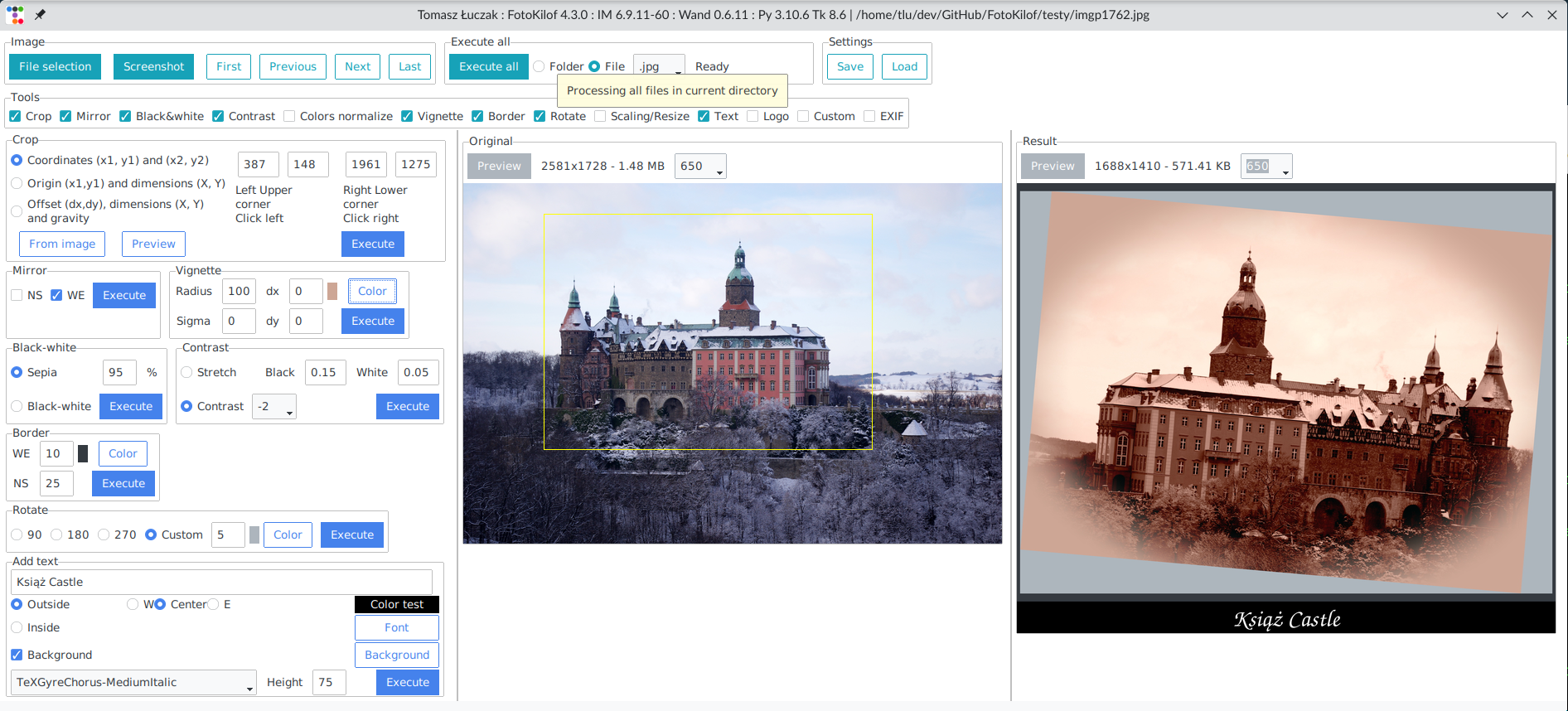
Linux dark mode
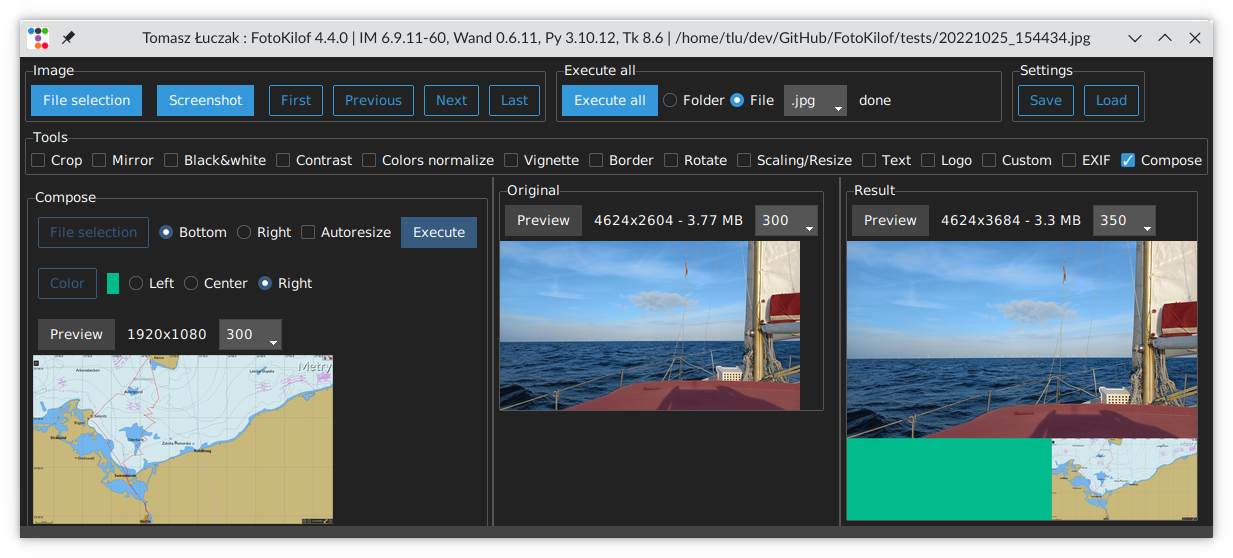
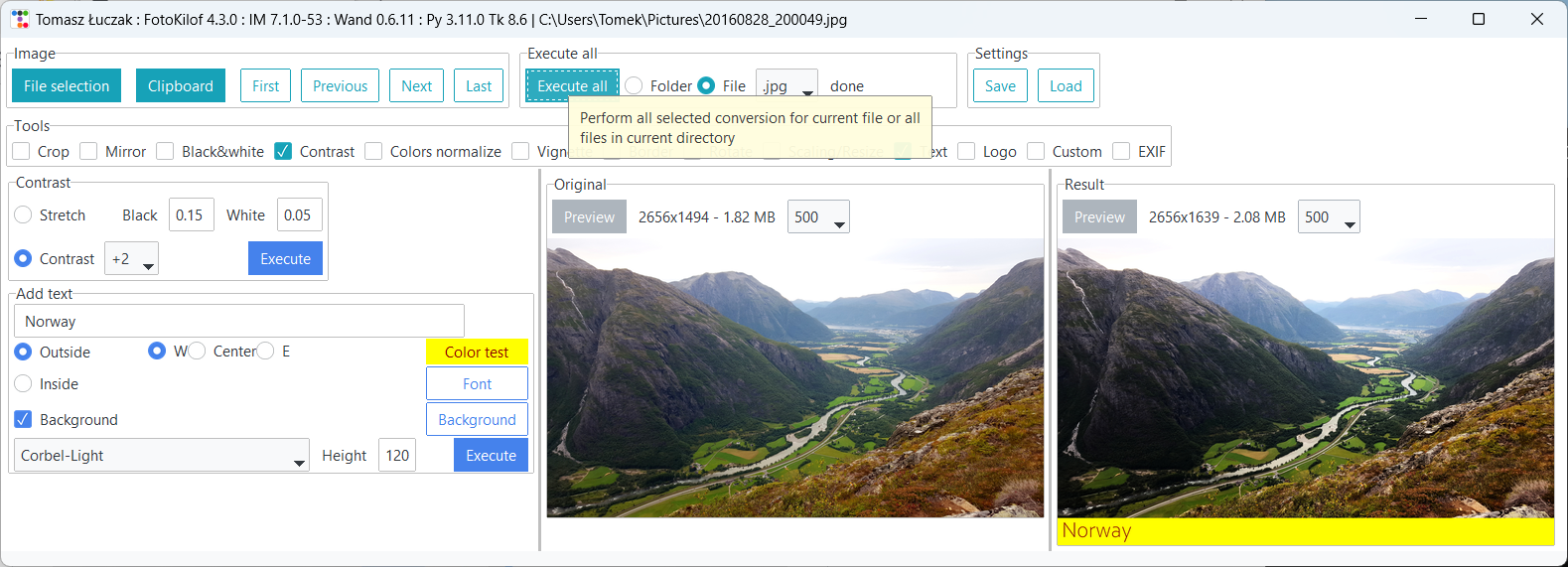
Windows
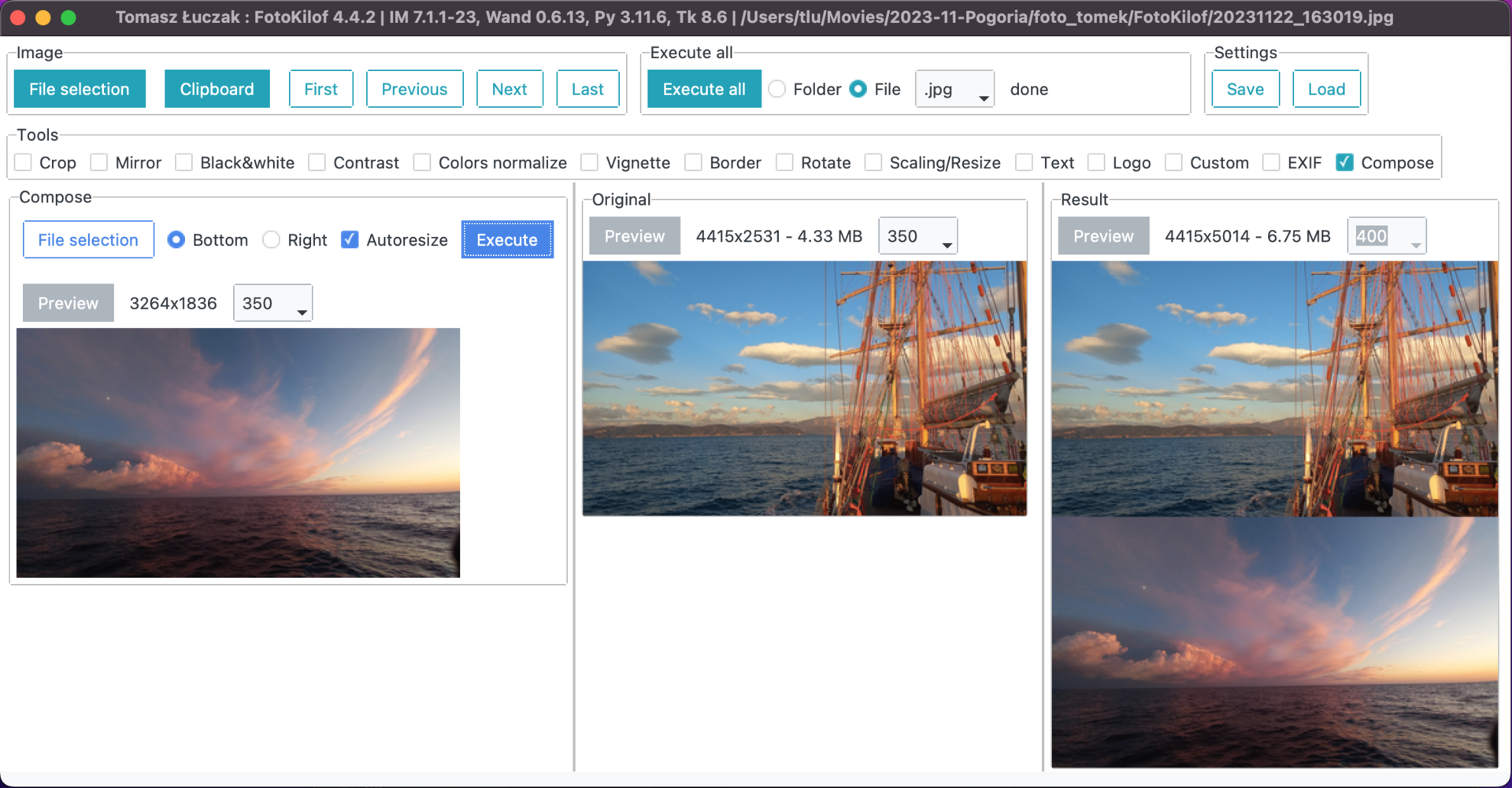
macOS compose
Graphics conversion
- scaling/resize,
- crop,
- text annotation, inside or outside of picture (mems generator),
- border around picture,
- rotation,
- mirroring (vertical or horizontal),
- black-white,
- sepia - only with Wand and ImageMagick,
- contrast increase/decrease or normalize or histogram stretching,
- color auto-level or equalize,
- vignette - only with Wand and ImageMagick,
- adding logo image on picture,
- compose two image in one picture,
- file formats: JPG, PNG, TIFF, SVG,
- format conversion into JPG, PNG, TIFF.
Functionality:
- processing JPG, PNG, SVG and TIFF images,
- processing picture in the fly, originals are safe,
- processing single file or whole directory,
- get picture from clipboard and use it as source picture,
- after processing results is copied into clipboard,
- display selected tools,
- tools selection,
- preview orignal and result,
- predefined rotation: 90, 180 and 270 degree or custom,
- crop selection via click on preview or coordinates,
- crop coordinates:
- two corners (upper left and lower right),
- upper left corner and width plus height,
- gravity, width plus height plus offset,
- text: color, font and size selection, background, rotation,
- text position:
- outside: bottom, left/center/right
- inside: by gravity or by position and rotate
- customized sepia - only with Wand and ImageMagick,
- equalize by channel,
- contrast between -5 and +5,
- customized contrast stretching,
- vignette:
- can be sharp or blured,
- corners can be filled by selected color,
- offset in both direction
- logo position by gravity, size and offset,
- compose:
- add picture on right side
- add picture on bottom
- autoresize picture
- fill color if no autoresize
- fast file navigation: First, Prev, Next, Last or keys: Home, PgUp, PgDn, End,
- command editor: possible to use ImageMagick commands for convert: eg. -gaussian-blur 10x10 or -monochrome, etc.
- dark and light mode
Processing
Is possible to run one conversion or all selected conversion. Processing order for all selected conversion:
- crop,
- mirror,
- black-white,
- sepia - only with Wand and ImageMagick,
- contrast,
- color normalize,
- vignette - only with Wand and ImageMagick,
- rotate,
- border,
- resize,
- text,
- compose two image in one picture,
- logo.
Processed is always on clone of picture in memory. Originals are not touched.
User manual, a bit outdated
Available translations
Available: Bulgarian, English, German, Indonesian, Polish and Turkish.
Install and run
Requirements
- Windows, Linux, MacOS X, BSD,
- FullHD screen for comfort work,
- ImageMagick, remember to add path into
%PATH%environment variable, enable install libraries! - Python3.10+, remember to add path into
%PATH%environment variable.
Install
Linux
Install requirements:
apt-get install python3-pip python3-tk python3-wand imagemagick xclip
Install as PyPi package by PIP:
python3 -m pip install fotokilof
Windows
Download and install requirements:
- Python3.10+ - add path into
%PATH%environment variable, - ImageMagick - add path into
%PATH%environment variable, enable install libraries!
python -m pip install fotokilof
MacOS
Install requirements:
brew install imagemagick [email protected] [email protected]
For Apple Silicon (M1, M2, M3) based Macs, the default Homebrew install directory differs from that on Homebrew Intel installs. The following environment variable allows FotoKilof to correctly locate the Homebrew-installed ImageMagick on Apple Silicon Macs:
export MAGICK_HOME=/opt/homebrew
Install as PyPi package by PIP:
python3 -m pip install fotokilof
FreeBSD
FotoKilof is available via ports
pkg install py311-fotokilof
Upgrade
python3 -m pip install --upgrade fotokilof
Run
fotokilof
or
python -m fotokilof
Dark or Light mode
Press F2 to toggle from Light to Dark or opposite.
Thanks
- Friends - some ideas and testing,
- Max von Forell - German translation,
- Bozhidar Kirev - Bulgarian translation,
- Alexander Ignatov - Bulgarian translation,
- Afif Hendrawan - Indonesian translation,
- Sebastian Hiebl - python packaging,
- Matt Sephton - ideas for packing gui,
- emsspree - update german translation, jpeg,
- Olm - testing on Windows,
- Carbene Hu - idea to fix issue
- Mert Cobanov - Turkish translation
- Giancarlo Dessì - Italian translation, Slackware package
- Danny (dchenz) - logging in proper way
- Nicola Vitale - support with debug and find solution
- CiteClimb - improved imagemagick error message output
Star History
Powered by


opencv
opencv·C++
开源计算机视觉库,提供图像处理、视频分析和深度学习推理的 C++ 接口,是视觉应用开发的基础设施。
计算机视觉+4图像处理
91525+4957k5.1.02026-11-10 12:05 UTC
upscayl
upscayl·TypeScript
跨平台的开源 AI 图片放大工具,基于 ESRGAN 等模型把低分辨率图片无损放大并增强细节,有图形界面,普通用户也能直接上手。
图像超分+4图像处理
52174+2942.7kv2.15.02026-10-05 19:13 UTC
supervision
roboflow·Python
一套可复用的计算机视觉工具库,提供目标检测、实例分割、分类等任务的标注处理、指标计算与可视化组件,帮开发者省去重复造轮子的时间。
计算机视觉+4图像处理
51582+494.9k0.31.52026-11-10 15:41 UTC

sharp
lovell·JavaScript
基于 libvips 的高性能 Node.js 图像处理库,能快速完成 JPEG、PNG、WebP、AVIF、TIFF 的缩放裁剪与格式转换,适合服务端批量处理图片。
图像处理+4图像处理
32839+101.4kv0.35.52026-11-10 15:57 UTC