需在运行目录自建 .env 并填入 OPENAI_API_KEY、ANTHROPIC_API_KEY、VERTEXAI_KEY 等密钥;proxy 与 tracker 默认分别占用 50001 和 50002 端口;轻量版 pip install llmstudio 不含 proxy 和 tracker 功能

pip install 'llmstudio[proxy,tracker]'
llmstudio server --proxy --tracker 硬件要求按 README 说明
README 未说明显存或 GPU 要求;本地模型需通过 Ollama 运行,具体硬件取决于所选模型
把 LLM 应用推向生产的框架,统一代理多家模型并管理提示词
把 LLM 应用从原型推进到生产环境的框架,集成了 LangChain、MLflow、OpenAI 和 Vertex AI,方便管理提示词与模型部署。
核心能力
- 通过代理统一接入 OpenAI、Anthropic、Google 的 LLM
- 借助 Ollama 支持自定义和本地开源模型
- 提供 Prompt Playground 界面调试与优化提示词
- 内置监控与日志记录每次请求的用量和性能
- 支持批量调用、智能路由与故障回退保障可用性
容易踩的坑
内容由模型根据 README 生成,可能不完整或不准确,以官方文档为准。看原文 README
暂无 release 数据(可能没有发版,或尚未同步)。
用户点评
登录用户的真实使用记录,可按版本和硬件筛选共 0 条
还没有人点评。第一个说出真实体验的人最有价值。
LLMstudio by TensorOps
Prompt Engineering at your fingertips

🌟 Features
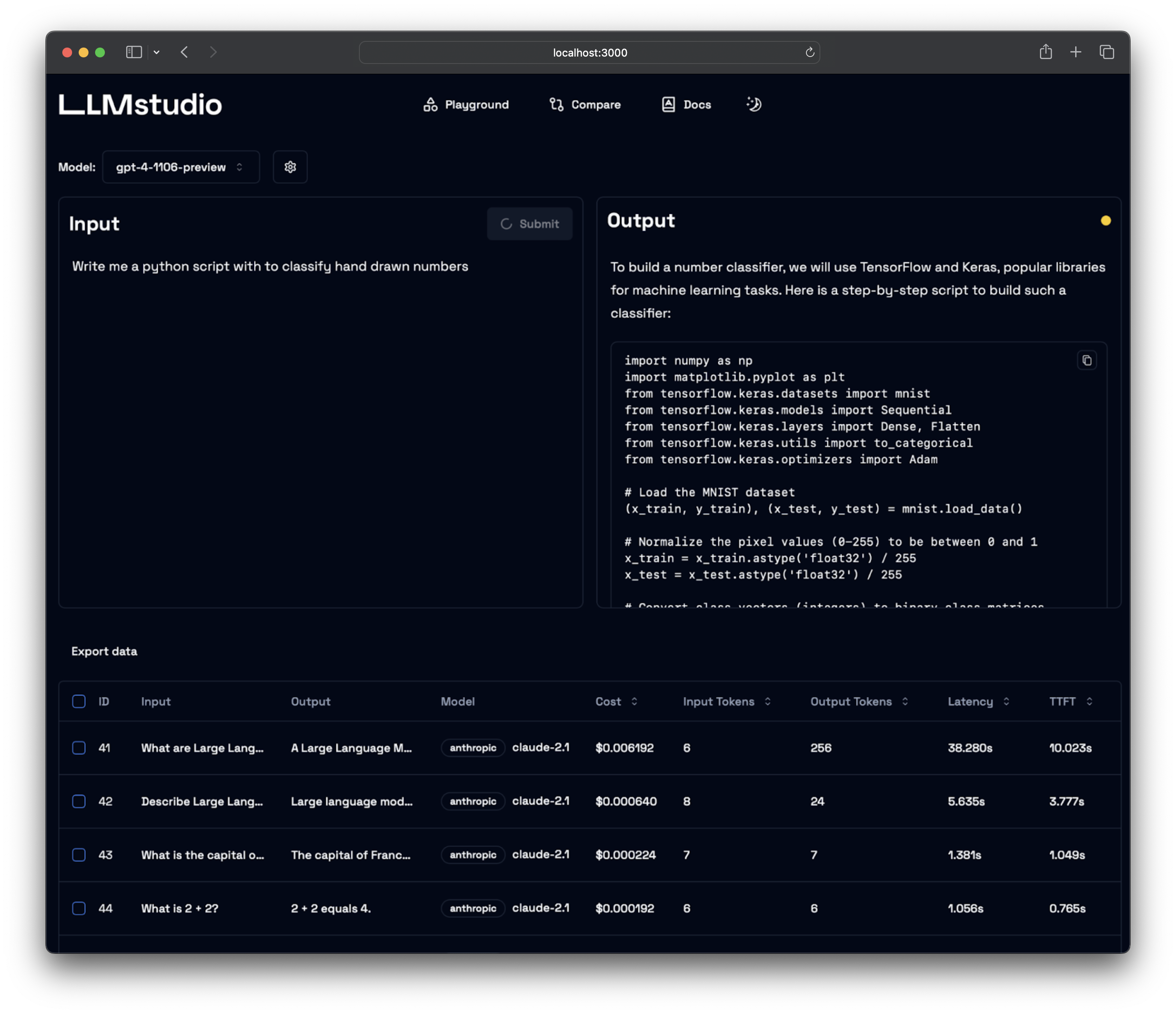
- LLM Proxy Access: Seamless access to all the latest LLMs by OpenAI, Anthropic, Google.
- Custom and Local LLM Support: Use custom or local open-source LLMs through Ollama.
- Prompt Playground UI: A user-friendly interface for engineering and fine-tuning your prompts.
- Python SDK: Easily integrate LLMstudio into your existing workflows.
- Monitoring and Logging: Keep track of your usage and performance for all requests.
- LangChain Integration: LLMstudio integrates with your already existing LangChain projects.
- Batch Calling: Send multiple requests at once for improved efficiency.
- Smart Routing and Fallback: Ensure 24/7 availability by routing your requests to trusted LLMs.
- Type Casting (soon): Convert data types as needed for your specific use case.
🚀 Quickstart
Don't forget to check out https://docs.llmstudio.ai page.
Installation
Install the latest version of LLMstudio using pip. We suggest that you create and activate a new environment using conda
For full version:
pip install 'llmstudio[proxy,tracker]'
For lightweight (core) version:
pip install llmstudio
Create a .env file at the same path you'll run LLMstudio
OPENAI_API_KEY="sk-api_key"
ANTHROPIC_API_KEY="sk-api_key"
VERTEXAI_KEY="sk-api-key"
Now you should be able to run LLMstudio using the following command.
llmstudio server --proxy --tracker
When the --proxy flag is set, you'll be able to access the Swagger at http://0.0.0.0:50001/docs (default port)
When the --tracker flag is set, you'll be able to access the Swagger at http://0.0.0.0:50002/docs (default port)
📖 Documentation
- Visit our docs to learn how the SDK works (coming soon)
- Checkout our notebook examples to follow along with interactive tutorials
👨💻 Contributing
- Head on to our Contribution Guide to see how you can help LLMstudio.
- Join our Discord to talk with other LLMstudio enthusiasts.
Training
Thank you for choosing LLMstudio. Your journey to perfecting AI interactions starts here.
langfuse
langfuse·TypeScript
开源 LLM 应用可观测与评估平台,能追踪调用链路、跑评测实验,帮团队定位问题并持续优化提示词和模型效果。
LLM 可观测+4LLM 可观测
37251+1274.2kv4.77.02026-11-10 11:19 UTC
signoz
SigNoz·TypeScript
基于 OpenTelemetry 的开源可观测性平台,把日志、指标和链路追踪集中到一处,提供 APM、分布式追踪和基础设施监控,帮团队快速定位线上问题。
可观测性+4LLM 可观测
32568+242.6kv0.149.02026-11-10 10:28 UTC

skywalking
apache·Java
分布式系统的应用性能监控平台,支持链路追踪、指标采集和日志分析,帮你在微服务架构下快速定位性能瓶颈。
应用性能监控+4LLM 可观测
24998+46.6kv11.1.02026-11-10 09:54 UTC

jaeger
jaegertracing·Go
CNCF 出品的分布式追踪平台,采集服务调用链路并做可视化分析,帮你在微服务和 LLM 应用里定位延迟与故障根因。
分布式追踪+4LLM 可观测
23393+73.2kv2.23.02026-11-10 06:28 UTC