- 把 AI 助手接进公司已有的 IM(钉钉、飞书、企业微信、Discord、Telegram):渠道适配和消息路由已经写好,自己写要处理各平台鉴权、回调、富文本差异,工作量比想象大
- 内网或离线环境跑助手:内置 QwenPaw-Flash 本地模型不依赖 API Key,配合 Ollama、LM Studio 可以整条链路不出网,这是它相对纯云方案的主要差异点
- 需要助手跨会话记住人和事:三层记忆(工作上下文、历史、知识库)是内置的,自己拼向量库加摘要策略要额外维护一套状态管理
- 想让助手执行命令、调工具又不敢放开:内核级沙箱和工具守卫是默认路径,自研 agent 通常先跑通再补安全,顺序反了
QwenPaw
agentscope-aiApache-2.0活跃维护 有专家点评开箱即用的个人 AI 助手,可本地或云端部署,接入多种聊天应用,并通过 MCP 与工具扩展能力。
Your Personal AI Assistant; easy to install, deploy on your own machine or on the cloud; supports multiple chat apps with easily extensible capabilities.
v2.2.2.post1发布于 2026-10-22 11:49 UTC37,587star +148 / 7 天3,272fork同步于 2026-11-10 23:22 UTC
专家点评
上手难度:进阶更新于 2026-11-11自托管个人 AI 助手,替代把 ChatGPT 类对话接到钉钉、飞书、微信上的自研胶水层
适用场景
踩坑
- 安装脚本会联网拉 uv、Node.js 和前端资源,企业防火墙或受限网络下大概率卡在这一步;Windows LTSC 受限语言模式还要手动配 Path,README 明说了
- Python 版本窗口窄(>=3.11 且 <3.14),机器上已有 3.10 或 3.14 的环境需要单独隔离
- issue 里反复出现「经常卡住」这类无明确复现路径的稳定性问题,以及后端从 AgentScope 1.x 迁到 2.0 的 breaking change,说明内核还在动,长期跑生产要有跟版本的心理准备
同类对比
要的是可编程的 agent 编排原语而不是开箱即用的助手,看 AgentScope 本体或 LangGraph;只要单机对话前端、不需要多渠道接入,Open WebUI 更轻。
pip install qwenpaw
qwenpaw init --defaults
qwenpaw app 硬件要求按 README 说明
README 未说明具体显存要求;内置 QwenPaw-Flash 本地模型(2B/4B/9B/35B-A3B/27B),也可接 Ollama、LM Studio 或 14+ 云服务商
支持 Apple Silicon有 Docker 镜像
项目说明
由 README 自动翻译提炼本地或云端部署的个人 AI 助手,支持多渠道聊天与可扩展技能插件
开箱即用的个人 AI 助手,可本地或云端部署,接入多种聊天应用,并通过 MCP 与工具扩展能力。
核心能力
- 三层记忆:工作上下文、完整历史与自进化知识库
- 内置 QwenPaw Local 运行时,无需 API Key 即可离线运行
- 内核级沙箱、工具守卫与技能扫描拦截危险命令
- 支持多智能体并行与 ACP 跨系统编排
- 接入钉钉、飞书、微信、Discord、Telegram 等渠道
容易踩的坑
需 Python >= 3.11 且 < 3.14;脚本安装会自动下载 uv、Node.js 和前端资源,受限网络或企业防火墙下可能失败;Windows LTSC 受限语言模式可能无法自动写入 Path,需手动配置环境变量
内容由模型根据 README 生成,可能不完整或不准确,以官方文档为准。看原文 README
- v2.3.0-beta.4pre-release2026-11-10 · 2026-11-10 14:46 UTC
查看更新说明
What's Changed
- fix(channels): preserve plugin dependencies across updates and fix channel startup by @Luohh5 in https://github.com/agentscope-ai/QwenPaw/pull/8653
- fix(plugins): recover interrupted additive dependency installations by @Luohh5 in https://github.com/agentscope-ai/QwenPaw/pull/8659
- chore: bump the version to 2.3.0b4 by @lalaliat in https://github.com/agentscope-ai/QwenPaw/pull/8665
- feat(community): support remote password login with saved credentials by @Osier-Yi in https://github.com/agentscope-ai/QwenPaw/pull/8664
Full Changelog: https://github.com/agentscope-ai/QwenPaw/compare/v2.3.0-beta.3...v2.3.0-beta.4
- v2.3.0-beta.3pre-release2026-11-09 · 2026-11-09 11:44 UTC
查看更新说明
What's Changed
- docs(memory): add separate bilingual blogs for multimodal memory and Memory Tags by @wang-qisen in https://github.com/agentscope-ai/QwenPaw/pull/8506
- fix(channels): resolve desktop plugin installation and repair failures by @Luohh5 in https://github.com/agentscope-ai/QwenPaw/pull/8509
- fix(agents): drop empty media blocks before formatting requests by @BeiMu-new in https://github.com/agentscope-ai/QwenPaw/pull/8066
- fix(creator): release 2.0.4 with media and probe hardening by @xuanrui-L in https://github.com/agentscope-ai/QwenPaw/pull/8529
- chore: bump the version to 2.3.0b3 by @cuiyuebing in https://github.com/agentscope-ai/QwenPaw/pull/8546
- fix(console): persist market install provenance so 'Update All' covers third-party plugins (#8176) by @RerankerGuo in https://github.com/agentscope-ai/QwenPaw/pull/8231
- feat(tools): use AnySearch as the default web search provider by @rayrayraykk in https://github.com/agentscope-ai/QwenPaw/pull/8536
- fix(sqlite): skip completed startup migrations and snapshot live backups by @rayrayraykk in https://github.com/agentscope-ai/QwenPaw/pull/8541
- fix(console): repair settings search navigation and indexing by @zhaozhuang521 in https://github.com/agentscope-ai/QwenPaw/pull/8545
- fix(skill): avoid scanner false positive in make-skill validator by @LingHu01 in https://github.com/agentscope-ai/QwenPaw/pull/8400
- fix(tests): isolate host dependency observation inputs on Windows by @Luohh5 in https://github.com/agentscope-ai/QwenPaw/pull/8548
- fix(console): resolve markdown preview relative links and images by @zhaozhuang521 in https://github.com/agentscope-ai/QwenPaw/pull/8551
- fix(tests): reopen backup archive before Windows restore verification by @rayrayraykk in https://github.com/agentscope-ai/QwenPaw/pull/8552
- fix(context): support slow summary models and consistent token limits by @jinliyl in https://github.com/agentscope-ai/QwenPaw/pull/8496
- feat(models): run local Piccolo with bidirectional candidate scoring by @Xinji-Mai in https://github.com/agentscope-ai/QwenPaw/pull/8463
- fix(console): select decision-model approval directly by @jinglinpeng in https://github.com/agentscope-ai/QwenPaw/pull/8556
- fix(desktop): bundle visual_compression glyph atlas assets by @Frank-zhu2000 in https://github.com/agentscope-ai/QwenPaw/pull/8514
- fix(e2e): mock decision model configuration for approval toggle by @jinglinpeng in https://github.com/agentscope-ai/QwenPaw/pull/8566
- ci(release): resolve desktop artifacts by id so duplicate names cannot break publish by @yutai78786 in https://github.com/agentscope-ai/QwenPaw/pull/8543
- feat(loop): add optional Jev completion decisions by @jinglinpeng in https://github.com/agentscope-ai/QwenPaw/pull/8544
- fix(tools): preserve CRLF line endings in edit_file by @Li-john1021 in https://github.com/agentscope-ai/QwenPaw/pull/8235
- fix(plugins): report an unusable dependency state root at startup by @passionworkeer in https://github.com/agentscope-ai/QwenPaw/pull/8527
- feat(memory): add OpenViking memory plugin by @xypang33-sketch in https://github.com/agentscope-ai/QwenPaw/pull/7613
- fix(memory): stop leaking auto-memory-recall payload to channels by @TerebiSAMA in https://github.com/agentscope-ai/QwenPaw/pull/7835
- feat(desktop): add approval notifications (#8460) by @zhaozhuang521 in https://github.com/agentscope-ai/QwenPaw/pull/8504
- fix(scroll): improve token estimates and recover from context overflow by @niceIrene in https://github.com/agentscope-ai/QwenPaw/pull/8571
- fix(dingtalk): split long replies into markdown chunks by @Li-john1021 in https://github.com/agentscope-ai/QwenPaw/pull/8341
- feat(matrix): install E2EE dependencies by default by @hongxicheng in https://github.com/agentscope-ai/QwenPaw/pull/8559
- feat(console): add plugin-facing theme token overrides by @BeiMu-new in https://github.com/agentscope-ai/QwenPaw/pull/8422
- fix(desktop): restrict auto-update manifest to s
- v2.3.0-beta.2pre-release2026-11-02 · 2026-11-02 06:08 UTC
查看更新说明
What's Changed
- fix(console): limit agent skill selection to creation by @zhaozhuang521 in https://github.com/agentscope-ai/QwenPaw/pull/8448
- fix(console): compact media preview error cards by @zhaozhuang521 in https://github.com/agentscope-ai/QwenPaw/pull/8451
- Fix/console browser usability by @zhaozhuang521 in https://github.com/agentscope-ai/QwenPaw/pull/8452
- fix(providers): honor declared thinking disable wire by @wuwenbo0626 in https://github.com/agentscope-ai/QwenPaw/pull/8436
- fix(plugins): remove SDK-specific dependency checks and simplify tests by @lalaliat in https://github.com/agentscope-ai/QwenPaw/pull/8462
- docs: remove duplicated pip install section from quickstart by @Heipa1 in https://github.com/agentscope-ai/QwenPaw/pull/8454
- fix(mail): do not append domain when account name is already a full address by @Frank-zhu2000 in https://github.com/agentscope-ai/QwenPaw/pull/8438
- fix(creator): keep review decisions publishable on long Windows paths by @JasonBuildAI in https://github.com/agentscope-ai/QwenPaw/pull/8167
- fix(creator): close project logging before directory delete by @Li-john1021 in https://github.com/agentscope-ai/QwenPaw/pull/8210
- fix(creator): tolerate Windows liveness probe errors by @axelray-dev in https://github.com/agentscope-ai/QwenPaw/pull/8196
- fix(skill): use native skills CLI for validation and publishing make-skill by @Leirunlin in https://github.com/agentscope-ai/QwenPaw/pull/8344
- fix(skills): preserve binary files in GitHub imports by @lorenzozanee in https://github.com/agentscope-ai/QwenPaw/pull/8198
- feat(skills): make skill-pool downloads cancellable jobs (#8126) by @BeiMu-new in https://github.com/agentscope-ai/QwenPaw/pull/8285
- fix(agents): recover from request body overflow caused by historical media by @qbc2016 in https://github.com/agentscope-ai/QwenPaw/pull/8395
- feat(providers): refresh non-OpenAI model catalog and provider configuration by @qbc2016 in https://github.com/agentscope-ai/QwenPaw/pull/8447
- fix(plugins): return 400 for plugin download network errors by @qbc2016 in https://github.com/agentscope-ai/QwenPaw/pull/8397
- fix(providers): prevent silent LLM startup hangs (#8435) by @qbc2016 in https://github.com/agentscope-ai/QwenPaw/pull/8468
- fix(desktop): handle Windows installer preparation failures by @jinglinpeng in https://github.com/agentscope-ai/QwenPaw/pull/8455
- fix(code-mode): preserve media previews and plugin tools by @rayrayraykk in https://github.com/agentscope-ai/QwenPaw/pull/8461
- feat(channels): extract channels into plugins with subprocess isolation by @Luohh5 in https://github.com/agentscope-ai/QwenPaw/pull/8187
- feat(console): add unread push message filter by @zhaozhuang521 in https://github.com/agentscope-ai/QwenPaw/pull/8484
- feat(console): browse memory files by tags by @jinliyl in https://github.com/agentscope-ai/QwenPaw/pull/8470
- fix(models): honor conversation model settings across runtime paths by @jinliyl in https://github.com/agentscope-ai/QwenPaw/pull/8465
- fix(security): prevent false-positive approvals for Code Mode in JEV mode by @cuiyuebing in https://github.com/agentscope-ai/QwenPaw/pull/8492
- feat(website): add JSON-driven evaluation index by @rayrayraykk in https://github.com/agentscope-ai/QwenPaw/pull/8253
- fix(providers): honor thinking defaults and declared wire controls by @AGImentu in https://github.com/agentscope-ai/QwenPaw/pull/8358
- fix(plugins): tolerate import cache refresh failures during plugin loading by @lalaliat in https://github.com/agentscope-ai/QwenPaw/pull/8497
- fix(test): reduce plugin unit test execution time by @Luohh5 in https://github.com/agentscope-ai/QwenPaw/pull/8489
- fix(console): pause sidebar polling during session selection by @zhijianma in https://github.com/agentscope-ai/QwenPaw/pull/8493
- fix(console): prevent tool card icons from clipping by @zhijianma in https://github.com/agentscope-ai/QwenPaw/pull/8503
- perf(history): reuse wor
- v2.3.0-beta.1pre-release2026-10-27 · 2026-10-27 12:42 UTC
查看更新说明
What's Changed
- fix(console): restore interactive HTML previews by @zhaozhuang521 in https://github.com/agentscope-ai/QwenPaw/pull/8245
- feat(tools): optional Tavily API key via credential store (#8174) by @Li-john1021 in https://github.com/agentscope-ai/QwenPaw/pull/8204
- fix(plugin): align hub plugin catalog and installed state by @Leirunlin in https://github.com/agentscope-ai/QwenPaw/pull/8261
- fix(console): clear chat input on submission by @zhaozhuang521 in https://github.com/agentscope-ai/QwenPaw/pull/8272
- refactor(console): polish web search config guards and error icon by @rayrayraykk in https://github.com/agentscope-ai/QwenPaw/pull/8271
- feat(chat): support inline UI plugins and scoped message submission by @Leirunlin in https://github.com/agentscope-ai/QwenPaw/pull/8239
- fix(console): unblock config editors and polish chat controls by @zhaozhuang521 in https://github.com/agentscope-ai/QwenPaw/pull/8263
- fix(console): update chat dependency for navigation by @zhijianma in https://github.com/agentscope-ai/QwenPaw/pull/8273
- feat(models): add TypeSafe decision model configuration by @jinglinpeng in https://github.com/agentscope-ai/QwenPaw/pull/8205
- fix(console): keep repetition thresholds visible and editable by @zhaozhuang521 in https://github.com/agentscope-ai/QwenPaw/pull/8282
- fix(chat): truncate oversized tool outputs when serving chat history by @Marlin-Phone in https://github.com/agentscope-ai/QwenPaw/pull/8229
- fix(chat): resolve deep links across agents by @zhaozhuang521 in https://github.com/agentscope-ai/QwenPaw/pull/8209
- fix(mcp): treat HTTP 422 on server/discover as legacy-protocol evidence by @BeiMu-new in https://github.com/agentscope-ai/QwenPaw/pull/8051
- feat(modes): add Advisor Mode by @AntiQuality in https://github.com/agentscope-ai/QwenPaw/pull/7569
- fix(chat): use session transition ref for plugin submissions by @lalaliat in https://github.com/agentscope-ai/QwenPaw/pull/8330
- chore: bump the version to 2.2.3b1 by @cuiyuebing in https://github.com/agentscope-ai/QwenPaw/pull/8331
- fix(console): support configurable basename for subpath deployments by @zhaozhuang521 in https://github.com/agentscope-ai/QwenPaw/pull/8316
- feat(data-app): v 1.0.3 by @cyruszhang in https://github.com/agentscope-ai/QwenPaw/pull/8266
- feat(console): refine model management experience by @zhijianma in https://github.com/agentscope-ai/QwenPaw/pull/8240
- feat(tools): add Firecrawl as a web_search provider by @JuampiHernandez in https://github.com/agentscope-ai/QwenPaw/pull/8200
- fix(agents): recognize llama-server and DashScope URL audio rejections in audio-fallback classifier by @jcs130 in https://github.com/agentscope-ai/QwenPaw/pull/7654
- fix(data-app): correct ZIP size and host version range for uploads by @cyruszhang in https://github.com/agentscope-ai/QwenPaw/pull/8346
- feat(security): add decision-model-backed tool approval mode by @cuiyuebing in https://github.com/agentscope-ai/QwenPaw/pull/8283
- fix(cron-jobs): preserve edit drafts and sync time wheels (#8249) by @zhaozhuang521 in https://github.com/agentscope-ai/QwenPaw/pull/8349
- fix(cron): preserve running jobs and concurrency limits during agent reload by @lalaliat in https://github.com/agentscope-ai/QwenPaw/pull/8353
- chore: bump the version to 2.3.0b1 by @cuiyuebing in https://github.com/agentscope-ai/QwenPaw/pull/8355
- feat(plugins): add inline OpenUI support for Intelligent UI by @Leirunlin in https://github.com/agentscope-ai/QwenPaw/pull/8248
- fix(observability): trace cancel reason and initiator in stop cascade by @zhijianma in https://github.com/agentscope-ai/QwenPaw/pull/8317
- fix(acp): preserve task results after long tool calls by @wangfei010313 in https://github.com/agentscope-ai/QwenPaw/pull/8327
- feat(acp): add --agent-mode to ACP by @hongxicheng in https://github.com/agentscope-ai/QwenPaw/pull/8352
- refactor(security): use AgentScope Jev classifier for decision model by @jinglinpeng i
- v2.2.2.post1最新正式版2026-10-22 · 2026-10-22 11:49 UTC
What's Changed
- chore: bump the version to v2.2.2post1 by @cuiyuebing in https://github.com/agentscope-ai/QwenPaw/pull/8369
- fix(security): remediate emSign CA trust across dependencies, installers, and builds by @qbc2016 in https://github.com/agentscope-ai/QwenPaw/pull/8370
- fix(security): update Node.js to 22.23.4 by @zhaozhuang521 in https://github.com/agentscope-ai/QwenPaw/pull/8371
Full Changelog: https://github.com/agentscope-ai/QwenPaw/compare/v2.2.2...v2.2.2.post1
用户点评
登录用户的真实使用记录,可按版本和硬件筛选共 0 条
还没有人点评。第一个说出真实体验的人最有价值。
QwenPaw





[Documentation] [中文] [日本語] [Русский]
Your personal AI assistant — deploy locally or in the cloud, extend with Skills & Plugins, connect across every channel.
| Never forgets | Three-layer memory — live working context, full verbatim history, and a self-evolving personal knowledge base powered by ReMe. Conversations and resources continuously become readable, editable, searchable, and linked Markdown memory. |
| Local or cloud, runs free | QwenPaw-Flash models (2B / 4B / 9B / 35B-A3B / 27B) trained for agent tasks. Built-in QwenPaw Local runtime — no API key, no cloud dependency. Also works with Ollama, LM Studio, or 14+ cloud providers. |
| Security built in | Kernel-level Sandbox, Tool Guard, File Guard, Skill Scanner, and Access Policy. Dangerous commands are blocked before they run. |
| Multi-agent & parallel | Spawn independent agents with their own memory and skills. Sub-agents at runtime. Agent Communication Protocol (ACP) for cross-system orchestration. |
| File workspace | Unified file navigation, preview, editing, diffs, upload, and download across project and Agent files. |
| Extensible | Skills for scheduling, documents, browser, news, and more. Plugin architecture with a marketplace. MCP integration for external tools. Combine them into purpose-built workflows. |
| Reachable anywhere | DingTalk, Lark, WeChat, Discord, Telegram, iMessage, QQ — one instance, all channels. Console, TUI, and desktop app for direct access. |
| Yours, not ours | Deploy locally — data stays on your machine. No third-party hosting, no data upload. |
- Automation & scheduling: Set up recurring tasks — news digests, report generation, multi-channel broadcasting — all on your schedule.
- Code & development: Read, edit, review, and test code in your projects with the unified file workspace.
- Document processing: Read, write, and convert PDF, Word, Excel, and PowerPoint files.
- Information gathering: Search the web, follow subscriptions, summarize videos, and find what you need in your personal knowledge base.
- Multi-channel ops: Push alerts, summaries, or AI-generated content to DingTalk, Lark, Discord, Telegram, and more — simultaneously or per channel.
- Custom workflows: Combine built-in capabilities, plugins, and scheduled tasks into workflows tailored to your needs.
News
-
[2026-10-15] v2.2.2 | Console updates, new QwenPaw-Flash models covering 9B/27B/35B-A3B, PawPort for importing Codex/Qoder data, Creator 2.0.1, and Data 0.3.0. v2.2.2 Release Notes →
-
[2026-09-10] v2.2.1 | Creator 1.2 blueprint workbench, per-Agent model routing, and unified environment management. v2.2.1 Release Notes →
-
[2026-09-03] v2.2.0 | Self-hosted multi-user QwenPaw Hub, QwenPaw Mail, native QwenPaw Data, unified model routing, Creator 1.1, a unified marketplace, and major Console, Skills, channel, and reliability improvements. v2.2.0 Release Notes →
-
[2026-08-13] v2.1.0 | QwenPaw OS Shell, unified Files workspace, QwenPaw Creator, Codex/Qoder Agent integration, Browser-use, Computer-use, workspace checkpoints, and long-running conversation continuity. v2.1.0 Release Notes →
-
[2026-07-24] v2.0.1 | PawApp mini-app platform, user-editable Agent Modes, Oh-My-Paw plugins, ReMe memory enhancements, desktop UX improvements, and more. v2.0.1 Release Notes →
Table of Contents
- News
- Quick Start
- API Key
- Local Models
- Security Features
- Documentation
- FAQ
- Roadmap
- Contributing
- Install From Source
- Why QwenPaw?
- Built By
- License
Quick Start
Option 1: Pip Install
If you prefer managing Python yourself (requires Python >= 3.11, < 3.14):
pip install qwenpaw
qwenpaw init --defaults
qwenpaw app
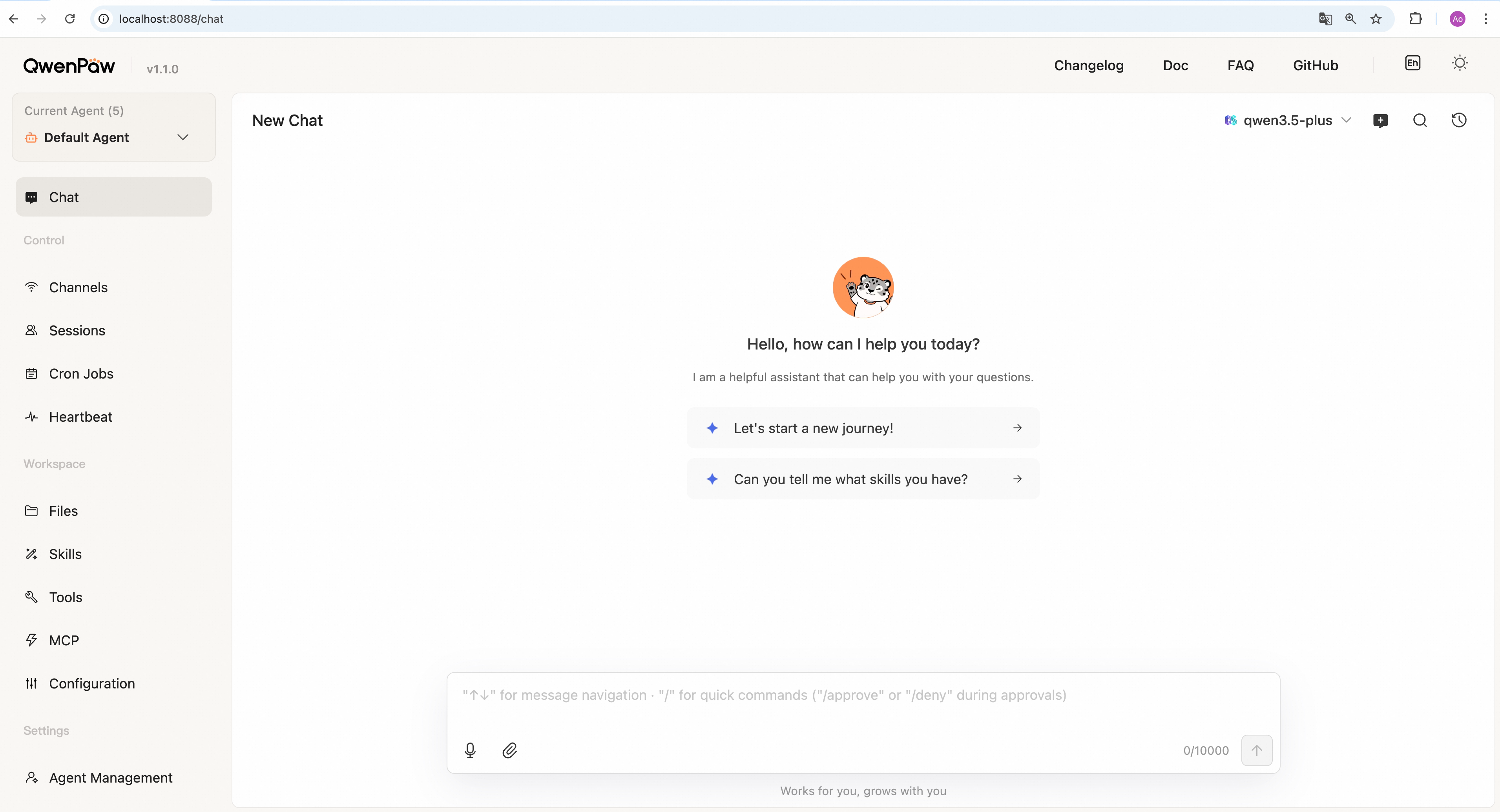
Then open the Console in your browser at http://127.0.0.1:8088/ to configure your model. To chat in DingTalk, Lark, WeChat, etc., see the Channel setup documentation.
Option 2: Script Install
No Python setup required, one command installs everything. The script will automatically download uv (Python package manager), create a virtual environment, and install QwenPaw with all dependencies (including Node.js and frontend assets). Note: May not work in restricted network environments or corporate firewalls.
macOS / Linux:
curl -fsSL https://qwenpaw.agentscope.io/install.sh | bash
Windows (CMD):
curl -fsSL https://qwenpaw.agentscope.io/install.bat -o install.bat && install.bat
Windows (PowerShell):
irm https://qwenpaw.agentscope.io/install.ps1 | iex
Note: The installer will automatically check the status of uv. If it is not installed, it will attempt to download and configure it automatically. If the automatic installation fails, please follow the on-screen prompts or execute
python -m pip install -U uv, then rerun the installer.
⚠️ Special Notice for Windows Enterprise LTSC Users
If you are using Windows LTSC or an enterprise environment governed by strict security policies, PowerShell may run in Constrained Language Mode, potentially causing the following issue:
If using CMD (.bat): Script executes successfully but fails to write to
PathThe script completes file installation. Due to Constrained Language Mode, it cannot automatically update environment variables. Manually configure as follows:
- Locate the installation directory:
- Check if
uvis available: Enteruv --versionin CMD. If a version number appears, only configure the QwenPaw path. If you receive the prompt'uv' is not recognized as an internal or external command, operable program or batch file,configure both paths.- uv path (choose one based on installation location; use if
uvfails): Typically%USERPROFILE%\.local\bin,%USERPROFILE%\AppData\Local\uv, or theScriptsfolder within your Python installation directory- QwenPaw path: Typically located at
%USERPROFILE%\.qwenpaw\bin.- Manually add to the system's Path environment variable:
- Press
Win + R, typesysdm.cpland press Enter to open System Properties.- Click “Advanced” -> “Environment Variables”.
- Under “System variables”, locate and select
Path, then click “Edit”.- Click “New”, enter both directory paths sequentially, then click OK to save.
If using PowerShell (.ps1): Script execution interrupted
Due to Constrained Language Mode, the script may fail to automatically download
uv.
- Manually install uv: Refer to the GitHub Release to download
uv.exeand place it in%USERPROFILE%\.local\binor%USERPROFILE%\AppData\Local\uv; or ensure Python is installed and runpython -m pip install -U uv.- Configure
uvenvironment variables: Add theuvdirectory and%USERPROFILE%\.qwenpaw\binto your system'sPathvariable.- Re-run the installation: Open a new terminal and execute the installation script again to complete the
QwenPawinstallation.- Configure the
QwenPawenvironment variable: Add%USERPROFILE%\.qwenpaw\binto your system'sPathvariable.
Once installed, open a new terminal and run:
qwenpaw init --defaults   # or: qwenpaw init (interactive)
qwenpaw app
macOS / Linux:
# Install a specific version
curl -fsSL ... | bash -s -- --version 1.1.0

# Install from source (dev/testing)
curl -fsSL ... | bash -s -- --from-source

# Upgrade — just re-run the installer
curl -fsSL ... | bash

# Uninstall
qwenpaw uninstall          # keeps config and data
qwenpaw uninstall --purge  # removes everything
Windows (PowerShell):
# Install a specific version
irm ... | iex; .\install.ps1 -Version 1.1.12

# Install from source (dev/testing)
.\install.ps1 -FromSource

# Upgrade — just re-run the installer
irm ... | iex

# Uninstall
qwenpaw uninstall          # keeps config and data
qwenpaw uninstall --purge  # removes everything
Option 3: Docker
Images are on Docker Hub (agentscope/qwenpaw). Image tags: latest (stable); pre (PyPI pre-release).
docker pull agentscope/qwenpaw:latest
docker run -p 127.0.0.1:8088:8088 \
  -v qwenpaw-data:/app/working \
  -v qwenpaw-secrets:/app/working.secret \
  -v qwenpaw-backups:/app/working.backups \
  agentscope/qwenpaw:latest
Also available on Alibaba Cloud Container Registry (ACR) for users in China: agentscope-registry.ap-southeast-1.cr.aliyuncs.com/agentscope/qwenpaw (same tags).
Then open http://127.0.0.1:8088/ for the Console. Config, memory, and skills are stored in the qwenpaw-data volume; model provider settings and API keys are in the qwenpaw-secrets volume; backup archives are stored in the qwenpaw-backups volume. To pass API keys (e.g. DASHSCOPE_API_KEY), add -e VAR=value or --env-file .env to docker run.
Connecting to Ollama or other services on the host machine
Inside a Docker container,
localhostrefers to the container itself, not your host machine. If you run Ollama (or other model services) on the host and want QwenPaw in Docker to reach them, use one of these approaches:Option A — Explicit host binding (all platforms):
docker run -p 127.0.0.1:8088:8088 \
  --add-host=host.docker.internal:host-gateway \
  -v qwenpaw-data:/app/working \
  -v qwenpaw-secrets:/app/working.secret \
  -v qwenpaw-backups:/app/working.backups \
  agentscope/qwenpaw:latest
Then in QwenPaw Settings → Models, change the Base URL to
http://host.docker.internal:<port>— for example,http://host.docker.internal:11434for Ollama, orhttp://host.docker.internal:1234/v1for LM Studio.Option B — Host networking (Linux only):
docker run --network=host \
  -v qwenpaw-data:/app/working \
  -v qwenpaw-secrets:/app/working.secret \
  -v qwenpaw-backups:/app/working.backups \
  agentscope/qwenpaw:latest
No port mapping (
-p) is needed; the container shares the host network directly. Note that all container ports are exposed on the host, which may cause conflicts if the port is already in use.
The image is built from scratch. To build the image yourself, please refer to the Build Docker image section in scripts/README.md, and then push to your registry.
Option 4: Deploy on Alibaba Cloud ECS
To run QwenPaw on Alibaba Cloud (ECS), use the one-click deployment: open the QwenPaw on Alibaba Cloud (ECS) deployment link and follow the prompts. For step-by-step instructions, see Alibaba Cloud Developer: Deploy your AI assistant in 3 minutes.
Option 5: AgentScope Platform
AgentScope Platform provides one-click cloud QwenPaw deployment, plugin sharing, and a Skill marketplace. Free, 7/24 online.
Option 6: Using ModelScope
ModelScope Studio also supports cloud QwenPaw deployment. Note: set your Studio to non-public so others cannot control your QwenPaw.
Option 7: Desktop Application (Beta)
Beta Notice: The desktop application is currently in Beta testing phase with the following known limitations:
- Incomplete compatibility testing: Not fully tested across all system versions and hardware configurations
- Potential performance issues: Startup time, memory usage, and other performance aspects may need further optimization
- Features under development: Some features may be unstable or missing
If you're not comfortable with command-line tools, you can download and use QwenPaw's desktop application without manually configuring Python environments or running commands.
Download
Download the desktop app (Tauri build) from the official download page:
- Windows:
QwenPaw-Tauri-<version>-Windows-setup.exe - macOS:
QwenPaw-Tauri-<version>-macOS.zip(Apple Silicon recommended)
Features
- ✅ Zero configuration: Download and double-click to run, no need to install Python or configure environment variables
- ✅ Cross-platform: Supports Windows 10+ and macOS 14+
- ✅ Visual interface: Automatically opens the app window, no need to manually enter addresses
- ⚠️ Beta stage: Features are continuously being improved, feedback welcome
First Launch
Important: The first launch may take 10-60 seconds (depending on your system configuration). The application needs to initialize the Python environment and load dependencies. Please wait patiently for the window to open automatically.
macOS: Bypass System Security Restrictions
When you download the QwenPaw macOS app from Releases, macOS may show: "Apple cannot verify that 'QwenPaw' contains no malicious software". This happens because the app is not notarized. You can still open it as follows:
-
Right-click to open (recommended) Right-click (or Control+click) the QwenPaw app → Open → in the dialog click Open again. This tells Gatekeeper you trust the app; after that you can double-click to launch as usual.
-
Allow in System Settings If it is still blocked, go to System Settings → Privacy & Security, scroll to the message like "QwenPaw was blocked because it is from an unidentified developer", and click Open Anyway or Allow.
-
Remove quarantine attribute (not recommended for most users) In Terminal run:
xattr -cr "/Applications/QwenPaw Desktop.app"(or use the path to the.appafter unzipping). This clears the "downloaded from the internet" quarantine flag so the warning usually does not appear, but is less safe and controllable than using Right-click → Open.
For detailed usage instructions, troubleshooting, and common issues, see the Desktop Application Guide.
What's Next?
After installation, configure your model in Console → Settings → Models, then explore:
- Add Skills to extend capabilities (PDF, Office, browser, news, etc.)
- Set up Channels for DingTalk, Lark, Discord, and more
- Configure Cron for scheduled tasks and automation
- See the full Quick Start guide for all options and verification steps
Terminal UI (TUI)
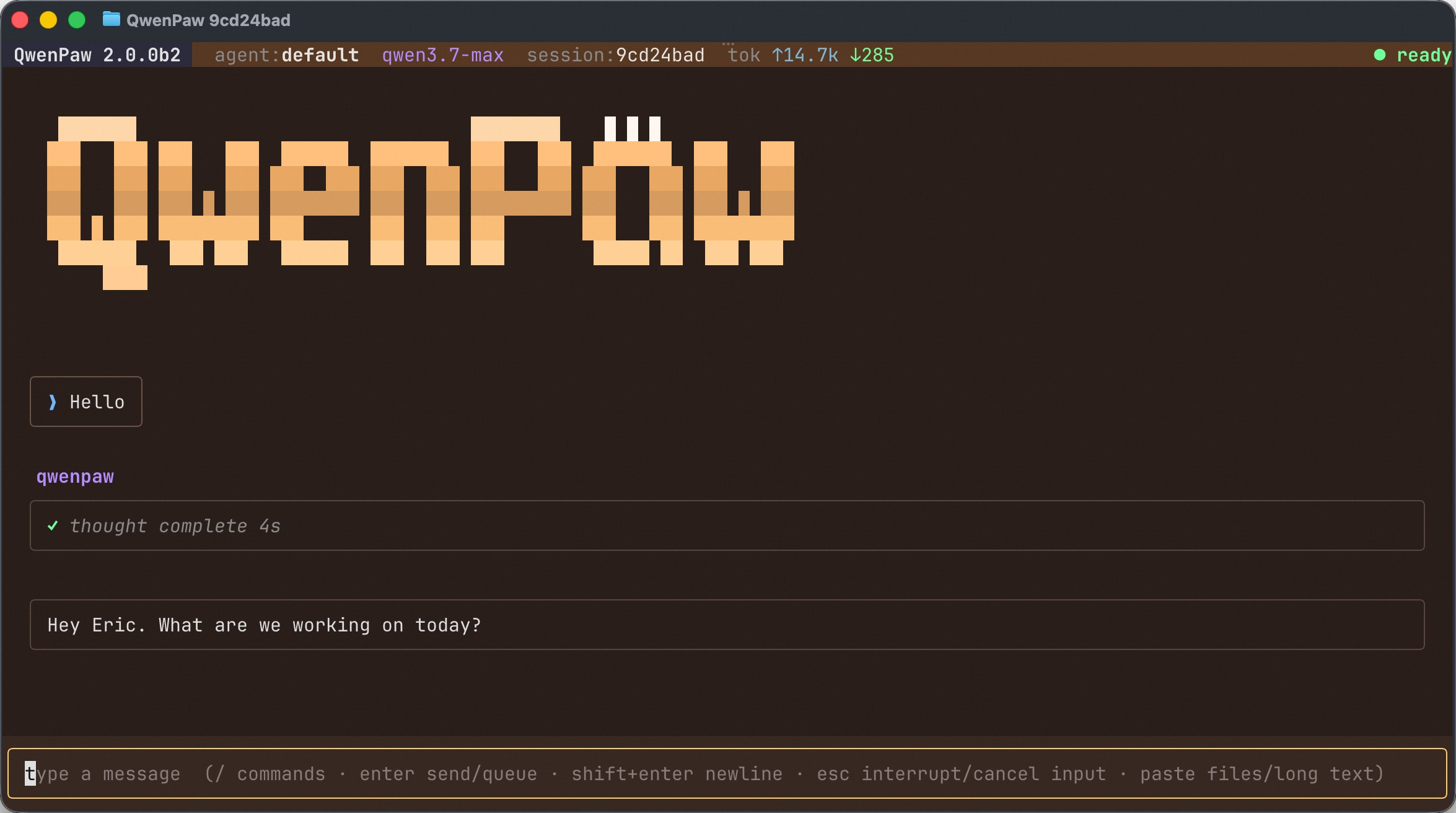
Prefer to stay in the terminal? Run qwenpaw to open a full-screen chat TUI that drives the same agent as the Console and the IM Channels — same memory, skills, MCP tools, and sessions — without leaving your keyboard.
qwenpaw                     # open a chat with the active agent
qwenpaw tui --resume <id>   # resume a previous session
qwenpaw .                   # start in the current repo (Coding Mode)
It supports streaming replies, slash commands (/help, /resume, /theme, plus the agent's own /model, /clear, …), pasting files/long text as attachments, and inline tool-permission prompts. See the Terminal UI guide for details.
API Key
If you use a cloud LLM API (e.g., DashScope / Qwen, OpenAI, Anthropic, Google Gemini, DeepSeek, Kimi, OpenRouter, and more), you must configure an API key before chatting. QwenPaw will not work until a valid key is set. See the official docs for details.
How to configure:
- Console (recommended) — After running
qwenpaw app, open http://127.0.0.1:8088/ → Settings → Models. Choose a provider, enter the API Key, and enable that provider and model. qwenpaw init— When you runqwenpaw init, it will guide you through configuring the LLM provider and API key. Follow the prompts to choose a provider and enter your key.- Environment variable — For DashScope you can set
DASHSCOPE_API_KEYin your shell or in a.envfile in the working directory.
Tools that need extra keys (e.g. TAVILY_API_KEY for web search) can be set in Console Settings → Environment variables, see Config for details.
Using local models only? If you use Local Models (QwenPaw Local / Ollama / LM Studio), you do not need any API key.
Local Models
QwenPaw can run LLMs entirely on your machine — no API keys or cloud services required. See the official docs for details.
QwenPaw also provides the QwenPaw-Flash series — purpose-trained 2B / 4B / 9B / 35B-A3B / 27B models for agent scenarios, with Q4 and Q8 quantizations. Available on ModelScope and Hugging Face.
| Backend | Best for | Install |
|---|---|---|
| QwenPaw Local (llama.cpp) | Cross-platform (macOS / Linux / Windows) | Built-in; click "Download" in the web UI. Supports QwenPaw-Flash with hardware-aware recommendations. |
| Ollama | Cross-platform (requires Ollama service) | Install and start Ollama; set context length ≥ 32k. |
| LM Studio | Cross-platform (requires LM Studio) | Install and start LM Studio; enable Local Server. |
Security Features
QwenPaw includes five core security layers:
- Sandbox — Kernel-level execution isolation using Seatbelt (macOS), Bubblewrap / Landlock (Linux), and AppContainer (Windows). Shell commands run inside a restricted filesystem view.
- Tool Guard — YAML rule engine with
ShellEvasionGuardianinspects every tool call before execution, detecting command injection, path traversal, reverse shells, and obfuscated attacks. Configurable approval levels: STRICT / SMART / AUTO / OFF. - File Guard — Independent of Tool Guard; blocks agent access to sensitive files and directories (default-protects
~/.qwenpaw.secret/,~/.ssh, etc.). - Skill Scanner — Pre-activation scanning with block / warn / off modes and whitelist support. Detects prompt injection, hardcoded secrets, data exfiltration, and more.
- Access Policy — Declarative access rules that allow, deny, or request human approval for each capability call, with tool-level granularity and source-aware matching.
See Security for details.
Documentation
| Topic | Description |
|---|---|
| Introduction | What QwenPaw is and how to use it |
| Quick start | Install and run (local or ModelScope Studio) |
| Console | Web UI: chat and agent configuration |
| Terminal UI (TUI) | Full-screen terminal chat, same agent as Console |
| Desktop App | Desktop application installation and usage |
| Models | Configure cloud, local, and custom providers |
| Channels | DingTalk, Lark, QQ, Discord, iMessage, and more |
| Skills | Extend and customize capabilities |
| Plugins | Plugin system and Plugin Market |
| MCP | Manage MCP clients |
| Persona | Agent personality customization (SOUL / PROFILE) |
| Memory | Self-evolving personal knowledge base built on local, editable, searchable, and linked Markdown memory, powered by ReMe |
| ReMe Documentation | Official ReMe overview and documentation |
| Memory-Evolving & Proactive | Agent memory evolution and proactive interaction |
| Context | Scroll-based context management |
| Magic commands | Control conversation state without waiting for the AI |
| Heartbeat | Scheduled check-in and digest |
| Cron / Scheduled Tasks | Scheduled tasks and automation |
| Multi-Agent | Create multiple agents and enable collaboration |
| Security | Sandbox, tool guard, file guard, skill scanner, access policy |
| Backup & Restore | Data backup and recovery |
| Config & working dir | Working directory and config file |
| REST API | HTTP API for integration and automation |
| ACP Integration | Agent Communication Protocol integration |
| CLI | Init, cron jobs, skills, clean |
| Agent Team Practice | Multi-agent team deployment guide |
| FAQ | Common questions and troubleshooting |
In the Console, /clear and a successful /new leave the chat empty when you reopen it or reload the page. See Magic commands.
Full documentation: qwenpaw.agentscope.io/docs
FAQ
For common questions, troubleshooting tips, and known issues, please visit the FAQ page.
Roadmap
| Area | Item | Status |
|---|---|---|
| Release Evaluation Rankings | Evaluate each release and update the public leaderboard. | In Progress |
| Lightweight Codebase | Split non-core components into plugins that can be installed and enabled on demand to reduce installation and runtime costs. | In Progress |
| Decision Model Integration | Integrate Jev and other decision models for collaborative decision-making. | In Progress |
| Deep UI/UX Optimization | Improve navigation, interactions, and visuals across screen sizes. | In Progress |
Status: In Progress — actively being worked on.
Contributing
QwenPaw evolves through open collaboration, and we welcome all forms of contribution! Check the Roadmap above to find areas that interest you, and read CONTRIBUTING to get started. We particularly welcome:
- Horizontal expansion — new channels, model providers, skills, MCPs.
- Existing feature extension & refinement — display and interaction improvements, download hints, Windows path compatibility, etc.
Join GitHub Discussions to discuss ideas or pick up tasks.
Install From Source
git clone https://github.com/agentscope-ai/QwenPaw.git
cd QwenPaw

# Build console frontend first (required for web UI)
cd console && npm ci && npm run build
cd ..

# Copy console build output to package directory
mkdir -p src/qwenpaw/console
cp -R console/dist/. src/qwenpaw/console/

# Install Python package
pip install -e .
- Dev (tests, formatting):
pip install -e ".[dev,test,full]" - Then: Run
qwenpaw init --defaults, thenqwenpaw app.
Note for updates: When updating to a new major version after
git pull, please also rebuild the frontend, reinstall the package (pip install -e .), restartqwenpaw app, and clear your browser cache withCtrl+Shift+R(orCmd+Shift+Ron macOS).
Why QwenPaw?
QwenPaw stands for Qwen Personal Agent Workstation, and also embodies the wisdom of Qwen and the warmth of a Paw. We hope it is not a cold tool, but an intelligent and warm "little paw" always ready to help—a most intuitive partner in your digital life.
Built By
AgentScope team · AgentScope · AgentScope Runtime · ReMe
Contact Us
| Discord | X (Twitter) | DingTalk | RedNote |
|---|---|---|---|
Staying Ahead
Star QwenPaw on GitHub and be instantly notified of new releases.
Telemetry
QwenPaw collects anonymous usage data during qwenpaw init to help us understand our user base and prioritize improvements. Data is sent once per version — when you upgrade QwenPaw, telemetry is re-collected so we can track version adoption.
What we collect:
- QwenPaw version (e.g., 1.1.12)
- Install method (pip, Docker, or desktop app)
- OS and version (e.g., macOS 14.0, Ubuntu 22.04)
- Python version (e.g., 3.13)
- CPU architecture (e.g., x86_64, arm64)
- GPU availability (yes/no)
What we do NOT collect: No personal data, no files, no credentials, no IP addresses, no identifiable information.
When running qwenpaw init interactively, you will be asked whether to opt in. If you choose --defaults, telemetry is accepted automatically. The prompt appears once per version and never affects QwenPaw's functionality.
License
QwenPaw is released under the Apache License 2.0.
Contributors
All thanks to our contributors: