🌷 About
Hey there! 👋
Welcome to windots! This repo contains dotfiles for my Windows environment, designed for users who want a riced, Unix-like experience on Windows.
I created this to transform my Windows environment into something cleaner and more Unix-y. Whether it's for a tiling window manager, terminal customization, or smoother workflows, everything here is aimed at making Windows feel less like a chore and more efficient to work with.
If you're into r/unixporn-style setups and want something similar on Windows, this might just help you get started!
[!NOTE] All configurations related to my Linux environment (WSL2) are maintained in a separate repository: dotfiles
✨ Features
- 🪟 GlazeWM setup
- ❄️ Beautiful YASB config
- 🌸 Minimal VSCode and Zed setups
- >_ Sleek Windows Terminal config
- 🐚 PowerShell config
- 🎨 Oh My Posh theme
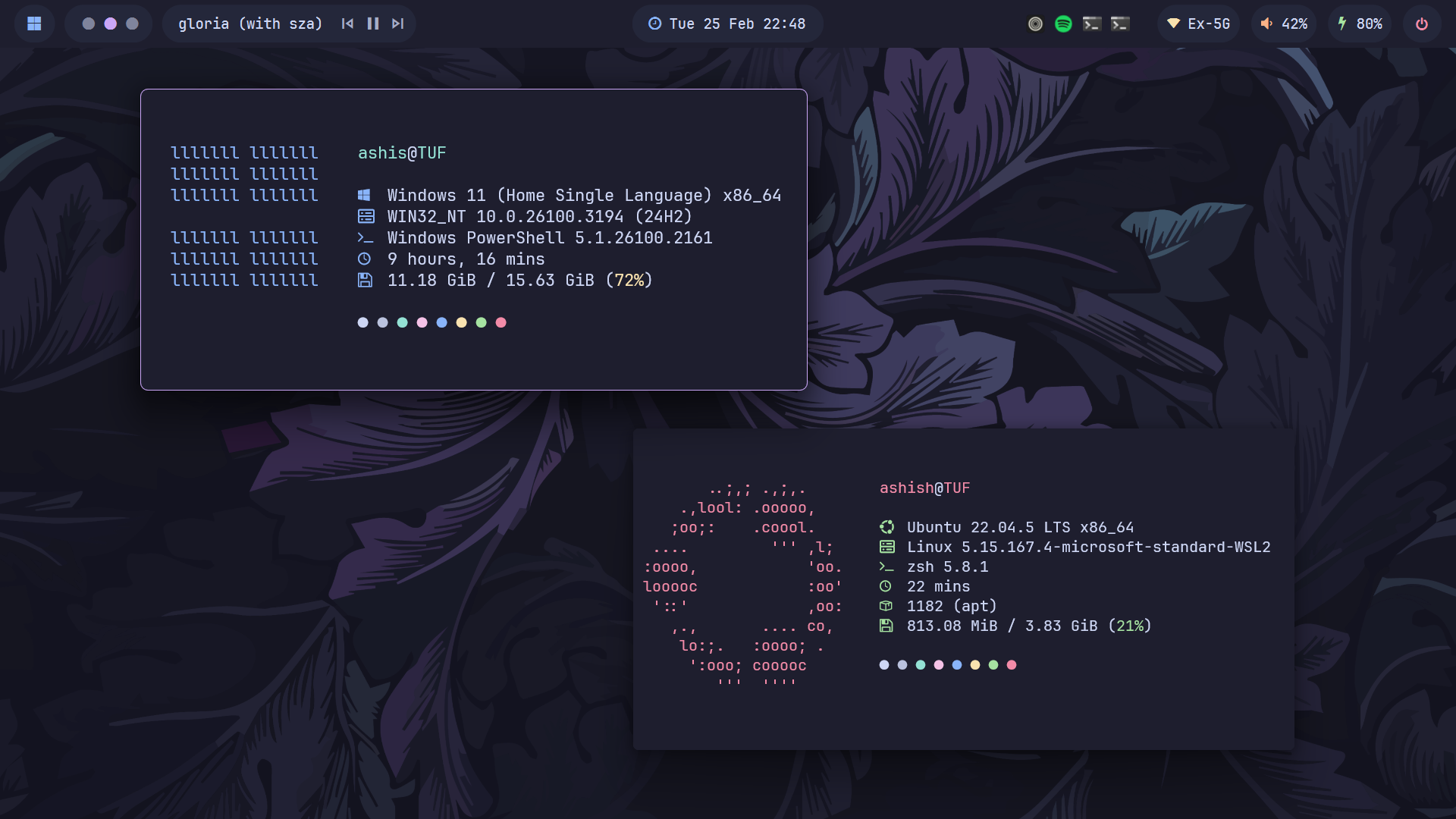
- ⚙️ Minimal Fastfetch config
- 🚀 Flow Launcher config
- 🦅 Themeable Start menu, Taskbar and Notification center
- 💫 Beautiful Wallpapers
- 🐈 Catppuccin everywhere
🌸 Core System Info
- OS: Windows 11 🪟 + WSL2 🐧
- WM: GlazeWM ✨
- Shell: PowerShell / zsh 🐚
- Terminal Emulator: Windows Terminal >_
- Panel: YASB ❄️
- Text Editor: Zed / neovim ⌨️
- App Launcher: Flow Launcher 🚀
- File Manager: File Explorer / yazi 📂
- Browser: Zen-Browser 🌐
- Colorscheme: Catppuccin 🎨
ℹ️ Whole System Info
Here is all the information about my setup:
[!NOTE] Some of these apps have the config files included in the repo, which are marked with ⚙️
Also, my favorite programs and tools are marked with 💖
| 📚 Entry | ✨ App |
|---|---|
| OS | Windows 11 + WSL2 |
| Window Manager | 💖 GlazeWM ⚙️ |
| Bar | 💖 YASB ⚙️ |
| Application Launcher | Flow Launcher ⚙️ |
| Mods | 💖 Windhawk ⚙️ |
Configs for these can be found in dotfiles
| 📚 Entry | ✨ App |
|---|---|
| Shell | 💖 zsh ⚙️ / pwsh ⚙️ |
| Terminal Emulator | Windows Terminal ⚙️ |
| Terminal Multiplexer | 💖 tmux ⚙️ |
| Shell Prompt | ohmyposh ⚙️ |
| Text Editor | 💖 neovim ⚙️ |
| CD Replacement | 💖 zoxide |
| LS Replacement | eza |
| Cat Replacement | bat ⚙️ |
| File Manager | 💖 yazi ⚙️ |
| Fuzzy File Finder | 💖 fzf |
| Git | git ⚙️ |
| Git TUI | lazygit |
| System Monitor | btop ⚙️ & bottom ⚙️ |
| System Fetch | fastfetch ⚙️ |
| Audio Visualizer | cava |
| 📚 Entry | ✨ App |
|---|---|
| Text Editor | 💖 Zed ⚙️ / VSCode ⚙️ |
| Music Player | Spotify (patched with Spicetify) |
| Web Browser | 💖 Zen-Browser ⚙️ 🏡 startpage |
| Note Taking App | 💖 Obsidian |
| File Manager | File Pilot |
| Office Apps | LibreOffice |
| 📚 Entry | ✨ App |
|---|---|
| Colorscheme | 💖 Catppuccin Mocha |
| Font | JetBrainsMono Nerd Font |
🔧 Setup
[!WARNING] These configs are not plug-and-play
Cherry-pick what you need. Backup before applying.
NOTE: Uses YASB, not Zebar.
- Install GlazeWM
.config/glazewm/config.yaml
NOTE: Requires a Nerd Font (JetBrainsMono Nerd Font recommended).
- Install YASB
.config/yasb/
- Install Zed
.config/zed/settings.json
WARNING: Using VSCode v1.91.1
(Newer versions do not support APC Customize UI)
NOTE: Works only on Firefox-based browsers.
-
Enable stylesheets:
- Open
about:config - Set
toolkit.legacyUserProfileCustomizations.stylesheets = true
- Open
-
Locate profile folder:
- Open
about:support - Click Open Folder next to Profile Folder
- Open
-
Copy configs:
-
Install Windhawk
-
Required mods:
- Notification Center Styler
- Start Menu Styler
- Taskbar Styler
Paste configs via:
Mod → Advanced → Mod Settings → Load
-
Install:
winget install JanDeDobbeleer.OhMyPosh -s winget
Theme init is already included in the PowerShell profile.
-
Install:
winget install fastfetch
⌨️ Keybindings
You can always change these in your .glzr\glazewm\config.yaml
🪟 Window Management & Navigation
| Keys | Action |
|---|---|
| alt + h | j | k | l | Focus window left | down | up | right |
| alt + shift + h | j | k | l | Move focused window left | down | up | right |
| alt + q | Close focused window |
| alt + 1 - 9 | Focus workspace {n} |
| alt + shift + 1 - 9 | Move focused window to workspace {n} |
| alt + m | Toggle window minimization |
| alt + f | Toggle window maximization |
| alt + v | Change tiling direction |
| alt + t | Toggle floating/tiled window state |
| alt + shift + e | Exit GlazeWM |
🚀 Custom App & Browser Shortcuts
| Keys | Action | Keys | Action |
|---|---|---|---|
| alt + enter | Open Terminal (WSL) | alt + p | Open Terminal (PowerShell) |
| alt + e | Open File Explorer | alt + c | Open VSCode |
| alt + o | Open Obsidian | alt + m | Open Spotify |
| alt + d | Open Discord | alt + w | Open WhatsApp |
| alt + n | Open Neovim | alt + s | Open btop |
| alt + b | Open Zen Browser | alt + y | Open YouTube |
| alt + x | Open X (Twitter) | alt + a | Open ChatGPT |
🖼️ Gallery
[!NOTE] You can check out the wallpapers here if you're interested!
| Browser on r/unixporn & cmatrix, cbonsai scripts | GUI Text Editor |
|---|---|
 |  |
| Topbar menu and TUI System Monitor | Browser startpage |
|---|---|
 |  |
| Text Editor | Fuzzy finder preview, ls replacement and cd preview |
|---|---|
 |  |
| TUI File Manager | Start Menu, Taskbar and Notification Center |
|---|---|
 |  |
| Topbar Calendar Widget, tty-clock and App Launcher | Music Player and CLI Music Visualiser |
|---|---|
 |  |
| Git UI Manager and Telescope find_files | Power Menu |
|---|---|
 |  |
📌 Todo
- Add an install script to set up the configs easily.
- Write dedicated README files inside each config folder with detailed information and usage instructions.
📢 Discussions
Have a question, idea, or a cool setup to share? Or maybe you're running into an issue? Head over to the Discussions section.
[!WARNING]
Please open an issue only for reproducible bugs or critical problems. For all other help or feedback, Discussions is preferred.
🎉 Credits
Big thanks to all the amazing communities like r/unixporn, r/desktops, GlazeWM, YASB, Komorebi, Catppuccin, and many others whose inspiration and contributions made this project possible!
I wanna point out some resources and projects that helped me the most with the setup:
- Matt-FTW to help me with the overall design of the README 🙏
- lunar-os for the Start menu windhawk config 🦅
- pivoshenko for the aesthetic and clean browser startpage 🌐
- orxngc for all the beautiful catppuccinified wallpapers 🖼️
- GlazeWM for providing an incredible tiling window manager experience that enhances my workflow ✨
- YASB for a feature-rich and customizable status bar that perfectly complements my setup 🚀
- Catppuccin for making the Best Colorscheme Ever 🖌️
💵 Donating
If you want to support my work, please consider donating. This is optional, but it's always appreciated.


Thank you! 💖

