默认需要按键才触发解密,脚本里用要加 -a;ncurses 版本需先自行安装 ncurses 库且会清屏失去内联效果;需先装好 git、gcc、make 才能从源码编译
no-more-secrets
bartobriGPL-3.0活跃维护在终端里复刻 1992 年电影《通天神偷》中数据解密特效的命令行工具,输入文本会先乱码再逐字还原,适合做演示或终端装饰。
A command line tool that recreates the famous data decryption effect seen in the 1992 movie Sneakers.
v1.0.1发布于 2021-09-24 19:04 UTC7,833star +2 / 7 天310fork同步于 2026-11-10 17:32 UTC
git clone https://github.com/bartobri/no-more-secrets.git
cd ./no-more-secrets
make nms
sudo make install 硬件要求按 README 说明
README 未说明,无 GPU 或显存要求;默认无第三方依赖,仅依赖终端支持 ANSI/VT100 转义序列,ncurses 版本需另装 ncurses 库
复刻 1992 年电影《通天神偷》里数据解密特效的命令行工具,把管道文本变成先乱码后还原的动画
在终端里复刻 1992 年电影《通天神偷》中数据解密特效的命令行工具,输入文本会先乱码再逐字还原,适合做演示或终端装饰。
核心能力
- 从标准输入读取 ASCII/UTF-8 文本并输出解密动画
- 默认先显示加密字符,按键后才开始解密序列
- 支持 -a 自动解密、-s 遮蔽空格、-c 清屏
- 用 -f 指定解密文字前景色,支持颜色名或十六进制值
- 提供 ncurses 版本以兼容不支持 ANSI/VT100 的终端
容易踩的坑
内容由模型根据 README 生成,可能不完整或不准确,以官方文档为准。看原文 README
- v1.0.1Release Version 1.0.1最新正式版2021-09-24 · 2021-09-24 19:04 UTC
Updated output for nms -v to match release version.
- v1.0.0Release Version 1.0.02021-09-24 · 2021-09-24 18:59 UTC
查看更新说明
Time for an official 1.0.0 release.
Added cyan for color output. Fixed issues with the ncurses implementation. Improved code for getting input and error reporting. Turned on optimizations for the c compiler. Various other small code improvements and small bug/typo fixes.
- v0.3.3Release Version 0.3.32017-09-21 · 2017-09-21 13:27 UTC
查看更新说明
- Option to mask space characters
- Support for MinGW on Windows
- Minor bug fixes
- v0.3.2Release Version 0.3.22017-02-19 · 2017-02-19 18:34 UTC
查看更新说明
- Bug fix for installation script on OSX
- v0.3.1Update to 0.3.12017-02-18 · 2017-02-18 22:05 UTC
查看更新说明
- Use GPL v3 for the license.
- Added man pages
用户点评
登录用户的真实使用记录,可按版本和硬件筛选共 0 条
还没有人点评。第一个说出真实体验的人最有价值。

Like this project? Consider tipping me: https://github.com/sponsors/bartobri
No More Secrets
This project provides a command line tool called nms that recreates the
famous data decryption effect seen on screen in the 1992 hacker movie Sneakers.
For reference, you can see this effect at 0:35 in this movie clip.
This command works on piped data. Pipe any ASCII or UTF-8 text to nms,
and it will apply the Hollywood effect, initially showing encrypted data,
then starting a decryption sequence to reveal the original plain-text characters.
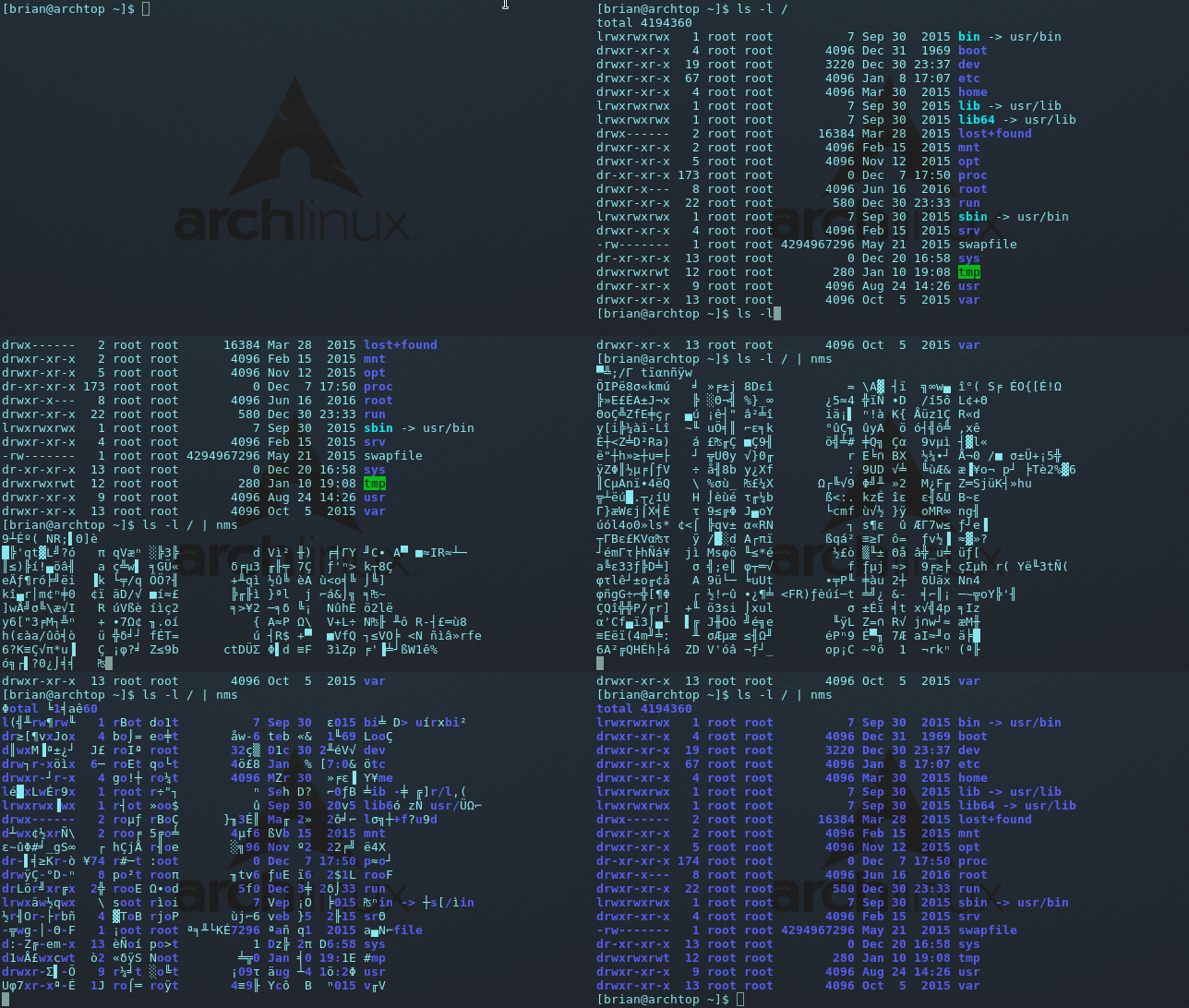
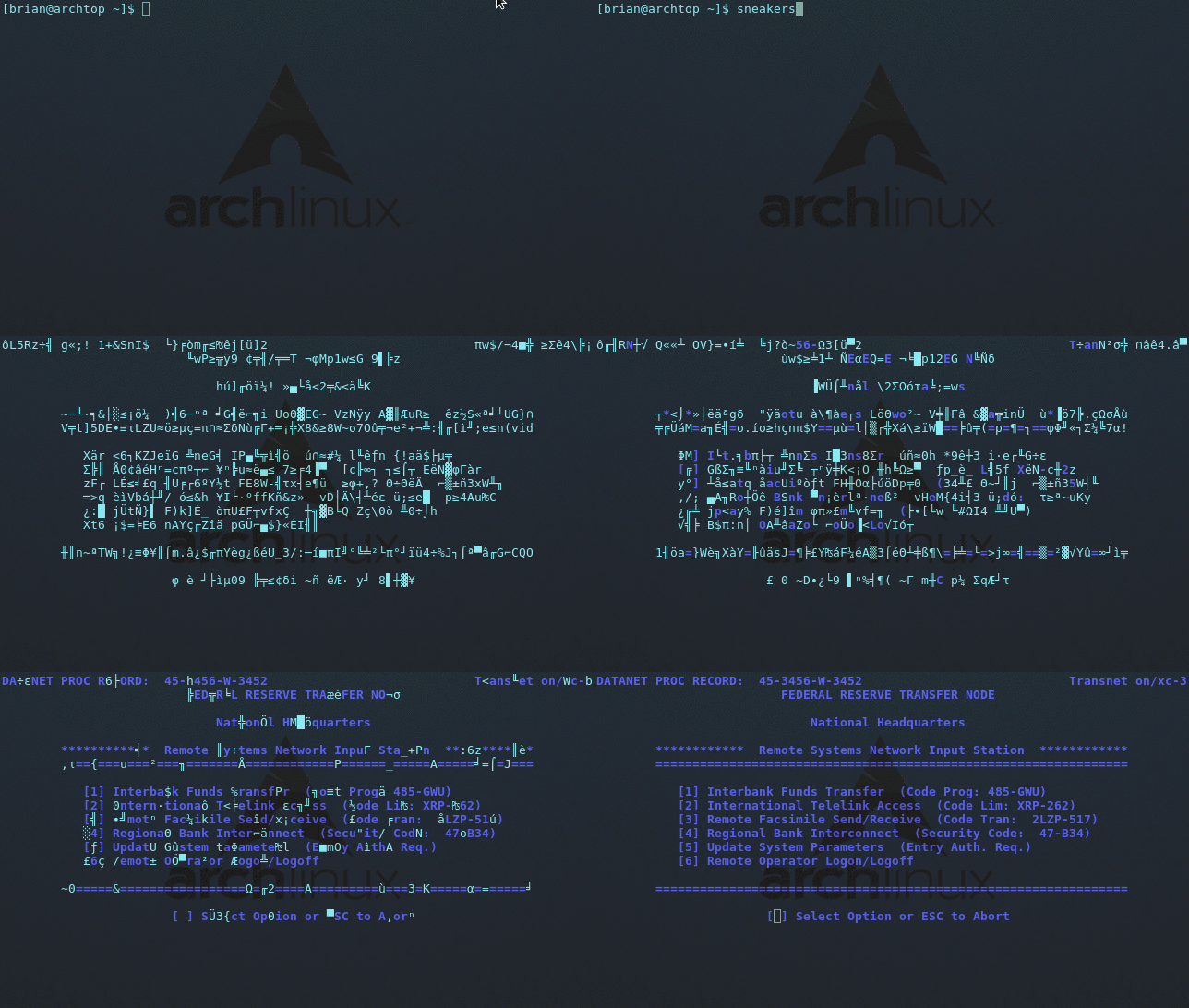
Also included in this project is a program called sneakers that recreates
what we see in the above movie clip. Note that this program requires the
user to select one of the menu options before it terminates.
By default, this project has no dependencies, but it does rely on ANSI/VT100 terminal escape sequences to recreate the effect. Most modern terminal programs support these sequences so this should not be an issue for most users. If yours does not, this project also provides a ncurses implementation which supports non-ANSI terminals, but at the expense of losing the inline functionality (ncurses will always clear the screen prior to displaying output).
Table of Contents
Download and Install
More and more Unix/Linux platforms are including this project in their
package manager. You may wish to search your package manager to see if it
is an installation option. If you install from a package manager, please
check that you have the latest version (nms -v). If not, I suggest
installing from source by following the instructions below.
To install this project from source, you will need to have the tools git,
gcc, and make to download and build it. Install them from your package
manager if they are not already installed.
Once you have the necessary tools installed, follow these instructions:
Install:
$ git clone https://github.com/bartobri/no-more-secrets.git
$ cd ./no-more-secrets
$ make nms
$ make sneakers             ## Optional
$ sudo make install
Uninstall:
$ sudo make uninstall
Install with Ncurses Support
If your terminal does not support ANSI/VT100 escape sequences, the effect may not render properly. This project provides a ncurses implementation for such cases. You will need the ncurses library installed. Install this library from your package manager. Next, follow these instructions:
$ git clone https://github.com/bartobri/no-more-secrets.git
$ cd ./no-more-secrets
$ make nms-ncurses
$ make sneakers-ncurses     ## Optional
$ sudo make install
Usage
nms works on piped data. Pipe any ASCII or UTF-8 characters to it and
enjoy the magic. In the below examples, I use a simple directory listing.
$ ls -l | nms
$ ls -l | nms -a           // Set auto-decrypt flag
$ ls -l | nms -s           // Set flag to mask space characters
$ ls -l | nms -f green     // Set foreground color to green
$ ls -l | nms -c           // Clear screen
$ nms -v                   // Display version
Note that by default, after the initial encrypted characters are displayed,
nms will wait for the user to press a key before initiating the decryption
sequence. This is how the it is depicted in the movie.
Command Line Options
-a
Set the auto-decrypt flag. This will automatically start the decryption sequence without requiring a key press.
-s
Set a flag to mask space characters. This will only mask single blank space characters. Other space characters such as tabs and newlines will not be masked.
-f <color>
Set the foreground color of the decrypted text to the color specified. Valid options are white, yellow, black, magenta, blue, green, red, cyan, or any color value in hex string format (i.e. #FF1234). This is blue by default.
-c
Clear the screen prior to printing any output. Specifically,
it saves the state of the terminal (all current output), and restores it
once the effect is completed. Note that when using this option, nms requires
the user to press a key before restoring the terminal.
-v
Display version info.
The NMS Library
For those who would like to use this effect in their own projects, I have created a C library that provides simple interface and can easily be used for any program that runs from the command line.
See LibNMS for more info.
License
This program is free software; you can redistribute it and/or modify it under the terms of the GNU General Public License. See LICENSE for more details.
terminal
microsoft·C++
微软官方的新版 Windows Terminal 终端模拟器,同时包含原版 Windows 控制台宿主,支持多标签、GPU 加速渲染和 WSL,替代老旧的 cmd 窗口。
终端模拟器+4终端模拟器
105362+279.7kv1.25.2733.02026-11-10 16:54 UTC

tabby
Eugeny·TypeScript
一款基于 TypeScript 的现代终端模拟器,支持 SSH、Telnet、串口连接,提供插件扩展和主题定制,适合替代传统终端工具。
终端模拟器+4终端模拟器
75369+514.3kv1.0.2382026-11-06 04:03 UTC
alacritty
alacritty·Rust
用 Rust 写的跨平台 GPU 加速终端模拟器,基于 OpenGL 渲染,主打高帧率和低延迟,适合嫌普通终端卡顿、想要更顺滑操作体验的开发者。
终端模拟器+4终端模拟器
66157+333.7kv0.17.02026-11-06 21:34 UTC

termux-app
termux·Java
在 Android 手机上提供完整的 Linux 终端环境,通过安装各类软件包把手机变成便携开发机。
终端模拟器+3终端模拟器
64561+2658.3kv0.118.32026-11-05 09:38 UTC