README 未说明系统版本要求;旧版 2.2.0 之前需双击托盘图标退出,新版改为右键
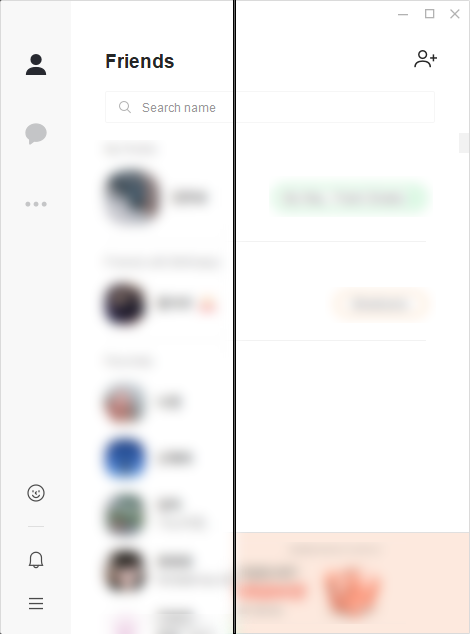
KakaoTalk Windows 客户端广告拦截工具,后台常驻运行,自动屏蔽聊天界面广告
用 Go 写的 KakaoTalk 桌面客户端广告拦截工具,能去掉聊天界面里的横幅和推广内容,让聊天窗口清爽不少。
核心能力
- 后台常驻运行,无需手动干预
- 通过托盘图标右键退出或检查新版本
- 针对 KakaoTalk Windows 客户端屏蔽广告
容易踩的坑
内容由模型根据 README 生成,可能不完整或不准确,以官方文档为准。看原文 README
- 2.2.7最新正式版2026-11-08 · 2026-11-08 10:10 UTC
What's Changed
- Handle missing latest release tag without crashing by @Tirth00000 in https://github.com/blurfx/KakaoTalkAdBlock/pull/114
New Contributors
- @Tirth00000 made their first contribution in https://github.com/blurfx/KakaoTalkAdBlock/pull/114
Full Changelog: https://github.com/blurfx/KakaoTalkAdBlock/compare/2.2.6...2.2.7
- 2.2.62026-11-07 · 2026-11-07 18:03 UTC
查看更新说明
What's Changed
- fix: memory leak by @blurfx in https://github.com/blurfx/KakaoTalkAdBlock/pull/112
Full Changelog: https://github.com/blurfx/KakaoTalkAdBlock/compare/2.2.5...2.2.6
- 2.2.52026-11-04 · 2026-11-04 13:08 UTC
查看更新说明
What's Changed
- 베타의 소유 광고 창과 AdFit 배너 탐색 수정 (#106) by @blazepsyki in https://github.com/blurfx/KakaoTalkAdBlock/pull/110
New Contributors
- @blazepsyki made their first contribution in https://github.com/blurfx/KakaoTalkAdBlock/pull/110
Full Changelog: https://github.com/blurfx/KakaoTalkAdBlock/compare/2.2.4...2.2.5
- 2.2.42026-09-23 · 2026-09-23 20:27 UTC
查看更新说明
What's Changed
- Qt6 기반 KakaoTalk Beta 지원 by @IceCream0910 in https://github.com/blurfx/KakaoTalkAdBlock/pull/107
- fix: close previous process snapshot handle in watch() by @the-konz in https://github.com/blurfx/KakaoTalkAdBlock/pull/108
New Contributors
- @IceCream0910 made their first contribution in https://github.com/blurfx/KakaoTalkAdBlock/pull/107
- @the-konz made their first contribution in https://github.com/blurfx/KakaoTalkAdBlock/pull/108
Full Changelog: https://github.com/blurfx/KakaoTalkAdBlock/compare/2.2.3...2.2.4
Thank you for your first contribution. @IceCream0910 @the-konz
- 2.2.32025-06-21 · 2025-06-21 07:42 UTC
查看更新说明
Fix: Video player playback issue #99
用户点评
登录用户的真实使用记录,可按版本和硬件筛选共 0 条
还没有人点评。第一个说出真实体验的人最有价值。
KakaoTalkAdBlock
AdBlocker for KakaoTalk Windows client.
At a glance
This program runs in the background.
Right-click the tray icon to quit, or to check for new versions.
Earlier versions of 2.2.0 can be quit by double-clicking the tray icon.


uBlock
gorhill·JavaScript
一款高效轻量的浏览器广告与追踪拦截扩展,支持 Chromium 和 Firefox,占用资源少、过滤速度快,能显著减少网页广告和隐私追踪。
广告拦截+4DNS / 广告拦截
69232+994.4k1.76.02026-11-09 20:27 UTC
pi-hole
pi-hole·Shell
把树莓派变成全网 DNS 级广告拦截器,在域名解析阶段直接屏蔽广告和追踪域名,无需给每台设备装插件。
广告拦截+4DNS / 广告拦截
61756+553.4kv6.52026-11-07 10:54 UTC
cleanyourtv
Gathin23·Python
通过 Wi-Fi 远程精简 Android TV 和 Google TV 的预装软件,并换成类似 Apple TV 的简洁主界面,顺带拦截广告、保护隐私。
电视去预装+4DNS / 广告拦截
55878+24147.2kv3.4.02026-11-10 16:10 UTC

AdGuardHome
AdguardTeam·TypeScript
自建全网广告与追踪器拦截 DNS 服务,在路由器或服务器上部署后,所有设备无需装插件即可过滤广告和隐私追踪。
DNS 服务器+4DNS / 广告拦截
38320+982.6kv0.107.802026-11-10 16:03 UTC