Patch Changes
🐛 Bug - fix clear due schedule doesn't work
docker run -p 3000:3000 -v ./data:/app/data -d --name tasktrove ghcr.io/dohsimpson/tasktrove
git clone https://github.com/dohsimpson/TaskTrove
docker-compose up -d
git clone https://github.com/dohsimpson/TaskTrove
pnpm install
pnpm build这个项目的说明还在生成中,先参考下面「最近发版」和 README。
🐛 Bug - fix clear due schedule doesn't work
🐛 Bug - fix calendar week mode drag created task wrong due date
🐛 Bug - fix auth bug preventing login (https://github.com/dohsimpson/TaskTrovePro/issues/238)
🎉 Feature - Add recent view with configurable time range 🎉 Feature - Add day view mode with resizable task sidebar in calendar 🎉 Feature - Implement comprehensive archived task functionality with UI enhancements 🎉 Feature - Add side pane system for calendar views 🎉 Feature - Add expandable month view days for showing all tasks 🎉 Feature - Make week numbers clickable to switch to week view 🎉 Feature - Implement drag-to-create task functionality in calendar 🎉 Feature - Add data management settings 🎉 Feature - Add data file validation to health check 🎉 Feature - Implement last viewed path start view preference 🎉 Feature - Add visual feedback for task metadata changes 🎉 Feature - Keep local date/time selections synced when task updates 🎉 Feature - Enable drag-and-drop for moving tasks between project groups 🎉 Feature - Refine drag-and-drop behavior for label reordering 🎉 Feature - Implement sidebar view drop targets for task updates 🎉 Feature - Add clickable task titles in footer with improved accessibility 🎉 Feature - Add sort controls to due today popover and redesign sort dropdown 🎉 Feature - Unify task focusing across lists with clean routing 🎉 Feature - Add context menu and delete button for minimal variant 🎉 Feature - Extract reusable LoadingScreen component 🎉 Feature - Improve virtualized list initial render with deferred motion animation 🎉 Feature - Add support for ISO date format (YYYY-MM-DD) in parser 🎉 Feature - Add preferDayMonthFormat setting for ambiguous numeric dates 🎉 Feature - Centralize drop helpers and harden same-section guards 🎉 Feature - Prevent dropping tasks onto same section 🎉 Feature - Add smooth scroll utility and auto-scroll to earliest event 🎉 Feature - Add Escape shortcut to close planner side pane 🎉 Feature - Add runOnInit config for scheduled jobs 🎉 Feature - Add config column and refactor input handling 🎉 Feature - Add Enter key confirm to time-picker and simplify state sync 🎉 Feature - Refactor multi-select and time-slot drop into reusable utilities
🎉 Feature - Remove slug field from group and item schemas 🎉 Feature - Introduce soft primary background theme across views 🎉 Feature - Improve color palette management and randomization 🎉 Feature - Centralize date formatting with user preference support 🎉 Feature - Improve date formatting and UI consistency across components 🎉 Feature - Centralize padding for task views 🎉 Feature - Refactor calendar header layout and integrate ProjectViewToolbar 🎉 Feature - Extract shared time block resize logic into useTimeBlockResize 🎉 Feature - Extract shared side pane shell component 🎉 Feature - Extract task update logic to dedicated updateTasksAtom 🎉 Feature - Unify task display and simplify selection 🎉 Feature - Remove unused task-detail-dialog and task-form components 🎉 Feature - Remove isInGroup prop and adjust notification volumes 🎉 Feature - Remove floating restore button from side pane layout 🎉 Feature - Add showToolbar prop to control toolbar rendering 🎉 Feature - Improve month view event ordering 🎉 Feature - Use custom calendar wrapper that centers on selected date 🎉 Feature - Improve task schedule component and test coverage 🎉 Feature - Improve code formatting and consistency 🎉 Feature - Change default view to inbox and reorder navigation
🐛 Bug - Upgrade to Next.js 16 for latest features and security patches 🐛 Bug - Fix input text overflow when having very long word in quick add 🐛 Bug - Clamp long task titles in Eisenhower matrix 🐛 Bug - Prevent directory access and add test coverage for assets 🐛 Bug - Handle undefined dismissedUi with nullish coalescing 🐛 Bug - Prevent auto-link nesting and underscore italicization in markdown renderer 🐛 Bug - Improve tooltip dark mode and legend overflow handling for charts 🐛 Bug - Stabilize keyboard shortcuts handler lifecycle 🐛 Bug - Fix calendar layout scrolling with flexbox 🐛 Bug - Improve selection b
🎉 Feature - Add week start preference setting (0=Sunday, 1=Monday) with UI controls in appearance settings 🎉 Feature - Implement new week-month-picker component with customizable week start support 🎉 Feature - Add week days display preference setting 🎉 Feature - Cancellable quick add parsed patterns (click to cancel / reapply)
🐛 Bug - Bump nextjs version to address security CVE-2025-55182 🐛 Bug - Fix #215
还没有人点评。第一个说出真实体验的人最有价值。



🌐 Website • Features • Installation • Usage • Development • Roadmap
| Light Theme | Dark Theme | Mobile View |
|---|---|---|
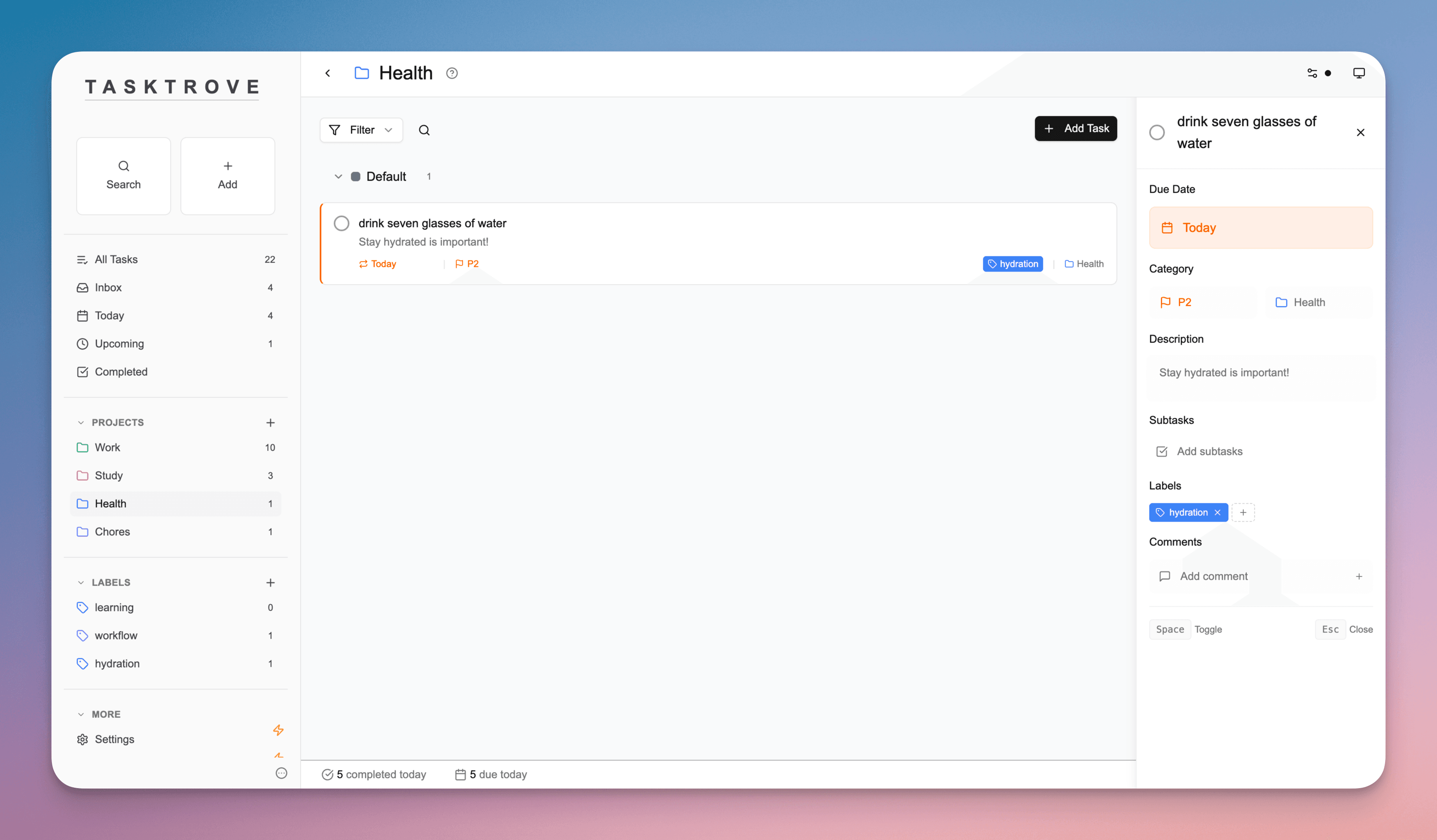 | 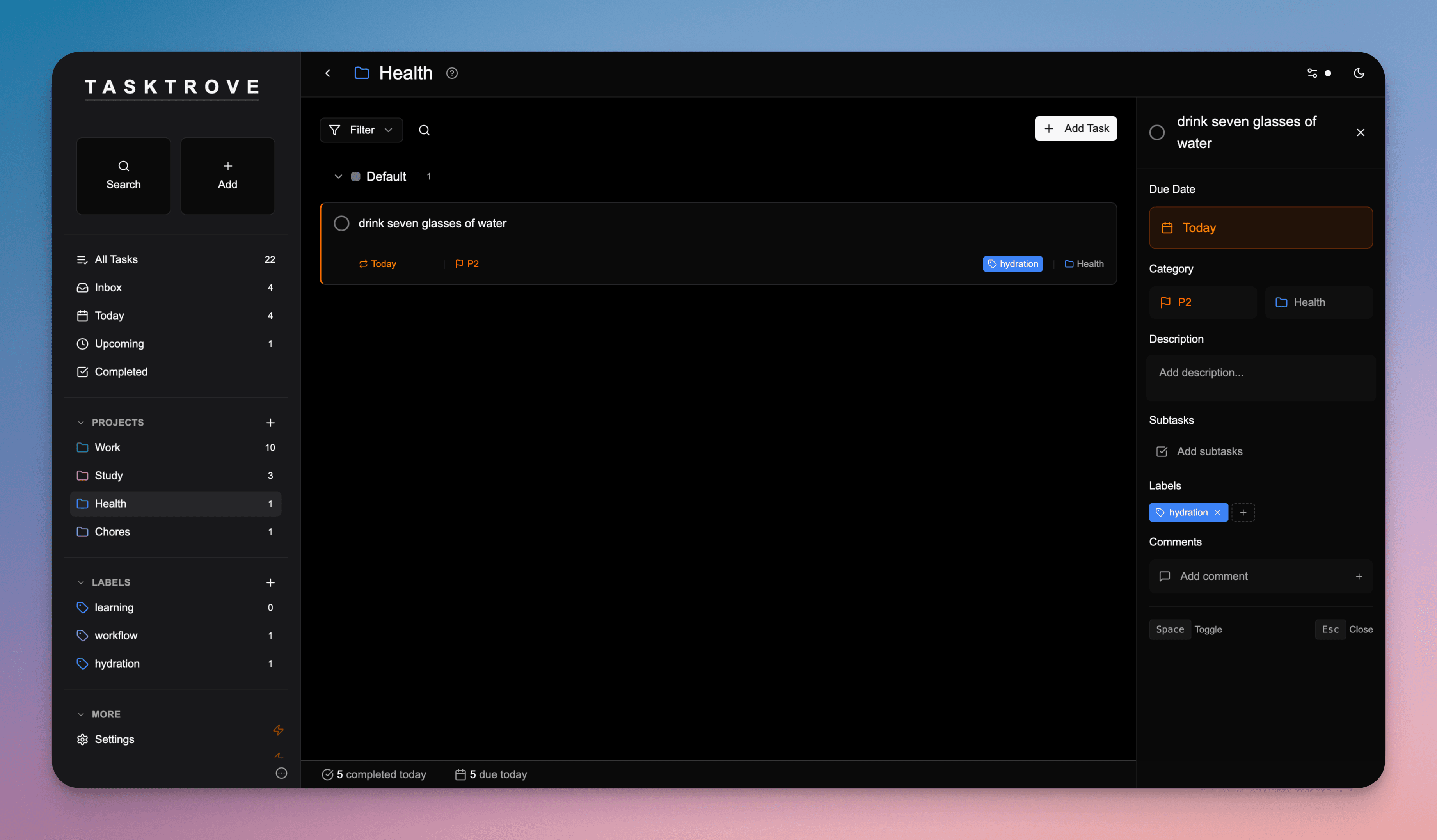 | 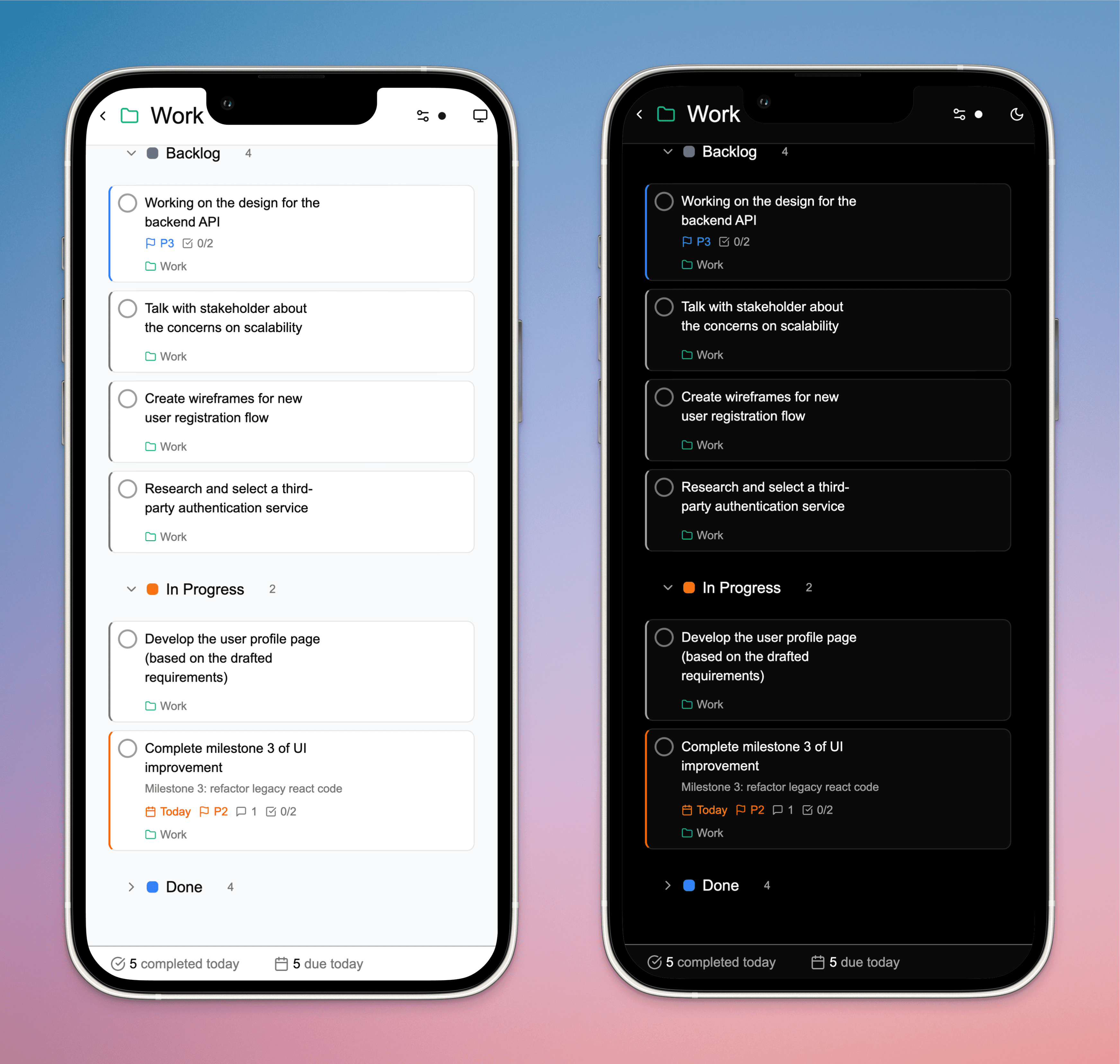 |
| Feature | Description |
|---|---|
| 🏠 Complete Privacy | Self-hosted on your infrastructure with zero tracking or data collection |
| 📝 Smart Task Creation | Natural language parsing ("tomorrow at 2pm") with unlimited subtasks and rich details |
| 🔄 Recurring Tasks | Daily, weekly, monthly, or custom patterns with automatic scheduling |
| 📊 Project Organization | Group tasks by projects with sections, color-coded labels, and multiple views |
| 🎨 Modern Interface | Clean design with dark/light themes, mobile-friendly, and keyboard shortcuts |
| 💾 Simple Data Management | File-based storage in JSON format for easy backups and transfers |
# Quick start
docker run -p 3000:3000 -v ./data:/app/data -d --name tasktrove ghcr.io/dohsimpson/tasktrove
# Download setup files
git clone https://github.com/dohsimpson/TaskTrove
cd TaskTrove/selfhost

# Start TaskTrove
docker-compose up -d
# Clone repository
git clone https://github.com/dohsimpson/TaskTrove
cd TaskTrove

# Install dependencies
pnpm install

# Build and start
pnpm build
pnpm start
| Key | Action |
|---|---|
n | Quick add new task |
/ | Search tasks and projects |
Space | Mark task as complete/incomplete |
Esc | Close details panel or dialogs |
cp data/data.json ~/tasktrove-backup-$(date +%Y%m%d).json
Want to contribute? Check out the development setup:
git clone https://github.com/dohsimpson/TaskTrove
cd TaskTrove
pnpm install
pnpm dev
Key Commands:
pnpm typecheck - Type checkingpnpm lint - Code lintingpnpm test - Run testspnpm run check - Full validationWe welcome and appreciate all contributions! Thank you for helping make TaskTrove better.
Process:
Guidelines:
co-authored by XYZ in commit message)See LICENSE.md for license terms and pricing.
Happy Tasking!

带时间盒和时间追踪的高级待办应用,可对接 Jira、GitLab、GitHub 等平台,适合想把任务管理和工时记录合在一起的人。

在终端里管理任务、看板和笔记的命令行工具,用纯文本文件存储数据,适合习惯键盘操作、不想离开命令行的开发者。

用纯 Shell 脚本管理 todo.txt 纯文本待办文件,支持增删改查、过滤和扩展,适合喜欢命令行和纯文本工作流的用户。
命令行任务管理工具,用纯文本存储待办事项,支持 GTD 工作流、标签、优先级和自定义报告,适合习惯终端操作的人高效管理任务。
