配置默认依赖 Pywal 生成配色,不想用需在设置面板改固定配色或手动改 style.css;安装脚本会先备份 ~/.config,被替换的文件移到 ~/.dotfiles_replaced_;更新需执行 git pull 后再跑 InstallScripts/apply.sh,只 pull 不会生效
cd && git clone --depth 1 https://github.com/elifouts/Dotfiles.git
cd ~/Dotfiles/InstallScripts
chmod +x install.sh
./install.sh 硬件要求按 README 说明
README 未说明硬件要求,仅说明面向 Arch Linux 的 Hyprland 环境
支持 Apple Silicon
Arch 上基于 Quickshell 的轻量 Hyprland 桌面配置,一键装出干净好看的整套界面
一套面向 Arch Linux 的 Hyprland 桌面配置,包含 Neovim、pywal 等组件,开箱即用,省去从零搭建平铺窗口环境的麻烦。
核心能力
- 用 Quickshell 构建启动器、主页、设置面板等组件
- 提供 Modern 与 Space 两套风格及 desktop/laptop 变体
- 设置面板 Alt+S 实时调颜色、间距、模糊与动画
- 按 Pywal 生成配色,也可在设置里选固定配色
- 安装脚本可选全量、仅 Waybar 或仅 Quickshell 栏
容易踩的坑
内容由模型根据 README 生成,可能不完整或不准确,以官方文档为准。看原文 README
暂无 release 数据(可能没有发版,或尚未同步)。
用户点评
登录用户的真实使用记录,可按版本和硬件筛选共 0 条
还没有人点评。第一个说出真实体验的人最有价值。
[!TIP] Check out MyFetch!!!!
A dynamic lightweight fetching tool forked from NerdFetch
This contains My Arch Linux Dotfiles for a clean-looking lightweight Hyprland setup, built around Quickshell.
Built by me, with help from my own thoughts and ideas AKA Claude for some of the scripting and docs. The design, look, and result are all my own.
ENJOY!!
-Eli F.
My AI Policy
- No code in this repository was AI generated without intense review. I use Claude to create a lot of the Quickshell skeletons that you see. After creating a skeleton and some pseudocode, I go in and make changes to the configs until I like what I see. My text editor of choice is Nvim with some Lua plugins. This is where I do most of my work. If you want my config, you can install it here.
- I write and maintain a lot of the code and scripts in this repository myself. Working as an Applications Engineer has given me a better understanding of how applications are built and how to optimize systems. Combined with my Computer Science studies and experience with Quickshell and Linux, this helps me avoid bloated AI-generated code and build a more optimized, lightweight config.
[!WARNING] All Configurations were meant to be used with
PywalIf you do not want this, you can pick a fixed color scheme in the settings panel (
Alt+S> Colors) or remove it in the given applicationsstyle.cssand add valid color values. Although I highly recommendPywalIt's Pretty cool!
Styles
[!NOTE]
Post your configs for others to see and use!
- Style: the whole look. Right now I only have
ModernandSpace. - Variant:
desktoporlaptop. Just the stuff that changes per machine like monitors and mouse. Hyprland loads them straight out of.config/hypr/, so that is the config you edit. - Profile: your tweaks on top, picked in the settings panel. Glass and Zen are mine. Saving a profile also saves your colors, bar and wallpaper.
Detailed Documentation is in .config/hypr/readme.md.
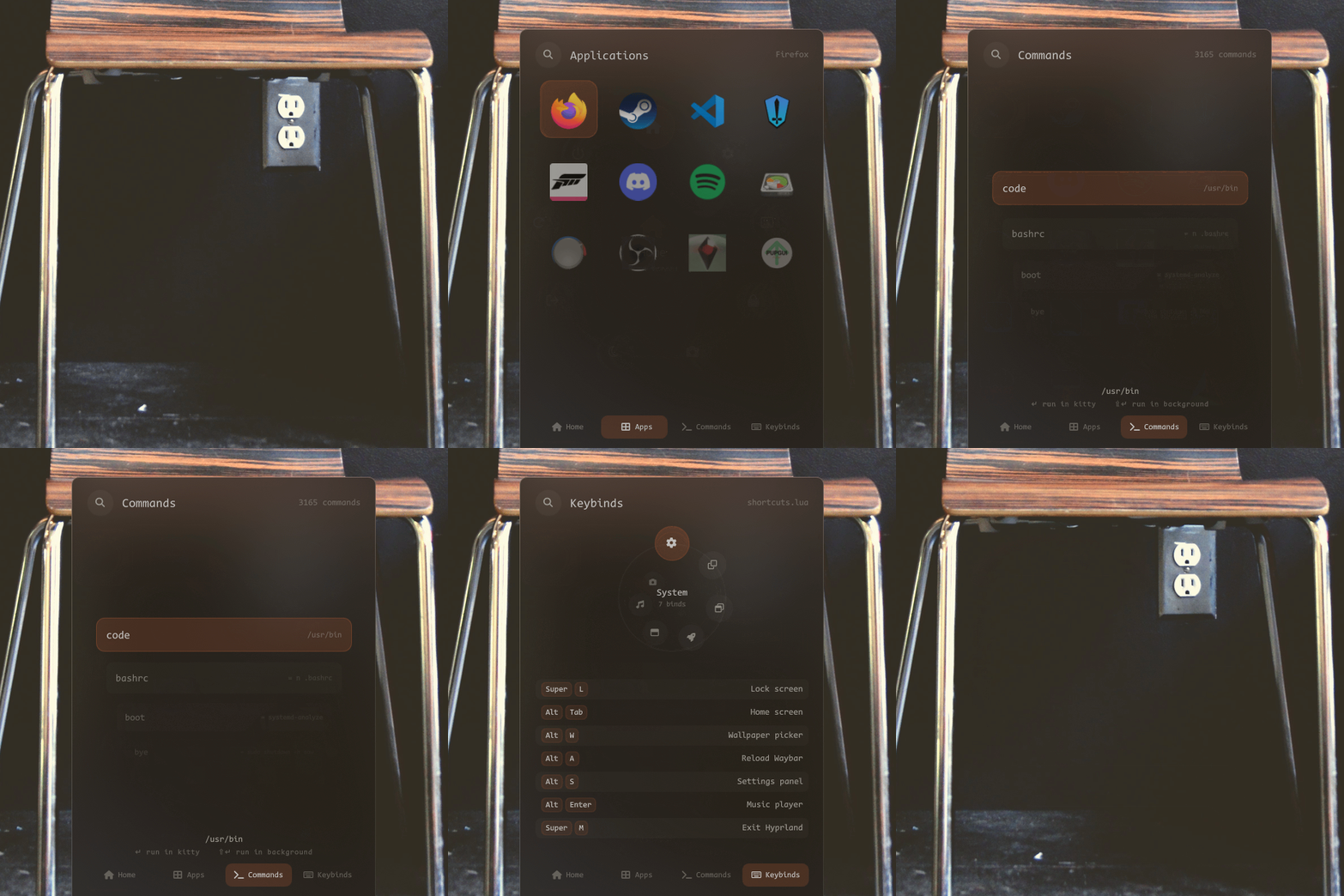
- Tap
Superto open it. - Has a dial for power and session stuff, an app search, a command runner, and a list of all my keybinds.
Alt+Tabto open it.- Clock, music, calendar, system stats, volume and your notifications all in one place.

Alt+Sto open it.- This is where you change pretty much everything. Profiles, bar, colors, gaps, blur, animations, cursor, and more. It all updates live.
- Save your own profile in Profile > Saved profiles. Right-click any setting to reset it.
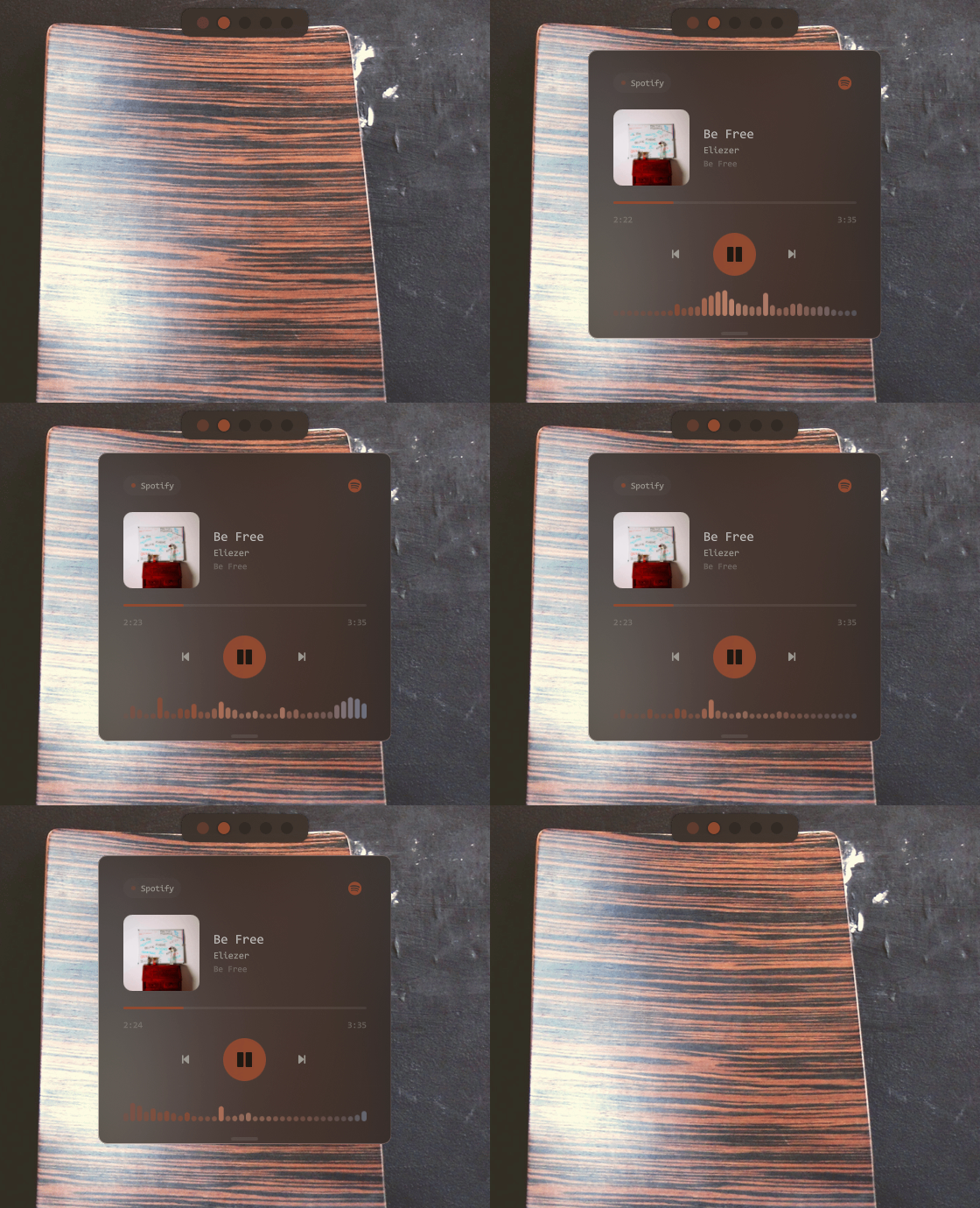
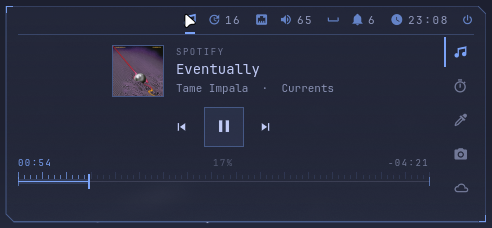
Alt+Enterto open it.- Works with Spotify or whatever else is playing, and has a
cavavisualizer.
Alt+Wto open it.- Scroll through your wallpapers in
~/wallpapers/library. Picking one updates thePywalcolors for everything. - Only my favorites ship with the dotfiles. The full library is in elifouts/wallpapers (browse and download). The installer asks if you want it, or run
wallpapers.sh installlater. wallpapers.sh pull/pushkeeps the library synced,dev-pullgrabs everything including the archive.
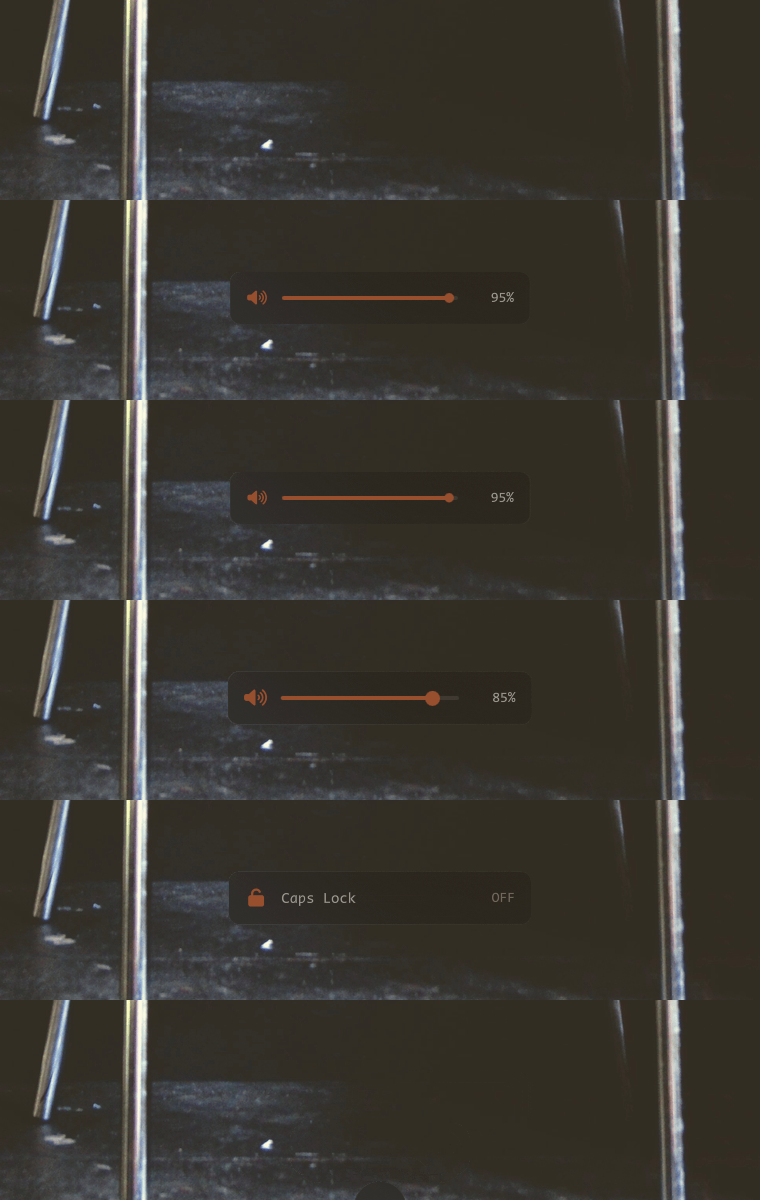
- Pops up at the bottom when you change volume, brightness, caps lock or use the media keys.

- Notifications show up in the bottom left. You can see the old ones on the home screen.
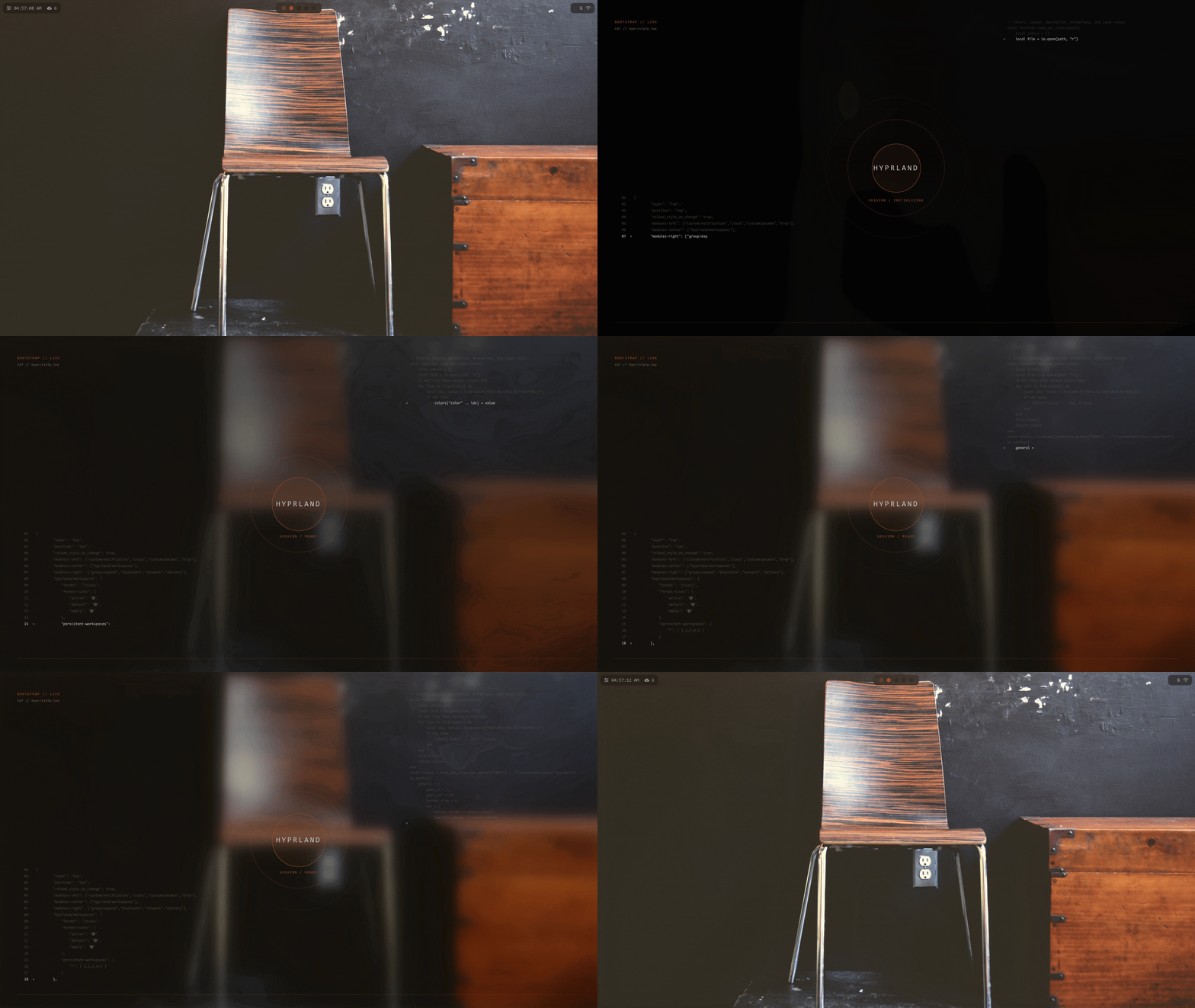
- Plays when Hyprland starts. You can turn it off in Settings > System.



Overview
This is my minimal Waybar setup for Hyprland, designed to be clean and efficient. There are 4 styles (default, experimental, line, zen). Pick one in Settings > Profile, and Alt+A turns it on and off.
Workspaces
I’ve configured the workspaces so that if there is content on a workspace, the dot appears darker. This helps you keep track of your open content! Inspiration from Gbar.
Expanding Waybar
You can hide and reveal widgets you don’t need all the time. You can easily add or remove widgets in the style's config under the group/expand section.
- Network Widget: Clicking the network widget opens
nmtuiinkitty. - Hyprpicker Widget: This custom widget lets you use
hyprpicker, display values when hovered, and copy the hex value to your clipboard.
How To Install
Run the install script and pick 2. Waybar. You don't need the rest of my dotfiles for it.
Dependencies
waybar
hyprpicker
pywal
blueman
bluez
networkmanager





Overview
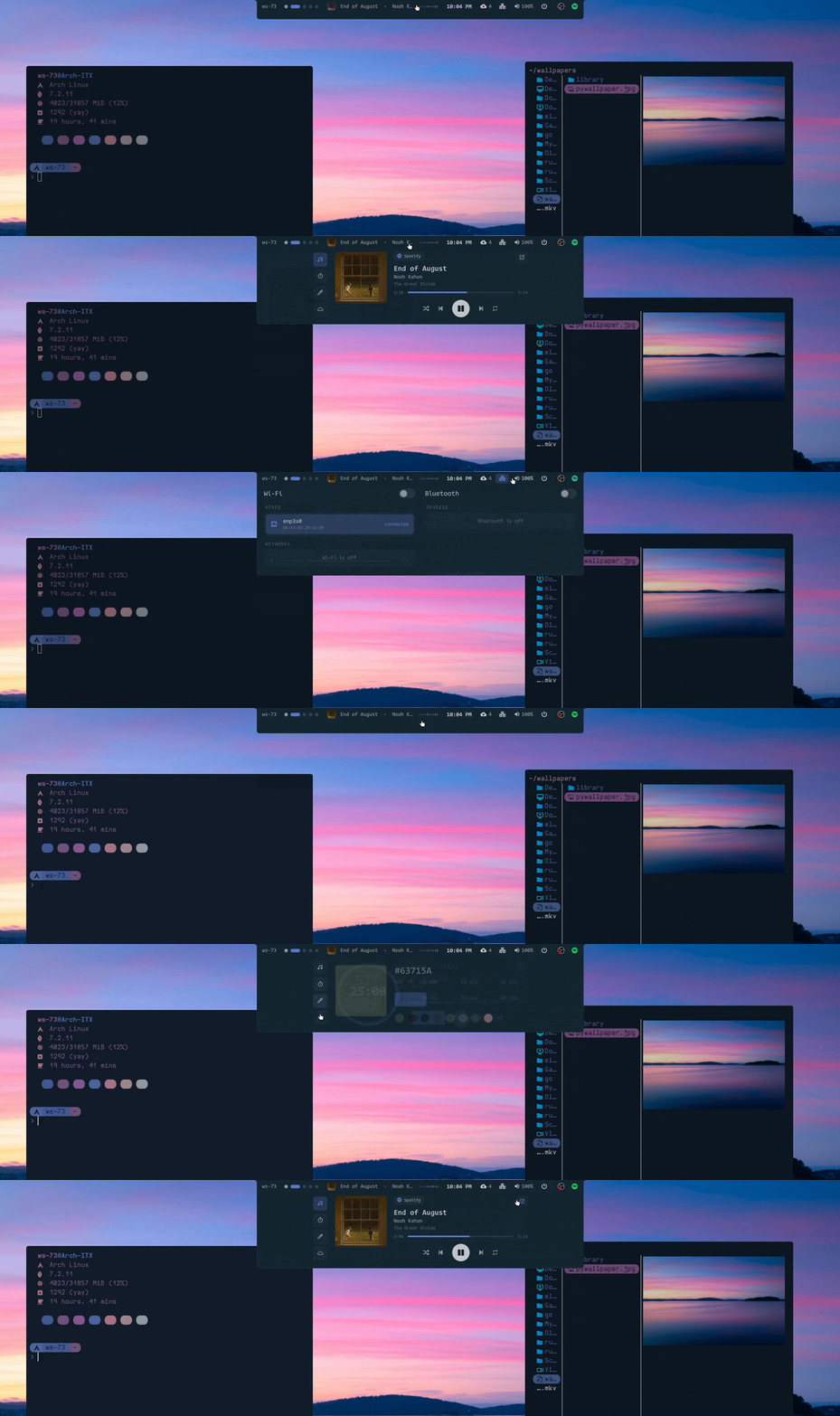
My Quickshell version of Waybar. There are 5 styles (default, attached, experimental, full, zen). Pick one in Settings > Profile, and Alt+A turns it on and off.
When you hover the pills they grow into cards for your workspaces, music, wifi, sound and power. Inspiration from NabyScape.
How To Install
Run the install script and pick 3. Quickshell bar, then start it with qs -c dotfiles-bar. You don't need the rest of my dotfiles for it.
Overview
Mod+Lto lock, or it locks on its own when you're idle withhypridle.- It blurs your current wallpaper, greets you with your username, and uses your Pywal colors. If music is playing it shows that too.
How To Install
- Install Quickshell and
hypridle - Copy
Dotfiles/.config/hypr/quickshellto~/.config/hypr/quickshell, runln -s Modern ~/.config/hypr/quickshell/style, then copyutilities/session/lock.sh,utilities/paths.shandhypridle.conf
I replaced all of these with my Quickshell stuff. The configs are still on the archive branch if you want them.
- I launched wofi like this:
wofi --show drun -n
How to Add Blur to Wofi
layerrule = blur, wofi
layerrule = ignorezero, wofi
layerrule = ignorealpha 0.5, wofi
- Config is on the
archivebranch.
- Config is on the
archivebranch.
- Config is on the
archivebranch.
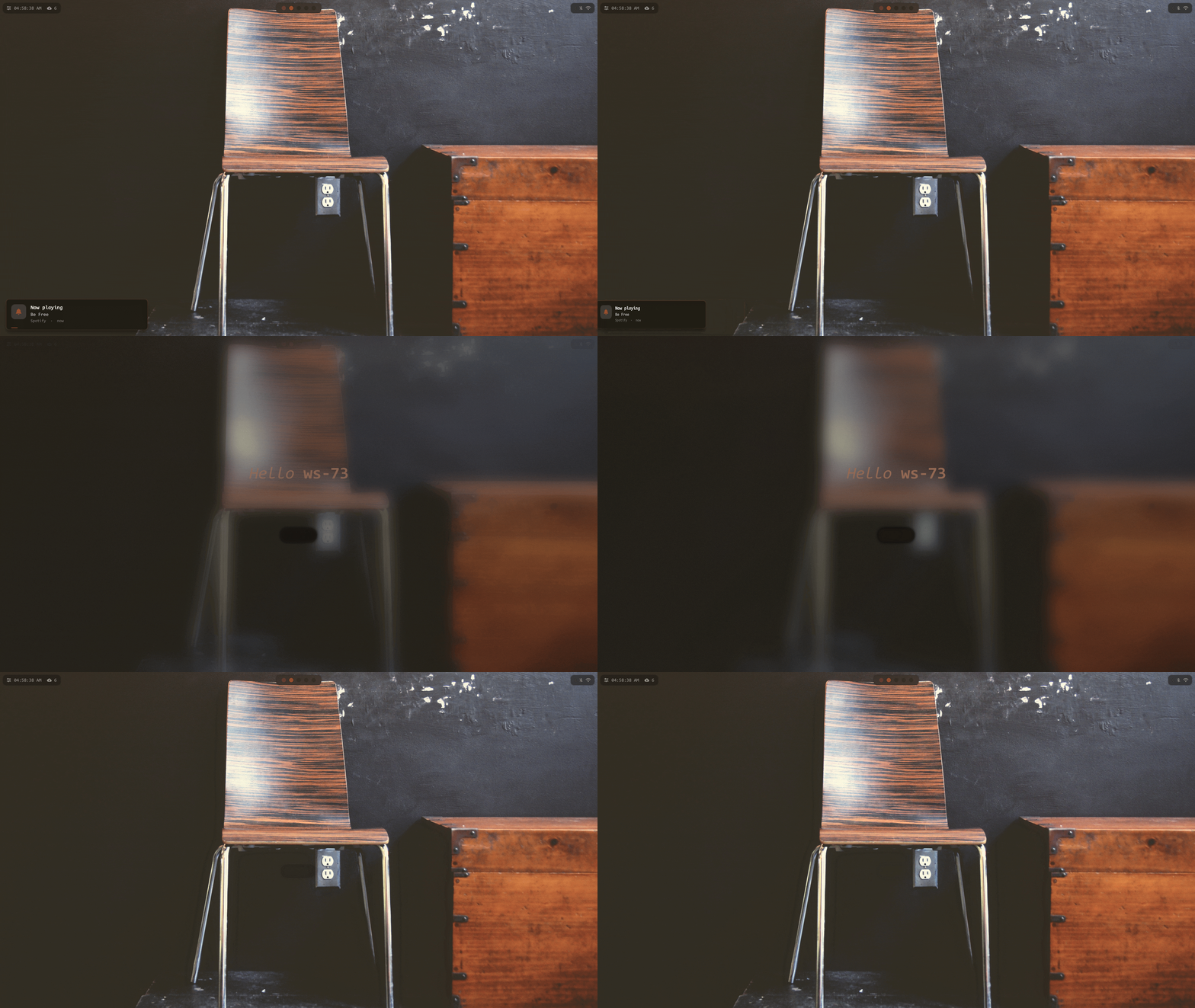
- Hyprlock uses the current wallpaper from Pywal to generate a background, displays a greeting with your username, and applies Pywal colors.
- Config is on the
archivebranch.
- A script that applied a wallpaper using
swwwand set thePywaltheme. - The script uses Wofi to select wallpapers. I have not been able to optimize the wallpaper loading so it might load slowly but it should work.

-
Tap
Superto open it. -
Little terminal under the bar.
Tabcycles apps, commands and a bare prompt.
-
Alt+Tabto open it. -
A visor with system stats, network and whatever is playing.
-
Alt+Sto open it. -
Colors, fonts, motion and profiles all in one sheet. It all updates live.
-
Pops up at the bottom when you change volume, brightness, caps lock or use the media keys.
-
Notifications show up in the bottom left. The bell in the bar has the old ones.
-
Alt+Wto change colors. -
It's a shader, not an image, so it moves when you switch workspaces.
-
Mod+Lto lock. Just the land dimmed behind a small hud.

-
Alt+Aturns it on and off. -
Hover an icon to open its menu. Music also has tabs for a timer, color picker, screenshots and weather.
-
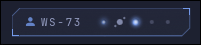
The stars are your workspaces. A workspace with windows gets a bigger star, and extra windows orbit it as moons.
-
Mod+Tabto open it. -
Workspaces are stars, windows are planets and scratchpads are moons.
-
wasdto fly,Tabfor the next system,Enterto land there,Escto go back.
Alt+Dto edit them. Drag them around, add more or change their style.- Modern has them too. They are the same widgets in its style, with their own layout.
- Layouts save per monitor shape.
Other Configurations
Overview
- This Neovim "rice" is a simplified version of Lazyvim, created with custom Lua files. It’s lightweight and includes only what you need. I just installed lazy and configured only the pluggins I wanted.
- It uses the Pywal theme, so relaunch nvim after you change your wallpaper to get the new colors.
- It features:
- Alpha-nvim
- Pywal theme
- Autocompletion
- Lualine
- Tabline
- Markview
- Noice
- Mini-icons
- Snacks
- Neo-tree
- Telescope
- Treesitter
- Gitsigns
- Colorizer
- Which-key
- LSP (Mason)
- Copilot
How To Install
-
Install
Neovim:yay -S neovim -
Copy
Dotfiles/.config/nviminto~/.config/ -
Start
nvimand watch it install all necessary components.
Overview
- This is a custom Starship config that is minimal but yet has everything you need/want from a terminal prompt.
How To Install
-
Install Starship
-
Copy the
Dotfiles/.config/starship.tomlfile into~/.config -
Add this to your
.bashrcfile:eval "$(starship init bash)"- Or go here to find what you need for your shell.
Overview
- This is a way to configure
Firefoxso that it usesPywalcolors. After proper configuration,Firefoxwill change automatically whenPywalupdates its color scheme.
Dependencies
Firefox
Python
Pywal
How To Install
- Install Pywalfox
- Run
pywalfox install - Install Firefox add-on for PywalFox
- Run
pywalfox updatein your terminal or add it to a script to update theFirefoxtheme after generatingPywalcolors. Mycolor-apply.shalready does this.
I use these GTK themes
- Widget Theme: Materia-dark
- Icon Theme: Qogir-dark
- Cursor: Bibata-Modern-Ice
Install / Updating
Install
- With this script you should be able to install everything together, or just one of my bars on its own.
- Dont worry it doesn't delete anything. It asks to back up your
~/.configfirst and moves anything it replaces to~/.dotfiles_replaced_<date>.
cd && git clone --depth 1 https://github.com/elifouts/Dotfiles.git
cd ~/Dotfiles/InstallScripts
chmod +x install.sh
./install.sh
1. Full install- everything2. Waybar- just my waybar3. Quickshell bar- just my quickshell bar4. No Man's Sky background + star map- if you dont want everything and just want the planet wallpaper and the star map overview. Works on any distro with Quickshell, it tells you how to bind the keys at the end. Or runInstallScripts/NoMansSky-Background-and-Map/install.shstraightp. Package manager TUI- see below
Update:
git -C ~/Dotfiles pull && ~/Dotfiles/InstallScripts/apply.sh
Or if you have the bash alias dotpull that works too
Uninstall:
A little tool I made to see what's installed, where it came from, and how big it is.
~/Dotfiles/.config/hypr/utilities/packages/package-tui.sh
j/k to scroll, d to uninstall, r to reinstall, q to quit.
~/Dotfiles/InstallScripts/full/uninstall.sh
My Applications
Desktop Profiles
Quickshell
Waybar
Quickshell Bar
Space
Other Applications
Neovim
Starship
Pywalfox
Wofi
Swaync
Wlogout
Hyprlock
GIFs
Keybinds
Mod+Q - Open Terminal
Super (tap) - App Launcher
Mod+M - Quit Hyprland
Mod+B - Close
Mod+F - Fullscreen
Mod+V - Popout
Mod+L - Lock
Mod+Space - Terminal Scratch Pad
Mod+E - Opens Thunar
Alt+Tab - Home Screen
Alt+S - Settings Panel
Alt+W - Wallpaper Picker
Alt+Enter - Music Player
Mod+P - Profile Switcher
Alt+D - Edit Desktop Widgets
Alt+A - Toggle Bar
Mod+Tab - Workspace Overview/Galaxy Map
[!NOTE] This isnt every Keybind. Just some highlighted ones.
Tap
Super> Keybinds to see all of them, or change them in~/.config/hypr/Modern/base/shortcuts.lua
Help
This may be because they need to be run with Wayland or are Electron applications
- The solution I found is to add the following to
/usr/share/applications/{app}.desktopafterexec=/app/executable/app - Works on
SpotifyDiscord
--enable-features=UseOzonePlatform --ozone-platform=wayland --uri=%U
- NOTE This gets removed if the app is redownloaded! I'm not sure how to make this a global thing. I have tried and failed. Help?
You may be looking for a file that looks something like this:
@import url('../../.cache/wal/colors-waybar.css');
That file is one of many that is created by Pywal. Make sure Pywal has run at least once (picking a wallpaper does this) and see if that works. Alternatively, you can do one of the following:
- create your own file which would look something like this:
@define-color background <Replace>;
@define-color color0 <Replace>;
@define-color color9 <Replace>;
Instead of those colors, you can use whichever color is needed by the style.css file.
- create the colors manually in the style.css files you took those paths from.
@define-color <ColorName> <Color>;
- Find the sections of that file that are calling the missing file, such as
$color2or@color2and replace it with a valid value.
Notes
- Cava uses
Pywaltoo. Mycolor-apply.shrewrites~/.config/cava/configevery time the colors change.
- This is everything I think is essential to have. At least for me. I would suggest doing your own research before blindly downloading everything here. This is here just so if I break my computer which we all know I will, I can remember what I need/want!
git
quickshell
nvim
zip unzip
pipewire
hyprpicker
hypridle
hyprshot
pyprland
code
bottom
myfetch
yay
wl-clipboard
nerd-fonts
starship
thunar
grim
slurp
gnome-network-displays
discord
Firefox
spotify ncspot
pacman-contrib
python-pywal16
waybar
awww
blueman
bluez
networkmanager
gvfs
libnotify
pavucontrol
pipewire-pulse
nwg-look
cava
python-pywalfox
auto-cpufreq
powertop
qogir-icon-theme
fd
noto-fonts
libreoffice-fresh
materia-dark-gtk
Fun to have
asciiquarium
pipes-rs
clock-rs
libcaca
cowsay
snake
2048
terminal-mines mines-tui
genact
no-more-secrets
lolcat
Cool things you don't need
waypaper
ranger
howdoi
Star History

ohmyzsh
ohmyzsh·Shell
一套社区维护的 zsh 配置管理框架,内置 300+ 插件和 140+ 主题,帮你快速搭好顺手的终端环境并自动更新。
zsh 配置+4桌面美化 / 主题
190428+9227k2026-11-09 12:36 UTC
warp
warpdotdev·Rust
基于 Rust 打造的智能体开发环境,从终端演化而来,把 AI 代理能力直接融入命令行,让写代码、跑命令和调试更顺手。
终端模拟器+4桌面美化 / 主题
65960+595.8kv0.2026.06.09.19.54.dev_002026-11-10 17:13 UTC
NvChad
NvChad·Lua
基于 Lua 的 Neovim 配置框架,开箱即用,自带合理默认设置和漂亮界面,省去从零折腾配置的麻烦。
Neovim 配置+3桌面美化 / 主题
28541+92.2kv2.52026-10-24 22:01 UTC

.tmux
gpakosz·Shell
一套开箱即用的 tmux 配置,自带主题、状态栏和常用快捷键,省去自己写 .tmux.conf 的麻烦,让终端多窗口操作更顺手。
tmux 配置+4桌面美化 / 主题
25471+33.6k2026-10-21 15:47 UTC