安装脚本会创建大量指向主目录的符号链接,覆盖前需确认已有配置;自定义 agnoster 主题需要带 powerline 字形的字体;Codex 的 skill 链接由后台任务同步,需等待约一分钟才生效。
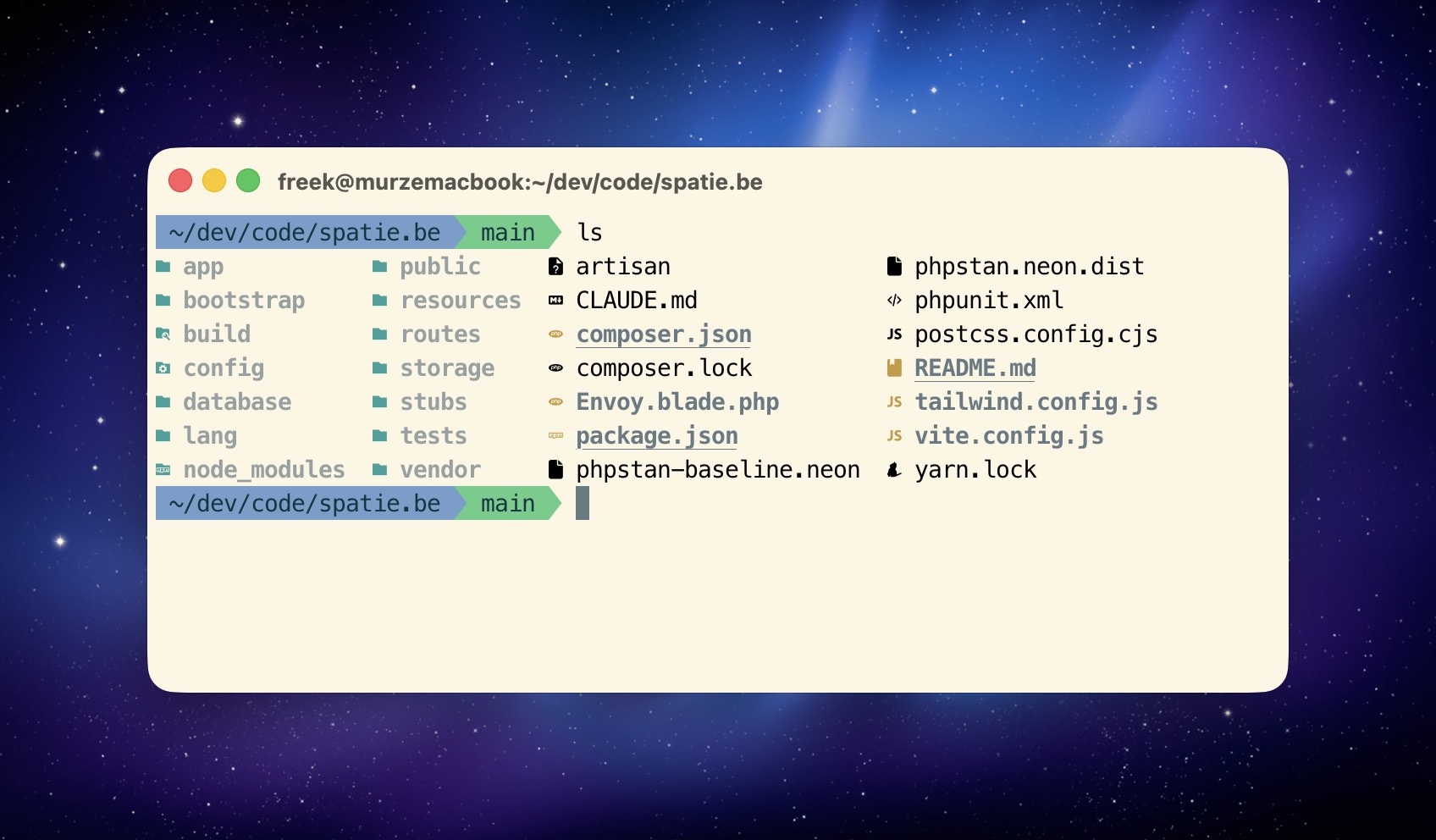
git clone [email protected]:freekmurze/dotfiles.git ~/.dotfiles
cd ~/.dotfiles
bin/install 硬件要求按 README 说明
README 未说明硬件要求;从内容看面向 macOS,依赖 Homebrew、Laravel Valet、MySQL 与 QuickLook 插件。
个人 dotfiles 配置,面向 Laravel/PHP 开发,一条命令装好现代 shell 工具与 AI 编码环境
一套个人终端环境配置文件,涵盖 bash、zsh、shell 和终端设置,适合想快速搭建或参考配置自己开发环境的人。
核心能力
- 用 bin/install 一条命令完成全部安装,可重复执行
- 用符号链接把 zshrc、gitconfig、vimrc 等配置纳入版本控制
- 集成 zoxide、fzf、ripgrep、bat、eza 等 Rust 现代 CLI 工具
- 同一份配置同时供 Claude Code 与 Codex 使用,含 19 个 skills
- 内置 Laravel LSP、Intelephense、TypeScript 代码智能
容易踩的坑
内容由模型根据 README 生成,可能不完整或不准确,以官方文档为准。看原文 README
暂无 release 数据(可能没有发版,或尚未同步)。
用户点评
登录用户的真实使用记录,可按版本和硬件筛选共 0 条
还没有人点评。第一个说出真实体验的人最有价值。
My dotfiles

Personal dotfiles with modern shell tooling, optimized for Laravel/PHP development. Features fast startup times, smart directory navigation, and modern CLI tools.
Contents
Getting started
- Key Features
- Quick Start - clone and run
bin/install - What's Included - Shell & Prompt · Modern CLI Tools · Development Tools · QuickLook Plugins
Reference
- How It Works - Symlinked Files · Sourced Files · Custom Agnoster Theme
- Daily Usage - Smart Navigation · Laravel/PHP Shortcuts · Data Processing · Maintenance Commands
- Version Management - Node.js via fnm · PHP & Composer via Homebrew
- Package Management - the Brewfile and global npm and Composer packages
AI setup
- AI Development Setup - one config for Claude Code and Codex
- Quick Install (Standalone) - the AI setup without the rest of the dotfiles
- Skills - all 19, grouped by purpose
- Scoped Plugins - skills that load only in the repos that need them
- Code Intelligence - Laravel LSP, Intelephense, TypeScript
- Agents - custom subagents
- The Review Workflow - the six lanes behind
review-codeandreview-pr - Settings Worth Knowing
- Sharing With Codex - how one source feeds both harnesses
- Adding New Skills - and the two rules that decide whether a skill gets used
Everything else
- Customization - Personal Aliases & Functions · Project-Specific Variables
- Post-Installation · Tool Comparisons · Utilities · Credits
Key Features
- Custom Agnoster Theme - Clean powerline prompt with no branch symbols,
•for changes - Version-Controlled AI Setup - Skills, agents, settings, and instructions for both Claude Code and Codex, from one source
- Framework-Aware Code Intelligence - Laravel LSP, Intelephense, and TypeScript language servers wired into the agent
- Fast Tools - fnm, zoxide, ripgrep, bat, eza (all Rust-based for speed)
- One Command Install -
bin/installsets up everything including Claude Code
Quick Start
git clone [email protected]:freekmurze/dotfiles.git ~/.dotfiles
cd ~/.dotfiles
bin/install
What's Included
Shell & Prompt
- Oh My Zsh - Framework for managing Zsh configuration (with agnoster theme by default)
- zoxide - Smart directory jumping based on frecency
- fzf - Fuzzy finder for files and history
- direnv - Automatic environment variables per directory
Modern CLI Tools
- fnm - Fast Node.js version manager
- bat - Cat with syntax highlighting
- eza - Modern ls replacement with icons
- ripgrep - Fast grep alternative
- fd - Fast find alternative
- git-delta - Better git diffs
- jq - JSON processor and formatter
- yq - YAML processor and formatter
- bottom - Modern system monitor
Development Tools
- PHP - Latest version via Homebrew
- Composer - Dependency manager via Homebrew
- Node.js - LTS version managed via fnm
- Laravel Valet - Local development server
- MySQL - Database with auto-start
QuickLook Plugins
Instant file previews in Finder: code files, markdown, JSON, CSV, patches, and archives.
How It Works
Symlinked Files
The installation creates symlinks from your home directory to the dotfiles repository. This allows you to version control your configuration while keeping files in their expected locations.
| Symlink Location | Points To | Purpose |
|---|---|---|
~/.zshrc | ~/.dotfiles/home/.zshrc | Main Zsh configuration (Oh My Zsh with custom agnoster theme) |
~/.gitconfig | ~/.dotfiles/home/.gitconfig | Git configuration with delta diff viewer |
~/.global-gitignore | ~/.dotfiles/home/.global-gitignore | Global Git ignore patterns |
~/.vimrc | ~/.dotfiles/home/.vimrc | Vim configuration |
~/.vim/ | ~/.dotfiles/home/.vim/ | Vim runtime files |
~/.mackup.cfg | ~/.dotfiles/macos/.mackup.cfg | Mackup backup configuration |
~/.claude/skills | ~/.dotfiles/config/claude/skills/ | All Claude Code skills (version-controlled) |
~/.claude/agents | ~/.dotfiles/config/claude/agents/ | All Claude Code agents (version-controlled) |
~/.claude/CLAUDE.md | ~/.dotfiles/config/claude/AGENTS.md | Agent instructions (user-level instructions must be named CLAUDE.md) |
~/.claude/settings.json | ~/.dotfiles/config/claude/settings.json | Claude Code settings |
~/.codex/AGENTS.md | ~/.dotfiles/config/claude/AGENTS.md | The same instructions, read natively by Codex |
~/.agents/skills/* | ~/.dotfiles/config/claude/skills/* | One symlink per shared skill, discovered by Codex. See bin/link-agent-skills |
~/.config/zed/settings.json | ~/.dotfiles/config/zed/settings.json | Zed editor settings |
~/.config/zed/keymap.json | ~/.dotfiles/config/zed/keymap.json | Zed custom keybindings |
~/.config/ghostty/config | ~/.dotfiles/config/ghostty/config | Ghostty terminal settings |
To manually symlink the Zed configuration (if not using bin/install):
mkdir -p ~/.config/zed
ln -sf ~/.dotfiles/config/zed/settings.json ~/.config/zed/settings.json
ln -sf ~/.dotfiles/config/zed/keymap.json ~/.config/zed/keymap.json
Sourced Files
These files are loaded by .zshrc but remain in the dotfiles directory:
home/.aliases- Shell command aliaseshome/.functions- Custom shell functionshome/.exports- Environment variables
Custom Agnoster Theme
The default configuration uses a customized agnoster theme stored in oh-my-zsh-custom/themes/agnoster.zsh-theme:
Customizations:
- No git branch symbol (cleaner look)
- Uses
•for unstaged changes instead of± - Powerline arrows for segment separators
- Requires a font with powerline glyphs
Git Status Symbols:
✚- Staged changes (files added withgit add)•- Unstaged changes (modified files not yet staged)- Yellow background - Uncommitted changes
- Green background - Clean working directory
Daily Usage
Smart Navigation
z dotfiles          # Jump to frequently used directories
zi                  # Interactive directory picker
Ctrl+R              # Fuzzy search command history
Ctrl+T              # Fuzzy find files
Alt+C               # Fuzzy change directory
Laravel/PHP Shortcuts
a                   # php artisan
p                   # Run Pest/PHPUnit tests
c                   # composer
mfs                 # php artisan migrate:fresh --seed
nah                 # git reset --hard; git clean -df
Data Processing
# JSON processing with jq
curl api.github.com/users/freekmurze | jq
cat composer.json | jq '.require'
php artisan tinker --execute="echo json_encode(User::first());" | jq

# YAML processing with yq
yq '.jobs' .github/workflows/ci.yml
yq -o json docker-compose.yml

# System monitoring
btm                 # Modern system monitor (aliased from top/htop)
Maintenance Commands
bin/update # Update all packages and tools
Version Management
Node.js (via fnm)
fnm install --lts     # Install latest LTS
fnm use lts-latest    # Use latest LTS
fnm install 20        # Install specific version
fnm use 20            # Switch to specific version
fnm list              # Show installed versions
PHP & Composer (via Homebrew)
brew upgrade php      # Update PHP to latest
brew upgrade composer # Update Composer
Package Management
All Homebrew packages are declared in config/Brewfile. To add a new tool:
echo 'brew "neovim"' >> ~/.dotfiles/config/Brewfile
brew bundle --file=~/.dotfiles/config/Brewfile
Complete package list:
- Core: node, php, composer, pkg-config, wget, httpie, ncdu, hub, ack, doctl, 1password-cli, git-secret, imagemagick, mysql, yarn, ghostscript, mackup
- Modern CLI: zoxide, bat, eza, ripgrep, fd, git-delta, fnm, fzf, direnv, jq, yq, bottom, zsh-autosuggestions
- QuickLook: qlcolorcode, qlstephen, qlmarkdown, quicklook-json, qlprettypatch, quicklook-csv, betterzip, suspicious-package
- PHP Extensions: imagick, memcached, xdebug, redis
- Global npm: agent-browser, intelephense, typescript-language-server, typescript
- Global Composer: laravel/envoy, spatie/phpunit-watcher, laravel/valet, laravel/lsp
AI Development Setup
Everything the agents need lives in config/claude/, and both Claude Code and Codex read it from there. Nothing is duplicated per tool.
config/claude/
├── AGENTS.md          the instructions, read by both harnesses
├── settings.json      Claude Code settings, permissions, hooks
├── agents/            custom subagents
└── skills/            19 skills, plus 3 scoped plugins
Quick Install (Standalone)
Install just the AI setup without the full dotfiles:
curl -fsSL https://raw.githubusercontent.com/freekmurze/dotfiles/main/bin/install-claude-code | bash
That installs the Claude Code CLI, symlinks the config, and runs bin/link-agent-skills to share the harness-neutral skills with Codex.
Skills
All skills live in config/claude/skills/ and are version-controlled. On a new Mac they are available immediately after the installer runs.
Code and conventions (loaded automatically when relevant)
| Skill | What it does |
|---|---|
spatie-guidelines | The single source for Spatie PHP, Laravel, and JavaScript conventions. Style, docblocks, control flow, naming, validation, Blade, package architecture, Pest, git workflow |
react-best-practices | React hooks, effects, refs, and component design. Scoped to **/*.{tsx,jsx} |
laravel-inertia-react-structure | Frontend directory structure for Laravel Inertia React apps. Scoped to React files |
livewire-4 | Livewire 4 components, single-file and multi-file |
spatie-package-skeleton | Scaffolding a package from package-skeleton-laravel, plus extensibility patterns |
speeding-up-laravel-tests | Making slow Pest suites fast. Factories, fakes, config caching, LazilyRefreshDatabase |
Review and audit
| Skill | What it does |
|---|---|
review-code | Runs 6 review lanes in parallel over the working tree, then applies the fixes |
review-pr | Reviews a GitHub PR, gates on CI, merges, thanks the author. Releases only when asked |
audit-architecture | Whole-codebase audit of how state and data are modelled. Read-only, ranked P0 to P3 |
Infrastructure
| Skill | What it does |
|---|---|
spatie-ops | Entry point for DO, Forge, Laravel Cloud, Openprovider DNS and site migrations. Shared instructions route ordinary hosting requests here automatically |
laravel-cloud-ops | Cloud applications, deployments, resources, usage and performance |
move-site-to-laravel-cloud | Migrate a site and verify cutover before retiring its old server |
openprovider-dns | DNS changes and propagation checks |
bin/spatie-ops performs authenticated API requests and redacts secret values before displaying responses. Its actual credential references live in ~/.dotfiles-custom/spatie-ops/credentials.json, outside this repository. The public skill includes a placeholder configuration example; credentials remain in 1Password or the existing Cloud CLI configuration. Keep the real mapping private and copy it separately when setting up another machine. See authentication.
Products and publishing (CLI wrappers for things Spatie runs)
| Skill | What it does |
|---|---|
flare | Triage errors and performance data on flareapp.io |
mailcoach | Email lists, subscribers, campaigns, automations |
there-there | Helpdesk tickets, contacts, channels |
update-spatie-docs | Re-import package docs to spatie.be after a docs PR merges |
write-freek-dev-blogpost | Draft a post in the freek.dev voice |
typefully | Draft and schedule social posts |
code-snippet-images | Render code screenshots for social media |
Tooling
| Skill | What it does |
|---|---|
conductor | Conductor workspaces and sessions, the CLI, the API, deep links, settings, writing briefs |
ui | Explore, build, and refine UI through the ui.sh MCP server |
grill-me | Interrogate a plan until every branch of the decision tree is resolved |
Scoped Plugins
Any directory under skills/ with a .claude-plugin/plugin.json loads as a plugin named <name>@skills-dir. Plugins can be turned off globally and enabled per repository, so situational skills cost nothing in unrelated sessions.
| Plugin | Contents | Enabled |
|---|---|---|
marketing | 29 marketing, CRO, and SEO skills | Per repo, in the ones with a marketing site |
music | Ableton Live control | Per workspace |
laravel-lsp | The Laravel language server, see below | Globally |
To enable one in a repository, add it to that repo's .claude/settings.json:
{
  "enabledPlugins": {
    "marketing@skills-dir": true
  }
}
Project-scope plugins only load from the directory you launch from, so start the CLI at the repository root.
Code Intelligence
Three language servers give the agent diagnostics after every edit and real symbol navigation instead of grep.
| Server | Provides | Install |
|---|---|---|
laravel-lsp@skills-dir | Config keys, route names, view paths, translation strings, middleware aliases, and container bindings, in .blade.php | composer global require laravel/lsp |
php-lsp | PHP types, symbols, references, signatures | npm i -g intelephense |
typescript-lsp | TypeScript and TSX intelligence | npm i -g typescript-language-server typescript |
Laravel LSP is first-party (announced at Laracon US 2026) and has no official Claude plugin, so skills/laravel-lsp/ wraps it in a small .lsp.json. Its phpEnvironment defaults to auto, which finds Herd and Valet without configuration.
Claude Code registers one server per file extension, so the two PHP servers split the work: Intelephense takes .php for types, undefined methods, and references, and Laravel LSP takes .blade.php for route names, view paths, and translation strings. To flip that priority, disable php-lsp and add ".php" back to skills/laravel-lsp/.lsp.json.
Agents
Custom subagents live in config/claude/agents/.
laravel-feature-builder- Implements new features across models, controllers, migrations, and views
Most delegation now happens through plugins instead, notably the laravel-simplifier:laravel-simplifier agent from Taylor's laravel marketplace, which is lane 2 of the review workflow.
The Review Workflow
review-code and review-pr share one definition of what a review is, in skills/review-code/references/lanes.md. Six lanes run in parallel:
- Correctness - bugs, via
/code-review - PHP simplification - via the
laravel-simplifieragent - Spatie conventions - via
spatie-guidelines - Laravel practices - via Laravel Boost's per-repo
laravel-best-practices - React - via
react-best-practices, only when JS or TS changed - Security - authorization, mass assignment, injection, XSS, secrets, SSRF, PII in logs
Findings are deduplicated, and security outranks correctness, which outranks conventions. Both defect lanes require a concrete failure scenario, so "consider adding a null check" does not count as a finding.
The lanes file has a per-harness table, so the same review runs under Codex with its own tools and available subagents. No separate review-agent skill is needed.
Settings Worth Knowing
| Setting | Why |
|---|---|
disableClaudeAiConnectors | Keeps claude.ai account connectors in the desktop app, out of the terminal |
skillOverrides | Hides 8 bundled skills from the model while keeping them typeable, saving context |
cleanupPeriodDays | Transcript retention, set to a year |
defaultMode: auto | A classifier handles approvals instead of prompting on every step |
Sharing With Codex
Codex reads AGENTS.md natively. Claude Code reads a project's AGENTS.md natively too since v2.1.277, but user-level instructions still have to be named ~/.claude/CLAUDE.md, so one file is symlinked under both names. Skills also have one source: config/claude/skills/. Claude reads it through ~/.claude/skills; Codex reads individual symlinks in ~/.agents/skills, its documented user skill directory. Codex's built-in ~/.codex/skills/.system stays separate.
bin/install-agent-skill-sync
The script automatically links every directory with a top-level SKILL.md, except ui and typefully, which retain their Claude-specific integrations. Nested plugin skills remain scoped to their plugins and are not installed globally by this script. Sharing skill files does not install Claude plugins, MCP servers, or named subagents into Codex.
The macOS installer enables a per-user LaunchAgent, be.freek.agent-skill-sync, so no command is needed when adding skills. It runs at login, watches the source directory, and checks every 60 seconds for changes inside existing folders. Removed or renamed skills have their old managed links cleaned up. bin/install-claude-code installs this job automatically on new machines.
Edits to an already linked skill are shared immediately. Existing installations with the same directory name are moved to ~/.agents/backups/link-agent-skills.* before linking; unrelated skills are preserved. Repeated runs leave correct links alone. To run a check immediately, use bin/link-agent-skills. Background errors go to ~/Library/Logs/be.freek.agent-skill-sync.log.
In Codex, invoke $review-code or $review-pr. If a newly linked skill does not appear, restart Codex. The PR skill retains its existing review-and-merge workflow; the code review skill can apply fixes.
Adding New Skills
# Install a skill (adds directly to your dotfiles)
npx skills add <owner/repo>

# Codex links are created automatically within a minute.

cd ~/.dotfiles
git add config/claude/skills/
git commit -m "Add new skill"
Two rules that decide whether a skill ever gets used:
- The name and description determine everything. A skill named after a person, or after a quarter of what it does, will not be found. Write the description around the phrases you would actually type.
- Keep the body short and push detail into
references/. A skill body stays in context for the rest of the session once loaded, while reference files load only when needed.
Browse more skills at skills.sh
Customization
Personal Aliases & Functions
Create custom configurations that won't be committed:
mkdir -p ~/.dotfiles-custom/shell
vim ~/.dotfiles-custom/shell/.aliases
These files are automatically loaded by .zshrc if they exist.
Project-Specific Variables
Use direnv for automatic environment loading:
cd my-project
echo 'export DEBUG=true' > .envrc
direnv allow
Variables load when you enter the directory and unload when you leave.
Post-Installation
-
Restore settings (optional): Run
mackup restoreif you have backups -
Migrate history (upgrading only): Run
migration/migrate-z-to-zoxide.shif you have~/.z
Tool Comparisons
| Old Tool | New Tool | Why Better |
|---|---|---|
| z.sh / autojump | zoxide | Smarter frecency algorithm, Rust speed |
| nvm | fnm | 40x faster, simpler, Rust-based |
| cat | bat | Syntax highlighting, git integration |
| ls | eza | Icons, tree view, git status |
| grep | ripgrep | 5-10x faster, respects .gitignore |
| find | fd | Simpler syntax, 10x faster |
| diff | delta | Side-by-side diffs, syntax highlighting |
| htop | bottom | Better UI, graphs, Rust-based |
Utilities
The bin/ directory contains helper scripts:
- install - Main installation script (idempotent, safe to re-run)
- install-claude-code - Standalone installer for the AI setup: the CLI, the symlinks, and the Codex links
- link-agent-skills - Symlink the harness-neutral skills and
AGENTS.mdinto Codex, leaving Codex's own built-in skills alone - install-agent-skill-sync - Install the macOS background job that keeps shared skill links current automatically
- exclude-from-spotlight - Drop a
.metadata_never_indexmarker into data heavy directories so Spotlight skips them. Local database directories (DBngin and friends) hold hundreds of thousands of constantly rewritten files, which keepsmds_storesbusy indefinitely. - update - Update dotfiles, Homebrew, npm, and Composer packages
- doctor - Health check and diagnostic tool
- conductor-merge - Fast-forward the current Conductor workspace branch into
main(which lives in another git worktree). Use--pushto also pushmaintoorigin, which clears Conductor's "Changes" view (it diffs againstorigin/main).
Credits
Created by Freek Van der Herten. Used by many at Spatie.
See config/Brewfile for complete package list.

ohmyzsh
ohmyzsh·Shell
一套社区维护的 zsh 配置管理框架,内置 300+ 插件和 140+ 主题,帮你快速搭好顺手的终端环境并自动更新。
zsh 配置+4桌面美化 / 主题
190428+9227k2026-11-09 12:36 UTC
warp
warpdotdev·Rust
基于 Rust 打造的智能体开发环境,从终端演化而来,把 AI 代理能力直接融入命令行,让写代码、跑命令和调试更顺手。
终端模拟器+4桌面美化 / 主题
65960+595.8kv0.2026.06.09.19.54.dev_002026-11-10 17:13 UTC
NvChad
NvChad·Lua
基于 Lua 的 Neovim 配置框架,开箱即用,自带合理默认设置和漂亮界面,省去从零折腾配置的麻烦。
Neovim 配置+3桌面美化 / 主题
28541+92.2kv2.52026-10-24 22:01 UTC

.tmux
gpakosz·Shell
一套开箱即用的 tmux 配置,自带主题、状态栏和常用快捷键,省去自己写 .tmux.conf 的麻烦,让终端多窗口操作更顺手。
tmux 配置+4桌面美化 / 主题
25471+33.6k2026-10-21 15:47 UTC