hardware-configuration.nix 是特定机器的硬件扫描结果,直接套用可能不兼容你的机器;Home Manager 全新安装需先创建特定目录,否则需改用 nix build 方式构建 activationPackage;build-vm 的 QEMU 虚拟机在图形方面存在限制
nix-config
gvolpeApache-2.0活跃维护一套用 Nix 和 Home Manager 管理的 NixOS 桌面配置,涵盖 Hyprland、Niri、Neovim、Fish 等组件,适合想复刻或参考声明式 Linux 环境的人。
:space_invader: NixOS configuration :space_invader:
v1.0.0发布于 2026-10-02 14:32 UTC1,118star +1 / 7 天80fork同步于 2026-11-10 23:51 UTC
nixos-rebuild switch --flake github:gvolpe/nix-config#xmod
nixos-rebuild build-vm --flake github:gvolpe/nix-config#xmod 硬件要求按 README 说明
README 未说明具体硬件要求;配置面向 x86_64-linux,含 aorus、dell-xps、thinkpad-x1 三台机器的 NixOS 配置,其中 hardware-configuration.nix 来自特定机器扫描,未必适用于你的硬件
个人 NixOS 与 Home Manager 配置仓库,提供 niri、Hyprland、XMonad 三套桌面环境可复用配置
一套用 Nix 和 Home Manager 管理的 NixOS 桌面配置,涵盖 Hyprland、Niri、Neovim、Fish 等组件,适合想复刻或参考声明式 Linux 环境的人。
核心能力
- 用 Flake 输出 nixosConfigurations 与 homeConfigurations
- 内置 niri 滚动平铺 Wayland 桌面配置
- 提供 Hyprland 与 XMonad 历史配置参考
- 打包 neovim、metals、slack 等自定义包
- 提供 mkHome、mkNixos 库函数与 overlays
容易踩的坑
内容由模型根据 README 生成,可能不完整或不准确,以官方文档为准。看原文 README
- v1.0.0v1.0.0 (Hyprland & XMonad)最新正式版2026-10-02 · 2026-10-02 14:32 UTC
Last release with Hyprland and XMonad support. These will be removed from the main branch.
用户点评
登录用户的真实使用记录,可按版本和硬件筛选共 0 条
还没有人点评。第一个说出真实体验的人最有价值。
:space_invader: NixOS Config :space_invader:



My current — and ever evolving — NixOS and Home Manager configurations.
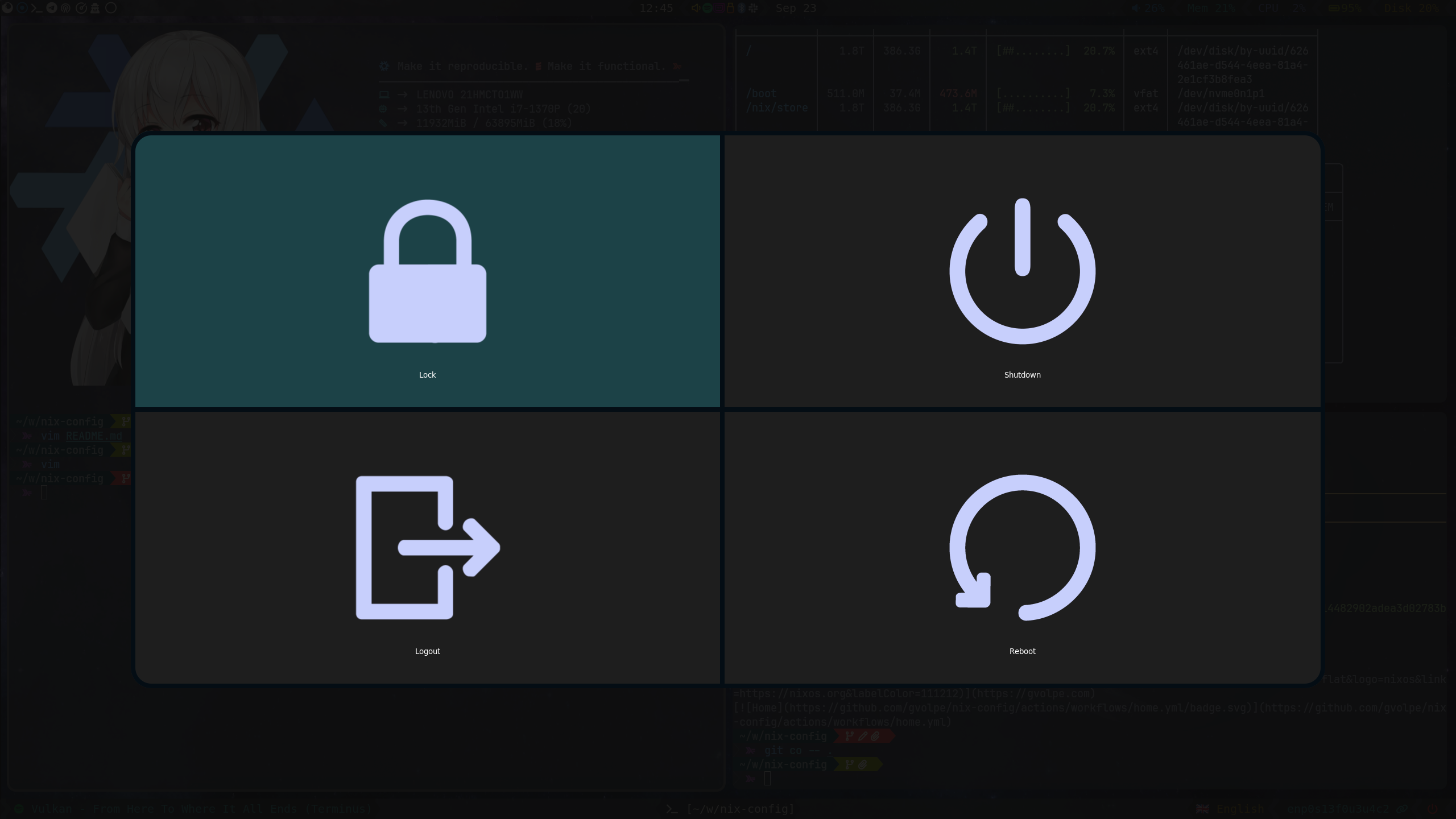
Niri
An incredible scrollable-tiling Wayland compositor.

| Type | Program |
|---|---|
| Editor | NeoVim |
| Launcher | Fuzzel - Vicinae |
| Shell | Fish |
| Status Bar | Waybar |
| Terminal | Kitty |
| Window Manager | Niri |
| File Manager | Nemo |
| Notifications | Sway NC |
| Wallpapers | Hyprlax |
| GTK Theme | Juno Ocean |
| GTK Icon Theme | Beauty Line |
| Terminal Font | JetBrainsMono |


Hyprland
My first Wayland compositor experience (see Release v1.0.0).

| Type | Program |
|---|---|
| Editor | NeoVim |
| Launcher | Wofi |
| Shell | Fish |
| Status Bar | Waybar |
| Terminal | Foot |
| Window Manager | Hyprland |
| File Manager | Nemo |
| Notifications | Dunst |
| GTK Theme | Juno Ocean |
| GTK Icon Theme | Beauty Line |
| Terminal Font | JetBrainsMono |


XMonad
XMonad will be forever in my heart — the best X window manager! (see Release v1.0.0).

| Type | Program |
|---|---|
| Editor | NeoVim |
| Launcher | Rofi |
| Shell | Fish |
| Status Bar | Polybar |
| Terminal | Alacritty |
| Window Manager | XMonad |
| File Manager | Nautilus |
| Notifications | Dunst |
| GTK Theme | Juno Ocean |
| GTK Icon Theme | Beauty Line |
| Terminal Font | JetBrainsMono |


NeoVim
My NeoVim configuration lives here: https://github.com/gvolpe/mnw-flake
Structure

Flake outputs
$ dnix flake show --drv-names github:gvolpe/nix-config
├───devShells
│   └───x86_64-linux
│       └───default: development environment [nix-shell]
├───homeConfigurations
│   ├───niri: Home Manager configuration [home-manager-generation]
│   ├───niri-desktop: Home Manager configuration [home-manager-generation]
│   └───niri-laptop: Home Manager configuration [home-manager-generation]
├───lib
│   ├───mkHome: library function
│   └───mkNixos: library function
├───nixosConfigurations
│   ├───aorus: NixOS configuration [nixos-system-aorus-26.11.20260908.d6524aa]
│   ├───dell-xps: NixOS configuration [nixos-system-dell-xps-26.11.20260908.d6524aa]
│   └───thinkpad-x1: NixOS configuration [nixos-system-thinkpad-x1-26.11.20260908.d6524aa]
├───out
│   ├───overlays: custom instance to be used by consumers of this flake
│   └───pkgs: custom instance to be used by consumers of this flake
└───packages
    └───x86_64-linux
        ├───bazecor: package [bazecor-1.10.0-patched]
        ├───metals: package [metals-1.6.7]
        ├───metals-updater: package [metals-updater-script]
        ├───neovim: package [neovim-0.12.5]
        ├───nix: package [determinate-nix-3.22.3]
        ├───quickemu: package [quickemu-4.9.9]
        └───slack: package [slack-4.51.180]
As well as all the declared flake inputs.
nix flake metadata github:gvolpe/nix-config
Install
The xmod configuration also contains my Home Manager configuration using the NixOS module, so it can easily be tested with a single command.
nixos-rebuild switch --flake github:gvolpe/nix-config#xmod
Or you can test it directly on a QEMU virtual machine, though it has its limitations in terms of graphics.
nixos-rebuild build-vm --flake github:gvolpe/nix-config#xmod
./result/bin/run-xmod-amd-vm
Having both NixOS and Home Manager configurations combined makes it easier to quickly install it on a new machine, but my preference is to have both separate, as my Home Manager configuration changes more often than that of the NixOS one, which can result in multiple (unwanted) generations at boot time.
Managing the different Home Manager generations in isolation makes this way easier for me.
NixOS
The NixOS configuration can be installed by running the following command.
nixos-rebuild switch --flake github:gvolpe/nix-config#thinkpad-x1
Beware that the hardware-configuration.nix file is the result of the hardware scan of the specific machine and might not be suitable for yours.
Home Manager
A fresh install requires the creation of certain directories (see what the switch script does). However, if you omit those steps, the entire HM configuration can also be built as any other flake.
nix build github:gvolpe/nix-config#homeConfigurations.niri-laptop.activationPackage
result/activate
Fresh install
To set up a new machine from scratch, have a look at this document.
LICENSE
Licensed under the Apache License, Version 2.0 (the "License"); you may not use this project except in compliance with the License. You may obtain a copy of the License at http://www.apache.org/licenses/LICENSE-2.0.
Unless required by applicable law or agreed to in writing, software distributed under the License is distributed on an "AS IS" BASIS, WITHOUT WARRANTIES OR CONDITIONS OF ANY KIND, either express or implied. See the License for the specific language governing permissions and limitations under the License.
ohmyzsh
ohmyzsh·Shell
一套社区维护的 zsh 配置管理框架,内置 300+ 插件和 140+ 主题,帮你快速搭好顺手的终端环境并自动更新。
zsh 配置+4桌面美化 / 主题
190435+9927k2026-11-09 12:36 UTC
warp
warpdotdev·Rust
基于 Rust 打造的智能体开发环境,从终端演化而来,把 AI 代理能力直接融入命令行,让写代码、跑命令和调试更顺手。
终端模拟器+4桌面美化 / 主题进阶
65967+665.8kv0.2026.06.09.19.54.dev_002026-11-10 22:48 UTC
NvChad
NvChad·Lua
基于 Lua 的 Neovim 配置框架,开箱即用,自带合理默认设置和漂亮界面,省去从零折腾配置的麻烦。
Neovim 配置+3桌面美化 / 主题进阶
28542+102.2kv2.52026-10-24 22:01 UTC

.tmux
gpakosz·Shell
一套开箱即用的 tmux 配置,自带主题、状态栏和常用快捷键,省去自己写 .tmux.conf 的麻烦,让终端多窗口操作更顺手。
tmux 配置+4桌面美化 / 主题进阶
25471+33.6k2026-10-21 15:47 UTC