必须设置 NEXT_PUBLIC_MAIN_TENANT_KEY 等租户配置,否则无法连接后端;本仓库只是前端,认证与智能体 API 依赖未开源的 ibl.ai 后端平台;Docker 部署映射 5000 端口,standalone 模式默认 3000 端口,注意区分

os
iblaiMIT活跃维护面向企业搭建可定制 AI Agent 的平台,支持多家 LLM 接入、实时对话与语音、文档训练、分析统计、用户管理和 SSO,还能嵌入网页挂件。
Enables organizations to create and deploy customizable AI agents with support for multiple LLM providers, real-time chat, voice, document training, analytics, user management, SSO authentication, and embeddable widgets. Built with React 19, Redux Toolkit, Radix UI, and Tailwind CSS.
v0.192.1发布于 2026-11-09 16:44 UTC638star19fork同步于 2026-11-10 17:57 UTC
git clone https://github.com/iblai/os.git
cd os
pnpm install
cp .env.example .env.local
pnpm dev 硬件要求按 README 说明
README 未说明
支持 Apple Silicon有 Docker 镜像
开源 AI 智能体平台,用一套代码构建并部署多端对话代理
面向企业搭建可定制 AI Agent 的平台,支持多家 LLM 接入、实时对话与语音、文档训练、分析统计、用户管理和 SSO,还能嵌入网页挂件。
核心能力
- 配置 LLM、系统提示词、工具与安全过滤构建智能体
- 上传文档或连接云盘做 RAG 训练,支持网页爬取
- 基于 LiveKit 的 WebRTC 实时语音通话与屏幕共享
- 内置多租户隔离、SSO/RBAC 与 Stripe 订阅计费
- 同一代码库打包为 Web、桌面与移动端应用
容易踩的坑
内容由模型根据 README 生成,可能不完整或不准确,以官方文档为准。看原文 README
- v0.192.1最新正式版2026-11-09 · 2026-11-09 16:44 UTC
- v0.192.02026-11-09 · 2026-11-09 13:40 UTC
- v0.191.32026-11-09 · 2026-11-09 13:29 UTC
- v0.191.22026-11-09 · 2026-11-09 11:03 UTC
- v0.191.12026-11-09 · 2026-11-09 02:25 UTC
用户点评
登录用户的真实使用记录,可按版本和硬件筛选共 0 条
还没有人点评。第一个说出真实体验的人最有价值。
ibl.ai/os
The open-source AI agent platform.
Build, deploy, and manage intelligent conversational agents — from prototype to production, in minutes. One codebase. Every platform. Your code, your data, any LLM.





⬇️ Get ibl.ai/os
Windows ARM64 · older builds · Linux → all downloads
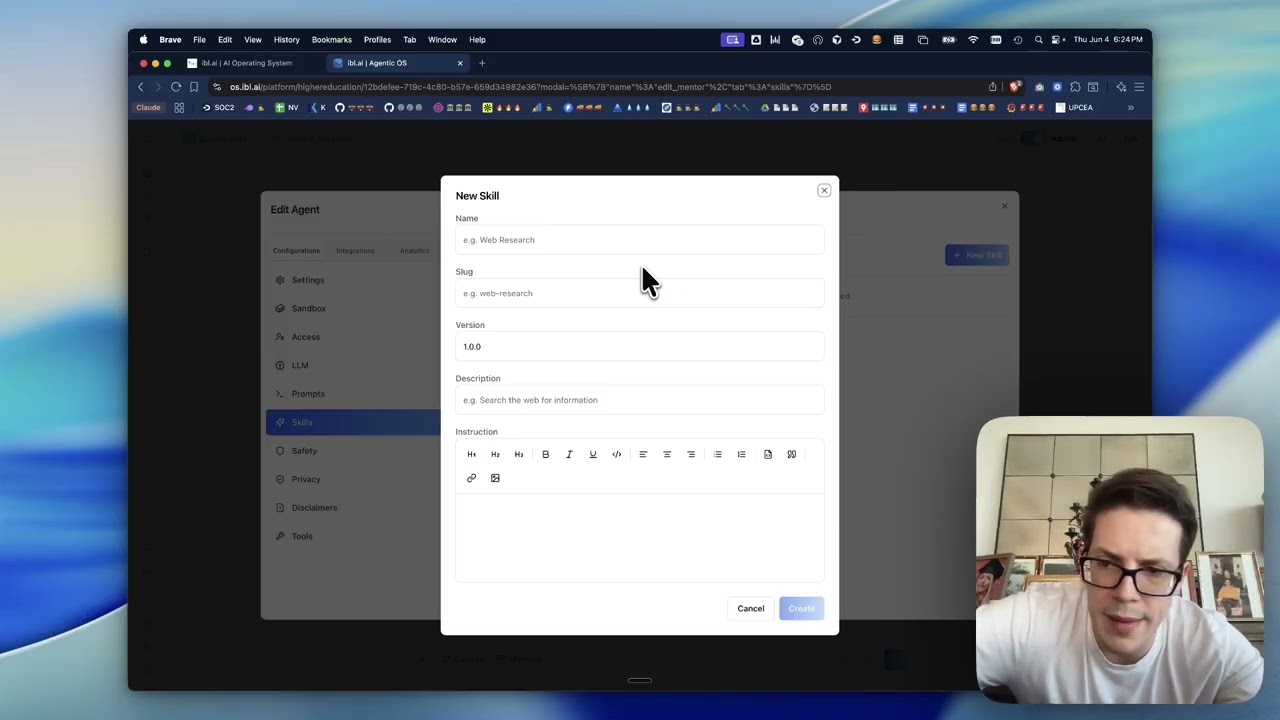
▶︎ Watch the demo · by Miguel Amigot, CTO at ibl.ai
Why ibl.ai/os · Every platform · Features · Case studies · Screenshots · Quick Start · Deployment
SOC 2 Type II · Universities, enterprises, and governments run on ibl.ai — read the case studies →
Why ibl.ai/os
| 🔓 Your code, your data | MIT-licensed and self-hostable. No vendor lock-in — full ownership of the stack and everything that flows through it. |
| 🧠 Any LLM, your choice | Bring OpenAI, Anthropic, Google, Microsoft, Meta, or your own models. Switch providers without rewrites. |
| 📱 Truly everywhere | One codebase ships as web, macOS, Windows, Linux, iOS, and Android — with near-native performance. |
| 🏢 Enterprise-ready | Multi-tenancy, SSO, RBAC, Stripe billing, and whitelabeling built in — not bolted on later. |
Every platform, one codebase
Most AI apps make you choose a device. ibl.ai/os meets your users wherever they are — the same product, native everywhere.
| Platform | Status | |
|---|---|---|
| Web | 🌐 | Live at os.ibl.ai — any modern browser |
| Chrome | 🧩 | Side-panel extension — Chrome Web Store (chat with your agents on any page) |
| macOS | 🍎 | Native app — download universal .dmg (Intel + Apple Silicon, signed & notarized) |
| Windows | 🪟 | Native app — download installer (x64 + ARM64) |
| iOS | 📱 | Native app — App Store |
| Android | 🤖 | Native app — Google Play |
| Linux | 🐧 | Native app — build from source |
Features
🤖 Build & customize
- AI Agents — configurable LLMs, system prompts, tools, and safety filters
- Projects — collaborative workspaces with shared context and goals
- Canvas / Artifacts — generate, edit, and version rich documents alongside chat
- MCP Servers — extend agents with Model Context Protocol tool servers
📚 Ground in your data
- RAG Training — upload docs, connect Google Drive / OneDrive / Dropbox, or crawl sites
- Web Search — ground responses with live web results
- Deep Research — extended multi-step reasoning for complex queries
🎙️ Rich conversations
- Voice Calls — real-time WebRTC voice chat powered by LiveKit
- Screen Sharing — share your screen directly inside a session
🏢 Operate & scale
- Analytics — usage dashboards, topic analysis, transcripts, financial reporting
- Multi-tenancy — full tenant isolation, per-org branding & user management
- SSO & RBAC — OAuth / OIDC / SAML with granular role-based access
- Stripe Billing — subscriptions, free trials, usage-based pricing
- Embed & API — iframe embed mode, custom domains, and API keys
- Whitelabeling — custom branding, logos, and disclaimers
Case studies
Universities, enterprises, and government agencies build on ibl.ai — deploying agents on their own infrastructure, with their own models, at a fraction of the cost of closed platforms.
Screenshots
Agent configuration — dial in LLMs, prompts, safety filters, and conversation starters
Quick Start
git clone https://github.com/iblai/os.git
cd os
pnpm install
Using Claude Code? Run /setup — it walks you through connecting your ibl.ai tenant and configuring .env.local automatically.
Manual setup: Copy .env.example to .env.local, then set NEXT_PUBLIC_MAIN_TENANT_KEY to your org key from login.iblai.app/me.
cp .env.example .env.local   # then edit NEXT_PUBLIC_MAIN_TENANT_KEY
pnpm dev
Open http://localhost:3000. See the full Development Guide for environment variables, scripts, and architecture details.
Deployment
ibl.ai/os is the frontend for the ibl.ai platform. Choose your path based on your backend setup:
Option A: Existing ibl.ai Tenant
If you already have an ibl.ai tenant (organization key):
-
Configure your tenant
cp .env.example .env.localUpdate these values with your tenant details:
NEXT_PUBLIC_TENANT=your-tenant -
Deploy with Docker (recommended)
docker build -t os .
docker run -p 5000:5000 --env-file .env.local os
Or deploy standalone:
pnpm build
PORT=3000 node server-wrapper.js
The build emits a self-contained server under
.next/standalone/(Next.js standalone output).next.config.tspinsoutputFileTracingRootto the project directory so the output always lands at.next/standalone/server.jswith its static assets alongside it. See Troubleshooting if the app loads to a blank screen.
Option B: Enterprise Deployment
If you need full backend infrastructure:
-
Get an enterprise license
Reach out at ibl.ai/contact to get a license of the enterprise platform (full backend codebase).
-
Deploy with our infra CLI
If you already have access to our Docker images, deploy them easily via iblai/iblai-infra-cli.
Note: ibl.ai/os requires the ibl.ai backend platform for authentication, AI agent APIs, and data services. The backend is not included in this repository — visit ibl.ai to get started.
Every surface, on your own backend
Ship Web, macOS, Windows/Surface, Linux, iOS, and Android pointed at your own deployment — one web codebase, with the native apps as webview shells around it:
→ Platform deployment guide (per-surface build, backend config, and release).
Full deployment docs: Docker & Standalone · native app dev
Build-Time Configuration
The native (Tauri) app reads two optional build-time flags. Because they're
baked in at compile time (Rust's option_env!), you set them as environment
variables in the build shell before pnpm exec tauri build — so the same
codebase can produce differently-configured builds from the same app URL (e.g.
one build locked to tenant A, another to tenant B).
| Env var | Tauri command | Default | Effect |
|---|---|---|---|
IBL_TENANT | get_locked_tenant → string | "" (unlocked) | Tenant lock. When set, the app forces every user onto this tenant — logging out of any other tenant it finds — and hides the tenant switcher. Empty = multi-tenant. |
IBL_ALLOW_IN_APP_PURCHASE | allow_in_app_purchase → bool | false | Enables in-app purchase UI. Truthy values: 1, true, yes, on (case-insensitive). |
# a build locked to the "acme" tenant with in-app purchase enabled
IBL_TENANT=acme IBL_ALLOW_IN_APP_PURCHASE=true pnpm exec tauri build
In CI, set them as env on the build step. src-tauri/build.rs declares
cargo:rerun-if-env-changed for both, so cargo recompiles whenever a value
changes between builds. Leaving them unset yields a standard, unlocked build.
Troubleshooting
The app loads to a blank page or stays stuck on the loading spinner (no redirect to login).
Open your browser's DevTools → Network tab and reload. If every request under
/_next/static/... and /env.js returns 404/503, the server isn't finding
its static assets. Two common causes:
-
A duplicate or stale server is bound to the port. An older
node/nextprocess from a previous run can keep listening on:3000and shadow the new one (a process bound to a specific address such as127.0.0.1wins over a wildcard bind). Find and stop strays before starting fresh:lsof -nP -iTCP:3000 -sTCP:LISTEN # list listeners on the port kill <PID> # stop the stale one -
The standalone output was nested under an unexpected path. Next.js infers the file-tracing root from the nearest lockfile. A stray lockfile in a parent directory (e.g.
~/package-lock.json) makes it treat your home directory as the workspace root and emit the server at.next/standalone/<path-to-project>/server.jsinstead of.next/standalone/server.js—post-build.shthen copies static assets next to the wrong path andserver-wrapper.jscan't find the server. This repo pinsoutputFileTracingRootinnext.config.tsto prevent it; if you still hit nesting, remove the stray parent lockfile and rebuild.
Testing
This project is covered by Playwright end-to-end tests in e2e/. Run the E2E suite for any change so nothing regresses:
make e2e-ui
make e2e-ui launches Playwright in interactive UI mode — watch the journeys run, step through them, and re-run individual tests. The first time, install the browsers once:
make e2e-install
Other useful targets:
| Command | What it does |
|---|---|
make e2e | Run the full suite headless (all browsers) |
make e2e-headed | Run with a visible browser |
make e2e-chrome | Run on Chrome only |
make e2e-journey J=01 | Run a single journey spec |
make e2e-report | Open the last HTML report |
See e2e/COVERAGE.md for current coverage. Coverage must not regress — add or update a journey whenever you change user-facing behavior.
Contributing
We welcome contributions! Please see CONTRIBUTING.md for guidelines. If you'll be working with AI-assisted tooling, read AGENTS.md first — it documents the formatting, lint, and push protocol rules that the husky hooks enforce.
Resources
- Documentation
- Development Guide — setup, scripts, architecture, configuration
- iblai-app-cli — CLI for scaffolding ibl.ai apps
- @iblai/mcp — MCP server for AI-assisted development
- Vibe — developer toolkit for building with ibl.ai
- Vibe Starter — pre-wired Next.js + ibl.ai SSO template
License
MIT License. See LICENSE for details.
ibl.ai · Your organization's AI, under your control.