需额外引入样式文件,编辑器用 md-editor-rt/lib/style.css,仅预览用 md-editor-rt/lib/preview.css;mermaid 需 1.3.0 及以上、katex 需 1.4.0 及以上版本才支持;SSR 场景下 MdCatalog 的 scrollElement 需传字符串选择器而非 DOM 元素
md-editor-rt
imzbfMIT活跃维护基于 React 和 TypeScript 的 Markdown 编辑器组件,支持暗色主题、Prettier 格式化、文章直接渲染和图片粘贴上传,适合在 React 项目中快速集成写作与预览功能。
Markdown editor for react, developed in jsx and typescript, dark theme、beautify content by prettier、render articles directly、paste or clip the picture and upload it...
v7.1.0发布于 2026-09-28 07:04 UTC479star56fork同步于 2026-11-07 07:33 UTC
React 的 Markdown 编辑器组件,内置工具栏、主题与图片上传,可直接渲染文章
基于 React 和 TypeScript 的 Markdown 编辑器组件,支持暗色主题、Prettier 格式化、文章直接渲染和图片粘贴上传,适合在 React 项目中快速集成写作与预览功能。
核心能力
- 内置工具栏与全屏编辑,支持快捷键操作
- 用 prettier 美化 Markdown 内容
- 支持粘贴或截图上传图片
- 提供仅预览模式,配合 MdCatalog 生成目录
- 内置默认与暗色主题,预览支持多种主题样式
容易踩的坑
内容由模型根据 README 生成,可能不完整或不准确,以官方文档为准。看原文 README
- v7.1.0最新正式版2026-09-28 · 2026-09-28 07:04 UTC
7.1.0 (2026-09-28)
Fixed Bugs
-
type custom preview footer entries (commit 87f3e6c)
-
inherit defaults for partial language packs (commit 793160b)
- Merge language overrides into a cloned English default, matching Vue
- behavior without mutating shared text.
-
use the latest code formatting callback (commit eaeb07c)
- Read formatCopiedText through a ref so reused copy buttons follow
- callback changes without rescanning the preview.
-
preserve inline tokens in checkbox labels (commit 24b963f)
- Wrap existing inline tokens with structured labels to preserve
- formatting and HTML escaping.
-
preserve safe defaults in custom configuration (commit a81694b)
- Merge custom options over rendering defaults while keeping trust
- disabled unless explicitly overridden.
-
isolate rendering state and enforce safe defaults (commit 1f71477)
- Keep strict defaults, serialize library initialization and rendering,
- and cache sanitized SVGs per preview and code block.
- Reject outdated async results after content or policy changes and
- rebind interactions when cached SVGs create new DOM.
-
sanitize chart options before rendering (commit 9faa3d1)
- Use rich-text tooltips, escape inherited DataView labels and restrict
- links across base, timeline and media options. Keep parsing and
- sanitization independently configurable.
- Restore source text after render failures and recognize closed
- backtick, tilde and nested fences.
Full Changelog: v7.0.0...v7.1.0
-
- v7.0.02026-09-16 · 2026-09-16 09:29 UTC
查看更新说明
7.0.0 (2026-09-16)
Features
-
support code block line highlighting (commit 9df7e63)
- Parse fence metadata for line highlighting, support custom highlighters, and enable code line numbers by default.
-
replace
.md-editor-darkwith.md-editor[data-theme="dark"]for theme toggling (commit ac44460)
Fixed Bugs
-
disable raw HTML parsing in markdown-it (commit 6c815cb)
-
correct exposed callbacks and update CDN extensions (commit 00fa33a)
-
replace dynamic option evaluation with JSON5 (commit 8e9c201)
- Parse ECharts code blocks as data and require a top-level object.
-
keep code line numbers aligned after wrapping (commit a6b4cab)
Others
-
chore(deps): upgrade @vavt/markdown-theme (commit 4a27763)
-
ci(release): merge npm publish channels into one trusted workflow (commit 529604a)
- npm trusted publishing allows a single trusted workflow per package, so
- beta and latest can no longer live in separate files. Combine them into
- publish.yml and pick the npm dist-tag from the trigger: a v* tag
- publishes latest, a push to beta publishes with --tag beta.
- Authentication moves from the long-lived NPM_TOKEN secret to OIDC via
- id-token: write. Node 26 ships npm 11.19.0, above the 11.5.1 minimum for
- the token exchange.
- Extract the release-notes and issue-notification logic into
- .github/scripts/ so the workflow file stays focused on orchestration.
- Both scripts walk the commit history between tags, so checkout keeps
- fetch-depth: 0 -- a shallow clone resolves no previous tag and silently
- produces an empty release entry.
- Serialize runs with a concurrency group since publishing and the
- CHANGELOG write-back both mutate remote state.
- Note: the trusted publisher entry on npm must be repointed from
- latest.yml to publish.yml, otherwise publishing fails with E404.
Full Changelog: v6.5.6...v7.0.0
-
- v6.5.62026-08-05 · 2026-08-05 09:31 UTC
查看更新说明
6.5.6 (2026-08-05)
Fixed Bugs
- preserve structured tokens for rich content (commit e39fc5c)
Others
- ci(release): use changelog entry as release notes (commit e0cdde0)
Full Changelog: v6.5.5...v6.5.6
- v6.5.52026-07-30 · 2026-07-30 03:05 UTC
查看更新说明
See full changelog in
CHANGELOG.md.Full Changelog: https://github.com/imzbf/md-editor-rt/compare/v6.5.4...v6.5.5
- v6.5.42026-07-17 · 2026-07-17 09:52 UTC
查看更新说明
See full changelog in
CHANGELOG.md.Full Changelog: https://github.com/imzbf/md-editor-rt/compare/v6.5.3...v6.5.4
用户点评
登录用户的真实使用记录,可按版本和硬件筛选共 0 条
还没有人点评。第一个说出真实体验的人最有价值。
🎄 md-editor-rt



English | 中文
Markdown editor for react, developed in jsx and typescript.
-
Documentation and demo:Go
-
The same series editor for vue3:md-editor-v3
⭐️ Features
- Toolbar, screenfull or screenfull in web pages and so on.
- Themes, Built-in default and dark themes.
- Shortcut key for editor.
- Beautify your content by
prettier(only for markdown content, not the code and other text). - Multi-language, build-in Chinese and English(default: Chinese).
- Upload picture, paste or clip the picture and upload it.
- Render article directly(no editor, no event listener, only preview content).
- Theme of preview,
default,vuepress,github,cyanosis,mk-cute,smart-bluestyles(not identical). It can be customized also(Refer to example page). mermaid(>=1.3.0),katexmathematical formula(>=1.4.0).- Customize the toolbar as you like.
- On-demand Import(>=4.0.0).
🗺 Preview
| Default theme | Dark theme | Preview only |
|---|---|---|
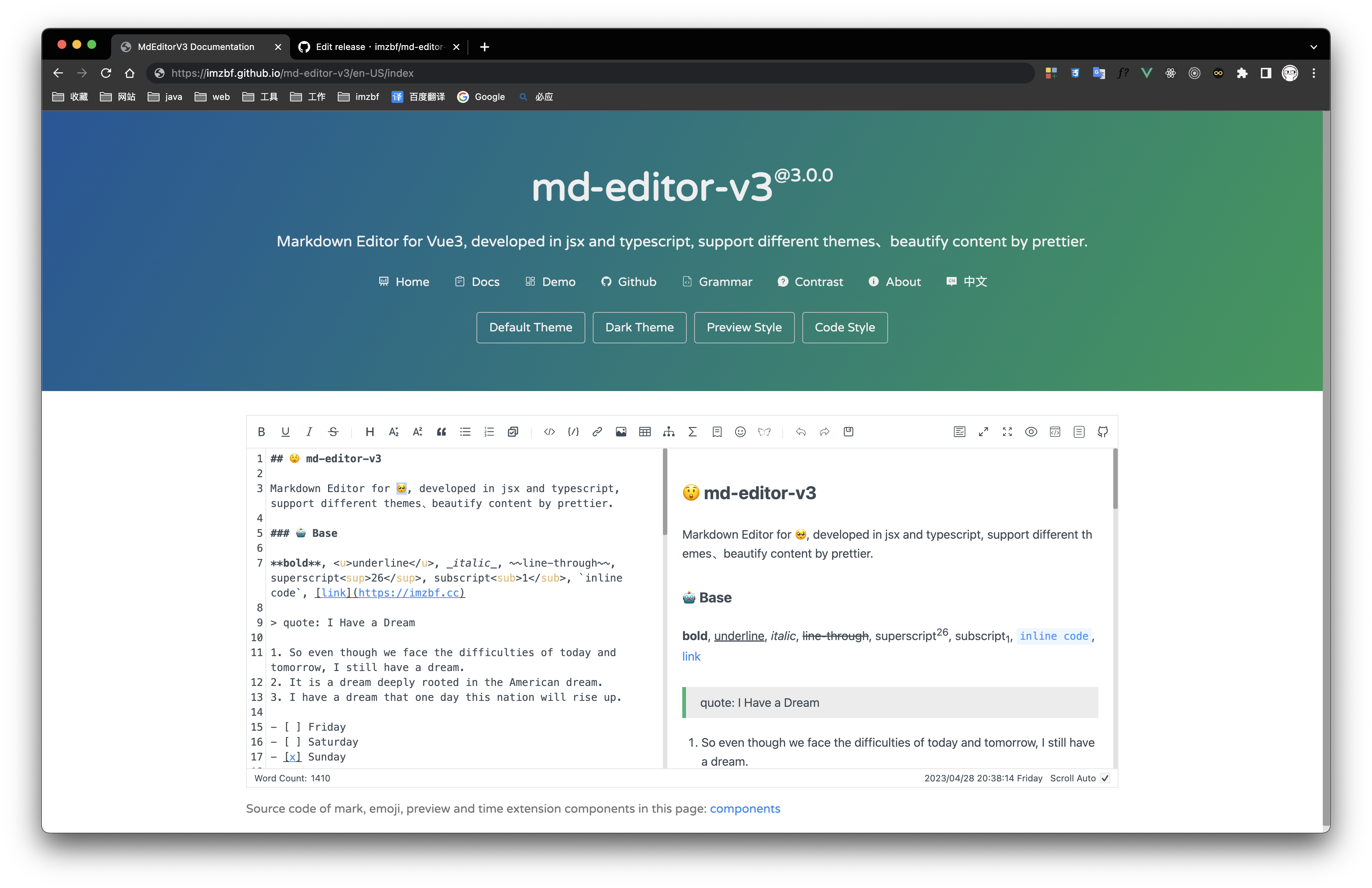 | 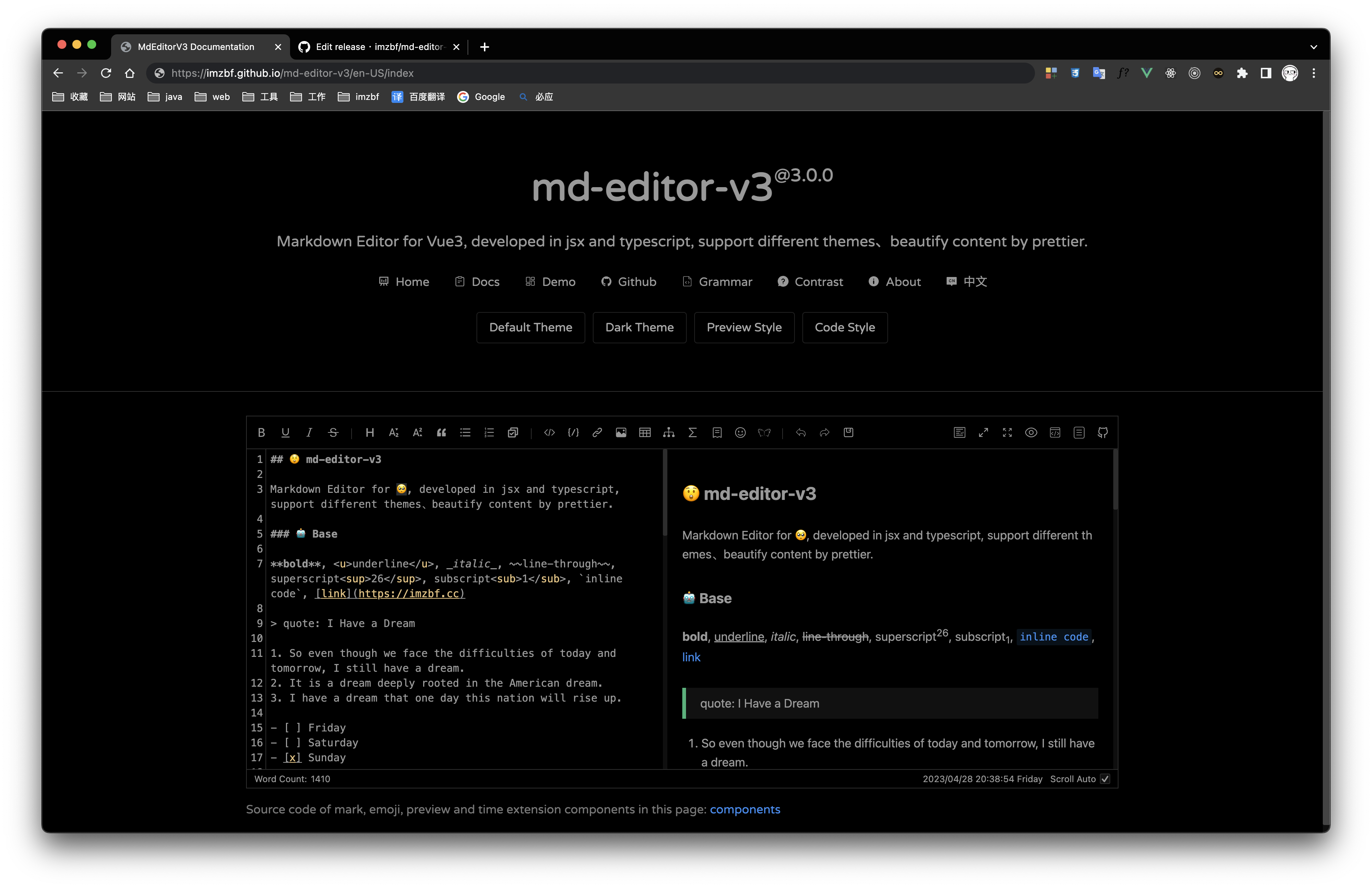 | 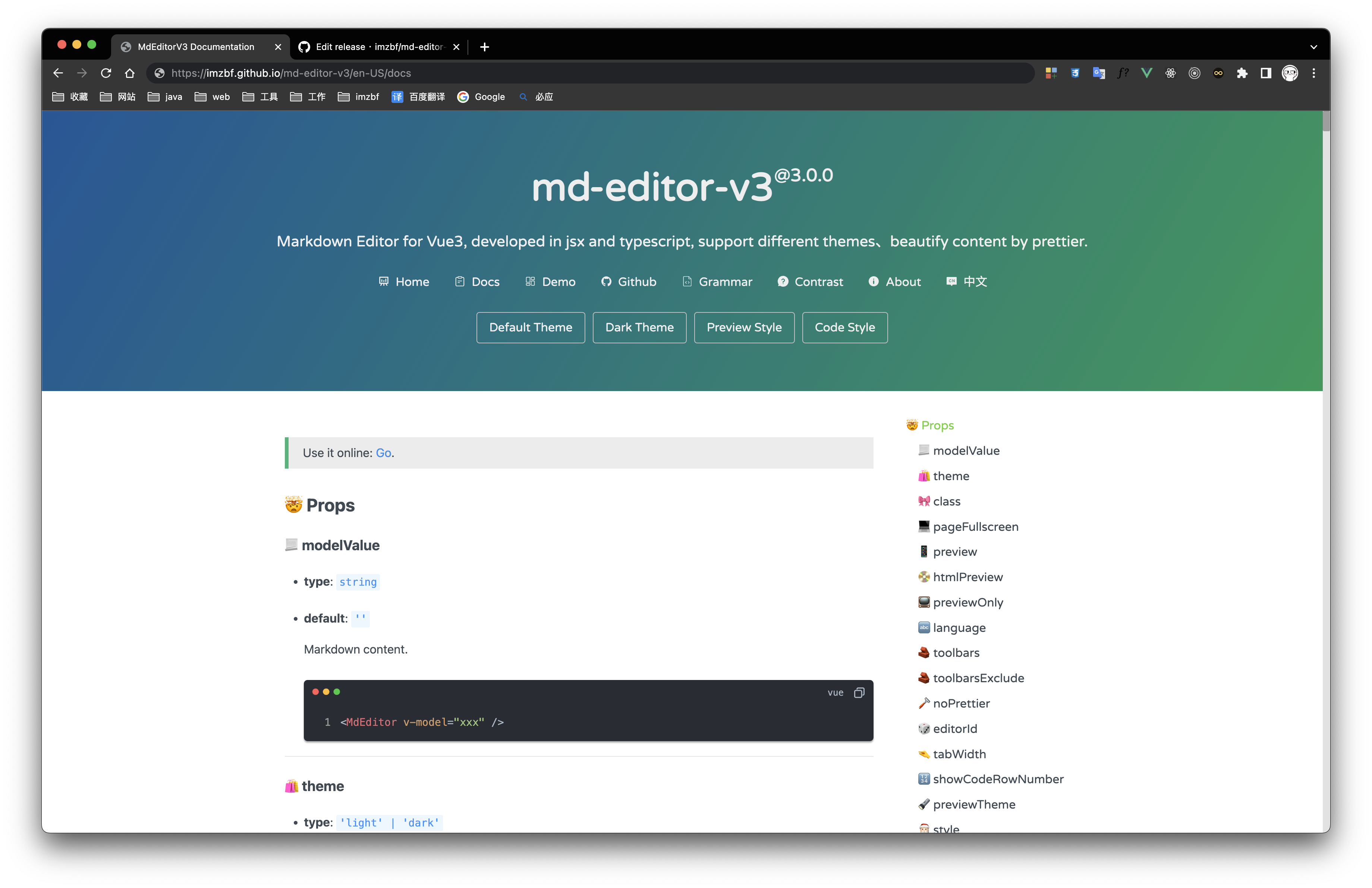 |
Inputing prompt and mark, emoji extensions
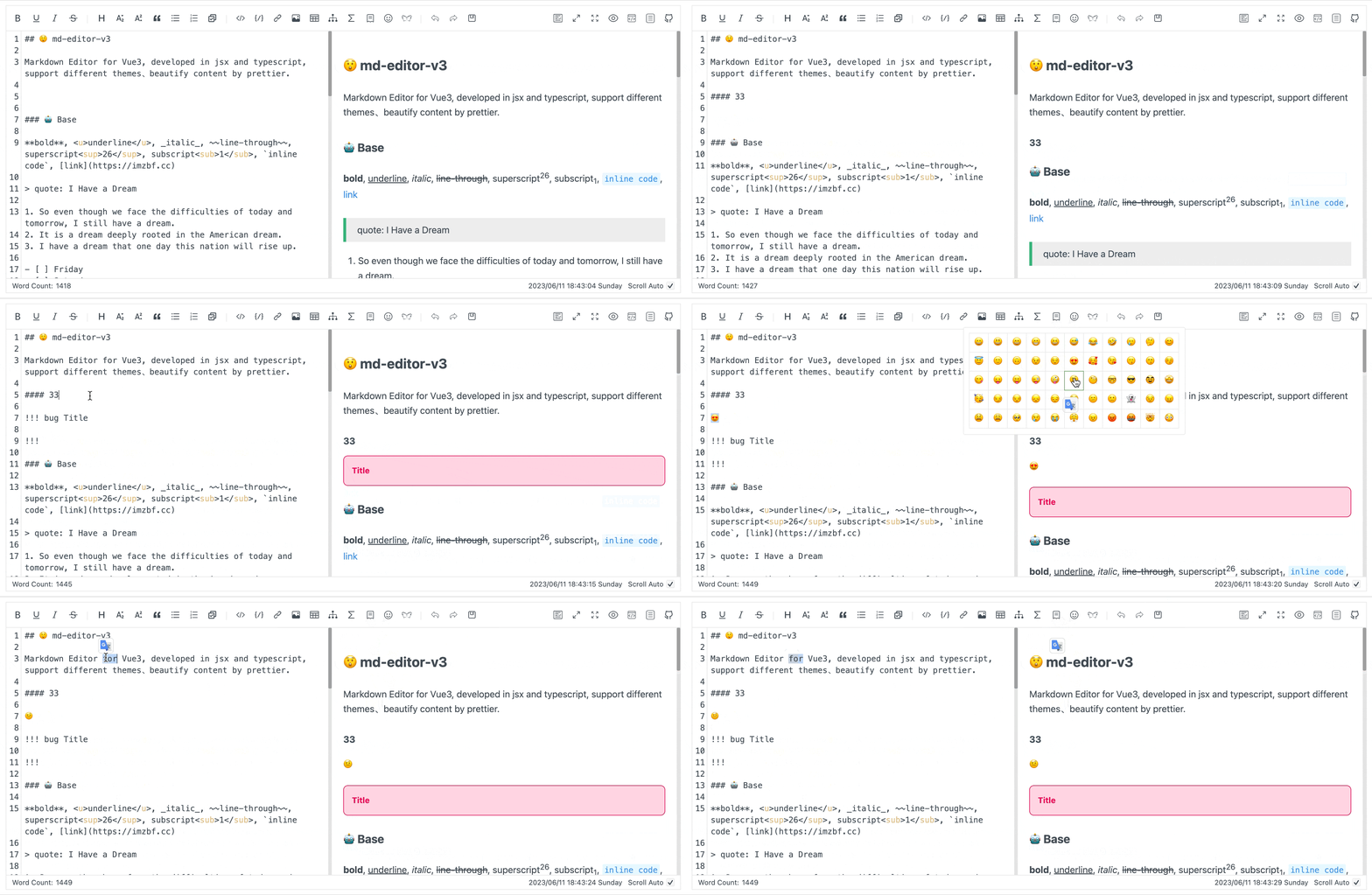
📦 Install
npm i md-editor-rt
Use existing extension of language and theme, such as Japanese
npm i @vavt/cm-extension
Use existing components of toolbar, such as exporting content as PDF
npm i @vavt/v3-extension
For more ways to use or contribute, please refer to: md-editor-extension
💡 Usage
Starting from 4.0.0, internal components can be imported on-demand.
✍🏻 Display Editor
import React, { useState } from 'react';
import { MdEditor } from 'md-editor-rt';
import 'md-editor-rt/lib/style.css';

export default () => {
  const [text, setText] = useState('# Hello Editor');
  return <MdEditor modelValue={text} onChange={setText} />;
};
📖 Preview Only
import React, { useState } from 'react';
import { MdPreview, MdCatalog } from 'md-editor-rt';
import 'md-editor-rt/lib/preview.css';

const scrollElement = document.documentElement;

export default () => {
  const [text] = useState('# Hello Editor');
  const [id] = useState('preview-only');

  return (
    <>
      <MdPreview id={id} modelValue={text} />
      <MdCatalog editorId={id} scrollElement={scrollElement} />
    </>
  );
};
When using server-side rendering, scrollElement should be of string type, eg: html, body, #id, .class.
For more usage, please visit the document.
🏁 Contribute
🤝 Commit Convention (Release Aligned)
The release workflow in .github/workflows/latest.yml reads commit messages to build CHANGELOG.md.
- Format:
<type>(<scope>)!: <summary> - Recommended types:
feat: goes to Featuresrefactor: goes to Refactorsfix: goes to Fixed Bugs- other types: goes to Others
- Subject should describe the user-visible change/problem being solved, not only the mechanical action (e.g. avoid only writing
bump xxx). - Prefer adding commit body (
git czlong description) to explain motivation and impact, especially for dependency upgrades. - Do not use pure version subjects like
6.3.2orv6.3.2-beta.1(ignored by release parser). docs(changelog): ...is reserved for the bot-generated changelog commit.- If you add
#123in subject/body, release automation will notify and close that issue after publishing. Only reference issue numbers that are truly resolved.
Examples:
git commit -m "feat(editor): support drag-sort toolbar items"
git commit -m "fix(preview): sync anchor when heading id contains emoji #1234"
git commit -m "fix(deps): bump @vavt/markdown-theme to fix mermaid overflow"
git commit -m "refactor(build): simplify dts rollup pipeline"
vscode
microsoft·TypeScript
微软开源的跨平台代码编辑器,基于 Electron 和 TypeScript 构建,支持插件扩展、调试和 Git 集成,适合日常开发写代码。
代码编辑器+4编辑器 / IDE
195262+16644k1.145.22026-11-10 17:16 UTC
neovim
neovim·Vim Script
Vim 的分支版本,用 Lua 做配置和插件开发,内置 LSP 与异步 API,让终端编辑器更好扩展、更好用。
文本编辑器+4编辑器 / IDE
103547+757.4kv0.12.62026-11-10 16:22 UTC
zed
zed-industries·Rust
用 Rust 打造的高性能多人协作代码编辑器,由 Atom 和 Tree-sitter 作者开发,主打低延迟编辑与实时协同编码。
代码编辑器+4编辑器 / IDE
94661+78712kv1.27.02026-11-10 16:11 UTC

AFFiNE
toeverything·TypeScript
把文档、白板、表格融为一体的开源知识库,可离线使用、支持多人实时协作,是 Notion 和 Miro 的替代方案。
知识库+4编辑器 / IDE
74421+1285.5kv2026.11.9-canary.9072026-11-10 16:20 UTC