仅支持 Apple Silicon,Intel Mac 无法运行;图像生成依赖 Apple Intelligence 与 macOS 15.2+;本地模型需自行准备 GGUF 文件,README 未说明是否随应用附带。
Sidekick
johnbean393MIT活跃维护一款原生 macOS 聊天应用,基于 llama.cpp 在本地运行大模型,可直接读取你 Mac 上的文件、文件夹和网页内容来回答问题,无需额外安装其他软件。
A native macOS app that allows users to chat with a local LLM that can respond with information from files, folders and websites on your Mac without installing any other software. Powered by llama.cpp.
1.0.0-rc.18发布于 2026-04-02 21:10 UTC3,324star +1 / 7 天146fork同步于 2026-11-10 11:41 UTC
brew install --cask arcadi4/tap/sidekick-ai 硬件要求按 README 说明
需要 Apple Silicon 的 Mac,内存 ≥ 8 GB;README 未说明具体显存要求。图像生成需 macOS 15.2 及以上并支持 Apple Intelligence。
支持 Apple Silicon
macOS 原生本地 LLM 聊天应用,能读取你 Mac 上的文件、文件夹和网站内容作答
一款原生 macOS 聊天应用,基于 llama.cpp 在本地运行大模型,可直接读取你 Mac 上的文件、文件夹和网页内容来回答问题,无需额外安装其他软件。
核心能力
- 内置 llama.cpp 后端,直接跑 GGUF 本地模型
- 用 RAG 检索专家配置的文件、文件夹与网页资源
- 支持函数调用,循环执行工具完成多步任务
- Deep Research 代理自动读 50-80 个网页并写报告
- 可填自带 API Key 接入 OpenAI 兼容的远程模型
容易踩的坑
内容由模型根据 README 生成,可能不完整或不准确,以官方文档为准。看原文 README
- 1.0.0-rc.181.0.0 Release Candidate 18pre-release最新正式版2026-04-02 · 2026-04-02 21:10 UTC
Update
Features
- Local LLM & remote VLMs with an OpenAI compatible API
- File, folder, website indexing and context
- Web search
- Function calling
- Deep Research
- Memory
- Canvas
- Image generation
- Diagrammer
- Slide Studio
- Inline Writing Assistant & Completions
- Detector
New Changes
- Support Gemma 4
Fixes and Performance Improvements
- Response streaming
- 1.0.0-rc.171.0.0 Release Candidate 17pre-release2026-03-12 · 2026-03-12 06:56 UTC
查看更新说明
Update
Features
- Local LLM & remote VLMs with an OpenAI compatible API
- File, folder, website indexing and context
- Web search
- Function calling
- Deep Research
- Memory
- Canvas
- Image generation
- Diagrammer
- Slide Studio
- Inline Writing Assistant & Completions
- Detector
New Changes
- Reasoning toggle
- Support Qwen3.5
Fixes and Performance Improvements
- Improve chat rendering performance
- Start
llama-serverimmediately
- 1.0.0-rc.161.0.0 Release Candidate 16pre-release2025-11-17 · 2025-11-17 19:04 UTC
查看更新说明
Update
Features
- Local LLM & remote VLMs with an OpenAI compatible API
- File, folder, website indexing and context
- Web search
- Function calling
- Deep Research
- Memory
- Canvas
- Image generation
- Extensions
- Diagrammer
- Slide Studio
- Inline Writing Assistant & Completions
- Detector
New Changes
feat: Implement GraphRAG feat: Encourage querying expert resources using tools feat: Overall index progress feat: Revamped chat attachments feat: Paste to add attachments
Fixes and Performance Improvements
fix: Reorder inference settings fix: GLM 4.6 reasoning on OpenRouter fix: Crash during indexing fix: GraphRAG indexing indicator fix: Improve table rendering performance fix: Track token usage fix: Fix resources indexing limbo state fix: Fix toolbar text color fix: Resume indexing fix: Prompt field scrolling fix: Fix cancelled requests fix: Delete attachments for deleted conversations fix: Increase extraction speed fix: Improve attachments UI fix: Reduce startup latency fix: Stop worker model toggling vision fix: Remove provider ranking param
- 1.0.0-rc.151.0.0 Release Candidate 15pre-release2025-11-10 · 2025-11-10 08:05 UTC
查看更新说明
Update
Features
- Local LLM & remote VLMs with an OpenAI compatible API
- File, folder, website indexing and context
- Web search
- Function calling
- Deep Research
- Memory
- Canvas
- Image generation
- Extensions
- Diagrammer
- Slide Studio
- Inline Writing Assistant & Completions
- Detector
New Changes
- feat: Add
run_pythontool - feat: Added Google as a search provider
- feat: Add todo tools
- feat: Context compression for long tool call chains
- feat: Improved model picker
- feat: Show model capabilities in picker
- feat: Allow toggling functions by group
- feat: Auto collapse code blocks and messages
Fixes and Performance Improvements
- fix: Improve tool calling stability
- fix: Improve reliability with malformed tool calls
- fix: Parallel tool calls
- fix: Fixed Claude 4 Thinking and Moonshot models via OpenRouter
- fix: Fix repeated models
- fix: Fix model name in selector
- fix: Scroll to position on generation end
- fix: Model identifiers with remove providers
- fix: Color
Codableconformance - fix: Greedy user message view
Installation
Download the disk image (.dmg), mount it, then drag the app into the Applications folder.
- 1.0.0-rc.141.0.0 Release Candidate 14pre-release2025-11-05 · 2025-11-05 01:24 UTC
查看更新说明
Update
Features
- Local LLM & remote VLMs with an OpenAI compatible API
- File, folder, website indexing and context
- Web search
- Function calling
- Deep Research
- Memory
- Canvas
- Image generation
- Extensions
- Diagrammer
- Slide Studio
- Inline Writing Assistant & Completions
- Detector
New Changes
- feat: Support
gpt-oss - feat: Support
glm-4.5 - feat: Updated app icon
- feat: Compile for macOS 26
Fixes and Performance Improvements
fix: Improved chat rendering performance
Installation
Download the disk image (.dmg), mount it, then drag the app into the Applications folder.
用户点评
登录用户的真实使用记录,可按版本和硬件筛选共 0 条
还没有人点评。第一个说出真实体验的人最有价值。
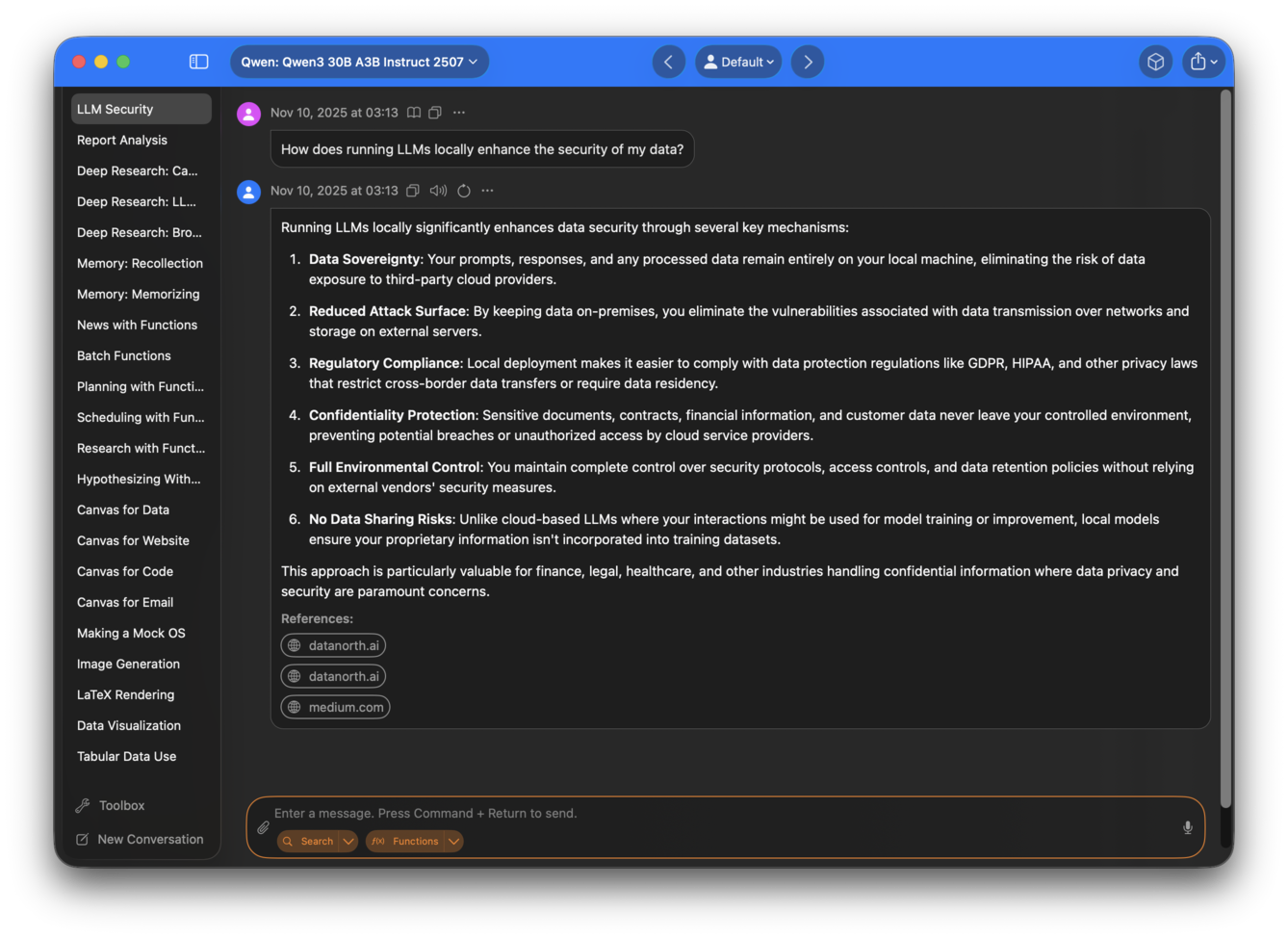
Chat with a local LLM that can respond with information from your files, folders and websites on your Mac without installing any other software. All conversations happen offline, and your data stays secure. Sidekick is a local first application –– with a built in inference engine for local models, while accommodating OpenAI compatible APIs for additional model options.
Sidekick supports modern GGUF local models such as Qwen3.5 out of the box through its built-in llama.cpp backend.
Example Use
Let’s say you're collecting evidence for a History paper about interactions between Aztecs and Spanish troops, and you’re looking for text about whether the Aztecs used captured Spanish weapons.
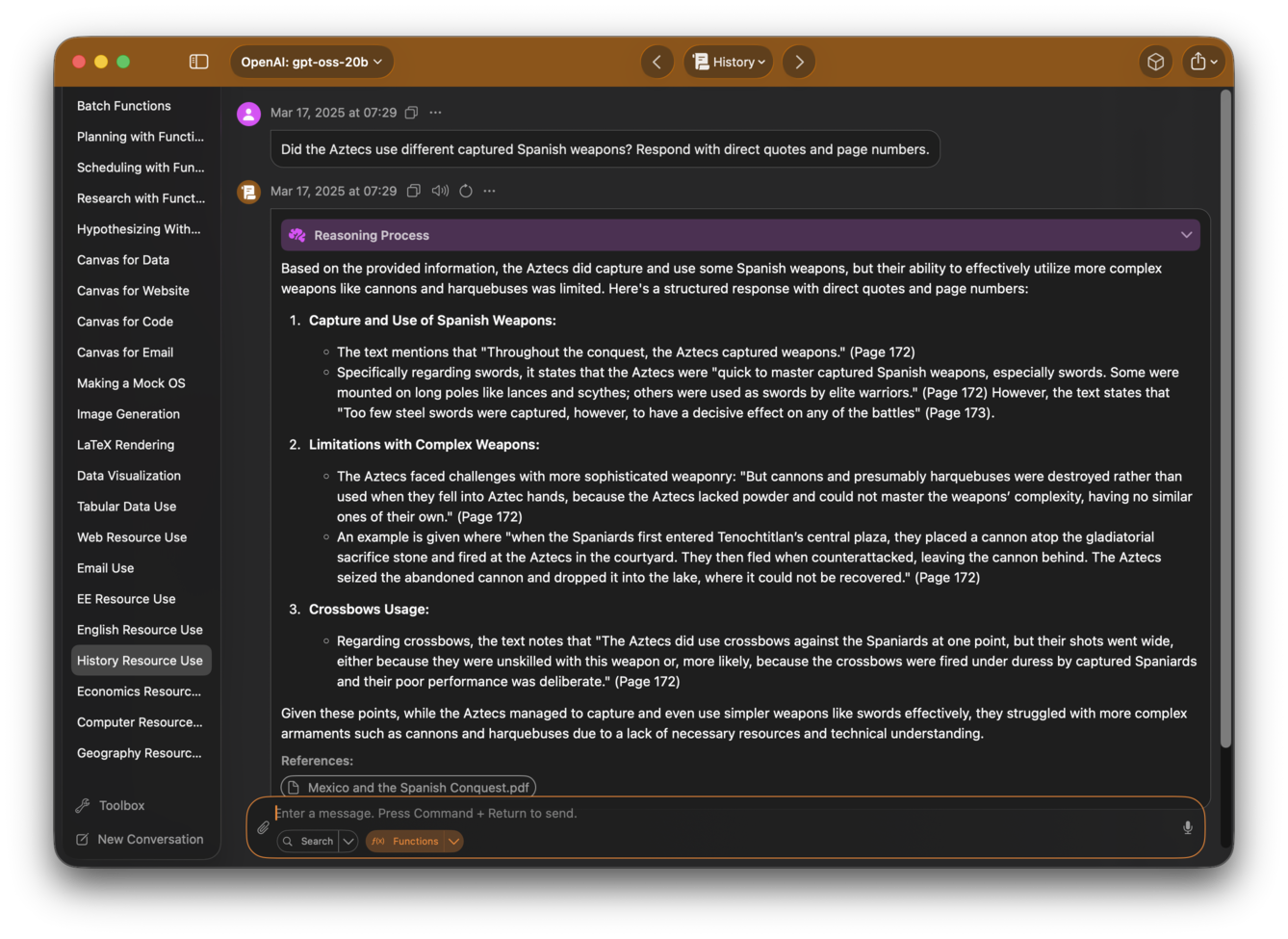
Here, you can ask Sidekick, “Did the Aztecs use captured Spanish weapons?”, and it responds with direct quotes with page numbers and a brief analysis.
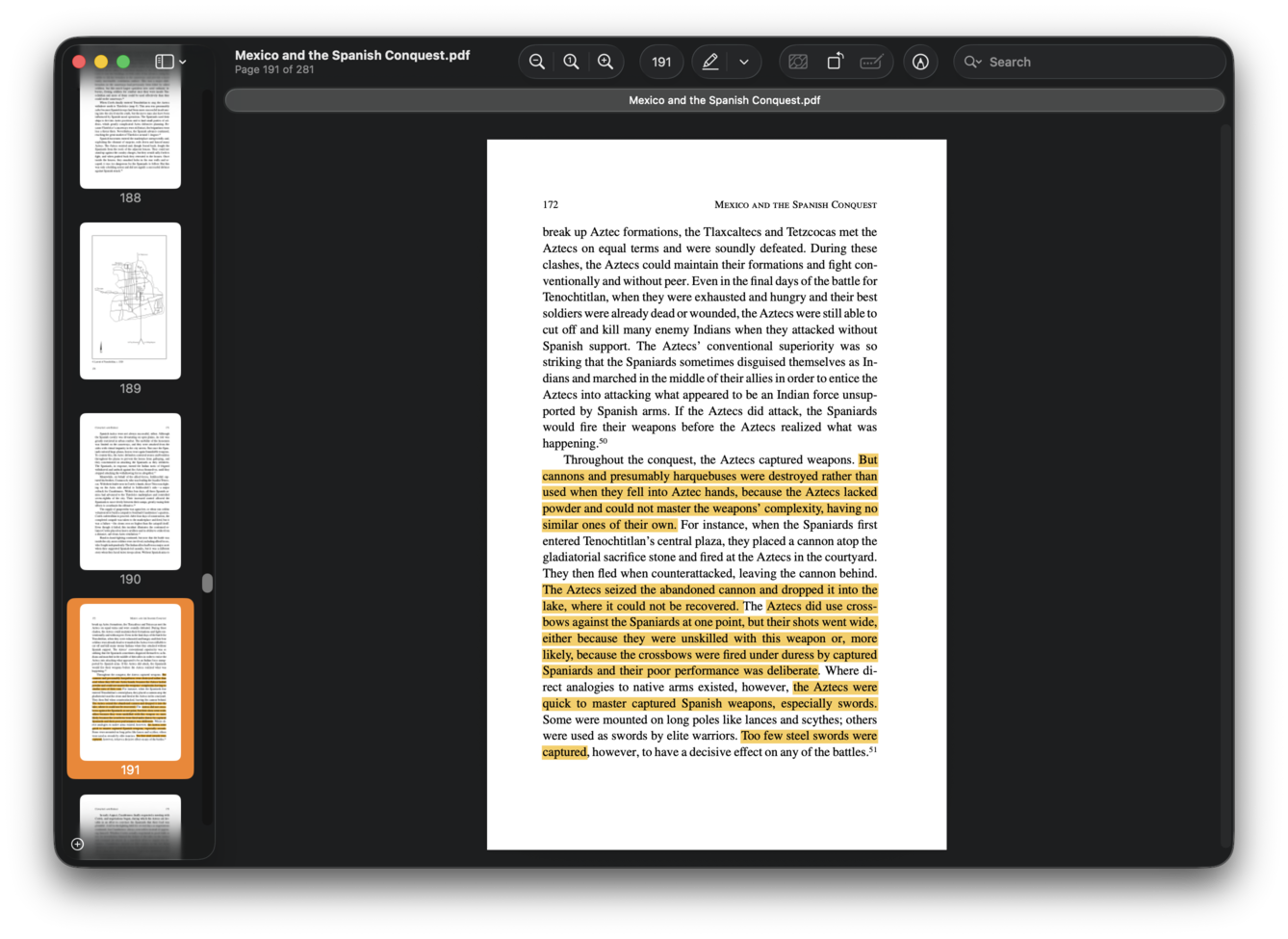
To verify Sidekick’s answer, just click on the references displayed below Sidekick’s answer, and the academic paper referenced by Sidekick immediately opens in your viewer.
Features
Read more about Sidekick's features and how to use them here.
Resource Use
Sidekick accesses files, folders, and websites from your experts, which can be individually configured to contain resources related to specific areas of interest. Activating an expert allows Sidekick to fetch and reference materials as needed.
Because Sidekick uses RAG (Retrieval Augmented Generation), you can theoretically put unlimited resources into each expert, and Sidekick will still find information relevant to your request to aid its analysis.
For example, a student might create the experts English Literature, Mathematics, Geography, Computer Science and Physics. In the image below, he has activated the expert Computer Science.
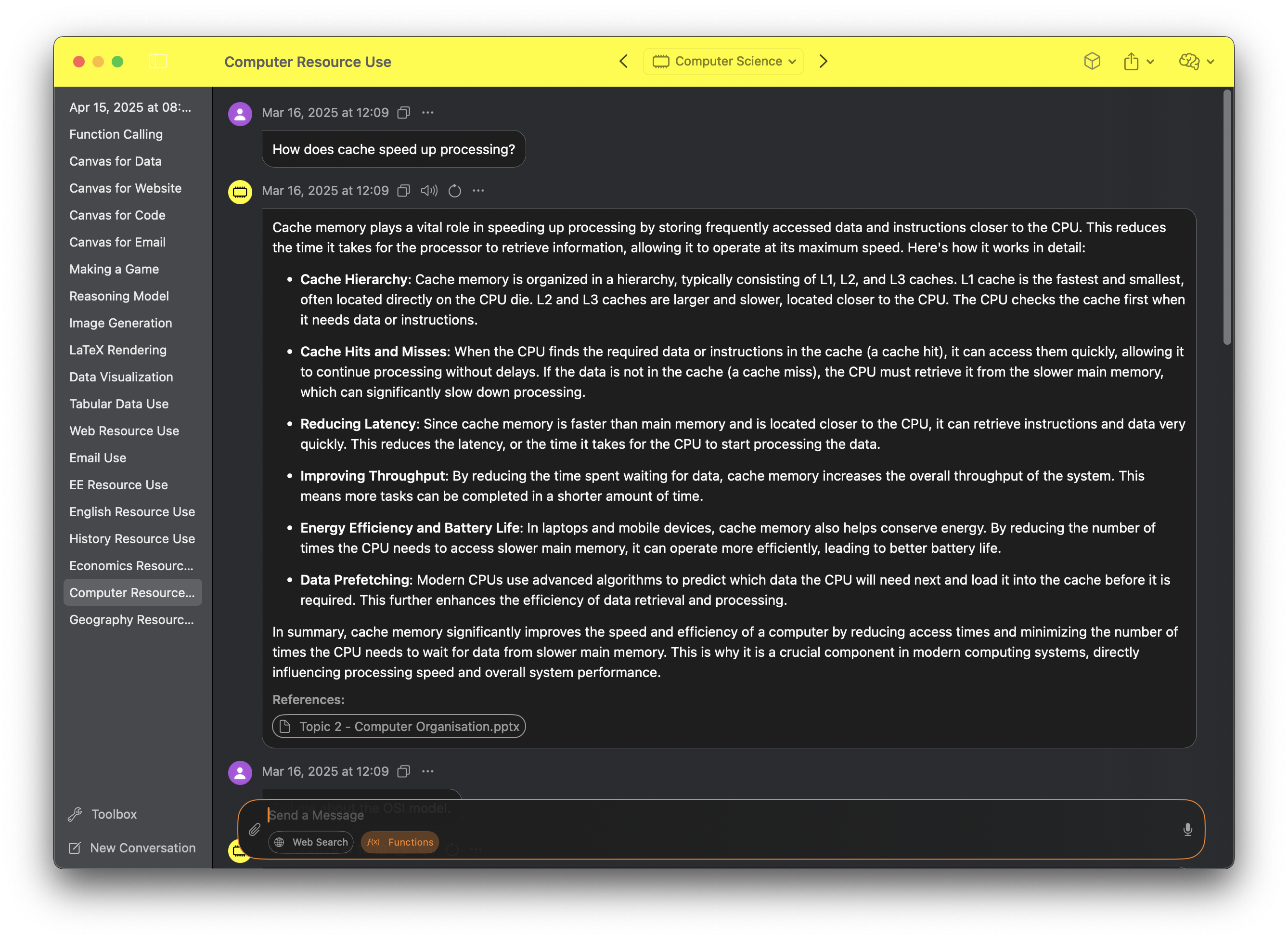
Users can also give Sidekick access to files just by dragging them into the input field.
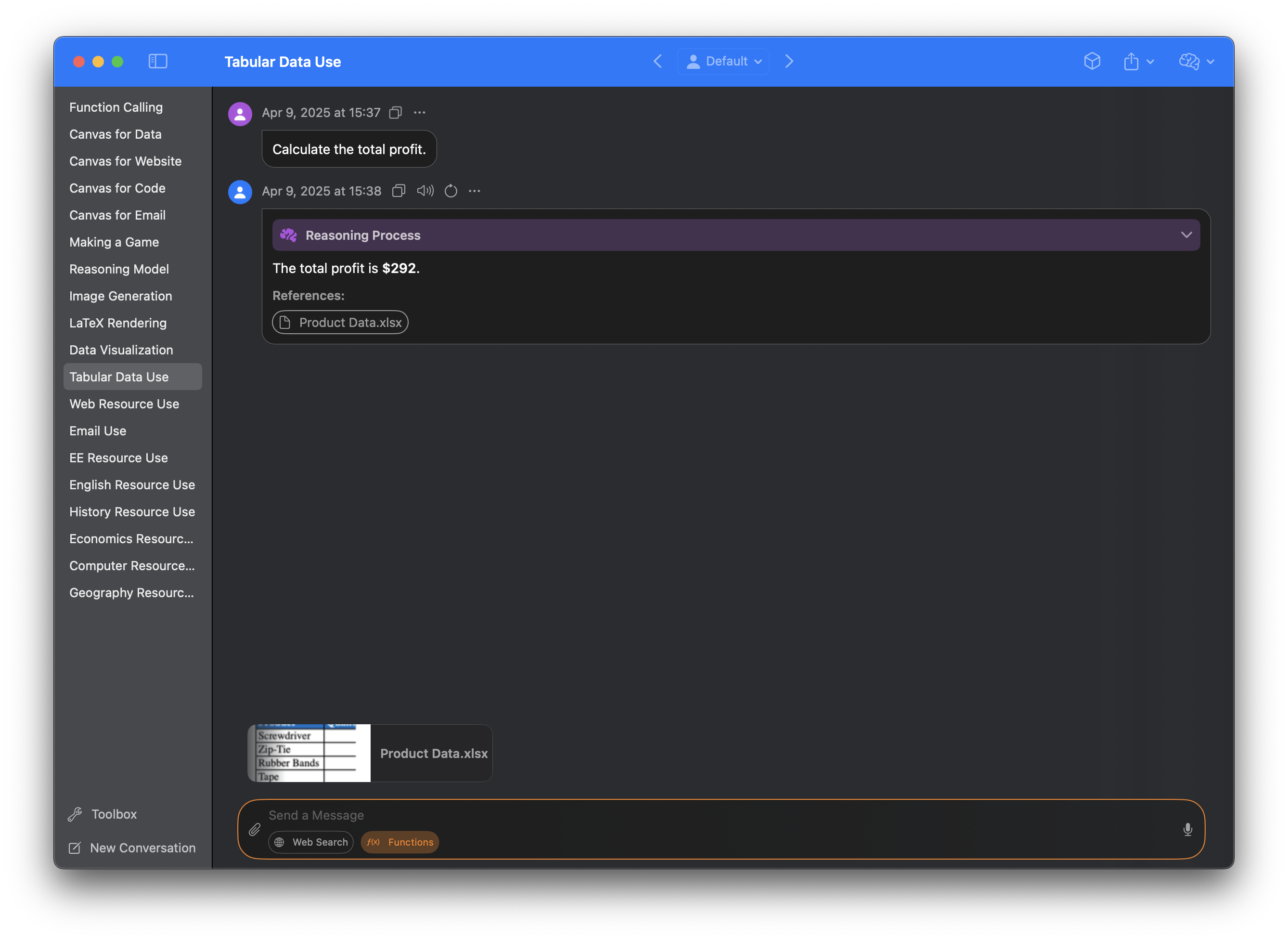
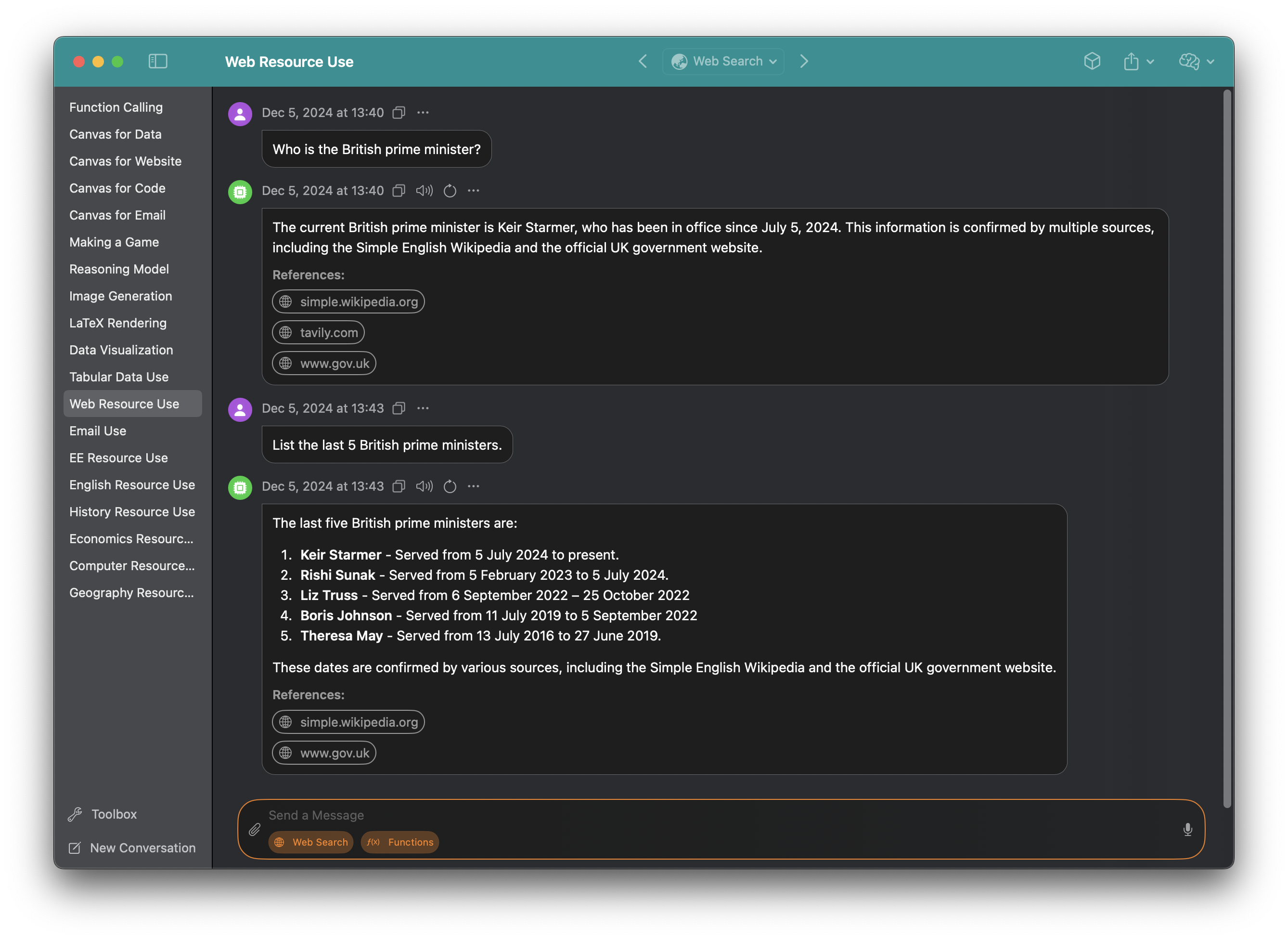
Sidekick can even respond with the latest information using web search, speeding up research.
Bring Your Own API Key
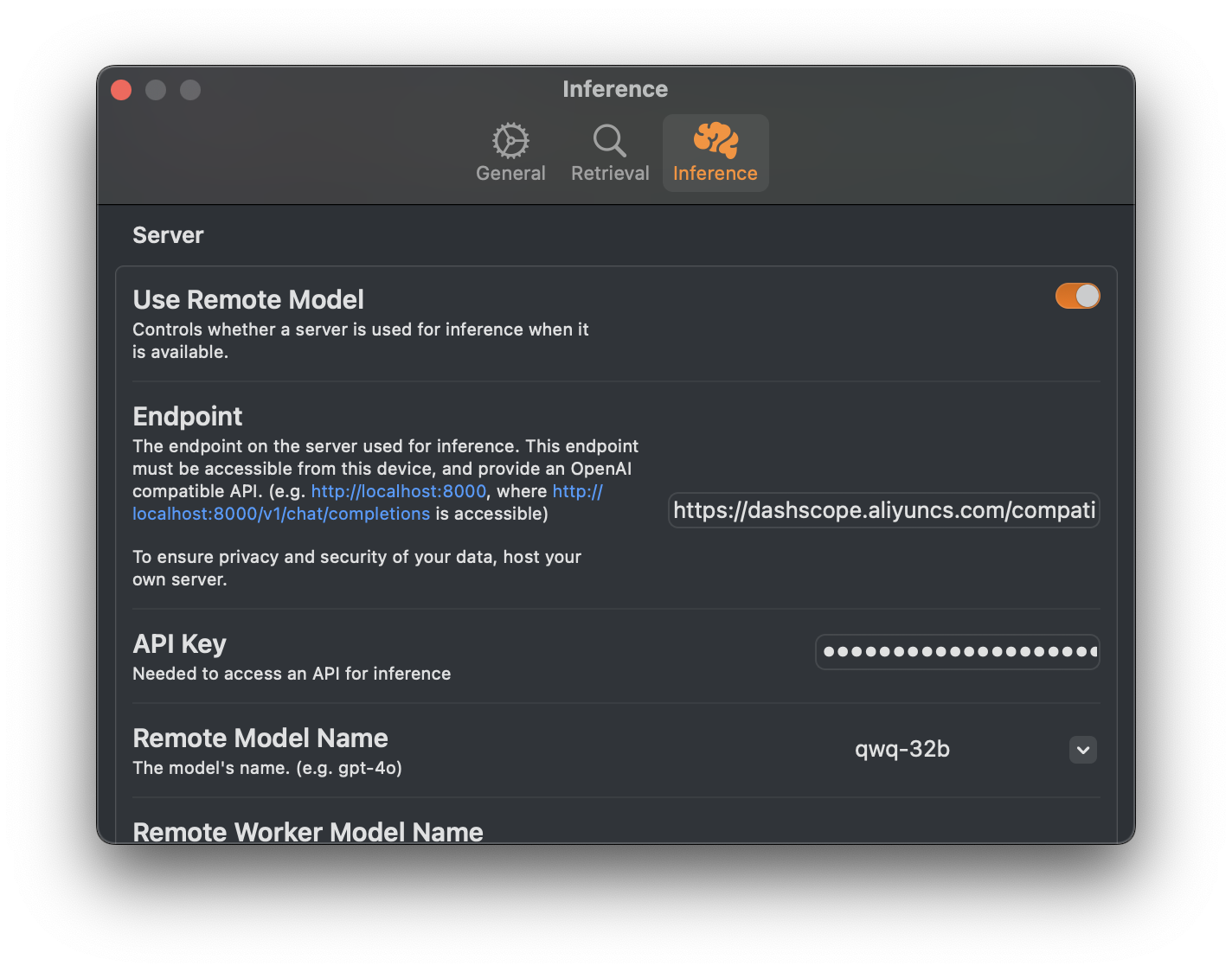
In addition to its core local-first capabilities, Sidekick allows you to bring your own key for OpenAI compatible APIs. This allows you to tap into additional remote models while still preserving a primarily local-first workflow.
Sidekick ships with built-in presets for popular providers, including OpenAI, Anthropic, Google AI Studio, DeepSeek, Groq, MiniMax, Mistral, xAI, and more — just select a provider and enter your API key to get started.
Function Calling
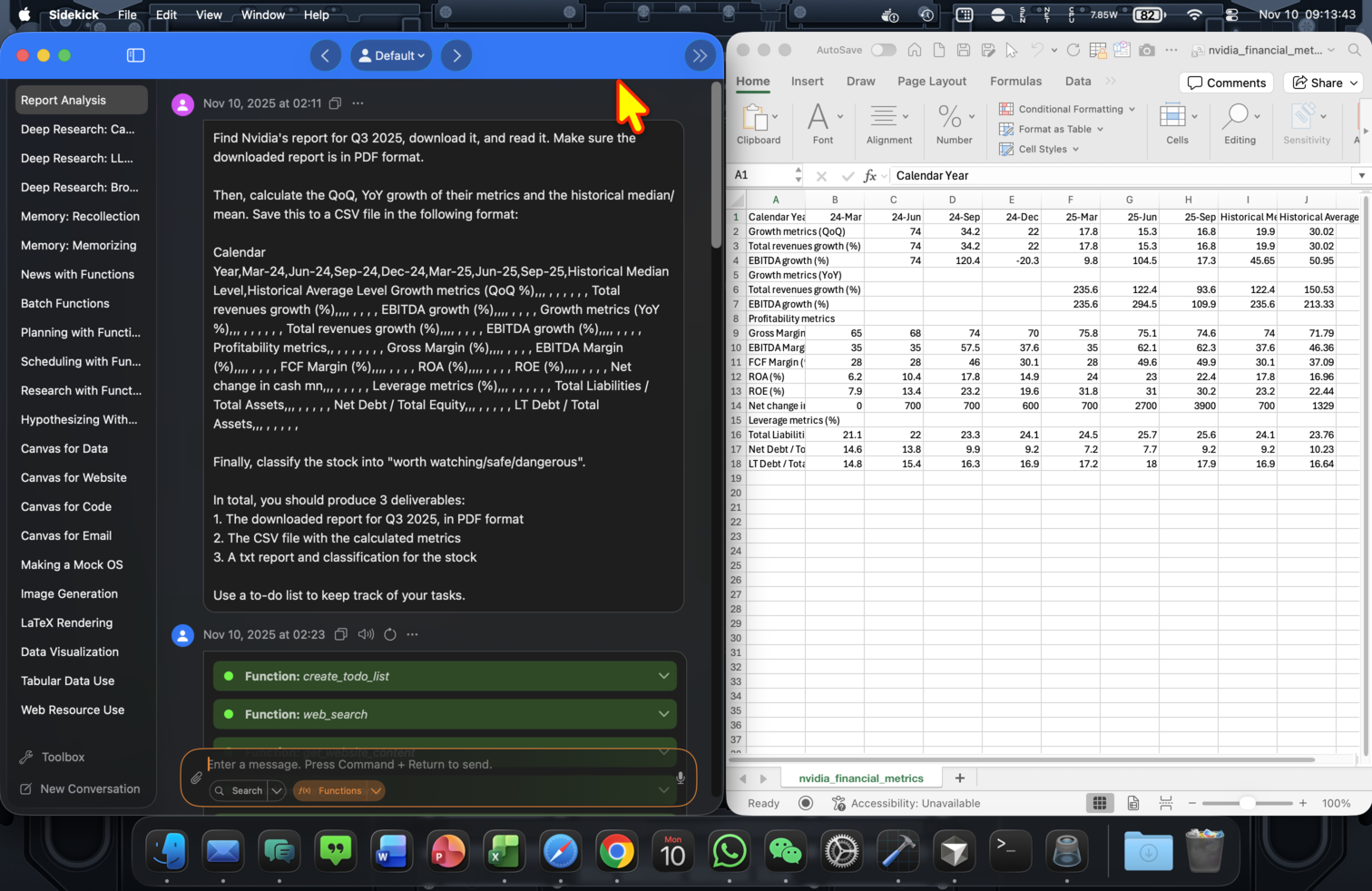
Sidekick can call functions to boost the mathematical and logical capabilities of models, and to execute actions. Functions are called sequentially in a loop until a result is obtained.
For example, when asking Sidekick to calculate Q3 2025 financial metrics for Nvidia, it makes 27 tool calls, saves the CSV file and presents the results.
When telling Sidekick to draft an invitation email for a birthday celebration to my friend Jean, Sidekick finds my birthday and Jean's email address from my contacts book, and creates a draft in my default email client.
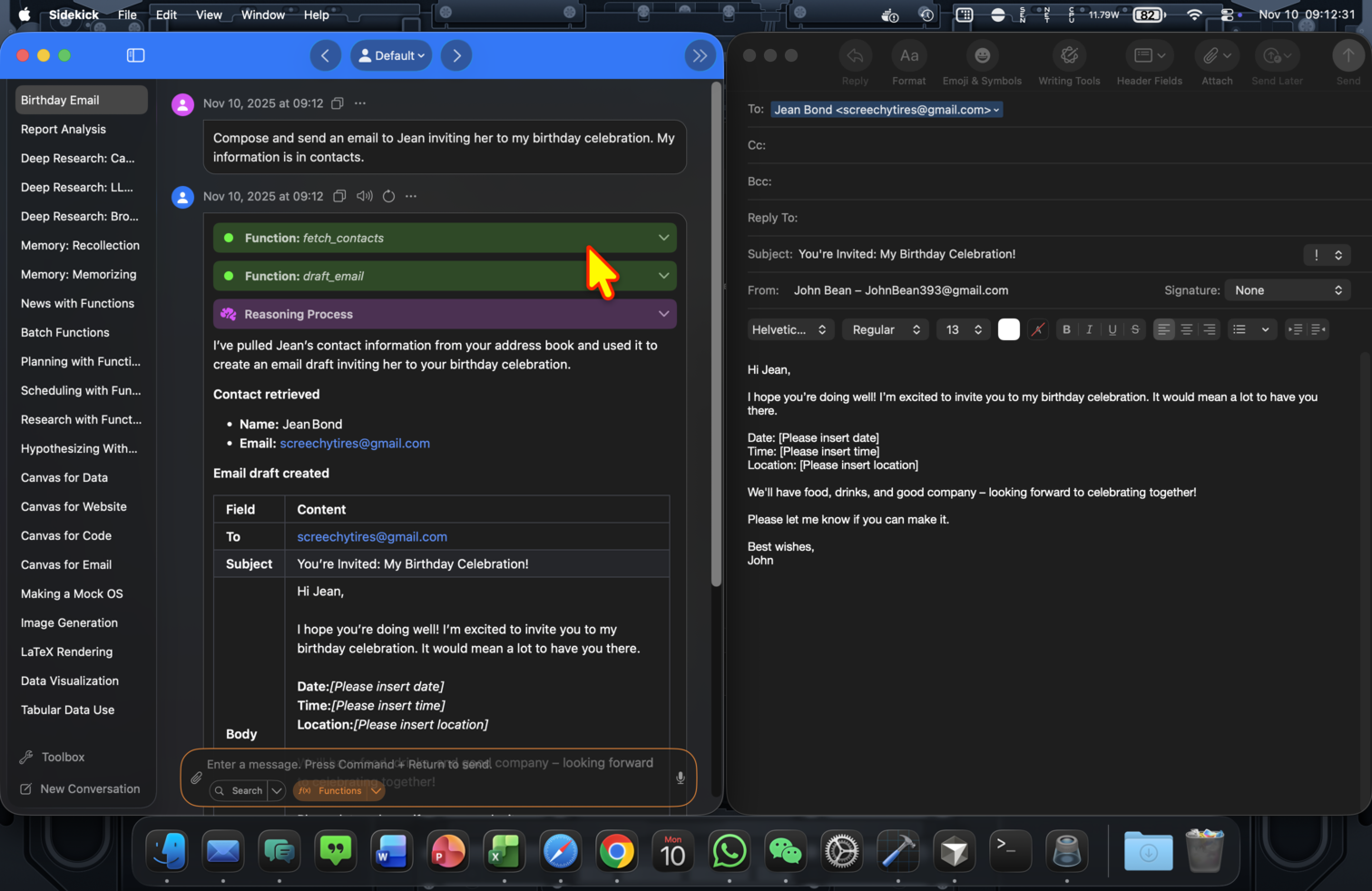
This enables agents running fully locally.
Deep Research
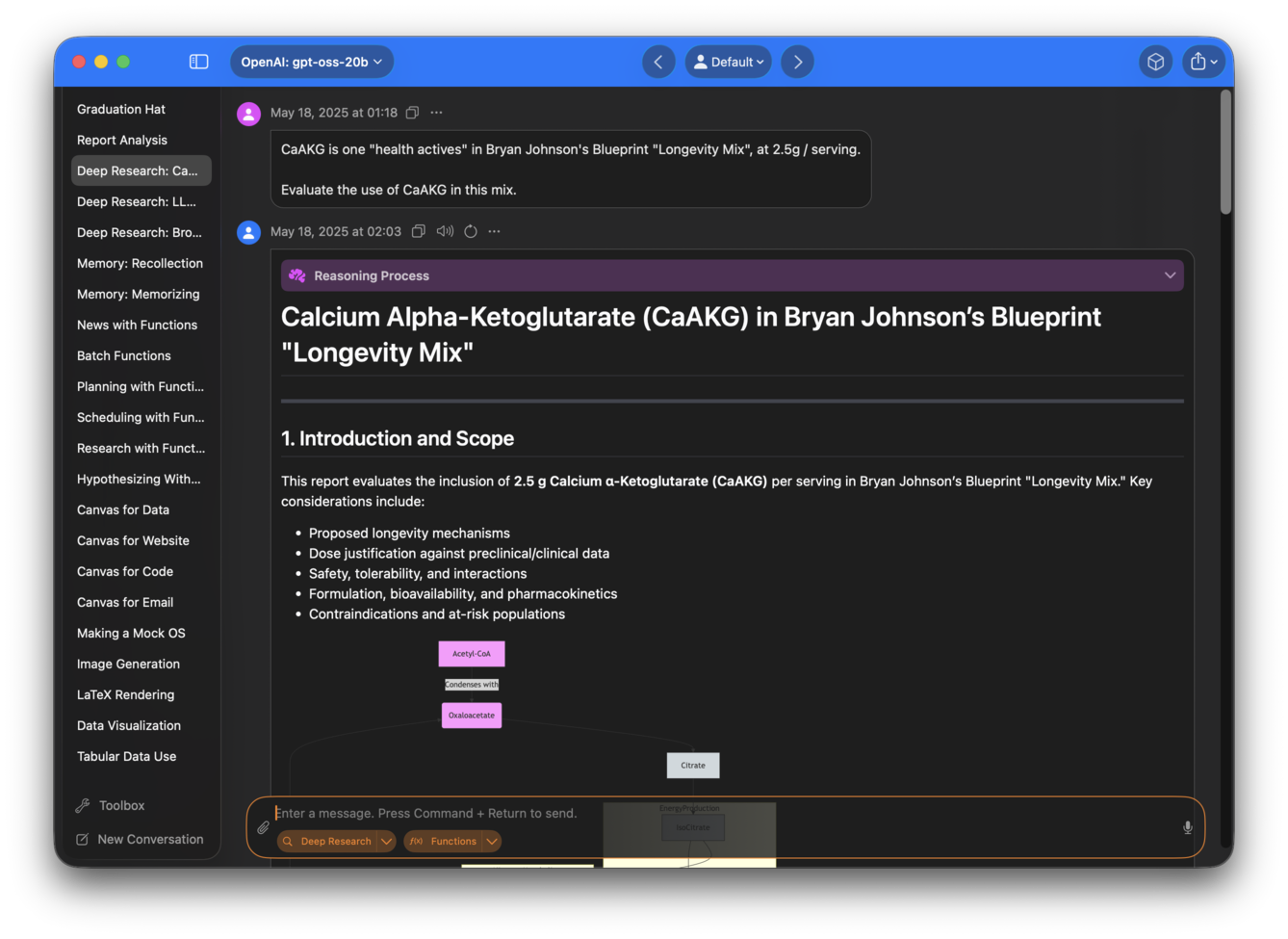
Deep Research is a specific agent implemented in Sidekick to handle long horizon, multi-step research tasks.
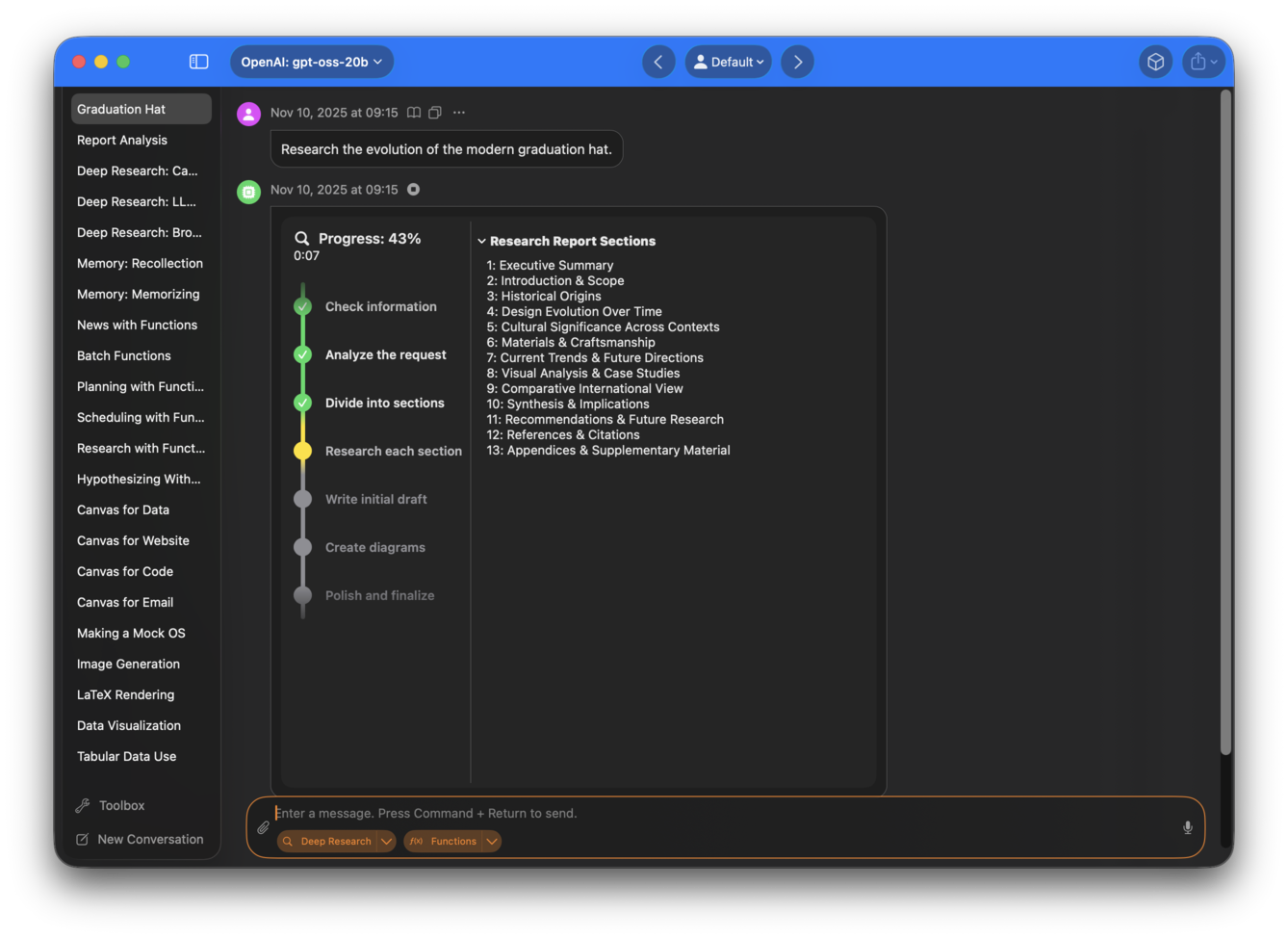
Specify a research topic, and let Sidekick do the rest –– reading 50-80 webpages, and synthesizing information to prepare a research report.
Memory
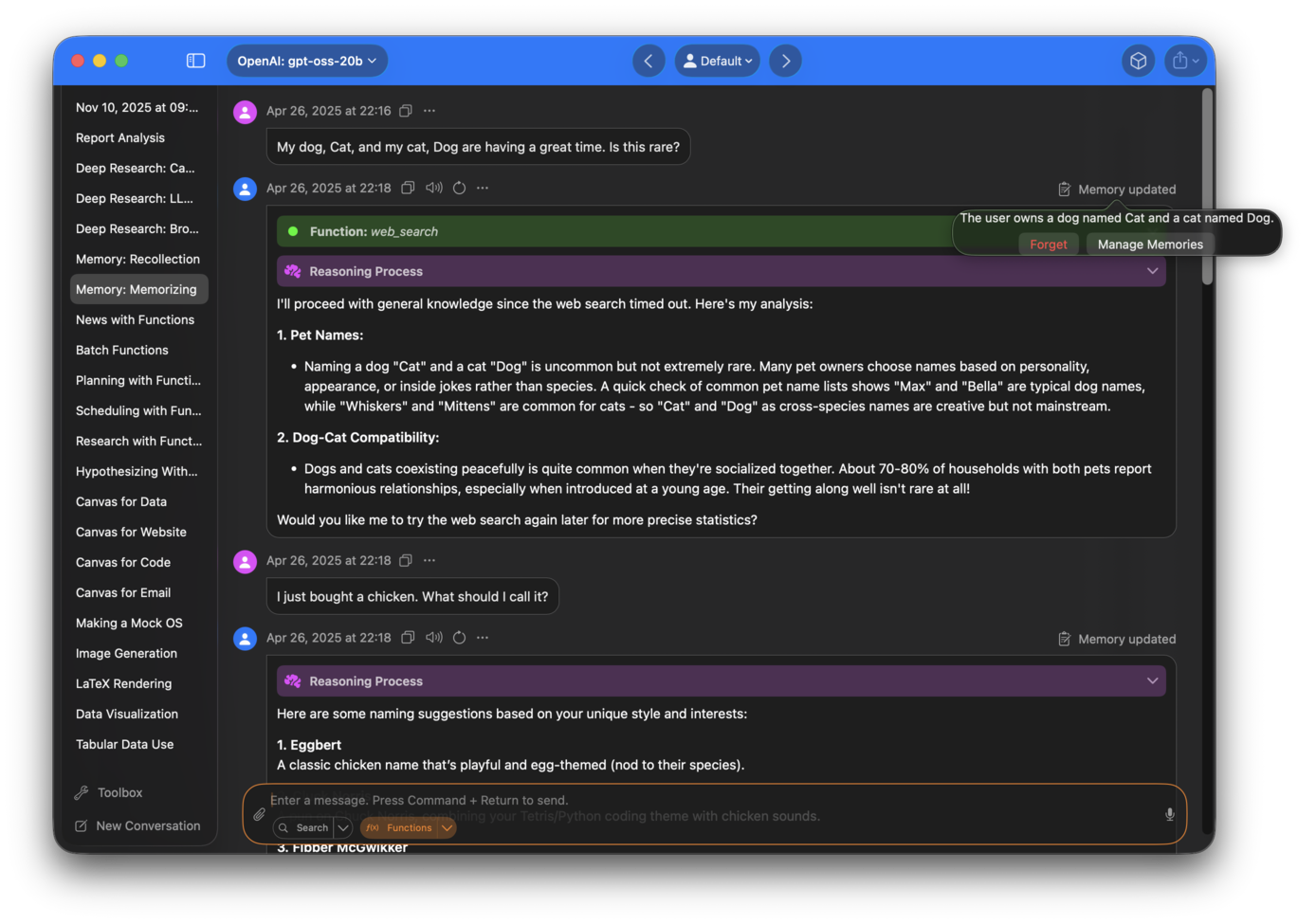
Sidekick can now remember helpful information between conversations, making its responses more relevant and personalized. Whether you're typing, speaking, or generating images in Sidekick, it can recall details and preferences you’ve shared and use them to tailor its responses. The more you use it, the more useful it becomes, and you’ll start to notice improvements over time.
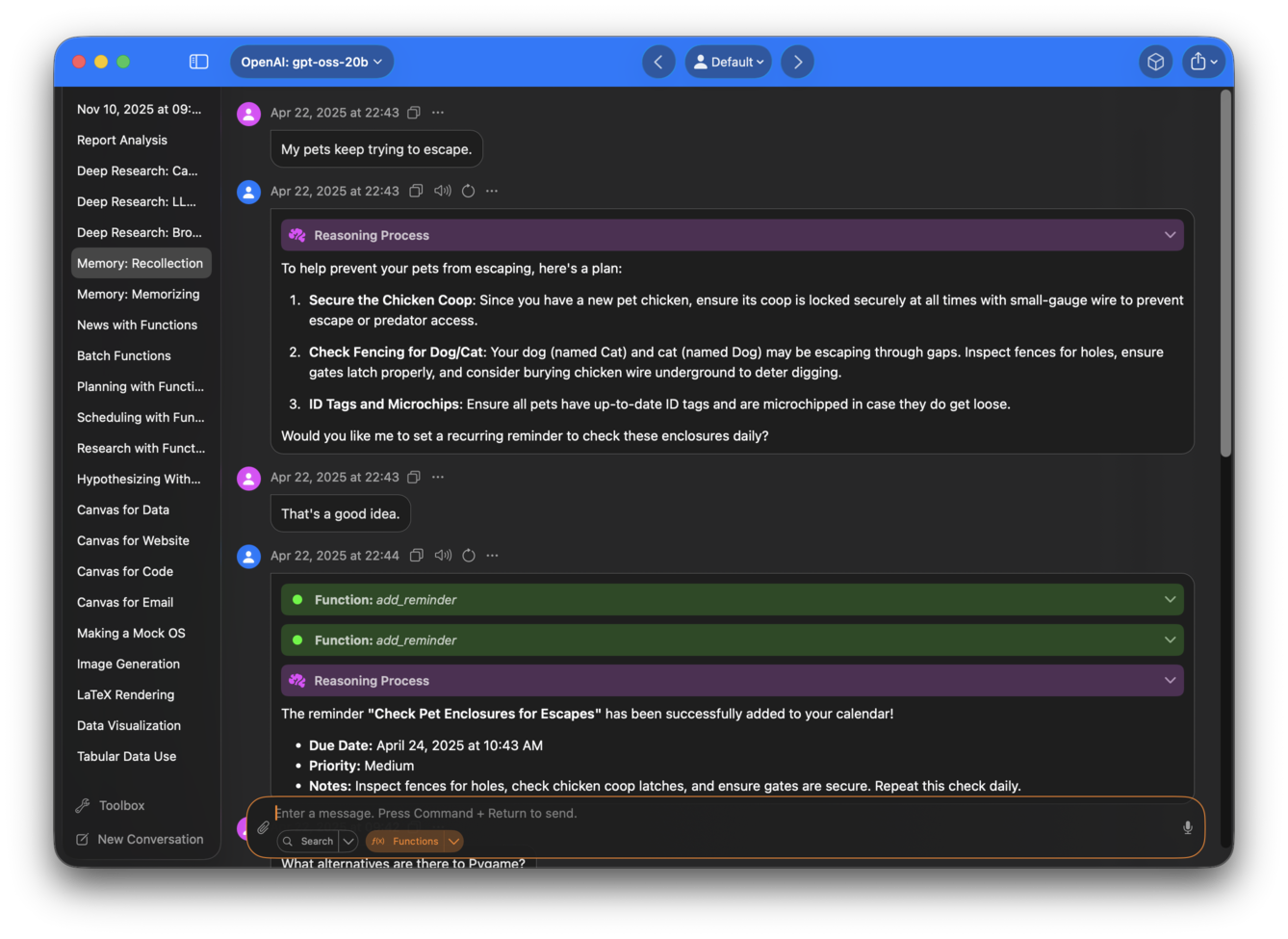
For example, I might tell Sidekick that I am a beginner in Python trying to create my own version of Tetris.
When I ask it about pygame alternatives, it makes recommendations based on my current project, Tetris.
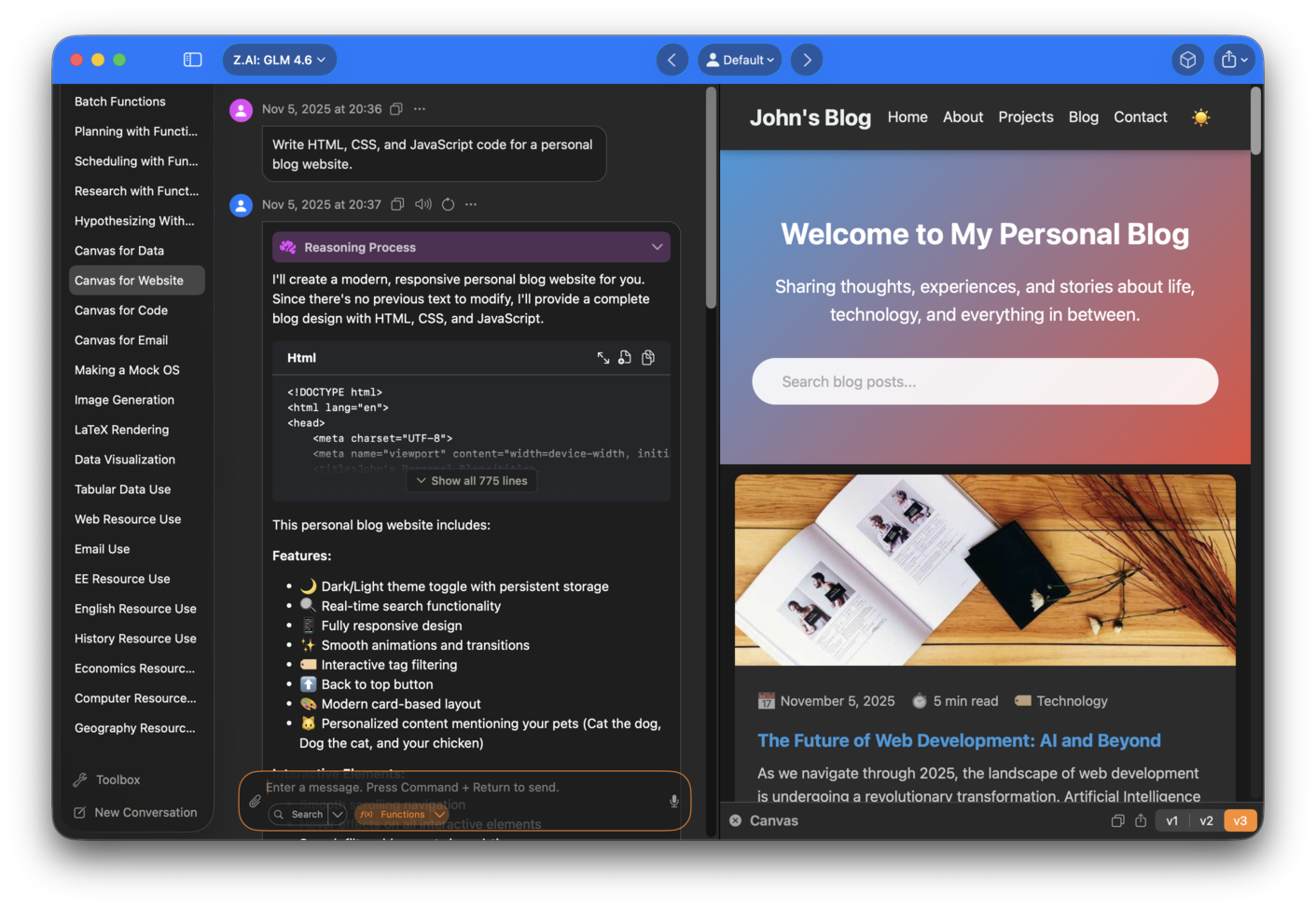
Canvas
Create, edit and preview websites, code and other textual content using Canvas.
Select parts of the text, then prompt the chatbot to perform selective edits.
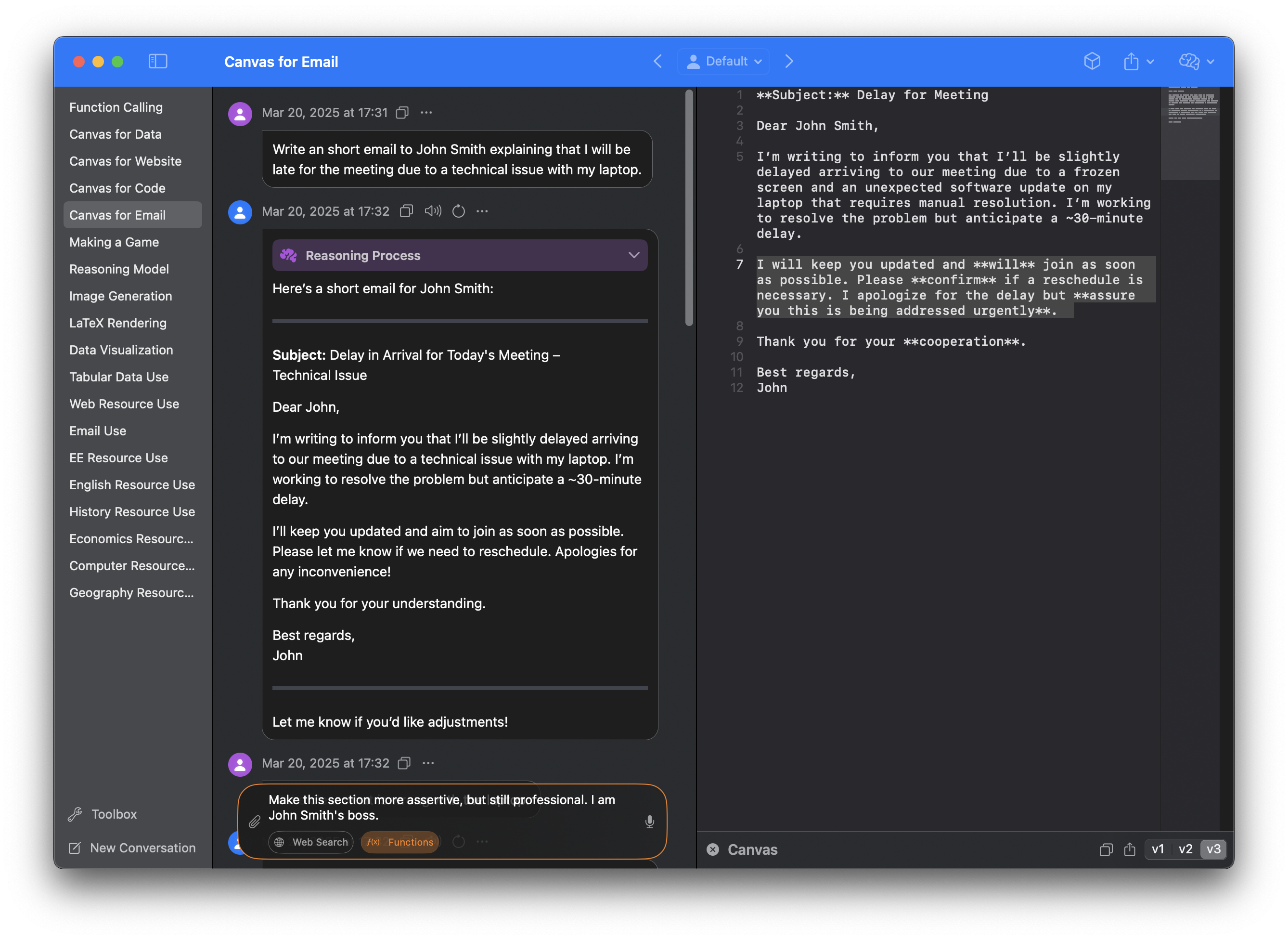
Image Generation
Sidekick can generate images from text, allowing you to create visual aids for your work.
There are no buttons, no switches to flick, no Image Generation mode. Instead, a built-in CoreML model automatically identifies image generation prompts, and generates an image when necessary.
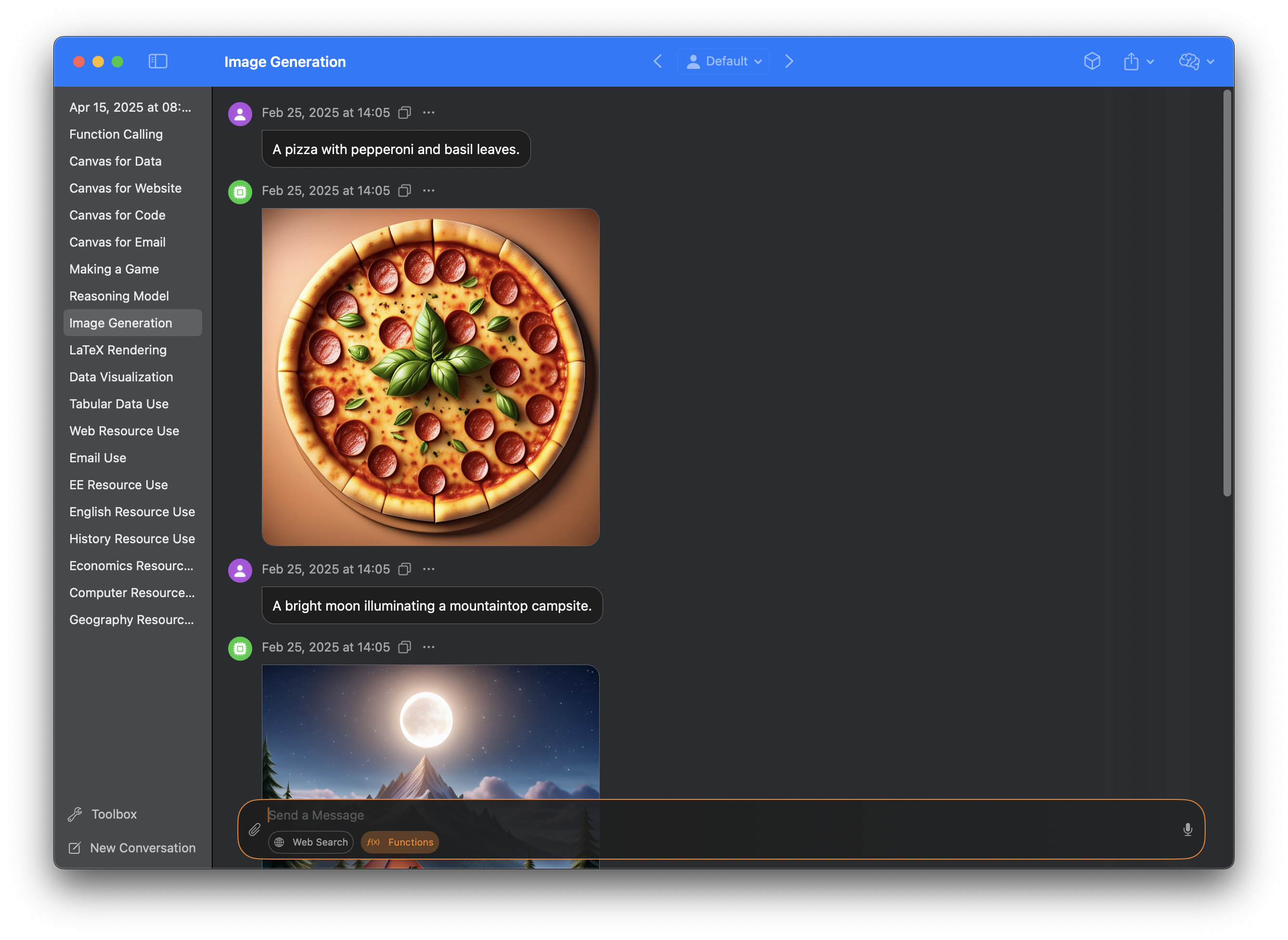
Image generation is available on macOS 15.2 or above, and requires Apple Intelligence.
Advanced Markdown Rendering
Markdown is rendered beautifully in Sidekick.
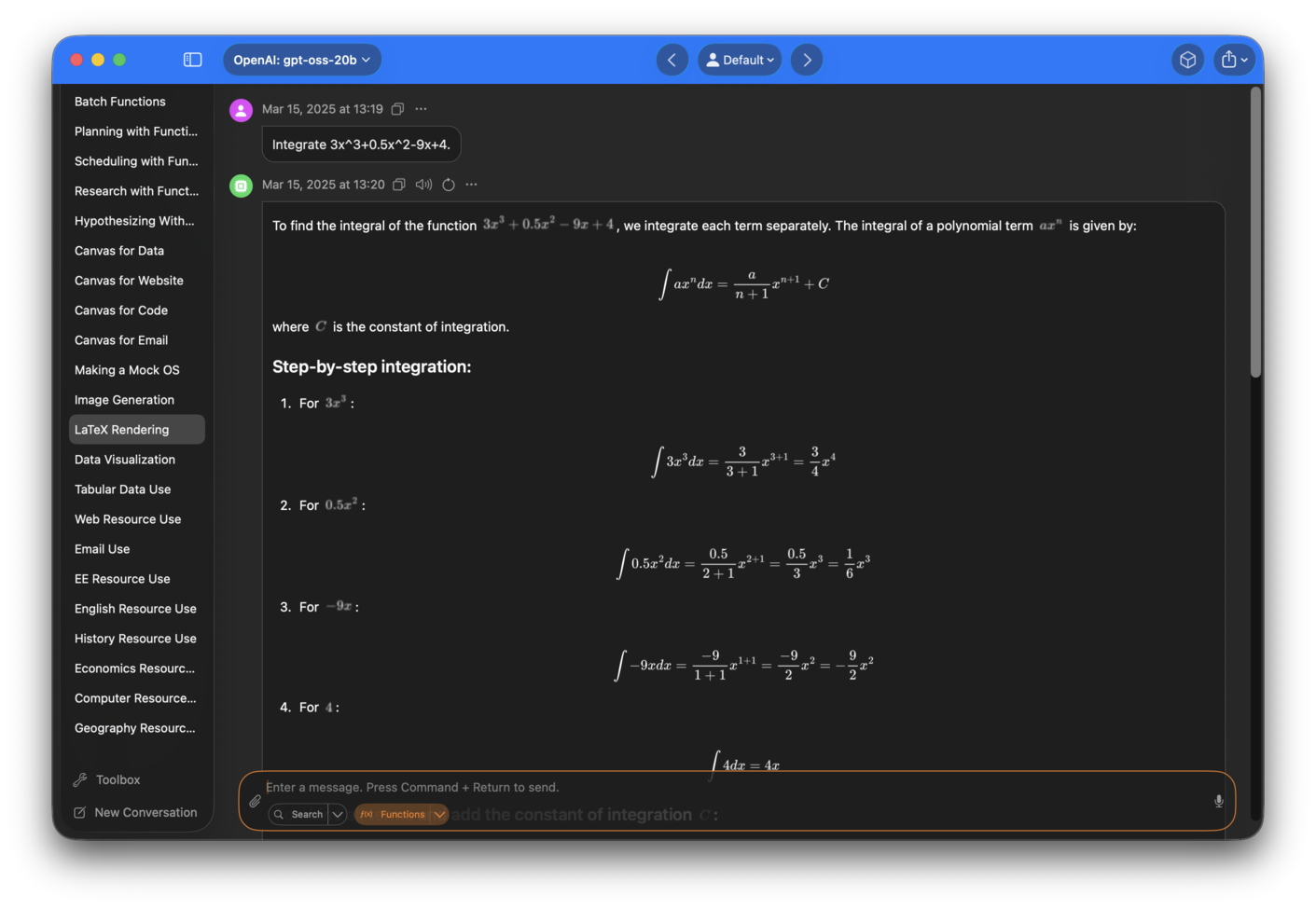
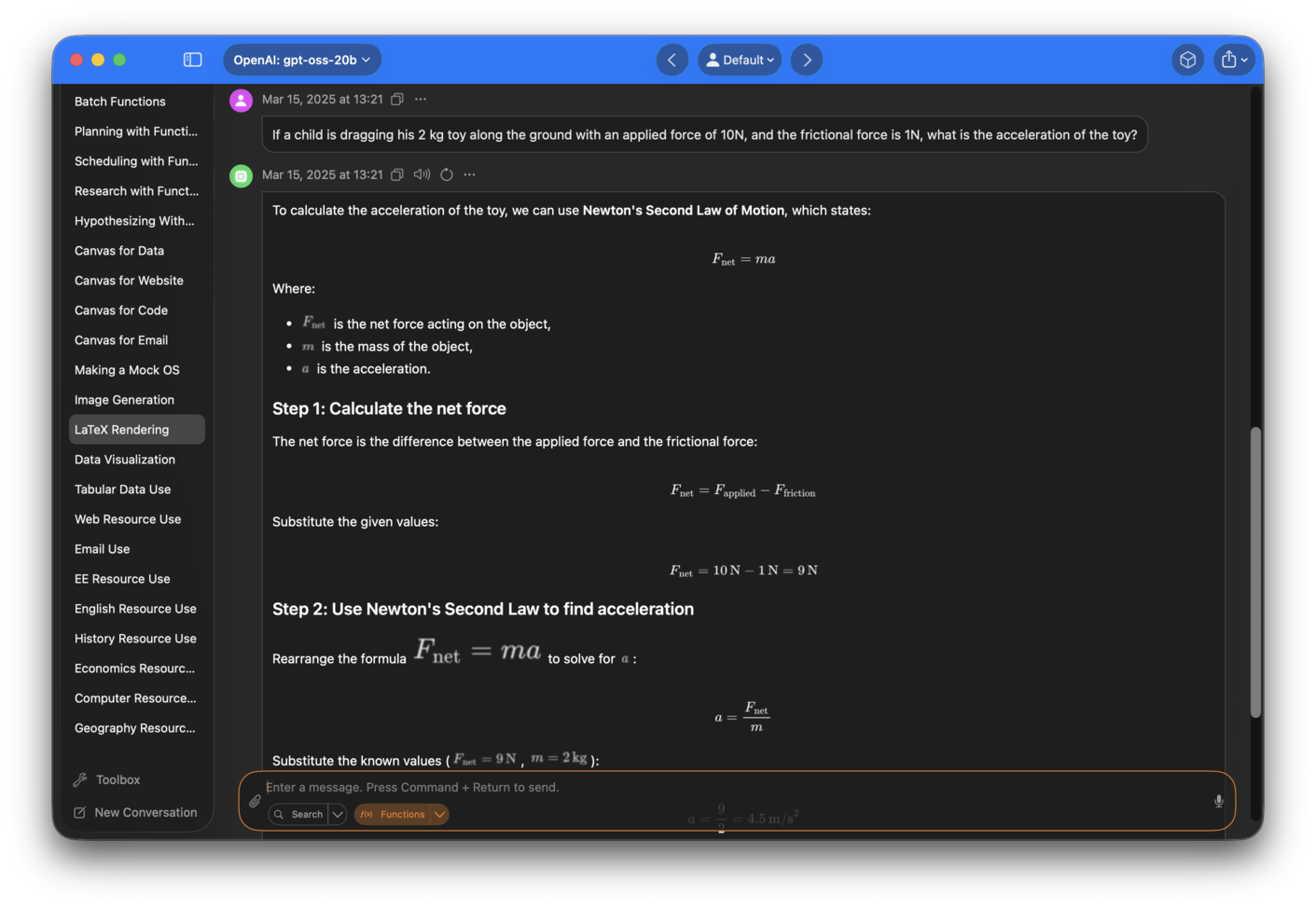
LaTeX
Sidekick offers native LaTeX rendering for mathematical equations.
Data Visualization
Visualizations are automatically generated for tables when appropriate, with a variety of charts available, including bar charts, line charts and pie charts.
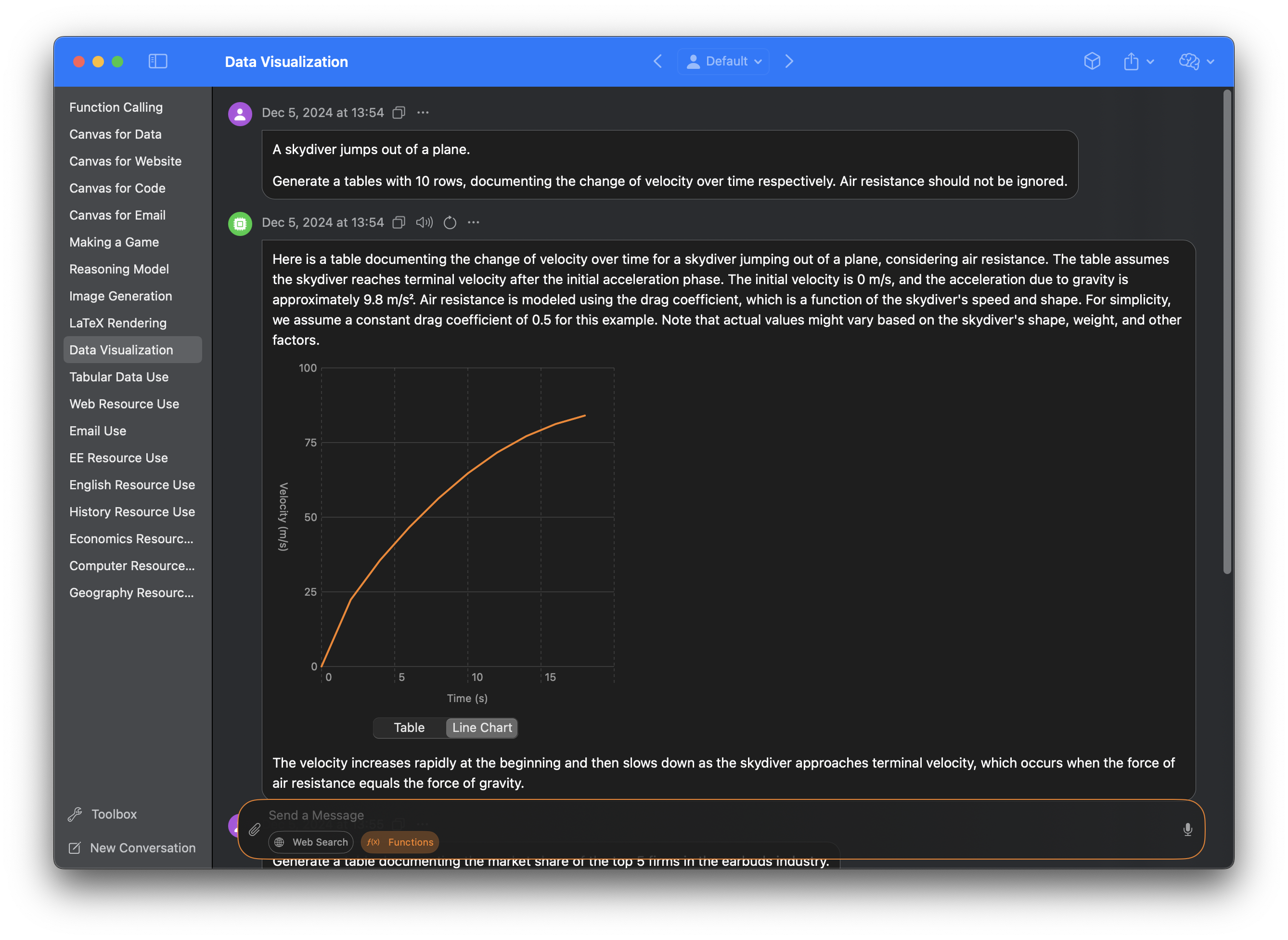
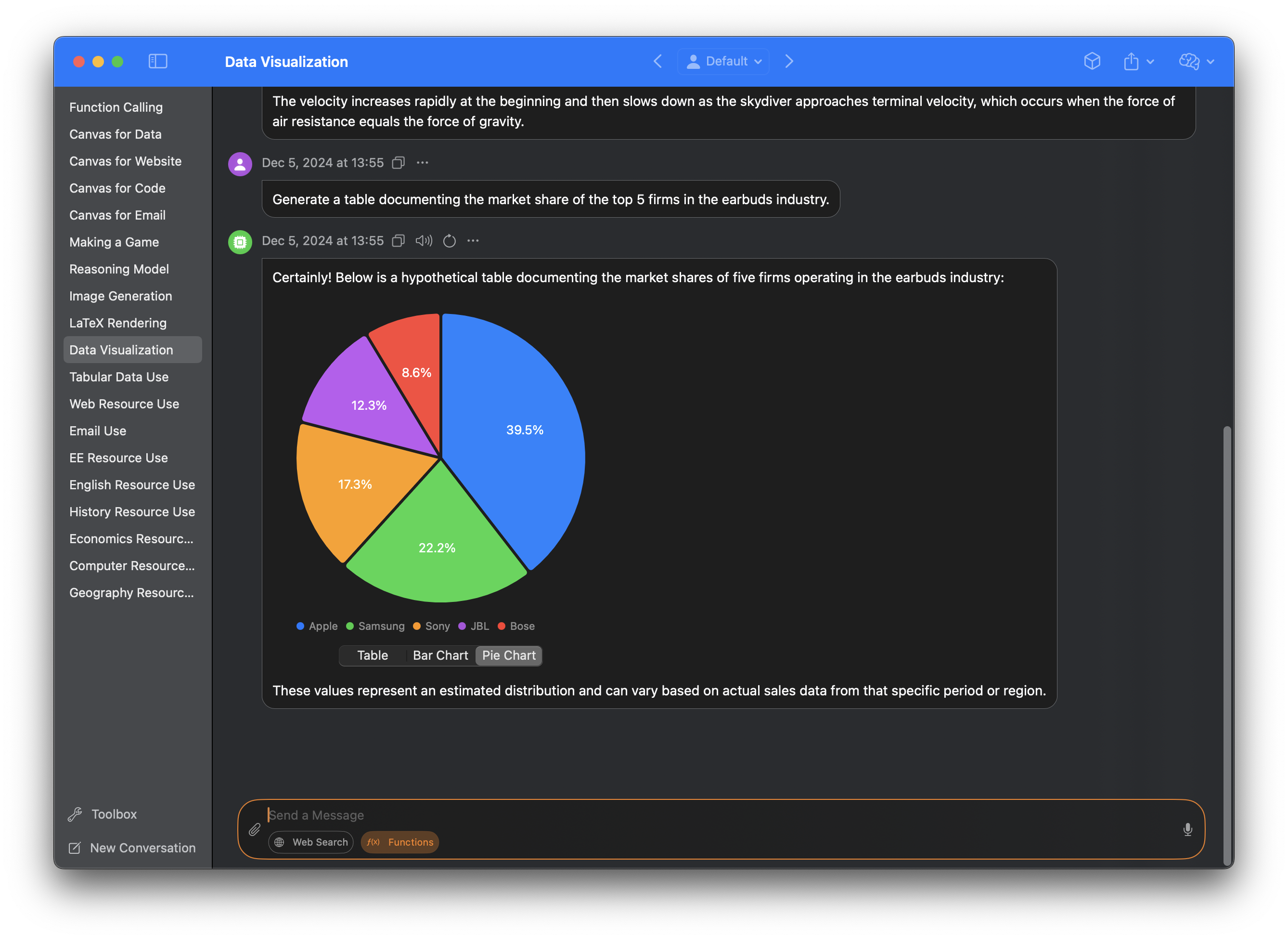
Charts can be dragged and dropped into third party apps.
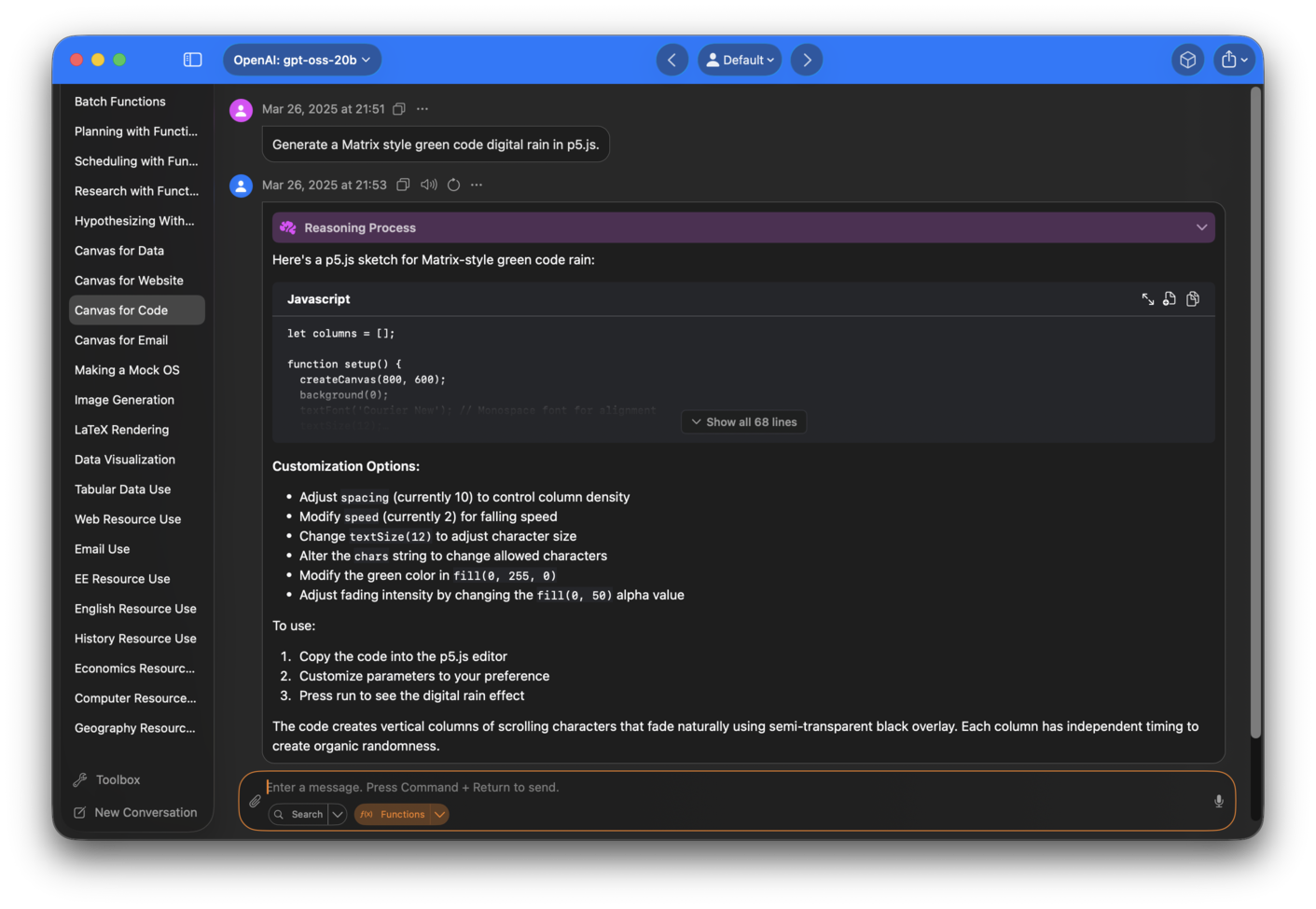
Code
Code is beautifully rendered with syntax highlighting, and can be exported or copied at the click of a button.
Fast Generation
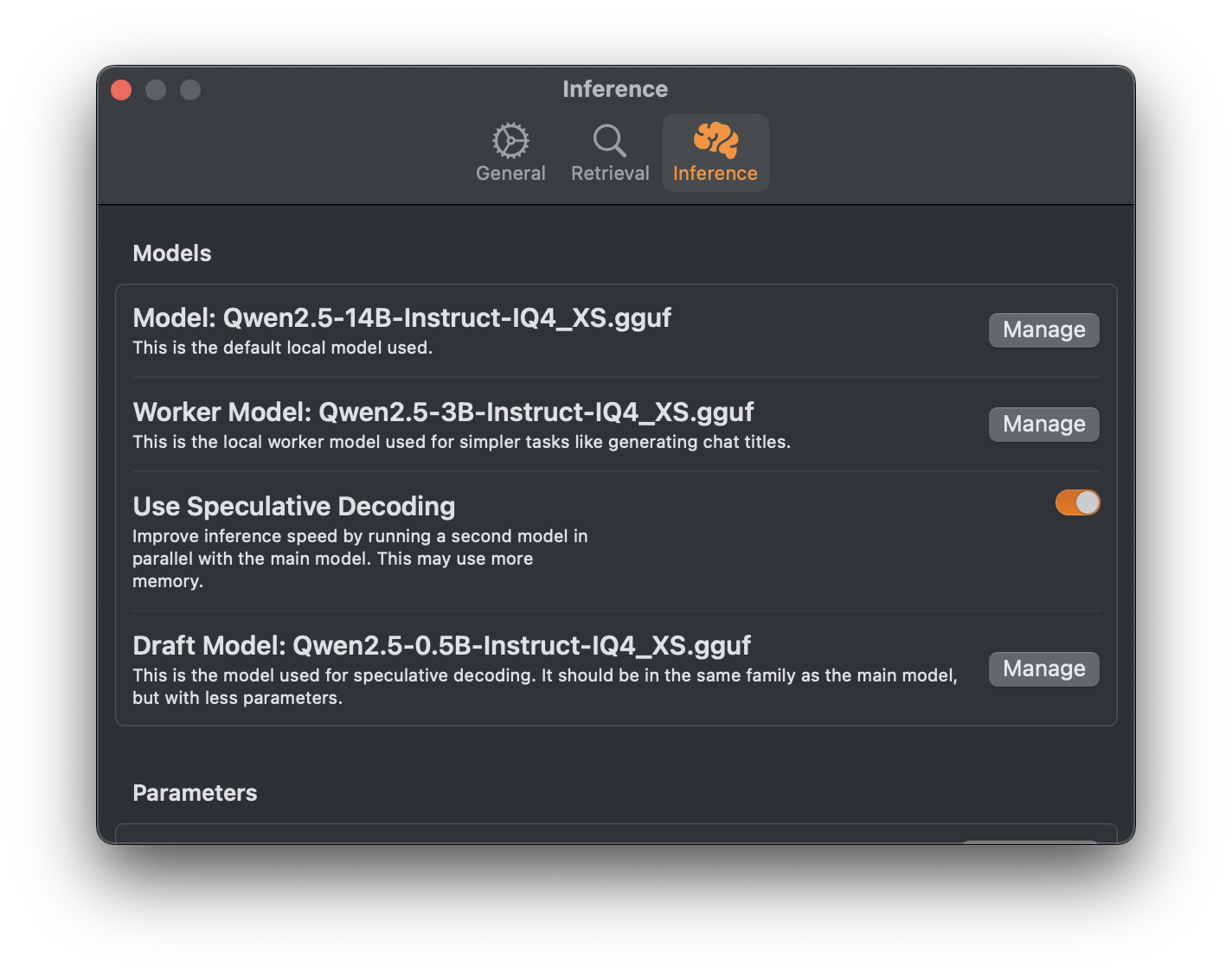
Sidekick uses llama.cpp as its inference backend, which is optimized to deliver lightning fast generation speeds on Apple Silicon. It also supports speculative decoding, which can further improve the generation speed.
Optionally, you can offload generation to speed up processing while extending the battery life of your MacBook.
Installation
Requirements
- A Mac with Apple Silicon
- RAM ≥ 8 GB
Via Homebrew
brew install --cask arcadi4/tap/sidekick-ai
Download and Setup
- Follow the guide here.
Goals
The main goal of Sidekick is to make open, local, private, and contextually aware AI applications accessible to the masses.
Read more about our mission here.
Developer Setup
Requirements
- A Mac with Apple Silicon
- RAM ≥ 8 GB
Developer Setup Instructions
- Clone this repository.
- Run
./setup.sh <TEAM_NAME>to change the team in the Xcode project. - Open and run in Xcode.
Contributing
Contributions are very welcome. Let's make Sidekick simple and powerful.
Contact
Contact this repository's owner at [email protected], or file an issue.
Credits
This project would not be possible without the hard work of:
- psugihara and contributors who built FreeChat, which this project took heavy inspiration from
- Georgi Gerganov for llama.cpp
- Alibaba for training Qwen 2.5
- Meta for training Llama 3
- Google for training Gemma 3