项目已进入维护阶段不再开发新功能,官方推荐改用 kodbox;需要 PHP 5.0+ 环境,数据库可用文件系统驱动、sqlite 或 mysql;安装后需把目录权限设为 777,否则可能无法读写文件
KodExplorer
kalcaddle活跃维护基于浏览器的文件管理器兼在线 IDE,能在线浏览、编辑、分享文件,还支持压缩包、文档预览和 S3 存储,省去本地装环境。
A web based file manager,web IDE / browser based code editor
4.55发布于 2026-09-28 08:26 UTC6,398star +2 / 7 天1,807fork同步于 2026-11-10 11:34 UTC
git clone https://github.com/kalcaddle/KODExplorer.git
chmod -Rf 777 ./KODExplorer/* 硬件要求按 README 说明
README 未说明显存或 GPU 要求;服务端可运行在 Windows、Linux、Mac 上,甚至路由器和家用 NAS,唯一硬性要求是 PHP 5.0+
基于 Web 的文件管理器兼在线代码编辑器,用浏览器就能管理服务器文件并直接改代码
基于浏览器的文件管理器兼在线 IDE,能在线浏览、编辑、分享文件,还支持压缩包、文档预览和 S3 存储,省去本地装环境。
核心能力
- 提供右键菜单、拖拽和快捷键等类操作系统的文件管理体验
- 支持多用户与自定义角色组,可细配访问权限和文件类型限制
- 内置支持 120 多种语言的语法高亮编辑器,集成 Emmet 与实时预览
- 支持 zip、rar、7z、tar 等压缩包的创建、解压与预览
- 支持分片上传、拖拽上传和按文件名及内容搜索
容易踩的坑
内容由模型根据 README 生成,可能不完整或不准确,以官方文档为准。看原文 README
- 4.554.55 release最新正式版2026-09-28 · 2026-09-28 08:26 UTC
4.55 release
- 4.544.54 release2026-03-13 · 2026-03-13 11:42 UTC
查看更新说明
4.54 release
- 4.52.014.52 release2023-12-14 · 2023-12-14 19:07 UTC
这个版本没有写更新说明。
- 4.51.034.51 release2023-04-12 · 2023-04-12 10:33 UTC
这个版本没有写更新说明。
- 4.504.50 release2022-11-17 · 2022-11-17 14:12 UTC
这个版本没有写更新说明。
用户点评
登录用户的真实使用记录,可按版本和硬件筛选共 0 条
还没有人点评。第一个说出真实体验的人最有价值。
KodExplorer
Update to kodbox: https://github.com/kalcaddle/kodbox
Download | Demo
It is recommended to use a new design upgrade product:kodbox
该项目处于维护阶段,不再开发新功能.推荐使用全新设计升级产品kodbox


KodExplorer is a file manager for web. It is also a web code editor, which allows you to develop websites directly within the web browser.You can run KodExplorer either online or locally,on Linux, Windows or Mac based platforms. The only requirement is to have PHP 5 available.
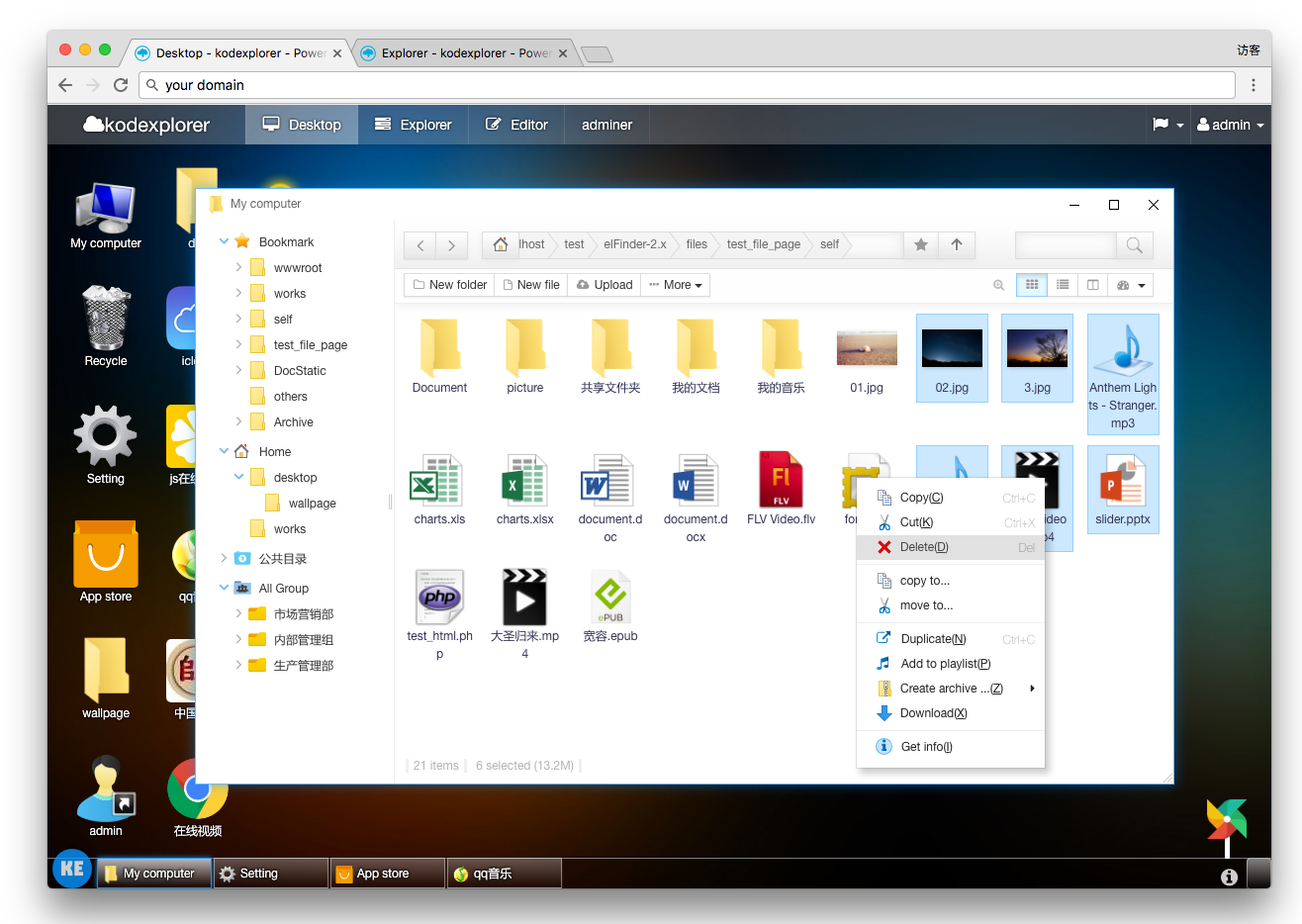
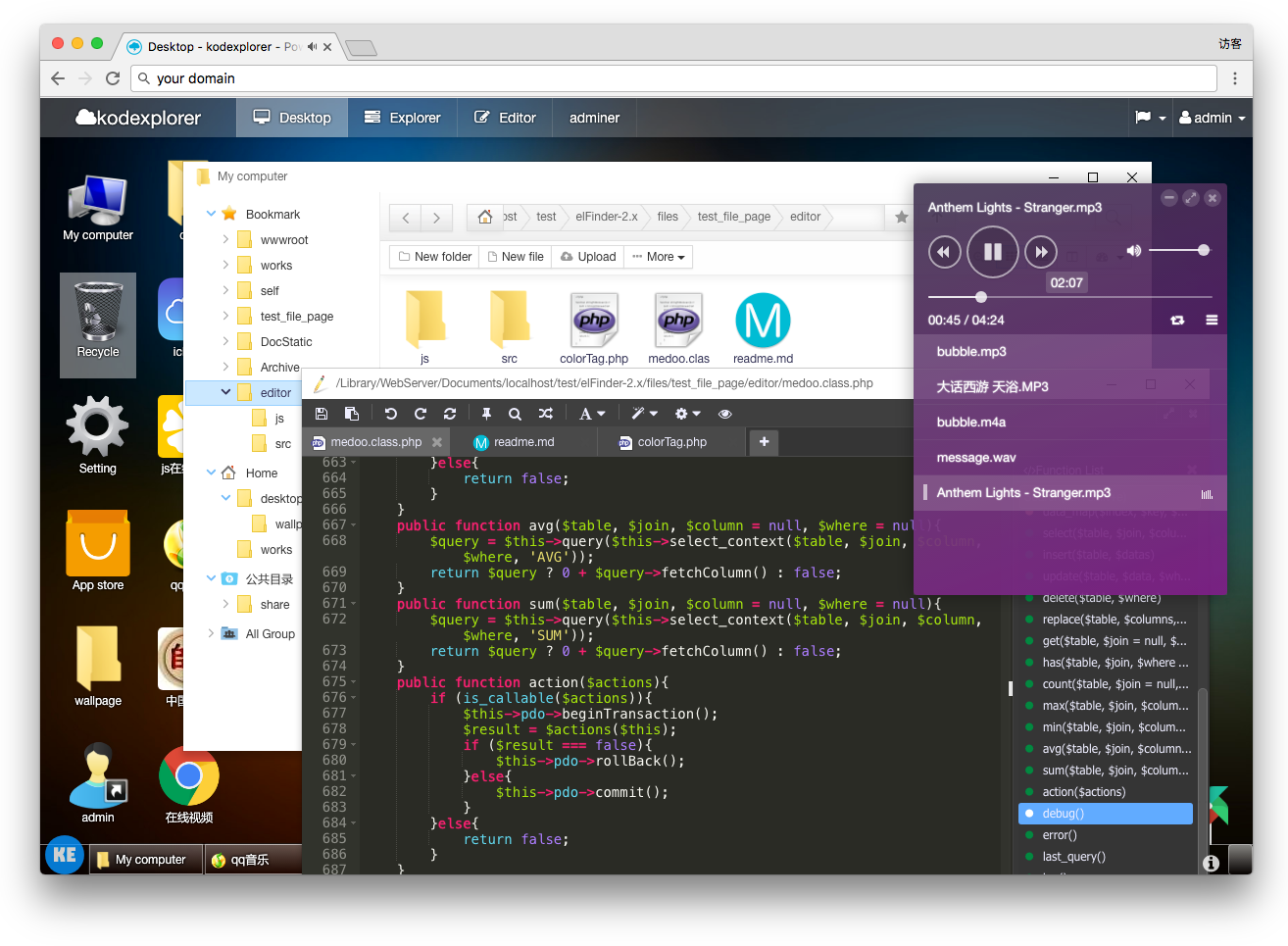
Demo [user: demo/demo]
Source code
Features
- Use experience like operating system, Rich context menu and toolbar, drag and drop, shortcut keys......
- Available in more than 40 languages.
- File Manage
- All operations with files and folders on a remote server(copy,cut,paste,move,remove,upload,create folder/file,rename,etc.)
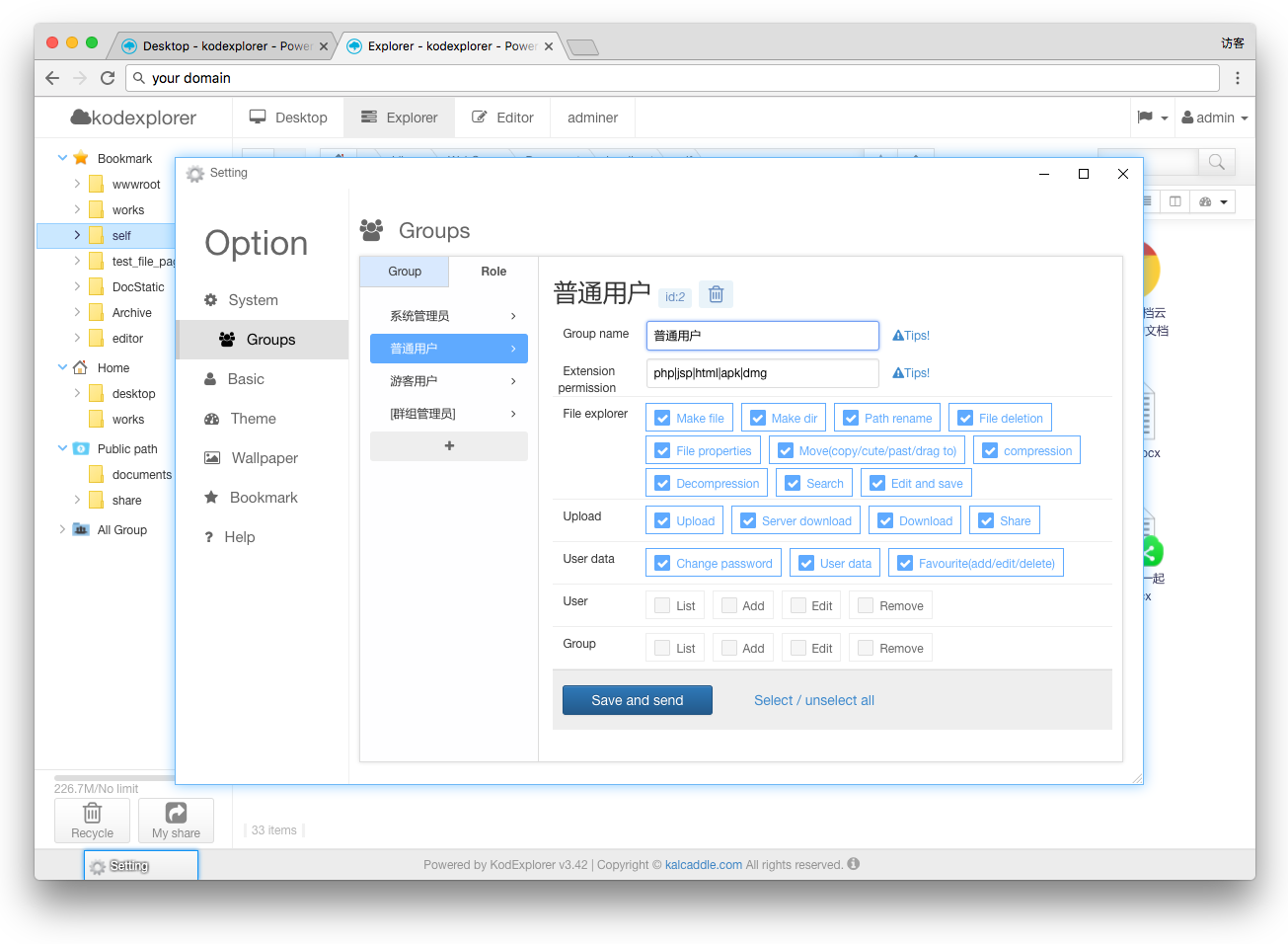
- Multi-User support,custom role group.
- Flexible configuration of access rights,file types restriction, user - interface and other
- Clipboard: copy, cut, paste, clear
- Selectable files & folders support (mouse click & Ctrl & Shift & words & Keyboard shortcuts)
- Keyboard shortcuts: delete deletion, ctrl+A select, ctrl+C replication, ctrl+X splicing, up/down/left/right/home/end etc.
- Multiple actions support for selected files & folders: move,copy,cute,remove,rename,open,archive,delete,download etc.
- Double or single click setup to open files & folders
- Filetree: allow to open and display multiple subfolders at a time
- Implemented natural sorting on the client-side
- List,Icons and Split view;
- Move/Copy/Clone/Delete files with Drag & Drop
- Share files or folder to others.
- Add folder to your favorites
- Calculate directory sizes
- Thumbnails for image files
- Normalizer:UTF-8 Normalizer of file-name and file-path etc.
- Muti Charset support, in a variety of circumstances garbled solution;Sanitizer of file-name and file-path etc.
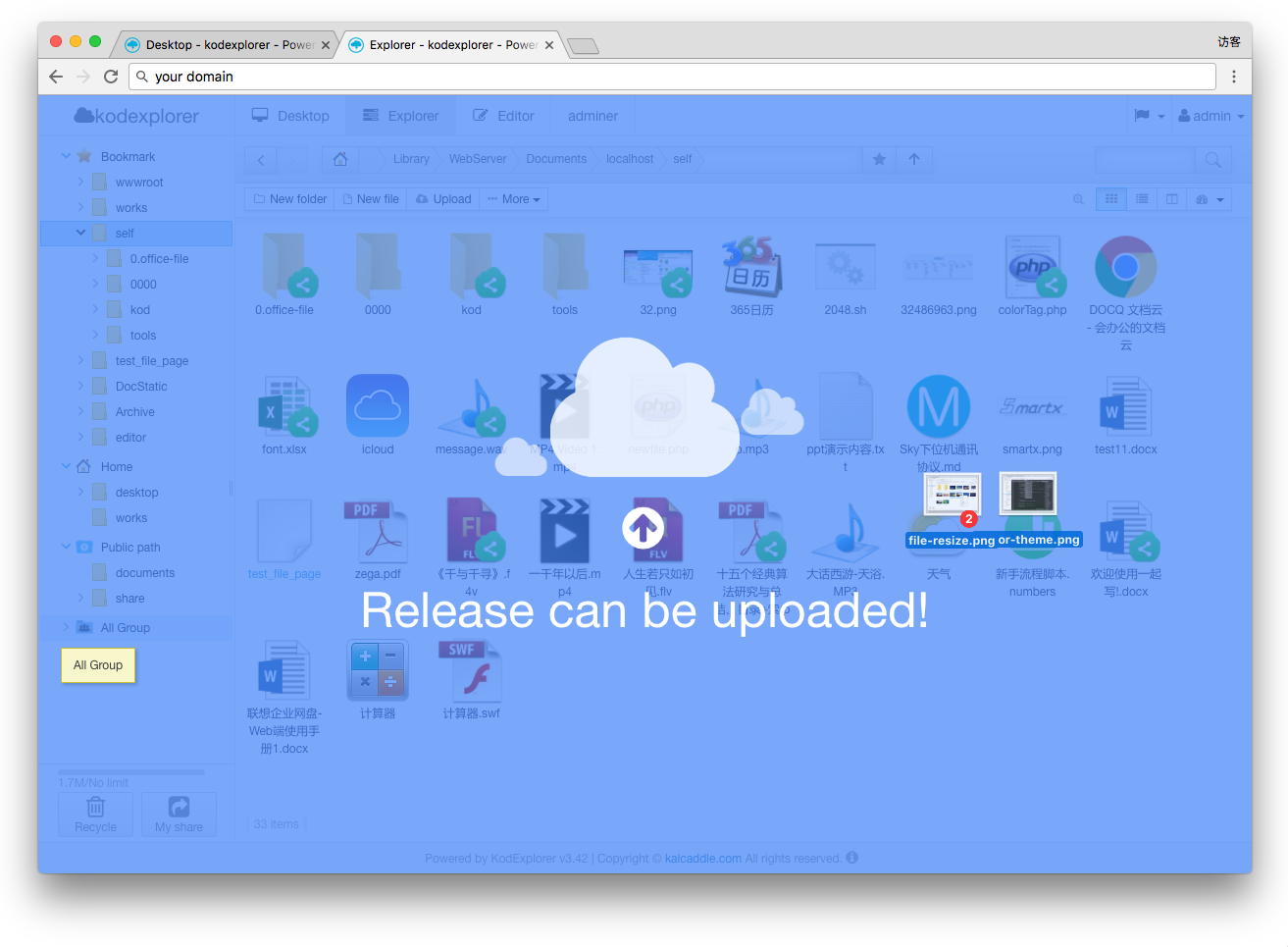
- Multiple & chunked uploads support,
- Background file upload with Drag & Drop HTML5 support;Folder upload with Chrome, Firefox and Edge
- Upload form URL (or list)
- Direct extraction to the current working directory (you do not want - to create a folder)
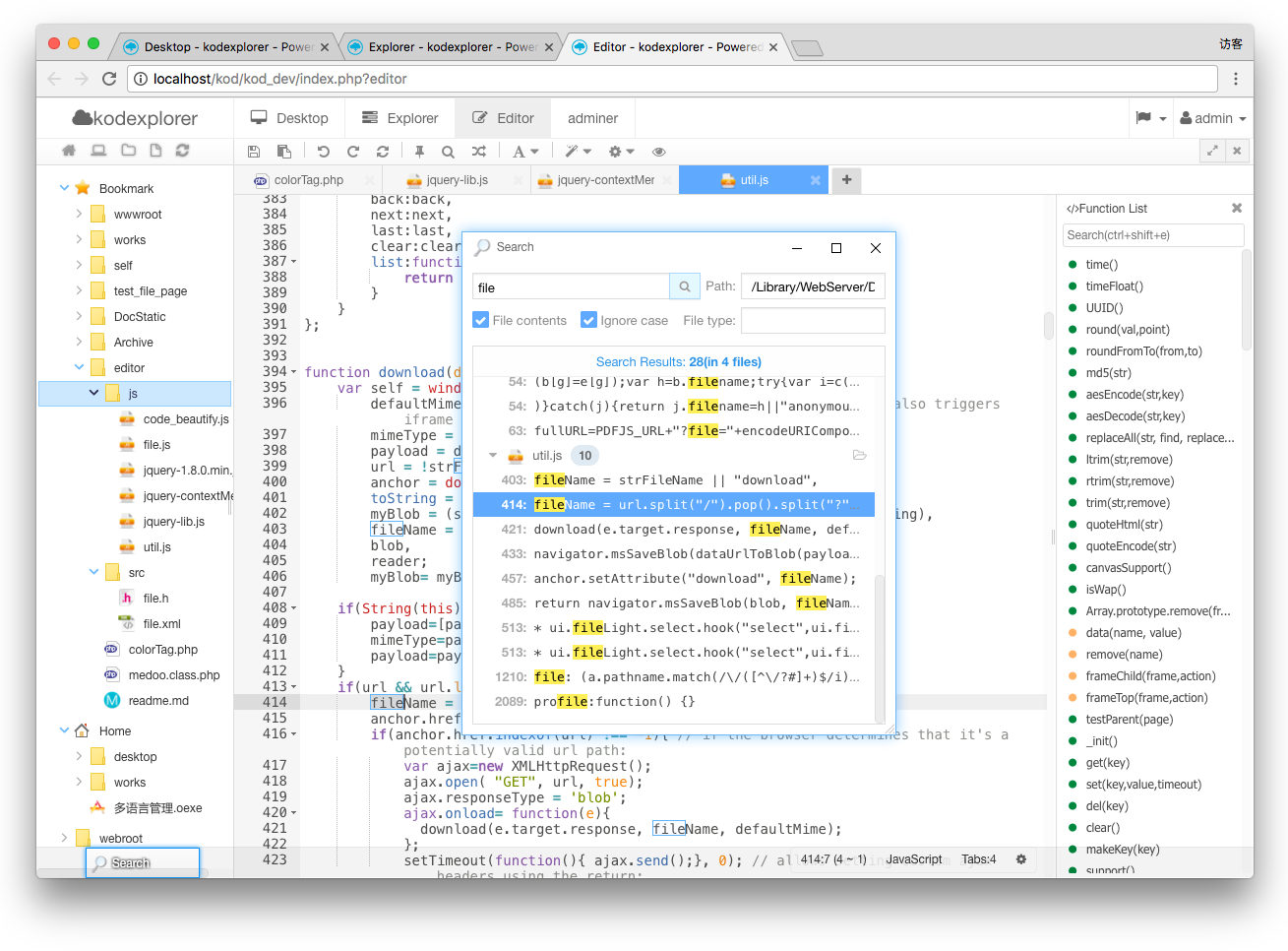
- Search: search by filename & file contents
- File exclusion based on name
- Copy direct file URL
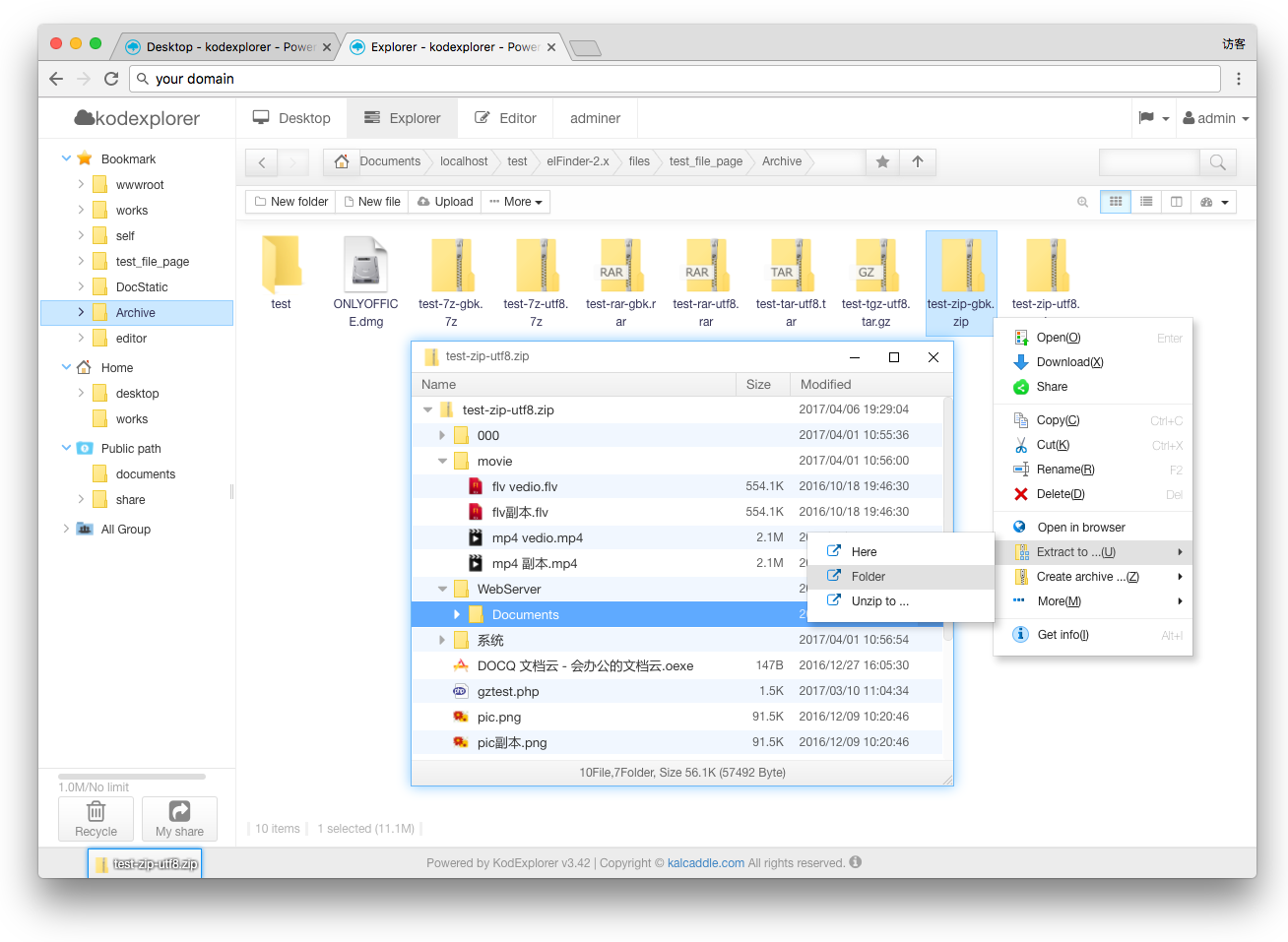
- Archives create/extract/preview (zip, rar, 7z, tar, gzip, tgz)
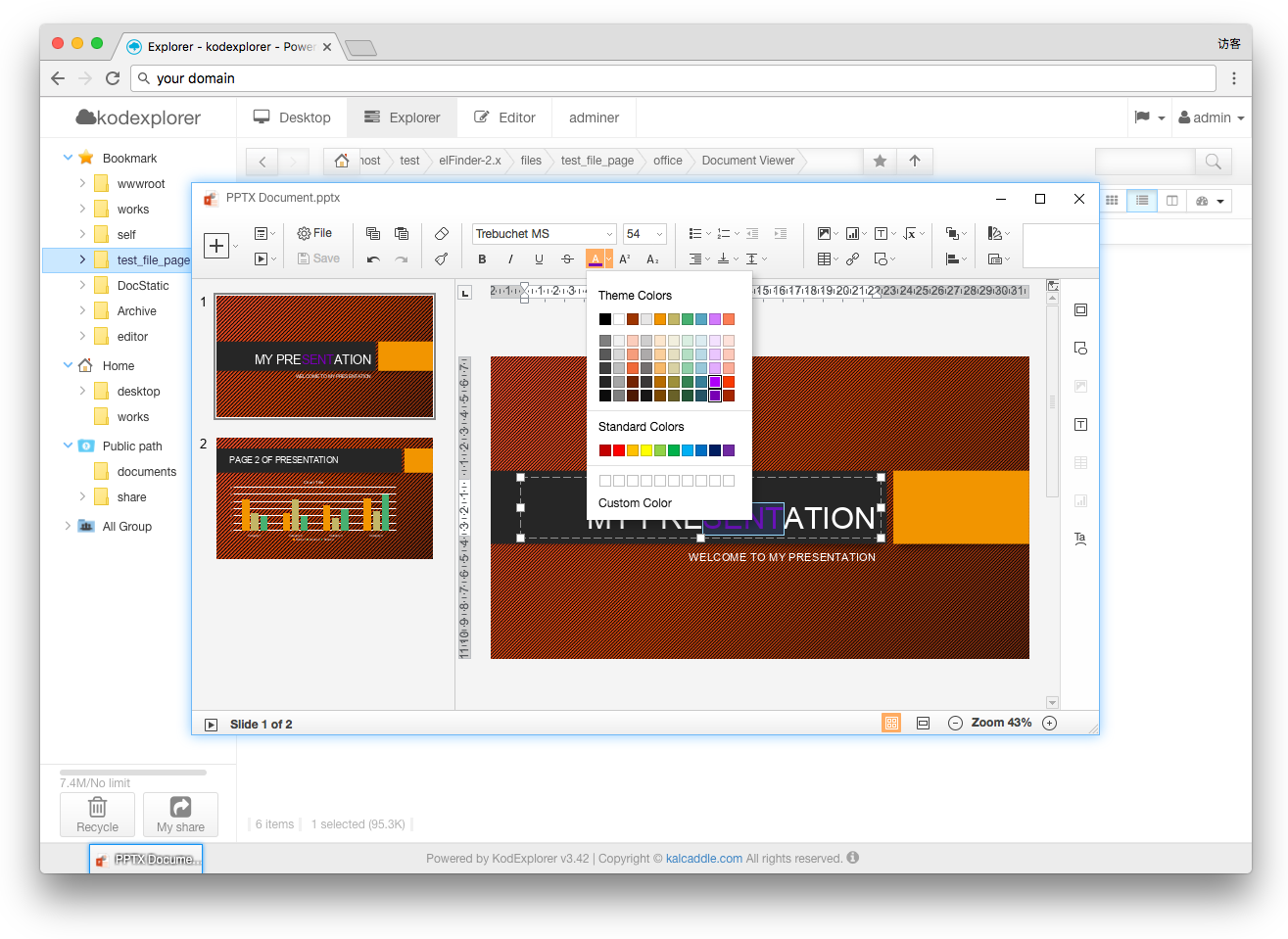
- Quicklook, preview for common file types; image file,text file,pdf,swf,document file etc.
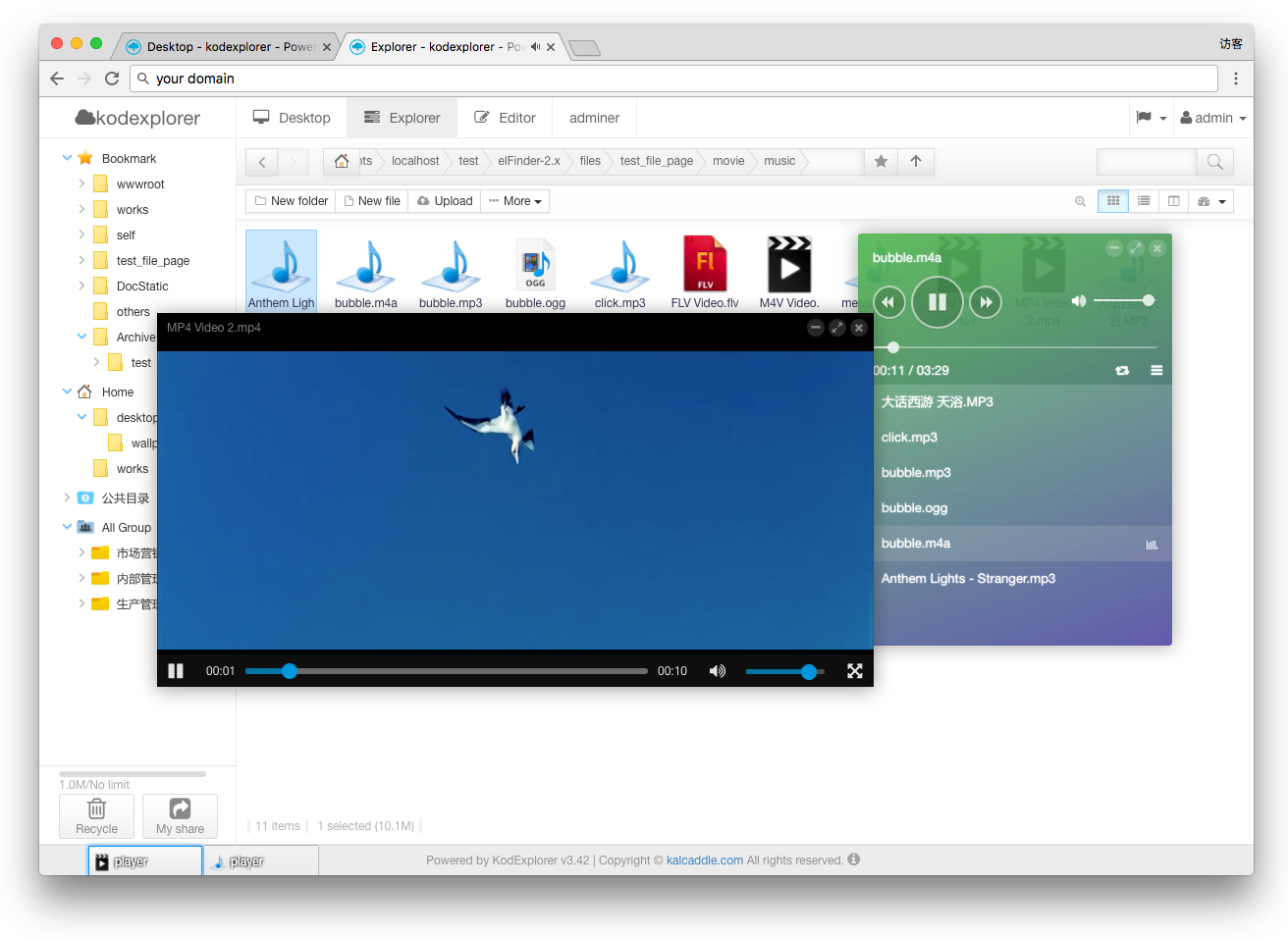
- Video and audio player relying on web browser capabilities
- Editor
- Syntax highlighting for over 120 languages
- Multiple label, Drag & Drop the label.
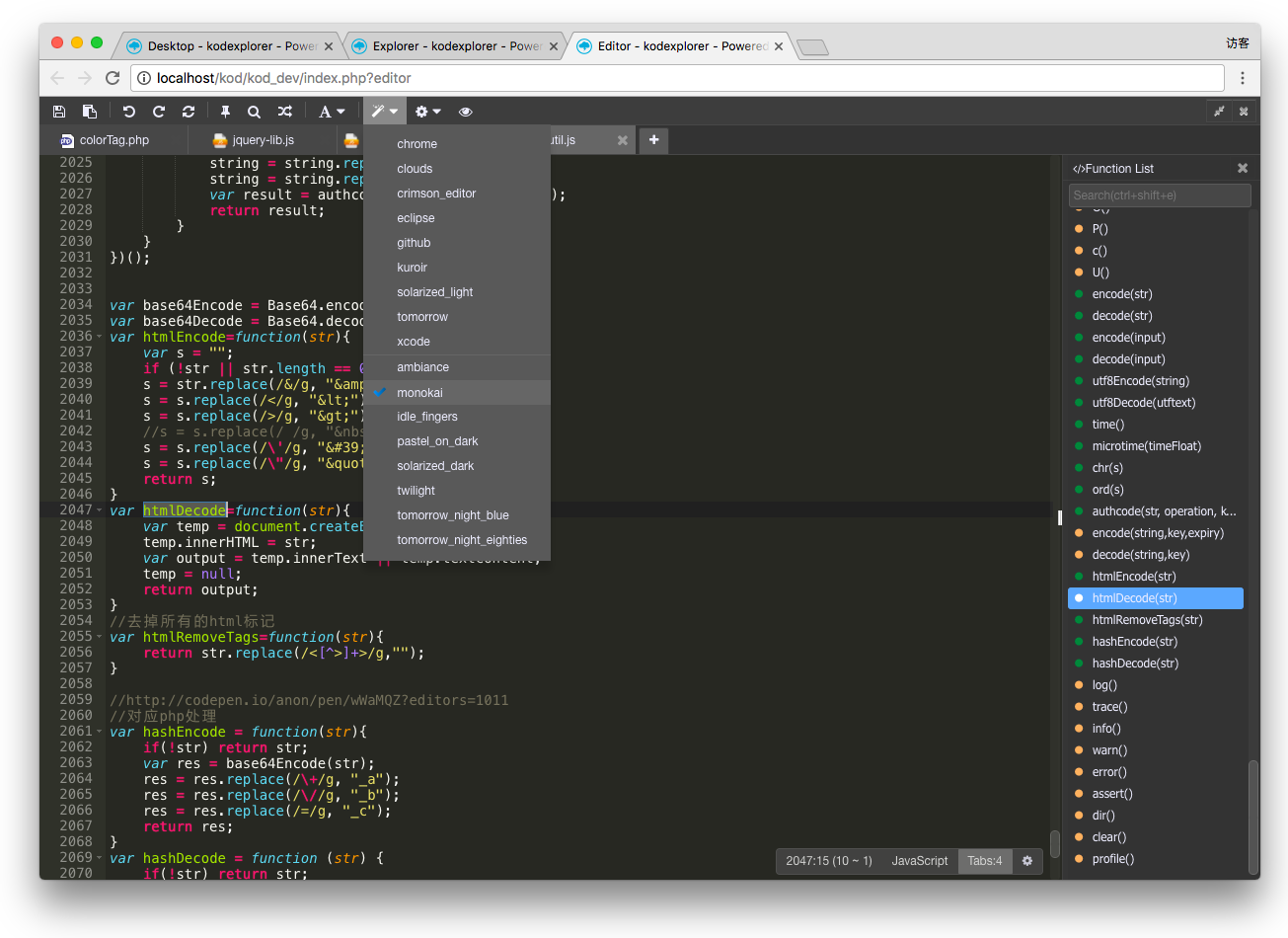
- Over 15 themes,Choose your favorite programming style
- Web development: HTML/JS/CSS editor with Emmet integrated
- Automatic indent and outdent;Line wrapping;Code folding
- Multiple cursors and selections;(Middle key select;Ctrl+Command+G)
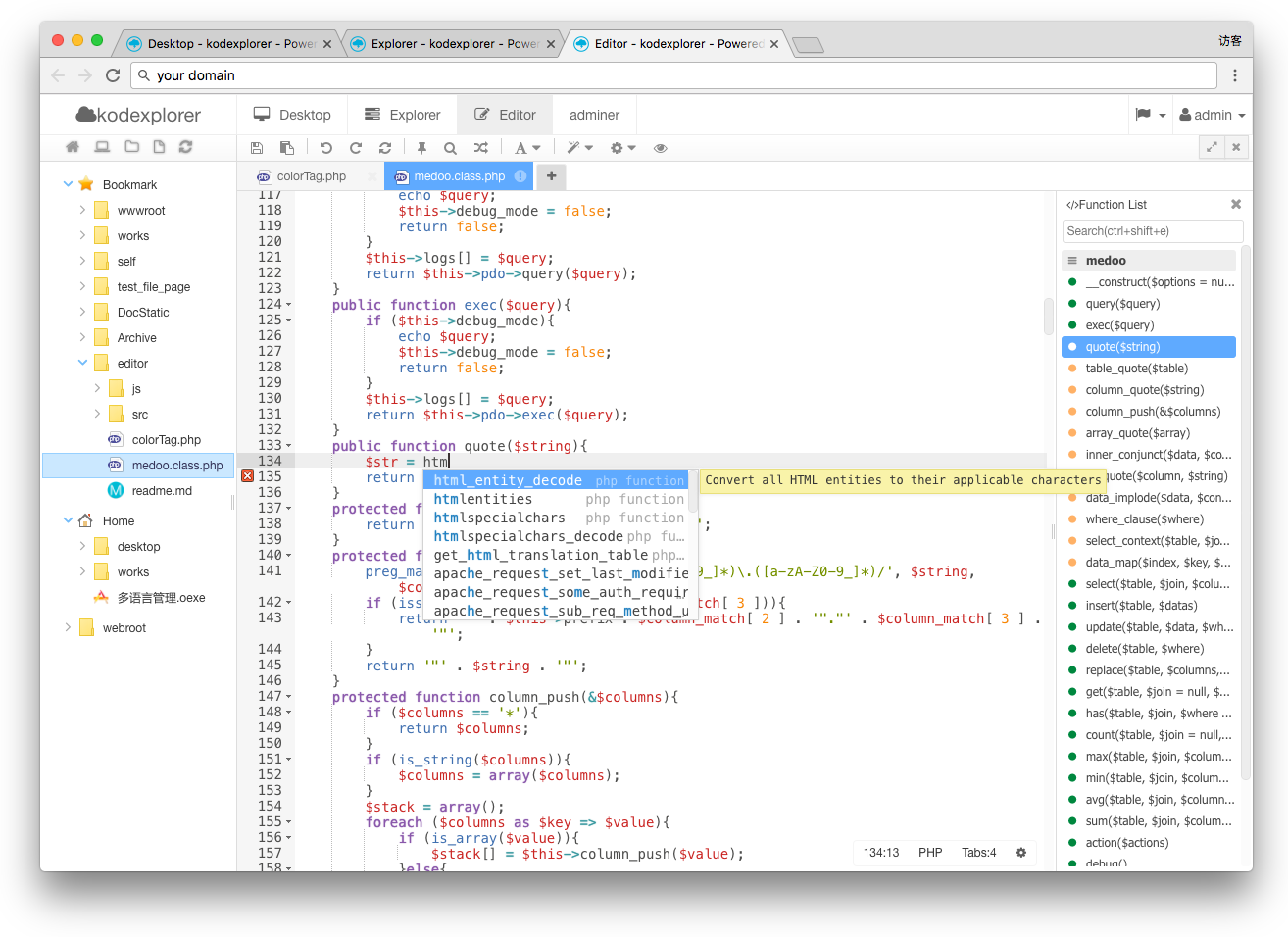
- Autocomplete.
- Fully customizable key bindings including vim and Emacs modes
- Search and replace with regular expressions;Highlight matching parentheses
- Toggle between soft tabs and real tabs
- Displays hidden characters
- Drag and drop text using the mouse
- Live syntax checker (JavaScript/CoffeeScript/CSS/XQuery/HTML/PHP etc.)
- Cut, copy, and paste functionality
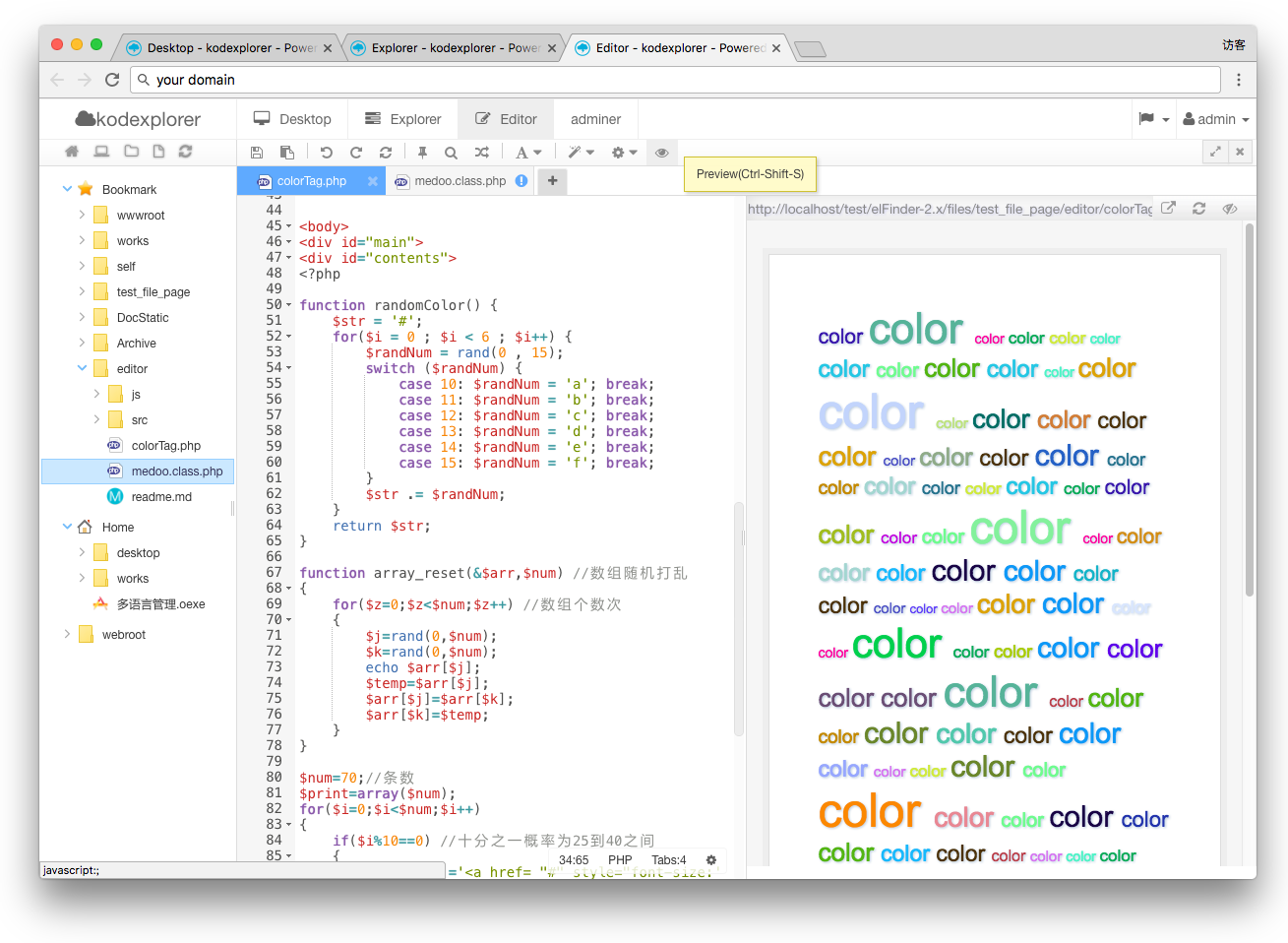
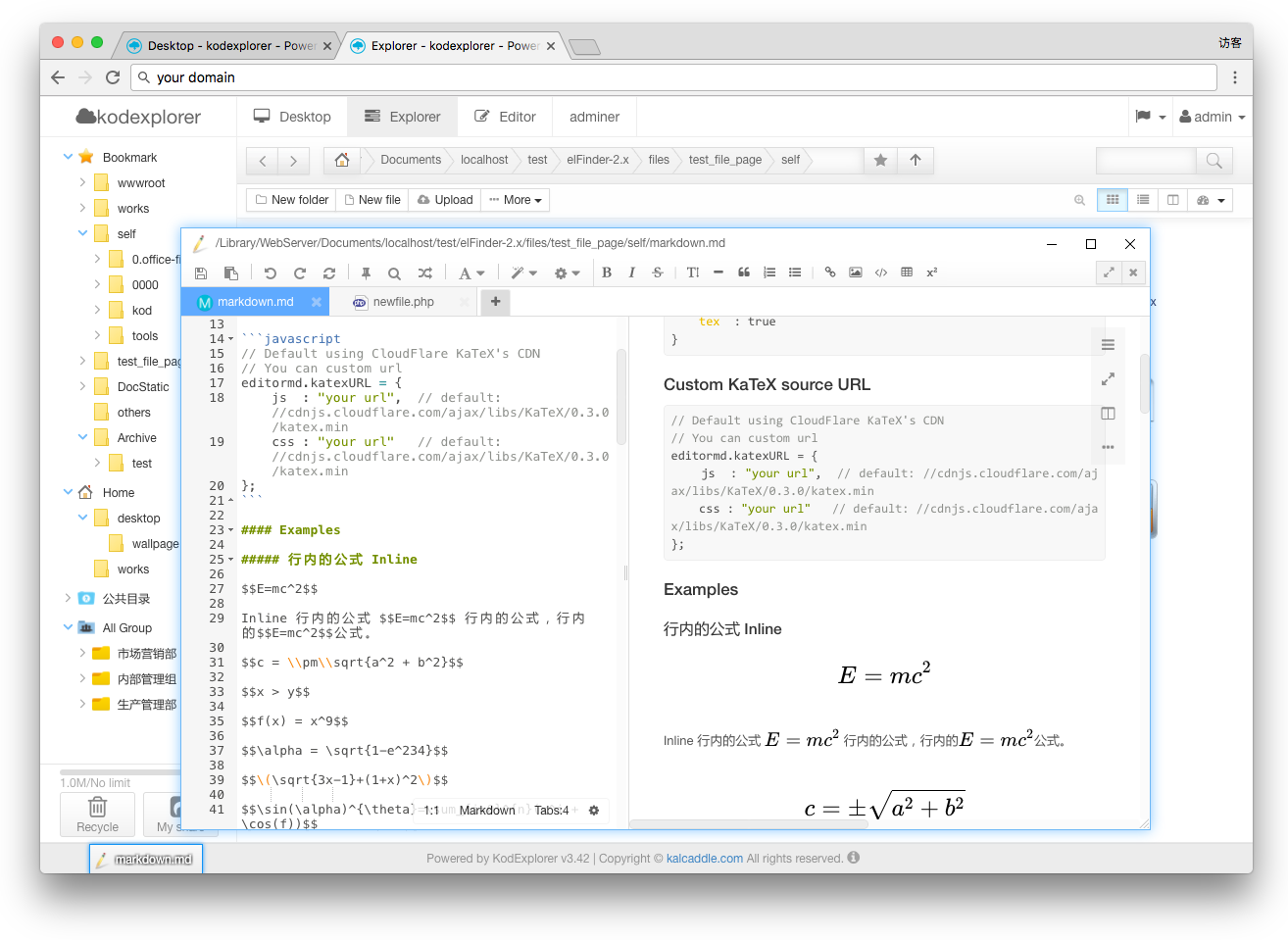
- Markdown support.(live preview;convert to html etc.)
- Format: JavaScript/CSS/HTML/JSON/PHP etc.
- Cross-platform, even on mobile devices
- Easy to integrate with other systems
- Developed by kod itself, this is a nice try.
Install
1. Install from source
git clone https://github.com/kalcaddle/KODExplorer.git
chmod -Rf 777 ./KODExplorer/*
2. Install via download
wget https://github.com/kalcaddle/KODExplorer/archive/master.zip
unzip master.zip
chmod -Rf 777 ./*
FAQs
-
Forget password
Login page: see the "Forget password".
-
Upload with Drag & Drop
Browser compatibility: Chrome, Firefox and Edge
-
How to make the system more secure?
Make sure the administrator password is more complex.
Open login verification code.
Set the http server to not allow list the directory;
PHP Security:Set the path for open_basedir.
Screenshot
file manage:
- Overview
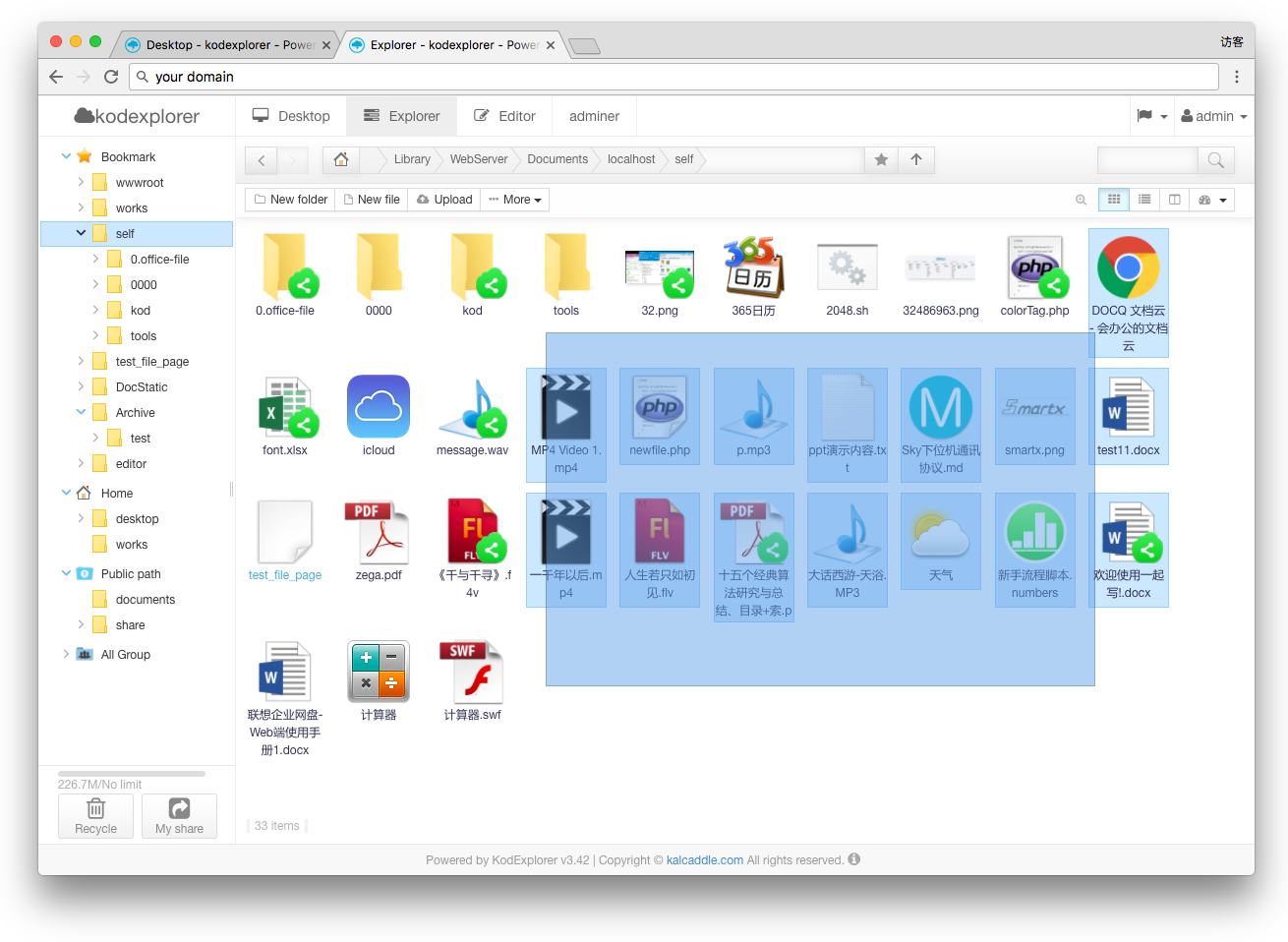
- File list Type (icon,list,split)
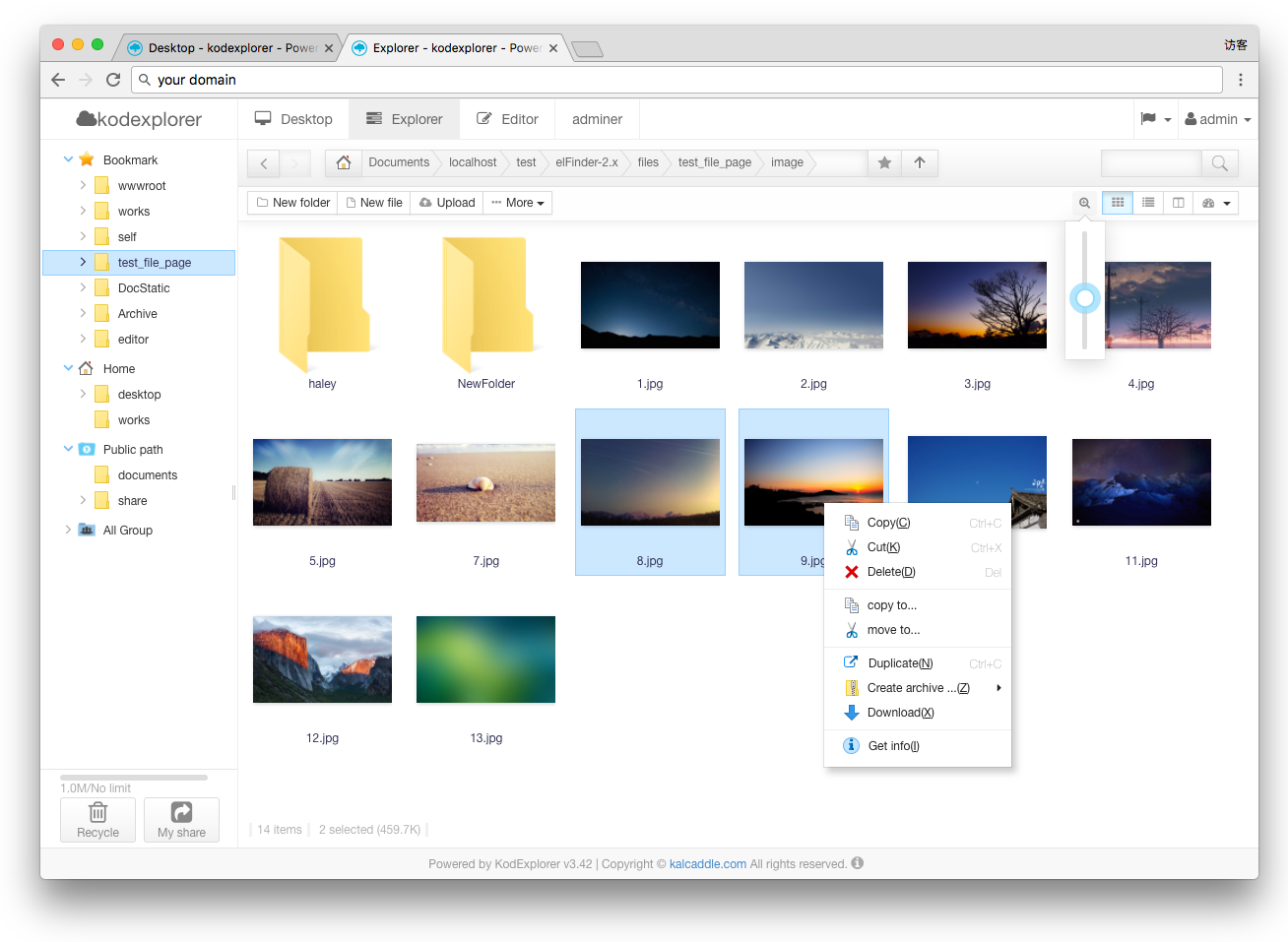
- Archives create/extract/preview (zip, rar, 7z, tar, gzip, tgz)
- Drag upload
- Player
- Online Office view & Editor
Editor:
- Overview
- Live preview
- Search folder
- Markdown
- Code style
Others:
- System role
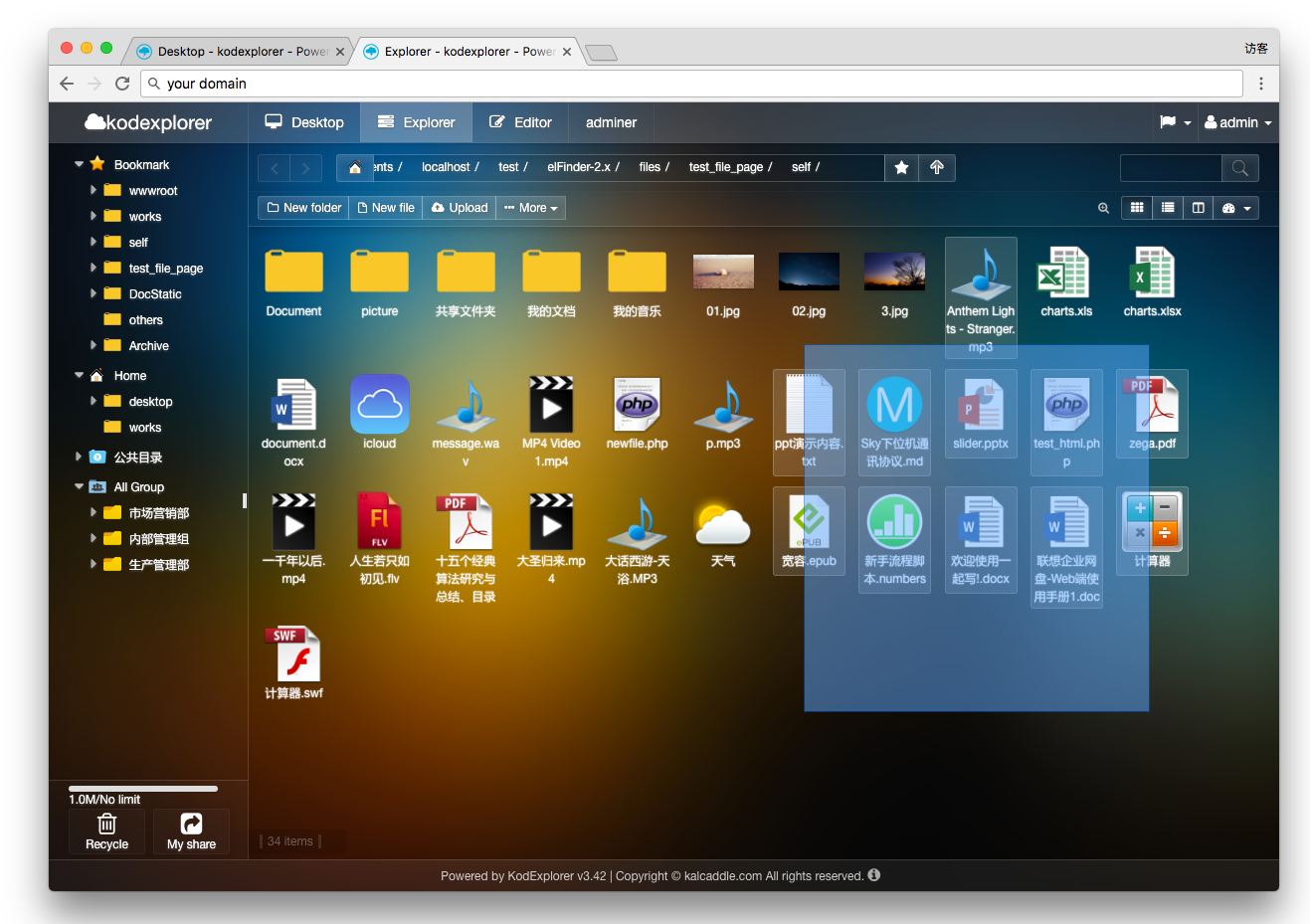
- Colorful Theme
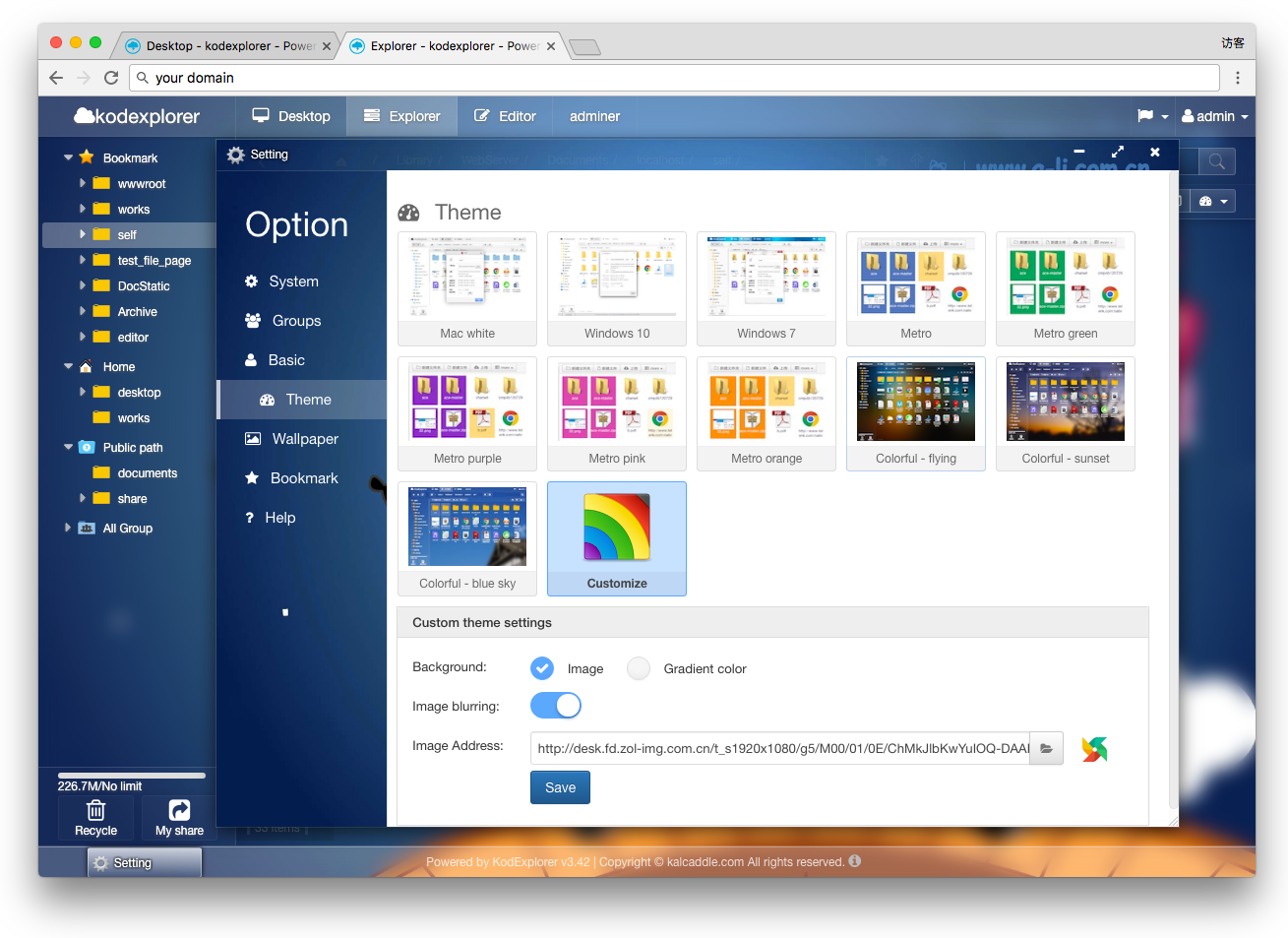
- Custom Theme
- Language
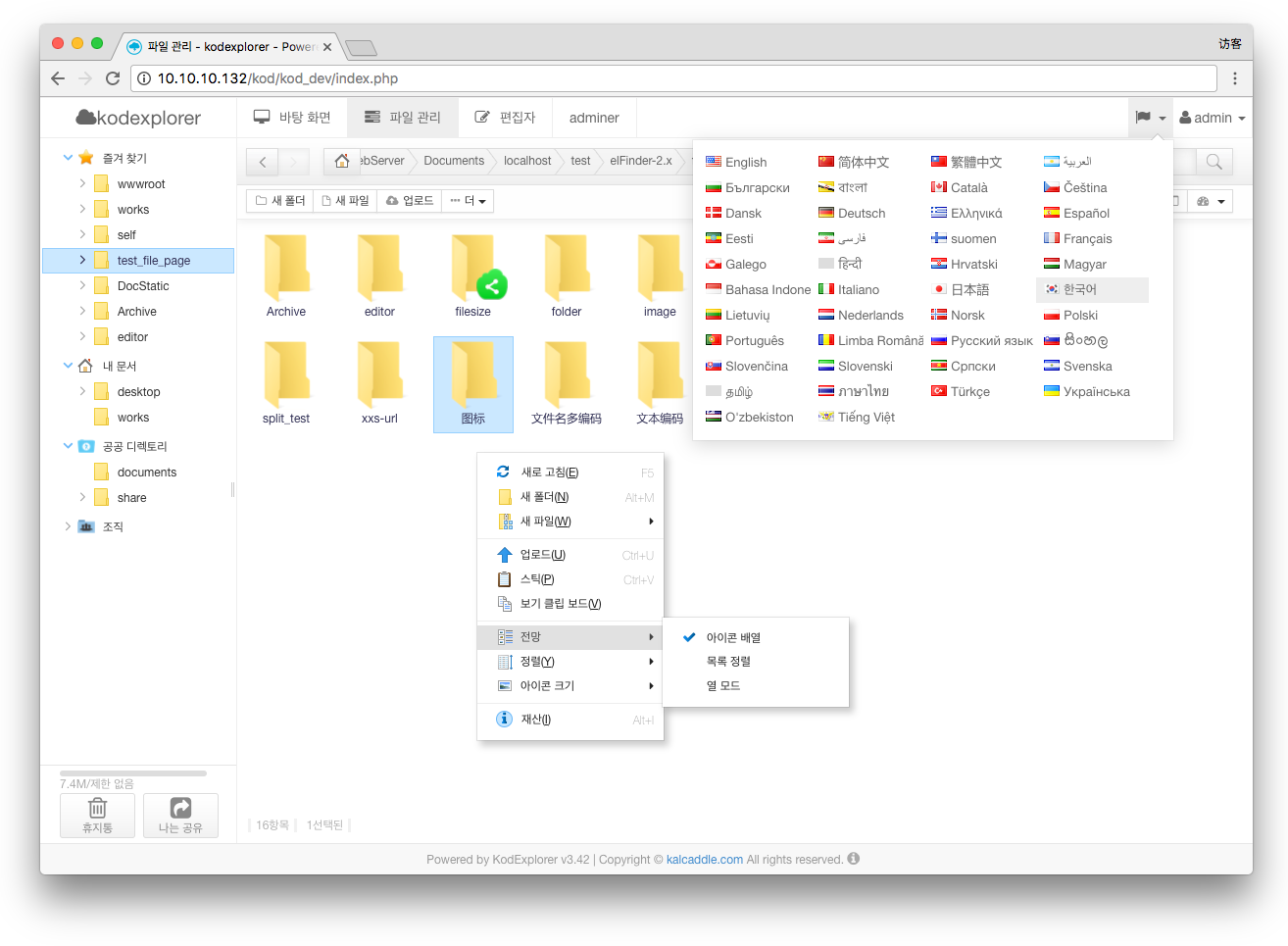
Software requirements
- Server:
- Windows,Linux,Mac ...
- PHP 5.0+
- Database: File system driver;sqlite;mysql;...
- Browser compatibility:
- Chrome
- Firefox
- Opera
- IE8+
Tips: It can also run on a router, or your home NAS
Credits
kod is made possible by the following open source projects.
License
kodcloud is issued under GPLv3. license.License
Contact: warlee#kodcloud.com
Copyright (C) 2013 kodcloud.com
版权声明
kodexplorer 使用 GPL v3 协议.
vscode
microsoft·TypeScript
微软开源的跨平台代码编辑器,基于 Electron 和 TypeScript 构建,支持插件扩展、调试和 Git 集成,适合日常开发写代码。
代码编辑器+4编辑器 / IDE
195250+16644k1.145.22026-11-10 11:10 UTC
neovim
neovim·Vim Script
Vim 的分支版本,用 Lua 做配置和插件开发,内置 LSP 与异步 API,让终端编辑器更好扩展、更好用。
文本编辑器+4编辑器 / IDE
103537+757.4kv0.12.62026-11-10 05:17 UTC
zed
zed-industries·Rust
用 Rust 打造的高性能多人协作代码编辑器,由 Atom 和 Tree-sitter 作者开发,主打低延迟编辑与实时协同编码。
代码编辑器+4编辑器 / IDE
94639+78712kv1.27.02026-11-10 11:13 UTC

AFFiNE
toeverything·TypeScript
把文档、白板、表格融为一体的开源知识库,可离线使用、支持多人实时协作,是 Notion 和 Miro 的替代方案。
知识库+4编辑器 / IDE
74415+1285.5kv2026.11.9-canary.9072026-11-10 10:49 UTC