- 人工逆向时让模型代读伪代码:你在 IDA 里定位到可疑函数,让模型批量解释、重命名、写注释,省掉逐个函数复制粘贴到聊天窗口的来回
- 批量处理样本:用 idalib 无界面后端跑多个 idb,每个库独立 worker,适合一次性过几十个样本的符号恢复和报告生成
- 给已有分析流程加一层自然语言查询:把反汇编/反编译结果作为工具返回值暴露给 agent,让 agent 自己决定下一步看哪个函数,而不是你手写脚本遍历
- 需要进制换算、地址运算这类容易让模型算错的环节,走它提供的工具而不是让模型心算
ida-pro-mcp
mrexodiaMIT活跃维护 有专家点评把 IDA Pro 逆向分析能力通过 MCP 协议接给大模型,让 AI 直接读取反汇编、函数和交叉引用,辅助二进制逆向与漏洞分析。
AI-powered reverse engineering assistant that bridges IDA Pro with language models through MCP.
1.4.0发布于 2025-10-06 13:28 UTC13,436star +38 / 7 天1,647fork同步于 2026-11-11 05:25 UTC
专家点评
上手难度:进阶更新于 2026-11-11把 IDA Pro 的反编译结果通过 MCP 交给大模型,让模型直接读伪代码、改符号名
适用场景
踩坑
- 多实例场景会撞墙:issue 里「支持多个 IDA 实例」被反复提且反应数最高,说明单实例假设是当前设计的边界,同时开多个 IDA 窗口或并行分析要提前确认版本行为
- 大二进制上搜索类操作会超时:issue 里有明确的 timeout 报错反馈,样本体积大时不要指望一次搜索扫全库,得自己切分范围
- 安装链路比 pip install 长:要先 idapyswitch 切 Python、全局激活 idalib、装 uv,装完还得把 IDA 和 MCP 客户端完全退出重启(部分客户端要从托盘退),漏一步就是连不上;另外 IDA Free 不支持,README 层面没有强提示,issue 里有人专门要求加警告
同类对比
GUI 插件形态已不被官方推荐,新项目优先看 idalib-mcp 或 Hex-Rays 官方 MCP;如果只需要静态分析而不绑定 IDA,Ghidra 侧的同类 MCP 桥接是另一条路
pip install https://github.com/mrexodia/ida-pro-mcp/archive/refs/heads/main.zip
ida-pro-mcp --install 硬件要求按 README 说明
README 未说明显存或 GPU 要求;需 IDA Pro 8.3 及以上(推荐 9),不支持 IDA Free,另需 Python 3.11 及以上。
项目说明
由 README 自动翻译提炼把 IDA Pro 接入大模型的 MCP 服务器,让 AI 直接读反编译、改函数名做逆向
把 IDA Pro 逆向分析能力通过 MCP 协议接给大模型,让 AI 直接读取反汇编、函数和交叉引用,辅助二进制逆向与漏洞分析。
核心能力
- 通过 MCP 协议把 IDA Pro 的反编译与反汇编能力暴露给 LLM 客户端
- 提供 int_convert 等工具,避免模型自行做进制换算出错
- 支持 SSE/HTTP 与 stdio 传输,可无界面运行 idalib 后端
- idalib 多数据库会话,每个库独立 worker 进程并支持复用
- 附带逆向提示词模板,引导模型注释、重命名与写分析报告
容易踩的坑
需先用 idapyswitch 切到最新 Python,并全局激活 idalib 且安装 uv;安装后必须完全重启 IDA 和 MCP 客户端(部分客户端需从托盘退出)才生效;GUI 插件方式已不推荐,官方建议改用 idalib-mcp 或 Hex-Rays 官方 MCP。
内容由模型根据 README 生成,可能不完整或不准确,以官方文档为准。看原文 README
- 1.4.0最新正式版2025-10-06 · 2025-10-06 13:28 UTC
What's Changed
- add idalib-based MCP server by @williballenthin in https://github.com/mrexodia/ida-pro-mcp/pull/39
- Add debugger mpc function by @ltlly in https://github.com/mrexodia/ida-pro-mcp/pull/46
- Add functionality to list globals by @neoz in https://github.com/mrexodia/ida-pro-mcp/pull/47
- Added command to find xrefs to struct fields by @JorisVanEijden in https://github.com/mrexodia/ida-pro-mcp/pull/60
- add local type listing and searching function by @hoooonnam in https://github.com/mrexodia/ida-pro-mcp/pull/70
- Add support for Claude Code and Small Refactoring by @Chapoly1305 in https://github.com/mrexodia/ida-pro-mcp/pull/86
- List imports by @withzombies in https://github.com/mrexodia/ida-pro-mcp/pull/85
- Add stack variable support by @withzombies in https://github.com/mrexodia/ida-pro-mcp/pull/81
- Allow set_comment to work with no decompiler available by @withzombies in https://github.com/mrexodia/ida-pro-mcp/pull/80
- Add memory read functions by @withzombies in https://github.com/mrexodia/ida-pro-mcp/pull/82
- Fix member names, use defined structure builders by @withzombies in https://github.com/mrexodia/ida-pro-mcp/pull/102
- Structured function disassembly by @withzombies in https://github.com/mrexodia/ida-pro-mcp/pull/96
- claude code support windows now by @heheda123123 in https://github.com/mrexodia/ida-pro-mcp/pull/117
- Add callee function listing feature by @nonetype in https://github.com/mrexodia/ida-pro-mcp/pull/90
- Add Patch Address bytecode by @ShallowFeather in https://github.com/mrexodia/ida-pro-mcp/pull/57
- Add comprehensive structure analysis functionality by @VadimBoev in https://github.com/mrexodia/ida-pro-mcp/pull/123
New Contributors
- @ltlly made their first contribution in https://github.com/mrexodia/ida-pro-mcp/pull/46
- @neoz made their first contribution in https://github.com/mrexodia/ida-pro-mcp/pull/47
- @JorisVanEijden made their first contribution in https://github.com/mrexodia/ida-pro-mcp/pull/60
- @hoooonnam made their first contribution in https://github.com/mrexodia/ida-pro-mcp/pull/70
- @Chapoly1305 made their first contribution in https://github.com/mrexodia/ida-pro-mcp/pull/86
- @withzombies made their first contribution in https://github.com/mrexodia/ida-pro-mcp/pull/85
- @heheda123123 made their first contribution in https://github.com/mrexodia/ida-pro-mcp/pull/117
- @nonetype made their first contribution in https://github.com/mrexodia/ida-pro-mcp/pull/90
- @ShallowFeather made their first contribution in https://github.com/mrexodia/ida-pro-mcp/pull/57
- @VadimBoev made their first contribution in https://github.com/mrexodia/ida-pro-mcp/pull/123
Full Changelog: https://github.com/mrexodia/ida-pro-mcp/compare/1.3.0...1.4.0
- 1.3.02025-04-09 · 2025-04-09 21:10 UTC
查看更新说明
What's Changed
- add rename & retype for gloabl variable by @MrRtcl in https://github.com/mrexodia/ida-pro-mcp/pull/14
- Implement list_strings and search_strings by @zouxianyu in https://github.com/mrexodia/ida-pro-mcp/pull/12
- handle tinfo_t() exception when ctor not supported by @tarterp in https://github.com/mrexodia/ida-pro-mcp/pull/16
- migrate to mcp.server.fastmcp by @williballenthin in https://github.com/mrexodia/ida-pro-mcp/pull/22
- added linux support excluding claude by @tarterp in https://github.com/mrexodia/ida-pro-mcp/pull/21
- Typo fix by @Bang1338 in https://github.com/mrexodia/ida-pro-mcp/pull/25
- Improve developer documentation
- Fix get_python_executable on Windows
- Remove license field from pyproject.toml #40
- Add Cursor installation support #37
- Gracefully return None for missing hash function #26
- Update README with latest functions
- Add back and extend tips by @gmh5225
- Reimplement create_new_type as declare_c_type
- Fix create_new_type to handle nested types
- Added create_new_type tool
- Add installation video
- Add warning about restarting
New Contributors
- @MrRtcl made their first contribution in https://github.com/mrexodia/ida-pro-mcp/pull/14
- @zouxianyu made their first contribution in https://github.com/mrexodia/ida-pro-mcp/pull/12
- @tarterp made their first contribution in https://github.com/mrexodia/ida-pro-mcp/pull/16
- @williballenthin made their first contribution in https://github.com/mrexodia/ida-pro-mcp/pull/22
- @Bang1338 made their first contribution in https://github.com/mrexodia/ida-pro-mcp/pull/25
Full Changelog: https://github.com/mrexodia/ida-pro-mcp/compare/1.2.0...1.3.0
- 1.2.02025-03-29 · 2025-03-29 15:27 UTC
查看更新说明
Prerequisites
- Python (3.10 or higher)
- Use
idapyswitchto switch to the newest Python version
- Use
- IDA Pro (8.3 or higher, 9 recommended)
- Supported MCP Client (pick one you like)
Installation
Install (or upgrade) the IDA Pro MCP package:
pip install --upgrade git+https://github.com/mrexodia/ida-pro-mcpConfigure the MCP servers and install the IDA Plugin:
ida-pro-mcp --installWhat's Changed
- add some tips by @gmh5225 in https://github.com/mrexodia/ida-pro-mcp/pull/3
- Fix resolve get_function compatibility by @ngnl0 in https://github.com/mrexodia/ida-pro-mcp/pull/5
- Added support to resolve demangled names found in HexRays output by @oopsmishap in https://github.com/mrexodia/ida-pro-mcp/pull/8
New Contributors
- @gmh5225 made their first contribution in https://github.com/mrexodia/ida-pro-mcp/pull/3
- @ngnl0 made their first contribution in https://github.com/mrexodia/ida-pro-mcp/pull/5
- @oopsmishap made their first contribution in https://github.com/mrexodia/ida-pro-mcp/pull/8
Full Changelog: https://github.com/mrexodia/ida-pro-mcp/commits/1.2.0
- Python (3.10 or higher)
用户点评
登录用户的真实使用记录,可按版本和硬件筛选共 0 条
还没有人点评。第一个说出真实体验的人最有价值。
IDA Pro MCP
[!IMPORTANT] I recommend using the Official Hex-Rays IDA MCP Server instead!
See the announcement blog post for more information.
Simple MCP Server to allow vibe reversing in IDA Pro.
https://github.com/user-attachments/assets/6ebeaa92-a9db-43fa-b756-eececce2aca0
The binaries and prompt for the video are available in the mcp-reversing-dataset repository.
Prerequisites
- Python (3.11 or higher)
- Use
idapyswitchto switch to the newest Python version
- Use
- IDA Pro (8.3 or higher, 9 recommended), IDA Free is not supported
- Supported MCP Client (pick one you like)
- Amazon Q Developer CLI
- Augment Code
- Claude
- Claude Code
- Cline
- Codex
- Copilot CLI
- Crush
- Cursor
- Gemini CLI
- Kilo Code
- Kiro
- LM Studio
- Opencode
- Qodo Gen
- Qwen Coder
- Roo Code
- Trae
- VS Code
- VS Code Insiders
- Warp
- Windsurf
- Zed
- Kimi Code
- Other MCP Clients: Run
ida-pro-mcp --configto get the JSON config for your client.
Note: This requires having idalib activated globally and uv installed:
# windows
uv run "C:\Program Files\IDA Professional 9.3\idalib\python\py-activate-idalib.py"
# macos
uv run "/Applications/IDA Professional 9.3.app/Contents/MacOS/idalib/python/py-activate-idalib.py"
# linux
uv run "/path/to/idapro-9.3/idalib/python/py-activate-idalib.py"
Installation (Claude Code)
To install the latest IDA Pro MCP in Claude Code:
claude plugin marketplace add mrexodia/claude-marketplace
claude plugin uninstall ida-pro-mcp@mrexodia
claude plugin install ida-pro-mcp@mrexodia
Installation (Codex)
To install the latest IDA Pro MCP in Codex:
codex plugin marketplace add mrexodia/codex-marketplace
codex plugin remove ida-pro-mcp@mrexodia
codex plugin add ida-pro-mcp@mrexodia
Installation (Kimi Code)
To install the latest IDA Pro MCP in Kimi Code, run this slash command in the chat:
/plugins install https://github.com/mrexodia/ida-pro-mcp/tree/main
/reload
This installs the idalib MCP server and the idapython skill. Plugins are copied to
$KIMI_CODE_HOME/plugins/managed/, so uv must be on your PATH. The first session after
installing is slower, because uv resolves the dependencies before the server responds.
Installation (GUI)
Note: the MCP plugin is no longer recommended and will eventually be deprecated. Use idalib-mcp instead.
If you want to configure the MCP server manually from the IDA GUI:
pip uninstall ida-pro-mcp
pip install https://github.com/mrexodia/ida-pro-mcp/archive/refs/heads/main.zip
Configure the MCP servers and install the IDA Plugin:
ida-pro-mcp --install
Important: Make sure you completely restart IDA and your MCP client for the installation to take effect. Some clients (like Claude) run in the background and need to be quit from the tray icon.
Prompt Engineering
LLMs are prone to hallucinations and you need to be specific with your prompting. For reverse engineering the conversion between integers and bytes are especially problematic. Below is a minimal example prompt, feel free to start a discussion or open an issue if you have good results with a different prompt:
Your task is to analyze a crackme in IDA Pro. You can use the MCP tools to retrieve information. In general use the following strategy:

- Inspect the decompilation and add comments with your findings
- Rename variables to more sensible names
- Change the variable and argument types if necessary (especially pointer and array types)
- Change function names to be more descriptive
- If more details are necessary, disassemble the function and add comments with your findings
- NEVER convert number bases yourself. Use the `int_convert` MCP tool if needed!
- Do not attempt brute forcing, derive any solutions purely from the disassembly and simple python scripts
- Create a report.md with your findings and steps taken at the end
- When you find a solution, prompt to user for feedback with the password you found
This prompt was just the first experiment, please share if you found ways to improve the output!
Another prompt by @can1357:
Your task is to create a complete and comprehensive reverse engineering analysis. Reference AGENTS.md to understand the project goals and ensure the analysis serves our purposes.

Use the following systematic methodology:

1. **Decompilation Analysis**
   - Thoroughly inspect the decompiler output
   - Add detailed comments documenting your findings
   - Focus on understanding the actual functionality and purpose of each component (do not rely on old, incorrect comments)

2. **Improve Readability in the Database**
   - Rename variables to sensible, descriptive names
   - Correct variable and argument types where necessary (especially pointers and array types)
   - Update function names to be descriptive of their actual purpose

3. **Deep Dive When Needed**
   - If more details are necessary, examine the disassembly and add comments with findings
   - Document any low-level behaviors that aren't clear from the decompilation alone
   - Use sub-agents to perform detailed analysis

4. **Important Constraints**
   - NEVER convert number bases yourself - use the int_convert MCP tool if needed
   - Use MCP tools to retrieve information as necessary
   - Derive all conclusions from actual analysis, not assumptions

5. **Documentation**
   - Produce comprehensive RE/*.md files with your findings
   - Document the steps taken and methodology used
   - When asked by the user, ensure accuracy over previous analysis file
   - Organize findings in a way that serves the project goals outlined in AGENTS.md or CLAUDE.md
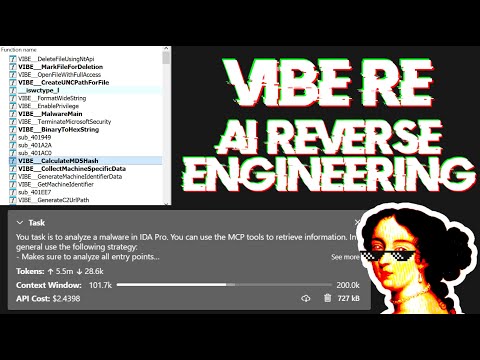
Live stream discussing prompting and showing some real-world malware analysis:
Tips for Enhancing LLM Accuracy
Large Language Models (LLMs) are powerful tools, but they can sometimes struggle with complex mathematical calculations or exhibit "hallucinations" (making up facts). Make sure to tell the LLM to use the int_convert MCP tool and you might also need math-mcp for certain operations.
Another thing to keep in mind is that LLMs will not perform well on obfuscated code. Before trying to use an LLM to solve the problem, take a look around the binary and spend some time (automatically) removing the following things:
- String encryption
- Import hashing
- Control flow flattening
- Code encryption
- Anti-decompilation tricks
You should also use a tool like Lumina or FLIRT to try and resolve all the open source library code and the C++ STL, this will further improve the accuracy.
Transports & Headless MCP
You can run an SSE server to connect to the user interface like this:
uv run ida-pro-mcp --transport http://127.0.0.1:8744/sse
After installing idalib you can also run a headless MCP server. You can start with an initial binary:
uv run idalib-mcp --host 127.0.0.1 --port 8745 path/to/executable
Or start without a binary and open arbitrary files later with idb_open(...):
uv run idalib-mcp --host 127.0.0.1 --port 8745
For stdio-based clients, use:
uv run idalib-mcp --stdio
Database workers are persistent: each one runs as a detached process that
outlives the supervisor that spawned it. When a new supervisor (over stdio
or HTTP) calls idb_open for a binary that is already open under a worker
on this host, the supervisor adopts that worker transparently — there is
no separate "shared" mode to enable. Workers self-exit when no request has
hit them for an idle interval.
Note: The idalib feature was contributed by Willi Ballenthin.
Headless idalib Session Model
idalib-mcp is a supervisor that keeps each open database in its own idalib worker process. Workers register themselves in a host-local discovery directory and outlive the supervisor that spawned them; any subsequent supervisor that wants the same path adopts the running worker. A worker self-exits when no request has hit it for its idle TTL (default 1 hour). Call idb_close to release a worker eagerly (freeing a slot toward --max-workers), adopted GUI/worker instances are detached rather than killed.
idb_open picks the backend via its mode parameter:
prefer_headless(default): spawn an idalib worker (or adopt one that already has the file open).force_headless: same, but never adopt a running GUI even if one has the file.prefer_gui: adopt a running GUI for the file; otherwise spawn an idalib worker.force_gui: adopt a running GUI for the file; otherwise launch a new IDA GUI process.
Every tool call must carry an explicit database argument. There is no implicit "current database" — callers name the session they want to operate on.
uv run idalib-mcp --stdio --max-workers 4
Typical flow:
idb_open("/path/to/binary_a.exe", preferred_session_id="binary_a")
idb_open("/path/to/library.dll", preferred_session_id="library")

decompile("main", database="binary_a")
xrefs_to("ImportantExport", database="library")
database must be the session ID returned by idb_open (or shown in idb_list); filenames and paths are not accepted.
Management tools
idb_open(input_path, mode="prefer_headless", run_auto_analysis=True, build_caches=True, init_hexrays=True, preferred_session_id=""): Open a binary, warm up subsystems (strings cache, Hex-Rays), and return its session ID. If a worker or GUI for this path is already running on the host, that instance is adopted andpreferred_session_idis ignored.idb_list(): List open sessions and running GUI IDA instances. Each entry hasadopted(True if this supervisor manages it, False for GUIs/workers discovered but not yet opened viaidb_open),backend(workerorgui),is_active, and process IDs.idb_close(database, save=True): Save (optionally), unregister the session, and terminate its owned worker, freeing a slot toward--max-workers. Adopted GUI/worker instances are detached, not killed.idb_save(session_id, path=""): Save a session's IDB to disk. Forwarded as a regular worker tool (database=<id>injected) — same signature in both backends.- Per-database health: call
server_health(database=<id>)(forwarded).idb_list()reportsis_activefrom the supervisor's TCP/RPC probe.
Worker controls:
--max-workers N: maximum simultaneous database workers (0= unlimited, default4).IDA_MCP_MAX_WORKERS: environment default for--max-workers.
The bundled Codex plugin forwards the runtime's IDA_MCP_* configuration variables from the Codex host environment:
- Capacity and lifecycle:
IDA_MCP_MAX_WORKERS,IDA_MCP_OPEN_TIMEOUT,IDA_MCP_WEDGED_GRACE_SEC,IDA_MCP_WORKER_CALL_TIMEOUT. - Health probes:
IDA_MCP_HEALTH_TCP_TIMEOUT,IDA_MCP_HEALTH_RPC_TIMEOUT,IDA_MCP_HEALTH_RETRIES,IDA_MCP_HEALTH_RETRY_BACKOFF. - Worker behavior:
IDA_MCP_TOOL_TIMEOUT_SEC,IDA_MCP_ANALYSIS_PROMPT,IDA_MCP_URL. - Request logging:
IDA_MCP_LOG_REQUESTS,IDA_MCP_LOG_SKIP_METHODS.
MCP Resources
Resources represent browsable state (read-only data) following MCP's philosophy.
Core IDB State:
ida://idb/metadata- IDB file info (path, arch, base, size, hashes)ida://idb/segments- Memory segments with permissionsida://idb/entrypoints- Entry points (main, TLS callbacks, etc.)
UI State:
ida://cursor- Current cursor position and functionida://selection- Current selection range
Type Information:
ida://types- All local typesida://structs- All structures/unionsida://struct/{name}- Structure definition with fields
Lookups:
ida://import/{name}- Import details by nameida://export/{name}- Export details by nameida://xrefs/from/{addr}- Cross-references from address
Core Functions
lookup_funcs(queries): Get function(s) by address or name (auto-detects, accepts list or comma-separated string).int_convert(inputs): Convert numbers to different formats (decimal, hex, bytes, ASCII, binary).list_funcs(queries): List functions (paginated, filtered).list_globals(queries): List global variables (paginated, filtered).imports(offset, count): List all imported symbols with module names (paginated).decompile(addr): Decompile function at the given address.disasm(addr): Disassemble function with full details (arguments, stack frame, etc).xrefs_to(addrs): Get all cross-references to address(es).xrefs_to_field(queries): Get cross-references to specific struct field(s).callees(addrs): Get functions called by function(s) at address(es).
Modification Operations
add_bookmark(addr, name, prefix): Add or replace the IDA bookmark at an address; setprefix=""for no prefix.set_comments(items): Set comments at address(es) in both disassembly and decompiler views.patch_asm(items): Patch assembly instructions at address(es).declare_type(decls): Declare C type(s) in the local type library.define_func(items): Define function(s) at address(es). Optionally specifyendfor explicit bounds.define_code(items): Convert bytes to code instruction(s) at address(es).undefine(items): Undefine item(s) at address(es), converting back to raw bytes. Optionally specifyendorsize.
Memory Reading Operations
get_bytes(addrs): Read raw bytes at address(es).get_int(queries): Read integer values using ty (i8/u64/i16le/i16be/etc).get_string(addrs): Read null-terminated string(s).get_global_value(queries): Read global variable value(s) by address or name (auto-detects, compile-time values).
Stack Frame Operations
stack_frame(addrs): Get stack frame variables for function(s).declare_stack(items): Create stack variable(s) at specified offset(s).delete_stack(items): Delete stack variable(s) by name.
Structure Operations
read_struct(queries): Read structure field values at specific address(es).search_structs(filter): Search structures by name pattern.
Debugger Operations (Extension)
Debugger tools are hidden by default. Enable with ?ext=dbg query parameter:
http://127.0.0.1:13337/mcp?ext=dbg
Control:
dbg_start(): Start debugger process.dbg_exit(): Exit debugger process.dbg_continue(): Continue execution.dbg_run_to(addr): Run to address.dbg_step_into(): Step into instruction.dbg_step_over(): Step over instruction.
Breakpoints:
dbg_bps(): List all breakpoints.dbg_add_bp(addrs): Add breakpoint(s).dbg_delete_bp(addrs): Delete breakpoint(s).dbg_toggle_bp(items): Enable/disable breakpoint(s).
Registers:
dbg_regs(): All registers, current thread.dbg_regs_all(): All registers, all threads.dbg_regs_remote(tids): All registers, specific thread(s).dbg_gpregs(): GP registers, current thread.dbg_gpregs_remote(tids): GP registers, specific thread(s).dbg_regs_named(names): Named registers, current thread.dbg_regs_named_remote(tid, names): Named registers, specific thread.
Stack & Memory:
dbg_stacktrace(): Call stack with module/symbol info.dbg_read(regions): Read memory from debugged process.dbg_write(regions): Write memory to debugged process.
Advanced Analysis Operations
py_eval(code): Execute arbitrary Python code in IDA context (returns dict with result/stdout/stderr, supports Jupyter-style evaluation).analyze_funcs(addrs): Comprehensive function analysis (decompilation, assembly, xrefs, callees, callers, strings, constants, basic blocks).
Pattern Matching & Search
find_regex(queries): Search strings with case-insensitive regex (paginated).find_bytes(patterns, limit=1000, offset=0): Find byte pattern(s) in binary (e.g., "48 8B ?? ??"). Max limit: 10000.find_insns(sequences, limit=1000, offset=0): Find instruction sequence(s) in code. Max limit: 10000.find(type, targets, limit=1000, offset=0): Advanced search (immediate values, strings, data/code references). Max limit: 10000.
Control Flow Analysis
basic_blocks(addrs): Get basic blocks with successors and predecessors.
Type Operations
set_type(edits): Apply type(s) to functions, globals, locals, or stack variables.infer_types(addrs): Infer types at address(es) using Hex-Rays or heuristics.
Export Operations
export_funcs(addrs, format): Export function(s) in specified format (json, c_header, or prototypes).
Graph Operations
callgraph(roots, max_depth): Build call graph from root function(s) with configurable depth.
Batch Operations
rename(batch): Unified batch rename operation for functions, globals, locals, and stack variables (accepts dict with optionalfunc,data,local,stackkeys).patch(patches): Patch multiple byte sequences at once.put_int(items): Write integer values using ty (i8/u64/i16le/i16be/etc).
Key Features:
- Type-safe API: All functions use strongly-typed parameters with TypedDict schemas for better IDE support and LLM structured outputs
- Batch-first design: Most operations accept both single items and lists
- Consistent error handling: All batch operations return
[{..., error: null|string}, ...] - Cursor-based pagination: Search functions return
cursor: {next: offset}or{done: true}(default limit: 1000, enforced max: 10000 to prevent token overflow) - Performance: Strings are cached with MD5-based invalidation to avoid repeated
build_strlistcalls in large projects
Development
Adding new features is a super easy and streamlined process. All you have to do is add a new @tool function to the modular API files in src/ida_pro_mcp/ida_mcp/api_*.py and your function will be available in the MCP server without any additional boilerplate! Below is a video where I add the get_metadata function in less than 2 minutes (including testing):
https://github.com/user-attachments/assets/951de823-88ea-4235-adcb-9257e316ae64
To test the MCP server itself:
npx -y @modelcontextprotocol/inspector
This will open a web interface at http://localhost:5173 and allow you to interact with the MCP tools for testing.
For testing I create a symbolic link to the IDA plugin and then POST a JSON-RPC request directly to http://localhost:13337/mcp. After enabling symbolic links you can run the following command:
uv run ida-pro-mcp --install
Generate the changelog of direct commits to main:
git log --first-parent --no-merges 1.2.0..main "--pretty=- %s"