需先安装 virtualenv(如 python3-venv),否则依赖装不上;安装或更新后必须手动执行 :CHADdeps 拉取依赖;回收站功能依赖系统 trash 或 trash-cli 命令
chadtree
ms-jpqGPL-3.0活跃维护Neovim 的树形文件管理器,用 Python 编写,支持图标和配色,可替代 NERDTree 更流畅地浏览和操作项目文件。
File manager for Neovim. Better than NERDTree.
暂无版本1,688star61fork同步于 2026-11-10 17:49 UTC
Plug 'ms-jpq/chadtree', {'branch': 'chad', 'do': 'python3 -m chadtree deps'}
:CHADdeps 硬件要求按 README 说明
README 未说明,仅要求 python 3.8.2 与 nvim 0.4.3 以上
Neovim 的文件管理器插件,用并行扫描和不阻塞的渲染替代 NERDTree
Neovim 的树形文件管理器,用 Python 编写,支持图标和配色,可替代 NERDTree 更流畅地浏览和操作项目文件。
核心能力
- 并行扫描文件系统,渲染不阻塞编辑器
- 类 React 的差异协调渲染引擎,减少重绘
- 异步解析 git 状态,支持子模块
- 支持 glob 过滤、书签、会话保存与回收站
- 完整支持 $LS_COLOR 与 GitHub 配色图标
容易踩的坑
内容由模型根据 README 生成,可能不完整或不准确,以官方文档为准。看原文 README
暂无 release 数据(可能没有发版,或尚未同步)。
用户点评
登录用户的真实使用记录,可按版本和硬件筛选共 0 条
还没有人点评。第一个说出真实体验的人最有价值。
CHADTree
File Manager for Neovim, Better than NERDTree.
Features Illustrated
See full list of screen captures here
I like speed
-
Parallel Filesystem Scan
-
React Like Reconciling Difference Minimizing Rendering engine
-
Never blocks
You can read more about my performance optimization here.
I like power
-
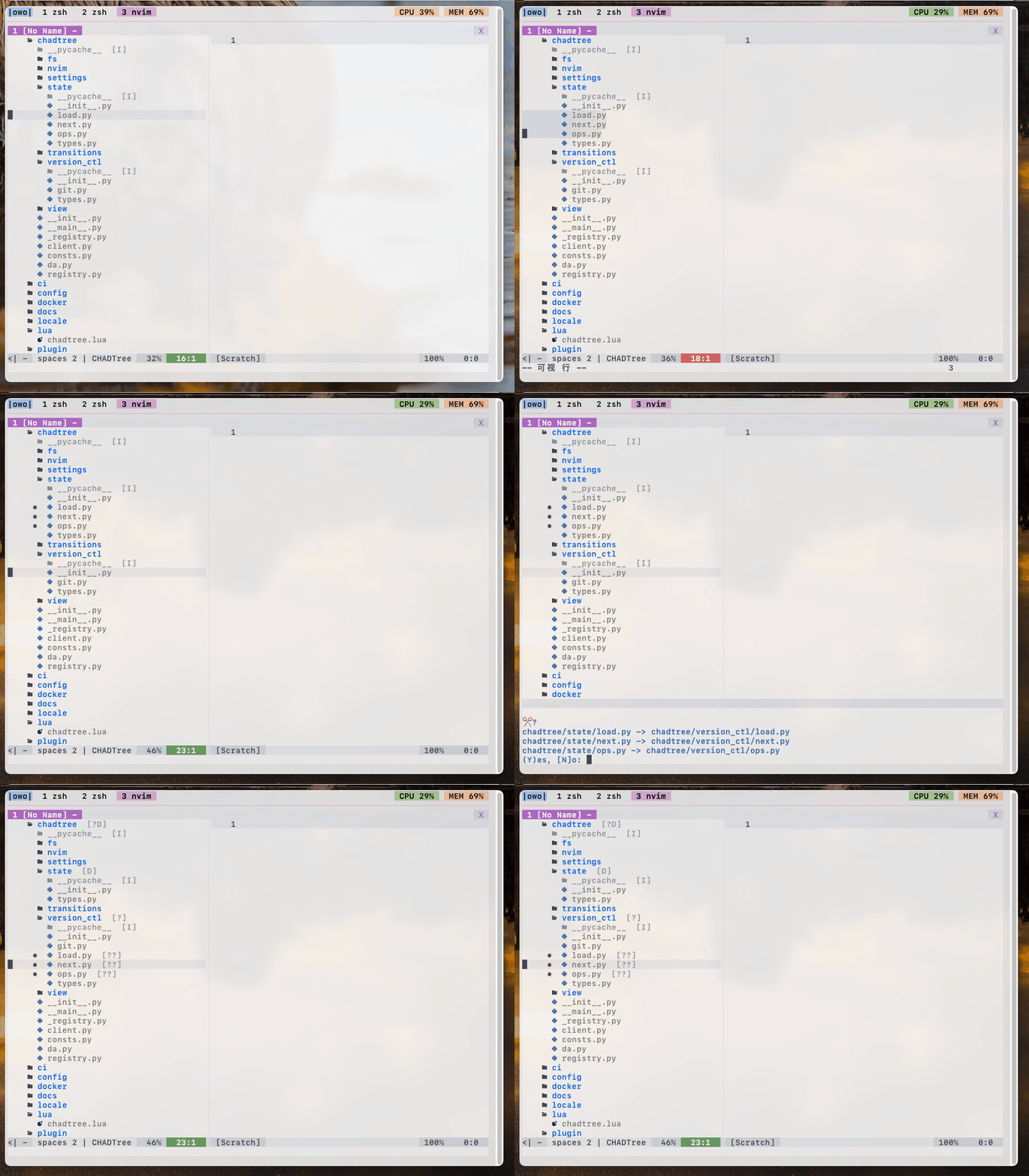
Visual mode selections
-
Create, Copy, Paste, Delete, Rename, gotta do them all
-
Quickfix integration
I like 21st century
-
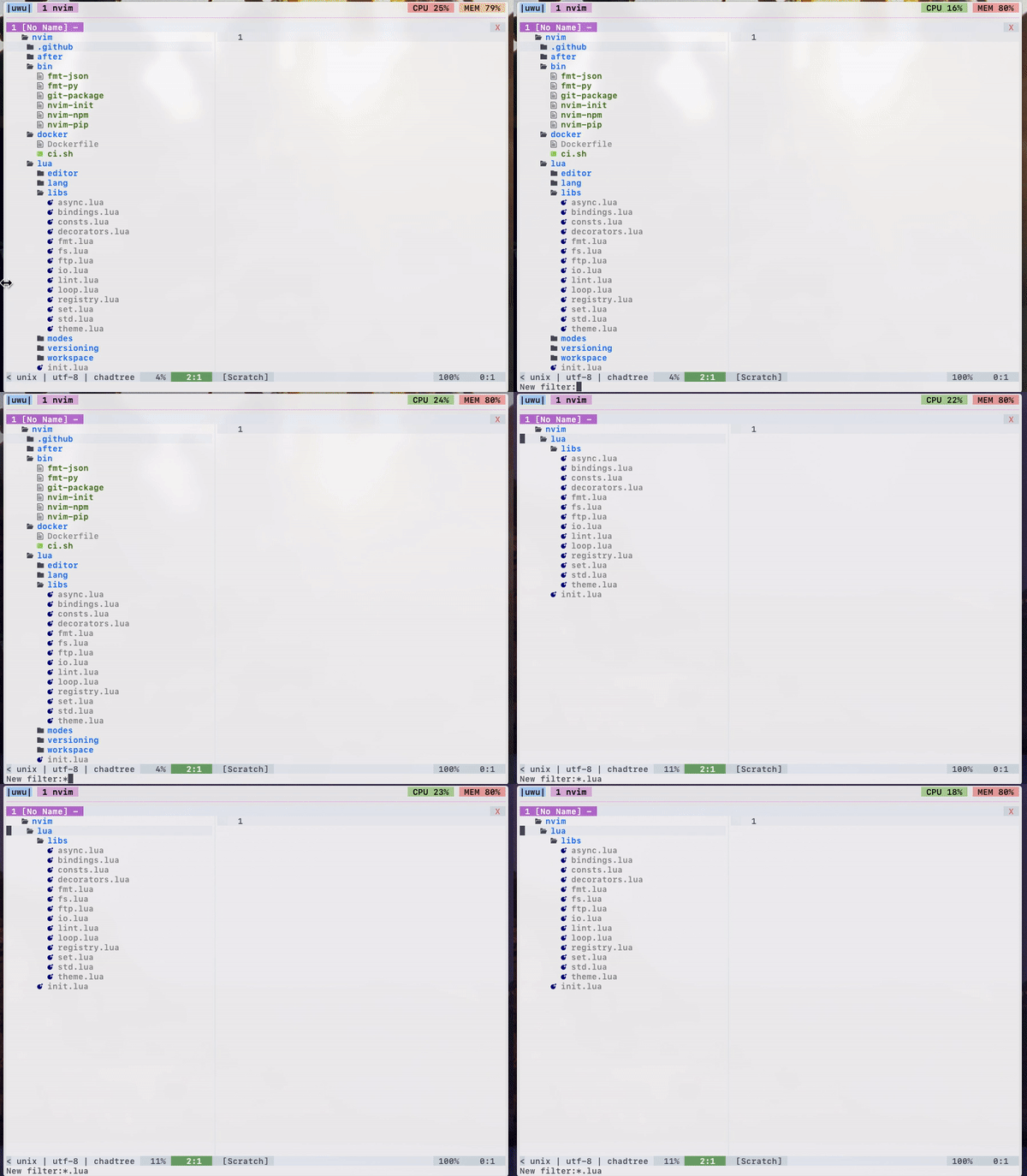
Filtering by glob
-
Follow mode
-
Session support (save open folders to disk, pick up where you left off)
-
ls -lstatistics -
Correct! handling of symlinks
I like version control
-
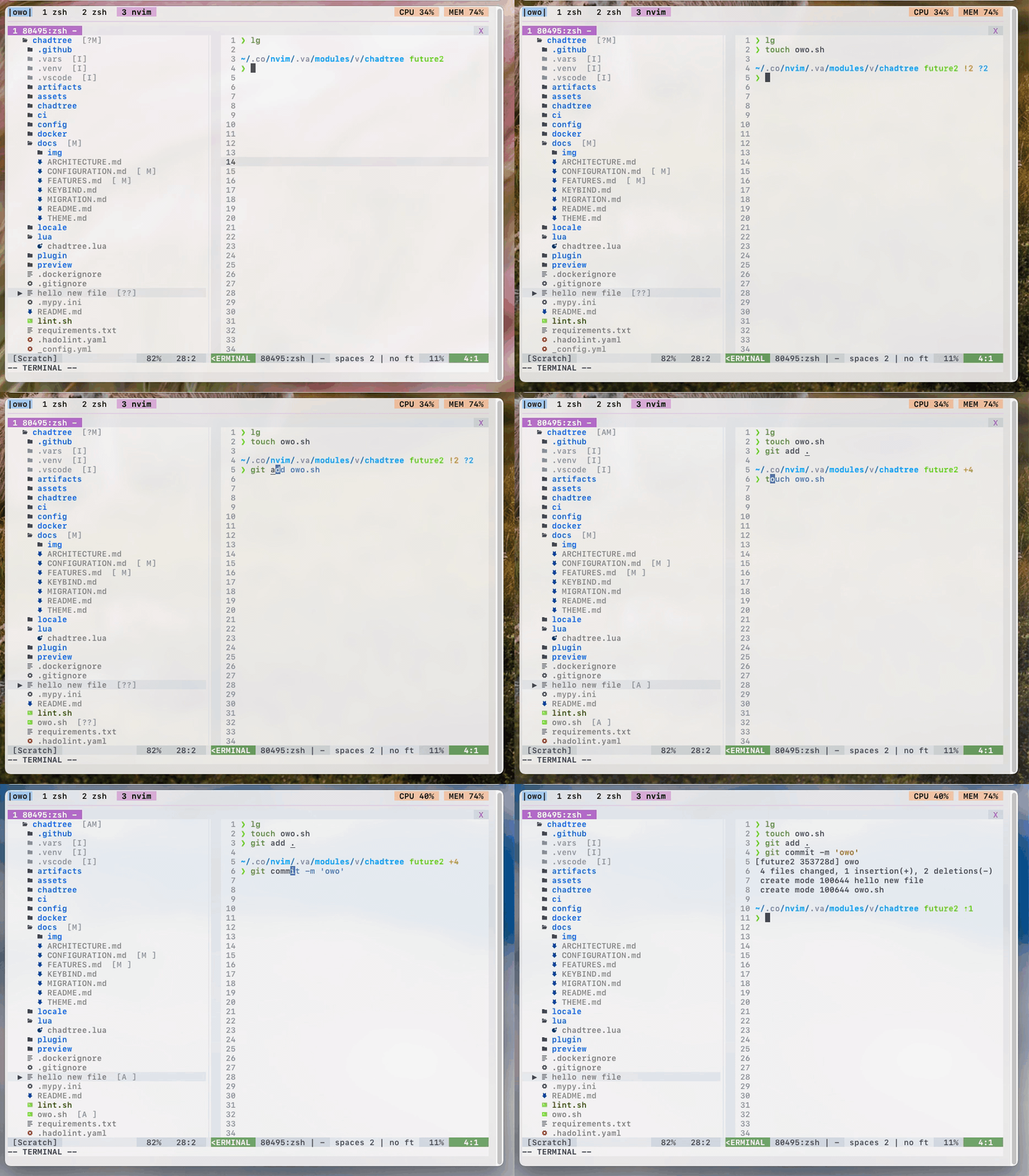
Asynchronous parse git status (untracked, modified, staged)
-
Full support for git submodules
I like colours
-
Full
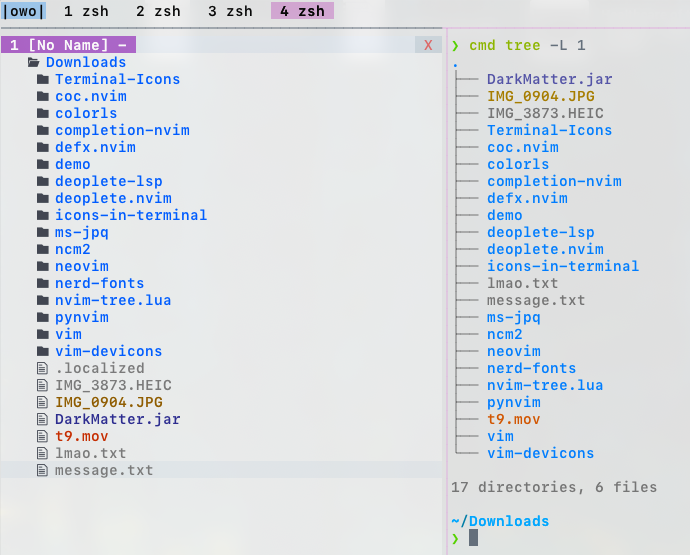
$LS_COLORsupport! (shows same colours as unixls&treecommands) -
Github coloured icons (over 600 colours!)
-
Three different sets of icons out of the box
-
Four built-in themes - nord, solarized, trapdoor, vim-syntax
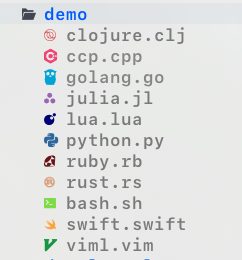
I like refinement
-
Maintain cursor position on relevant files even when during movements.
-
Maintain selection when copying, moving files
-
Mimetype warning (so you don't accidentally open an image)
-
Validating config parser (notice, I added an extra
"dog"param)


I like documentation
-
Built-in help command in a floating window!
-
Over 1000 lines of meticulous docs covering every option / function!
Use :CHADhelp to view documentation
Use :CHADhelp --web to open documentation in your browser! (If you have one installed)
Install
Minimum version: python: 3.8.2, nvim: 0.4.3, make sure to have virtualenv installed (e.g.: sudo apt install --yes -- python3-venv)
Install the usual way, ie. VimPlug, Vundle, etc
Plug 'ms-jpq/chadtree', {'branch': 'chad', 'do': 'python3 -m chadtree deps'}
You will have to run :CHADdeps when installing / updating. This will install CHADTree's dependencies locally inside chadtree/.vars/runtime.
doing rm -rf chadtree/ will cleanly remove everything CHADTree uses on your computer.
Usage
To toggle CHADTree run command :CHADopen. Set it to a hotkey for convenience.
nnoremap <leader>v <cmd>CHADopen<cr>
To see a list of hot keys:
Either use :CHADhelp keybind or open in browser using :CHADhelp keybind --web
FAQ
Q: Sometimes Windows will get stuck with CHADTree decorations when I do not want them to be, how do I resolve this?
A: Run :CHADrestore
Recommendations
Add a hotkey to clear quickfix list:
nnoremap <leader>l <cmd>call setqflist([])<cr>
If you like this...
Also check out
-
sad, its a modernsedthat does previews with syntax highlighting, and lets you pick and choose which chunks to edit. -
coq.nvim, it's a FAST AS FUCK completion client with shit tons of features. -
isomorphic-copy, it's a cross platform clipboard that is daemonless, and does not require third party support.
Special Thanks
CHADTree does not define it's own colours beyond some minimal defaults, all themes are imported from other open source projects.
The base icons are imported from the vim-devicon
All emoji icons are imported from the vim-emoji-icon-theme
Some themes are imported from dircolors-solarized
Some themes are imported from nord-dircolors
Some themes are imported from LS_COLORS
Some themes are imported from vim-nerdtree-syntax-highlight
Files
files-community·C#
一款面向 Windows 的现代文件管理器,用多标签页、双栏浏览和 Fluent 设计改进资源管理器的使用体验,方便整理文件和文件夹。
文件管理器+4文件管理
46578+643.0kv4.32026-11-10 15:05 UTC

yazi
sxyazi·Rust
用 Rust 写的终端文件管理器,基于异步 I/O 实现极快的目录浏览和文件操作,适合习惯命令行的开发者日常管理文件。
终端文件管理器+4文件管理
43334+631.1kv26.9.12026-11-10 07:28 UTC

spacedrive
spacedriveapp·Rust
用 Rust 写的跨平台开源文件管理器,底层是虚拟分布式文件系统,能把多台设备上的文件统一管理,像访问本地一样浏览和整理。
文件管理器+4文件管理
39480+311.4k0.4.32026-11-06 11:49 UTC
filebrowser
filebrowser·Go
File Browser provides a file managing interface within a specified directory and it can be used to upload, delete, preview and edit your files.
文件管理
358704.2k2026-07-31 10:06 UTC