
Play, focus, connection, share and freedom 🚩
Docs | 中文文档
Introduction
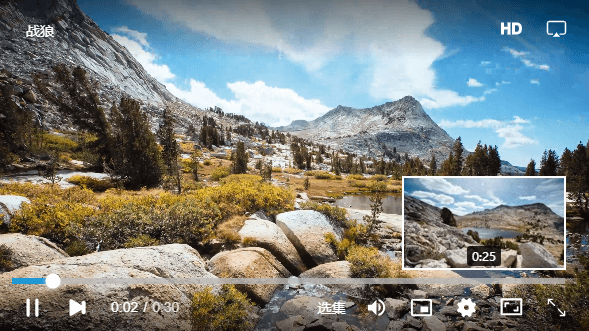
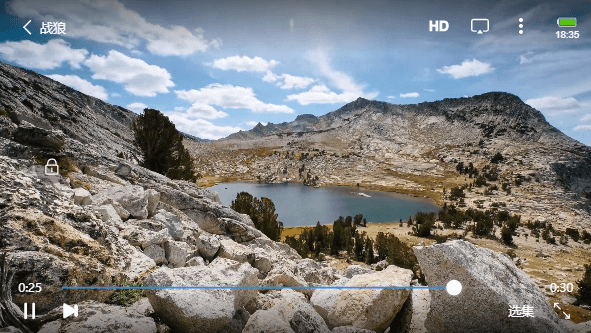
MuiPlayer is an HTML5 video playback plug-in, which is configured with exquisite and operable playback controls by default, involving common playback scenarios, such as full-screen playback, playback fast forward, loop playback, volume adjustment, video decoding and other functions.
Support mp4, m3u8, flv and other media formats to play, solve most compatibility problems, and adapt to play on PCs and mobile phones.
MuiPlayer has a wealth of parameters to customize the player instance, and the video playback of the customized scene can be completed through easy configuration.
Features
MuiPlayer helped us solve some common problems in daily H5 Video application development:
- The ui of different browser platforms cannot be unified
- Conflicts between ui extensions and state processing are prone to
- In different environments (android, ios, pc), h5 video api may trigger events at different times
- There are various compatibility issues with media formats, muiplayer handles most of the compatibility issues when playing in different environments
- Repeated stepping on some pits in the process of developing h5 video, we provide a complete solution, so that developers can avoid some detours
installation
Install using npm:
npm i mui-player --save
Install using yarn:
yarn add mui-player
usage
1.Use the script tag to introduce:
<!-- import basic style files mui-player.min.css -->
<link rel="stylesheet" type="text/css" href="css/mui-player.min.css"/>

<!-- import basic script mui-player.min.js -->
<script type="text/javascript" src="js/mui-player.min.js"></script>

<!-- Specify the player container -->
<div id="mui-player"></div>
Or use the module manager to import:
import 'mui-player/dist/mui-player.min.css'
import MuiPlayer from 'mui-player'
2.Define the player container:
<div id="mui-player"></div>
3.Initialize and build the player:
// Initialize the MuiPlayer plugin. The MuiPlayer method passes an object that includes the configuration of all plug-ins.
var mp = new MuiPlayer({
    container:'#mui-player',
    title:'Title',
    src:'./static/media/media.mp4',
})
The above can build a video player with default configuration controls for initialization. Below you can read some API basic configuration options about MuiPlayer. Go parameters API
Official document
Start
Install this project
npm install
npm start
Disclaimer
This is a non-commercial version of MuiPlayer. It does not include the same functions as a commercial player, but the open source version can still provide a stable video playback solution. Before using this, be sure to understand the software license of the open source project. If you want to get a commercial application player, please download from the official Professional Application Plugin.
Join group and consulting
QQ:3131244726
©️ Software License
Copyright (C) 2007 Free Software Foundation, Everyone is permitted to copy and distribute verbatim copies of this license document, but changing it is not allowed.

