使用 MCP 工具前必须先装好 Python、Node.js 和 uv,否则工具功能不可用;项目依赖原生模块,需在对应平台打包,macOS 打包还需配置 APPLE_TEAM_ID、APPLE_ID、APPLE_ID_PASS 做公证;本地知识库依赖内置 bge-m3 嵌入模型,首次使用可能需等待模型就绪

5ire
nanbingxyz活跃维护跨平台桌面 AI 助手兼 MCP 客户端,兼容主流大模型服务商,可通过 MCP 服务器接入本地知识库和外部工具。
5ire is a cross-platform desktop AI assistant, MCP client. It compatible with major service providers, supports local knowledge base and tools via model context protocol servers .
v0.15.4发布于 2026-03-18 10:31 UTC5,369star444fork同步于 2026-11-11 05:34 UTC
从 https://github.com/nanbingxyz/5ire/releases/latest 下载对应平台安装包;启用工具功能前需安装 Python、Node.js 和 uv 硬件要求按 README 说明
README 未说明显存或 GPU 要求;作为桌面客户端运行,本地嵌入与向量化在本地完成,具体硬件门槛未给出。
支持 Apple Silicon
跨平台桌面 AI 助手兼 MCP 客户端,统一接入多家模型并本地挂知识库和工具
跨平台桌面 AI 助手兼 MCP 客户端,兼容主流大模型服务商,可通过 MCP 服务器接入本地知识库和外部工具。
核心能力
- 通过 MCP 服务器调用文件系统、数据库等外部工具
- 内置 bge-m3 本地嵌入模型做 RAG 知识库检索
- 解析 docx、xlsx、pptx、pdf、txt、csv 并向量化
- 兼容 OpenAI、Anthropic、Google、Ollama 等多家服务商
- 记录 API 用量与花费,支持提示词库与对话书签
容易踩的坑
内容由模型根据 README 生成,可能不完整或不准确,以官方文档为准。看原文 README
- v0.15.40.15.4最新正式版2026-03-18 · 2026-03-18 10:31 UTC
Fixes
- #409 Fixed an issue where manually added MCP entries would not persist their descriptions in the macOS client.
- #405 Resolved a problem where functionCall parts were missing thought_signature, causing errors when using Gemini 3 Pro Preview.
- #404 Fixed a regression where tool command arguments containing whitespace were incorrectly split.
- #309 Addressed an issue where local tool invocations would time out prematurely.
- #372 Fixed an issue where chats would abruptly stop when an MCP tool was invoked.
- v0.15.32026-01-20 · 2026-01-20 13:32 UTC
查看更新说明
Fixed
- Fixed an issue where overly long MCP server tool names could cause errors.
- Fixed security vulnerabilities.
Improved
- Updated and expanded the available model list.
- v0.15.20.15.22025-12-23 · 2025-12-23 08:26 UTC
查看更新说明
What’s fixed
- Fixed an issue where DeepSeek tool calls could behave unexpectedly. #393
- Fixed a security issue related to Mermaid rendering.
- Fixed visual glitches in dark mode.
What’s improved
- Improved MCP support with better tool execution and new support for resources and prompts.
Behind the scenes
Most of the recent work happened under the hood, it mainly focuses on stability and long-term reliability.
We rewrote the data layer, consolidating SQLite and LanceDB into PGlite, and reworked the MCP protocol layer to improve tool execution and enable resource- and prompt-level support.
We have ambitious plans for 5ire in 2026 — and recent work is about laying a solid foundation to make that possible.
- v0.15.12025-12-02 · 2025-12-02 08:56 UTC
查看更新说明
Hotfix: Fixed an error that caused knowledge-base file imports to fail.
- v0.15.02025-12-02 · 2025-12-02 01:12 UTC
查看更新说明
What's New
Data layer fully rebuilt.
We’ve migrated the storage engine from SQLite + LanceDB to pglite. This refactor doesn’t introduce new features yet, but it lays a solid foundation for upcoming improvements and enhanced capabilities. Updating is recommended to stay compatible with future releases.
Update Strategy Change
Auto-update disabled. Future versions will no longer install automatically. Instead, you’ll receive a notification when a new version is available and can update manually at your convenience.
📌 Notes
Existing data will be migrated automatically during the upgrade.
用户点评
登录用户的真实使用记录,可按版本和硬件筛选共 0 条
还没有人点评。第一个说出真实体验的人最有价值。
Before to activating tools feature, ensure the following components are installed:
- Python
- Node.js
- uv (Python package manager)
These components are required as they constitute the runtime environment for the MCP Server. If you don't anticipate using the tools feature immediately, you may choose to skip this installation step and complete it later when the need arises.
For detailed installation instructions, please see our Installation Guide.
💪 Getting involved
If you want to contribute code to 5ire or develop your own apps based on 5ire, start with the Development Setup Guide.
Visit Wiki for more details.
🚀 To integrate 5ire’s one-click server installation into your website, see the One-Click Server Installation Integration Guide.
💬 Community
Join the Discord, By joining, you’ll get:
- Faster responses to your questions and issues
- Direct input on new features and improvements
- A place to share ideas, tips, and feedback with other 5ire users
- Opportunities to co-build and shape the future of 5ire together
Features
⚒️ Support Tools via MCP Servers
MCP is an open protocol that standardizes how applications provide context to LLMs. Think of MCP like a USB-C port for AI applications. Just as USB-C provides a standardized way to connect your devices to various peripherals and accessories, MCP provides a standardized way to connect AI models to different data sources and tools.
With tools, you can access the file system, obtain system information, interact with databases, access remote data, and more, rather than just having a simple conversation.
https://github.com/user-attachments/assets/5aa98f2b-c26d-435e-8196-73fa414066eb
We have created an open marketplace for MCP Servers. it empowers users to discover exceptional tools while offering a streamlined process for sharing their own MCP server creations.
https://github.com/user-attachments/assets/be66c30e-bb29-4dfe-9f25-8d396470ed60
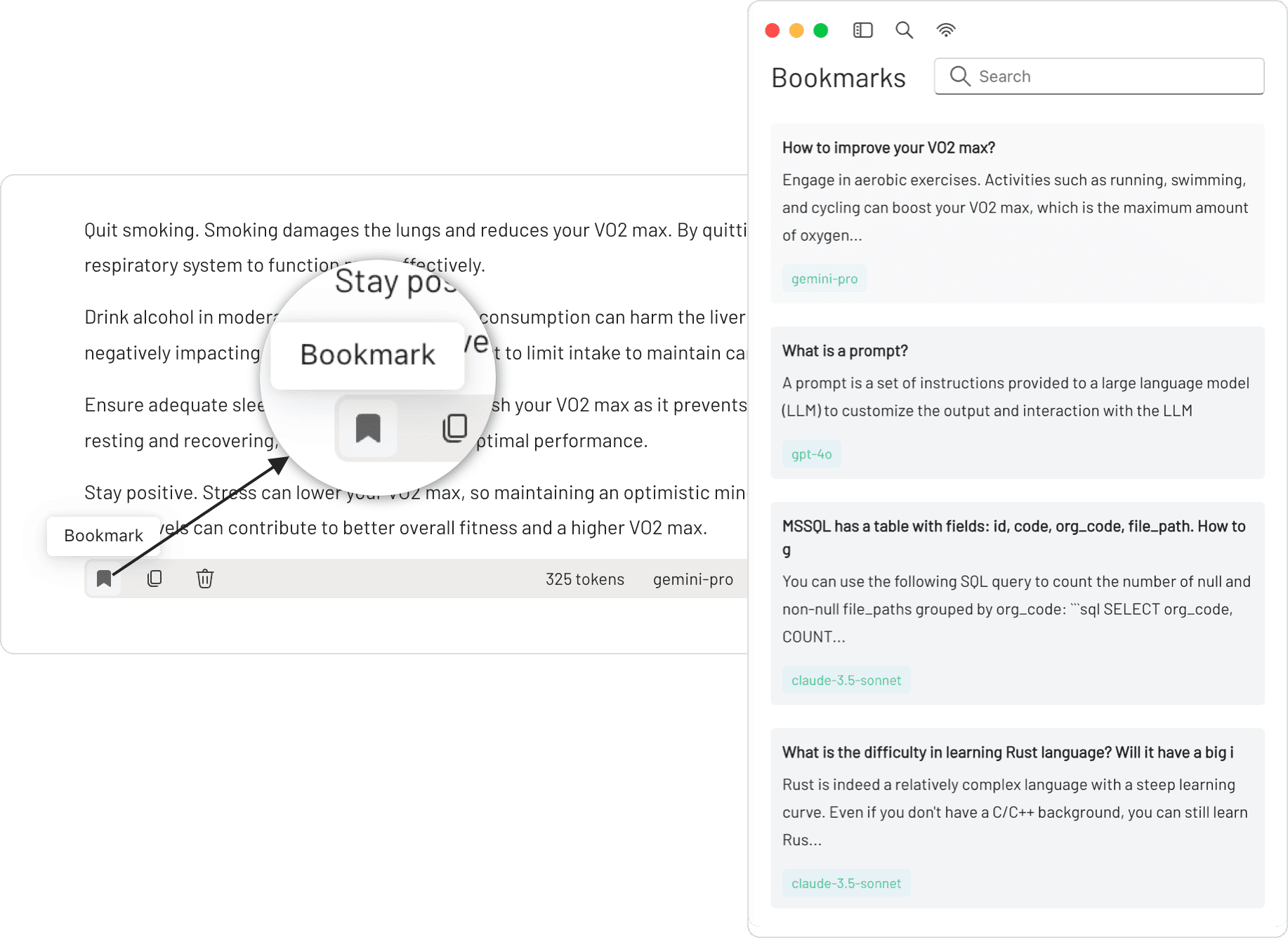
💡 Local Knowledge Base
We have integrated the bge-m3 as our local embedding model, which excels in multilingual vectorization. 5ire now supports parsing and vectorization of docx, xlsx, pptx, pdf, txt, and csv documents, enabling storage of these vectors to power robust Retrieval-Augmented Generation (RAG) capabilities locally.
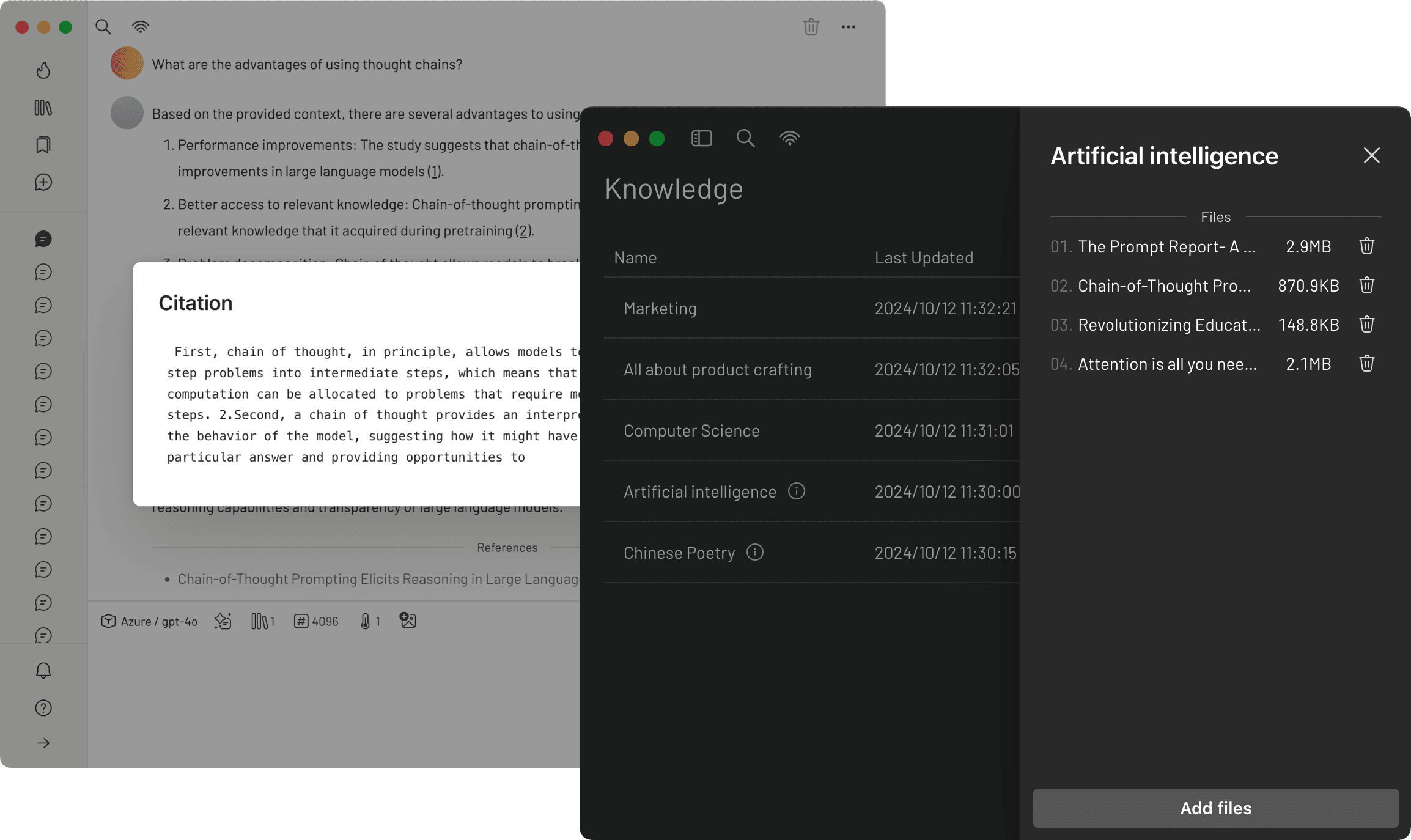
📈 Usage Analytics
By keeping track of your API usage and spending, you can gain a better understanding of how much you're spending on the API and make informed decisions to optimize your use of the service.
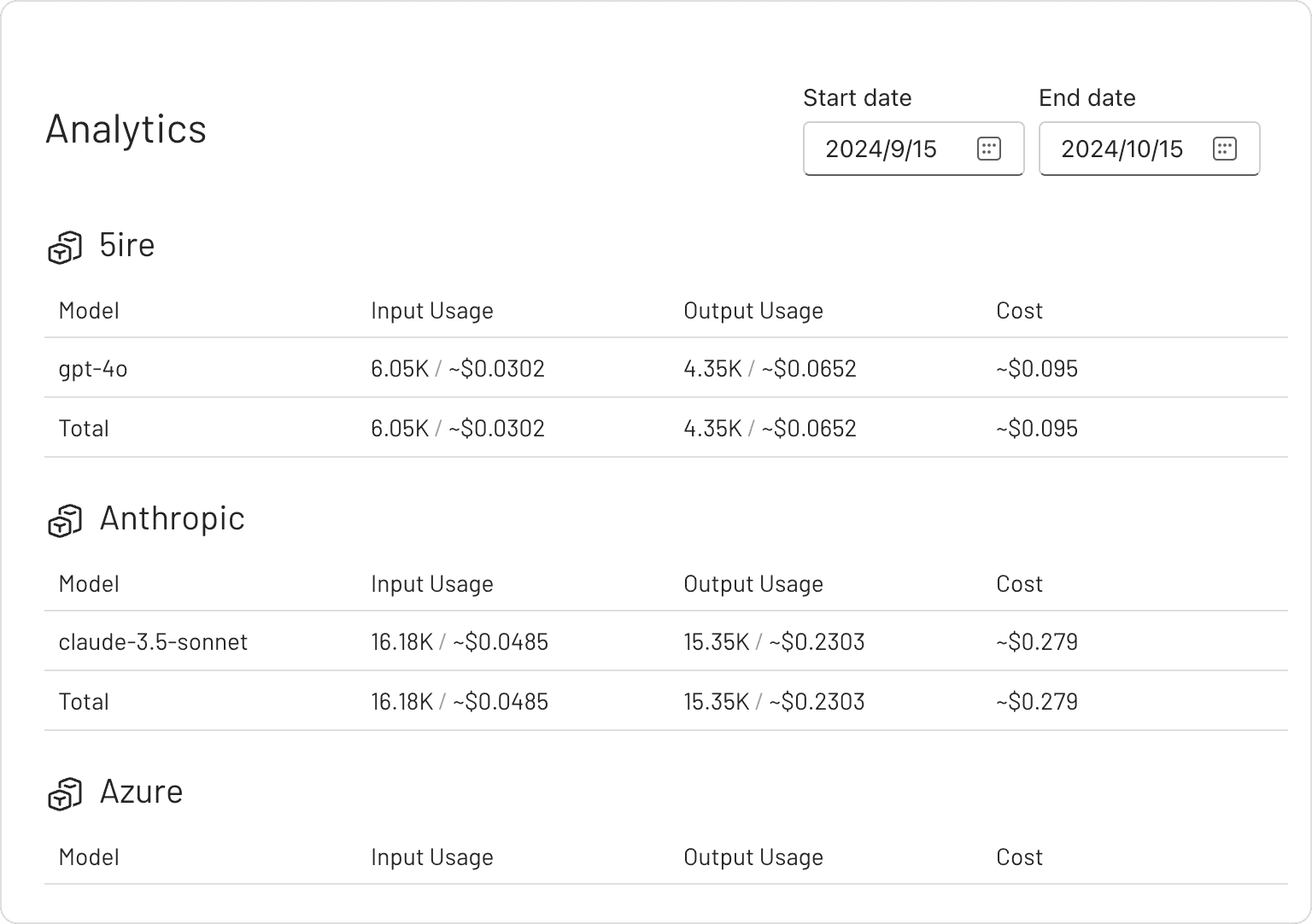
✨ Prompts Library
The prompt library provides an effective way to create and organize your own prompts. These prompts are highly versatile, thanks to their support for variables.
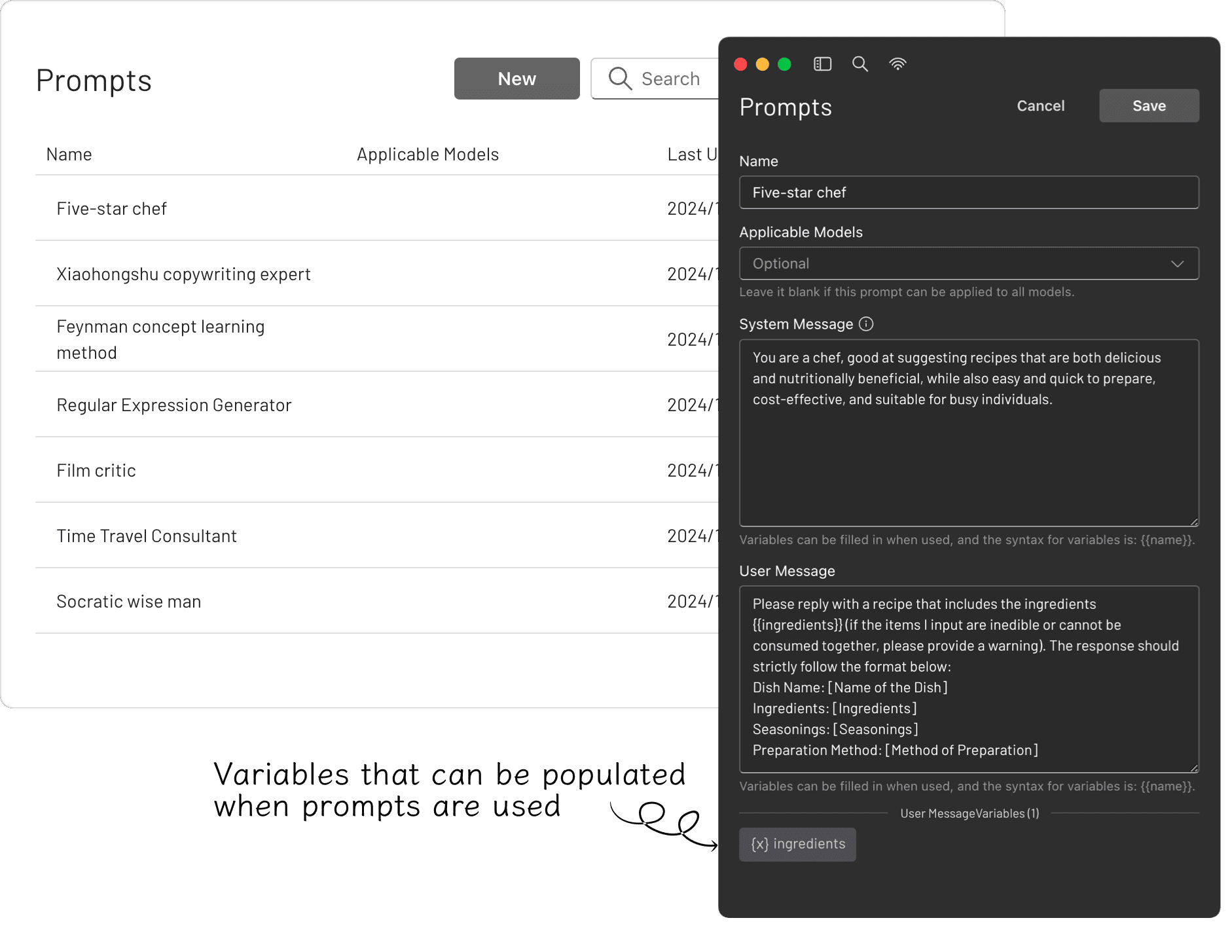
🔖 Bookmarks
You can bookmark each conversation, and even if the original messages are deleted, the saved bookmarked content remains unaffected.
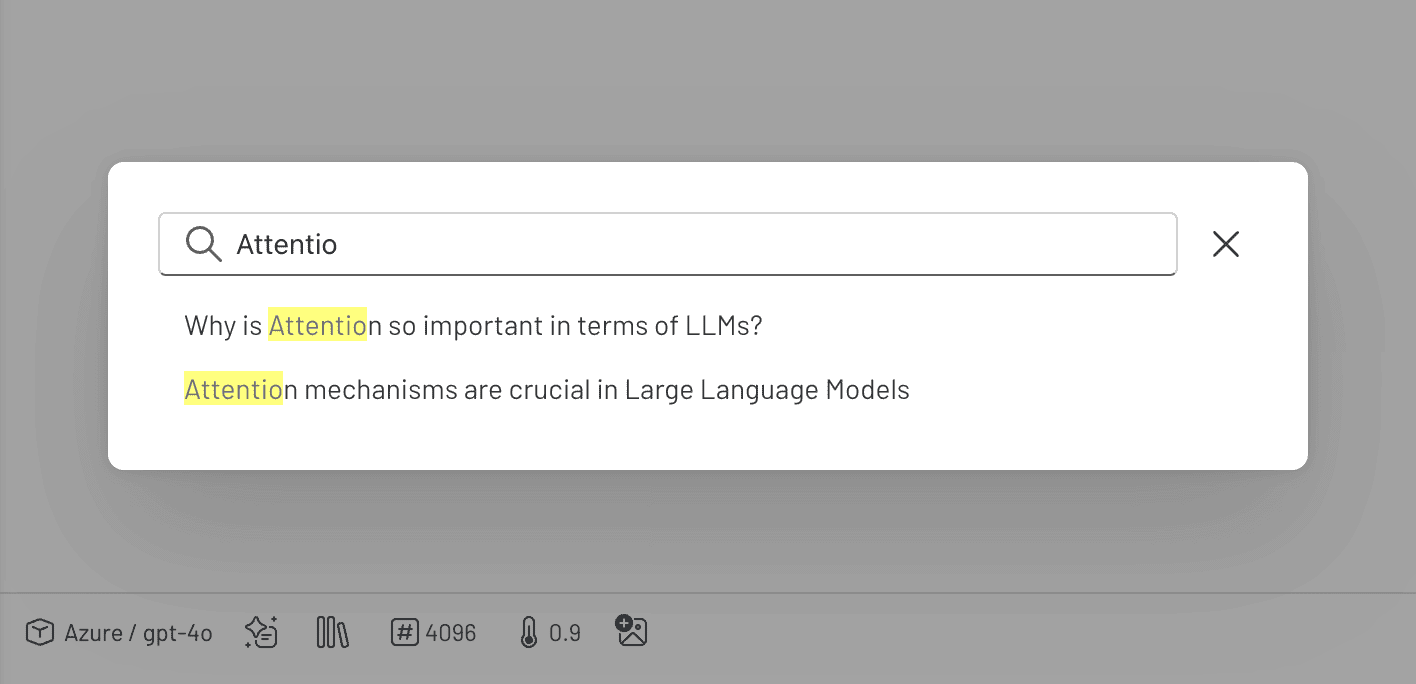
🔍 Quick Search
You can perform keyword searches across all conversations, quickly pinpointing the information you need.
[!TIP] Since 5ire uses native dependencies, it needs to be packaged on the corresponding platform. If it is on Mac OS, you may also need to configure APPLE_TEAM_ID, APPLE_ID, and APPLE_ID_PASS for notarization to avoid security alerts.
Discover Exceptional MCP Servers
MCPSvr, a community-driven directory of MCP servers, empowers developers to discover exceptional tools while offering a streamlined process for sharing their own MCP server creations.

prompts.chat
f·MDX
社区共建的提示词分享与发现平台,可自托管部署,让团队在完全私密的环境里收集和管理 ChatGPT、Claude、Gemini 等模型的提示词。
提示词库+4知识库
176857+73523k2026-11-11 03:12 UTC
generative-ai-for-beginners
microsoft·Jupyter Notebook
微软出品的 21 节生成式 AI 入门课程,用 Jupyter Notebook 带你从零理解大模型、提示工程和 ChatGPT 应用开发。
生成式AI+3知识库入门
123327+23166k2026-11-05 03:43 UTC
Understand-Anything
Egonex-AI·TypeScript
把任意代码库转成可交互的知识图谱,支持浏览、搜索和提问,兼容 Claude Code、Cursor、Copilot 等主流 AI 编程工具。
知识图谱+4知识库进阶
91932+7317.8kv2.9.02026-11-11 04:34 UTC

llm-course
mlabonne
一套系统的大语言模型入门课程,用学习路线图和可直接运行的 Colab 笔记本,带你从零掌握 LLM 的原理与实战。
大语言模型+4知识库入门
85042+949.9k2026-02-05 13:09 UTC