需自建 .env 填 OPENAI_API_KEY,HuggingFace、Pinecone、Cohere 等 key 按课程可选;triton 仅支持 x86_64,非该架构会装不上依赖;README 标注依赖停留在 LlamaIndex 0.6.31 / LangChain 0.0.209,与视频版本有细微差异
llm-python
onlyphantomMIT更新放缓一套基于 Jupyter Notebook 的大模型实战教程和示例脚本,覆盖 LangChain、OpenAI、LlamaIndex、ChromaDB、Pinecone 等主流工具,帮你快速上手 LLM 应用开发。
Large Language Models (LLMs) tutorials & sample scripts, ft. langchain, openai, llamaindex, gpt, chromadb & pinecone
暂无版本932star314fork同步于 2026-11-07 07:29 UTC
git clone <repo>
pip install -r requirements.txt 硬件要求按 README 说明
README 未说明显存或 GPU 要求;多数示例调用 OpenAI、HuggingFace 等云端 API,本地只需能跑 Python 环境,其中一课用 LlamaIndex + OPT 做本地离线模型但未给硬件规格
一套可直接运行的 LLM 应用示例脚本,覆盖 LangChain、LlamaIndex、OpenAI Agent SDK 与向量库
一套基于 Jupyter Notebook 的大模型实战教程和示例脚本,覆盖 LangChain、OpenAI、LlamaIndex、ChromaDB、Pinecone 等主流工具,帮你快速上手 LLM 应用开发。
核心能力
- 按主题拆成自包含脚本,可单独挑一个跑
- 覆盖 RAG、嵌入、缓存、SQL 查询等常见用法
- 含 6 个多智能体模式脚本,如交接、工具调用、评审
- 演示 Chroma、Pinecone 两种向量库接入
- 配套 YouTube 视频逐课讲解,代码与课程对应
容易踩的坑
内容由模型根据 README 生成,可能不完整或不准确,以官方文档为准。看原文 README
暂无 release 数据(可能没有发版,或尚未同步)。
用户点评
登录用户的真实使用记录,可按版本和硬件筛选共 0 条
还没有人点评。第一个说出真实体验的人最有价值。
llm-python
A set of instructional materials, code samples and Python scripts featuring LLMs (GPT etc) through interfaces like llamaindex, LangChain, OpenAI's Agent SDK, Chroma (Chromadb), Pinecone etc.
The code examples are aimed at helping you learn how to build LLM applications and Agents using Python. The code is designed to be self-contained and singularly focused, so you can pick and choose the usage patterns most relevant to your needs.
Many examples have accompanying videos on my YouTube channel.

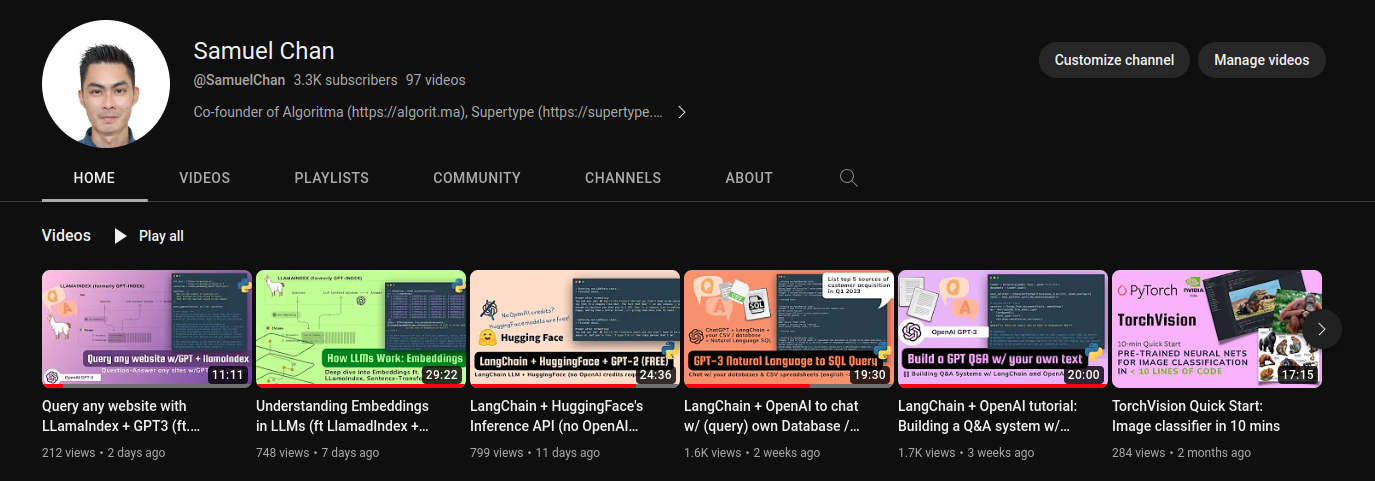
Learn LangChain from my YouTube channel (~9 hours of LLM hands-on building tutorials); Each lesson is accompanied by the corresponding code in this repo and is designed to be self-contained -- while still focused on some key concepts in LLM (large language model) development and tooling.
Feel free to pick and choose your starting point based on your learning goals:
| Part | LLM Tutorial | Link | Video Duration |
|---|---|---|---|
| 1 | OpenAI tutorial and video walkthrough | Tutorial Video | 26:56 |
| 2 | LangChain + OpenAI tutorial: Building a Q&A system w/ own text data | Tutorial Video | 20:00 |
| 3 | LangChain + OpenAI to chat w/ (query) own Database / CSV | Tutorial Video | 19:30 |
| 4 | LangChain + HuggingFace's Inference API (no OpenAI credits required!) | Tutorial Video | 24:36 |
| 5 | Understanding Embeddings in LLMs | Tutorial Video | 29:22 |
| 6 | Query any website with LLamaIndex + GPT3 (ft. Chromadb, Trafilatura) | Tutorial Video | 11:11 |
| 7 | Locally-hosted, offline LLM w/LlamaIndex + OPT (open source, instruction-tuning LLM) | Tutorial Video | 32:27 |
| 8 | Building an AI Language Tutor: Pinecone + LlamaIndex + GPT-3 + BeautifulSoup | Tutorial Video | 51:08 |
| 9 | Building a queryable journal 💬 w/ OpenAI, markdown & LlamaIndex 🦙 | Tutorial Video | 40:29 |
| 10 | Making a Sci-Fi game w/ Cohere LLM + Stability.ai: Generative AI tutorial | Tutorial Video | 1:02:20 |
| 11 | GPT builds entire party invitation app from prompt (ft. SMOL Developer) | Tutorial Video | 41:33 |
| 12 | A language for LLM prompt design: Guidance | Tutorial Video | 43:15 |
| 13 | You should use LangChain's Caching! | Tutorial Video | 25:37 |
| 14 | Build Chat AI apps with Steamlit + LangChain | Tutorial Video | 32:11 |
The full lesson playlist can be found here.
Updates
Multi-Agent and Agentic Patterns Update: May 3rd 2025
I've pushed 6 new scripts to the repo, 19_agents_handsoff.py to 24_agents_guardrails.py, intended to be used as code reference to this public course:
These additions to the repo illustrates 6 key patterns in building AI Agents (especially multi-agent systems) and use the latest version of OpenAI's Agent SDK (openai-agents) as of May 2025.
These 6 Agentic Patterns are (in order of appearance in this repo):
- 1 The Hand-off and Delegation Pattern (
19_agents_handsoff.py) - 2 The Tool-Use and Function Calling Pattern (
20_agents_tooluse.py) - 3 The Deterministic and Sequential Chain Pattern (
21_agents_deterministic.py) - 4 The Judge and Critic Pattern (
22_agents_critic.py) - 5 The Parallelization Pattern (
23_agents_parallelization.py) - 6 The Guardrails Pattern (
24_agents_guardrails.py)
Update: Feb 5th 2025
I've pushed 4 new scripts to the repo, 15_sql.py to 18_chroma.py, which are intended to be used as code reference to this public course:
- Building search engines in the age of AI: full course materials (free)
- Building search engines in the age of AI: two day workshop
Additionally, I'm now also hosting example code in this repo for the following Generative AI Series by Sectors.
-
Generative AI for Finance: An overview of designing Generative AI systems for the finance industry and the motivation for retrieval-augmented generation (RAG) systems.
-
Tool-Use Retrieval Augmented Generation (RAG): Practical guide to building RAG systems leveraging on information retrieval tools (known as "tool-use" or "function-calling" in LLM)
-
Structured Output from AIs: From using Generative AI to extract from unstructured data or perform actions like database queries, API calls, JSON parsing and more, we need schema and structure in the AI's output.
-
Tool-use ReAct Agents w/ Streaming: Updated for LangChain v0.3.2, we explore streaming, LCEL expressions and ReAct agents following the most up-to-date practices for creating conversational AI agents.
-
Conversational Memory AI Agents: Updated for LangChain v0.2.3, we dive into Creating AI Agents with Conversational Memory
Both of these series are public and free to access. The code in this repo is intended to be used as a reference for these courses.
Quick Start
- Clone this repo
- Install requirements:
pip install -r requirements.txt - Some sample data are provided to you in the
newsfoldeer, but you can use your own data by replacing the content (or adding to it) with your own text files. - Create a
.envfile which contains your OpenAI API key. You can get one from here.HUGGINGFACEHUB_API_TOKENandPINECONE_API_KEYare optional, but they are used in some of the lessons.- Lesson 10 uses Cohere and Stability AI, both of which offers a free tier (no credit card required). You can add the respective keys as
COHERE_API_KEYandSTABILITY_API_KEYin the.envfile. - Some of the most advanced examples that feature tool-use, function-calling Agents will require you working with a real-world financial data API. My team at Supertype and I built a LLM-first financial API platform called Sectors. You can register for a free account, read our API documentation and Generative AI 5-course series to learn how to use the API to build sophisticated LLM application. Examples of these applications are all in the repo.
- Lesson 10 uses Cohere and Stability AI, both of which offers a free tier (no credit card required). You can add the respective keys as
Your .env file should look like this:
# recommended
OPENAI_API_KEY=...

# optionals but useful
SECTORS_API_KEY=...
GROQ_API_KEY=...

# completely optional (pick and choose based on your needs)
HUGGINGFACEHUB_API_TOKEN=...
PINECONE_API_KEY=...
DEEPSEEK_API_KEY=...
COHERE_API_KEY=...
STABILITY_API_KEY=...
HuggingFace and Pinecone are optional but is recommended if you want to use the Inference API and explore those models outside of the OpenAI ecosystem. This is demonstrated in Part 3 of the tutorial series.
- Run the examples in any order you want. For example,
python 6_team.pywill run the website Q&A example, which uses GPT-3 to answer questions about a company and the team of people working at Supertype.ai. Watch the corresponding video to follow along each of the examples.
Dependencies
💡 Thanks to the work of @VanillaMacchiato, this project is updated as of 2023-06-30 to use the latest version of LlamaIndex (0.6.31) and LangChain (0.0.209). Installing the dependencies should be as simple as
pip install -r requirements.txt. If you encounter any issues, please let me know.If you're watching the LLM video tutorials, they may have very minor differences (typically 1-2 lines of code that needs to be changed) from the code in this repo since these videos have been released with the respective versions at the time of recording (LlamaIndex 0.5.7 and LangChain 0.0.157). Please refer to the code in this repo for the latest version of the code.
I will try to keep this repo up to date with the latest version of the libraries, but if you encounter any issues, please: (1) raise a discussion through Issues or (2) volunteer a PR to update the code.
NOTE: triton package is supported only for the x86_64 architecture. If you have problems with installing it, see the triton compatibility guide. Specifically, errors like ERROR: Could not find a version that satisfies the requirement triton (from versions: none) ERROR: No matching distribution found for triton.
uname -p should give you the processor's name.
Mentorship and Support
I run a mentorship program under Supertype Fellowship. The program is self-paced and free, with a community of other learners and practitioners around the world (English-speaking). You can optionally book a 1-on-1 session with my team of mentors to help you through video tutoring and code reviews.
License
MIT © Supertype 2024
langfuse
langfuse·TypeScript
开源 LLM 应用可观测与评估平台,能追踪调用链路、跑评测实验,帮团队定位问题并持续优化提示词和模型效果。
LLM 可观测+4LLM 可观测
37224+1004.2kv4.77.02026-11-10 05:09 UTC
signoz
SigNoz·TypeScript
基于 OpenTelemetry 的开源可观测性平台,把日志、指标和链路追踪集中到一处,提供 APM、分布式追踪和基础设施监控,帮团队快速定位线上问题。
可观测性+4LLM 可观测
32565+212.6kv0.149.02026-11-10 01:47 UTC

skywalking
apache·Java
分布式系统的应用性能监控平台,支持链路追踪、指标采集和日志分析,帮你在微服务架构下快速定位性能瓶颈。
应用性能监控+4LLM 可观测
24996+26.6kv11.1.02026-11-10 04:29 UTC

jaeger
jaegertracing·Go
CNCF 出品的分布式追踪平台,采集服务调用链路并做可视化分析,帮你在微服务和 LLM 应用里定位延迟与故障根因。
分布式追踪+4LLM 可观测
23391+53.2kv2.23.02026-11-10 05:16 UTC