需先自行配置嵌入模型(Jina/Voyage API key 或本地 Ollama 拉取模型)才能运行;默认从当前目录读取 slopo.conf.yaml,不在项目根目录运行会报配置找不到;review 功能要求安装 git 且 source_dir 是 Git 仓库;不要设置高于建议的 embedding_dimensions,否则只会降低性能。
slopo
rafal-qaAGPL-3.0活跃维护用向量嵌入找出大型或混乱代码库中重复的逻辑,帮维护困难的项目定位可合并的冗余代码。
Embedding-based discovery of duplicated logic for projects too large or messy to maintain reliably
v0.9.1发布于 2026-10-31 14:50 UTC829star +4 / 7 天29fork同步于 2026-11-10 17:55 UTC
uv tool install --python 3.14 slopo
slopo init
slopo index
slopo embed 硬件要求按 README 说明
README 未说明显存要求;本地模型可用 Ollama 运行 jina-embeddings-v2-base-code,该模型可在 CPU 上运行,但可能明显慢于 API。
用代码嵌入模型发现大型或混乱项目中最难察觉的重复逻辑,并输出聚类报告
用向量嵌入找出大型或混乱代码库中重复的逻辑,帮维护困难的项目定位可合并的冗余代码。
核心能力
- 用嵌入向量相似度找出写法不同但语义重复的代码
- 按相似度和代码库中的距离对重复代码聚类排序
- 支持只审查 Git 变更或分析整个代码库
- 提供 Claude Code 与 Codex 技能,让 agent 直接消费报告
- 支持 Jina、Voyage、Ollama 及任意 LiteLLM 兼容模型
容易踩的坑
内容由模型根据 README 生成,可能不完整或不准确,以官方文档为准。看原文 README
- v0.9.1最新正式版2026-10-31 · 2026-10-31 14:50 UTC
Python 3.15 was released recently, but LiteLLM, which Slopo depends on, doesn't support this version yet. As a result, Slopo should not support Python 3.15 yet.
To install Slopo, use Python 3.14:
uv tool install --python 3.14 slopo - v0.9.02026-09-24 · 2026-09-24 12:24 UTC
查看更新说明
- Fixed #10
- Added new languages: TSX, Ruby, C, C++, Swift
- Added new option
include_file_extensions
- v0.8.02026-09-13 · 2026-09-13 20:27 UTC
查看更新说明
Splitting code into units was rebuilt together with language parsers. See the new README section "How code is split into units" for current logic.
Impact
- The database schema was updated, so an old
slopo.dbshould be removed. - Multiple changes affected results, so now they are different.
- Some configuration properties and default values were changed.
- Forks with custom additional languages may need to reimplement them to follow the new convention. Parsers are more complex because they extract more with higher precision.
Main changes
- Code blocks inside conditionals, loops, etc. are extracted.
- The function signature is excluded from a code being compared.
- Code parser tests were rebuilt. Now they are stronger, cleaner and can act as documentation.
- Separate threshold configurations for the
analyzeandreviewcommands. - Default
body_node_count_thresholdwas increased 2x.
- The database schema was updated, so an old
- v0.7.02026-09-03 · 2026-09-03 18:56 UTC
查看更新说明
Integration with coding agents was added. Claude Code and Codex are supported.
- v0.6.02026-08-25 · 2026-08-25 21:42 UTC
查看更新说明
This release contains breaking changes.
Bug fixes
All fixes are related to cross-platform consistency.
- The cluster hash was not stable across platforms. The hash calculation was changed, so those saved in
slopo.ignore.txtchanged. - Different systems use different line endings, causing embeddings to have different values and report different results. Line endings are normalized across platforms to unify results. Code already indexed in
slopo.dbwon't be updated automatically. It's recommended to remove theslopo.dband index code again if the Git repo uses CRLF (typically on Windows). - The Markdown report generated on Windows had additional blank lines between code snippet lines.
New feature
slopo reviewcompares changed code (uncommitted or from Git history) with the whole codebase. - The cluster hash was not stable across platforms. The hash calculation was changed, so those saved in
用户点评
登录用户的真实使用记录,可按版本和硬件筛选共 0 条
还没有人点评。第一个说出真实体验的人最有价值。

Slopo
Embedding models are typically used for finding text written differently but having similar meaning. Some models are able to do the same with source code. Slopo is a CLI tool that uses this technology for finding hardest-to-detect code duplicates.
To learn what these AI models allow to detect, where they are weak, and which ones work best, see Embedding models benchmark for code duplication detection. It was written by the author of this tool, and the sample configuration in this documentation is the one that gives the best results based on this research.
What it can do
- Find similar code between recent Git changes and the rest of the codebase.
- Analyze the whole codebase to find similar code.
Supported languages
Python, TypeScript, TSX, JavaScript, Java, Kotlin, C, C++, C#, Go, Rust, PHP, Elixir, Ruby, Swift
Problems it solves
Agents see only the part of the codebase they are currently working on, including related code found by references, similar names, etc. Usually, especially in smaller projects or with good architecture, they are able to spot existing implementations related to what they are working on.
Sometimes, especially in larger projects or with bad architecture, they miss a solution that already exists somewhere and implement it again. This is not copy-paste; this is a similar implementation for the same problem, which is hard to detect for humans, AI, and other tools. Slopo targets this blind spot by being able to see similar code across the whole codebase, no matter how big or poorly maintained it is.
The problem grows with scale:
- When reviewing a small change, agents can make a focused analysis and find similar implementations.
- When they work on a large change in a messy codebase, review becomes less reliable and more costly.
- Analyzing the whole codebase to identify clusters of similar code is not a task for agents at all.
Slopo solves 2. and 3.
Additional benefits
Not all code duplication is the hardest-to-detect one, and coding agents are able to spot much of that. Even then, Slopo may help.
AI cost reduction
- API access to embedding models costs practically nothing compared to models used in AI agents.
- When an agent receives the report with already found duplicates, it doesn't need to spend tokens on finding these itself.
If we move part of the workflow to a cheaper solution, the total cost and token usage should reduce.
Precision improvement
Coding agents perform best when they work on one focused, clearly defined task. The report containing a cluster with similar code provided by Slopo with a focused instruction is exactly that case. The agent loads into its context only relevant data, minimizing distractions and the chance of drifting in the wrong direction or missing something important.
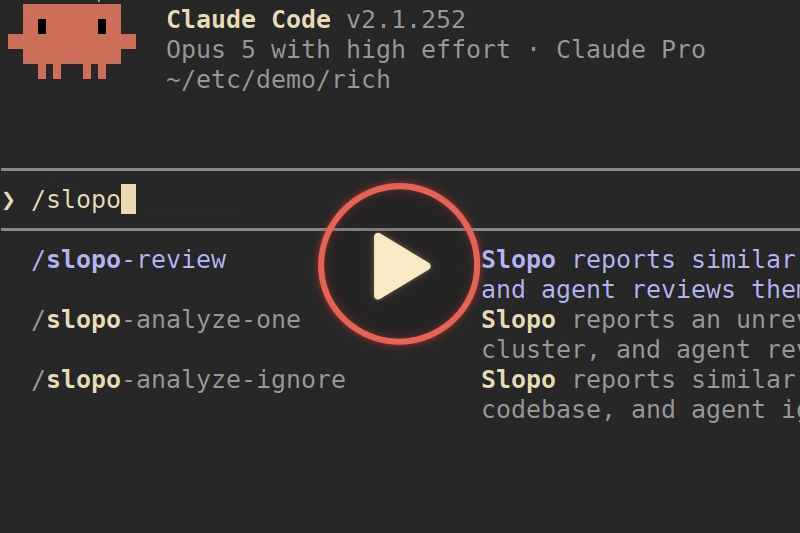
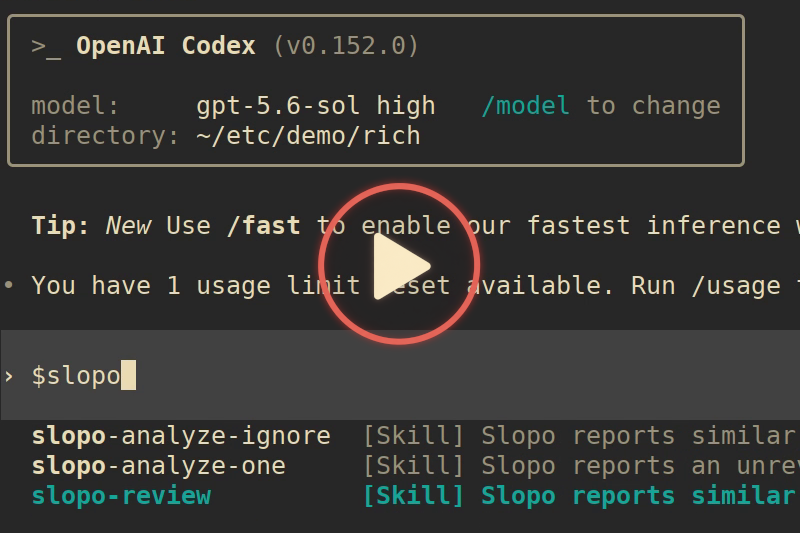
Agents integration - demo
Slopo can be operated by AI coding agents, which are instructed on what exactly to do with results, not just to report them. They help with discarding nonactionable similarity quickly and provide a level of detail adequate to the situation.
The following videos demonstrate a review of uncommitted changes, where a new implementation is similar to an already existing one.
| Claude Code | Codex |
|---|---|
 |  |
How it works
An embedding is a vector that represents the meaning of a piece of text. Texts with similar meaning have embeddings close to each other. When two code snippets have embeddings that are close, the tool treats them as similar, and therefore as potential duplicates, even if they are written in different ways.
In addition to detecting non-exact code duplication, Slopo focuses on code sitting far apart in the codebase, often spread across different modules or separated within a large file. The further apart the code is, the higher its priority.
The result is clusters of similar code, ranked by similarity and by distance in the codebase. These are meant as input for your AI coding agent, which can check whether a cluster is a real duplicate.
Real reports
The Example reports from real projects page contains analysis results with explanations from selected open-source projects.
You can analyze these projects yourself to get familiar with the tool and its capabilities.
Accessing embedding model
According to the benchmark, two API providers are recommended:
- Jina AI - code-focused models available via API and for local use
- Voyage AI - only their general-purpose model, their code-focused models are not suitable here
Jina AI offers API keys with free tokens for non-commercial use, without registration. Paid options are available for commercial use. Simply open the main page, and the token will be generated. You should see "You have 10,000,000 tokens left in the API key below." However, free tokens are not always granted - this is probably because of abuse prevention mechanisms based on IP address or other measures (it's a guess, not official information).
Jina's API sometimes delays the initial request because servers may be offline and need to start. Subsequent requests are faster.
Local model
One tested solution is to use Ollama with jina-embeddings-v2-base-code. This is a small model that also runs on a CPU, but it may be (significantly) slower than the API, depending on the hardware you use. Pull the model from here.
Other models
Any model provider supported by LiteLLM can be configured. Additionally, any OpenAI-compatible server is supported.
Quick start
Once you figure out the model, the rest is quick.
Installation
uv tool install --python 3.14 slopo
Update to the latest version (there are no automatic updates or notifications)
uv tool upgrade slopo
This command uses uv (installing uv), a Python package manager, to install Slopo from PyPI in an isolated virtual environment. No need to get Python separately.
Setup
Run slopo init to create a config file template containing further instructions. Only the directory with code for analysis and embedding model configuration is required.
Model configuration
Note: Don't use higher embedding dimensions than suggested. It won't give better results and will only reduce the tool's performance.
Jina AI
embedding_model: jina_ai/jina-code-embeddings-0.5b
embedding_dimensions: 256
embedding_params:
  task: code2code.query
If you are embedding a large project with the free API key and hitting rate limits, add the embedding_request_delay: 6 option to slow down.
Voyage AI
embedding_model: voyage/voyage-4-large
embedding_dimensions: 256
Local model
embedding_model: ollama/unclemusclez/jina-embeddings-v2-base-code
embedding_dimensions: 768
Running
Run slopo show-config to validate your config and show all configurable parameters, most are optional with sensible defaults.
Now you are ready to index code and calculate embeddings:
slopo index
slopo embed
To generate a report, run slopo analyze for the whole indexed codebase or slopo review for Git changes.
Running Slopo - summary
| Manual CLI | Coding agent | |
|---|---|---|
| Review Git changes | slopo index + embed + review | slopo-review skill |
| Analyze whole codebase | slopo index + embed + analyze | slopo-analyze-ignore and slopo-analyze-one skills |
| Output | Markdown report with clusters, scores, and code snippets for manual review | Compact report received by agent, results discussed with user |
Manual CLI
When code changes, run index and embed to synchronize data before getting a report.
Analyze the whole project
slopo analyze generates a report for code across the whole indexed codebase.
Each cluster has a hash, which can be added to slopo.ignore.txt to discard them in analysis.
Review recent changes
slopo review generates a report for code involving Git changes.
- The default
HEADbase can be configured with the--baseoption, for exampleslopo review --base HEAD~1 - Untracked files are included as long as they are indexed.
- It targets similar code across changed files and between changed and unchanged parts of the codebase.
- This feature requires
gitinstalled andsource_dirmust be a Git repository.
Integrating with coding agents
Integration is done with skills for Claude Code and Codex - src/slopo/agent/configs
Skill installation
Run slopo agent-configs to export configurations to a new directory containing skills for Claude Code and Codex.
Copy them to a skill directory in the desired location. They can be copied either to:
- Project-level configuration in project directory:
slopo-agent-configs/claude-code-skills -> .claude/skills
slopo-agent-configs/codex-skills -> .agents/skills
- Your home directory or other locations: follow the docs of the coding tool you use.
Slopo initialization
Agents run the Slopo CLI under the hood, so it should be configured, indexed, and embedded. Make sure it works first.
Agents use dedicated commands, and they don't read Markdown reports. Once initialized, you can run it only with agents; no need to index/embed each time.
Slopo configuration location
By default, the slopo command reads its config from the slopo.conf.yaml in the current directory. The typical setup assumes that it exists in the project root directory and also the coding agent is run from the root directory. Otherwise, you will get Error: Configuration file not found.
If you have custom file locations, you can add the slopo --config=... option to a command invoked by the skill.
Using with coding agents
Skills are configured to run only by the user, and the agent can't call them itself. For example, the slopo-review skill is run with /slopo-review on Claude Code and with $slopo-review on Codex.
Agents see only reports in compact form and errors without details. Everything else is logged to slopo.agent.log. This log contains the same messages and detailed errors, which are printed when commands are used manually.
Review of Git changes
Usage: slopo-review [base]
[base] is an optional Git base of changes to include in the report. By default HEAD (uncommitted changes).
Analyzes if duplication reported by Slopo is actionable or only noise. If it's worth looking at, it gives a short overview of what the duplication is about and the problem it creates. If the developer is interested, the agent performs deeper analysis, providing information allowing them to decide what to do next.
Filter out non-duplicates across the codebase
Usage: slopo-analyze-ignore
Shallow check of all reported similar code across the codebase. It filters out similar code, which is obviously noise rather than real duplication. Ignored code is added to the ignore file. All work is done without the developer's input.
Review one duplication across the codebase
Usage: slopo-analyze-one [cluster hash]
[cluster hash] is an optional hash you can find in a Markdown report generated with the analyze command. By default, it picks the first unreviewed similar code cluster with the highest score.
It analyzes one cluster and guides the developer to make a decision about what to do next: ignore, note for later, or refactor now.
Workflow: First, filter out noise with slopo-analyze-ignore, then review the rest with slopo-analyze-one.
Configuration
Run slopo --help and slopo show-config to explore it by yourself anytime.
Most configuration is done with a configuration file with two exceptions:
- The location of the configuration file can be overridden with the
--configoption. - The API key can be set with the
SLOPO_EMBEDDING_API_KEYenvironment variable, also picked up from a.envfile in the current directory.
Be aware that some parameters can't be changed after first indexing. You need to remove slopo.db and index/embed from the beginning: source_dir, embedding_model, embedding_dimensions, body_node_count_threshold, block_node_count_threshold.
All configurable parameters
source_dir: Source directory with code to index, absolute or relative path.source_dir_exclude: .gitignore-style patterns to exclude from indexing, matched the same way Git does. Example:
source_dir_exclude:
  - "test/"
  - "*.test.ts"
include_file_extensions: Optional list of file types to include. When not set, all supported files are included. Exclusion withsource_dir_excludehas precedence. Example:
include_file_extensions:
  - .ts
  - .py
db_file: SQLite database file with tool data.report_dir: Output directory for analysis report.ignore_file: Text file with ignored clusters.agent_log_file: Log file for commands run by coding agents.embedding_model: Embedding model name in LiteLLM format.embedding_dimensions: Embedding dimensions compatible with the used model. This value is also used to verify received embeddings dimensions.embedding_api_key: API key for embedding provider, alternatively configured with an environment variable. Optional, no need to set for local models.embedding_params: Additional properties passed to the LiteLLM and embedding API. Anything supported by the API provider is valid. Example:
embedding_params:
  api_base: http://example.com:123
  task: code2code.query
embedding_batch_sizeandembedding_batch_chars: Requests to the embedding API are batched for performance. Defaults are fine for most cases.embedding_request_delay: Delay in seconds after every batched request, by default no delay. Increase if you reach rate limits.analyze_similarity_thresholdandreview_similarity_threshold: Controls minimal cosine similarity between embeddings.analyze_rerank_thresholdandreview_rerank_threshold: Controls minimal similarity after applying a boost reflecting distance in the codebase.body_node_count_thresholdandblock_node_count_threshold: Minimal number of AST nodes inside the function body or block of code.
How code is split into units
A code unit is an extracted piece of code, which is compared against other units using their embeddings. The way source code is chunked has a significant effect on results.
There are two groups of code units:
- Function-like constructs depending on language: function, method, anonymous function, closure, etc. This is a piece of code contained in some construct. Called
functionhere. - Code block inside a conditional, loop, exception handling, or similar construct depending on language. This is part of a function or other block, and surrounded by control-flow syntax. Called
blockhere.
You can check tests for your target language at tests/indexing/parsing/lang to see what constructs are extracted. The fixtures directory contains example code you can compare with tests.
Code units naturally overlap, including deeper structures, and all levels are included. They are deduplicated by keeping only the best-matched variants.
Function signatures and block headers are excluded from a part being compared. They are called context here and only included in the Markdown report for readability.
All comments are stripped.
Too small code units are skipped. This is controlled with *_node_count_threshold options. By default, block has a much higher threshold than function. Check the body_node_count in tests to get an idea of how AST nodes map to actual code.
Portability
Hashes in a report generated by analyze are intended to be stable across platforms and the slopo.ignore.txt to be committed to Git and used by the whole team. Note that the hash changes when any code unit in the cluster changes or it's moved.
slopo.conf.yaml with source_dir relative to the project root can be committed and used across the team.
The order of code units in clusters can differ across platforms, but results should be the same, and the report is not intended to be committed. Embedding models don't return exactly the same floats every time, and this may cause edge cases when results differ a bit.
The tool's database slopo.db is local to each developer and not intended to be portable.
Ranking thresholds
analyze and review have separate thresholds. By default,
analyzehas a bit higher to avoid reporting too many clusters.reviewhas a bit lower because its report is smaller and more focused.
Similar code units are filtered in two passes, each with its own configurable threshold. The pipeline is as follows:
*_similarity_thresholdfilters out code unit pairs whose embeddings are not similar enough. The calculated value is cosine similarity ranging from-1to1where1means the same.- Similar pairs are grouped in clusters.
- Units in clusters are reranked after applying a boost. Boost is calculated based on the number of directory hops required to reach the other file in the pair (max. 15%). If they are in the same file, the boost is calculated based on distance in number of lines (max. 10%).
*_rerank_thresholdfilters out clusters whose highest-scoring pair is not high enough.
Is it the right tool?
This tool is dedicated to developers with at least minimal experience who are able to make technical decisions. This is not a magic vibe code fixer.
Slopo aims to solve one narrow problem. It focuses on detecting duplicated code that other tools miss: similar logic implemented in different ways. This has its own trade-offs:
- Working with embedding models adds complexity to usage.
- It may report much similar code, which is not a duplicate.
It naturally detects also exact copies and slightly changed clones, which can be detected by other tools. If this is only what you need, those tools are a better fit. They are deterministic, faster, more mature, and don't require the whole ceremony involving embedding models.
Not every project would benefit from Slopo equally. Larger or poorly maintained ones may benefit more, but it doesn't mean that others won't.
Contribution
Pull requests are not accepted and disabled for this repository.
Other contribution types are welcome, especially feedback and human-to-human discussion about ideas, use cases, workflows, friction points.
claude-code
anthropics·TypeScript
终端里的智能编码助手,能理解你的代码库,用自然语言帮你执行日常任务、解释复杂代码、处理 git 工作流,让写代码更快。
编码助手+4编码 Agent
155204+36125kv2.1.3212026-11-10 21:21 UTC
cc-switch
farion1231·Rust
跨平台桌面客户端,把 Claude Code、Codex、OpenCode、DeepSeek Harness 等多个 AI 编程助手集中到一个界面里统一管理和切换,省去来回折腾配置。
AI 编程助手+4编码 Agent
153331+86010kv4.0.282026-11-10 15:10 UTC
caveman
JuliusBrussee·Go
给编码 Agent 用的代理和技能,让模型用「原始人式」极简表达回答,砍掉约 65% 的 token 消耗。
token 压缩+4编码 Agent
118879+7786.9kv4.1.02026-11-10 21:36 UTC

OpenHands
OpenHands·TypeScript
一个能自主写代码、改 bug、跑命令的 AI 开发代理,把大模型接入真实开发环境,让编码任务从对话直接落到执行。
编码代理+4编码 Agent
93148+27812kv1.37.02026-11-10 23:17 UTC