首次运行会报错,需先在配置目录生成 wegorc 并填好 backend 和 location;多数后端要自备 API key,只有 open-meteo 和 smhi 免费免 key;worldweatheronline 已不再提供免费 key,pirateweather 需用经纬度定位
go install github.com/schachmat/wego@latest 硬件要求按 README 说明
README 未说明硬件要求,只需可运行 Go 1.20 的环境和支持 256 色的 UTF-8 终端,另需含所需字符的等宽字体
终端里的天气预报客户端,支持多数据源和多显示风格,一条命令看未来七天天气
在终端里用 ASCII 字符画查看天气预报,支持多日预报和多种数据源,适合喜欢命令行工作流的开发者。
核心能力
- 支持 1 到 7 天预报,可指定城市和天数
- 可切换 openweathermap、open-meteo、smhi 等 8 种后端
- 提供 ascii-art-table、emoji、markdown、json 四种前端
- 显示体感与实测温度、风速风向、能见度、降水概率和湿度
- 天气数据可缓存到磁盘,缓存有效期可配置
容易踩的坑
内容由模型根据 README 生成,可能不完整或不准确,以官方文档为准。看原文 README
- 2.4最新正式版2026-04-11 · 2026-04-11 22:32 UTC
What's Changed
✨ New Features
- New Backends: Added support for Open-Meteo and WeatherAPI.com.
- Disk Caching: Implemented JSON caching in /tmp to reduce redundant API calls.
- Compact Mode: Introduced AAT Compact Mode for a denser display.
- Documentation: Generate manual pages directly via
wego --man.
🛠 Improvements & Fixes
- API Enhancements: Switched OpenWeatherMap to HTTPS and fixed WorldWeatherOnline endpoints.
- UI Tweaks: Improved low-temperature visibility on dark backgrounds and corrected Kelvin notation.
- Data Accuracy: Refined Open-Meteo astronomy calculations and OpenWeatherMap error handling.
🏗 Maintenance
- Tooling: Integrated golangci-lint, Renovate, and standardized PR templates.
- Dependencies: Updated core packages including go-runewidth, go-colorable, and various GitHub Actions.
- 2.32024-08-25 · 2024-08-25 17:13 UTC
查看更新说明
What's Changed
- chore: remove refs to deprecated io/ioutil by @testwill in https://github.com/schachmat/wego/pull/169
- Update versions for github actions by @peterfpeterson in https://github.com/schachmat/wego/pull/183
- OpenWeatherMap: Fix "wego 0" functionality by @0x5c in https://github.com/schachmat/wego/pull/175
- Add sunrise/sunset time to openweathermap by @peterfpeterson in https://github.com/schachmat/wego/pull/182
New Contributors
- @testwill made their first contribution in https://github.com/schachmat/wego/pull/169
- @peterfpeterson made their first contribution in https://github.com/schachmat/wego/pull/183
- @0x5c made their first contribution in https://github.com/schachmat/wego/pull/175
Full Changelog: https://github.com/schachmat/wego/compare/2.2...2.3
- 2.22023-06-04 · 2023-06-04 16:39 UTC
查看更新说明
- Removed obsolete forecast.io backend
- New backend Caiyunapp and smhi.se
- Added a markdown formatter
- Updated to Go 1.20
- 2.12022-02-17 · 2022-02-17 23:36 UTC
查看更新说明
Release rollup, to just get everything tagged what as happened in the last years already. Most noticeably:
- openweathermap support
- emoji frontend
- lots of bugfixes
Here is to getting this project moving a bit again in the coming months.
- 2.0release v2.02016-03-09 · 2016-03-09 12:13 UTC
查看更新说明
Changelog since v1.0:
- wego now depends on ingo, therefore requiring Go >=1.5
- backends and frontends are split of to a plugin style architecture
- new emoji frontend added
用户点评
登录用户的真实使用记录,可按版本和硬件筛选共 0 条
还没有人点评。第一个说出真实体验的人最有价值。
wego is a weather client for the terminal.
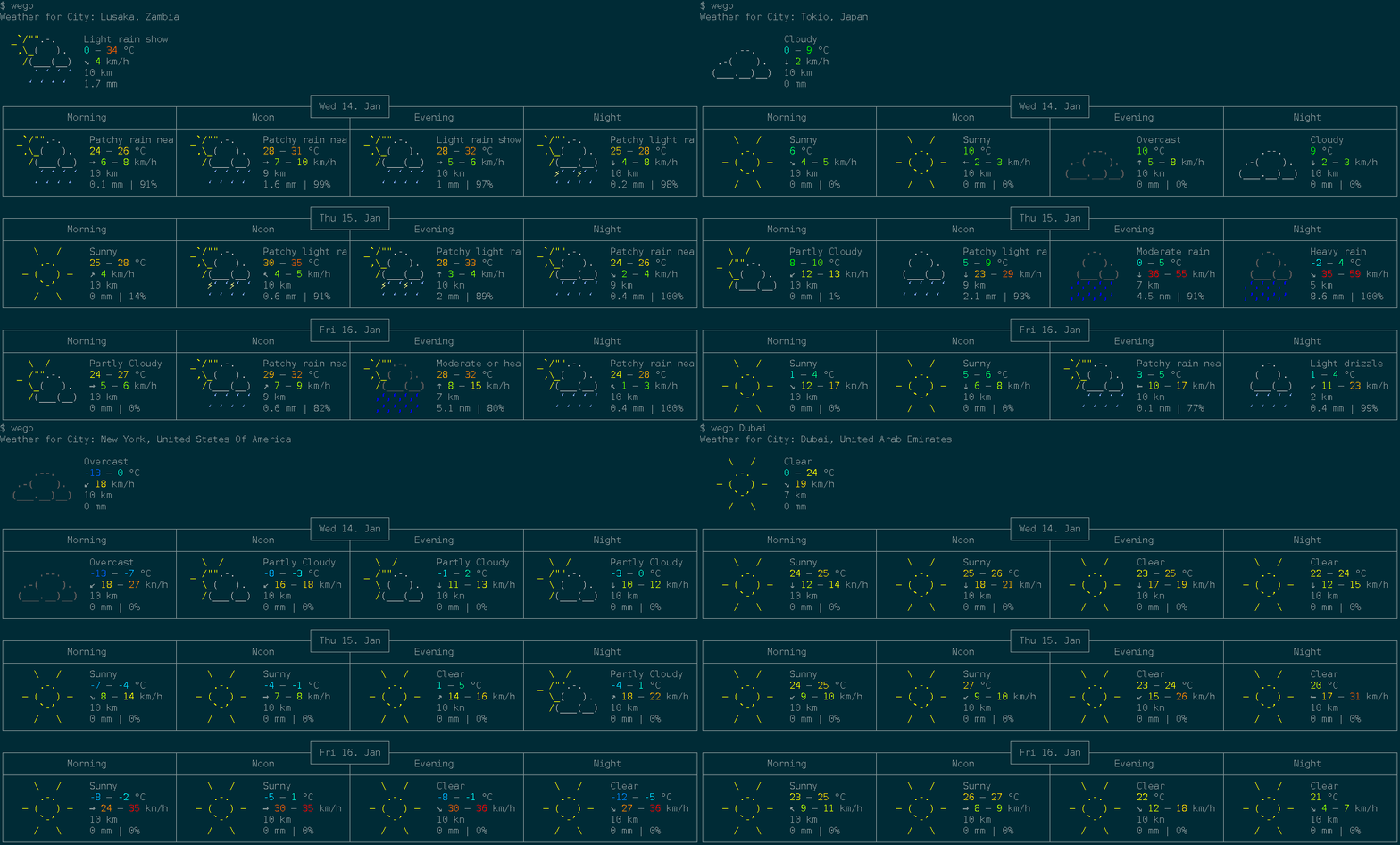
Features
- show forecast for 1 to 7 days
- multiple backends:
openweathermap,weatherapi,open-meteo,smhi,caiyun,worldweatheronline,pirateweather, andjson - multiple frontends:
ascii-art-table(default),emoji,markdown, andjson - displayed info:
- temperature range (felt and measured)
- windspeed and direction
- viewing distance
- precipitation amount and probability
- humidity
- unit systems:
metric,imperial,si,metric-ms - disk caching of weather data with configurable TTL (
--cache-ttl) - multi language support
- config file for default location which can be overridden by commandline
- automatic config management with ingo
- built-in man page (
wego --man) - composable via JSON: pipe data between the
jsonbackend andjsonfrontend
Dependencies
- A working Go 1.20 environment
- utf-8 terminal with 256 colors (for
ascii-art-tableandemojifrontends) - A monospaced font containing all the required runes (e.g.
dejavu sans mono) - An API key for most backends (see Setup below;
open-meteoandsmhiare free and keyless)
Installation
Check your distribution for packaging:

To directly install or update the wego binary from Github into your $GOPATH as usual, run:
go install github.com/schachmat/wego@latest
Setup
- Run
wegoonce. You will get an error message, but thewegorcconfig file will be generated in your$XDG_CONFIG_HOME/wego/directory (or the OS-equivalent location returned byos.UserConfigDir(), e.g.~/.config/wego/wegorcon Linux). - Choose a backend and configure it (see below). Then run
wegoagain. - You may want to adjust other preferences like
days,unitsand…-langas well. Save the file. - Run
wegoonce again and you should get the weather forecast for the current and next few days for your chosen location. - If you're visiting someone in e.g. London over the weekend, just run
wego 4 Londonorwego London 4(the ordering of arguments makes no difference) to get the forecast for the current and the next 3 days.
The config file is resolved in the following order:
$WEGORCenvironment variable (highest precedence).$XDG_CONFIG_HOME/wego/wegorc(or OS equivalent viaos.UserConfigDir()), if it exists.$HOME/.wegorc(legacy location, for backward compatibility), if it exists.- If none of the above exist, a new config file is created at
$XDG_CONFIG_HOME/wego/wegorc.
Backends
Open-Meteo — free, no API key required:
backend=openmeteo
location=New York
SMHI — free, no API key required (Sweden and surrounding areas):
backend=smhi
location=59.33,18.07
Openweathermap — free API key available:
- Sign up for a free API key.
backend=openweathermap
location=New York
owm-api-key=YOUR_OPENWEATHERMAP_API_KEY_HERE
WeatherAPI — free API key available:
- Sign up for a free API key.
backend=weatherapi
location=New York
weather-api-key=YOUR_WEATHERAPI_API_KEY_HERE
Caiyun — API key required (China-focused, supports Chinese):
backend=caiyun
location=121.47,31.23
caiyun-api-key=YOUR_CAIYUN_API_KEY_HERE
Worldweatheronline — no longer offers free API keys (#83):
backend=worldweatheronline
location=New York
wwo-api-key=YOUR_WORLDWEATHERONLINE_API_KEY_HERE
Pirateweather — free API key available (requires lat,lon location):
- Sign up for a free API key.
backend=pirateweather.net
location=40.71,-74.01
pirateweather-api-key=YOUR_PIRATEWEATHER_API_KEY_HERE
JSON file — read weather data from a local JSON file (useful for testing or offline use):
backend=json
location=/path/to/weather.json
Frontends
Select a frontend with the --frontend flag or by setting frontend=… in .wegorc.
| Frontend | Description |
|---|---|
ascii-art-table | Default. Classic colored ASCII art table. |
emoji | Compact emoji-based display. |
markdown | Markdown table output. |
json | JSON output, suitable for piping to other tools. |
Example: wego --frontend emoji London
Color Configuration
Both ascii-art-table and emoji frontends display temperatures and wind
speeds in color by default. To disable colors:
- Pass
--monochromeas a flag, or add it to.wegorcto make it permanent:monochrome=true - Set the
NO_COLORenvironment variable (see no-color.org) to disable colors without changing the config:NO_COLOR=1 wego
terminal
microsoft·C++
微软官方的新版 Windows Terminal 终端模拟器,同时包含原版 Windows 控制台宿主,支持多标签、GPU 加速渲染和 WSL,替代老旧的 cmd 窗口。
终端模拟器+4终端模拟器
105363+289.7kv1.25.2733.02026-11-09 23:18 UTC

tabby
Eugeny·TypeScript
一款基于 TypeScript 的现代终端模拟器,支持 SSH、Telnet、串口连接,提供插件扩展和主题定制,适合替代传统终端工具。
终端模拟器+4终端模拟器
75362+444.3kv1.0.2382026-11-06 04:03 UTC
alacritty
alacritty·Rust
用 Rust 写的跨平台 GPU 加速终端模拟器,基于 OpenGL 渲染,主打高帧率和低延迟,适合嫌普通终端卡顿、想要更顺滑操作体验的开发者。
终端模拟器+4终端模拟器
66149+253.7kv0.17.02026-11-06 21:34 UTC

termux-app
termux·Java
在 Android 手机上提供完整的 Linux 终端环境,通过安装各类软件包把手机变成便携开发机。
终端模拟器+3终端模拟器
64538+2428.3kv0.118.32026-11-05 09:38 UTC