安装前需先注释掉 install 中不需要的 run_dotbot 'steps/...' 步骤;git 用户名邮箱等需自行写入 ~/.gitconfig_local 和 ~/.shell_env_local;配置面向 macOS,非 mac 环境不适用
dotfiles
sobolevn活跃维护一套面向开发者的 macOS 极简 dotfiles 配置,集成 zsh、brew、vscode、python 等环境,用 dotbot 一键安装,省去手动配置开发环境的麻烦。
dotfiles for the developer happiness: macos, zsh, brew, vscode, python, minimalism
暂无版本991star94fork同步于 2026-11-10 11:51 UTC
git clone https://github.com/sobolevn/dotfiles dotfiles
cd dotfiles/
bash ./install 硬件要求按 README 说明
README 未说明,仅面向 macOS 环境
作者个人的 macOS 开发环境 dotfiles 集合,用 dotbot 一键部署 zsh、brew、vscode 配置
一套面向开发者的 macOS 极简 dotfiles 配置,集成 zsh、brew、vscode、python 等环境,用 dotbot 一键安装,省去手动配置开发环境的麻烦。
核心能力
- 用 dotbot 按 steps 分步安装,可注释掉不需要的步骤
- Brewfile 统一管理 brew 应用、字体与 mas 商店应用
- 自带 sobole zsh 主题与 zplug 插件管理配置
- 集成 fzf 补全:tab 补全、ctrl+r 搜历史、ctrl+t 搜路径
- 提供 vscode 配置与 pustota 主题,含快捷键优化
容易踩的坑
内容由模型根据 README 生成,可能不完整或不准确,以官方文档为准。看原文 README
暂无 release 数据(可能没有发版,或尚未同步)。
用户点评
登录用户的真实使用记录,可按版本和硬件筛选共 0 条
还没有人点评。第一个说出真实体验的人最有价值。
sobolevn's dotfiles
Here are some articles I wrote about my environment:
And talks / podcasts:
- "Veged and Code podcast" [in RU]
- "minimal vscode" series [in RU]
Contents
What's in there?
- all my
brewdependencies including: applications, fonts, etc. SeeBrewfile - all my
macOSconfiguration. Seemacos - all my shell configuration, including my own
soboletheme. Seeshell/andconfig/zshrc - all my
vscodeconfiguration, including my ownpustotatheme. Seevscode/ - all my
firefox(and Zen) settings. Seefirefox/ - all my QuickLook customizations and dev utilities
Main principles
- Minimalism in everything: tooling, styling
- Simplicity
- Reduced visual noise, only important things should be shown
- "Please, do not touch my code": no auto-formatting or code flow interruptions
- History is valuable, let's preserve it everywhere we can
- Security: do not share anything with anyone
Installation
We are using dotbot
to set things up. Steps:
- Decide what you want to install: comment out
run_dotbot 'steps/...'that you don't need - Clone this repo with:
git clone https://github.com/sobolevn/dotfiles dotfiles cd dotfiles/- Run:
bash ./install
VSCode
I loved my Sublime.
It was fast and beautiful.
The main reason is that Sublime is almost unmaintained.
Packages are also abandoned.
So, I have switched to vscode.
It solved almost all issues I had with Sublime.
Here's how my new vscode setup looks like, using my own theme called pustota:
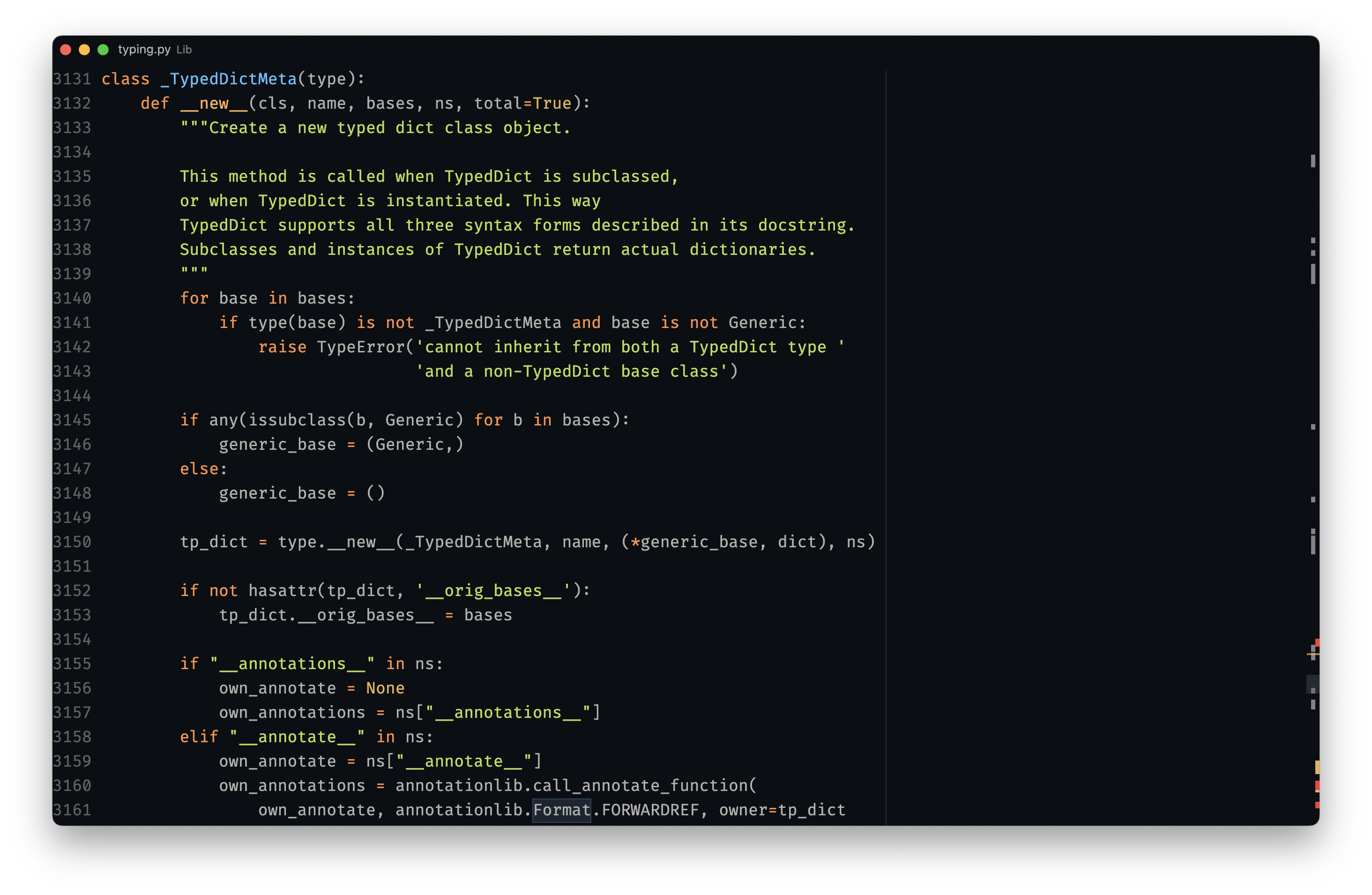
Here's a list of packages (see vscode calls at the bottom) I use:
pustotathemePythonplugineditorconfigintegrationsubframe7536.custom-ui-stylefor better customization
I try to keep my vscode setup as simple as possible.
It was also heavily influenced by makevscodeawesome.
DX
-
cmd+popens up file navigation in the middle of the screen, so you don't have to move your eyes a lot to find most common UI element -
ctrl+fopens global search
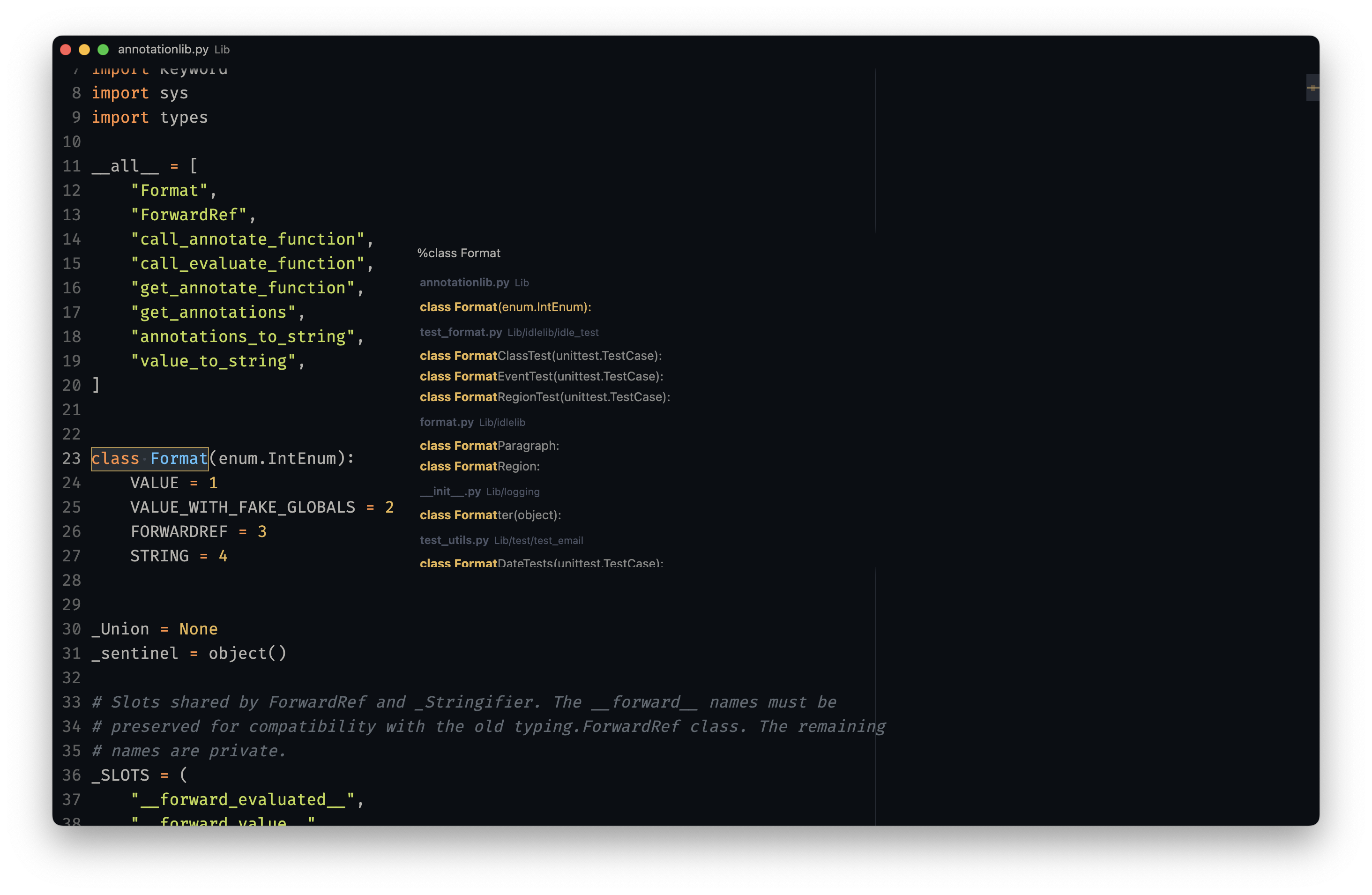
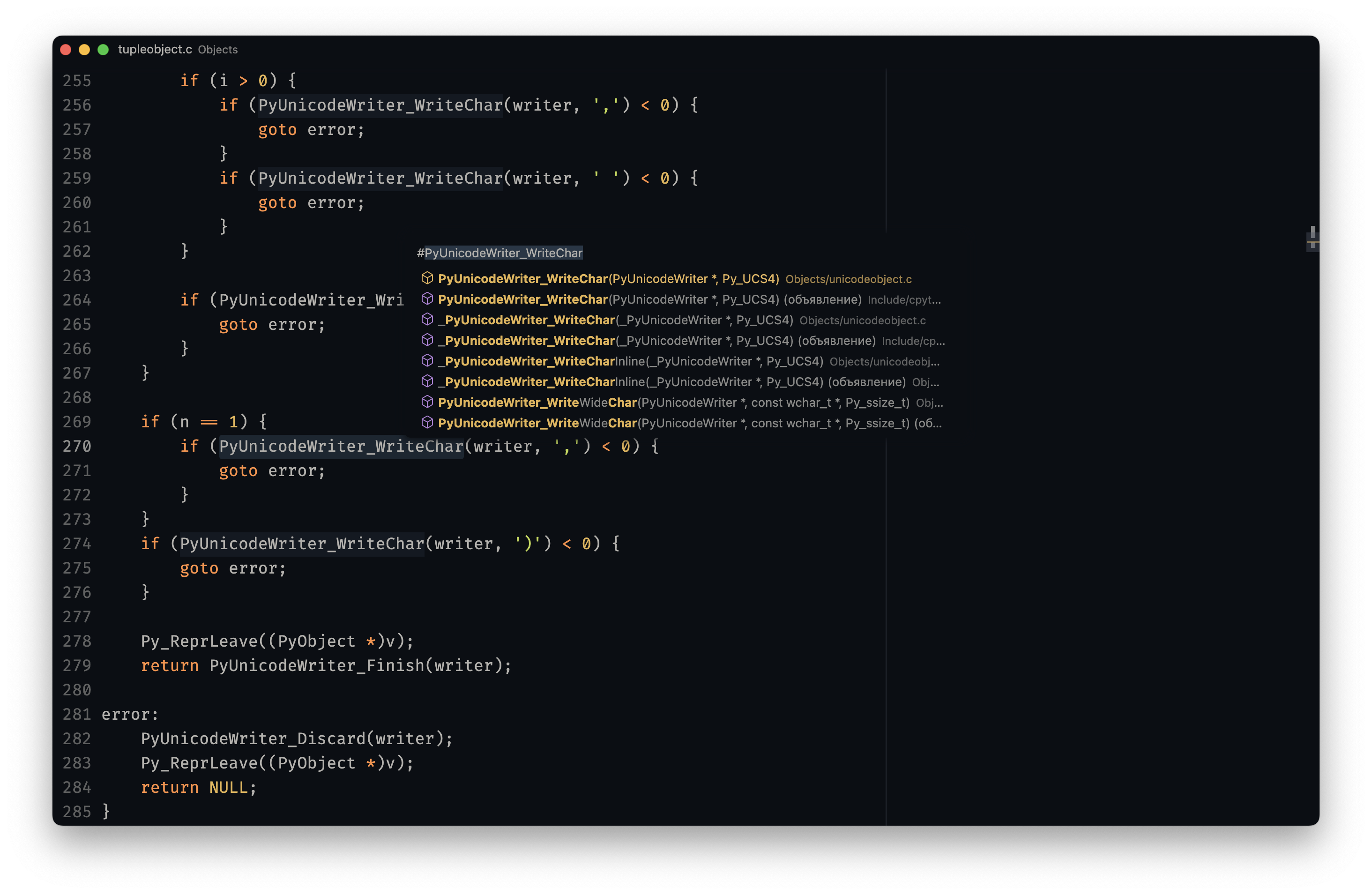
cmd+topens global symbols index
CLI
I am using hyper as my main terminal with my custom senya theme.
I am using zsh with oh-my-zsh
as the main shell.
And zplug to manage shell plugins.
I also have a some tools / scripts / aliases to make my working experience better.
But, I try to keep them minimal: only ones I truly use. Including: bat, zoxide, fzf, ag, fd, delta, gh, and many others.
I mainly work with:
python
I also have several other languages installed. But I don't use them on a daily basis:
nodeelixirrustc
nano
I also use powered-up nano
for in-terminal editing.
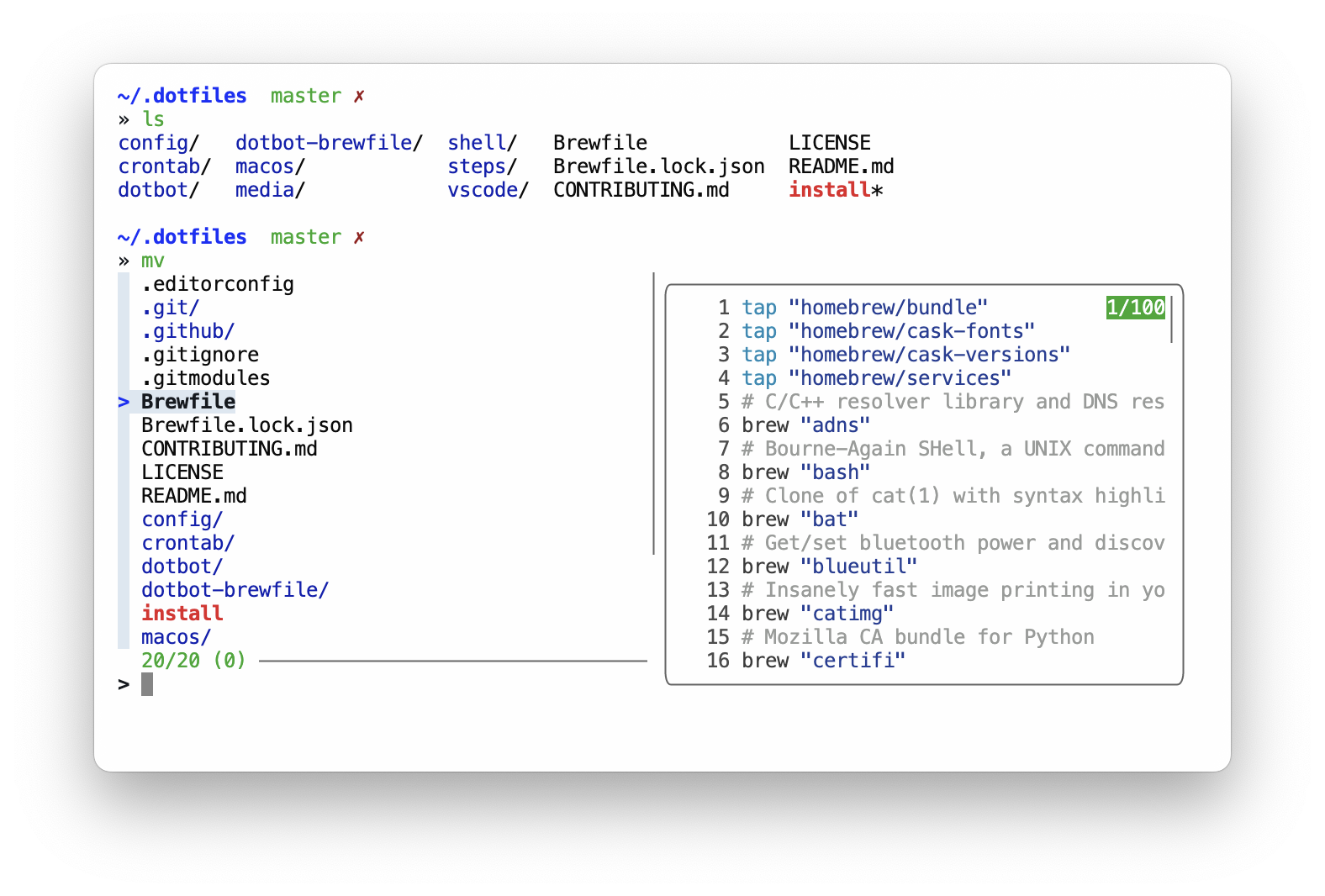
fzf goodies
I use fzf for several code completion tasks:
tabto autocomplete probably all the things usingfzf-tab
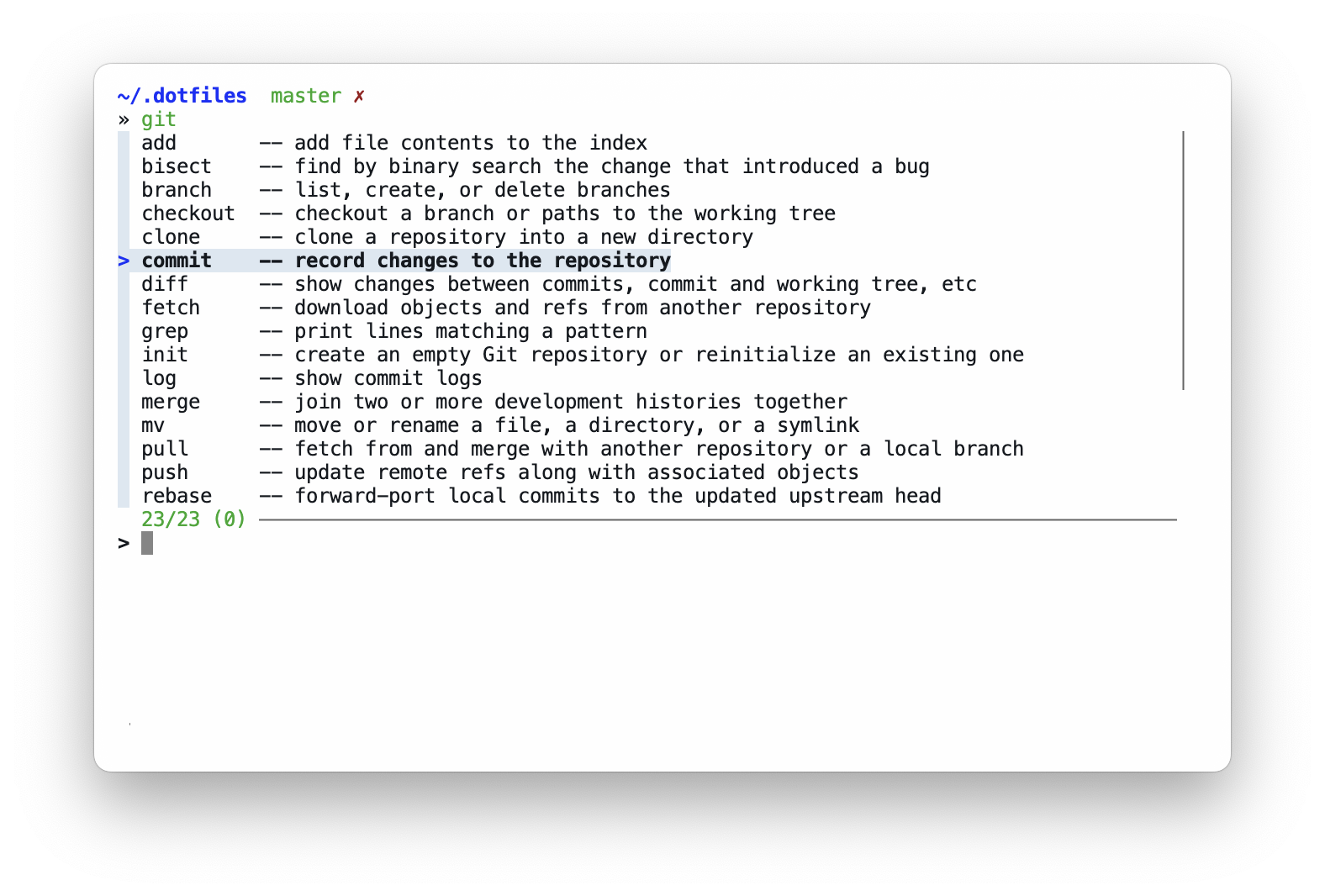
Multiple tools have custom completions like: zoxide, make, killall
that work well with fzf's preview feature.
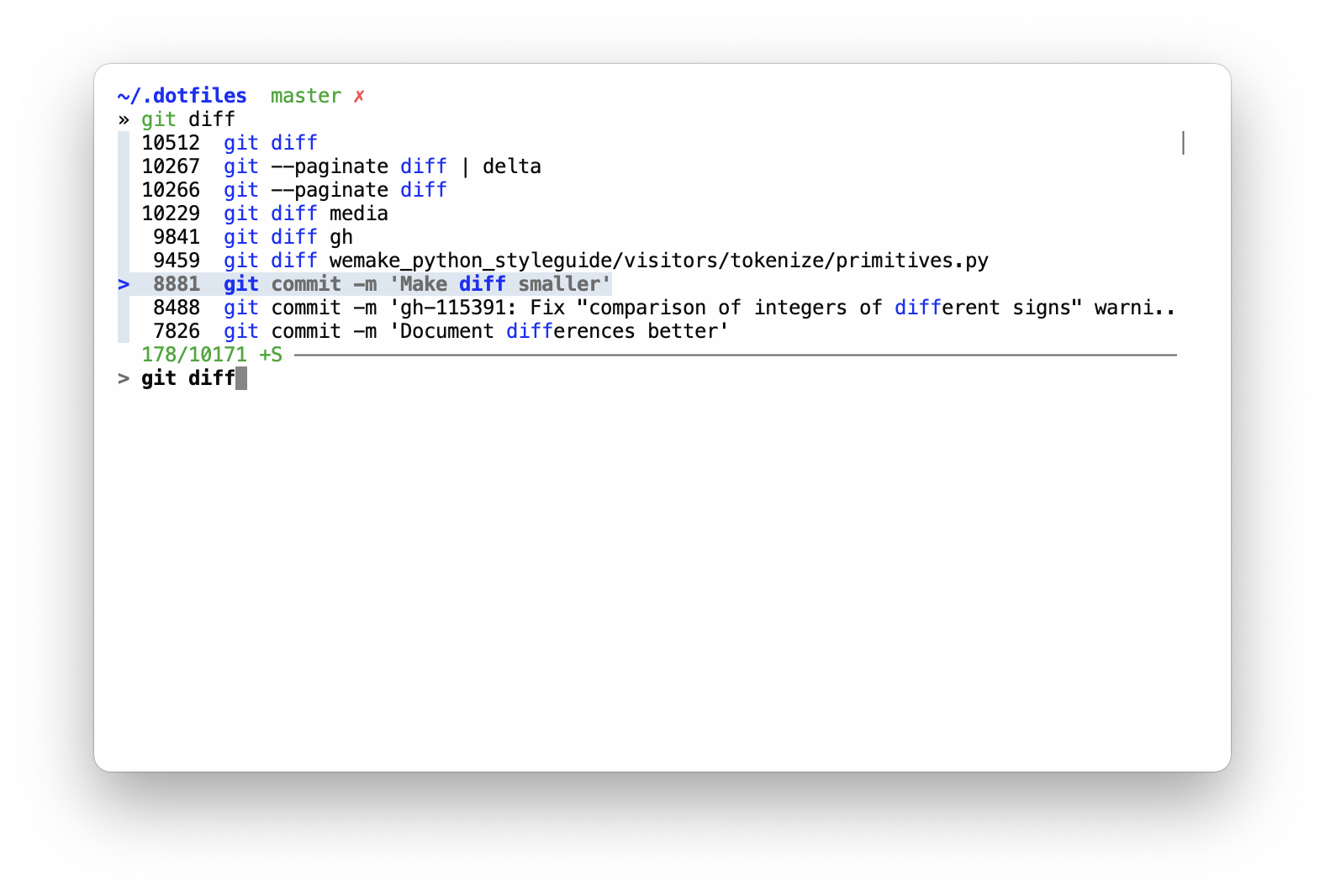
ctrl+rallows me to fuzzy search command history
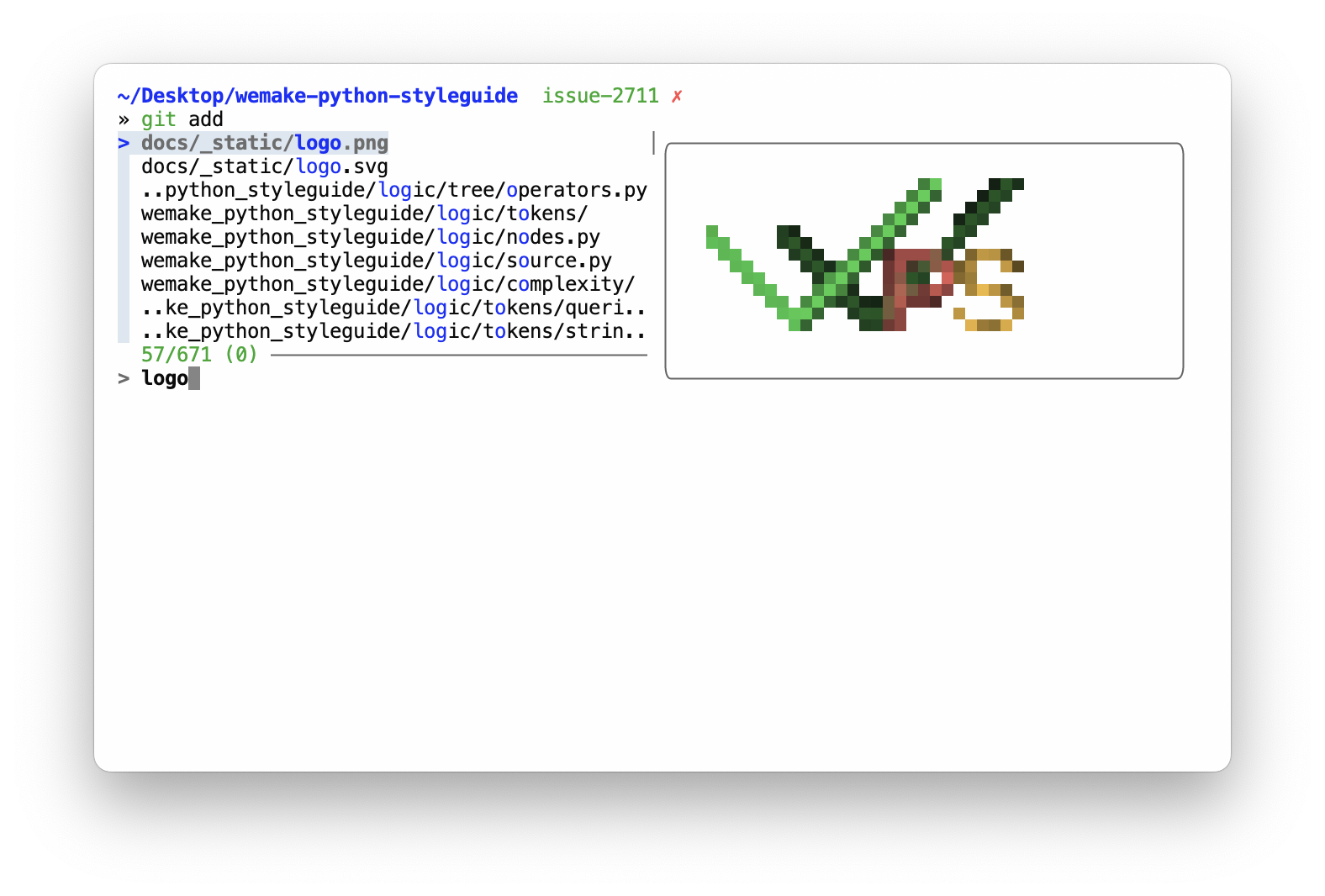
ctrl+tallows to fuzzy search files and dirs in the current tree to include paths in commands with instant previews for text files (content) and directories (inner tree)
ctrl+g+ many subcommands likectrl+lopen upfzf-simple-git, which is really helpful forgitbrowsing
https://github.com/user-attachments/assets/093201a6-3d0c-43ad-b00d-3a27f802bb92
Apps
I am using brew to install all free apps for my mac.
I also sync apps from AppStore with brew via mas,
so the resulting Brewfile contains everything.
FireFox and Zen
I use zen browser as my main browser. Yes, it does not have any visible UI, even in regular non-fullscreen mode. It is also harded with arkenfox for extra privacy.
https://github.com/user-attachments/assets/34d94a70-083a-48b3-b955-37d2f2432551
Since zen is based on firefox, you can copy all the configuration I have for zen and use with just regular firefox.
Infrastructure
I try to containerize everything.
So, docker is my main development and deployment tool.
Local configuration
Some of the used tools requires local configuration. Such as git with username and email.
Here's the full list:
~/.gitconfig_localto store any user-specific data~/.shell_env_localto store local shell config, like: usernames, passwords, tokens,gpgkeys and so on
License
WTFPL: do the fuck you want. Enjoy!

ohmyzsh
ohmyzsh·Shell
一套社区维护的 zsh 配置管理框架,内置 300+ 插件和 140+ 主题,帮你快速搭好顺手的终端环境并自动更新。
zsh 配置+4桌面美化 / 主题
190417+8127k2026-11-09 12:36 UTC
warp
warpdotdev·Rust
基于 Rust 打造的智能体开发环境,从终端演化而来,把 AI 代理能力直接融入命令行,让写代码、跑命令和调试更顺手。
终端模拟器+4桌面美化 / 主题
65958+575.8kv0.2026.06.09.19.54.dev_002026-11-10 06:33 UTC
NvChad
NvChad·Lua
基于 Lua 的 Neovim 配置框架,开箱即用,自带合理默认设置和漂亮界面,省去从零折腾配置的麻烦。
Neovim 配置+3桌面美化 / 主题
28538+62.2kv2.52026-10-24 22:01 UTC

.tmux
gpakosz·Shell
一套开箱即用的 tmux 配置,自带主题、状态栏和常用快捷键,省去自己写 .tmux.conf 的麻烦,让终端多窗口操作更顺手。
tmux 配置+4桌面美化 / 主题
254683.6k2026-10-21 15:47 UTC