安装脚本默认在 14000 端口启动服务,需访问 http://localhost:14000;从源码构建需 Go 1.25.0+ 以及 Node.js 20+ 和 Yarn 1.x;使用模型与嵌入能力需自行配置对应提供商的 API 凭证

openagent
the-open-agentApache-2.0活跃维护基于 LLM、RAG 和 agent 循环打造的新一代个人 AI 助手,能操作电脑、控制浏览器并执行编码任务。
⚡️next-generation personal AI assistant powered by LLM, RAG and agent loops, supporting computer-use, browser-use and coding agent, demo: https://demo.openagentai.org
v2.95.1发布于 2026-10-05 15:47 UTC5,740star +10 / 7 天671fork同步于 2026-11-10 11:35 UTC
curl -fsSL https://raw.githubusercontent.com/the-open-agent/openagent/master/scripts/install.sh | bash 硬件要求按 README 说明
README 未说明显存或 GPU 要求;提供 Linux、macOS、Windows(x86_64/arm64)预编译二进制,Windows 原生运行无需 WSL 或 Docker
开源个人 AI 助手,整合 LLM、RAG 与 Agent 循环,单二进制自托管
基于 LLM、RAG 和 agent 循环打造的新一代个人 AI 助手,能操作电脑、控制浏览器并执行编码任务。
核心能力
- 接入 30+ 模型提供商,可按会话切换
- Agent 循环支持浏览器操作、Shell 执行与网页搜索
- 上传文档自动分块嵌入,构建 RAG 知识库
- 接入任意 MCP 服务器,向 Agent 暴露其工具
- BPMN 风格拖拽式可视化工作流编排
容易踩的坑
内容由模型根据 README 生成,可能不完整或不准确,以官方文档为准。看原文 README
- v2.95.1最新正式版2026-10-05 · 2026-10-05 15:47 UTC
Changelog
- ba604e413cfa34cd6725a5dc0041cd28a1fd416e fix: fall back to shared casibase folder for runtime files
- v2.95.02026-10-05 · 2026-10-05 14:29 UTC
查看更新说明
Changelog
- 9655b1f4b8ea140e269f2d52687703b990acaa6c feat: add pipe, tool, tool policy and experience pages to web2
- 0aca01cefdc44ddb69e7c567397d0a8881d8e669 feat: add provider and MCP server pages to web2
- afe7ddc0f1496926fc2015e73fa82a47597f1a87 feat: add shadcn frontend scaffold in web2 with skill pages
- 2b998019a466f6cb1fc4c9ed02d9791a087a5cea fix: keep per-site files in the working dir when the binary is shared
- v2.94.82026-10-01 · 2026-10-01 12:34 UTC
查看更新说明
Changelog
- c9a8fca73702a55b4c3bd171461a02fc8f8cef0b fix: reject empty store name on add and update
- v2.94.72026-09-29 · 2026-09-29 10:09 UTC
查看更新说明
Changelog
- fb2f8a6b83a85f6f070d884c0b00e4a9919d83cb fix: skip loading forms for anonymous visitors
- v2.94.62026-09-28 · 2026-09-28 02:31 UTC
查看更新说明
Changelog
- 16256942f05fc2829a532df837e07933c77eba29 fix: price legacy deepseek-v4-flash model names
用户点评
登录用户的真实使用记录,可按版本和硬件筛选共 0 条
还没有人点评。第一个说出真实体验的人最有价值。
Next-generation personal AI assistant powered by LLM, RAG and agent loops — ships as a single binary, no installation needed
Supporting computer-use, browser-use and coding agent


Live Demo · Playground · Docs · Discord
English | 中文
What is OpenAgent?
OpenAgent is an open-source personal AI assistant that brings together powerful LLMs, your own knowledge base, and autonomous agent loops — all in one self-hostable platform. Connect any model provider, build a RAG knowledge base from your documents, and let agents browse the web, run code, and call any MCP-compatible tool on your behalf.
| Usage Analytics | Activity Monitoring |
|---|---|
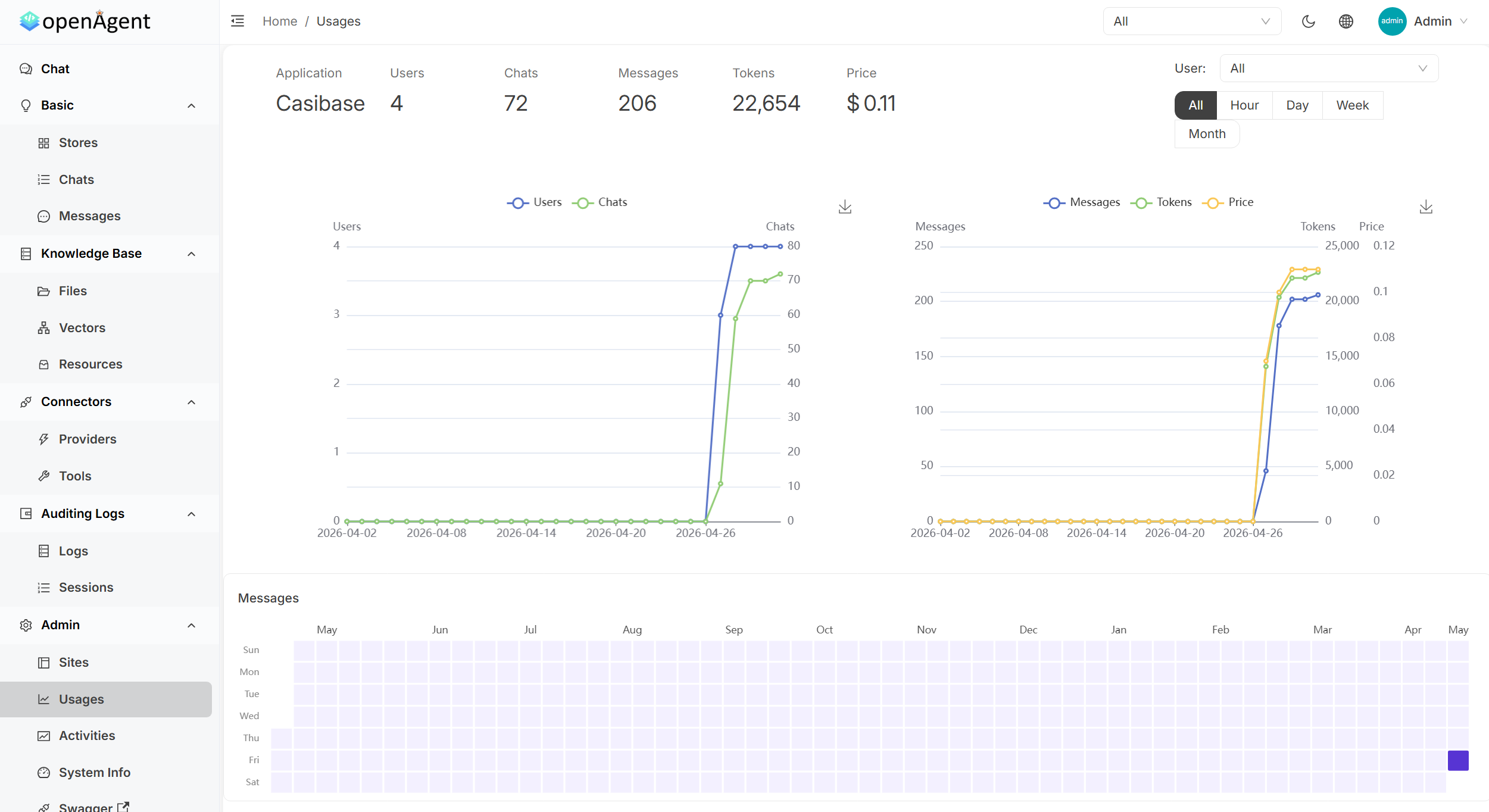 | 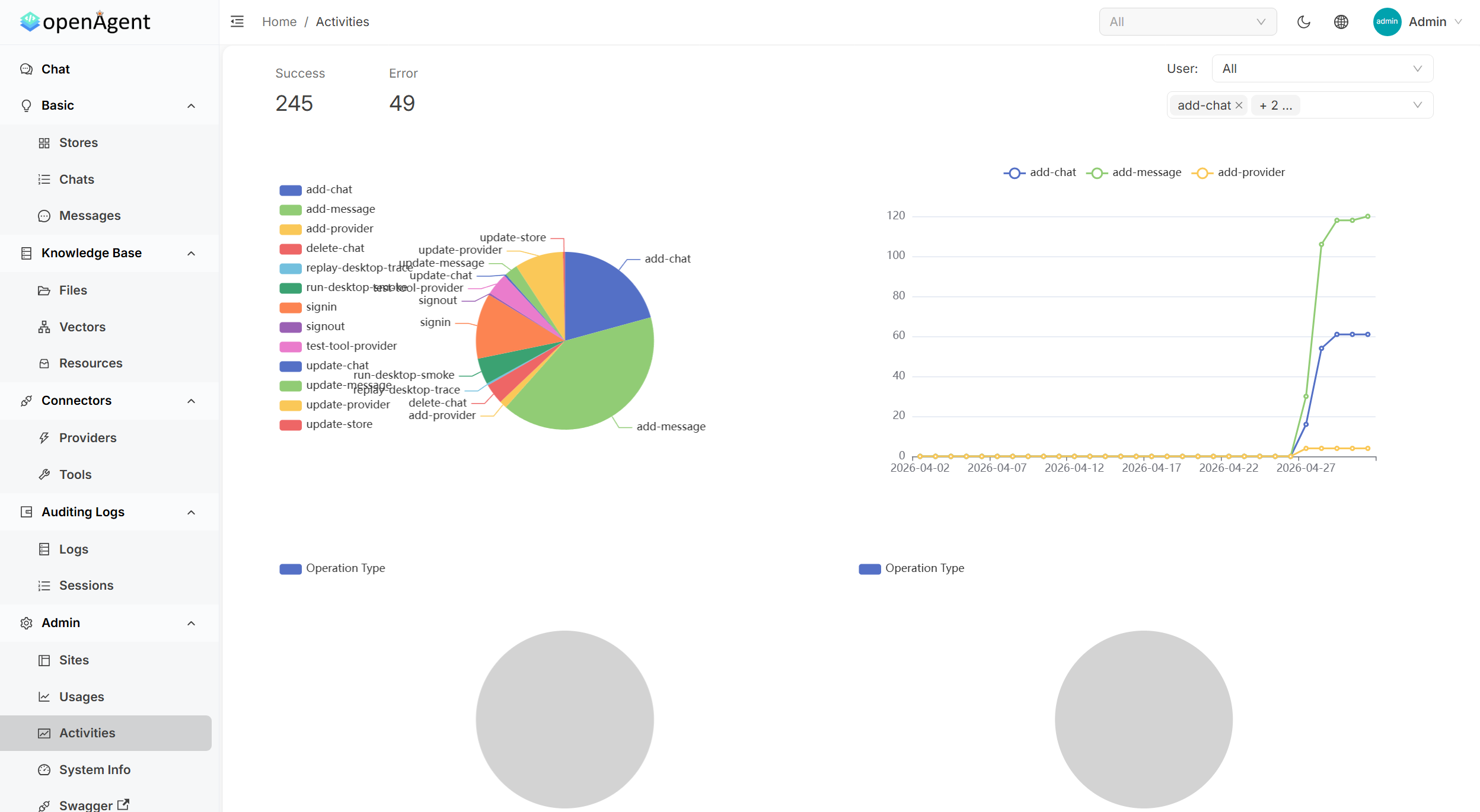 |
| Tool Management | Detailed Logs |
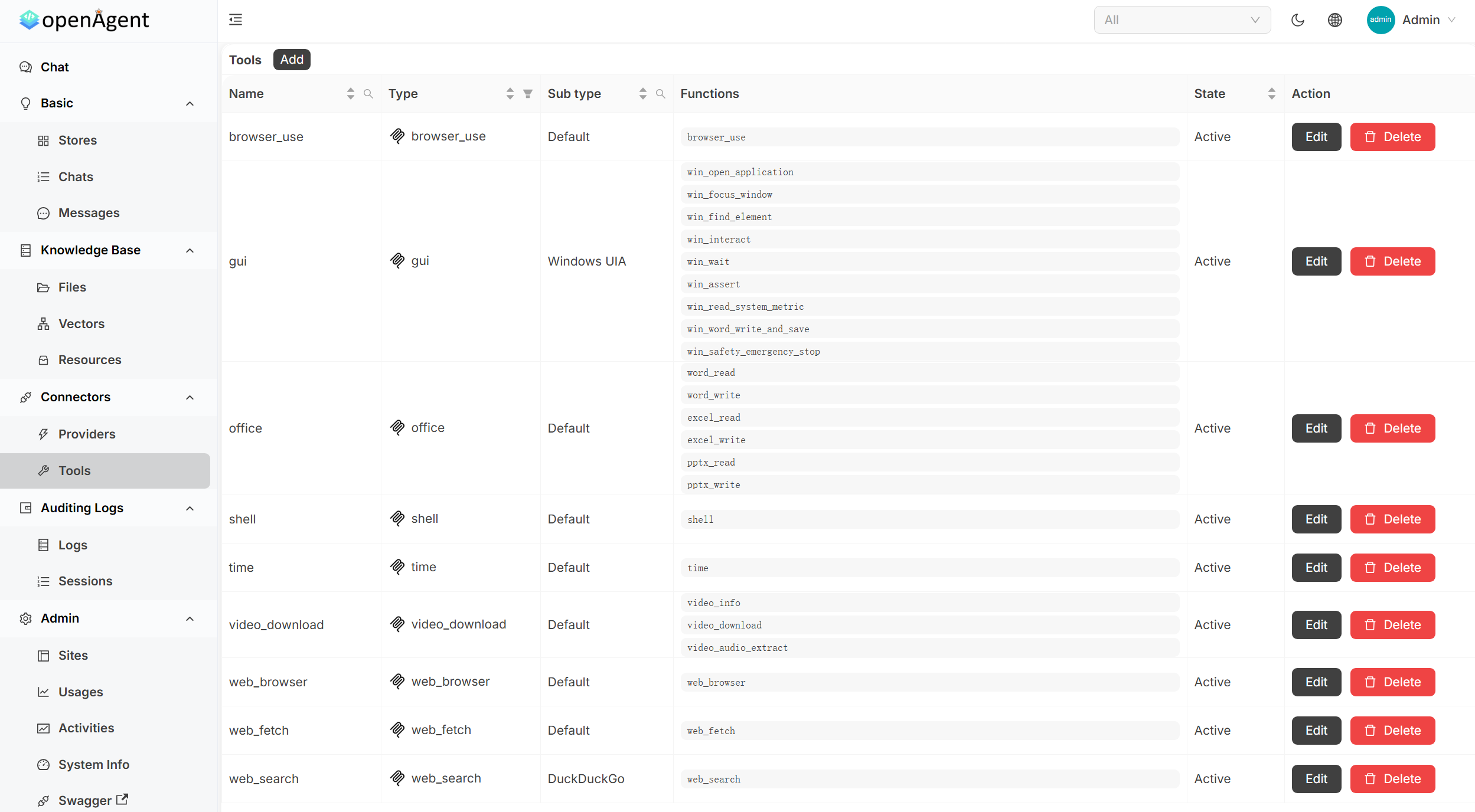 | 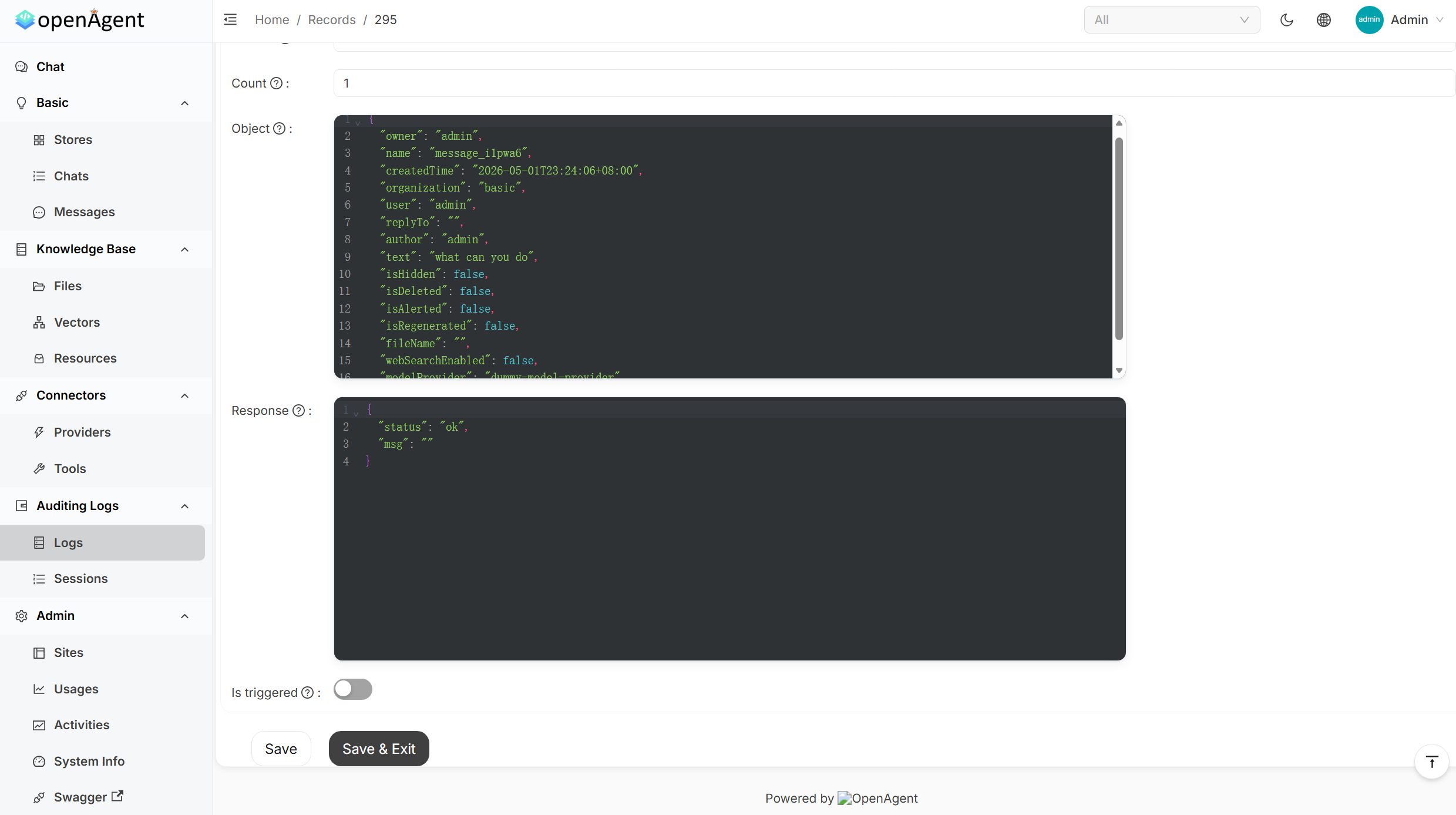 |
Sponsors
Quick Start
Pre-built binaries for Linux, macOS, and Windows (x86_64 / arm64). The installer downloads the latest release and starts OpenAgent on port 14000.
macOS / Linux / WSL
curl -fsSL https://raw.githubusercontent.com/the-open-agent/openagent/master/scripts/install.sh | bash
Windows (PowerShell)
irm https://raw.githubusercontent.com/the-open-agent/openagent/master/scripts/install.ps1 | iex
Windows runs natively — no WSL, no Docker required.
Open http://localhost:14000 and you're in.
Optional env vars:
OPENAGENT_VERSION,INSTALL_DIR,BIN_DIR
Build from source
Prerequisites:
# Backend
go build

# Frontend
cd web && yarn install && yarn start
Docker
docker-compose up
Open http://localhost:14000 once the containers are running.
Features
🤖 30+ Model Providers
Connect every major LLM provider and switch between them per conversation — no code changes required.
OpenAI · Azure OpenAI · Anthropic Claude · Google Gemini · DeepSeek · Mistral · Grok · Qwen · Doubao · Moonshot · ChatGLM · Baichuan · Ernie · iFlytek · HuggingFace · Cohere · Amazon Bedrock · OpenRouter · Ollama · and more
🔄 Autonomous Agent Loops
| Capability | Description |
|---|---|
| Browser-Use | Drive a real browser — navigate, click, fill forms, scrape, and screenshot pages |
| Web Search & Fetch | Search the web and pull live page content into the agent's context |
| Shell Execution | Run shell commands and scripts directly from the agent loop |
| Office Automation | Read and write Word, Excel, and PowerPoint files |
| MCP Integration | Plug in any MCP-compatible server (SSE / Stdio / StreamableHTTP) and expose its tools to the agent |
| Transparent Tool Calls | See every tool invocation, its arguments, and its return value — step by step |
📚 RAG & Knowledge Base
| Capability | Description |
|---|---|
| Document Ingestion | Upload PDFs, Word docs, Excel sheets, and more — chunked, embedded, and indexed automatically |
| Semantic Search | Retrieves the most relevant passages from your knowledge base before each LLM response |
| Pluggable Embeddings | OpenAI, Azure, Gemini, Qwen, Cohere, Jina, HuggingFace, local models, and more |
| Isolated Stores | Organise knowledge into separate stores; assign them per chat or per application |
⚡ Workflow Automation
| Capability | Description |
|---|---|
| Visual Workflow Builder | Compose multi-step pipelines with a BPMN-style drag-and-drop editor |
| Conditional & Parallel Execution | Branch on gateway conditions; run independent tasks concurrently |
| Task Scheduling | Trigger workflows or agent jobs on a recurring schedule |
| Usage Analytics | Track token consumption and cost per provider, model, and user |
🏗️ Platform Features
| Capability | Description |
|---|---|
| Single Binary | One executable file — no installer, no runtime dependencies. Download and run instantly on any supported platform |
| Native Windows Support | Runs directly on Windows — no WSL, no Docker, no Linux subsystem required |
| Single Sign-On | OIDC / OAuth2 / LDAP / SAML via the built-in auth layer |
| Multi-tenancy | Isolated workspaces per user or organisation |
| REST API + Swagger UI | Every feature is accessible programmatically |
| Audit Logs | Full activity history for every action |
| File & Media Management | Built-in storage for files, images, and video content |
📊 Admin Dashboard
| Panel | What you get |
|---|---|
| Usage Statistics | Token & cost metrics per app, user, and model — with interactive charts and heatmaps |
| Activity Monitoring | Real-time system operations with success/error rates, operation-type breakdowns, and trends |
| Tool Management | Centralised CRUD for all agent tools: browser, shell, office, web search, and more |
| Request Logs | Full request/response payloads with JSON formatting, filtering, and debugging |
Online Demo
| Environment | URL | Notes |
|---|---|---|
| Live Preview | https://demo.openagentai.org | Read-only tour — no account needed |
| Playground | https://try.openagentai.org | Make changes freely — data resets every 5 minutes |
Documentation
Full docs at https://www.openagentai.org
Community
- Discord — discord.gg/5rPsrAzK7S · chat with maintainers and other users
- Issues & PRs — welcome! Please open an issue first to discuss larger changes
License

prompts.chat
f·MDX
社区共建的提示词分享与发现平台,可自托管部署,让团队在完全私密的环境里收集和管理 ChatGPT、Claude、Gemini 等模型的提示词。
提示词库+4知识库
176810+70523k2026-11-10 07:21 UTC
generative-ai-for-beginners
microsoft·Jupyter Notebook
微软出品的 21 节生成式 AI 入门课程,用 Jupyter Notebook 带你从零理解大模型、提示工程和 ChatGPT 应用开发。
生成式AI+3知识库
123281+19766k2026-11-05 03:43 UTC
Understand-Anything
Egonex-AI·TypeScript
把任意代码库转成可交互的知识图谱,支持浏览、搜索和提问,兼容 Claude Code、Cursor、Copilot 等主流 AI 编程工具。
知识图谱+4知识库
91821+6747.8kv2.9.02026-11-09 17:56 UTC

llm-course
mlabonne
一套系统的大语言模型入门课程,用学习路线图和可直接运行的 Colab 笔记本,带你从零掌握 LLM 的原理与实战。
大语言模型+4知识库
85024+859.9k2026-02-05 13:09 UTC