安装后需在命令面板手动运行 Start pet coding session(vscode-pets.start)才会出现宠物
vscode-pets
tonybaloneyMIT活跃维护在 VS Code 编辑器窗口里养猫、狗、螃蟹等小宠物,陪你写代码解压,纯属娱乐插件。
Adds playful pets 🦀🐱🐶 in your VS Code window
1.37.0发布于 2026-11-04 01:33 UTC4,189star +5 / 7 天561fork同步于 2026-11-10 23:39 UTC
ext install tonybaloney.vscode-pets 硬件要求按 README 说明
README 未说明,作为 VS Code 扩展无需额外硬件
在 VS Code 编辑器里养像素宠物,给写代码加点乐趣和解压
在 VS Code 编辑器窗口里养猫、狗、螃蟹等小宠物,陪你写代码解压,纯属娱乐插件。
核心能力
- 在编辑器窗口内显示像素风宠物动画
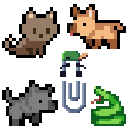
- 支持猫、狗、蛇、橡皮鸭、Clippy 等多种宠物
- 可添加多只宠物并更换背景主题
- 支持扔球与宠物互动玩耍
- 通过命令面板启动宠物会话
容易踩的坑
内容由模型根据 README 生成,可能不完整或不准确,以官方文档为准。看原文 README
- 1.37.0最新正式版2026-11-04 · 2026-11-04 01:33 UTC
1.37.0
I heard you like cats... now we have 20+ cat colors!
New Pets
- Add gray color variant for chicken by @tcheffert in https://github.com/tonybaloney/vscode-pets/pull/962
- Add 17 new cat colors - calico, solid, tabby, tortie and points by @tonybaloney in https://github.com/tonybaloney/vscode-pets/pull/977
- Add white-faced and pied pearl cockatiel colours by @mberguig in https://github.com/tonybaloney/vscode-pets/pull/967
- Add Finley with smooth and pixel-art appearances by @sinedied in https://github.com/tonybaloney/vscode-pets/pull/960
New Themes
- Add library background theme by @KlaudiuszW9693 in https://github.com/tonybaloney/vscode-pets/pull/964
Other Updates
- Fix roll-call fall through and add regression test by @tcheffert in https://github.com/tonybaloney/vscode-pets/pull/958
- Fix pets being stuck in an infinite swiping state when webview is destroyed by @e-newton in https://github.com/tonybaloney/vscode-pets/pull/944
- Modernize Node LTS, development tooling and dependency maintenance by @tonybaloney in https://github.com/tonybaloney/vscode-pets/pull/979
New Contributors
- @tcheffert made their first contribution in https://github.com/tonybaloney/vscode-pets/pull/958
- @e-newton made their first contribution in https://github.com/tonybaloney/vscode-pets/pull/944
- @sinedied made their first contribution in https://github.com/tonybaloney/vscode-pets/pull/960
- @KlaudiuszW9693 made their first contribution in https://github.com/tonybaloney/vscode-pets/pull/964
- @mberguig made their first contribution in https://github.com/tonybaloney/vscode-pets/pull/967
Full Changelog: https://github.com/tonybaloney/vscode-pets/compare/1.36.0...1.37.0
What's Changed
- Bump ws from 8.17.1 to 8.21.1 by @dependabot[bot] in https://github.com/tonybaloney/vscode-pets/pull/918
- Bump flatted from 3.2.7 to 3.4.3 by @dependabot[bot] in https://github.com/tonybaloney/vscode-pets/pull/922
- Bump actions/setup-node from 5 to 7 by @dependabot[bot] in https://github.com/tonybaloney/vscode-pets/pull/928
- Fix roll-call fallthrough and add regression test by @tcheffert in https://github.com/tonybaloney/vscode-pets/pull/958
- Add gray color variant for chicken by @tcheffert in https://github.com/tonybaloney/vscode-pets/pull/962
- Fix pets being stuck in an infinite swiping state when webview is destroyed by @e-newton in https://github.com/tonybaloney/vscode-pets/pull/944
- Add Finley with smooth and pixel-art appearances by @sinedied in https://github.com/tonybaloney/vscode-pets/pull/960
- Add library background theme by @KlaudiuszW9693 in https://github.com/tonybaloney/vscode-pets/pull/964
- Add white-faced and pied pearl cockatiel colours by @mberguig in https://github.com/tonybaloney/vscode-pets/pull/967
- Bump serialize-javascript, terser-webpack-plugin and mocha by @dependabot[bot] in https://github.com/tonybaloney/vscode-pets/pull/971
- Bump actions/upload-pages-artifact from 4 to 5 by @dependabot[bot] in https://github.com/tonybaloney/vscode-pets/pull/924
- Bump brace-expansion from 1.1.11 to 1.1.21 by @dependabot[bot] in https://github.com/tonybaloney/vscode-pets/pull/972
- Bump morgan from 1.11.0 to 1.12.1 by @dependabot[bot] in https://github.com/tonybaloney/vscode-pets/pull/957
- Fix CI browser installation by pinning Ubuntu 24.04 runners by @tonybaloney in https://github.com/tonybaloney/vscode-pets/pull/978
- Add 17 new cat colors - calico, solid, tabby, tortie and points by @tonybaloney in https://github.com/tonybaloney/vscode-pets/pull/977
- Modernize Node LTS, development tooling and dependency maintenance by @tonybaloney in https://github.com/tonybaloney/vscode-pets/pull/979
New Contributors
- @tcheffert made their first contribution in https://github.com/tonybaloney/vscode-pets/pull/958
- @e-newton made their first contribution i
- 1.36.02026-07-24 · 2026-07-24 00:52 UTC
查看更新说明
New Pets
- Adding Raccoon (Issue #547) by @Teroooo in https://github.com/tonybaloney/vscode-pets/pull/911
- Add jimothy by @tonybaloney in https://github.com/tonybaloney/vscode-pets/pull/917
Other Updates
- Add brown color variant for chicken by @Tomansion in https://github.com/tonybaloney/vscode-pets/pull/869
- chore: Update deprecated tsc.autoDetect setting to js/ts namespace by @noritaka1166 in https://github.com/tonybaloney/vscode-pets/pull/904
- Add GUI button for changing theme by @aaronlockhartdev , @matthewcadena , @ArjunV06 and @sandervonk in https://github.com/tonybaloney/vscode-pets/pull/891
- Remove Marketplace badges from README by @tonybaloney in https://github.com/tonybaloney/vscode-pets/pull/923
Full Changelog: https://github.com/tonybaloney/vscode-pets/compare/1.35.0...1.36.0
- 1.35.02026-03-01 · 2026-03-01 06:34 UTC
查看更新说明
New Pets
- Add monkey with teddy plushie by @tonybaloney in https://github.com/tonybaloney/vscode-pets/pull/865
Other Updates
- Removed codecov file before packaging the VSIX in CI workflow by @navyansh007 in https://github.com/tonybaloney/vscode-pets/pull/794
- implemented a flutter effect for the falling leaves in the Autumn theme by @shresthashim in https://github.com/tonybaloney/vscode-pets/pull/796
- Fixes bug when changing either the pet size or theme doesn't update in panel by @shresthashim in https://github.com/tonybaloney/vscode-pets/pull/797
- Added settling effect to leaves in autumn theme by @navyansh007 in https://github.com/tonybaloney/vscode-pets/pull/798
- Add color variant for cockatiel #767 by @MULTidll in https://github.com/tonybaloney/vscode-pets/pull/811
- "Spawn Pet" instead of "Spawn Additional Pet" by @manabu-nakamura in https://github.com/tonybaloney/vscode-pets/pull/806
- Add new pet names for cat, dog, and panda by @lychee712 in https://github.com/tonybaloney/vscode-pets/pull/814
- Added table of content to readme.md by @Towbee05 in https://github.com/tonybaloney/vscode-pets/pull/817
- Hungarian translations by @balazsjdp in https://github.com/tonybaloney/vscode-pets/pull/824
- Add purrtran cat names to the list by @tonybaloney in https://github.com/tonybaloney/vscode-pets/pull/849
New Contributors
- @navyansh007 made their first contribution in https://github.com/tonybaloney/vscode-pets/pull/794
- @shresthashim made their first contribution in https://github.com/tonybaloney/vscode-pets/pull/796
- @MULTidll made their first contribution in https://github.com/tonybaloney/vscode-pets/pull/811
- @manabu-nakamura made their first contribution in https://github.com/tonybaloney/vscode-pets/pull/806
- @lychee712 made their first contribution in https://github.com/tonybaloney/vscode-pets/pull/814
- @Towbee05 made their first contribution in https://github.com/tonybaloney/vscode-pets/pull/817
- @balazsjdp made their first contribution in https://github.com/tonybaloney/vscode-pets/pull/824
Full Changelog: https://github.com/tonybaloney/vscode-pets/compare/1.34.0...1.35.0
What's Changed
- Removed codecov file before packaging the VSIX in CI workflow by @navyansh007 in https://github.com/tonybaloney/vscode-pets/pull/794
- implemented a flutter effect for the falling leaves in the Autumn theme by @shresthashim in https://github.com/tonybaloney/vscode-pets/pull/796
- Fixes bug when changing either the pet size or theme doesn't update in panel by @shresthashim in https://github.com/tonybaloney/vscode-pets/pull/797
- Bump on-headers and morgan by @dependabot[bot] in https://github.com/tonybaloney/vscode-pets/pull/755
- Bump form-data from 4.0.0 to 4.0.4 by @dependabot[bot] in https://github.com/tonybaloney/vscode-pets/pull/758
- Added settling effect to leaves in autumn theme by @navyansh007 in https://github.com/tonybaloney/vscode-pets/pull/798
- New Crowdin updates by @tonybaloney in https://github.com/tonybaloney/vscode-pets/pull/761
- New Crowdin updates by @tonybaloney in https://github.com/tonybaloney/vscode-pets/pull/801
- New Crowdin updates by @tonybaloney in https://github.com/tonybaloney/vscode-pets/pull/802
- Add color variant for cockatiel #767 by @MULTidll in https://github.com/tonybaloney/vscode-pets/pull/811
- Bump github/codeql-action from 3 to 4 by @dependabot[bot] in https://github.com/tonybaloney/vscode-pets/pull/810
- "Spawn Pet" instead of "Spawn Additional Pet" by @manabu-nakamura in https://github.com/tonybaloney/vscode-pets/pull/806
- Add new pet names for cat, dog, and panda by @lychee712 in https://github.com/tonybaloney/vscode-pets/pull/814
- Added table of content to readme.md by @Towbee05 in https://github.com/tonybaloney/vscode-pets/pull/817
- Hungarian translations by @balazsjdp in https://github.com/tonybaloney/vscode-pets/pull/824
- Bump actions/upload-artifact from 4 to 5 by @dependabot[bot] in https://github.com/tonybaloney/vscode-
- 1.34.02025-10-01 · 2025-10-01 05:45 UTC
查看更新说明
What's Changed
New Theme
- Add autumn theme with falling leaf animations by @tonybaloney in https://github.com/tonybaloney/vscode-pets/pull/788
New Pets
- Squirrels! by @thechriskent in https://github.com/tonybaloney/vscode-pets/pull/775
- Skeletons! by @thechriskent in https://github.com/tonybaloney/vscode-pets/pull/787
Other Updates
- Fix typos in comments and CHANGELOG by @noritaka1166 in https://github.com/tonybaloney/vscode-pets/pull/764
- chore: update @types/node from v18 to v20 by @noritaka1166 in https://github.com/tonybaloney/vscode-pets/pull/765
- Add pet gallery image by @nzukie-b in https://github.com/tonybaloney/vscode-pets/pull/769
New Contributors
- @noritaka1166 made their first contribution in https://github.com/tonybaloney/vscode-pets/pull/764
- @nzukie-b made their first contribution in https://github.com/tonybaloney/vscode-pets/pull/769
Full Changelog: https://github.com/tonybaloney/vscode-pets/compare/1.33.0...1.34.0
- 1.33.02025-08-07 · 2025-08-07 09:17 UTC
查看更新说明
What's Changed
- Improve French translations by @tonybaloney in https://github.com/tonybaloney/vscode-pets/pull/757
- Adds Morph (from Disney's Treasure Planet) to vscode-pets by @luismgsantos in https://github.com/tonybaloney/vscode-pets/pull/726
New Contributors
- @luismgsantos made their first contribution in https://github.com/tonybaloney/vscode-pets/pull/726
Full Changelog: https://github.com/tonybaloney/vscode-pets/compare/1.32.0...1.33.0
用户点评
登录用户的真实使用记录,可按版本和硬件筛选共 0 条
还没有人点评。第一个说出真实体验的人最有价值。
VS Code Pets


Table of Contents
Installation
Install this extension from the VS Code marketplace.
OR
With VS Code open, search for vscode-pets in the extension panel (Ctrl+Shift+X on Windows/Linux or Cmd(⌘)+Shift+X on MacOS) and click install.
OR
With VS Code open, launch VS Code Quick Open (Ctrl+P on Windows/Linux or Cmd(⌘)+P on MacOS), paste the following command, and press enter.
ext install tonybaloney.vscode-pets
Using VS Code Pets
Congrats on installing joy! Enjoy interacting with these cute pixelated pets. Read below to get a full understanding of this extension. Not convinced? Watch our extension spotlight on Visual Studio Code.
After installing, open the command palette with Ctrl+Shift+P on Windows/Linux or Cmd(⌘)+Shift+P on MacOS.
Run the "Start pet coding session" command (vscode-pets.start) to see a cat in VS Code:

Now checkout the documentation to see what else is possible!
Some important things you can do:
Translation
Visit the Crowdin Project in case you'd like to help with the translations. It will be synced automatically to the repository. You can also request a new language in the Discussions section.
Credits
The cat animations were designed by seethingswarm. The dog media assets for this extension were designed by NVPH Studio.
The winter theme is original artwork by Kiana Mosser created for VS Code Pets.
The forest theme was designed by edermunizz. The castle assets were created using artwork by GuttyKreum.
Marc Duiker created the Clippy, Rocky, Zappy, rubber duck, snake, cockatiel, Ferris the crab, and Mod the dotnet bot media assets.
Elthen created the fox media assets.
Karen Rustad Tölva designed the original concept of Ferris the crab.
Kevin Huang created the Akita inu media assets.
The turtle animations were designed by enkeefe using Pixelart.
The horse animations were adapted by Chris Kent from assets by Onfe.
Kennet Shin created the snail media assets.
The frog animations were created by seethingswarm.
Jessie Ferris created the panda media assets.
Squirrel animations were adapted by Chris Kent from assets by Azdner.
Skeleton animations were adapted by Chris Kent from assets by MonoPixelArt.
Thank you
Thanks to all the contributors to this project.
vscode
microsoft·TypeScript
微软开源的跨平台代码编辑器,基于 Electron 和 TypeScript 构建,支持插件扩展、调试和 Git 集成,适合日常开发写代码。
代码编辑器+4编辑器 / IDE
195271+18744k1.145.22026-11-10 23:17 UTC
neovim
neovim·Vim Script
Vim 的分支版本,用 Lua 做配置和插件开发,内置 LSP 与异步 API,让终端编辑器更好扩展、更好用。
文本编辑器+4编辑器 / IDE
103562+1007.4kv0.12.62026-11-10 22:02 UTC
zed
zed-industries·Rust
用 Rust 打造的高性能多人协作代码编辑器,由 Atom 和 Tree-sitter 作者开发,主打低延迟编辑与实时协同编码。
代码编辑器+4编辑器 / IDE
94676+82412kv1.27.02026-11-10 23:05 UTC

AFFiNE
toeverything·TypeScript
把文档、白板、表格融为一体的开源知识库,可离线使用、支持多人实时协作,是 Notion 和 Miro 的替代方案。
知识库+4编辑器 / IDE
74427+1405.5kv2026.11.9-canary.9072026-11-10 18:08 UTC