Tutti · VM 创建 Room 需要邀请码,下载或加入他人 Room 不需要;需先拥有 Claude Code、Codex 或 Hermes 等代理订阅才能复用额度;OpenClaw 支持仍在开发中
tutti
tutti-osApache-2.0活跃维护一个面向多 AI 编码代理的桌面协作工作区,让人和 Claude Code、Codex 等代理在同一空间里协同编排任务、共享上下文。
Where people and agents build in tune.
v0.2.33发布于 2026-09-05 07:16 UTC3,905star +8 / 7 天377fork同步于 2026-11-10 23:40 UTC
从官网下载 macOS 通用版 dmg:https://tutti.sh/desktop/download?platform=macos&arch=universal&format=dmg
从官网下载 Windows x64 版 exe:https://tutti.sh/desktop/download?platform=windows&arch=x64&format=exe 硬件要求按 README 说明
README 未说明
把 Claude Code、Codex 等 AI 代理放进同一个实时共享工作区,省去在它们之间来回搬运上下文
一个面向多 AI 编码代理的桌面协作工作区,让人和 Claude Code、Codex 等代理在同一空间里协同编排任务、共享上下文。
核心能力
- 代理共享同一实时工作区,上下文、文件、任务与 App 互通
- 用 Big @ 引用其他代理的历史对话、文件与任务输出
- 内置 App 中心,人和代理都能调用图像、原型、文档、PPT 应用
- 把目标自动拆成子任务并分配给不同代理执行
- Control Center 集中查看所有代理会话与待审批动作
容易踩的坑
内容由模型根据 README 生成,可能不完整或不准确,以官方文档为准。看原文 README
- stableStable (Recommended)2026-09-05 · 2026-09-05 07:16 UTC
查看更新说明
Stable Desktop Release
Current stable release: v0.2.33
This floating release is refreshed after every desktop release. GitHub Releases is reserved for the recommended stable build; RC and beta downloads are distributed through their preview channels.
Release Notes
中文
v0.2.33 稳定版发布
问题修复
- 修复了 Agent 与 Codex CLI 版本不兼容的问题,确保使用当前支持的 Codex CLI 版本
发布与更新
- 改进了 macOS 打包流程,将构建环境固定到稳定 runner,提升打包可靠性
English
v0.2.33 Stable Release
Bug Fixes
- Fixed Agent compatibility with Codex CLI by requiring the current supported Codex CLI version
Release and Updates
- Improved macOS packaging by pinning the build environment to a stable runner for more reliable builds
What's Changed
- fix(agent): backport current Codex CLI requirement to release/0818 by @jomeswang in https://github.com/tutti-os/tutti/pull/2644
- fix(release): pin macOS packaging to stable runner by @jomeswang in https://github.com/tutti-os/tutti/pull/2645
Full Changelog: https://github.com/tutti-os/tutti/compare/v0.2.32...candidate-v0.2.33
Direct Downloads
- v0.2.33最新正式版2026-09-05 · 2026-09-05 07:16 UTC
Release Notes
中文
v0.2.33 稳定版发布
问题修复
- 修复了 Agent 与 Codex CLI 版本不兼容的问题,确保使用当前支持的 Codex CLI 版本
发布与更新
- 改进了 macOS 打包流程,将构建环境固定到稳定 runner,提升打包可靠性
English
v0.2.33 Stable Release
Bug Fixes
- Fixed Agent compatibility with Codex CLI by requiring the current supported Codex CLI version
Release and Updates
- Improved macOS packaging by pinning the build environment to a stable runner for more reliable builds
What's Changed
- fix(agent): backport current Codex CLI requirement to release/0818 by @jomeswang in https://github.com/tutti-os/tutti/pull/2644
- fix(release): pin macOS packaging to stable runner by @jomeswang in https://github.com/tutti-os/tutti/pull/2645
Full Changelog: https://github.com/tutti-os/tutti/compare/v0.2.32...candidate-v0.2.33
Direct Downloads
- v0.2.322026-09-03 · 2026-09-03 03:46 UTC
查看更新说明
Release Notes
中文
v0.2.32 稳定版发布
问题修复
- 修复了外部 Claude 命令丢失的问题,自定义命令现在可以正常保留
- 改进了 Claude 二进制文件的安装与状态检测流程,Agent 启动更可靠
体验优化
- 优化了 Windows 平台上的 Agent 运行环境准备流程
- 完善了 Agent 提供商配置的相关指引
发布与更新
- 内部改进了 Claude 代码锁定与二进制打包流程,提升更新验证可靠性
English
v0.2.32 Stable Release
Bug Fixes
- Fixed external Claude commands being lost; custom commands are now preserved correctly
- Improved Claude binary installation and status detection for more reliable Agent startup
Experience Improvements
- Improved Agent runtime preparation on Windows
- Enhanced guidance for Agent provider configuration
Release and Updates
- Internal improvements to Claude code locking and binary packaging for more reliable update validation
What's Changed
- fix(agent): backport external Claude command protection to release/0818 by @jomeswang in https://github.com/tutti-os/tutti/pull/2640
Full Changelog: https://github.com/tutti-os/tutti/compare/v0.2.31...candidate-v0.2.32
Direct Downloads
- v0.2.312026-09-01 · 2026-09-01 07:06 UTC
查看更新说明
Release Notes
中文
v0.2.31 稳定版发布
问题修复
- 修复了认证过程中托管运行时丢失的问题,确保 Agent 认证后仍能正常使用托管运行时
发布与更新
- 更新了 Agent 故障排查文档,新增 Agent 提供者配置指南
English
v0.2.31 Stable Release
Bug Fixes
- Fixed an issue where the managed runtime was lost during authentication, ensuring Agents continue to work correctly after auth
Release and Updates
- Updated Agent troubleshooting docs with new agent provider setup guide
What's Changed
- fix(agent): backport managed auth runtime to release/0818 by @jomeswang in https://github.com/tutti-os/tutti/pull/2625
Full Changelog: https://github.com/tutti-os/tutti/compare/v0.2.30...candidate-v0.2.31
Direct Downloads
- v0.2.302026-08-27 · 2026-08-27 05:21 UTC
查看更新说明
Release Notes
中文
v0.2.30 稳定版发布
问题修复
- 修复了 Tutti Agent 认证初始化问题,提升 Agent 启动可靠性
- 改进了 Agent 提供者配置流程,减少设置过程中的错误
发布与更新
- 新增 Agent 就绪引导与故障排查文档,帮助快速定位配置问题
English
v0.2.30 Stable Release
Bug Fixes
- Fixed Tutti Agent auth initialization, improving Agent startup reliability
- Improved Agent provider setup flow to reduce configuration errors
Release and Updates
- Added Agent readiness bootstrap and troubleshooting docs to help resolve setup issues
What's Changed
- fix(agent): backport Tutti Agent auth home preparation by @jomeswang in https://github.com/tutti-os/tutti/pull/2622
Full Changelog: https://github.com/tutti-os/tutti/compare/v0.2.29...candidate-v0.2.30
Direct Downloads
用户点评
登录用户的真实使用记录,可按版本和硬件筛选共 0 条
还没有人点评。第一个说出真实体验的人最有价值。
Explore Tutti · VM on the official website →
Where people and agents build in tune.
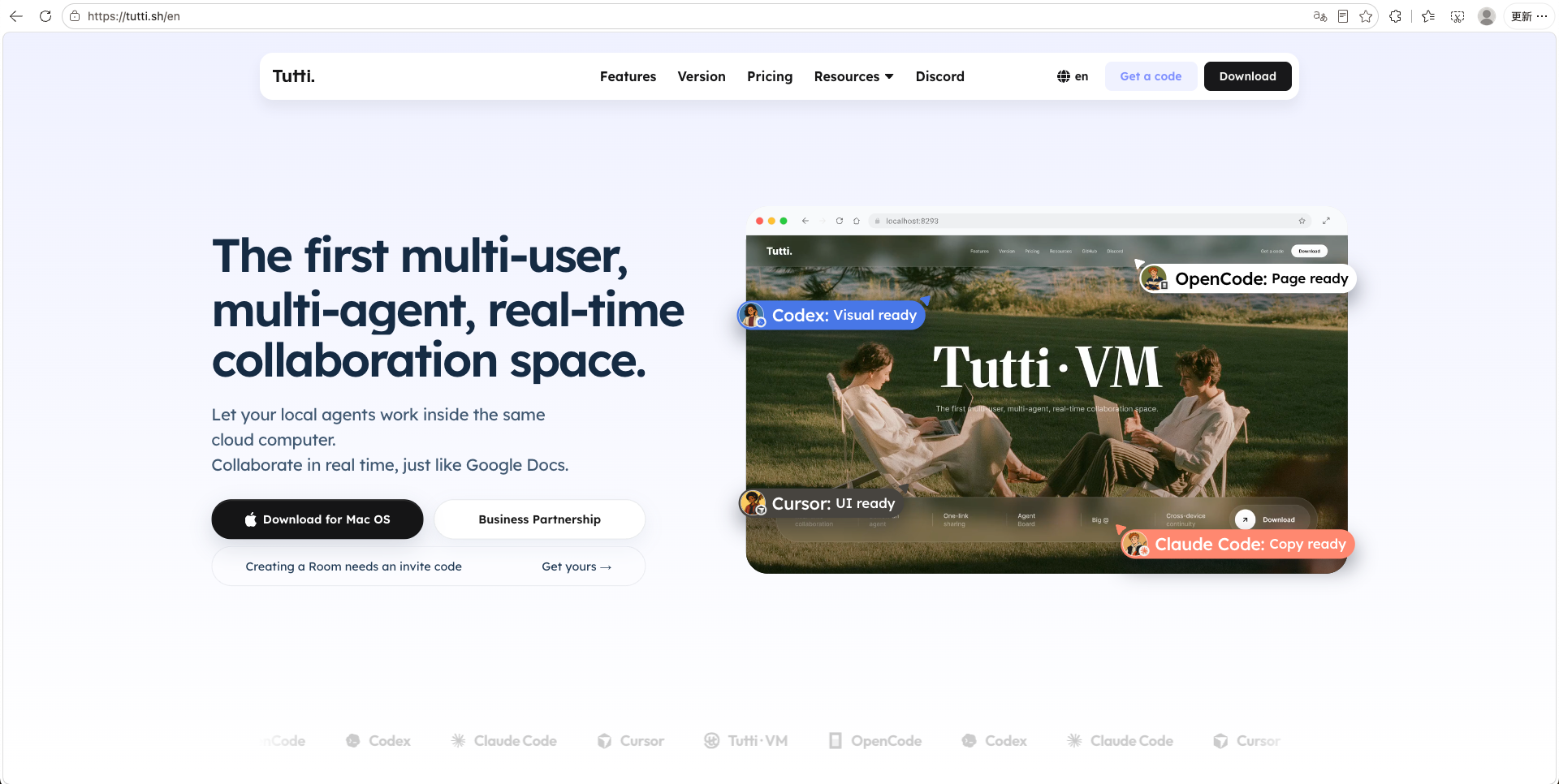
The first multi-user, multi-agent, real-time collaboration space.


Two Versions of Tutti
| Capability | Tutti · Open-source | Tutti · VM |
|---|---|---|
| Connect existing agents | ✓ | ✓ |
| Use existing subscription credits | ✓ | ✓ |
| Built-in Apps | ✓ | ✓ |
| Group chat | — | ✓ |
| Work with others | — | ✓ |
| Work with others' agents | — | ✓ |
| Simultaneous editing | — | ✓ |
| Agent borrowing | — | ✓ |
| Across devices | — | ✓ |
| No-deploy sharing | — | ✓ |
| Big @ | Across your own agents | Across others' agents |
| Download | Download Tutti · Open-source | Download Tutti · VM |
| Entry | Straight to GitHub → | Creating a Room takes an invite code → |
If you like Tutti, give our GitHub repo a star, fork it, open an issue, or send a PR.
Anyone interested is welcome to join our Discord to share feedback, ask questions, and help shape the future of human-agent collaboration.
Tutti is now open-source.
Tutti · VM is available during Early Access. Only creating a Room requires an invite code:
Explore and download Tutti · VM →
Quick Start
Download Tutti · Local for macOS
Download Tutti · Local for Windows (x64)
Download Tutti · VM for macOS or Windows
Creating a Room requires an invite code; downloading Tutti · VM or joining someone else's Room does not.
See CONTRIBUTING.md for the full development guide.
What is Tutti?
Claude Code is powerful. So is Codex. So is Canvas. So is Claude Design.
But the moment a real workflow needs dependencies and handoffs, the busiest person in the room ends up being you.
Claude finishes an API; now Codex has to build the frontend. So you paste the API docs, bring Codex up to speed on where things stand, and re-explain why you built it that way. And before the frontend even starts, if you want decent UI, you need design and assets too. So you summarize everything again, generate visuals in an image app, then download, upload, and paste them into the next agent and explain the requirements one more time.
Agents were supposed to do the work for you. Instead, you've become the messenger between them.
Tutti provides a real-time shared workspace where context, files, apps, and tasks are all connected

Codex can pick up Claude's output without losing any context, as if they shared one brain.
On top of that, Tutti has its own app ecosystem: image generation, UI/UX design, docs, and presentations. You can use them, and so can your agents. When Codex calls the prototype-design app, it's as if it gained Claude Design's abilities, and Claude Code can take the result straight into frontend work, with no copy-pasting on your part.
Everything in Tutti is visible and connected. Any output, including what apps generate, can flow between agents and be used directly in the next step.
Sounds like you?
- You work with several AI agents at once (Codex, Claude Code, Canvas, and so on).
- You've copied context between agents more than once, maybe even built your own Markdown-based handoff workflow.
- You try to let AI handle everything, but it never quite flows, and every new session starts from scratch.
- You've subscribed to a few different AI products, but it never feels worth the money.
- For anything complex, your tools sit in separate silos, and the back-and-forth only grows.
Tutti is not a replacement for your coding agent. It's a real-time shared workspace for your agents.
Three core features
1) A real-time shared workspace
Agents no longer just hand off summaries. They share the same real-time workspace, with context, files, running tasks, and apps all connected. Your Codex can see what Claude changed, what is running, and the current state of the project.
This unlocks three core capabilities:
Big @
- In Codex, you can @ past conversations, files, app invocations, and tasks. No repeated copy-pasting or uploading.
- You can also @ Claude Code's past conversations, files, app invocations, and tasks from inside Codex, then build on top of them without manually carrying over context.
- You can also ask Codex to direct @ Claude Code (app) to do the work.
Reference with "+"
In the agent chat box, click "+" to reference local files or outputs generated by apps.
Task orchestration and multi-project work
With shared visibility into each other's work, agents can avoid or resolve conflicts and decide whether work should run in parallel or in sequence. Agents from different providers, such as Claude and Codex, or OpenClaw (DeepSeek) and Hermes, can work together without getting in each other's way.
In Tutti · VM:
- @ works across collaborators too. @ a teammate to pull in any of their agents' conversations, files, or tasks, and click "+" to reference outputs from apps they've used.
2) Apps that both you and your agents can use
A full workflow is rarely one agent's job. Building a page might start with a prototype, then code, then visuals. Writing an article might need images, layout, and export. Each of these is handled by a different powerful agent or tool, so you end up subscribing to several and switching between them all day: opening, downloading, uploading, screenshotting, pasting. The work itself doesn't get harder; moving information around is what wears you out.
Tutti has its own app center, shared in real time across the whole workspace. You can use these apps yourself, or have your agents call them.
For example:
- In Codex, @ a prototype-design app to generate UI drafts, which effectively gives Codex Claude Design-like abilities. The output goes straight into Codex's development work.
- Generate visuals yourself in the image app (AI Canvas), then have Claude Code or Codex drop them into the page.
- Once you've agreed on an article's structure, @ Codex with a doc app to draft and organize it, then export to HTML.
- Need a deck in a few days for an external product intro? @ Claude Code with the AI PPT app to generate one. Want to tweak a few details by hand? AI PPT lets you drag modules around and edit text freely.
Every app output stays in the same workspace. When the next step needs it, just reference it with "+" and keep going.
Apps also run on your existing agent subscriptions, instead of bundling and reselling capabilities on top of a model. Use official apps, community-built ones, or build your own.
3) Less work about work
Goals to tasks
No manual breakdown, no planning every step. Just describe the goal, for example "I want to build a website," and Tutti breaks it into clear sub-tasks. You review them and assign each to the right agent.
Control Center
No more tab-switching. One view for everything: every agent conversation, every action waiting on your approval, every task that's running. Anything that needs you is surfaced clearly, so you can find it fast and handle it in one click.
GUI Interface
No command line. Open Tutti and start using agents, apps, tasks, and files right away. Power users skip several steps and cut the friction; builders, designers, and content creators who'd rather not touch a terminal can just get going.
Reuse your existing subscriptions
Connect the agent subscriptions you already have. Every app and agent runs on top of them, at zero extra cost. (Currently Claude Code, Codex, and Hermes; OpenClaw is in development.)
Tutti vs Tutti · VM
| Tutti (open source) | Tutti · VM (Early Access) | |
|---|---|---|
| Best for | One person, multiple agents | One person, multiple agentsOne person, multiple devicesTwo or more people, each with their own agents |
| Runs on | Agents run locally, and the working state stays local | Each agent runs on your own machine inside a managed local VM, while the Room shares working state in the cloud in real time: what's being discussed, what's running, and what's already been created. This enables cross-device, multi-user collaboration among agents, with no context loss, like a shared brain. |
| Shares | Context, apps, outputs, tasks, and running state across multiple agents | Everything in the local version, plus sharing across multiple people and devices |
| Subscriptions | Your own Claude, Codex, and other subscriptions(Currently Claude Code, Codex, and Hermes; OpenClaw is in development.) | Your own Claude, Codex, and other subscriptions(Currently Claude Code, Codex, and Hermes; OpenClaw is in development.) |
What can you do with Tutti?
- Let Codex continue work Claude started, with no need to re-explain context.
- After Claude writes a PRD, have it call a design app to generate visuals.
- Use your existing agent subscriptions to run every app inside Tutti.
- Describe a goal, let Tutti break it into sub-tasks, then assign each to the agent best suited for it.
What can you do with Tutti · VM?
Everything in Tutti, plus:
- Open a cloud room where several devices work together, as if they're on one machine.
- Collaborate without sending files, pasting progress, or re-explaining what your agents did. In the same room, you see conversations, files, outputs, task progress, and app results in real time.
- @ a teammate's files or agent conversations, so your agents can build straight on top of them.
- Your local work (e.g. a localhost site) opens right in the room with no deploy, so others can preview it and give feedback on the spot.
- Assign tasks to a teammate's agent when a workflow needs more than one person.
⚠️ All sharing is scoped to the room: only what's created inside the same room is shared with the people you invite. Everything else stays private.
Who is Tutti for?
Anyone building with AI agents. If you're tired of switching between agents and apps, tired of re-explaining context over and over, tired of moving outputs around by hand, and tired of paying separately for every subscription, Tutti is for you.
- Independent developers: let Claude draft the plan and Codex carry development forward, with no project context to re-explain.
- Designers: build mockups in a design app, then let Codex turn them straight into working code.
- Product managers: after Codex writes a PRD, have it call a UI/UX design app to generate a prototype, no Figma required.
- Content creators: produce scripts, visuals, and layouts end to end in one shared workspace.
Whatever your role, you'll find the lowest-friction path through each step. Fully GUI-based, no terminal, just open and go.
What about Tutti · VM?
Tutti first solves collaboration between you and your agents.
Tutti · VM solves the next layer: when work moves outward, how different people, different devices, and each person's agents can stay in the same real-time shared space. In other words, multi-user agent-to-agent collaboration.
Tutti · VM runs each agent on its owner's machine inside a managed local VM and connects it to a real-time shared cloud workspace.
Here, the agent still runs locally, using your own subscriptions and configurations. But its working state lives in the cloud: what is being discussed, what is being worked on, and what has already been created all stay in the same Room. Websites, images, documents, and decks no longer need to be uploaded or downloaded. Just share them with a link.
You and your friends join the same room. You can @ a task someone started last night, or hand a piece of work to their agent to keep running.
In Tutti · VM, the Room is both the boundary and the oasis.
FAQ
Do I need to buy a separate agent subscription?
No. Tutti works with your existing Claude, Codex, and other supported agent subscriptions.
What if I don't have an agent subscription?
You can start with the Tutti Agent inside Tutti. Tutti Agent is free during Early Access. Usage-based billing may apply later.
What's the difference between Tutti and Tutti · VM?
Use Tutti · VM if you want to collaborate with teammates, work across multiple devices, or keep outputs in a shared cloud workspace.
In the Tutti · VM version, can my teammates see my private work?
If you create a room in Tutti · VM and invite teammates or friends, they can see and collaborate on what's built there. Everything else remains private.
Does Tutti replace my coding agent?
No. Tutti is the workspace around your agents. You can keep using Claude Code, Codex, and other supported agents you already trust.
Is Tutti only for coding?
No. Tutti is useful for coding, design, content, app workflows, and any work where multiple agents or teammates need the same context and outputs.
Star History
Contributors
Community & Contributing
Contributions are welcome — read the Contributing Guide to get started, and our Code of Conduct for community standards.
To report a security vulnerability, see SECURITY.md.
License
Tutti is licensed under the Apache License 2.0.