首次运行需在系统设置中授予辅助功能权限,可能还需输入监控权限;从 1.4.5 及更早版本升级后签名变更,需在辅助功能里删除旧条目重新添加;源码仅供查阅,应使用 Releases 中的官方编译版。
Deck
yuzeguitarist活跃维护macOS 上的原生剪贴板管理器,数据全程本地加密存储,支持自动化操作,适合在意隐私、想高效复用剪贴历史的开发者。
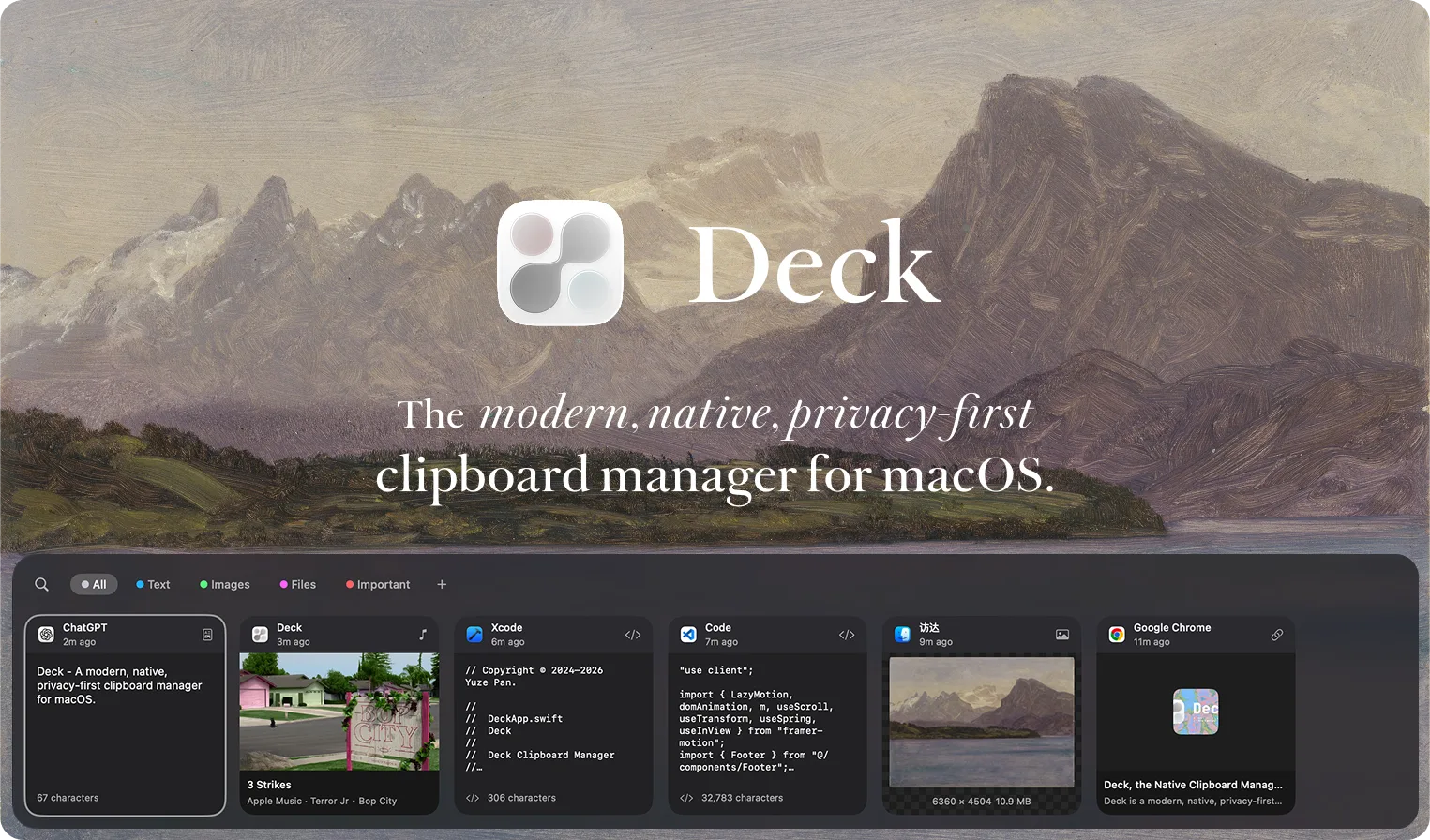
Deck is a modern, native, privacy-first clipboard manager for macOS.
v1.4.6发布于 2026-10-21 04:52 UTC1,486star +3 / 7 天51fork同步于 2026-11-10 23:48 UTC
brew tap yuzeguitarist/deck
brew install --cask deckclip 硬件要求按 README 说明
需 macOS 14.0+,支持 Apple Silicon 与 Intel;README 未提及显存或 GPU 要求。
支持 Apple Silicon
macOS 原生剪贴板管理器,本地优先记录并检索历史,兼顾隐私
macOS 上的原生剪贴板管理器,数据全程本地加密存储,支持自动化操作,适合在意隐私、想高效复用剪贴历史的开发者。
核心能力
- 记录文本、图片、文件、颜色、链接与富文本
- 用 NLEmbedding 做端侧语义搜索,支持正则与类型筛选
- 后台用 Vision 框架自动 OCR 提取图片文字
- 检测银行卡号与证件号等敏感内容并跳过捕获
- 局域网共享走 AES-GCM 加密加 TOTP 校验
容易踩的坑
内容由模型根据 README 生成,可能不完整或不准确,以官方文档为准。看原文 README
- v1.4.6v1.4.6 | Restitūtus最新正式版2026-10-21 · 2026-10-21 04:52 UTC
Release Notes v1.4.6
升级前请先看 / Read before updating
- 签名变更:需要重新授权
从这个版本开始,Deck 使用 Developer ID 签名并通过了 Apple 公证,下载后打开不会再被系统拦截。签名变化后,macOS 会把它当成一个新的 App:- 请到「系统设置 › 隐私与安全性 › 辅助功能」,选中列表里旧的 Deck,点「−」删除,再重新添加并打开开关。
- 第一次启动时如果弹出钥匙串访问请求,请输入登录密码并选「始终允许」。拒绝的话,加密的历史记录会暂时无法读取(数据不会丢,重新允许即可)。
- Orbit 同样需要重新授权。
New signature: permissions need to be granted again
Deck is now signed with a Developer ID certificate and notarized by Apple, so macOS no longer blocks it after download. Because the signature changed, macOS treats it as a new app: - In System Settings › Privacy & Security › Accessibility, select the old Deck entry, click “−” to remove it, then add Deck again and turn it on.
- If a keychain prompt appears on first launch, enter your login password and choose “Always Allow”. Denying it makes encrypted history temporarily unreadable (nothing is lost; allow it again to recover).
- Orbit needs to be authorized again in the same way.
新增 / New
-
⌘⇧V 不再被占用(#186 #184 #169 #130)
队列模式「依次粘贴」的快捷键现在可以在设置的「队列模式」中自定义或清空,清空后即可把 ⌘⇧V 设为显示 / 隐藏 Deck。新安装默认用 ⌘⇧V 呼出 Deck,队列粘贴改为 ⌃⌘V;已有用户保留原来的设置。
⌘⇧V is no longer reserved (#186 #184 #169 #130)
The Queue Mode “Sequential Paste” shortcut can now be changed or cleared in the Queue Mode settings, which frees ⌘⇧V for showing and hiding Deck. New installs use ⌘⇧V to open Deck and ⌃⌘V for sequential paste; existing installs keep their current shortcuts. -
翻译全面更新
所有界面文案在德语、英语、法语、日语、韩语和繁体中文中均已完整翻译,并按 Apple 的用词和文案风格重新润色:更简洁、更自然,界面不再因为过长的译文而拥挤。繁体中文改用台湾用语。
Translations, fully refreshed
Every string is now translated into German, English, French, Japanese, Korean, and Traditional Chinese, and polished to match Apple terminology and tone: shorter, more natural, and less likely to crowd the layout. Traditional Chinese now uses Taiwan vocabulary. -
适配 macOS 27
使用 Xcode 27 / macOS 27 SDK 构建,修复了新 SDK 下的编译问题。
Ready for macOS 27
Built with Xcode 27 and the macOS 27 SDK.
修复 / Fixed
-
iPhone 复制的内容现在会记录到 Deck(#173)
macOS 会把所有从 iPhone / iPad 接力来的剪贴板内容标记为「不计入历史」,导致 Deck 一直跳过它们。现在接力内容会正常记录;带有密码等隐私标记的内容仍会跳过。
Copies from iPhone are now recorded (#173)
macOS marks every Universal Clipboard item from iPhone or iPad as excluded from history, so Deck skipped them. Deck now records these items, while content marked as private (such as passwords) is still skipped. -
通用剪贴板稳定性
当 macOS 仍在拉取其他设备的通用剪贴板内容时,Deck 会识别这类远端剪贴板状态并跳过同步读取,避免在 iPhone VPN 接管本地网络等场景下导致面板或输入卡死。
Universal Clipboard stability
Deck now detects unresolved remote Universal Clipboard generations and avoids synchronous pasteboard reads while macOS is still fetching the payload. -
更安全的粘贴快捷路径
面板粘贴、链接预览粘贴和打字式粘贴现在会避开尚未解析完成的远端剪贴板内容,不再阻塞界面。
Safer paste shortcuts
Panel paste, link-preview paste, and typing-paste paths now avoid unresolved remote clipboard payloads instead of blocking the UI. -
历史顺序被打乱(#196)
按 ⌃E 跳到列表末尾或在搜索中跳转后,旧记录可能被当成最新一页显示,与新复制的内容混在一起。
History order scrambled (#196)
After jumping to the end of the list with ⌃E, or jumping while searching, older items could appear as the newest page and mix with new copies. -
问卷卡片反复出现(#196)
点击关闭或打开过问卷后,卡片不会再显示。
Survey card kept coming back (#196)
The survey card no longer reappears after you close it or open the survey. -
前进 / 后退和双 ⌘ 误触发 Deck(#193)
在 Finder 或 Safari 中用 ⌘[ / ⌘](包括鼠标侧键宏)前进后退,或同时按下左右两个 ⌘ 键,不会再被识别为「双击 ⌘」。
Back / Forward and both ⌘ keys no longer trigger Deck (#193)
⌘[ / ⌘] navigation in Finder or Safari (including mouse-button macros) and pressing both ⌘ keys together are no longer treated as a double-tap of ⌘.
- 签名变更:需要重新授权
- v1.4.5v1.4.5 | Intermicāns2026-05-09 · 2026-05-09 11:59 UTC
查看更新说明
Release Notes v1.4.5
TL;DR
-
剪贴板捕获进入 pboard/XPC 事件驱动时代
接入 Apple pboard daemon 的私有 invalidation push 链路,复制发生时由invalidate-cache/invalidate-entries直接唤醒 Deck 捕获流水线;常驻高频轮询退场,只保留稀疏健康检查与自动回退。
Clipboard capture now rides the private pboard/XPC invalidation path:invalidate-cache/invalidate-entrieswake Deck immediately, while polling becomes a sparse health check and safety fallback. -
SQLite 搜索性能炸裂治理
新增 Deck SQLite Benchmark 基准体系后,锁定 FTS5 搜索里bm25 + timestamp全量临时排序这一颗大雷;搜索链路改为rowid DESC有界候选 + 主表过滤排序,medium 25,000 条数据下最坏多条件搜索从 43.1s 降到 154.6ms,约 278.6x,timeout 从 5/5 清零,整轮 benchmark 从 51.7s 降到 8.7s。
A new Deck SQLite Benchmark suite exposed the FTS5bm25 + timestampfull-sort trap; search now uses boundedrowid DESCcandidates plus table-side filtering/sorting. On the 25k-row medium benchmark, the worst multi-condition search dropped from 43.1s to 154.6ms (278.6x) with 5/5 timeouts eliminated, and the full run fell from 51.7s to 8.7s. -
DeckClip 连接安全与信道性能
强化防重放与校验顺序,并提升大数据帧下的读取效率。
Stronger replay protection and verification ordering, plus larger socket reads for big frames. -
Deck MCP 进程诊断与清理
deckclip mcp serve增加初始化超时保护,mcp doctor可列出当前 MCP bridge 进程、父进程与运行时长,并新增mcp cleanup清理疑似空闲实例。
deckclip mcp servenow exits if no MCP initialize request arrives, whilemcp doctorreports running bridge processes andmcp cleanupcan clear likely idle instances. -
复制操作反馈更快
在按下复制/剪切后的短窗口内更快察觉剪贴板变化,音效与状态栏反馈不再拖延;Deck 面板内Cmd+C成功复制时也会立即播放同一套反馈音效。
Faster copy/cut detection with near-immediate sound and menu-bar feedback; successfulCmd+Ccopies inside the Deck panel now play the same feedback sound immediately. -
思考模式对话更稳定
正确累积、保存并回传reasoning_content,避免多轮与工具调用时的接口错误。
Reliablereasoning_contentpersistence and playback across turns and tool calls. -
IDE Source Anchor 支持 Sublime Text / Zed
从 Sublime Text session 与 Zed 剪贴板zed-metadata捕获文件和行号,复制源码后可从 Deck 直接跳回对应位置。
IDE Source Anchor now covers Sublime Text and Zed by reading Sublime session state and Zedzed-metadata, so copied code can jump back to the original file and line. -
代码预览高亮更接近编辑器
代码预览改用轻量单遍 token 扫描与缓存,高亮字符串、注释、关键字、函数、类型、属性、数字等常见语义,同时减少多轮正则扫描开销。
Code preview now uses lightweight single-pass token scanning with caching, highlighting strings, comments, keywords, functions, types, properties, numbers, and other common semantics, while reducing the overhead of multiple rounds of regex scanning. -
面板与长文本预览更流畅
基于CPU.trace/UI.trace的热点优化,减少主线程菜单构建、Markdown 检测与长文本系统探测开销。
Trace-driven hot-path work reduces main-thread menu construction, Markdown detection,
-
- v1.4.4v1.4.4 | perlīmātus2026-05-05 · 2026-05-05 11:29 UTC
查看更新说明
Release Notes v1.4.4
优化 / Improvements
-
新增 LaTeX 公式渲染:横板模式的 Markdown 卡片预览与 Markdown/纯文本预览面板会按需渲染行内、块级、常见 equation/align/matrix/cases 环境以及 TeX 源中的公式块;Markdown 的「拷贝纯文本」会把公式导出为可读 Unicode 文本,同时保留行内 code 与代码块原文不被渲染;公式渲染结果增加内存缓存,减少列表卡片与预览切换时的重复计算,并保留预览面板原有滚动逻辑。
-
Added LaTeX math rendering: horizontal Markdown card previews plus Markdown/plain-text preview panels now render inline, display, common equation/align/matrix/cases environments, and formula blocks inside TeX source; Markdown “Copy Plain Text” now exports formulas as readable Unicode text while preserving inline code and code blocks verbatim; rendered formulas are cached in memory to reduce repeated work during card and preview switches, preserving the existing preview scrolling behavior.
-
优化自动检查更新的请求调度:保留原有固定检查时段不变,在客户端为每台设备生成稳定随机延迟,将集中整点请求打散到 30 分钟窗口内,平滑后端并发峰值,降低更新服务在高峰时段的错误率。
-
Improved automatic update-check scheduling by keeping the existing check windows while assigning each device a stable randomized delay, spreading requests across a 30-minute window to smooth backend concurrency spikes and reduce peak-hour update service errors.
-
新增卡片列表内的问卷反馈入口:当历史记录超过 99 条且处于默认全部列表时,自动在最前方展示不可聚焦、不可拖拽、不会进入搜索或标签过滤结果的反馈卡片;支持打开问卷、本次隐藏与永久隐藏,并针对横版/竖版、深色/浅色模式完成视觉适配。
-
Added an in-list survey feedback entry: once history exceeds 99 items in the default All view, Deck shows a non-focusable, non-draggable feedback card at the front of the list that never appears in search or tag-filtered results; it supports opening the survey, hiding for the session, or hiding permanently, with tuned horizontal/vertical and dark/light appearances.
-
优化设置页「统计」页面的打开与刷新性能:统计数据上屏时避免不必要的隐式动画抖动,并在渲染前预热常用应用图标缓存,降低主线程卡顿;页面布局、图表样式与交互保持不变。
-
Improved the Settings > Statistics page responsiveness by applying statistics updates without unnecessary implicit animation and warming the top-app icon cache before rendering, reducing main-thread stalls while preserving the existing UI, charts, and interactions.
-
优化后台数据库维护扫描:文件搜索文本回填、向量索引回填与缺失文件扫描从 OFFSET 分页改为基于 id 的 keyset 分批推进,大数据量下维护耗时更稳定,并避免越往后扫描越慢;不改变前台 UI、搜索语义或清理规则。
-
Optimized background database maintenance scans by switching file-search backfill, vector-index backfill, and missing-file checks from OFFSET pagination to id-based keyset batching, keeping large-history maintenance time stable without changing the UI, search semantics, or cleanup behavior.
-
优化 SQLite 读写调度:新增独立只读连接与 reader 队列,让历史列表、搜索、统计和轻量读取在 WAL 模式下不再排队等待写入、迁移、checkpoint 或后台维护任务;写入与维护仍保留在 writer 串行队列中,reader 不可用时自动回退,保证行为稳定。
-
Improved SQLite read/write scheduling with a dedicated read-only connection and reader queue, allowing history lists, search, statistics, and lightweight reads to avoid waiting behind writes, migrations, checkpoints, or background maintenance in WAL mode; writes and maintenance remain serialized on the writer queue, with automatic fallback if the reader is unavailable.
-
优化剪贴板解析与数据库写入热路径:剪贴板监听阶段只在主线程读取 NSPasteboard 快照,富文本、缩略图与类型解析移到后台执行;主表插入复用缓存的 SQLite UPSERT statement 并直接绑定 BLOB,减少重复 prepare 和大 payload 拷贝;后台语义 embedding 入库不再绕回 MainActor。
-
Improved clipboard parsing and database write hot paths: clipboard monitoring now reads only an NSPasteboard snapshot on the main thread while rich-text, thumbnail, and type parsing run in the background; main-table inserts reuse a cached SQLite UPSERT statement with direct BLOB binding to reduce repeated prepare work and large-payload copies; background semantic embedding writes no longer hop back through the MainActor.
-
优化语义搜索与 sqlite-vec 索引路径:sqlite-vec 向量写入、恢复与查询改用原生 Float32 BLOB,避免 JSON 字符串格式化与解析;向量命中后的回表改为按候选 id 批量读取并由语义距离恢复顺序,不再引入历史时间排序;安全模式下继续禁用向量索引以保持加密语义不变。
-
Optimized semantic search and sqlite-vec index
-
- v1.4.3v1.4.3 | herculean2026-04-26 · 2026-04-26 11:12 UTC
查看更新说明
Release Notes v1.4.3
优化 / Improvements
-
SQLite 数据库 P0 写放大与安全模式维护优化 Deck 对剪贴板历史数据库做了一轮最小侵入的 P0 优化:FTS 全文索引现在只会在
search_text、来源 App 名称、自定义标题或加密状态真正变化时更新,给历史记录打标签、切换临时状态等轻量操作不再触发全文索引删除与重建,减少 SQLite WAL 写放大、分词开销和后台 checkpoint 压力。安全模式下,Deck 不再维护无法直接搜索的密文 FTS 索引,全文索引重建也会跳过加密记录;批量插入路径去掉了逐条SELECT count的额外查询,降低导入、同步和恢复时的数据库负载。与此同时,安全模式开启/关闭时的语义向量缓存迁移改为静默探测加密状态,不再把预期中的明文探测失败误报为authenticationFailure错误刷屏。
Deck received a minimal P0 SQLite optimization pass for clipboard history. FTS now updates only whensearch_text, source app name, custom title, or encryption state actually changes, so lightweight operations such as tagging items or toggling temporary state no longer delete and rebuild full-text index entries. This reduces SQLite WAL write amplification, tokenizer work, and checkpoint pressure. In secure mode, Deck also stops maintaining unusable ciphertext FTS entries, and FTS rebuilds skip encrypted rows. Batch insert paths no longer run a per-itemSELECT count, reducing database load during imports, sync, and restore flows. The secure-mode semantic-vector cache migration now probes encryption state silently as well, preventing expected plaintext-probe misses from being logged repeatedly asauthenticationFailureerrors. -
Trace 驱动的规则搜索与 SwiftUI 氛围栏性能优化 基于 8 份 Instruments Trace,Deck 优先处理了最重的规则搜索、代码语言规则搜索、加密数据库规则搜索与 SwiftUI 更新风暴热点:语言规则过滤现在会先用类型、App、日期、大小等低成本条件缩小候选范围,再只对真正可能命中的文本条目预热代码语言检测缓存,避免对会被其它规则淘汰的历史记录反复执行
detectCodeLanguage;底部氛围栏也减少了每帧字符串分配,并把装饰性动画刷新率降到更克制的 10fps,在不改变交互和功能的前提下降低 SwiftUI 文本排版与 AttributeGraph 更新压力。后台复制/纯后台 Trace 中主要耗时来自 MultipeerConnectivity 系统发送/等待线程,这次保持不改,避免为了不可控系统栈引入回归风险。
Based on eight Instruments traces, Deck prioritizes the heaviest rule-search, code-language rule-search, encrypted-database rule-search, and SwiftUI update-storm hotspots. Language-rule filtering now narrows candidates with cheaper type, app, date, and size checks before warming the code-language detection cache only for text-like items that can still match, avoiding repeateddetectCodeLanguagework for records that other rules will discard anyway. The bottom ambient bar also reduces per-frame string allocation and lowers its decorative animation cadence to a more conservative 10fps, cutting SwiftUI text-layout and AttributeGraph update pressure without changing behavior or functionality. The background-copy / pure-background traces were dominated by MultipeerConnectivity system send/wait threads, so those paths were intentionally left untouched to avoid regression risk in an OS-owned stack. -
冷启动面板查询、CPU 与内存占用优化 根据冷启动面板查询与内存 Trace,Deck 现在会优先提交更小的首屏历史快照,并把总数统计延后到首屏显示之后,避免
COUNT(*)与首屏列表查询在打开面板瞬间争抢 SQLite 队列;历史列表的类型/标签过滤也补充了与timestamp DESC, id DESC排序匹配的复合索引,减少过滤分页时的额外扫描和排序。与此同时,横板卡片的缩略图缓存容量进一步收紧,图片文件大小、Base64 图片探测、智能文本分析与链接元数据加载都改为更靠后的低优先级路径,避免面板刚打开就同时触发解码、字符串扫描、网络元数据解析和 SwiftUI 布局压力,让冷启动面板更快出现、CPU 峰值更平滑,内存峰值也更可控。
Based on cold-start panel query and memory traces, Deck now commits a smaller first-screen history snapshot first and defers total-count calculation until after the panel has rendered, preventingCOUNT(*)from competing with the initial SQLite list query during panel open. Type/tag-filtered history pages also gain composite indexes matching thetimestamp DESC, id DESCordering to reduce extra scans and sorting during filtered pagination. At the same time, horizontal-card thumbnail cache limits have been tightened, while image file-size lookup, Base64 image detection, smart-text analysis, and link metadata loading now run later at lower priority. This avoids triggering image decoding, string scanning, network metadata parsing, and SwiftUI layout pressure all at once, mak
-
- v1.4.2v1.4.2 | Oops2026-04-18 · 2026-04-18 06:48 UTC
查看更新说明
Release Notes v1.4.2
新增 / Added
-
Smart Rule AI 管理工具
Deck AI 现在不仅能创建 Smart Rule,也可以列出、读取、修改和删除已有规则;App 内审批面板与deckclip chat/deckclip终端审批也会显示对应的规则预览、变更摘要和删除警告。
Deck AI can now do more than create Smart Rules. It can also list, read, modify, and delete existing rules, and both the in-app approval sheet and thedeckclip chatapproval overlay now show rule previews, change summaries, and delete warnings. -
Deck CLI AI 聊天审批
在deckclip chat中,遇到脚本插件创建/修改/删除、剪贴板写入/删除、Smart Rule 生成等需要授权的操作时,现在会直接弹出审批面板;你可以在终端里查看摘要与预览,并用Y / Enter批准、N / Esc拒绝。
deckclip chatnow shows an approval overlay for actions that require authorization, including creating, modifying, or deleting script plugins, writing or deleting clipboard items, and generating Smart Rules. You can review the summary and preview in the terminal, then approve withY / Enteror reject withN / Esc. -
审批补丁结构化预览
修改脚本插件时,补丁现在会按文件、hunk 与增删行数展示;支持普通 diff 与*** Begin Patch风格补丁,也能识别文件移动(move)并显示旧路径到新路径的变更关系。
Patch previews for script plugin changes are now structured by file, hunk, and added or removed lines. Both regular diffs and*** Begin Patchstyle patches are supported, and file moves are recognized with old-to-new path mapping. -
审批代码高亮
审批面板会对manifest.json、JSON 和 JavaScript 代码块做基础语法高亮,长预览也支持独立滚动。
The approval overlay now applies basic syntax highlighting tomanifest.json, JSON, and JavaScript blocks, and long previews can be scrolled independently.
优化 / Improvements
-
Smart Rule 自动删除粒度
“多久之后自动删除” 现在最低支持 1 分钟;在 5 分钟以内可直接选择 1 / 2 / 3 / 4 / 5 分钟,超过 5 分钟后继续沿用原来的 5 分钟步进逻辑。AI 生成或修改规则时也同步支持 1 分钟的最小自动删除时间。
“Auto delete after” now supports a minimum of 1 minute. Within the first 5 minutes, you can choose 1 / 2 / 3 / 4 / 5 minutes directly, while values above 5 minutes continue to use the original 5-minute step cadence. AI-generated or AI-modified rules now support the same 1-minute minimum. -
聊天过程工具状态反馈
AI 在搜索剪贴板、保存记忆、读写会话上下文、运行脚本插件等阶段时,顶部状态与对话尾部会显示更明确的进行中文案;连续搜索还会带上递增计数,减少“像卡住了一样”的观感。
During clipboard search, memory saving, session context reads or writes, script plugin execution, and similar steps, the chat UI now shows clearer in-progress status text in both the header and transcript tail. Repeated searches also display an incrementing count to reduce the feeling that the session is stuck. -
macOS 审批键盘体验
审批面板打开时,会临时切到可输入 ASCII 的键盘布局,关闭后再恢复原输入法;在中文输入法等场景下,Y / N快捷批准或拒绝更可靠。
When the approval overlay opens on macOS, Deck temporarily switches to an ASCII-capable keyboard layout and restores the previous input source afterward, makingY / Napproval shortcuts more reliable under Chinese IMEs and similar input methods. -
聊天模块结构与可维护性
deckclip chat/deckclip的实现拆分为app_impl、approval、render和tests模块,后续继续迭代聊天与审批功能时更容易维护。
Thedeckclip chatimplementation has been split intoapp_impl,approval,render, andtestsmodules, making future iteration on chat and approval features easier to maintain. -
局域网共享后台策略平衡优化
重新调整了局域网共享在后台、熄屏与连接状态切换时的发现策略:相比频繁暂停、恢复或重建网络对象,Deck 现在更倾向于保持发现链路稳定运行,以优先降低异常退出与崩溃风险,同时减少因重复重建带来的额外开销。
Rebalanced LAN sharing discovery behavior across background, display sleep, and connection state transitions. Instead of frequently pausing, resuming, or rebuilding networking objects, Deck now prefers to keep the discovery path stable, reducing crash risk first while also avoiding the overhead caused by repeated teardown and rebuild churn. -
剪贴板后备轮询更省电
剪贴板监听的后备轮询现在会根据用户空闲状态、低功耗模式和设备热状态动态放宽间隔,并减少无变化时的重复调度,降低后台闲置时的不必要唤醒。
Clipboard fallback polling now ad
-
用户点评
登录用户的真实使用记录,可按版本和硬件筛选共 0 条
还没有人点评。第一个说出真实体验的人最有价值。
Features
Clipboard History & Search
- Records text, images, files, colors, links, and rich text.
- Search by keyword, regex, or type — with on-device semantic search powered by NLEmbedding.
- Slash-triggered search rules: filter by app, date, or type (include/exclude, multi-value).
- Per-item custom titles — searchable, and synced across devices.
- Tags and smart categories.
- Context-aware ordering: items sorted by relevance to the current app.
Smart Features
- Smart Rules — automated workflows with condition matching and actions, including JavaScript script plugins.
- OCR — automatically extracts text from images in the background (Vision framework, multi-language).
- Cursor Assistant — triple-tap Shift to get context-aware clipboard suggestions at your cursor, with trigger-word matching and template integration.
- Template Library — save reusable clipboard templates with color coding and cursor-position paste.
- Text Transformations — JSON format/minify, Base64, URL encode/decode, case conversion, timestamp parsing, MD5 hash, line sort/dedup, and more.
- IDE Source Anchor — copies from VS Code, Xcode, JetBrains, Cursor, or Windsurf automatically capture file path + line number; click to jump back.
- Figma Detection — recognizes Figma clipboard content with a dedicated preview.
- Link Preview with one-tap QR code generation.
- Link Cleaner — strips tracking parameters from URLs.
- Instant Calculation — copy a math expression, see the result immediately.
- Smart Text Detection — identifies emails, URLs, phone numbers, code language, JWT tokens, and more.
Privacy & Security
- Local-first — your data stays on your Mac by default.
- Touch ID / Face ID unlock before opening the panel.
- Sensitive data filtering — auto-detects bank card numbers and identity/passport numbers via Luhn algorithm; skips capture.
- Window-aware protection — detects sensitive window titles (password fields, login pages) and pauses capture automatically.
- Clipboard steganography — embed hidden messages in images or zero-width text.
- Screen share detection — optionally hides the panel during screen sharing or recording.
- Pause mode — temporarily stop capturing with one click.
Sync & Sharing
- LAN Sharing with AES-GCM encryption and TOTP verification.
- Direct IP Connection — connect to peers by IP address, bypassing VPN or Bonjour issues.
Workflow
- Queue mode — paste multiple items in sequence.
- Keyboard-first design with optional Vim mode.
- Typing paste — type clipboard content character-by-character instead of pasting.
- Siri Shortcuts — query recent clipboard items via App Intents.
- CLI Bridge — local automation and external integrations from the terminal.
- Data export — export your clipboard history.
- Usage statistics — all computed locally, never uploaded.
- Migration from Paste, Maccy, CopyClip, and other clipboard apps.
- Auto updates with daily checks (or manual check in Settings).
- Missing-file warnings with auto-cleanup after closing the panel.
Integrations
- Deck × Orbit — radial app switcher + file hub. Cursor ring, long-press trigger, drag-to-quit, file AirDrop/trash.
Install
Homebrew
brew tap yuzeguitarist/deck
brew install --cask deckclip
Manual
- Download the latest
.dmgfrom Releases. - Drag
Deck.appinto Applications. - Grant Accessibility (and Input Monitoring if prompted) in
System Settings → Privacy & Security.
Deck is signed with a Developer ID and notarized by Apple, so it opens normally after download.
Updating from 1.4.5 or Earlier
Starting with 1.4.6, Deck uses a new signature, so macOS treats it as a new app:
- In
System Settings → Privacy & Security → Accessibility, select the old Deck entry, click − to remove it, then add Deck again and turn it on. - If a keychain prompt appears on first launch, enter your login password and choose Always Allow.
Source code is public for reference only. Please use the official compiled app from Releases.
Requirements
- macOS 14.0+
- Apple Silicon or Intel
Quick Start
- Launch Deck.
- Press
Cmd + Shift + Vto open the panel (installs updated from 1.4.5 or earlier keepCmd + P). - Arrow keys to navigate,
Enterto paste.
Default Shortcuts
| Shortcut | Action |
|---|---|
Cmd + Shift + V | Open Deck |
Enter | Paste selected |
Shift + Enter | Paste as plain text |
Cmd + Number | Quick paste (1–9) |
Option + Q | Toggle queue mode |
Space | Toggle preview |
Esc | Close |
- Start typing right after opening the panel to search.
- Scroll the mouse wheel on the history list to switch focus.
More shortcuts and Vim mode are in Settings.
Screenshots
Support Deck
License
This project uses dual licensing:
deckclip/is licensed under GNU AGPL v3.0 only — seedeckclip/LICENSE.- All other files and directories are source-available and All Rights Reserved — see LICENSE.
Usage and Rights
- For files outside
deckclip/, the source code is published for viewing and reference only. - For files outside
deckclip/, no permission is granted to use, modify, redistribute, or commercialize the source code without prior written permission. - The
deckclip/directory may be used, copied, modified, and redistributed under AGPL-3.0-only. - Use of the official compiled Deck app released by the author is allowed.
- Feedback and bug reports are welcome through Issues.
Questions or licensing inquiries → [email protected]
Support
Star History
Agent-Reach
Panniantong·Python
一条命令行就能让 AI 智能体读取和搜索 Twitter、Reddit、YouTube、GitHub、B站、小红书等平台内容,不用付任何 API 费用。
AI智能体+4自动化工具进阶
110954+11349.9kv1.6.12026-11-08 02:17 UTC
puppeteer
puppeteer·TypeScript
用 JavaScript 控制 Chrome 和 Firefox 的浏览器自动化库,可做网页爬取、端到端测试和生成页面截图 PDF。
浏览器自动化+4自动化工具进阶
95821+129.6kpuppeteer-v25.17.02026-11-10 18:46 UTC

huginn
huginn·Ruby
搭建能替你盯着网页、RSS 和接口的自动化代理,条件满足时自动发通知或触发动作,相当于自建一套 IFTTT 式监控流水线。
自动化代理+4自动化工具进阶
50491+1794.4kv2026.11.092026-11-09 01:28 UTC

fastlane
fastlane·Ruby
用 Ruby 写的移动端发布自动化工具,把 iOS 和 Android 的打包、签名、截图、上架流程串成一条命令,省去手动操作。
移动端发布+4自动化工具进阶
42382+116.1k2.241.22026-11-10 19:31 UTC