GDevelop

4ian活跃维护

开源跨平台 2D/3D 游戏引擎,用可视化事件系统让不会写代码的人也能做游戏,支持多人联机。

🎮 Open-source, cross-platform 2D/3D/multiplayer game engine designed for everyone.

v5.6.287发布于 2026-11-04 15:37 UTC28,669star +103 / 7 天1,651fork同步于 2026-11-10 05:21 UTC

怎么上手

README 里没有找到可直接复制的安装命令

README 里没有找到可直接复制的安装命令,请到 README 或官方文档查看安装方式。

硬件要求

README 没有说明硬件要求。

下载:源码 zip·GitHub Releases(安装包)本站不镜像安装包

项目说明

这个项目的说明还在生成中,先参考下面「最近发版」和 README。

最近发版

5 个版本v5.6.287
  1. v5.6.2875.6.287最新正式版2026-11-04 · 2026-11-04 15:37 UTC

    💝 Improvements

    • Gold & Pro premium subscribers now get every month a free game template to claim, in addition to a free asset pack.
    • Education subscribers now get a free seat: the plan holder is not counted toward the seat total anymore.
    • Bundles, game templates and asset packs can now be bought as a gift. Once purchased, forward the email or the activation link to gift the product.

    🐛 Bug fixes

    • Fix performance issue on Windows/some GPUs by disabling stencil buffer resolution in render targets.
    • Fix applying image smoothing changes to the scene editor.

    ⚙️ Extensions

    • [Community][Playgama Bridge]
      • Multiplayer (SaaS): new bridge.multiplayer module for real-time games
      • Platform updates (Y8: integration updated to the new Y8 SDK, MSN: SDK update, player avatar, ad fix, YouTube: ad block detection fix, Playgama: support for social methods)
    • [Reviewed][3D terrain] Make the ground faster to draw on slower graphics cards (v0.2.0)
      • Also add an advanced "Anisotropic filtering" property (4x by default, as before).

    🎨 Assets

    🕹 Examples

    • Add a new free 3D Air Hockey example
    • Use the new 3D actions/conditions in the 3D tank, haunted house and GTA starters
    • Stop the expanded 3D starters from freezing while boxes move, and load them faster

    🕹 Premium Game Templates

    • Update the game template: Advanced Transitions by Vegetato
      • Fixed a bug where using multi transitions in the same scene causes the extension to create huge amount of shape painter instances.
      • Fixed an issue where shape painter object instances stays in the scene after the transition has finished.
  2. v5.6.2865.6.2862026-11-02 · 2026-11-02 16:28 UTC
    查看更新说明

    📂 Folders now available in the Project Manager

    Use folders to organize scenes, external layouts, external events and gameplay tests in the project manager. This is helpful for large games, for example when you have a lot of external layouts for multiple levels in a game.

    Folders used in the project manager

    🤖 Connect GDevelop to your local AI agent ("MCP")

    An experimental "MCP" connection is now available to plug your own agent to GDevelop's tools. This is useful if you want to experiment building, debugging or learning with an AI agent like Claude Code, Codex, etc...

    Claude Code connected to GDevelop

    Read more about how to setup a local agent in the documentation. This MCP, and the integrated GDevelop AI agent, will be improved if they are proving useful.

    🌊 New ready-to-use 3D water and liquids

    When adding a new 3D water object to your scene, you can now select a ready-made version from the GDevelop asset store:

    A scene with 3D water and the dialog showing some ready-to-use, pre-made 3D water assets

    They work well with the 3D terrains or, more generally, any 3D game.

    💝 Improvements

    • Make gameplay tests more reliable and support multiplayer games
    • Add a "synchronized over the network" setting to behaviors:
      • When disabled, behaviors are not synchronized, which is useful for behaviors like "Input Mappers".
    • Add a shadow normal bias to directional lights to avoid shadow acne.
    • Add Bluesky to the community links of the profile
    • Redesign the order of the properties of 3D boxes in the properties panel.
      • For custom objects and custom behaviors, properties are shown grouped per folder, and the groups are following the same order as these folders.
    • Add pre-made effects that can be added to objects or 2d layers (tints & status colors)
    • Add conversions across the boundary of custom objects ("ToParent"/"FromParent" expressions)
      • Also add 3D versions of distances conditions/expressions and "turned toward" condition.
    • Use the discrete graphics card and warn when the 3D rendering is slow (useful for devices with multiple GPUs or with hardware acceleration disabled)
    • Load big projects faster and use less memory to load and save them.
    • Show 3D model previews as icons of 3D objects and model resources.

    🐛 Bug fixes

    • Prevent crash from stale multiplayer heartbeat answers (thanks @dajiaohuang!)
    • Fix crash of the 3D editor when adding an object with 3D physics from the asset store
    • Fix instances placed in a scene being deleted on players when the scene is slow to load (multiplayer)
    • Fix some memory leaks in the editor
    • Fix object changes reverted in the in-game editor after switching editors
    • Fix 3D layers wrongly not antialiased when they have post-processing effects
    • Fix some crashes when an Array variable get holes
    • Fix default value for 'block-on-diagnostic-errors' when not specified in the CLI (Thanks @ViktorVovk!)
    • Fix stencil buffer not available on 3D layers with post-processing effects.
    • Fix some effects display, especially CRT
    • Fix crash of the user chip when the profile has no username nor email.
    • Fix othographic camera scale according to the world scale

    ⚙️ Extensions

    • Set the "mapper" behaviors as not synchronized over the network by default: they translate the inputs of the local player: on the copies of objects owned by other players. They must stay deactivated instead of being re-activated by the owner's game.
    • [Reviewed][Mouse pointer lock] Fix touch look on mobile and screen-ratio-dependent mouse speed (v0.3.2)
    • [Reviewed] Move 3D terrain and
  3. v5.6.2855.6.2852026-10-21 · 2026-10-21 10:54 UTC
    查看更新说明

    gdgames-capture

    gd.games gets a fresh new look! Discover a revamped community page, a bigger focus on multiplayer, new categories like Trending, and exclusive badges to reward the most active players.

    💝 Improvements

    • Report errors of store extensions in the 3D editor as crash reports
    • Add an action to change the body type of 3D physics objects
    • Add the ability to generate an invoice for purchase or subscription payments, from the GDevelop Profile
    • Catch 3D editor not starting with a warning message and prevent crashes in 2D editor

    🐛 Bug fixes

    • Fix unfocused variable fields displaying autocompletion
    • Fix missing stencil buffer for the shared 3D renderer (Thanks snowyukitty!)
    • Fix tile map instances leaking their geometries in the scene editor
    • Fix tile map objects leaking their geometries and buffers when destroyed (Thanks @kenny-ish!)
    • Fix "for each child variable" loops not displaying autocompletion
    • Fix potential leak of GDevelop cloud session cookie to arbitrary hosts when opening a rogue project on desktop app (Thanks @carfeii!)
    • Fix wrong spacing in the new effect dialog
    • Fix CRT and Old film effects showing their noise on the whole screen
    • Fix collision masks of Tiled image collection tiles being offset and partially ignored

    ⚙️ Extensions

    🎨 Assets

    • Update the direction of skyboxes packs 1 and 2 to be standard cube
    • Add a 3D Scattered Models pack: forests, rocks and bushes for the 3D terrain

    🕹 Premium Game Templates

  4. v5.6.2845.6.2842026-10-14 · 2026-10-14 15:31 UTC
    查看更新说明

    🏔️ New 3D terrain, grass and water objects

    The 3D terrain with grass and 3D water

    A new experimental 3D terrain object is now available. Try it in this new example. Read the full documentation here.

    • You can sculpt the terrain directly in the editor and also paint it.
    • Up to 4 different textures and/or colors, with support for normal maps.
    • Terrain can be edited during the game with actions.
    • Randomized terrain can also be generated.
    • Wetness and custom color can be painted.
    • Terrain can be used with 3D physics (just add the 3D Physics behavior to your terrain) and the 3D "NavMesh" based pathfinding.

    The terrain comes with additional objects to draw maps easily and efficiently:

    • Fast rendering of grass is available as a "Terrain Grass" object. The grass will either be displayed where it's placed in the scene when used alone, or will position itself on the terrain if it's positioned above one or more 3D terrains.
    • Vegetation, forest, rocks and large number of medium to small objects can be drawn using the "Scattered models" object. They will be displayed on the scene on the area of the instance, and will sit on the terrain if positioned above one. 3D Physics and navmesh will properly avoid instances drawn on the level.

    A new 3D water object is also available, allowing to render semi-transparent, realistic looking water.

    ℹ️ These objects are new and provided, like many other features of GDevelop like 3D lights and 3D particles, through reusable extensions. Be sure to regularly check if there are new versions available.

    🎇 Upgraded 3D rendering with improved shadows and new effects (ambient occlusion...)

    Depth of Field, Ambient Occlusion, Bloom, used on an example with the new terrain

    The 3D rendering (based on Three.js) was upgraded with:

    • Better quality shadows when using a direction light ("sun" light). Be sure to upgrade the rendering mode to "Fitted to camera view" in existing games to benefit from it.
    • New 3D effects: faster bloom, depth of field, ambient occlusion, tone mapping. You can try them in the same example as the 3D terrain here.
    • Lights are now using realistic, physics based formula for their rendering.

    ⚠️ Existing games must upgrade the Light3D extension to v2.0. You must then adapt the intensity and decay of the point and spot lights, usually by increasing the light intensity by at least 10. This is because lights are now using a realistic, physics based formula for their rendering. Note that you can upgrade Light3D to v2.0 and it will still work in previous GDevelop versions.

    ⚠️ Any game using extensions using Three.js/3D rendering should upgrade them to the latest version. If you are the author of such an extension, see here how to upgrade.

    🏂 Custom easings for Tweens

    Editing a custom easing function

    Custom "cubic-bezier" easing, as well as custom "easing functions" with a name that can be reused in the project, are now available for the Tween extension (thanks @ViktorVovk!).

    • Tweens can now use a custom easing curve, in addition to the built-in named easings (linear, easeInQuad, ...). A custom curve is written like in CSS: "cubic-bezier(x1,y1,x2,y2)".
    • The easing field gets a Custom curve... entry that opens a visual curve editor.
    • New custom easing can be named and reused across the project (or across an extension)

    🎮 New st

  5. v5.6.2835.6.2832026-09-29 · 2026-09-29 13:19 UTC
    查看更新说明

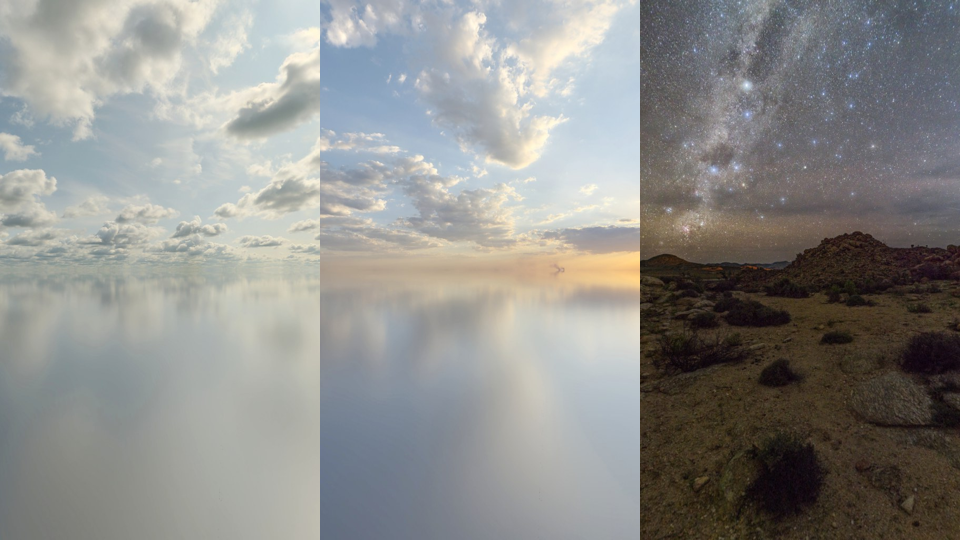
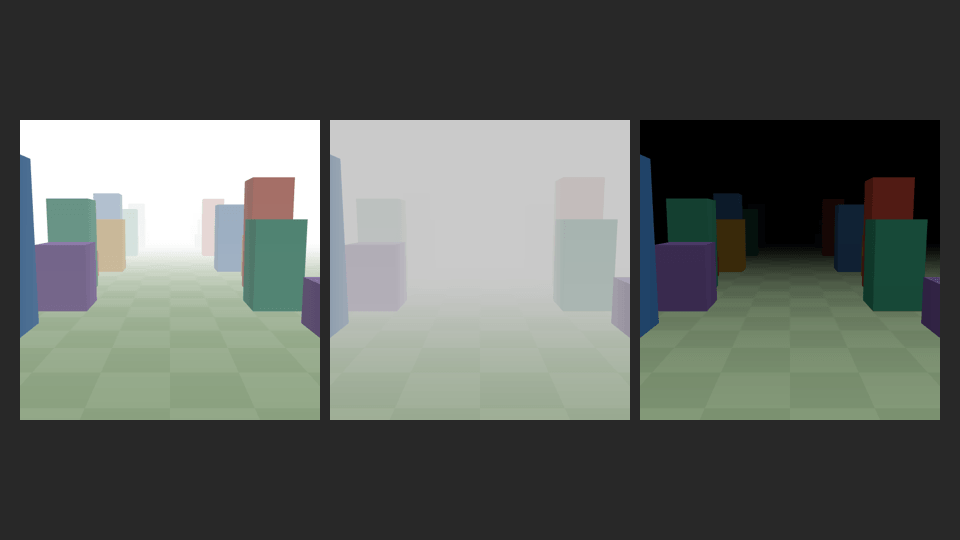
    🌤️ New, ready to use 2D/3D particle effects, skyboxes and fog

    Effects can now be added from the Asset store, starting with 3D skyboxes and 3D fogs:

    3D Skyboxes3D Fog

    Many new 2D and 3D particle emitters are also available in the asset store:

    3D particle emitters3D particle emitters
    3D particle emitters

    💝 Improvements

    • Multiple UI improvements:
      • Preferences : redesigned preferences dialog and keyboard shortcuts,
      • Resources editor: allow selecting multiple resources and apply common actions (smooth image, delete),
      • Scene editor shortcuts now work without having to click on the canvas first.
    • Improved autocompletion and error messages based on variable types:
      • Autocompletion is available for bracket access on structures and arrays (MyVariable[...]).
      • Suggestions are now only showing variables with a relevant type.
      • Error messages are improved when brackets are left empty. An error message is also shown when a string, number or boolean variable is used where a structure or an array is expected (and vice versa).
      • Fixed autocompletion of variable parameters in function calls wrongly suggesting objects and functions.
    • Multiple improvements for the AI agent:
      • Files can now be attached to chat messages (and used in the game if needed),
      • The agent can now take and analyze screenshots of the game, making it more useful,
      • External layouts are now supported,
      • The agent can now read, create and modify extensions (custom functions, objects and behaviors). This is useful to create reusable, modular game logic or advanced objects.
    • Add a new action to tween the camera Z position
    • Add support for the m4a audio format
    • Performance improvements: textures embedded in 3D models are now shared in memory.
      • Geometries, materials and textures are also properly disposed of when an object is no longer used, avoiding memory leaks
    • Make "Enable AI for students" button more visible in the Education dashboard.

    🐛 Bug fixes

    • Automatically opt out of iPad multitasking, which is required to publish on the App Store
    • Prevent the 3D platformer character from jumping again after falling off a platform
    • Fix .gdo imports missing objects and failing on some resources
    • Fix the object dialog overflowing on mobile
    • Fix nested variables being displayed as null in the debugger
    • The tween opacity action is now only shown for compatible objects
    • Fix sprite points being misaligned in previews when the system text size is increased
    • Fix the "has just been dragged" condition staying true when the behavior is deactivated
    • Fix the Escape key not correctly deselecting elements in the editor
    • Fix cloud project resources shown as error after using the editor for a long time.
    • Prevent locked instances from being deleted in the 3D editor
    • Prevent menu items from opening on drag (for instance, opening a scene while dragging it)
    • Special characters in resource names are now correctly encoded and decoded, and audio loading error messages are clearer
    • Warn and block code redemption when the subscription was purchased on mobile, as it can't be cancelled automatically

    ⚙️ Extensions

    • [Reviewed] [PlaygamaBridge] Post rewards and launch data

用户点评

登录用户的真实使用记录,可按版本和硬件筛选
共 0 条

    还没有人点评。第一个说出真实体验的人最有价值。

    README 原文

    未翻译

    GDevelop logo

    GDevelop is a full-featured, no-code, open-source game development software. You can build 2D, 3D and multiplayer games for mobile (iOS, Android), desktop and the web. GDevelop is designed to be fast and incredibly intuitive: make games using an easy-to-understand yet powerful event-based system and modular behaviors. Create with AI that assists or builds alongside you.

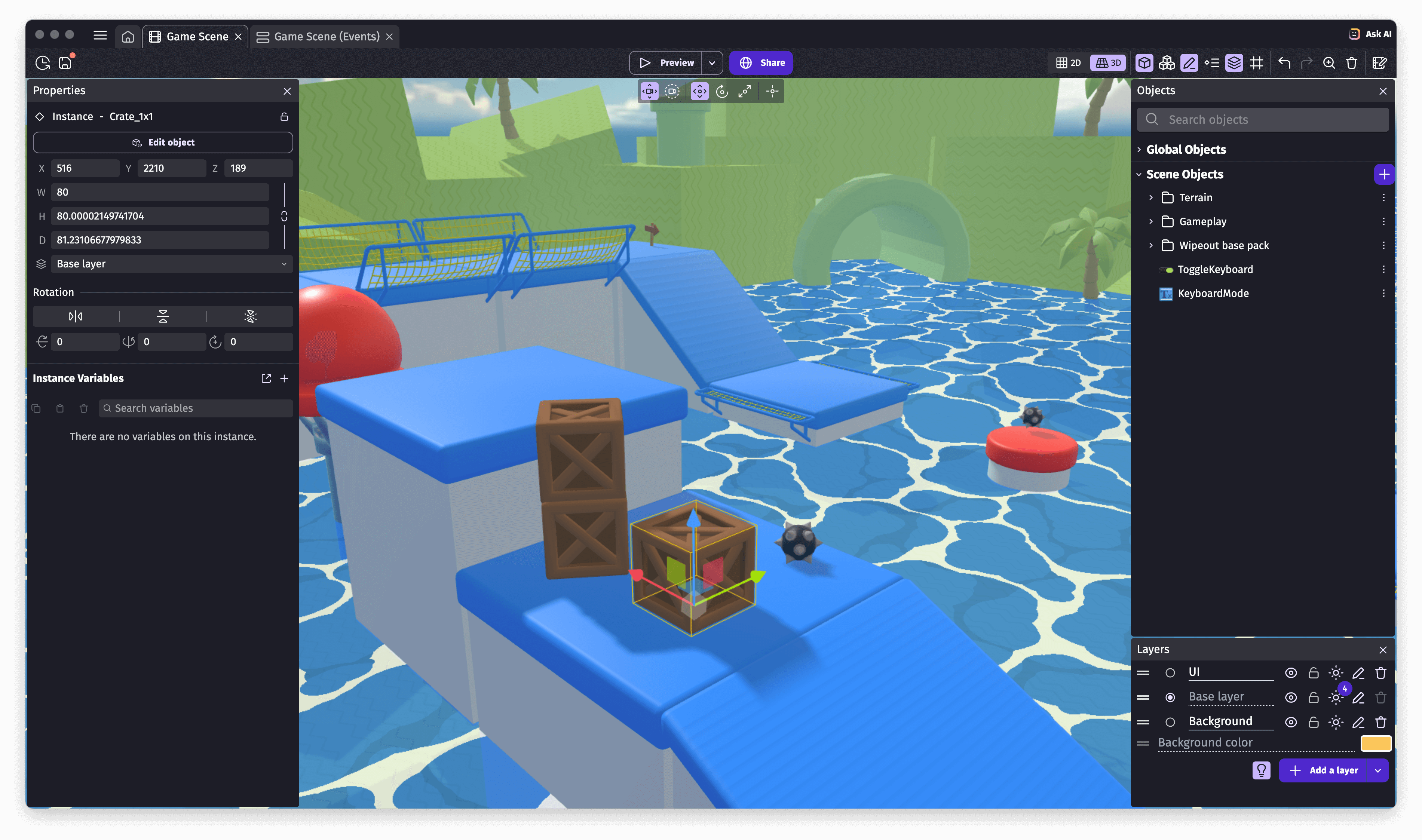
    The GDevelop editor when editing a game level

    The GDevelop editor when editing a game level

    Getting started

    ❔ I want to...🚀 What to do
    🎮 Use GDevelop to make gamesGo to GDevelop homepage to download the app!
    ⚙️ Create/improve an extensionRead about creating an extension, with no-code or code.
    🧑‍💻 Contribute to the editor or game engineFollow this README.
    👾 Create or sell a game templateSubmit a free example or a paid template on the Asset Store.
    🎨 Share or sell an asset packSubmit a free or paid asset pack on the Asset Store.
    🌐 Help translate GDevelopGo on the GDevelop project on Crowdin or translate in-app tutorials.
    👥 Get online game services or commercial supportSee offers for professionals, teams or individual creators.

    Are you interested in contributing to GDevelop for the first time? Take a look at the list of good first issues, good first contributions or the "🏐 not too hard" cards on the Roadmap.

    Games made with GDevelop

    • Find GDevelop games on gd.games, the gaming platform for games powered by GDevelop.
    • See the showcase of games created with GDevelop and published on Steam, iOS (App Store), Android (Google Play), Itch.io, Newgrounds, CrazyGames, Poki...

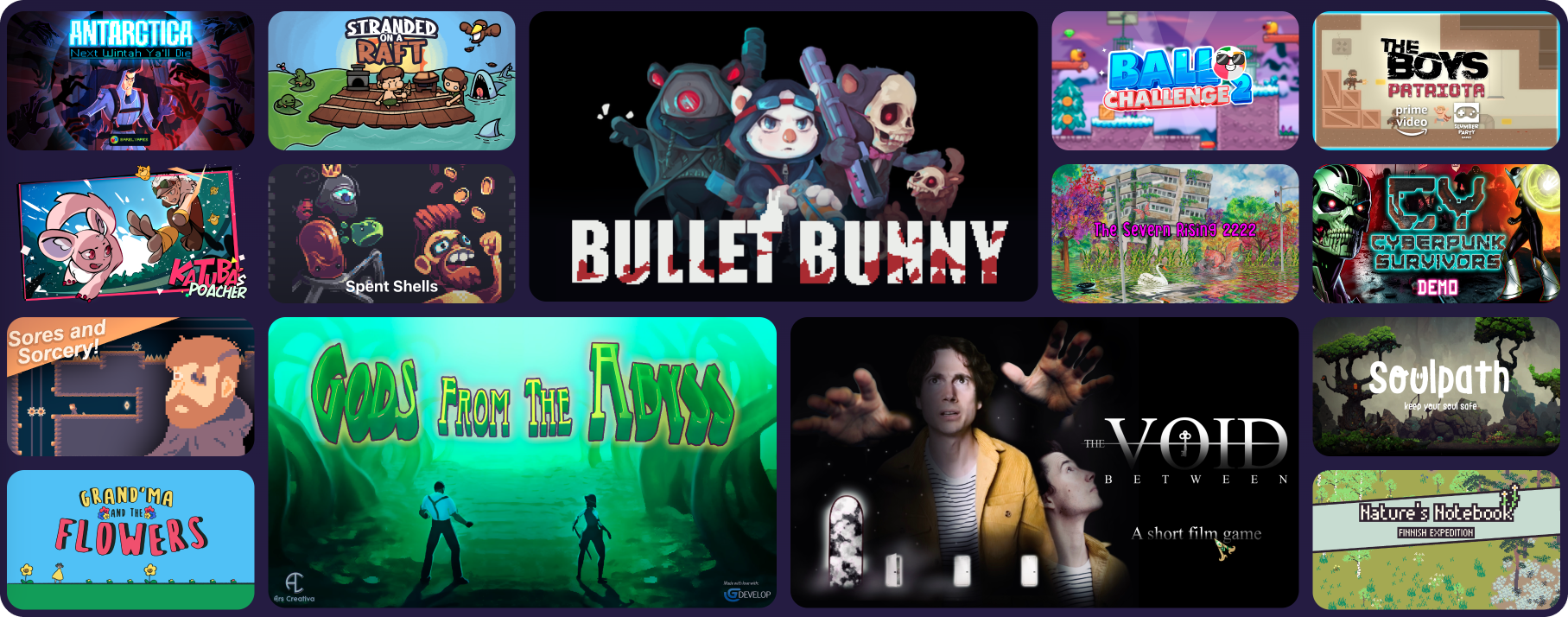
    Some games made with GDevelop

    Technical architecture

    GDevelop is composed of an editor, a game engine, an ecosystem of extensions as well as online services and commercial support.

    Directoryℹ️ Description
    CoreCore classes, describing the structure of a game and tools to implement the IDE and work with GDevelop games.
    GDJSThe game engine, written in TypeScript, using PixiJS and Three.js for 2D and 3D rendering (WebGL), powering all GDevelop games.
    GDevelop.jsBindings of Core, GDJS and Extensions to JavaScript (with WebAssembly), used by the IDE.
    newIDEThe game editor, written in JavaScript with React, Electron, PixiJS and Three.js.
    ExtensionsBuilt-in extensions for the game engine, providing objects, behaviors and new features. For example, this includes the physics engines running in WebAssembly (Box2D or Jolt Physics for 3D). All the official and experimental extensions are on this repository. Community extensions are available here.

    To learn more about GDevelop Architecture, read the architecture overview here.

    Pre-generated documentation of the game engine is available here.

    Status of the tests and builds: macOS and Linux build status Fast tests status Windows Build status https://good-labs.github.io/greater-good-affirmation/assets/images/badge.svg

    Links

    Community

    Development Roadmap

    License

    • The Core library, the native and HTML5 game engines, the IDE, and all extensions (respectively Core, GDJS, newIDE and Extensions folders) are under the MIT license.
    • The name, GDevelop, and its logo are the exclusive property of Florian Rival.

    Games exported with GDevelop are based on the GDevelop game engine (see Core and GDJS folders): this engine is distributed under the MIT license so that you can distribute, sell or do anything with the games you created with GDevelop. In particular, you are not forced to make your game open-source.

    Star History

    Help us spread the word about GDevelop by starring the repository on GitHub!

    Star History Chart