NPX 类服务器需装 Node.js,UV/UVX 类需装 Python 与 UV,Docker 类需装 Docker;macOS/Linux 需手动调整默认 MCP 配置的 CLI 路径或权限;首次启动 MCP 服务器时安装依赖可能超过 90 秒超时,建议先用 pip/npm 手动装好。

tuui
AI-QLApache-2.0更新放缓桌面版 MCP 客户端,把各家 LLM API 和 MCP 工具统一编排到一个界面里,方便快速试用和评估不同模型。
A desktop MCP client designed as a tool unitary utility integration, accelerating AI adoption through the Model Context Protocol (MCP) and enabling cross-vendor LLM API orchestration.
v1.5.1发布于 2026-05-14 07:01 UTC1,159star108fork同步于 2026-11-07 07:29 UTC
从 https://github.com/AI-QL/tuui/releases/latest 下载对应平台安装包直接运行;开发者构建流程见 docs/src/zhHans/installation-and-build/getting-started.md 硬件要求按 README 说明
README 未说明显存或 GPU 要求;作为桌面应用需 Windows、Linux 或 macOS 系统,MCP 功能需自备支持工具调用的 LLM 后端(云端或自托管)。
基于 MCP 的桌面 LLM 聊天客户端,统一接入各家模型 API 与工具服务
桌面版 MCP 客户端,把各家 LLM API 和 MCP 工具统一编排到一个界面里,方便快速试用和评估不同模型。
核心能力
- 通过 MCP 协议接入 Tools、Prompts、Resources 服务端能力
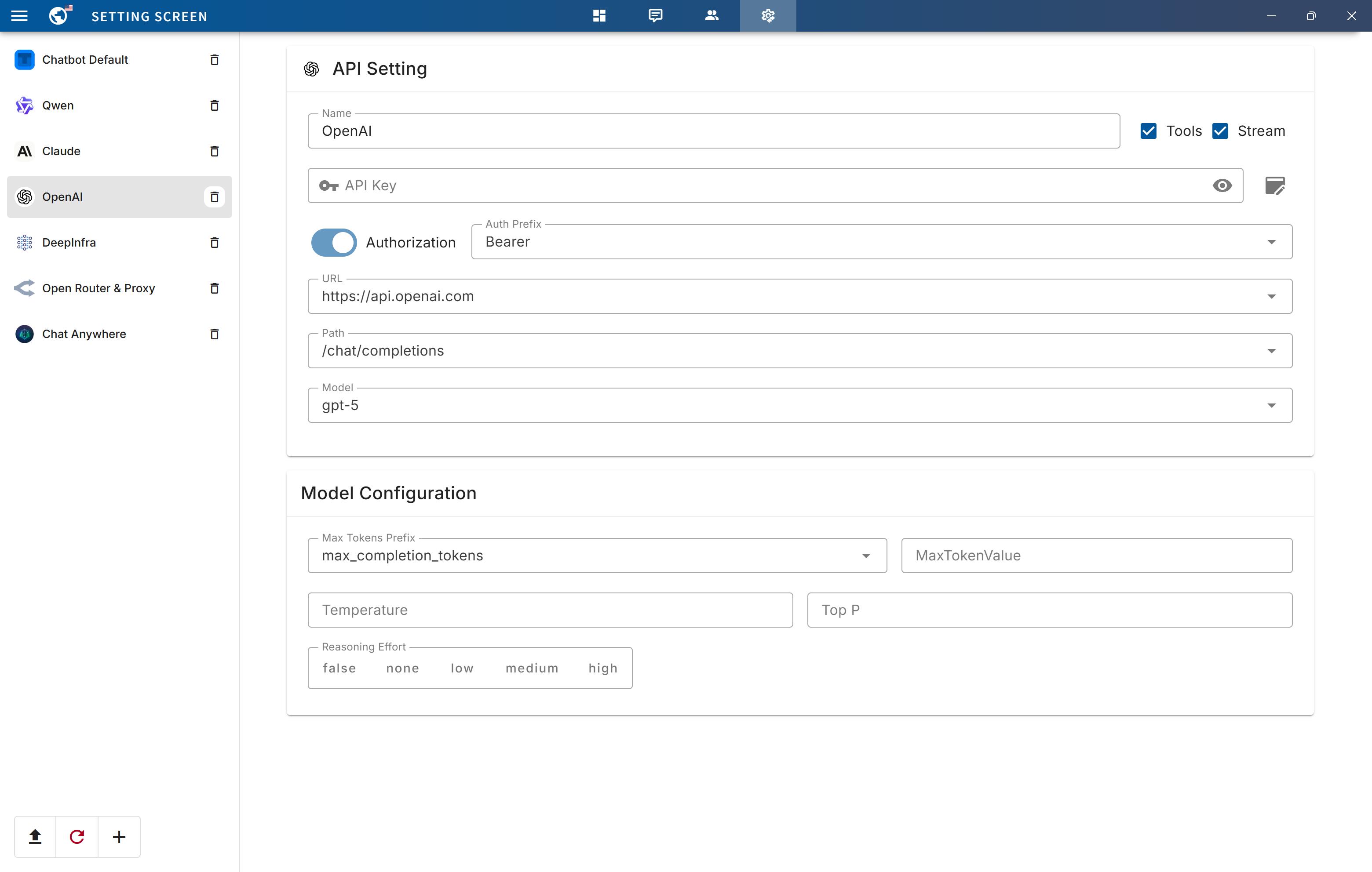
- 动态配置编排跨厂商 LLM API,支持单/多聊天机器人 JSON 配置
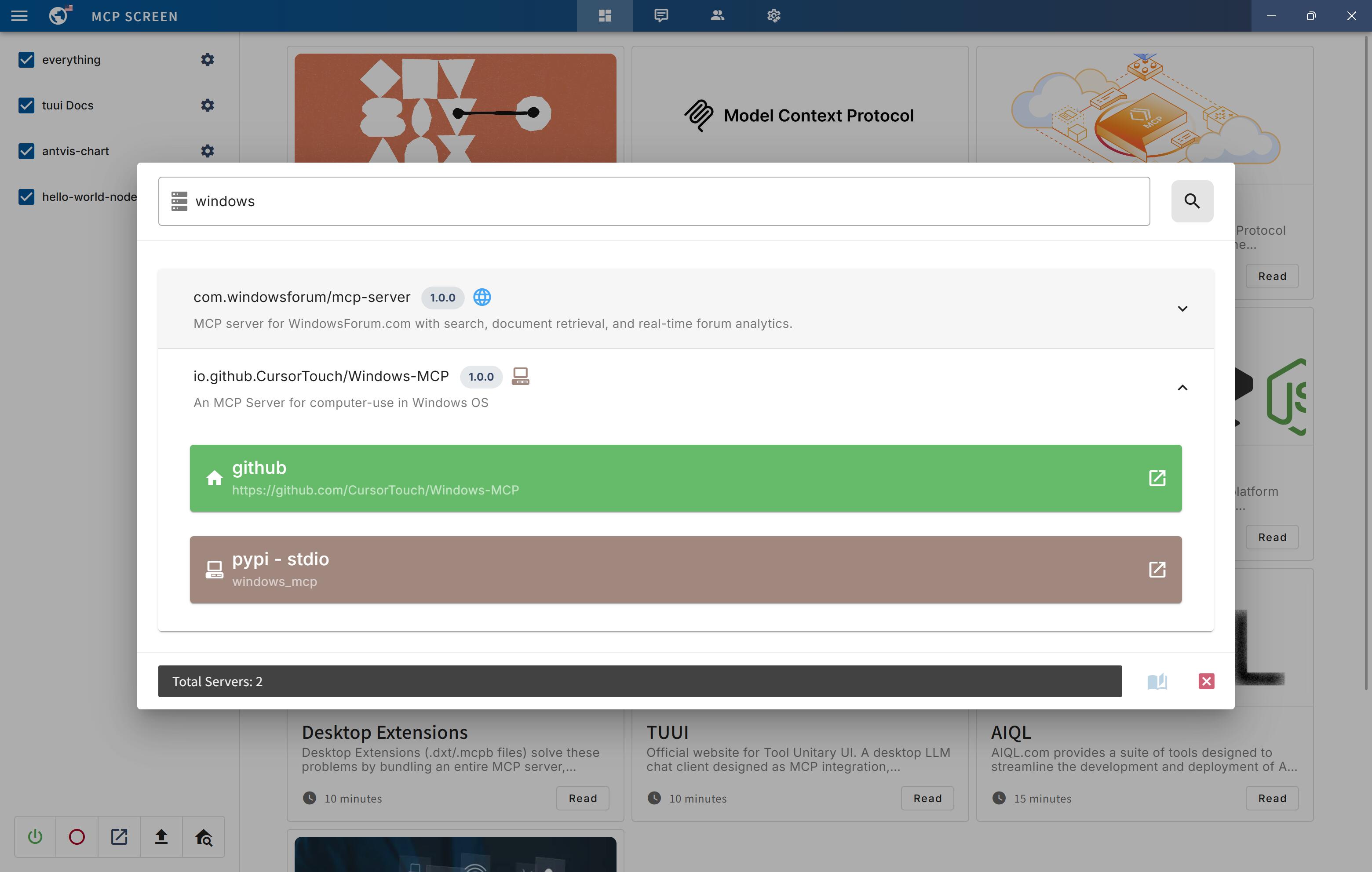
- 内置 MCP Registry 实时发现服务器,支持 .mcpb 扩展包
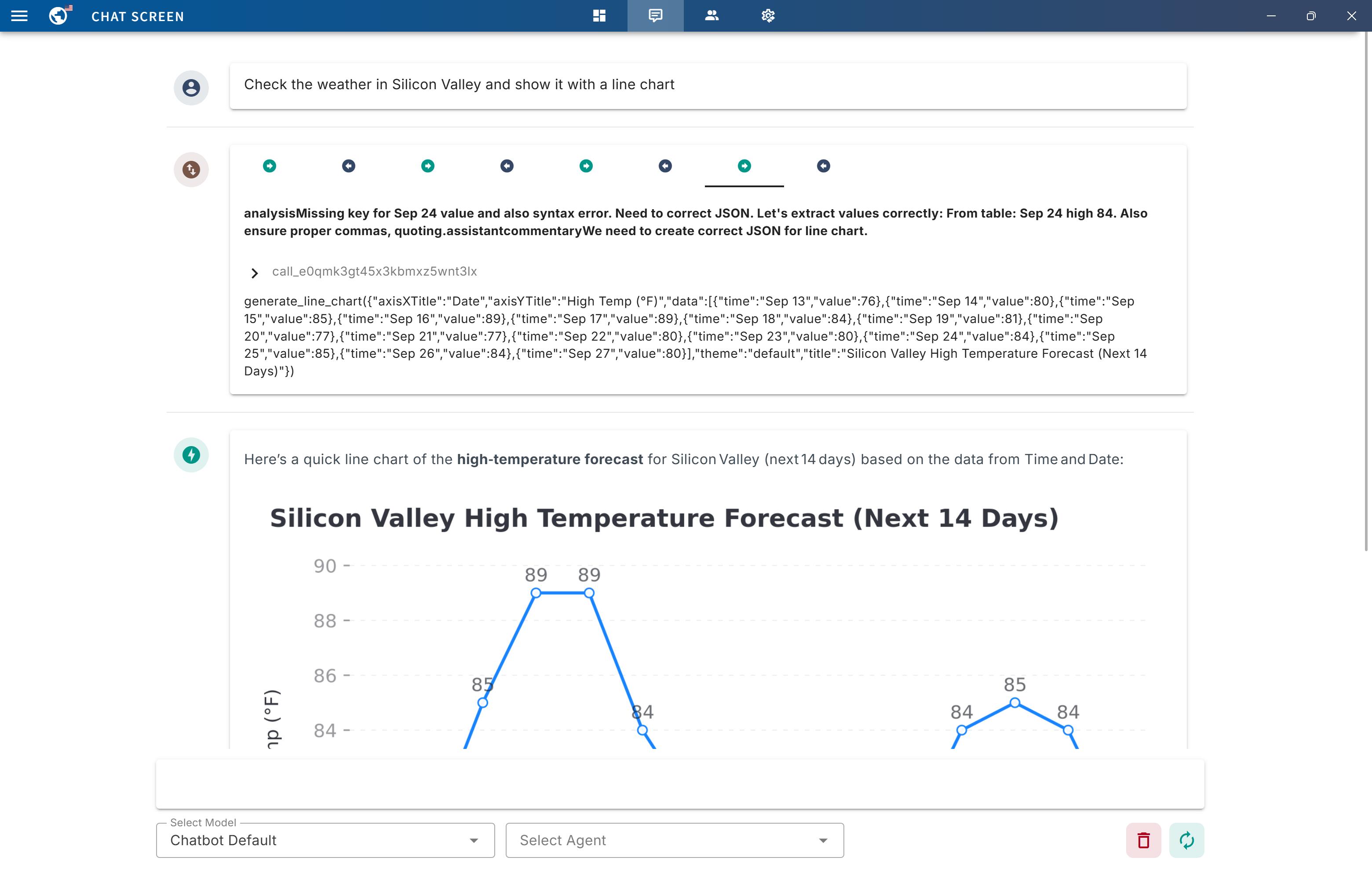
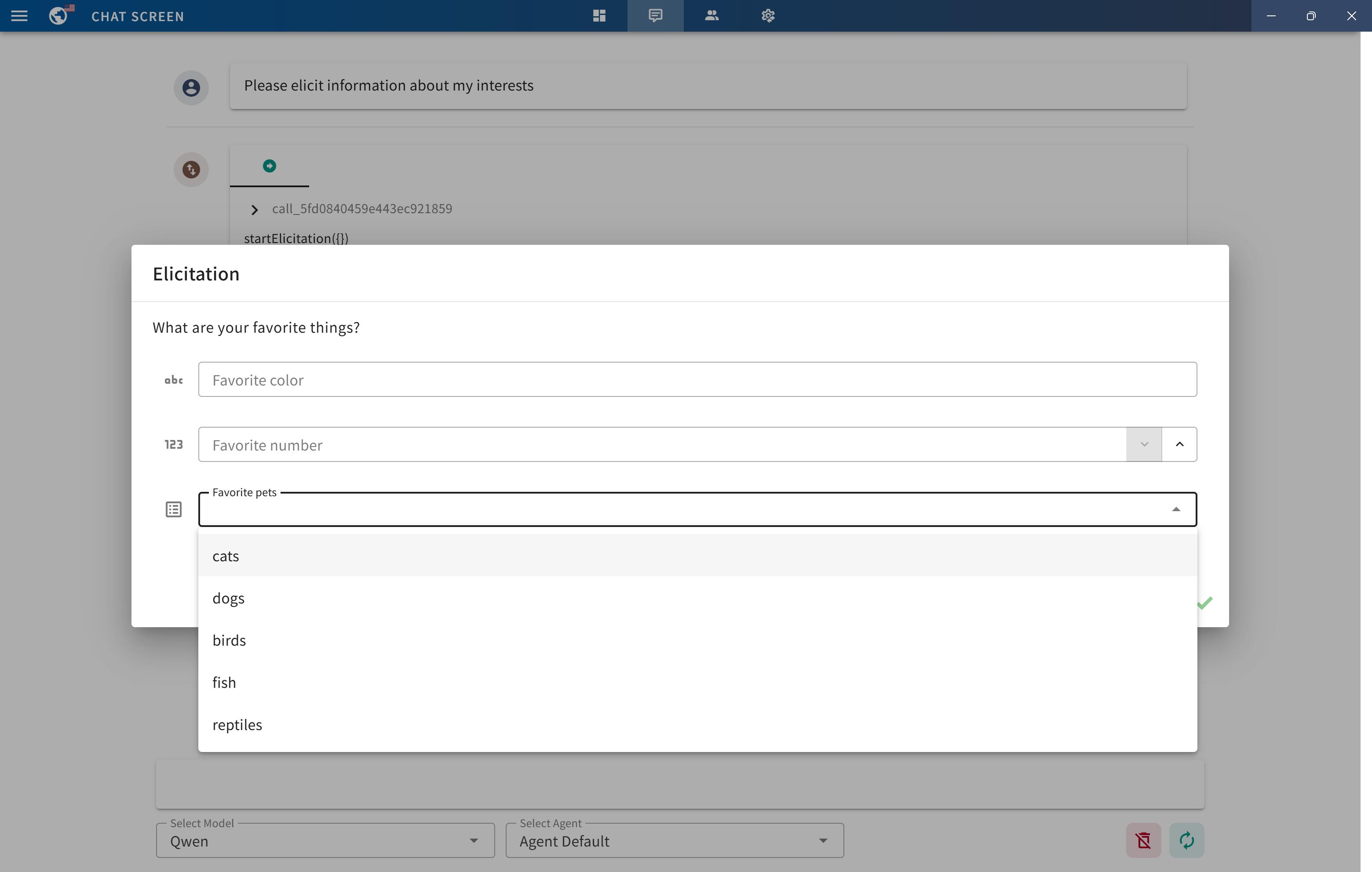
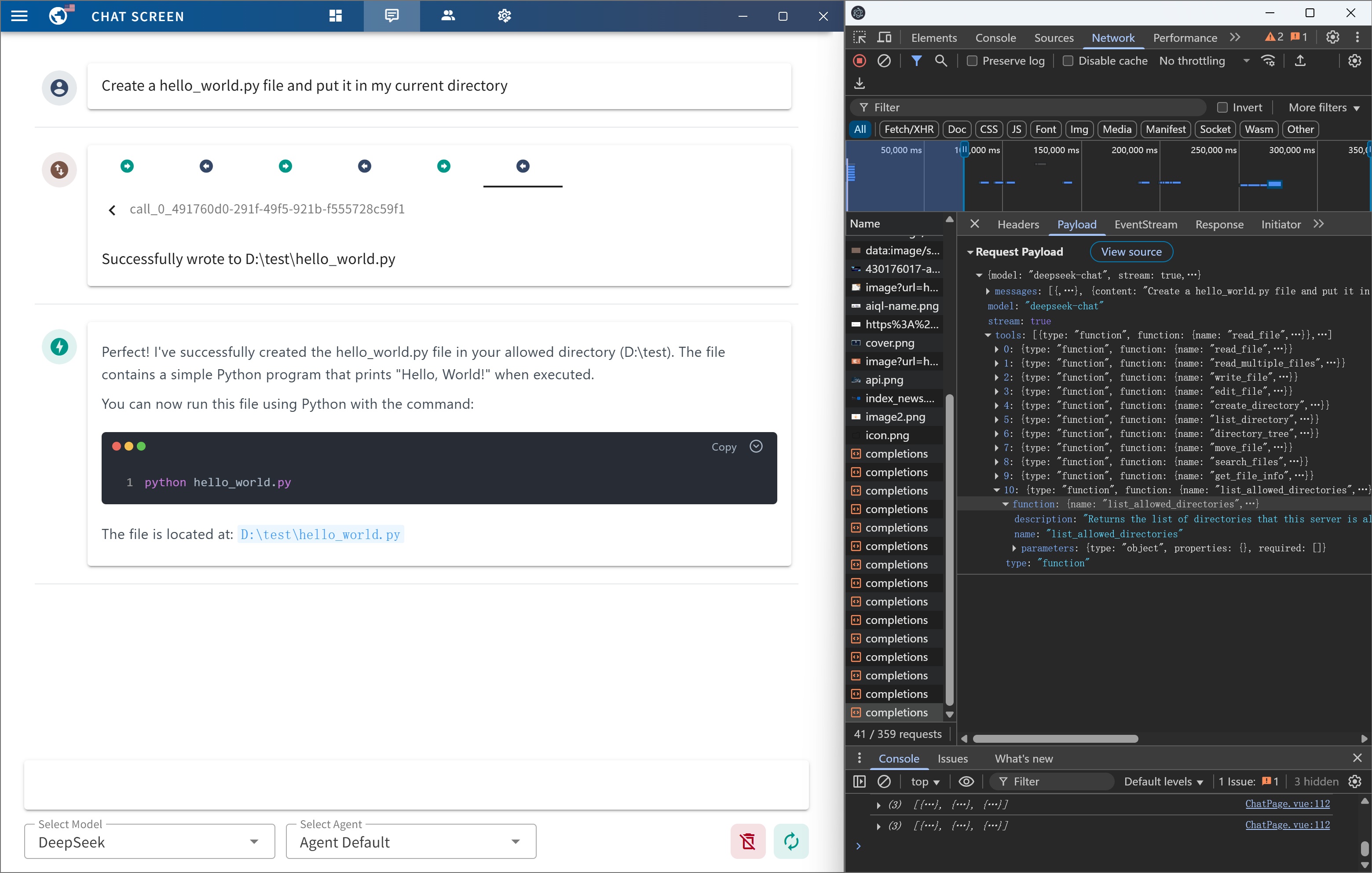
- 支持 Sampling、Elicitation 客户端能力与工具调用追踪
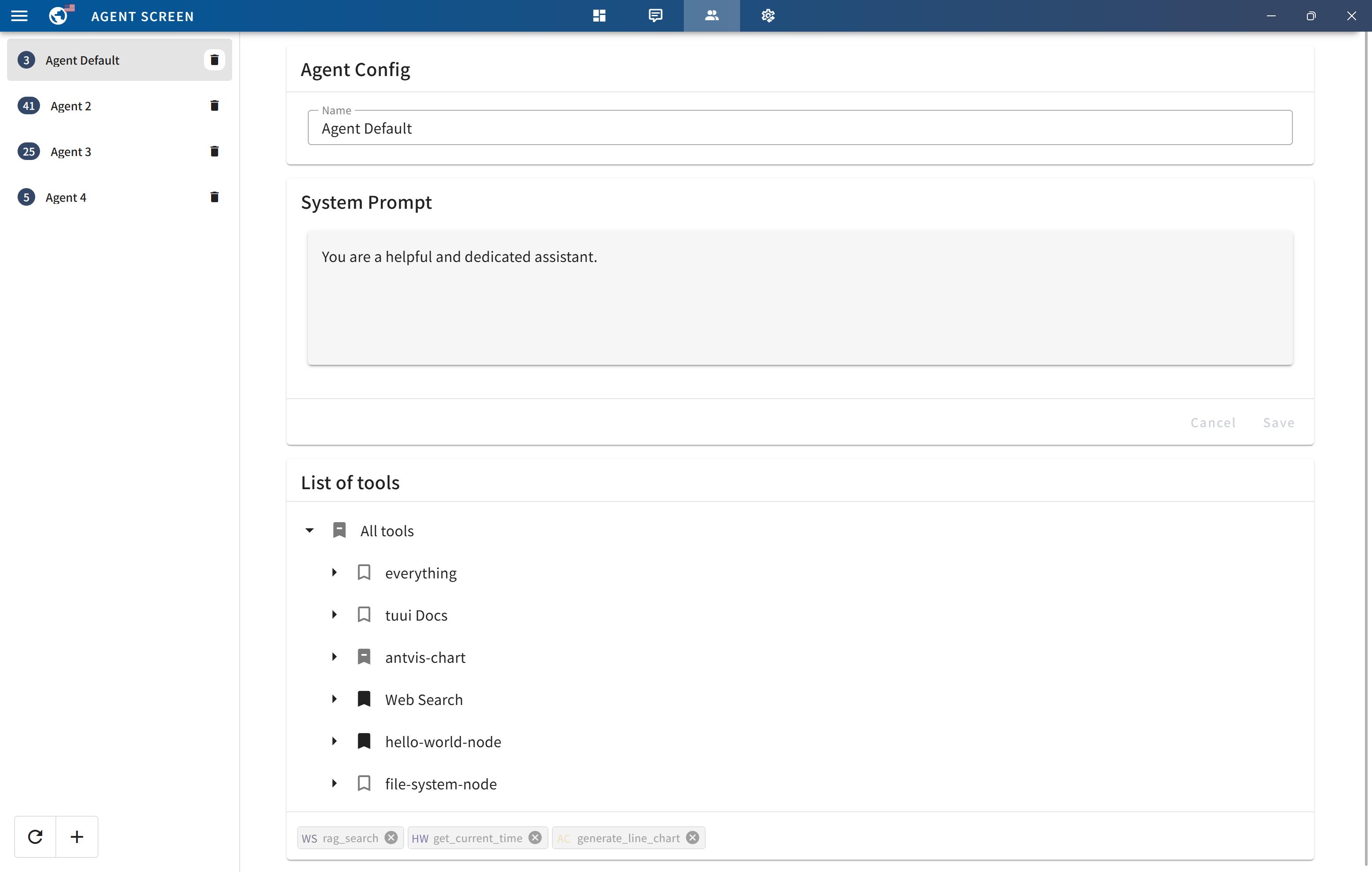
- 提供 Agent 指定工具选择与原生 devtools 调试
容易踩的坑
内容由模型根据 README 生成,可能不完整或不准确,以官方文档为准。看原文 README
- v1.5.1Release v1.5.1最新正式版2026-05-14 · 2026-05-14 07:01 UTC
Release Notes
- Upgraded dependencies and TypeScript configuration.
- Improved error handling during MCPB config initialization to align with the latest version.
- v1.5.0Release v1.5.02026-03-08 · 2026-03-08 12:21 UTC
查看更新说明
Release Notes
- Upgraded the UI to Vuetify 4.0.0 and updated the agent, chat, and settings screens to accommodate dependency upgrades and UI changes.
- Fixed numerous compatibility and security issues.
- v1.5.0-betaRelease v1.5.0-beta2026-03-07 · 2026-03-07 03:42 UTC
查看更新说明
Release Notes
- Upgraded the UI to Vuetify 4.0.0 and updated the agent, chat, and settings screens to accommodate dependency upgrades and UI changes.
- Fixed numerous compatibility and security issues.
Known Issues
- Playwright tests are failing on the latest Windows system during the GitHub Actions CI process.
- Workaround: Tests run successfully on local Windows systems.
- Status: Fixed in the latest commit.
- v1.4.1Release v1.4.12026-02-14 · 2026-02-14 06:30 UTC
查看更新说明
Release Notes
- Updated project dependencies
- Fixed prompt incompatibility issue caused by MCP SDK upgrade
- v1.4.0Release v1.4.02026-01-29 · 2026-01-29 05:17 UTC
查看更新说明
Release Notes
This release is a maintenance update that focuses solely on updating project dependencies to their latest compatible versions.
Full Changelog: https://github.com/AI-QL/tuui/compare/v1.3.9...v1.4.0
用户点评
登录用户的真实使用记录,可按版本和硬件筛选共 0 条
还没有人点评。第一个说出真实体验的人最有价值。
TUUI - Local AI Playground with MCP
TUUI is a desktop MCP client designed as a tool unitary utility integration, accelerating AI adoption through the Model Context Protocol (MCP) and enabling cross-vendor LLM API orchestration.
Zero accounts Full control Open source Download and Run


📜 Introduction




This repository is essentially an LLM chat desktop application based on MCP. It also represents a bold experiment in creating a complete project using AI. Many components within the project have been directly converted or generated from the prototype project through AI.
Given the considerations regarding the quality and safety of AI-generated content, this project employs strict syntax checks and naming conventions. Therefore, for any further development, please ensure that you use the linting tools I've set up to check and automatically fix syntax issues.
✨ Highlights
- ✨ Accelerate AI tool integration via MCP
- ✨ Orchestrate cross-vendor LLM APIs through dynamic configuring
- ✨ Automated application testing Support
- ✨ TypeScript support
- ✨ Multilingual support
- ✨ Basic layout manager
- ✨ Global state management through the Pinia store
- ✨ Quick support through the GitHub community and official documentation
🔥 MCP features
| Status | Feature | Category | Note |
|---|---|---|---|
| ✅ | Tools | Server | |
| ✅ | Prompts | Server | |
| ✅ | Resources | Server | |
| 🔲 | Roots | Client | This is generally only used for the Vibe Coding IDE and can typically be configured through server environment variables. |
| ✅ | Sampling | Client | |
| ✅ | Elicitation | Client | |
| ✅ | Discovery | Registry | Provides real-time MCP server discovery on the MCP registry |
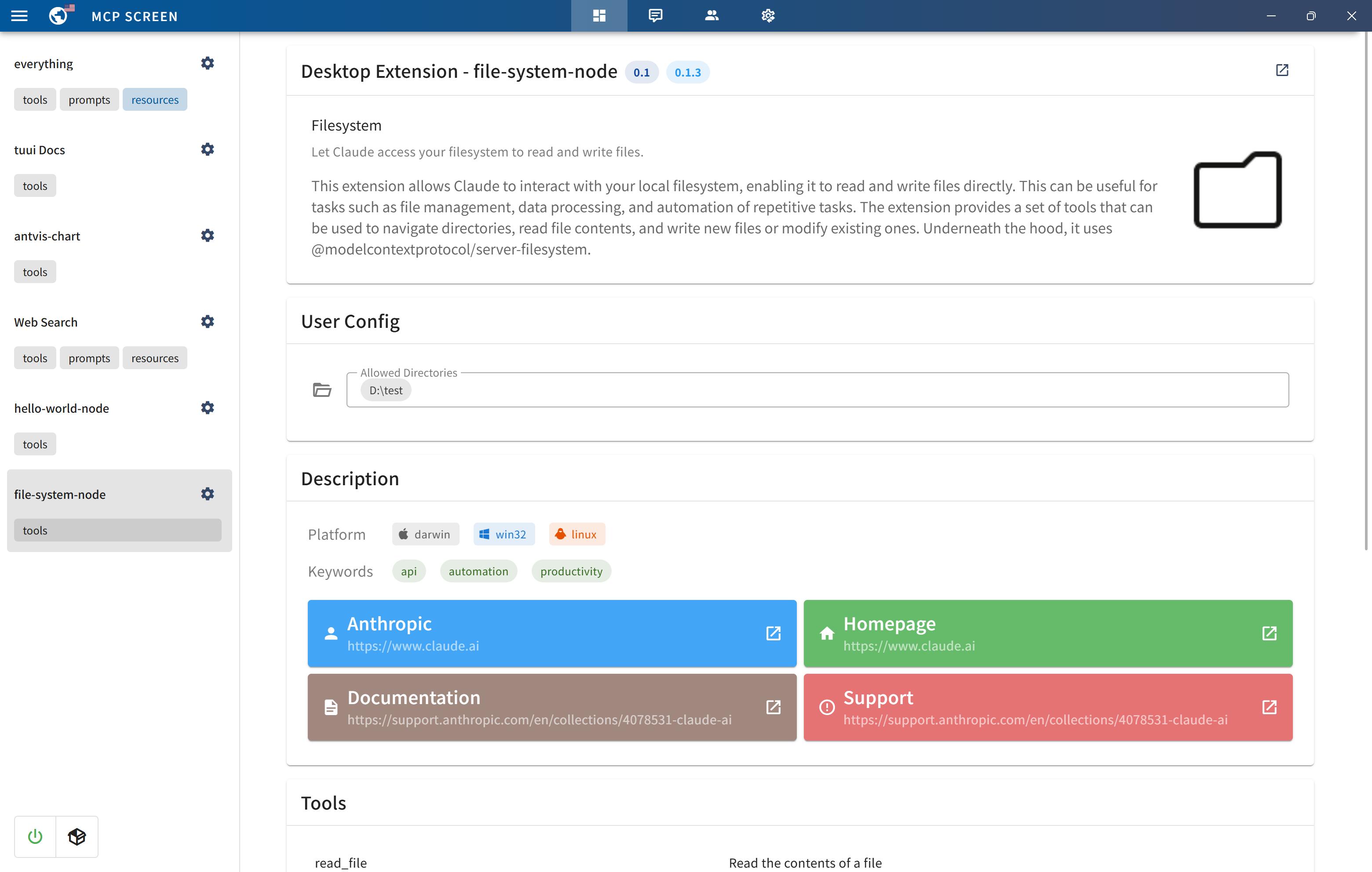
| ✅ | MCPB | Extension | MCP Bundles (.mcpb) is the new name for what was previously known as Desktop Extensions (.dxt) |
🚀 Getting Started
You can quickly get started with the project through a variety of options tailored to your role and needs:
-
To
explorethe project, visit the wiki page: TUUI.com -
To
downloadand use the application directly, go to the releases page: Releases -
For
developersetup, refer to the installation guide: Getting Started (English) | 快速入门 (中文) -
To
ask the AIdirectly about the project, visit: TUUI@DeepWiki
⚙️ Core Requirements
To use MCP-related features, ensure the following preconditions are met for your environment:
-
Set up an LLM backend (e.g.,
ChatGPT,Claude,Qwenor self-hosted) that supports tool/function calling. -
For NPX/NODE-based servers: Install
Node.jsto execute JavaScript/TypeScript tools. -
For UV/UVX-based servers: Install
Pythonand theUVlibrary. -
For Docker-based servers: Install
DockerHub. -
For macOS/Linux systems: Modify the default MCP configuration (e.g., adjust CLI paths or permissions).
Refer to the MCP Server Issue documentation for guidance
For guidance on configuring the LLM, refer to the template(i.e.: Qwen):
{
  "name": "Qwen",
  "apiKey": "",
  "url": "https://dashscope.aliyuncs.com/compatible-mode",
  "path": "/v1/chat/completions",
  "model": "qwen-turbo",
  "modelList": ["qwen-turbo", "qwen-plus", "qwen-max"],
  "maxTokensValue": "",
  "mcp": true
}
The configuration accepts either a JSON object (for a single chatbot) or a JSON array (for multiple chatbots):
[
  {
    "name": "Openrouter && Proxy",
    "apiKey": "",
    "url": "https://api3.aiql.com",
    "urlList": ["https://api3.aiql.com", "https://openrouter.ai/api"],
    "path": "/v1/chat/completions",
    "model": "openai/gpt-4.1-mini",
    "modelList": [
      "openai/gpt-4.1-mini",
      "openai/gpt-4.1",
      "anthropic/claude-sonnet-4",
      "google/gemini-2.5-pro-preview"
    ],
    "maxTokensValue": "",
    "mcp": true
  },
  {
    "name": "DeepInfra",
    "apiKey": "",
    "url": "https://api.deepinfra.com",
    "path": "/v1/openai/chat/completions",
    "model": "Qwen/Qwen3-32B",
    "modelList": [
      "Qwen/Qwen3-32B",
      "Qwen/Qwen3-235B-A22B",
      "meta-llama/Meta-Llama-3.1-70B-Instruct"
    ],
    "mcp": true
  }
]
📕 Additional Configuration
| Configuration | Description | Location | Note |
|---|---|---|---|
| LLM Endpoints | Default LLM Chatbots config | llm.json | Full config types could be found in llm.d.ts |
| MCP Servers | Default MCP servers configs | mcp.json | For configuration syntax, see MCP Servers |
| Startup Screen | Default News on Startup Screen | startup.json | |
| Popup Screen | Default Prompts on Startup Screen | popup.json |
For the decomposable package, you can also modify the default configuration of the built release:
For example, src/main/assets/config/llm.json will be located in resources/assets/config/llm.json
Once you modify or import the configurations, it will be stored in your localStorage by default.
Alternatively, you can clear all configurations from the Tray Menu by selecting Clear Storage.
🌐 Remote MCP server
You can utilize Cloudflare's recommended mcp-remote to implement the full suite of remote MCP server functionalities (including Auth). For example, simply add the following to your mcp.json file:
{
  "mcpServers": {
    "cloudflare": {
      "command": "npx",
      "args": ["-y", "mcp-remote", "https://YOURDOMAIN.com/sse"]
    }
  }
}
In this example, I have provided a test remote server: https://YOURDOMAIN.com on Cloudflare. This server will always approve your authentication requests.
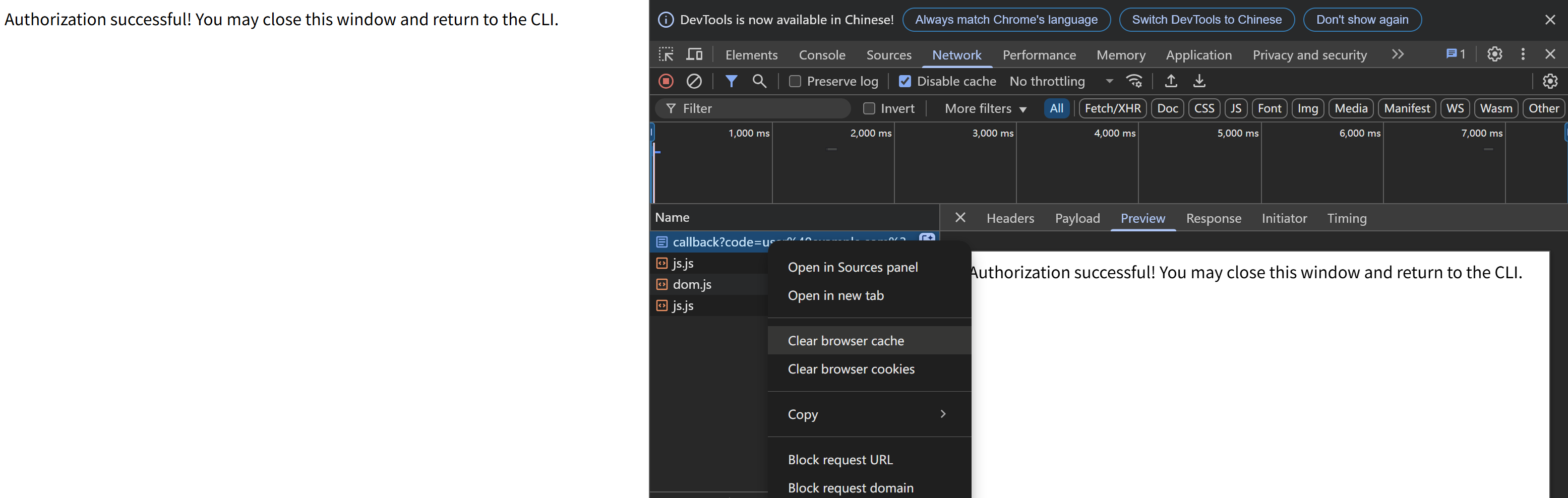
If you encounter any issues (please try to maintain OAuth auto-redirect to prevent callback delays that might cause failures), such as the common HTTP 400 error. You can resolve them by clearing your browser cache on the authentication page and then attempting verification again:
🚸 MCP Server Issue
General
When launching the MCP server, if you encounter any issues, first ensure that the corresponding command can run on your current system — for example, uv/uvx, npx, etc.
ENOENT Spawn Errors
When launching the MCP server, if you encounter spawn errors like ENOENT, try running the corresponding MCP server locally and invoking it using an absolute path.
If the command works but MCP initialization still returns spawn errors, this may be a known issue:
-
Windows: The MCP SDK includes a workaround specifically for
Windowssystems, as documented in ISSUE 101.Details: ISSUE 40 - MCP servers fail to connect with npx on Windows (fixed)
-
mscOS: The issue remains unresolved on other platforms, specifically
macOS. Although several workarounds are available, this ticket consolidates the most effective ones and highlights the simplest method: How to configure MCP on macOS.Details: ISSUE 64 - MCP Servers Don't Work with NVM (still open)
MCP Connection Timeout
If initialization takes too long and triggers the 90-second timeout protection, it may be because the uv/uvx/npx runtime libraries are being installed or updated for the first time.
When your connection to the respective pip or npm repository is slow, installation can take a long time.
In such cases, first complete the installation manually with pip or npm in the relevant directory, and then start the MCP server again.
🤝 Contributing
We welcome contributions of any kind to this project, including feature enhancements, UI improvements, documentation updates, test case completions, and syntax corrections. I believe that a real developer can write better code than AI, so if you have concerns about certain parts of the code implementation, feel free to share your suggestions or submit a pull request.
Please review our Code of Conduct. It is in effect at all times. We expect it to be honored by everyone who contributes to this project.
For more information, please see Contributing Guidelines
🙋 Opening an Issue
Before creating an issue, check if you are using the latest version of the project. If you are not up-to-date, see if updating fixes your issue first.
🔒️ Reporting Security Issues
Review our Security Policy. Do not file a public issue for security vulnerabilities.
🎉 Demo
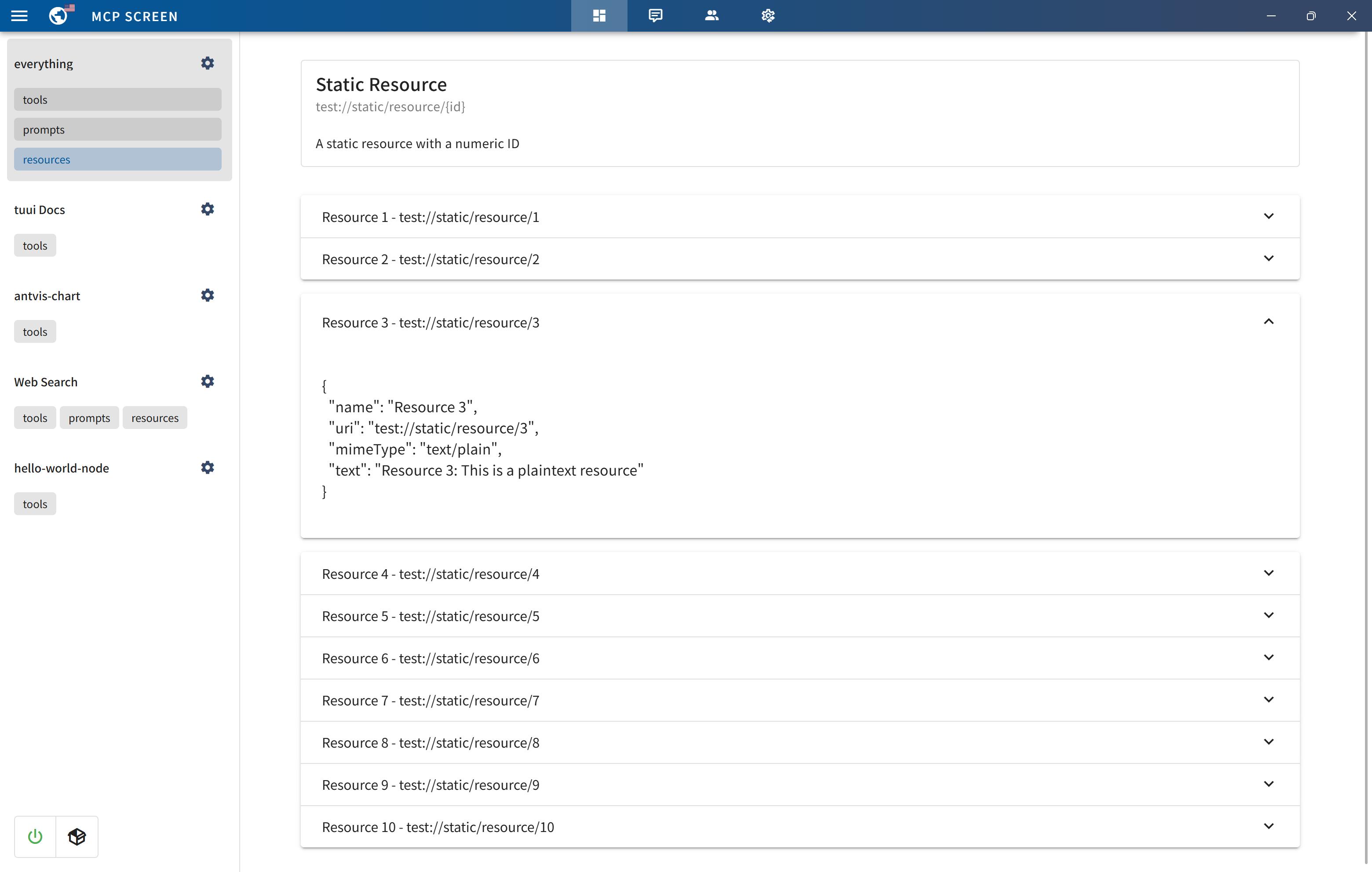
MCP primitive visualization
MCP bundles (.mcpb) support
MCP Tool call tracing
Agent with specified tool selection
LLM API setting
MCP elicitation
MCP Registry
Native devtools
🙏 Credits
Written by @AIQL.com.
Many of the ideas and prose for the statements in this project were based on or inspired by work from the following communities:
You can review the specific technical details and the license. We commend them for their efforts to facilitate collaboration in their projects.