预编译包需从 Discord 的 pre-releases 频道下载,不在 GitHub Releases;首次启动导出模型最长约 5 分钟;需自行把 .onnx 模型放进 models 文件夹并在 overlay 中选择;CUDA 版未装 CUDA 13.1 会报缺少 DLL 或启动即退出。
下载预编译包解压后运行 ai.exe(CUDA 版需先更新 NVIDIA 驱动并安装 CUDA 13.1) 硬件要求按 README 说明
CUDA 版需 NVIDIA GTX 1660、RTX 2000/3000/4000/5000 系列及 CUDA 13.1,不支持 GTX 10xx 及更老显卡;DirectML 版支持 NVIDIA、AMD、Intel 独显与核显,无需 CUDA;仅 Windows 10/11 x64。README 未说明显存要求。
需要 CUDA
基于 AI 的 C++ 版 FPS/TPS 游戏自动瞄准工具,开箱即用
基于 YOLO12 的 AI 瞄准辅助,支持所有 FPS/TPS 游戏,通过 TensorRT、CUDA 或 DirectML 在 GPU 上推理,并配合 Arduino、KMBox 等硬件实现鼠标控制。
核心能力
- 用 ONNX 模型检测画面目标并自动瞄准
- 提供 CUDA+TensorRT 与 DirectML 两种预编译版本
- 按右键瞄准,F3 暂停,HOME 打开设置面板
- 首次启动自动导出模型,可放置自定义 .onnx 模型
- 支持 WindMouse 类人鼠标移动与 KMBOX/MAKCU 硬件
容易踩的坑
内容由模型根据 README 生成,可能不完整或不准确,以官方文档为准。看原文 README
暂无 release 数据(可能没有发版,或尚未同步)。
用户点评
登录用户的真实使用记录,可按版本和硬件筛选共 0 条
还没有人点评。第一个说出真实体验的人最有价值。
Sunone Aimbot 2 (C++)


Ready-to-Use Builds (Recommended)
You do NOT need to compile anything if you just want to use the aimbot!
Precompiled .exe builds are provided for both CUDA (NVIDIA only) and DirectML (all GPUs).
- Download
- Pre-built binaries can be downloaded from the Discord server in the pre-releases channel.
DirectML (DML) Build — Universal (All GPUs)
-
Works on:
- Any modern GPU (NVIDIA, AMD, Intel, including integrated graphics)
- Windows 10/11 (x64)
- No need for CUDA or special drivers
-
Recommended for:
- GTX 10xx/9xx/7xx series (old NVIDIA)
- Any AMD Radeon or Intel Iris/Xe GPU
- Laptops and office PCs with integrated graphics
CUDA + TensorRT Build — High Performance (NVIDIA Only)
-
Works on:
- NVIDIA GPUs GTX 1660, RTX 2000/3000/4000/5000
- Requires: latest NVIDIA graphics driver and CUDA 13.1
- Windows 10/11 (x64)
-
Not supported: GTX 10xx/Pascal and older (TensorRT limitation)
-
Includes CUDA+TensorRT runtime files in the precompiled build
-
TensorRT-10.14.1.48 is only needed separately when building from source.
Before using the CUDA build, update your NVIDIA graphics driver to the latest available version, then install CUDA 13.1. Do this before troubleshooting missing CUDA DLLs or launch-close issues.
Both versions are ready-to-use: just download, unpack, run ai.exe.
How to Run (For Precompiled Builds)
- Download and unpack your chosen version (see links above).
- For CUDA build, first update your NVIDIA graphics driver to the latest version, then install CUDA 13.1 if not already installed.
- For DML build, no extra software is needed.
- Run
ai.exe. On first launch, the model will be exported (may take up to 5 minutes). - Place your
.onnxmodel in themodelsfolder and select it in the overlay (HOME key). - All settings are available in the overlay. Use the HOME key to open/close overlay.
Controls
- Right Mouse Button: Aim at the detected target
- F2: Exit
- F3: Pause aiming
- F4: Reload config
- Home: Open/close overlay and settings
Build From Source (Advanced Users)
📋 Documentation
- C++ config reference (
config.ini): docs/config.md - Setup, FAQ, troubleshooting: docs/guides.md
- Source of truth in code: sunone_aimbot_2/config/config.cpp, sunone_aimbot_2/config/config.h
📚 References & Useful Links
- TensorRT Documentation
- OpenCV Documentation
- ImGui
- CppWinRT
- GLFW
- WindMouse
- KMBOX
- MAKCU
- depth-anything-tensorrt
📄 Licenses
OpenCV
- License: Apache License 2.0
ImGui
- License: MIT License
❤️ Support the Project & Get Better AI Models
This project is actively developed thanks to the people who support it on Boosty and Patreon. By supporting the project, you get access to improved and better-trained AI models!
Need help or want to contribute? Join our Discord server or open an issue on GitHub!
Star History
raylib
raysan5·C
用 C 写的轻量级游戏编程库,封装 OpenGL 等底层图形接口,让开发者不用折腾窗口、输入和渲染细节,专注写游戏逻辑,支持桌面、移动端和嵌入式平台。
游戏编程库+4IoT / 固件
35623+413.4k6.22026-11-10 08:11 UTC
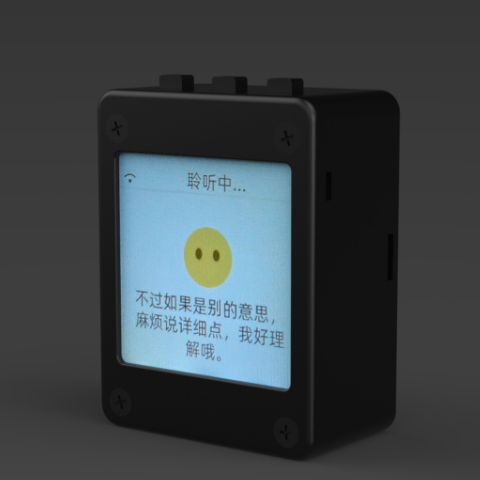
xiaozhi-esp32
78·C++
基于 MCP 协议、跑在 ESP32 上的聊天机器人固件,让单片机也能接入大模型对话与工具调用。
聊天机器人+4IoT / 固件
32984+1427.8kv2.5.22026-11-07 04:14 UTC
DeepSpeech
mozilla·C++
DeepSpeech is an open source embedded (offline, on-device) speech-to-text engine which can run in real time on devices ranging from a Raspberry Pi 4 to high power GPU servers.
IoT / 固件
267724.1k2025-06-19 12:52 UTC
Tasmota
arendst·C
给 ESP8266/ESP32 设备刷的替代固件,通过网页配置、OTA 升级和定时/规则自动化,用 MQTT、HTTP、串口或 KNX 实现完全本地控制。
ESP32+4IoT / 固件
24975+55.2kv16.0.02026-11-10 10:45 UTC