自托管需自行准备 ROM 文件上传,项目本身不附带游戏;Docker 部署的具体端口和参数需查看 Docker Hub 页面,README 未列出;也可直接使用官方托管版 retroassembly.com 免部署。

retroassembly
arianrhodsandlotMIT活跃维护在浏览器里搭建个人复古游戏收藏柜,基于 RetroArch WASM 运行 NES、GBA、Atari 等经典主机游戏,无需安装客户端。
The personal retro game collection cabinet in your browser. Join us on Discord https://discord.gg/gwaKRAYG6t
v7.260719.1051发布于 2026-07-19 13:41 UTC1,162star +5 / 7 天61fork同步于 2026-11-11 05:48 UTC
docker pull arianrhodsandlot/retroassembly 硬件要求按 README 说明
README 未说明硬件要求;模拟器在浏览器内运行,需使用支持相应 Web 技术的现代浏览器。
在浏览器里搭建个人复古游戏收藏柜,上传 ROM 即可直接开玩
在浏览器里搭建个人复古游戏收藏柜,基于 RetroArch WASM 运行 NES、GBA、Atari 等经典主机游戏,无需安装客户端。
核心能力
- 基于 Nostalgist.js 在浏览器内运行多平台模拟器
- 自动识别并展示游戏封面和包装图
- 支持随时存档并同步进度,部分模拟器可倒带
- 支持键盘、手柄空间导航和屏幕虚拟手柄
- 提供复古风格 shader 视觉滤镜
容易踩的坑
内容由模型根据 README 生成,可能不完整或不准确,以官方文档为准。看原文 README
- v7.260719.1051v7最新正式版2026-07-19 · 2026-07-19 13:41 UTC
RetroAssembly v7 has been released!
This release brings several features and improvements. Here are the key highlights:
- Initial support for Nintendo 64
- Customizable gamepad hotkeys
- Enhanced virtual gamepad
- Enhanced game media viewing
- Share your library with other users (self-hosted only)
Dive into the new features
Initial support for Nintendo 64
RetroAssembly now supports Nintendo 64 games by integrating the Mupen64Plus-Next core!
Limitations:
- It may crash at any time (like while launching, playing or saving) so do not rely on it too much.
- Analog key mapping is not yet supported. A controller is required to play most of the games.
Enhanced virtual gamepad
The virtual gamepad has been improved for mobile and touch-screen users. We now make it work more like a physical gamepad, you can move your finger from one button to another without lifting your finger. Besides that, dedicated rewind and fast-forward buttons are now available.
Customizable gamepad hotkeys
Gamepad hotkeys for common actions can now be customized to your preference. You can select the button combinations for pause, rewind, and fast-forward.
Enhanced game media viewing
Game media has been completely overhauled with a new carousel interface, making it easier than ever to browse screenshots, box art, and other media for your games.
You can now upload any kind of file as game media, and we automatically detect the file type and display the appropriate preview. We now support images(jpg, png, etc), videos(mp4, mov, etc), and documents(pdf and cbz).
Share your library with other users (self-hosted only)
For self-hosted instances with multiple users, we now allow you to share your library with other users, so it's nolonger needed to upload ROMs individually for each user.
Other improvements and bug fixes
View the full changes on GitHub: v6.260524.1410...v7.260719.1051
Upgrading
- For users of the officially hosted instance (retroassembly.com): All these features have been shipped and you don't need to take any action.
- For self-hosted users: See the "Upgrade" section on our Docker Hub.
Anniversary
35 years ago today, 1991-07-19, Final Fantasy IV (titled Final Fantasy II in its initial North American release) (Super Famicom/Super Nintendo Entertainment) was released.

Happy retro gaming!
- v6.260321.1810v62026-03-21 · 2026-03-21 18:38 UTC
查看更新说明
RetroAssembly v6 has been released!
This release brings several features and improvements. Here are the key highlights:
- Initial support for PlayStation
- Add game to favorites
- Load external RetroArch states
- Accessibility improvements for users with color sensitivities
Dive into the new features
Initial support for PlayStation
RetroAssembly now supports PlayStation games by integrating PCSX ReARMed!
Limitations:
- Only CHD format is supported.
- Disk swapping is not supported yet.
Add game to favorites
Easily access your favorite games by adding them to the favorites list. Simply click the heart icon, and access them quickly both from the home page and the dedicated favorites page later.
You can also filter your favorites by platform.
Load external RetroArch states
If you have exsisting save states from the same emulator in RetroArch, you can now load them in RetroAssembly. Launch the game, open the menu and click the "Load an external state" button, then you can import it from your disk.
Accessibility improvements for users with color sensitivities
We now support tweaking the saturation of the UI to make it more comfortable for users with color sensitivities. You can find this option in the general settings under "Accessibility".
Other improvements and bug fixes
View the full changes on GitHub: v5.260124.0752...v6.260321.1810
Upgrading
- For users of the officially hosted instance (retroassembly.com): All these features have been shipped and you don't need to take any action.
- For self-hosted users: See the "Upgrade" section on our Docker Hub.
Anniversary
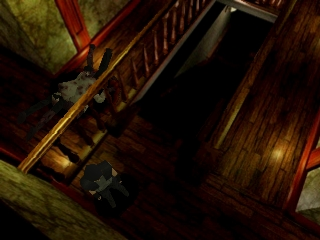
30 years ago today, 1996-03-22, Resident Evil (PlayStation) was released.
Happy retro gaming!
- v5.260117.0500v52026-01-17 · 2026-01-17 05:29 UTC
查看更新说明
RetroAssembly v5 has been released!
This release brings several features and improvements. Here are the key highlights:
- Auto-saving functionality
- Platform-specific shader settings
- 29 new shaders
- Launch recently played games from the search bar
- Multi-user support for self-hosted users
- Perfermance improvements for loading games' metadata
Dive into the new features
Auto-saving functionality
Never lose your progress! Auto-saving automatically saves your game at intervals, ensuring you can always pick up where you left off. It's disabled by default and can be enabled in the settings.
Platform-specific shader settings
Configure different shaders per platform for the optimal visual experience, allowing you to customize the look and feel of each console separately.
New visual shaders
Added 29 new additional shaders to enhance your retro gaming experience with beautiful visual effects.
Launch recently played games from the search bar
The search bar now includes recent games as default suggestions, making it easier to quickly launch the titles you play most often.
Multi-user support for self-hosted users
RetroAssembly now supports multiple users on a single instance for self-hosted users! Create separate profiles for family members or friends, each with their own game libraries, saves, and preferences.
Perfermance improvements for loading games' metadata
In the past, we only stored metadata identifiers in the database, which meant that loading game metadata required additional API calls. This is reasonable for the officially hosted instance, since latency between the metadata server and the main server is low. But for self-hosted users, it could lead to significant delays, especially with large libraries.
Now, we store the full metadata in the database after ROMs are added, significantly speeding up the loading process. This change will be applied automatically when you upgrade to v5. Note that the initial migration may take some time depending on the size of your library.
Other improvements and bug fixes
View the full changes on GitHub: v4.251127.0822...v5.260117.0500
Upgrading
- For users of the officially hosted instance (retroassembly.com): All these features have been shipped and you don't need to take any action.
- For self-hosted users: See the "Upgrade" section on our Docker Hub.
Anniversary
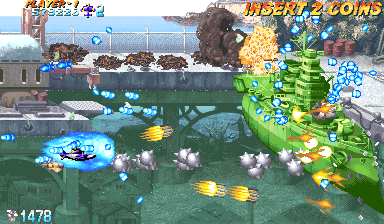
25 years ago today, 2001-01-17, Progear (Arcade) was released.
Happy retro gaming!
- v4.251121.1346v42025-11-21 · 2025-11-21 14:10 UTC
查看更新说明
RetroAssembly v4 Release Notes
RetroAssembly v4 has been released!
This release brings several features and improvements. Here are the key highlights:
- Redesigned library home page
- Internationalization (i18n) support
- Sortable game lists
- Upgraded emulators
Dive into the new features
Redesigned library home page
In the past, the library home page displayed a full list of games, which could be overwhelming for large libraries. Now, the home page shows the most recently saved/played/added games, making it easier to discover and access your favorite titles.
Internationalization (i18n) support
Bonjour! Hola! RetroAssembly now supports multiple languages, allowing users to switch between different languages for a more personalized experience.
Sortable game lists
You can now sort your game lists by various criteria such as name, date released, and date added, making it easier to organize and find games in your library.
Upgraded emulators
The bundled RetroArch has been upgraded to v1.22.2, bringing the latest improvements from the upstream projects.
The RetroArch files are also compressed with zip to reduce their size, which should significantly improve loading times, especially for large emulators like FBNeo (decreased from ~34MB to ~10MB).
Other improvements and bug fixes
View the full changes on GitHub: v3.251018.1334...v4.251121.1346
Upgrading
- For users of the officially hosted instance (retroassembly.com): All these features have been shipped and you don't need to take any action.
- For self-hosted users: See the "Upgrade" section on our Docker Hub.
Anniversary
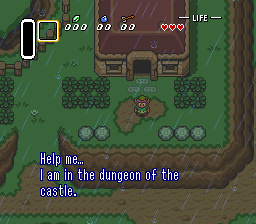
33 years ago today, 1991-11-21, The Legend of Zelda - A Link to the Past (Super Famicom/Super Nintendo Entertainment System) was released.
Happy retro gaming!
- v3.251018.1334v32025-10-18 · 2025-10-18 14:10 UTC
查看更新说明
RetroAssembly v3 Release Notes
RetroAssembly v3 has been released!
This release brings several features and improvements. Here are the key highlights:
- Searching through the library
- Custom BIOSes
- FBNeo is added as the new default arcade emulator
- 10 new platforms: Atari 7800, PC Engine (TurboGrafx-16), Magnavox Odyssey 2, etc.
Dive into the new features
Searching through the library
A search bar is added to quick navigate to the game you are seeking for.
It can also be opened with a keyboard shortcut: Ctrl + K for Windows/Linux, ⌘ + K for macOS.
Custom BIOSes
Some emulators need BIOSes to work properly. Now we can upload the BIOSes through the settings dialog.
FBNeo
FBNeo is added to support a wider range of arcade games, comparing to MAME 2003-Plus. MAME 2003-Plus is still there, but FBNeo now becomes the default emulator for the arcade platform.
New platforms
Following platforms and their corresponding emulators have been added.
- Atari 5200
- Atari 7800
- Atari Lynx
- Channel F
- ColecoVision
- Famicom Disk System
- Game & Watch
- Magnavox Odyssey 2
- PC Engine (TurboGrafx-16)
- Philips Videopac+
They can be enabled with the settings dialog.
Other improvements and bug fixes
View the full changes on GitHub: v2.250830.1233...v3.251018.1334
Upgrading
- For users of the officially hosted instance (retroassembly.com): All these features have been shipped and you don't need to take any action.
- For self-hosted users: See the "Upgrade" section on our Docker Hub.
Anniversary
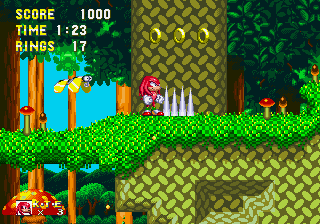
31 years ago today, 1994-10-18, Sonic & Knuckles (Mega Drive/Genesis) was released.
Happy retro gaming!
用户点评
登录用户的真实使用记录,可按版本和硬件筛选共 0 条
还没有人点评。第一个说出真实体验的人最有价值。
RetroAssembly is the personal retro game collection cabinet in your browser.
Features
- Relive memories from numerous retro gaming consoles in the browser. NES, SNES, Genesis, GameBoy, Arcade... See Supported Platforms below.
- See your game collection displayed with auto-detected beautiful box arts and covers.
- Save and synchronize your game at any point and resume later.
- Made a mistake? Some emulators allow you to rewind gameplay.
- Browse through platforms and your game library with an intuitive interface with spatial navigation, which means you can just use a keyboard or a gamepad to navigate between games.
- Enhance your gaming experience with beautiful visual effects with retro-style shaders.
- Play on the go, even without a physical gamepad, using our on-screen virtual controller.
Screenshots
| Desktop | Mobile | |
|---|---|---|
| Library | ||
| Games | ||
| Platform | ||
| ROM | ||
| Menu |
Getting Started
Choose Your Setup
You have two options to get started with RetroAssembly:
Option 1: Use the Official Hosted Version
Recommended for most users. Perfect if you want to get started quickly without any setup.
- Visit retroassembly.com in your web browser.
- (Optional) If you're new here, explore the library and try out the available demo games to see how it works.
- Login and create your personal game library by uploading your own ROM files.
- Once your ROMs are uploaded, select any game from your library to launch it directly in your browser and start playing.
- Don't forget to use the in-game menu to save your progress, which will be synchronized for you.
Option 2: Self-Host with Docker
For advanced users who want full control. Perfect if you prefer to host your own instance, have privacy concerns, or want to customize the deployment.
See RetroAssembly's homepage on Docker Hub.
Supported Platforms
RetroAssembly aims to support a wide range of vintage gaming systems. Emulation is powered by Nostalgist.js.
| Console | Available Emulators |
|---|---|
| Arcade | fbneo, mame2003_plus |
| Atari 2600 | stella2014 |
| Atari 5200 | a5200 |
| Atari 7800 | prosystem |
| Atari Lynx | mednafen_lynx |
| Channel F | freechaf |
| ColecoVision | gearcoleco |
| Famicom Disk System | fceumm, nestopia |
| Game & Watch | gw |
| Game Boy | mgba, gearboy, gambatte, tgbdual |
| Game Boy Advance | mgba, vba_next |
| Game Boy Color | mgba, gearboy, gambatte, tgbdual |
| Game Gear | genesis_plus_gx, gearsystem |
| Genesis / Mega Drive | genesis_plus_gx |
| Magnavox - Odyssey2 / Philips Videopac+ | o2em |
| Master System | genesis_plus_gx, picodrive, gearsystem |
| N64 | mupen64plus_next |
| Neo Geo Pocket | mednafen_ngp |
| Neo Geo Pocket Color | mednafen_ngp |
| NES / Family Computer | fceumm, nestopia, quicknes |
| PC Engine (TurboGrafx 16) | mednafen_pce_fast |
| Playstation 1 | pcsx_rearmed |
| Sega SG-1000 | gearsystem |
| Super NES / Super Famicom | snes9x, snes9x2002, snes9x2005, snes9x2010 |
| Virtual Boy | mednafen_vb |
| WonderSwan | mednafen_wswan |
| WonderSwan Color | mednafen_wswan |
Contributing
See Contributing.
Sponsorship
Sponsor this project on Ko-fi (or alternatively on GitHub Sponsors / Buy Me a Coffee) to show your appreciation!
This keeps the project sustainable and ensures continuous improvements and new features.
Open-source Alternatives
We hope you have a fantastic time revisiting your favorite retro games... Even with applications other than RetroAssembly.
- EmulatorJS :octocat:
- GamePlayColor :octocat:
- Gaseous
- RetroArch Web Player :octocat:
- RomM :octocat:
- vme :octocat:
- webrcade :octocat:
- webretro :octocat:
License

shadPS4
shadps4-emu·C++
用 C++ 编写的 PlayStation 4 模拟器,支持 Windows、Linux、macOS 和 FreeBSD,让玩家能在电脑上运行 PS4 游戏。
PS4模拟器+4模拟器硬核
34123+392.9kv.0.21.02026-11-10 10:57 UTC
v86
copy·JavaScript
在浏览器里跑完整 x86 PC 的模拟器,带 x86 到 WebAssembly 的 JIT 编译器,可直接启动 Linux 等系统。
x86 模拟器+3模拟器进阶
23674+71.9klatest2026-10-30 21:48 UTC

ish
ish-app·C
在 iOS 设备上跑起 Linux shell 的模拟器,靠用户态 x86 模拟执行命令行工具,让 iPhone/iPad 也能用上熟悉的 Linux 命令环境。
iOS 模拟器+4模拟器硬核
20698+151.6kbuilds/8132026-11-07 00:46 UTC
rpcs3
RPCS3·C++
跨平台的 PlayStation 3 模拟器与调试器,用 C++ 编写,支持 OpenGL 和 Vulkan 渲染,让玩家能在 PC 上运行 PS3 游戏并调试。
PS3模拟器+4模拟器硬核
20394+272.6kv0.0.432026-11-10 11:41 UTC