依赖里包含 python2.7,在较新的发行版上可能已无法直接安装;构建需先装齐 GTK3、Granite、WebKit2GTK 等一长串开发包,缺一个 meson 就配置失败;安装后需用 com.github.babluboy.bookworm 命令启动,而不是 bookworm。
bookworm
babluboyGPL-3.0活跃维护Elementary OS 上的轻量级电子书阅读器,支持打开和阅读 EPUB 格式书籍,适合在 Linux 桌面环境下管理本地电子书。
A simple ebook reader for Elementary OS
1.1.2发布于 2019-08-10 18:36 UTC1,388star106fork同步于 2026-11-10 17:50 UTC
sudo apt-get install unzip poppler-utils unar html2text python2.7 libgtk-3-dev libgee-0.8-dev libgranite-dev libsqlite3-dev libxml2-dev webkit2gtk-4.0 libwebkit2gtk-4.0-37 libpoppler-glib-dev meson valac gettext curl ninja-build appstream git
git clone https://github.com/babluboy/bookworm.git && cd bookworm && meson build --prefix=/usr && mkdir -p build && cd build && ninja && sudo ninja install 硬件要求按 README 说明
README 未说明硬件要求;从依赖看需运行在 Ubuntu/Debian 系 Linux 桌面环境,依赖 GTK3、Granite 与 WebKit2GTK,未提及 GPU 或显存。
面向 Elementary OS 的简洁电子书阅读器,统一打开 epub、pdf、mobi 等格式,省去格式转换的麻烦
Elementary OS 上的轻量级电子书阅读器,支持打开和阅读 EPUB 格式书籍,适合在 Linux 桌面环境下管理本地电子书。
核心能力
- 支持 EPUB、MOBI、FB2、PDF 及 CBR、CBZ 漫画格式
- 提供双页阅读视图与深色模式
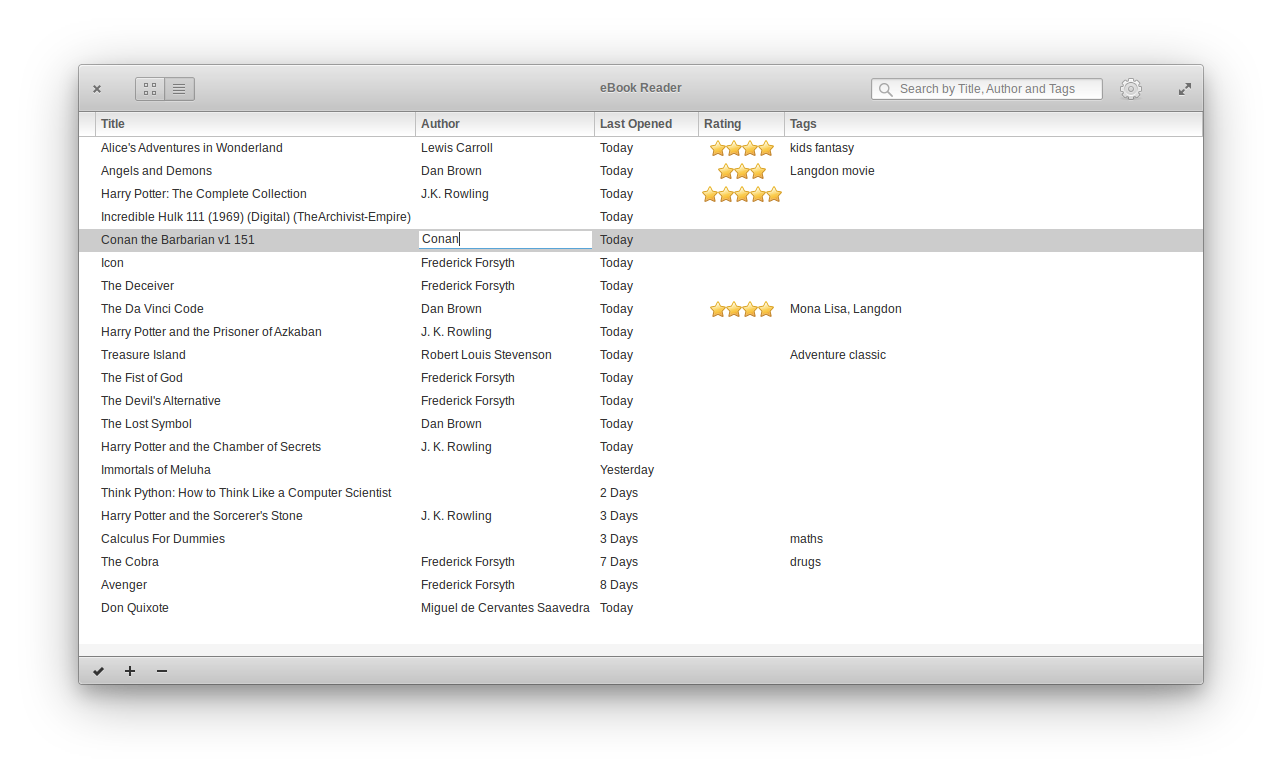
- 书库支持封面视图和列表视图切换
- 基于 GTK3、Granite 与 WebKit2GTK 构建原生界面
容易踩的坑
内容由模型根据 README 生成,可能不完整或不准确,以官方文档为准。看原文 README
- 1.1.2Appcenter Release for 1.1.2最新正式版2019-08-10 · 2019-08-10 18:36 UTC
Changes for the following: *Library is paginated to load large libraries quickly *Support for FB2 Format - .fb2 and .fb2.zip
Fixes: *Fix for keeping the preference dialog open untill all adjustments are completed *Fix for header title changing during open *Fix for handling cancellation of dialog to open an ebook *Fix for toggling between full screen mode with F11 *Fix for annotation dialog for books with empty titles *Fix for returning to the page position from the info view
- 1.1.1Appcenter Juno Release for 1.1.02018-10-10 · 2018-10-10 20:52 UTC
查看更新说明
Changes for the following: *Right click a selected word and look up its meaning using a online dictionary *Added a preference option to customize highlight colour
Fixes: *Prevent Bookworm from opening links like http, ftp etc and use the default browser to open the same *Fixed an issue where the lines overlapped for the first couple of pages in the book *Use of GResource to speed up loading of icons, scripts, etc. *Some minor CSS compatibility with Juno
- 1.1.0Appcenter Release for 1.1.02018-10-02 · 2018-10-02 18:46 UTC
查看更新说明
Changes for the following: *Right click a selected word and look up its meaning using a online dictionary *Added a preference option to customize highlight colour
Fixes: *Prevent Bookworm from opening links like http, ftp etc and use the default browser to open the same *Fixed an issue where the lines overlapped for the first couple of pages in the book *Use of GResource to speed up loading of icons, scripts, etc. *Some minor CSS compatibility with Juno
- 1.0.0Appcenter Release for 1.0.02018-02-11 · 2018-02-11 21:18 UTC
查看更新说明
Changes for the following: Support for Right to Left Reading A shiny new icon and new cover images Better support for EPUB Table of Contents
- 0.9.9Appcenter Release for 0.9.52017-12-12 · 2017-12-12 20:15 UTC
查看更新说明
Key changes for 0.9.5 include:
- Capability to add Annotations and tag them for searching
- Searching for annotations across the entire library based on annotation tags
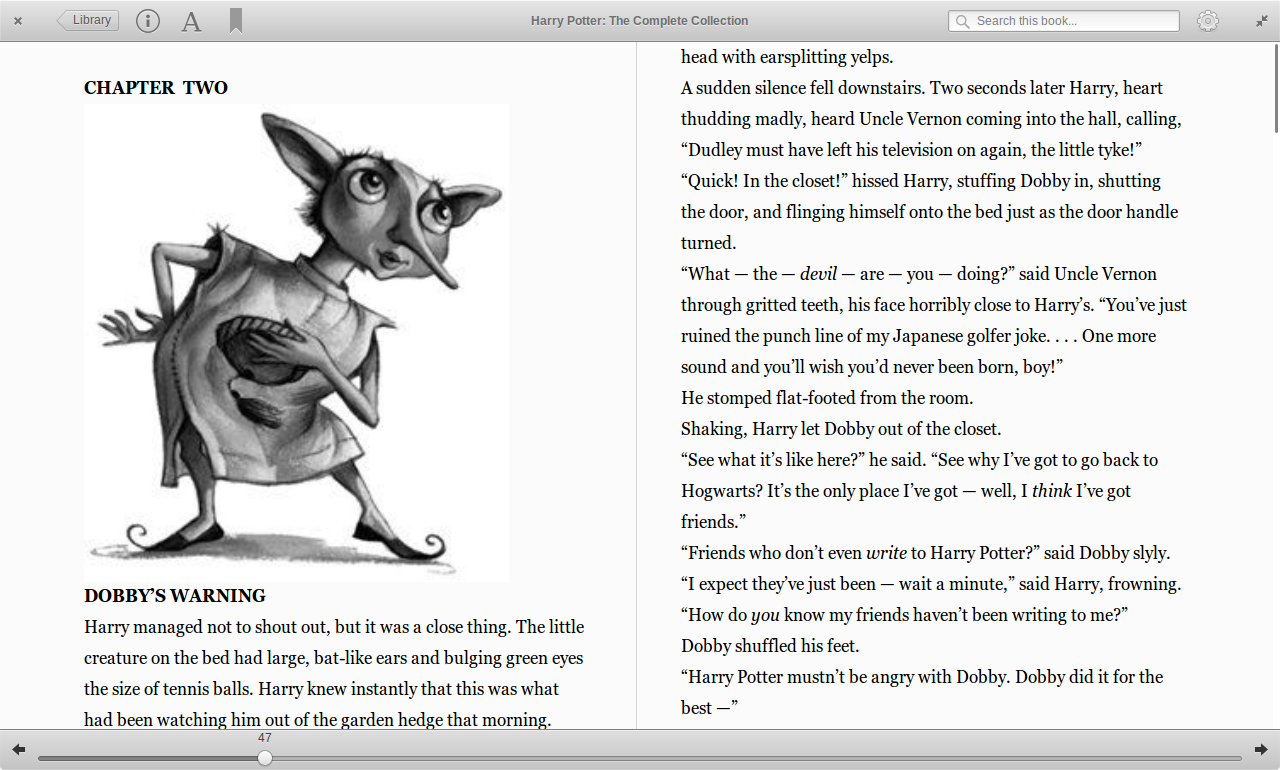
- Initial capability for Two Page Views - view two chapters side by side
- Better cross distro support - Fedora, OpenSuse, Flatpak
- More shortcuts and bug fixes
用户点评
登录用户的真实使用记录,可按版本和硬件筛选共 0 条
还没有人点评。第一个说出真实体验的人最有价值。
Bookworm 


A simple, focused eBook reader
Author: Siddhartha Das
Read the books you love without having to worry about the different format complexities like epub, pdf, mobi, cbr, etc. This version supports EPUB, MOBI, FB2, PDF, FB2 and Comics (CBR and CBZ) formats with support for more formats to follow soon.
Check the Bookworm website for details on features, shortcuts, installation guides for supported distros : https://babluboy.github.io/bookworm/
Building, Testing, and Installation
You'll need the following dependencies to build and run on Ubuntu/Debian based distros:
- unzip
- poppler-utils
- unar
- html2text
- python2
- libgtk-3-dev
- libgee-0.8-dev
- libgranite-dev
- libsqlite3-dev
- libxml2-dev
- webkit2gtk-4.0
- libwebkit2gtk-4.0-37
- libpoppler-glib-dev
- meson
- valac
- gettext
- curl
- ninja-build
- appstream
Run the command below to install the above on Ubuntu and Debian distros:
sudo apt-get install unzip poppler-utils unar html2text python2.7 libgtk-3-dev libgee-0.8-dev libgranite-dev libsqlite3-dev libxml2-dev webkit2gtk-4.0 libwebkit2gtk-4.0-37 libpoppler-glib-dev meson valac gettext curl ninja-build appstream git
Run git clone to download the source code, meson build to configure the build environment and run ninja test to build
git clone https://github.com/babluboy/bookworm.git
cd bookworm
meson build --prefix=/usr
mkdir -p build && cd build
ninja
To install, use ninja install, then execute with com.github.babluboy.bookworm
sudo ninja install
com.github.babluboy.bookworm
Screenshots
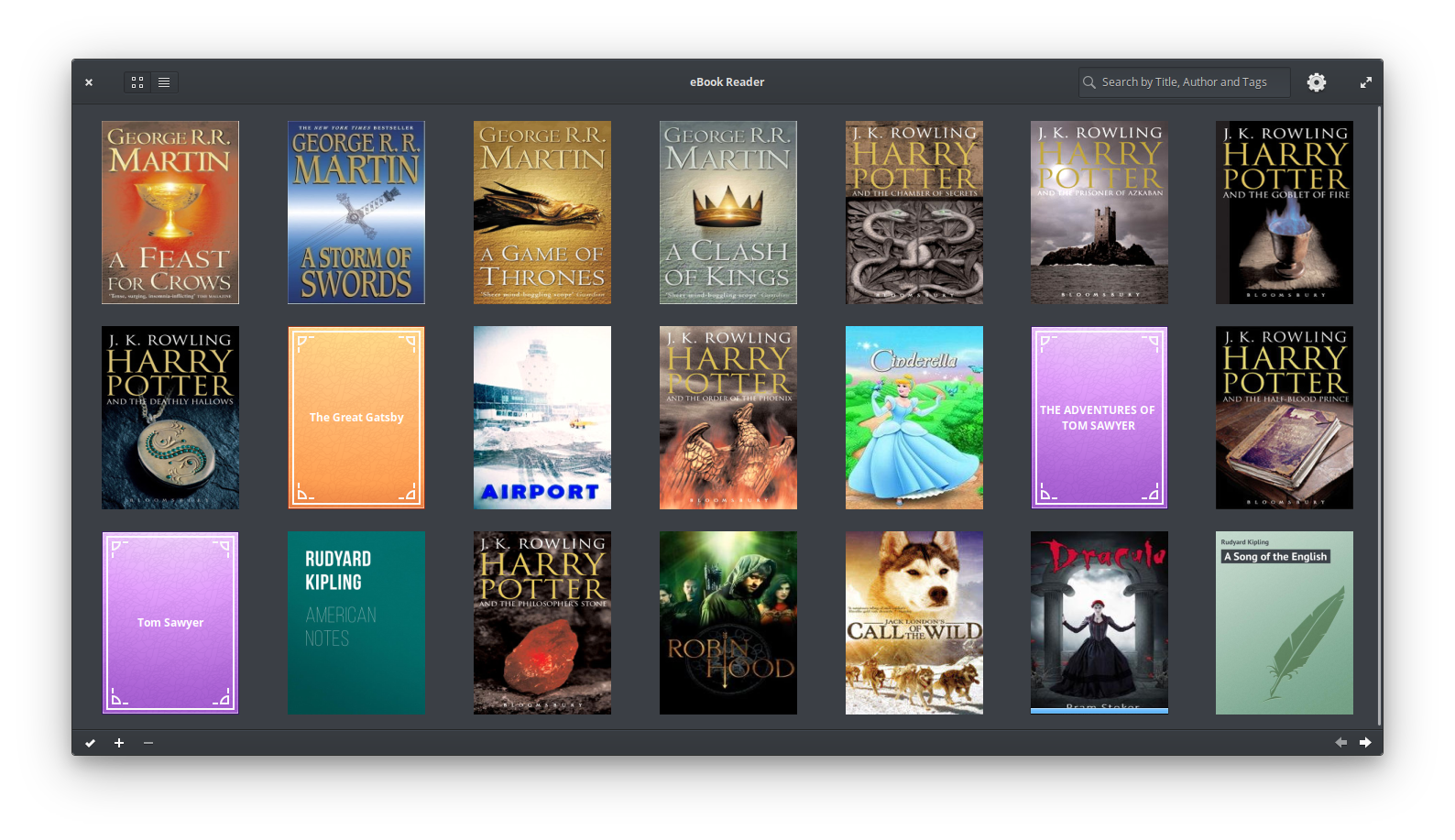
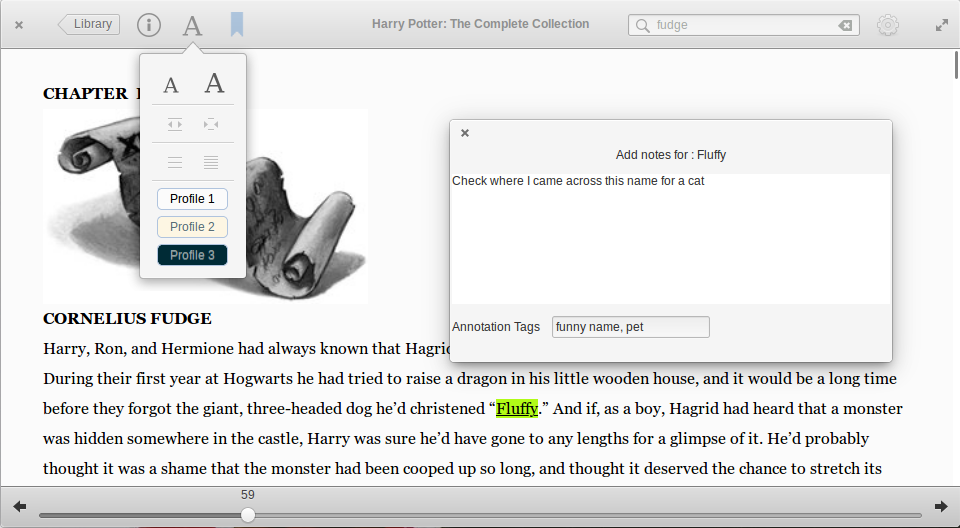
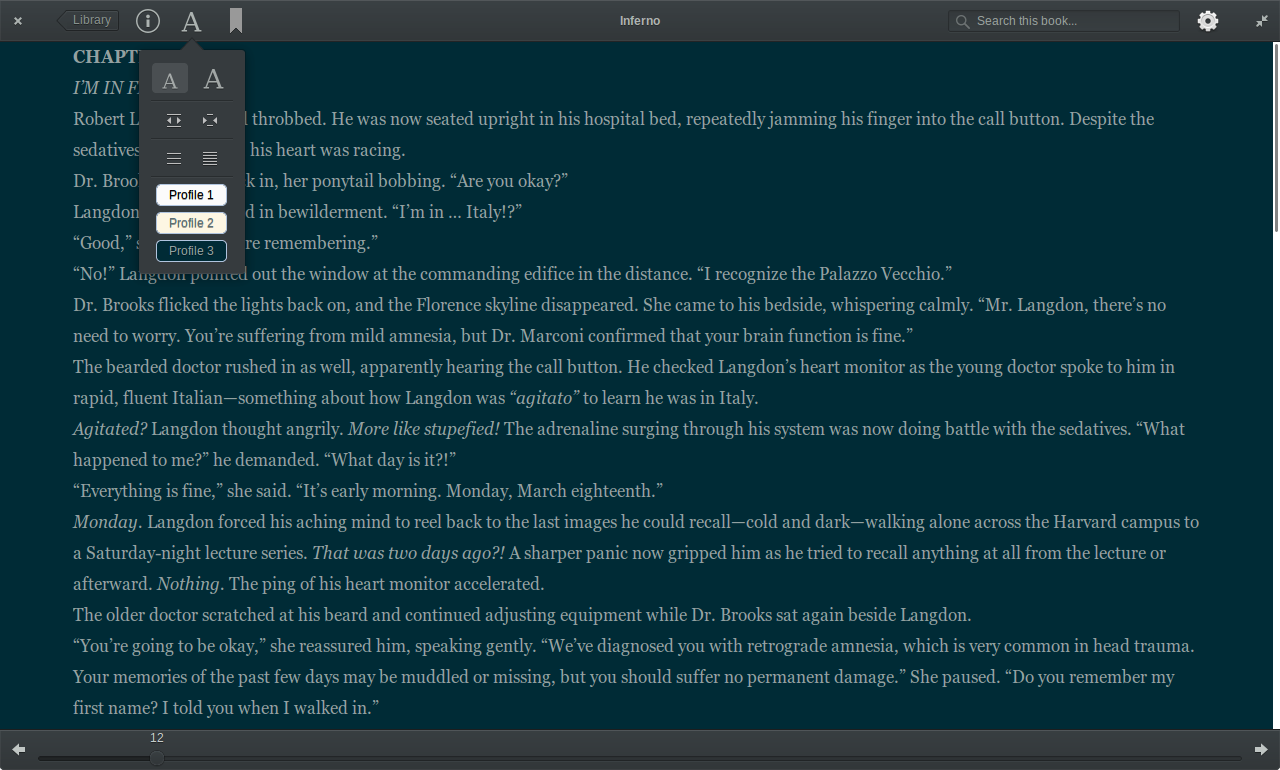
Two Page View
Bookworm Dark Mode
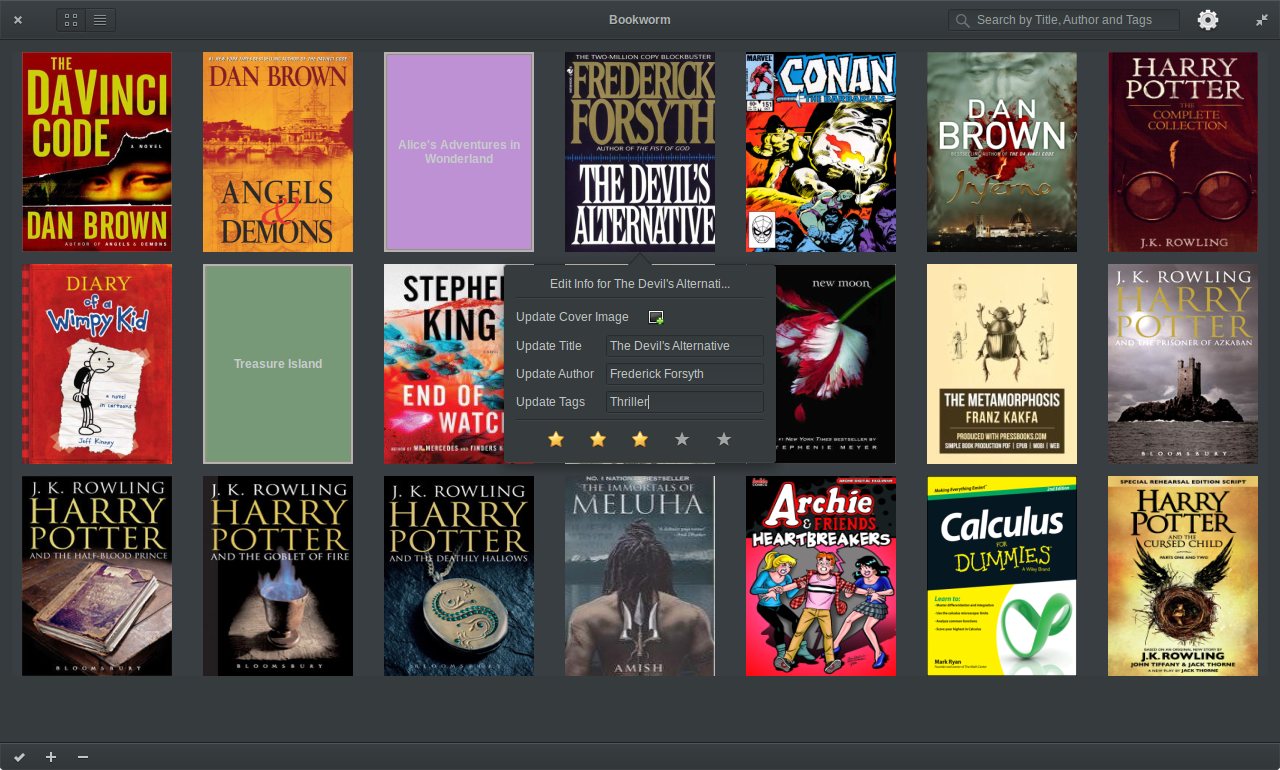
Library List View
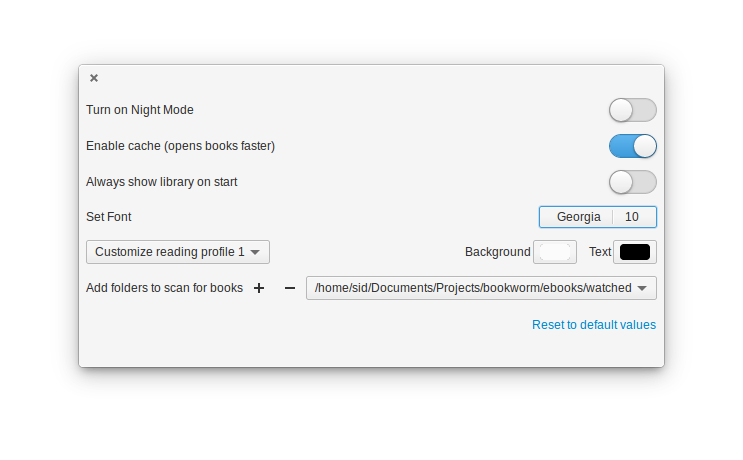
Bookworm Preferences
koreader
koreader·Lua
基于 LuaJIT 的电子书阅读器,支持 PDF、EPUB、DjVu、FB2 等格式,可运行在 Kindle、Kobo、PocketBook 等墨水屏设备和 Android 上。
电子书阅读器+4电子书阅读器
31019+762.0kv2026.07.12026-11-10 16:48 UTC
calibre
kovidgoyal·Python
功能完整的电子书管理工具,能整理书库、转换 EPUB、MOBI 等格式,并支持编辑元数据和推送到 Kindle 阅读。
电子书管理+4电子书阅读器
26406+292.8kv9.18.02026-11-10 15:16 UTC

readest
readest·TypeScript
一款现代跨平台电子书阅读器,支持 EPUB、MOBI、Kindle 等格式,界面直观、工具丰富,适合重度阅读用户在多设备间无缝阅读。
电子书阅读器+4电子书阅读器
26160+1131.9kv0.12.202026-11-10 17:11 UTC
calibre-web
janeczku·Fluent
把 Calibre 书库变成网页版书架,支持在线浏览、阅读和下载电子书,方便多设备访问自己的藏书。
电子书管理+4电子书阅读器
18551+91.9k0.6.272026-10-10 05:40 UTC