跨命名空间检测需要先建 .clj-kondo 目录并 lint 整个 classpath 填充缓存,否则会漏报;依赖库的配置需用 --copy-configs 导入;不支持的宏需通过配置或 hooks 补充,否则相关代码无法正确分析

clj-kondo
clj-kondoEPL-1.0活跃维护Clojure/ClojureScript 静态代码分析器和 linter,能在不运行代码的情况下检查未定义变量、未使用绑定等问题,帮你在编码阶段就发现错误。
Static analyzer and linter for Clojure code that sparks joy
v2026.10.26发布于 2026-10-26 14:07 UTC1,865star313fork同步于 2026-11-11 05:44 UTC
clj-kondo --lint src
clj-kondo --lint "$(lein classpath)" --dependencies --parallel --copy-configs 硬件要求按 README 说明
README 未说明具体硬件要求;作为静态分析器不需要运行时,可编译为原生代码运行,也支持在 JVM 上运行和通过 Docker 运行。
Clojure 静态分析与 linter,不执行代码就能在编码时发现潜在错误
Clojure/ClojureScript 静态代码分析器和 linter,能在不运行代码的情况下检查未定义变量、未使用绑定等问题,帮你在编码阶段就发现错误。
核心能力
- 静态分析 Clojure、ClojureScript 和 EDN,无需运行程序
- 检测 arity 错误、未使用 var、未解析符号等常见问题
- 支持 clojure.core.async、schema 等常用宏的语法识别
- 输出分析数据,可据此编写自定义 linter
- 用 GraalVM 编译为原生代码,可脱离 JVM 运行
容易踩的坑
内容由模型根据 README 生成,可能不完整或不准确,以官方文档为准。看原文 README
- v2026.10.26最新正式版2026-10-26 · 2026-10-26 14:07 UTC
What's Changed
- Bump ductile sha by @borkdude in https://github.com/clj-kondo/clj-kondo/pull/3033
- Fix #3034: keep code after a single unquote in a nested syntax-quote by @borkdude in https://github.com/clj-kondo/clj-kondo/pull/3035
- Fix #3036: support the :req! map destructuring directive by @borkdude in https://github.com/clj-kondo/clj-kondo/pull/3039
- Fix #3037: qualify a simple keyword after & with the :keys namespace by @borkdude in https://github.com/clj-kondo/clj-kondo/pull/3040
- Fix #3045: drop cache metadata keys from :refer :all vars by @borkdude in https://github.com/clj-kondo/clj-kondo/pull/3047
- Fix #3046: treat _ in a core.match pattern as a wildcard by @borkdude in https://github.com/clj-kondo/clj-kondo/pull/3048
- Fix #3044: analyze core.match map pattern keys as expressions by @borkdude in https://github.com/clj-kondo/clj-kondo/pull/3049
- Fix #3043: resolve references to a var before its ns-unmap by @borkdude in https://github.com/clj-kondo/clj-kondo/pull/3050
- Fix #3042: qualify imported classes in syntax-quote of extracted macros by @borkdude in https://github.com/clj-kondo/clj-kondo/pull/3051
- Fix #3052: guard keyword lookup on a recursive call against cycles by @borkdude in https://github.com/clj-kondo/clj-kondo/pull/3053
- Skip unknown map key check on a redefined var by @borkdude in https://github.com/clj-kondo/clj-kondo/pull/3054
- Bump clerk and ductile regression shas by @borkdude in https://github.com/clj-kondo/clj-kondo/pull/3055
Full Changelog: https://github.com/clj-kondo/clj-kondo/compare/v2026.10.20...v2026.10.26
- v2026.10.202026-10-20 · 2026-10-20 08:23 UTC
查看更新说明
What's Changed
- Graalvm 25.2 by @borkdude in https://github.com/clj-kondo/clj-kondo/pull/2950
- Pin mac intel GraalVM to 25.0.1 in CI matrix by @borkdude in https://github.com/clj-kondo/clj-kondo/pull/2951
- Bump graal-build-time to 1.0.6 for GraalVM 25.1+ compatibility by @willcohen in https://github.com/clj-kondo/clj-kondo/pull/2949
- Bump edamame to 1.6.43: function literal params stay unqualified in e… by @borkdude in https://github.com/clj-kondo/clj-kondo/pull/2957
- CI: apt on the bullseye image after bullseye's end of life by @borkdude in https://github.com/clj-kondo/clj-kondo/pull/2990
- Hooks: a qualified symbol in hook output resolves without a require in the calling namespace by @borkdude in https://github.com/clj-kondo/clj-kondo/pull/2992
- Fix #2996: Java member analysis no longer fails on enum by @borkdude in https://github.com/clj-kondo/clj-kondo/pull/2997
- Fix #2998: analyze Java 25 class files by @borkdude in https://github.com/clj-kondo/clj-kondo/pull/2999
- Clojure 1.13 alpha8 destructuring by @borkdude in https://github.com/clj-kondo/clj-kondo/pull/3000
- type-mismatch: merge requires a map or nil as first map argument by @borkdude in https://github.com/clj-kondo/clj-kondo/pull/3001
- Fix #3002: a nilable :keys return spec keeps its nil case by @borkdude in https://github.com/clj-kondo/clj-kondo/pull/3003
- Pass MACOSX_DEPLOYMENT_TARGET in script/compile instead of native-image.properties by @ericdallo in https://github.com/clj-kondo/clj-kondo/pull/3004
- Unknown map key by @borkdude in https://github.com/clj-kondo/clj-kondo/pull/3007
- Narrow and by @borkdude in https://github.com/clj-kondo/clj-kondo/pull/3010
- Narrow and condition by @borkdude in https://github.com/clj-kondo/clj-kondo/pull/3011
- Narrow cond by @borkdude in https://github.com/clj-kondo/clj-kondo/pull/3012
- Narrow if-not else branch by @borkdude in https://github.com/clj-kondo/clj-kondo/pull/3013
- doc by @borkdude in https://github.com/clj-kondo/clj-kondo/pull/3020
- Fix #3016: keep hook-generated marker across nested macroexpand hooks by @imrekoszo in https://github.com/clj-kondo/clj-kondo/pull/3019
- Fix #3015: require unaliased namespaces in generated macro hooks by @imrekoszo in https://github.com/clj-kondo/clj-kondo/pull/3018
- Fix #3014: redirect earlier gen hooks to a newly generated helper ns by @imrekoszo in https://github.com/clj-kondo/clj-kondo/pull/3017
- Allow matching core symbols by head token by @borkdude in https://github.com/clj-kondo/clj-kondo/pull/3021
- Fix #3006: refer referred vars in generated macro hooks by @borkdude in https://github.com/clj-kondo/clj-kondo/pull/3022
- Fix #3005: resolve self-referencing vars in def initializers by @imrekoszo in https://github.com/clj-kondo/clj-kondo/pull/3008
- Agents md core by @borkdude in https://github.com/clj-kondo/clj-kondo/pull/3023
- Fix #2994: arity check calls in protocol impls against the cache by @borkdude in https://github.com/clj-kondo/clj-kondo/pull/3024
- Fix #2956: skip the coll literal arity check without an arg count by @borkdude in https://github.com/clj-kondo/clj-kondo/pull/3025
- Fix #2947: highest min-clj-kondo-version when merging configs by @borkdude in https://github.com/clj-kondo/clj-kondo/pull/3026
- Fix #2945: bump datalog-parser to org.replikativ 0.2.43 by @borkdude in https://github.com/clj-kondo/clj-kondo/pull/3027
- Update regression findings for datalog-parser 0.2.43 by @borkdude in https://github.com/clj-kondo/clj-kondo/pull/3028
- Fix #2774: warn on reflection for Java constructor calls by @borkdude in https://github.com/clj-kondo/clj-kondo/pull/3029
- Fix #2942: analyze keys after & as plain keywords by @borkdude in https://github.com/clj-kondo/clj-kondo/pull/3030
- Tidy up changelog for release by @borkdude in https://github.com/clj-kondo/clj-kondo/pull/3031
- changelog by @borkdude in https://github.com/clj-kondo/clj-kondo/pull/3032
New Contributors
- @willcohen made their first contribution i
- v2026.08.042026-08-04 · 2026-08-04 14:33 UTC
查看更新说明
What's Changed
- Fix #2943: a hook-rewritten call is only checked for arity by @borkdude in https://github.com/clj-kondo/clj-kondo/pull/2944
Full Changelog: https://github.com/clj-kondo/clj-kondo/compare/v2026.08.03...v2026.08.04
- v2026.08.032026-08-03 · 2026-08-03 11:02 UTC
查看更新说明
What's Changed
- [perf] Various optimizations by @alexander-yakushev in https://github.com/clj-kondo/clj-kondo/pull/2921
- Fix #2928: keys and vals return nil on empty collections by @borkdude in https://github.com/clj-kondo/clj-kondo/pull/2930
- Regression update for #2928 by @borkdude in https://github.com/clj-kondo/clj-kondo/pull/2931
- Fix #2924: :all by @borkdude in https://github.com/clj-kondo/clj-kondo/pull/2933
- Clojure 1.13 destructuring by @borkdude in https://github.com/clj-kondo/clj-kondo/pull/2936
- Hold a sandbox session open for the REPL's lifetime by @borkdude in https://github.com/clj-kondo/clj-kondo/pull/2937
- Fix #2923: no redundant coercion warning for int and float by @borkdude in https://github.com/clj-kondo/clj-kondo/pull/2938
- Fix #2929: conflicting alias for current namespace by @borkdude in https://github.com/clj-kondo/clj-kondo/pull/2939
- Fix #2932: a map value's type does not leak to element bindings by @borkdude in https://github.com/clj-kondo/clj-kondo/pull/2940
- Fix #2935: keys after & count as written by @borkdude in https://github.com/clj-kondo/clj-kondo/pull/2941
Full Changelog: https://github.com/clj-kondo/clj-kondo/compare/v2026.07.24...v2026.08.03
- v2026.07.242026-07-24 · 2026-07-24 11:00 UTC
查看更新说明
What's Changed
- Allow set calls with 2 args in CLJS by @p-himik in https://github.com/clj-kondo/clj-kondo/pull/2848
- Include conflicts with current ns for :conflicting-alias by @tomdl89 in https://github.com/clj-kondo/clj-kondo/pull/2850
- Fix #2854: shadowed local fn name no longer triggers false invalid-arity by @borkdude in https://github.com/clj-kondo/clj-kondo/pull/2855
- [bench] Simplify allocation tracking in benchmarks by @alexander-yakushev in https://github.com/clj-kondo/clj-kondo/pull/2856
- [perf] Implement and use efficient select-keys by @alexander-yakushev in https://github.com/clj-kondo/clj-kondo/pull/2859
- [perf] Implement and use efficient get-in by @alexander-yakushev in https://github.com/clj-kondo/clj-kondo/pull/2858
- [perf] Add fastpaths to rewrite-clj.node.string/sexpr by @alexander-yakushev in https://github.com/clj-kondo/clj-kondo/pull/2853
- [perf] Optimize analysis/reg-usage! by @alexander-yakushev in https://github.com/clj-kondo/clj-kondo/pull/2857
- Don't attach empty :children to nodes by @alexander-yakushev in https://github.com/clj-kondo/clj-kondo/pull/2862
- [perf] Port rewrite-clj optimizations by @alexander-yakushev in https://github.com/clj-kondo/clj-kondo/pull/2866
- Reqed keys by @borkdude in https://github.com/clj-kondo/clj-kondo/pull/2870
- Reqed keys followup by @borkdude in https://github.com/clj-kondo/clj-kondo/pull/2871
- Reqed keys types by @borkdude in https://github.com/clj-kondo/clj-kondo/pull/2872
- Var usage record optimization by @borkdude in https://github.com/clj-kondo/clj-kondo/pull/2873
- Fix #2874: :select support in destructuring by @borkdude in https://github.com/clj-kondo/clj-kondo/pull/2875
- Select exact keyword by @borkdude in https://github.com/clj-kondo/clj-kondo/pull/2876
- Clojure 1.13 alpha4 destructuring by @borkdude in https://github.com/clj-kondo/clj-kondo/pull/2880
- Type-checker: flow analysis by predicate in then-branch of if by @borkdude in https://github.com/clj-kondo/clj-kondo/pull/2883
- Flow-narrow a local's type in the body of when by @borkdude in https://github.com/clj-kondo/clj-kondo/pull/2884
- Add types for parse-long, parse-double, parse-uuid, parse-boolean by @borkdude in https://github.com/clj-kondo/clj-kondo/pull/2885
- Nil narrowing by @borkdude in https://github.com/clj-kondo/clj-kondo/pull/2886
- Backward inference for param types by @borkdude in https://github.com/clj-kondo/clj-kondo/pull/2889
- Infer keys params by @borkdude in https://github.com/clj-kondo/clj-kondo/pull/2893
- Fix closure param infer by @borkdude in https://github.com/clj-kondo/clj-kondo/pull/2896
- Replace type-mismatch arities instead of merging by @mrichards42 in https://github.com/clj-kondo/clj-kondo/pull/2887
- Skip copying and reporting configs when content is unchanged by @nikbad in https://github.com/clj-kondo/clj-kondo/pull/2867
- Fix redundant fn wrapper warning in specs by @jramosg in https://github.com/clj-kondo/clj-kondo/pull/2890
- Add seq-rest linter, default :off by @tomdl89 in https://github.com/clj-kondo/clj-kondo/pull/2852
- Fix #1882: add built-in support for test.check defspec by @borkdude in https://github.com/clj-kondo/clj-kondo/pull/2897
- Fix #2877: uneval discard warning by @borkdude in https://github.com/clj-kondo/clj-kondo/pull/2898
- Constant condition by @borkdude in https://github.com/clj-kondo/clj-kondo/pull/2902
- Don't count comment form defs for shadowed-var, unused-private-var andd inline-def by @borkdude in https://github.com/clj-kondo/clj-kondo/pull/2903
- Try param infer by @borkdude in https://github.com/clj-kondo/clj-kondo/pull/2904
- Keep :condition-always-true config working for always-true conditions by @borkdude in https://github.com/clj-kondo/clj-kondo/pull/2906
- Extract map destructuring from extract-bindings so it stays JIT-compiled by @borkdude in https://github.com/clj-kondo/clj-kondo/pull/2907
- Split analyze-expression** and analyze-input so they stay JIT-compiled by @borkdu
用户点评
登录用户的真实使用记录,可按版本和硬件筛选共 0 条
还没有人点评。第一个说出真实体验的人最有价值。



A static analyzer and linter for Clojure code that sparks joy.
Rationale
Clj-kondo performs static analysis on Clojure, ClojureScript and EDN. It informs you about potential errors while you are typing (without executing your program).
Features
Clj-kondo detects:
- inline
defexpressions - redundant
doandletwrappings - arity errors:
- within the same namespace and across namespaces
- of static Java method calls
- of local
letandletfnbinding calls - of recursive calls (including
recur) - conflicting arities in overloaded functions
- unused private vars
- private and deprecated var usage
- required but unused namespaces
- unsorted required namespaces
- referred but unused vars
- duplicate requires
- unused function arguments and let bindings
- marked as unused, but used arguments and let bindings (optional)
- unused imports
- redefined vars
- unresolved symbols, vars and namespaces
- misplaced docstrings
- duplicate map keys and set elements
- duplicates and quoting in case test constants
- missing map keys
- invalid number of forms in binding vectors
- missing assertions in
clojure.test/deftest - alias consistency
- type checking
- Datalog syntax checking
- format string argument mismatches
- shadowed vars
- 2 argument usage of reduce (optional)
before your form hits the REPL.
It suggests several style guide recommendations, such as:
- rules from Stuart Sierra's how to ns
- use
:elseas the catch-all test expression incond(see Clojure style guide) - use
seqinstead of(not (empty? ,,,))(see Clojure style guide) - don't make your lines too long (see Clojure style guide)
It has support for syntax of commonly used macros like
clojure.core.async/alt!!, schema.core/defn and potemkin/import-vars.
It detects common errors in deps.edn and bb.edn
It provides analysis data so you build your own custom linters.
View all available linters here.
This linter is:
- compatible with
.clj,.cljs,.cljcand.ednfiles - build tool and editor agnostic
- a static code analyzer
- compiled to native code using GraalVM
Try clj-kondo at the interactive playground.
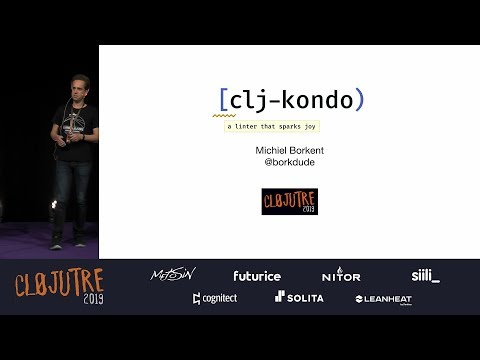
Watch the talk:
Support :heart:
You can support this project via Github Sponsors, OpenCollective, Ko-fi or indirectly via Clojurists Together.
Installation
Running on the JVM
Running with Docker
Usage
Command line
Lint from stdin:
$ echo '(def x (def x 1))' | clj-kondo --lint -
<stdin>:1:8: warning: inline def
Lint a file:
$ echo '(def x (def x 1))' > /tmp/foo.clj
$ clj-kondo --lint /tmp/foo.clj
/tmp/foo.clj:1:8: warning: inline def
Lint a directory:
$ clj-kondo --lint src
src/clj_kondo/test.cljs:7:1: warning: redundant do
src/clj_kondo/calls.clj:291:3: error: Wrong number of args (1) passed to clj-kondo.calls/analyze-calls
Lint a project classpath:
$ clj-kondo --lint "$(lein classpath)"
Help:
$ clj-kondo --help
clj-kondo v2024.11.14

Options:

--lint <file>: a file can either be a normal file, directory or classpath. In the
case of a directory or classpath, only .clj, .cljs and .cljc will be
processed. Use - as filename for reading from stdin.

--lang <lang>: if lang cannot be derived from the file extension this option will be
used. Supported values: clj, cljs, cljc.

--filename <file>: in case stdin is used for linting, use this to set the
reported filename.

--cache-dir: when this option is provided, the cache will be resolved to this
directory. If --cache is false, this option will be ignored.

--cache: if false, won't use cache. Otherwise, will try to resolve cache
using `--cache-dir`. If `--cache-dir` is not set, cache is resolved using the
nearest `.clj-kondo` directory in the current and parent directories.

--config <config>: extra config that is merged. May be a file or an EDN expression. See https://github.com/clj-kondo/clj-kondo/blob/master/doc/config.md.

--config-dir <config-dir>: use this config directory instead of auto-detected
.clj-kondo dir.

--parallel: lint sources in parallel.

--dependencies: don't report any findings. Useful for populating cache while linting dependencies.

--copy-configs: copy configs from dependencies while linting.

--skip-lint: skip lint/analysis, still check for other tasks like copy-configs.

--fail-level <level>: minimum severity for exit with error code.  Supported values:
warning, error.  The default level if unspecified is warning.

--report-level <level>: minimum severity for which to report.  Supported values:
info, warning, error.  The default level if unspecified is info.

--debug: print debug information.
Project setup
To detect lint errors across namespaces in your project, a cache is needed. To
let clj-kondo know where to create one, make a .clj-kondo directory in the
root of your project, meaning on the same level as your project.clj,
deps.edn or build.boot:
$ mkdir -p .clj-kondo
A cache will be created inside of it when you run clj-kondo. Before linting
inside your editor, it is recommended to lint the entire classpath to teach
clj-kondo about all the libraries you are using, including Clojure and/or
ClojureScript itself. Some libraries come with configurations. To import them, first run:
$ clj-kondo --lint "<classpath>" --dependencies --copy-configs --skip-lint
The --copy-configs flag will search and copy configurations from dependencies into the
.clj-kondo directory, while linting (see
config.md).
With the configurations in place, now we can analyze the dependencies properly:
$ clj-kondo --lint "<classpath>" --dependencies --parallel
The --dependencies flag indicates that clj-kondo is used to analyze sources to
populate the cache. When enabled, clj-kondo will suppress warnings and skips over
already linted .jar files for performance.
The --parallel option will use multiple threads to lint your sources, going through them faster.
NOTE: in the version after 2024.05.24 copying configs and linting dependencies can be done in one go using:
$ clj-kondo --lint "<classpath>" --dependencies --parallel --copy-configs
Build tool specific ways to get a classpath:
lein classpathboot with-cp -w -f -clojure -Spathnpx shadow-cljs classpath
So for lein the entire command would be:
$ clj-kondo --lint "$(lein classpath)" --dependencies --parallel --copy-configs
Now you are ready to lint single files using editor integration. A simulation of what happens when you edit a file in your editor:
$ echo '(select-keys)' | clj-kondo --lang cljs --lint -
<stdin>:1:1: error: Wrong number of args (0) passed to cljs.core/select-keys
Since clj-kondo now knows about your version of ClojureScript via the cache,
it detects that the number of arguments you passed to select-keys is
invalid. Each time you edit a file, the cache is incrementally updated, so
clj-kondo is informed about new functions you just wrote.
If you want to use a different directory to read and write the cache, use the
--cache-dir option. To disable the cache even if you have a .clj-kondo
directory, use --cache false.
For your project's version control, we recommend that you commit everything
under the ./.clj-kondo/ dir, except for the cache dir. Add .cache to
your .gitignore to ignore all .cache dirs, including the one under
./.clj-kondo. Adjust accordingly if you are using a different --cache-dir.
Configuration
Editor integration
Exit codes
Exit codes can be controlled by the --fail-level <level> option. The
default fail level is warning which returns exit codes as follows:
0: no errors or warnings were found2: one or more warnings were found3: one or more errors were found
If --fail-level error is supplied, warnings do not lead to a non-zero exit code:
0: no errors were found0: one or more warnings were found3: one or more errors were found
All exit codes other than 0, 2 and 3 indicate an error because of a bug in
clj-kondo or some other unexpected error beyond the control of clj-kondo.
CI Integration
Analysis data
Developer documentation
Companies using clj-kondo
Macros
As clj-kondo is a static analyzer is does not need a runtime (JVM, browser, Node.js, etc.). It doesn't execute your code. As such it can be a faster alternative to linters that do use a runtime, like eastwood. This approach comes with the limitation that clj-kondo cannot execute your macros as macros can use arbitrary features from a runtime. Clj-kondo has support for clojure core macros and some popular libraries from the community. Macros that are not supported out of the box can be supported using configuration. One of the ways to configure macros is to write hooks for them (also see this blogpost). For many libraries there is already a configuration available that you can import. Also check out clj-kondo configs which contains configurations for third party libraries.
Babashka pod
Clj-kondo can be invoked as a babashka pod.
#!/usr/bin/env bb
(ns script
  (:require [babashka.pods :as pods]))

(pods/load-pod "clj-kondo")
(require '[pod.borkdude.clj-kondo :as clj-kondo])

(clj-kondo/merge-configs
 '{:linters {:unresolved-symbol {:exclude [(foo1.bar)]}}}
 '{:linters {:unresolved-symbol {:exclude [(foo2.bar)]}}})
;;=> {:linters {:unresolved-symbol {:exclude [(foo1.bar) (foo2.bar)]}}}

(-> (clj-kondo/run! {:lint ["src"]})
    :summary)
;;=> {:error 0, :warning 0, :info 0, :type :summary, :duration 779}
Podcasts
Articles
- How to catch derived Vars with a clj-kondo hook by Mikko Koski
- Taking your linting to the next level by Toni Vaisanen
- Replacing clojure-lsp with clj-kondo and Refactor-nREPL
Thanks to:
- joker for inspiration
- rewrite-clj for the Clojure parser code
- eastwood for
var-info.ednand inspiration - contributors and other users posting issues with bug reports and ideas
- Nikita Prokopov for the logo
- adgoji for financial support
- Clojurists Together for sponsoring work on hooks
License
Copyright © 2019 - 2023 Michiel Borkent
Distributed under the EPL License, same as Clojure. See LICENSE.
The directory inlined contains source from tools.reader which is licensed under the EPL license.
The directory parser contains modified source from rewrite-clj which is licensed under the MIT license.
ruff
astral-sh·Rust
用 Rust 写成的超快 Python 代码检查与格式化工具,能替代 Flake8、Black 等,大幅缩短 lint 和格式化耗时。
Python 代码检查+4代码质量入门
51174+4122.6k0.17.42026-11-11 02:26 UTC

open-code-review
alibaba·Go
阿里开源的大规模代码审查工具,用确定性流水线加 LLM Agent 混合架构,精准定位行级问题,内置 NPE、线程安全、XSS、SQL 注入等多语言规则集。
代码审查+4代码质量进阶
49809+2223.7kv1.13.72026-11-11 02:52 UTC
SwiftLint
realm·Swift
Swift 代码风格检查工具,按预设规则自动扫描并报告不符合规范的写法,帮团队统一 Swift 代码风格。
Swift+4代码质量进阶
19787+82.3k0.65.12026-11-05 17:57 UTC

diff-so-fancy
so-fancy·Perl
把 Git diff 输出重新排版成更易读的格式,突出改动位置和代码块,方便快速定位缺陷、提升代码审查效率。
代码审查+3代码质量进阶
18115+7350v1.4.142026-10-18 18:29 UTC