需作为 Mix 依赖加入项目后才能运行,不能独立使用;建议仅在 dev 和 test 环境引入并设 runtime: false

credo
rrreneMIT活跃维护Elixir 语言的静态代码分析工具,专注检查代码一致性并给出教学式修改建议,帮团队统一风格、提前发现坏味道。
A static code analysis tool for the Elixir language with a focus on code consistency and teaching.
v1.7.19发布于 2026-06-05 08:19 UTC5,230star458fork同步于 2026-11-10 17:37 UTC
在 mix.exs 的 deps 中加入 {:credo, "~> 1.7", only: [:dev, :test], runtime: false},然后运行:
mix deps.get
mix credo 硬件要求按 README 说明
README 未说明
Elixir 静态代码分析工具,帮你发现重构机会、复杂代码和命名不一致
Elixir 语言的静态代码分析工具,专注检查代码一致性并给出教学式修改建议,帮团队统一风格、提前发现坏味道。
核心能力
- 静态分析 Elixir 代码,指出重构机会与复杂代码片段
- 警告常见错误并检查命名风格的一致性
- 可强制执行团队约定的编码风格
- 支持 IntelliJ、VSCode、Emacs 等编辑器内联提示
- 可接入 Codacy 做自动化代码审查
容易踩的坑
内容由模型根据 README 生成,可能不完整或不准确,以官方文档为准。看原文 README
- v1.7.19最新正式版2026-06-05 · 2026-06-05 08:19 UTC
Check it out on Hex: https://hex.pm/packages/credo/1.7.19
- Fix compatibility & compiler warnings with Elixir 1.20.0
- v1.7.182026-04-10 · 2026-04-10 18:18 UTC
查看更新说明
Check it out on Hex: https://hex.pm/packages/credo/1.7.18
- Fix compatibility & compiler warnings with Elixir 1.20.0-rc.4
- Fix problem with transitive deps in umbrella apps
Credo.Check.Warning.UnusedMapOperationfix false positives
- v1.7.172026-03-03 · 2026-03-03 19:32 UTC
查看更新说明
Check it out on Hex: https://hex.pm/packages/credo/1.7.17
Credo.Check.Readability.ModuleDocadd new param:ignore_modules_using(defaults to[Credo.Check, Ecto.Schema, Phoenix.LiveView, ~r/\.Web$/])Credo.Check.Warning.UnusedOperationupdate:modulesparam: instead of a list of functions to check,:allcan be given to check all functions in a module- New Check:
Credo.Check.Refactor.CondInsteadOfIfElse - New Check:
Credo.Check.Warning.WrongTestFilename
- v1.7.162026-01-27 · 2026-01-27 09:36 UTC
查看更新说明
Check it out on Hex: https://hex.pm/packages/credo/1.7.16
- Fix compatibility & compiler warnings with Elixir 1.20.0-rc.1
Credo.Check.Refactor.PassAsyncInTestCasesadd new param:force_comment_on_explicit_false(defaults tofalse)Credo.Check.Warning.Dbgadd new param:allow_captures(defaults tofalse)- New Check:
Credo.Check.Warning.UnusedMapOperation - New Check:
Credo.Check.Warning.UnusedOperation
- v1.7.152025-12-26 · 2025-12-26 08:14 UTC
查看更新说明
Check it out on Hex: https://hex.pm/packages/credo/1.7.15
- Improve performance on large projects
- Parse token_metadata for source files
Credo.Check.Warning.ExpensiveEmptyEnumCheckhave better issue messagesCredo.Check.Refactor.MatchInConditionadd new param:allow_operatorsCredo.Check.Refactor.MatchInConditionfix false positiveCredo.Check.Readability.AliasOrderfix false positiveCredo.Check.Readability.FunctionNamesfix false positiveCredo.Check.Readability.SinglePipeadd new param:allow_blocks(defaults totrue)Credo.Check.Refactor.ModuleDependenciesfix false positive
用户点评
登录用户的真实使用记录,可按版本和硬件筛选共 0 条
还没有人点评。第一个说出真实体验的人最有价值。
Credo 

Credo is a static code analysis tool for the Elixir language with a focus on teaching and code consistency.
It can show you refactoring opportunities in your code, complex code fragments, warn you about common mistakes, show inconsistencies in your naming scheme and - if needed - help you enforce a desired coding style.
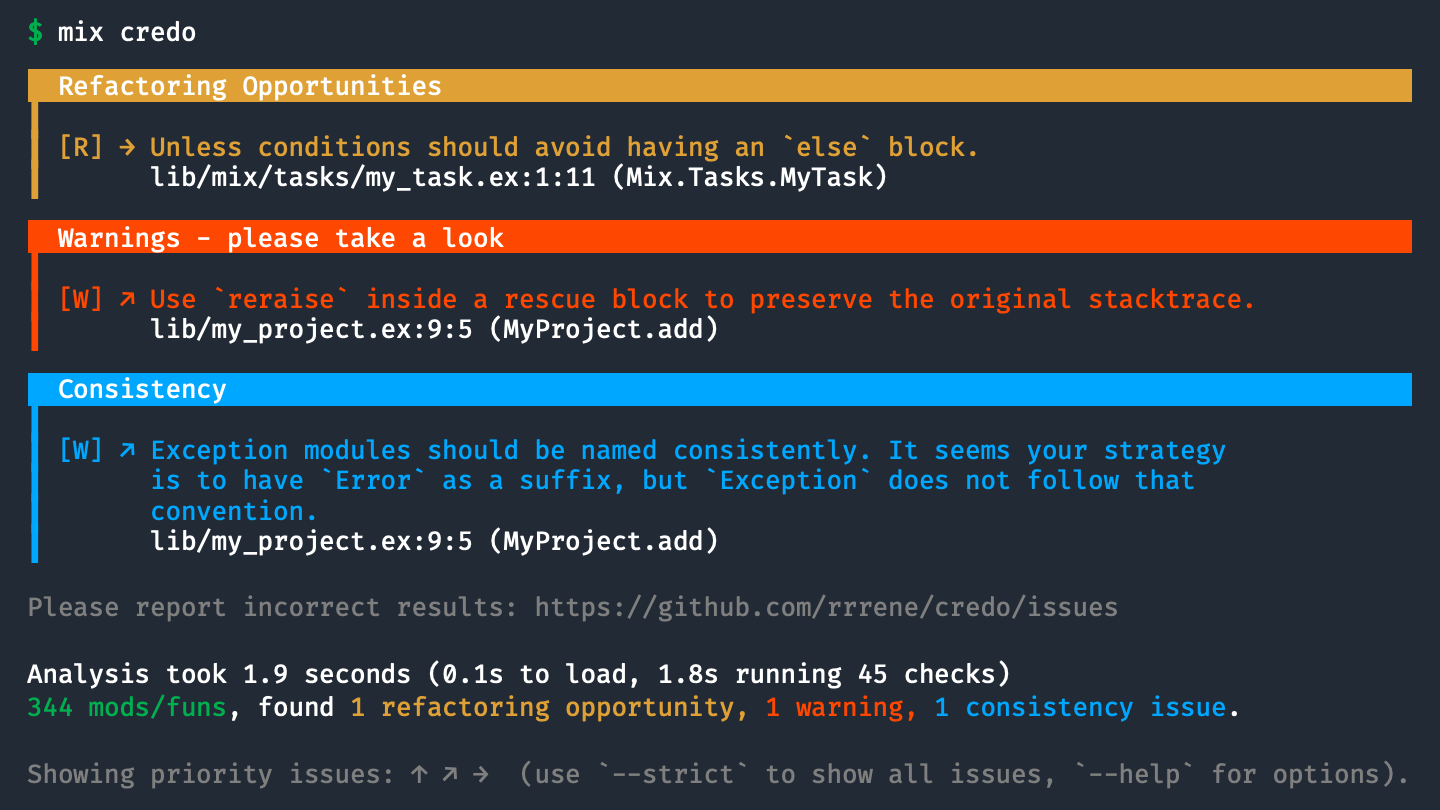
Installation and Usage
The easiest way to add Credo to your project is by using Mix.
Add :credo as a dependency to your project's mix.exs:
defp deps do
  [
    {:credo, "~> 1.7", only: [:dev, :test], runtime: false}
  ]
end
And run:
$ mix deps.get

$ mix credo
Documentation
Documentation is available on Hexdocs
Integrations
IDE/Editor
Some IDEs and editors are able to run Credo in the background and mark issues inline.
- IntelliJ Elixir - Elixir plugin for JetBrains IDEs (IntelliJ IDEA, Rubymine, PHPStorm, PyCharm, etc)
- linter-elixir-credo - Package for Atom editor (by @smeevil)
- Elixir Linter (Credo) - VSCode extension (by @pantajoe)
- flycheck - Emacs syntax checking extension
- kakoune - Config for linting support in Kakoune editor
- Neovim via null-ls - diagnostics builtin
Automated Code Review
- Codacy - checks your code from style to security, duplication, complexity, and also integrates with coverage.
Contributing
- Fork it!
- Create your feature branch (
git checkout -b my-new-feature) - Commit your changes (
git commit -am 'Add some feature') - Push to the branch (
git push origin my-new-feature) - Create new Pull Request
Author
René Föhring (@rrrene)
License
Credo is released under the MIT License. See the LICENSE file for further details.
ruff
astral-sh·Rust
用 Rust 写成的超快 Python 代码检查与格式化工具,能替代 Flake8、Black 等,大幅缩短 lint 和格式化耗时。
Python 代码检查+4代码质量
51157+3952.6k0.17.42026-11-10 17:02 UTC

open-code-review
alibaba·Go
阿里开源的大规模代码审查工具,用确定性流水线加 LLM Agent 混合架构,精准定位行级问题,内置 NPE、线程安全、XSS、SQL 注入等多语言规则集。
代码审查+4代码质量
49782+1953.7kv1.13.62026-11-10 11:15 UTC
SwiftLint
realm·Swift
Swift 代码风格检查工具,按预设规则自动扫描并报告不符合规范的写法,帮团队统一 Swift 代码风格。
Swift+4代码质量
19786+72.3k0.65.12026-11-05 17:57 UTC

diff-so-fancy
so-fancy·Perl
把 Git diff 输出重新排版成更易读的格式,突出改动位置和代码块,方便快速定位缺陷、提升代码审查效率。
代码审查+3代码质量
18114+6350v1.4.142026-10-18 18:29 UTC