首次语义命令会下载并缓存 all-MiniLM-L6-v2 嵌入模型;同一存储需保持同一嵌入模型和维度,换模型前要用 npx ruvector hooks reembed;类型化决策引擎是独立包 @ruvector/typesafe,装根包不会自动启用。
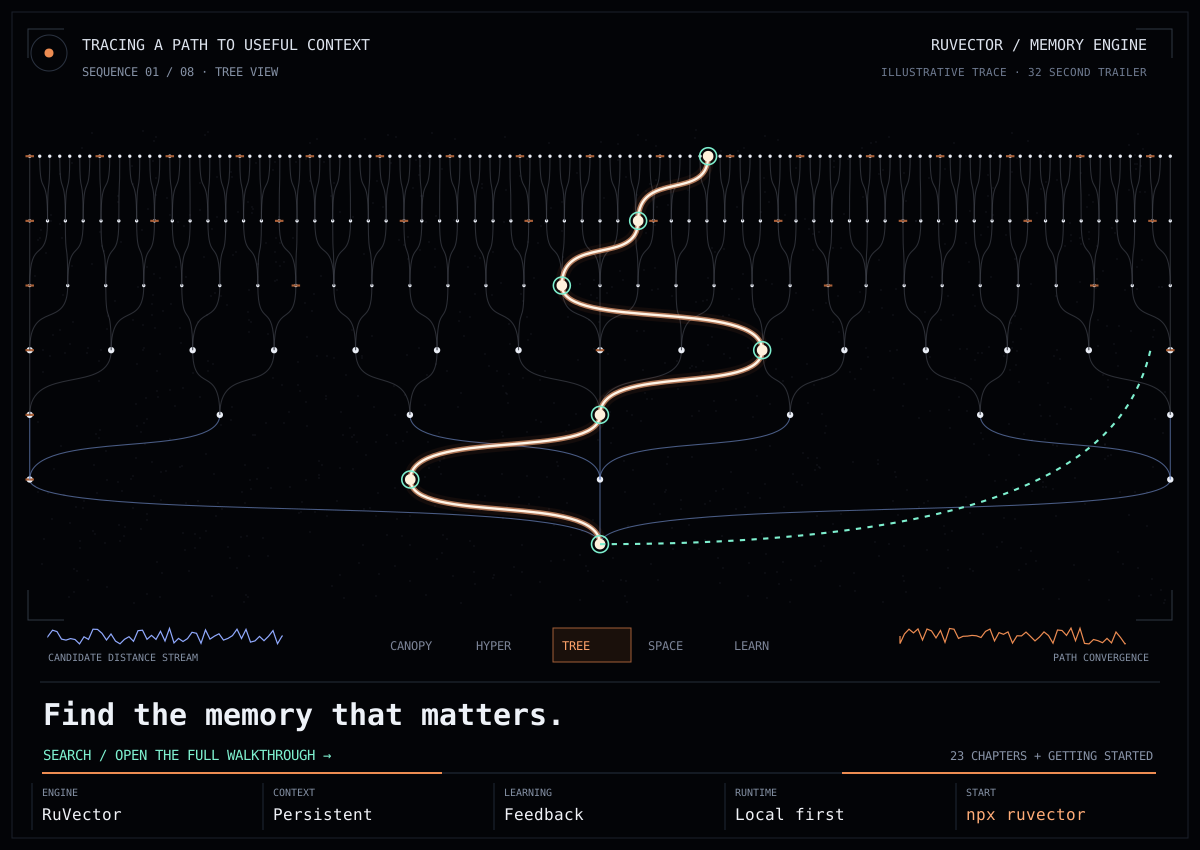
RuVector
ruvnetMIT活跃维护用 Rust 写的高性能向量图神经网络数据库,把向量检索、GNN 推理和智能体记忆放在一起,主打实时决策和低延迟自学习。
RuVector provides High Performance, Real-Time decisions and agent memory , Self-Learning Ai, Vector GNN DB built in Rust.
ruvector-wasm-v2.3.1发布于 2026-10-06 03:13 UTC4,679star +6 / 7 天628fork同步于 2026-11-10 05:36 UTC
npm install ruvector
npx ruvector info 硬件要求按 README 说明
README 未说明具体显存或 GPU 型号要求;默认检索路径在本地运行,提供 WASM 回退,未提及 CPU 运行限制。
Rust 写的本地向量库,给 AI Agent 做跨会话持久记忆和本地实时决策
用 Rust 写的高性能向量图神经网络数据库,把向量检索、GNN 推理和智能体记忆放在一起,主打实时决策和低延迟自学习。
核心能力
- 本地语义嵌入加持久向量检索,跨进程保留 Agent 上下文
- 图关系与显式反馈学习,从记录的结果中调整记忆
- 提供 MCP 服务,可接入 Claude Code 等 MCP 客户端
- @ruvector/typesafe 用本地嵌入做类型化决策并支持弃权
- 支持浏览器 WASM 向量检索与 RVF 可移植记忆产物
容易踩的坑
内容由模型根据 README 生成,可能不完整或不准确,以官方文档为准。看原文 README
- ruvector-wasm-v2.3.1ruvector-wasm 2.3.1 — IndexedDB persistence fix最新正式版2026-10-06 · 2026-10-06 03:13 UTC
ruvector-wasm 2.3.1 / @ruvector/wasm 0.2.1 — IndexedDB persistence fix
saveToIndexedDB()in 0.2.0 reported success but saved nothing, andloadFromIndexedDBwas an unimplemented stub. Both now work.Fixed
- Save is commit-gated. It resolves only after the IndexedDB transaction commits; errors and aborts (including quota exceeded) reject. The database is stored as one versioned snapshot record, so a save is all-or-nothing.
VectorDB.loadFromIndexedDB(name)is a static async that returns aVectorDB. It rejects when nothing is saved under that name, or the payload is corrupt, an unsupported format, has mismatched dimensions or has duplicate ids. A failed load no longer leaves an empty database behind.- Naming. New
setDbName(name)anddbNamegetter. Names must be 1-128 chars of[A-Za-z0-9_.-]. WithoutsetDbName, an instance saves under a random name, so choose one if you want to reload in a later session. - The snapshot stores vectors and metadata; the HNSW graph is rebuilt on load.
Design and contract: ADR-200.
Install
- crates.io:
ruvector-wasm = "2.3.1" - npm:
npm i @ruvector/[email protected]
Verification
- 16
wasm-bindgen-testbrowser tests pass in headless Chrome, including round-trip restore of vectors and search, missing database, invalid names, corrupt JSON, unsupported format and duplicate ids. - A real page saved a database, was reloaded, and loaded it back intact.
- A mutation test (removing the write) turns the round-trip test red.
Known limits
- No test forces a transaction abort or quota failure; that path is covered by code review only.
- A large database is stored as a single JSON string and the index is rebuilt on load.
- The
npm/wasmTypeScript wrapper was updated to the new API but is a separate package and was not published.
- crates-2026-09-26RuVector 2026-09-26 — 120 crates on crates.io, deterministic min-cut, faster/safer pi.ruv.io, ESP32, OpenJev pipeline2026-09-27 · 2026-09-27 00:37 UTC
查看更新说明
Plain-language summary: https://gist.github.com/ruvnet/dd8a2246f104f69bd7d755637c5d77cd
crates.io: 120 of 122 crates published
- Every publishable library crate is now on crates.io at
main's version (the remaining 2 are example apps). #1020 adds version requirements to 60 path dependencies. #1028 publishes per-crate patches:ruvector-core2.3.1,ruvector-graph2.3.2,rvf-types0.2.2,rvf-wire0.1.1. ruvector-mincut2.3.1:partition()and the witness hash are deterministic and non-degenerate (#979, #1021).- Note: the published
ruvector-corelinks the upstreamhnsw_rs, so the #773 fix inpatches/hnsw_rsis not in crates.io builds yet.
pi.ruv.io brain server (deployed:
ruvbrain-00210-zsg)- #1024: the graph rebuild runs off-lock and swaps its result in atomically. In a benchmark at production scale (60k nodes), search latency during a rebuild went from a 96 s wait to a 31 ms p99, and the rebuilt graph is bit-identical.
- #1023:
/v1/pipeline/inject*and/internal/*writes are authenticated; UTF-8 truncation panics are fixed; ranked search and the sparsifier no longer hold the graph lock (ADR-349). - #1022: writes and training are gated until Firestore hydration completes, and
/v1/statusreportshydrating. Also includes a rebuildable Dockerfile. - #1025: the SSE image builds again and sends
BRAIN_SYSTEM_KEY. - Cloud Run now runs with min 1 instance and CPU always on, so hydration takes about 1 minute instead of 30–50.
ESP32 decision firmware (#1018)
- INT8 decisions on ESP32, S2, S3, C2, C3, C6, H2 and P4, with serial OTA and automatic rollback.
- Measured on a physical C6: 21× faster host round trip, and 1000/1000 decisions match the reference.
- Images:
esp32-decision-v0.1.0andesp32-decision-v0.2.0.
Agent memory (#989)
- Ed25519
WitnessSignerfor the TARL ledger. Verification requires full coverage, a sealed tail and a signed anchor, and signs a SHA-256 digest (ADR-347).
OpenJev pipeline (#1029, ADR-008)
crates/ruvector-typesafe-train: fine-tunes the encoder in Rust/candle, transplants the weights into ONNX withortparity, and aborts training on any leakage.crates/ruvector-gpu-runner: a budget-capped vast.ai runner with auto-destroy.Engine::train_with_calibrationinruvector-typesafe-core, plus the Jev-parity bench (vs-jev.mjs,--model-dir,--no-test).- v1 frozen-test result (seed 2):
- department: 93.3% vs Jev 85.3% (non-inferior)
- urgent: 92.7% vs 61.3% (superior)
- frustration: 86.0% vs 67.3% (superior)
- p95: 10 ms
- ECE: 0.0543 (gate is 0.05, fail)
- The pre-registered primary claim is not met, so the model is not published. v2 will be judged on fresh held-out data.
🤖 Generated with claude-flow
- Every publishable library crate is now on crates.io at
- esp32-decision-v0.2.0ESP32 decision firmware 0.2.0 — 21× faster round trip, fast link, USB-JTAG images (preview)pre-release2026-09-26 · 2026-09-26 16:19 UTC
查看更新说明
This is a preview release from PR #1018, which is not merged yet. It makes the firmware faster end to end and adds a few new options. Every speed claim below was measured on a physical ESP32-C6 with images built from the same source, and all decisions matched the previous version exactly.
Plain-language guide: https://gist.github.com/ruvnet/c994f474e94ce2efbf088b9b1406488d
What's new since 0.1.0 (measured on a physical ESP32-C6)
Change Before → after Exactness inferx/sensorx: each value is sent as its 8-hex-digit IEEE-754 bit patternInput parsing: 110 µs → 8 µs (13.7×) 1000/1000 identical replies Command loop: stops waiting 50 ms for a full buffer Host round trip: 70.0 → 28.7 ms 1000/1000 identical baud 921600(up to 921,600): only takes effect afterbaud okat the new rate, and falls back to 115,200 after 2 sRound trip: 28.7 → 5.6 ms; full OTA update: 18 s → 3.7 s 1000/1000 identical format compact: replies carry exact hex floats and drop the label and timing fieldsReply size: 232 → 86 bytes; round trip: 5.6 → 3.9 ms 1000/1000 bit-identical Kernel: skips expf(0)and the division by the input's largest value; results are identical by constructionInference: 76.6 → 69.2 µs; now passes the ADR's ≥1.10× rule (1.108×) 3 × 84,480 exact differential checks USB-Serial/JTAG images for S3, C3, C6, H2 and P4 boards that have no USB-UART chip New Build-only (see below) Overall: one occupancy decision used to take 80 ms from host to board and back. It now takes 3.9 ms, about 21× faster. On-chip time per request dropped from 198 µs to about 92 µs.
Host tools:
Device(baud=921600),ota.py --baud 921600. The Windows serial stalls were a host-side bug: pyserial'sflush()sleeps 50 ms whenever bytes are still queued. It's fixed intools/transport.py.Files
Kind Files First install (flash at 0x0)ruvector-decision-<chip>-<variant>-factory.binUpdate over serial ruvector-decision-<chip>-<variant>-ota.bin, sent withtools/ota.pyChips esp32,esp32s2,esp32s3,esp32c2,esp32c3,esp32c6,esp32h2,esp32p4Variants full(includes profiling),production(frees 16 KB of RAM),usbjtag(built-in USB port; S3, C3, C6, H2, P4 only)esptool.py --chip auto write_flash 0x0 ruvector-decision-esp32c6-full-factory.bin python3 examples/esp32-decision/tools/ota.py --port /dev/ttyUSB0 --baud 921600 ruvector-decision-esp32c6-production-ota.binHardware status
- ESP32-C6 (via a CP210x USB-UART bridge): tested on real hardware. Checked with these exact images:
- factory boot and self-test; bench 172.0 µs
- JSON and compact replies
- 921,600 baud
- OTA update committed in 3.5 s
- a broken image rolled back in 3.7 s
- All other chips, and every USB-Serial/JTAG image: build-only. They compile and pass CI but have never run on silicon.
- Not yet measured: energy use, S3 hardware rounds, a real sensor capture driver, network OTA, and image signing.
All 42 images were built with
espressif/idf:v5.4.4from commitb04c3d7. Evidence files are inexamples/esp32-decision/tests/evidence/, and details are in the ADR-007 follow-up sections. Verify downloads withsha256sum -c SHA256SUMS. - ESP32-C6 (via a CP210x USB-UART bridge): tested on real hardware. Checked with these exact images:
- esp32-decision-v0.1.0ESP32 decision firmware 0.1.0 — all ESP32 chips, safe serial OTA (preview)pre-release2026-09-26 · 2026-09-26 14:24 UTC
查看更新说明
Preview firmware from PR #1018, which is not merged yet. It runs RuVector decision models on the ESP32 itself, with no cloud or Wi-Fi needed. You can update it over the USB serial port, and it rolls back automatically if an update fails its self-test.
Plain-language guide: https://gist.github.com/ruvnet/c994f474e94ce2efbf088b9b1406488d
Which file do I need?
Your chip First install (flash at 0x0)Later updates (OTA) ESP32 (original) ruvector-decision-esp32-full-factory.binruvector-decision-esp32-full-ota.binESP32-S2 …-esp32s2-full-factory.bin…-esp32s2-full-ota.binESP32-S3 …-esp32s3-full-factory.bin…-esp32s3-full-ota.binESP32-C2 (2 MB flash) …-esp32c2-full-factory.bin…-esp32c2-full-ota.binESP32-C3 …-esp32c3-full-factory.bin…-esp32c3-full-ota.binESP32-C6 …-esp32c6-full-factory.bin…-esp32c6-full-ota.binESP32-H2 …-esp32h2-full-factory.bin…-esp32h2-full-ota.binESP32-P4 …-esp32p4-full-factory.bin…-esp32p4-full-ota.binEach chip also has a
productionvariant. It removes the profiling buffers, which frees 16 KB of RAM; inference,selftest,benchandenergyall still work.Install
pip install esptool
esptool.py --chip auto write_flash 0x0 ruvector-decision-esp32c6-full-factory.bin
You can also use the browser flasher at https://espressif.github.io/esptool-js/: pick the factory file and set the address to
0x0. Then open a serial terminal at 115200 baud and sendmeta. The reply should include"selftest_pass":true.Update over serial (OTA)
python3 examples/esp32-decision/tools/ota.py --port /dev/ttyUSB0 ruvector-decision-esp32c6-production-ota.binThis works on every chip, including the H2 and P4, which have no Wi-Fi. The board has two app slots. A new image is only kept if its model self-test passes after reboot; otherwise the board switches back to the previous image. The board rejects an image with the wrong SHA-256, an image built for another chip, and a transfer that stops partway.
What was verified (measured)
On a physical ESP32-C6 (CP210x, 160 MHz), using these exact images:
- factory boot, self-test and
bench: 174.5 µs per decision - OTA to the production image: committed, 21.6 s transfer
- OTA of a deliberately broken image: rolled back automatically
Earlier on the same board, with images built from identical sources:
- 1000/1000 decisions matched the Rust reference (INT16); INT8 matched 99.8%
- An 11-round paired rig with the real occupancy model gave exact decisions in every round, and the PR kernel was 1.056× faster than baseline. That is below the ADR's 1.10× bar for claiming a speedup.
- Six OTA rejection cases were each refused, with the board still running its previous image.
- The production image has 16,384 more bytes of free heap.
All 16 images were built with
espressif/idf:v5.4.4from commit88e5b13. The C6 is the only chip that has run on silicon. The ESP32, S2, S3, C2, C3, H2 and P4 images are cross-compiled only and have not been run on hardware. Evidence is inexamples/esp32-decision/tests/evidence/(ota-esp32c6-physical.json,rig-esp32c6-physical.json,release-builds.json) and in the ADR-007 follow-up section.Limits
- The bundled default model is the synthetic demo model. The occupancy model was trained on one office and is a benchmark, not a deployable occupancy detector.
- Boards need a USB-UART bridge on UART0; most DevKitC boards have one. Boards that only have the chip's built-in USB-Serial/JTAG port are not supported yet.
- OTA runs over the serial port only: there is no network OTA and no image signing. Anyone who can reach the port can already reflash the board through the ESP32's built-in serial bootloader.
- Not measured yet: energy, S3 physical rounds, and real sensor capture.
Verify downloads with
sha256sum -c SHA256SUMS. - factory boot, self-test and
- ruvector-v0.2.40ruvector 0.2.40 — MetaHarness, Darwin, and Flywheel2026-07-29 · 2026-07-29 22:13 UTC
查看更新说明
RuVector 0.2.40: MetaHarness, Darwin, and Flywheel
RuVector 0.2.40 makes its research and optimization control plane available through the npm SDK, CLI, and MCP server. The integration uses pinned, direct dependencies so an installed package has the same capability set that was tested for the release.
Install
npm install [email protected]Node.js 20 or newer is required.
Check the installation
npx ruvector harness doctor --jsonThe doctor loads and checks all nine pinned capabilities:
- MetaHarness core
- Darwin
- Flywheel
- algorithmic harness kernel
- cost-aware router
- Red/Blue safety controls
- Weight-EFT reward-hack detection
- workspace lens
- workspace probe
Use the SDK
All new APIs are exported from the main
ruvectorpackage:const { getMetaHarnessCapabilities, routeWithMetaHarness, evaluateMetaHarnessPromotion, verifyMetaHarnessReplay, } = require('ruvector'); const capabilities = await getMetaHarnessCapabilities(); const route = await routeWithMetaHarness({ rows: [ { embedding: [1, 0], scores: { economical: 0.91, frontier: 0.99 }, }, ], prices: { economical: 1, frontier: 20 }, queryEmbedding: [1, 0], qualityBar: 0.9, }); console.log(route); // { id: "economical", predictedQuality: 0.91, costPerMTok: 1, metBar: true }Additional SDK entry points support:
- Flywheel generation runs and signed replay verification
- explicit Darwin evolution runs
- frozen promotion-gate evaluation
- algorithmic harness construction
- workspace receipt scoring
- reward-hack trajectory scanning
- live-credential guards
Darwin will not execute unless the caller explicitly supplies
{ execute: true }.Use the CLI
Route by quality and cost
Prepare three JSON files:
[
  {
    "embedding": [1, 0],
    "scores": {
      "economical": 0.91,
      "frontier": 0.99
    }
  }
]
{ "economical": 1, "frontier": 20 }[1, 0]Then route:
npx ruvector harness route \
  --examples examples.json \
  --prices prices.json \
  --query query.json \
  --quality-bar 0.9
Verify research evidence
npx ruvector harness flywheel verify replay-bundle.json
npx ruvector harness flywheel gate promotion-evidence.json
Run Darwin explicitly
npx ruvector harness darwin evolution-config.json --executeThe
--executerequirement is deliberate because Darwin candidates can run code. Review the configuration and sandbox policy before authorizing a run.Use MCP safely
Start the MCP server with the curated read-only profile:
RUVECTOR_MCP_PROFILE=readonly npx ruvector mcp startThe profile exposes six non-executing MetaHarness tools:
metaharness_statusmetaharness_routemetaharness_replay_verifymetaharness_flywheel_gatemetaharness_workspace_probemetaharness_reward_hack_scan
Darwin execution and Flywheel mutation loops are intentionally not exposed over MCP. They remain explicit SDK/CLI authority boundaries.
Upgrade notes
- Node.js 20+ is now required.
- MetaHarness packages are direct dependencies and are installed with RuVector.
- Dependencies are loaded lazily, keeping ordinary RuVector startup fast.
- Existing vector database APIs remain available from the same package entry point.
Verification
The published tarball was installed into a clean project before release. The release passed the full npm suite, SDK/CLI/MCP integration checks, MCP handshake and policy checks, distribution verification, startup-budget checks, and a production dependency audit with zero reported vulnerabilities.
用户点评
登录用户的真实使用记录,可按版本和硬件筛选共 0 条
还没有人点评。第一个说出真实体验的人最有价值。
RuVector: Vector Search, Persistent Agent Memory, and Local AI Decisions
RuVector is a Rust native substrate for fast local decisions and agent memory across sessions. It combines local semantic embeddings, persistent vector retrieval, graph relationships, explicit feedback learning, memory lifecycle controls, and optional shared memory.
Built by Reuven Cohen (rUv) as part of the ruvnet open source AI stack. Cognitum One provides the commercial enterprise layer.


Explore: Quick starts · Build recipes · Tutorials · Library catalog · Contrastive AI · Deployment · Benchmarks
System 0, System 1, and System 2
RuVector supports three complementary roles in the wider ruvnet stack. These are architecture groups, not automatic execution tiers or a claim that every component is installed together.
| System | Role | Libraries | Tutorials and examples |
|---|---|---|---|
| System 0: Sense & Respond | Encode observations and make bounded local decisions | ONNX embeddings, typed decisions, browser WASM | 30 second memory quick start, typed decision guide, browser example |
| System 1: Learn & Remember | Persist context, retrieve evidence, and adapt from explicit feedback | VectorDB, graph memory, SONA, contrastive primitives | Node.js memory tutorial, Python guide, SONA guide |
| System 2: Reason & Orchestrate | Reconstruct multi step context, coordinate work, and govern execution | RuvLLM, RVF, Ruflo, MetaHarness | MRAgent example, MCP integration, Ruflo getting started |

Quick start: choose your track
| Track | Use it for | Prerequisites |
|---|---|---|
npm ruvector | Project memory and a Node.js application | Node.js and npm; supported native backend |
MCP via npm ruvector | Give an MCP client access to RuVector tools | Node.js, npm, and an MCP compatible client |
PyPI ruvector | Vector search from Python | Python 3.9+, Rust, and a virtual environment for the source install |
crates.io ruvector-core | Embed the Rust core directly | Rust toolchain and Cargo |
Track 1: npm ruvector
Package: ruvector on npm.
Install the npm package and run the CLI:
npm install ruvector
npx ruvector info
npx ruvector hooks remember --semantic --type decision \
  "The customer requires all inference to remain in Canada."
npx ruvector hooks recall --semantic --top-k 3 \
  "Where may customer data be processed?"
The first semantic command downloads a local embedding model. Reuse the same project directory and model to retain searchable context. Node.js SDK example · Node.js API.
Track 2: MCP via npm ruvector
The MCP server is included in the ruvector npm package.
Inspect the tools and start with the read only profile:
npx ruvector mcp tools
RUVECTOR_MCP_PROFILE=readonly npx ruvector mcp start
Configure your MCP client to launch npx with arguments ruvector mcp start, environment RUVECTOR_MCP_PROFILE=readonly, and the project as its working directory. Use the client configuration format it supports. Enable writes only through an explicit tool policy. MCP integration and policy.
Claude Code setup
Run these commands from your project directory with Node.js, npm, and Claude Code installed:
npm install ruvector
claude mcp add --scope project --env RUVECTOR_MCP_PROFILE=readonly --transport stdio ruvector -- npx -y ruvector mcp start
claude mcp get ruvector
Open Claude Code in the same project, approve the project MCP server when prompted, and use /mcp to check the connection. Project scope stores the configuration in .mcp.json. Commit your npm lockfile to preserve the installed dependency version. See Claude Code's MCP documentation.
Try this prompt:
Use the ruvector MCP server to inspect the available memory and retrieve context relevant to this project. Report which records support your answer. If the store is empty, say so.
Optional project instruction: add this to your project's CLAUDE.md:
## RuVector memory

* Retrieve relevant project context through the ruvector MCP server before using remembered decisions.
* Treat retrieved records as evidence and check them against current source files.
* Include record IDs or provenance when available.
* Respect the configured read only tool policy. Do not bypass it with shell commands.
* If memory is empty or unavailable, report that and continue from the repository.
Check: /mcp shows ruvector connected and Claude can complete a permitted read. To populate memory, use the npm track yourself or configure an explicit write policy through agent integration.
Track 3: PyPI ruvector
Python distribution name: ruvector; import name: ruvector. See the Python package manifest and installation guide.
The Python guide currently documents a source installation. This path avoids assuming a published PyPI wheel is available.
git clone https://github.com/ruvnet/RuVector.git
cd RuVector
python3 -m venv .venv
source .venv/bin/activate
python -m pip install maturin
cd crates/ruvector-py
maturin develop --release
The activation command above is for bash or zsh; on Windows use .venv\Scripts\Activate.ps1. Rust and its platform build tools are required.
import numpy as np
from ruvector import Collection

memory = Collection.create(dim=3)
vector = np.array([1.0, 0.0, 0.0], dtype=np.float32)
memory.insert(vector, metadata={"text": "A stored example"})
hits = memory.search(vector, k=1)
print(hits[0].metadata)
memory.save("my-memory")
restored = Collection.load("my-memory")
assert len(restored) == 1
This example uses a fixed vector to demonstrate storage, recall, and persistence. Use your embedding model for semantic text search. Python SDK tutorial and integrations.
Track 4: crates.io ruvector-core
Package: ruvector-core on crates.io; Rust import: ruvector_core.
Create a small application with the persistent storage feature. This example uses exact search and disables the default optional features.
cargo new ruvector-memory
cd ruvector-memory
cargo add ruvector-core --no-default-features --features storage
Replace src/main.rs with:
use ruvector_core::{DbOptions, SearchQuery, VectorDB, VectorEntry};

fn main() -> Result<(), Box<dyn std::error::Error>> {
    let db = VectorDB::new(DbOptions {
        dimensions: 3,
        storage_path: "./agent-memory.db".into(),
        hnsw_config: None,
        quantization: None,
        ..Default::default()
    })?;

    db.insert(VectorEntry {
        id: Some("example-1".into()),
        vector: vec![1.0, 0.0, 0.0],
        metadata: None,
    })?;

    let hits = db.search(SearchQuery {
        vector: vec![1.0, 0.0, 0.0],
        k: 1,
        filter: None,
        ef_search: None,
    })?;

    assert_eq!(hits[0].id, "example-1");
    println!("Nearest memory: {} (score: {})", hits[0].id, hits[0].score);
    Ok(())
}
cargo run --release
The fixed vector demonstrates insertion and retrieval; supply embeddings for semantic search. Keep Cargo.lock for reproducible dependency resolution. Rust API reference · Current core types · Storage and search implementation.
Where does contrastive AI fit?
Contrastive AI spans these groups: learn useful distinctions in System 1, apply them to bounded System 0 decisions, and evaluate their use in System 2 workflows. Representation learning, graph diagnostics, and promotion policy are distinct mechanisms.
| Concept | Purpose | Library or implementation | Learn by example |
|---|---|---|---|
| Similarity and separation | Learn representations that bring related examples closer and separate mismatches | InfoNCE and triplet losses | Contrastive training example, training guide |
| Structure and coherence | Examine relationships, weak graph connections, and time sensitive recall | MinCut, temporal coherence | MinCut guide, temporal memory design |
| Feedback and bounded adaptation | Update learning state from outcomes and evaluate proposed changes | SONA, MRAgent optimization example | SONA guide, MRAgent design |
Watch rUv's illustrated contrastive AI walkthrough. Contrastive losses do not establish factual truth; graph coherence does not replace task evaluation, access control, or promotion approval. These components require explicit integration and are not all enabled in the default search path.
Build by example
Choose one outcome, follow its guide, and check the result before adding more components.
| Build | Libraries to start with | Example or tutorial | Acceptance check |
|---|---|---|---|
| Persistent agent memory | npm ruvector or Rust ruvector-core | Node.js, Rust, Python | A fresh process retrieves a record written by the previous process |
| Local ticket routing | npm @ruvector/typesafe | Typed decisions and evaluation | Measure accuracy, abstention, and p95 latency on your held out tickets |
| Knowledge graph retrieval | npm @ruvector/graph-node, @ruvector/kge | Graph examples, KGE guide | Return source relationships; evaluate predicted links separately from stored facts |
| Browser vector search | npm @ruvector/wasm | Vanilla JavaScript, React | Insert and query in the browser; explicitly test persistence if required |
| Feedback driven memory | SONA, MRAgent reconstruction | SONA, MRAgent | Compare a frozen baseline with the candidate on a separate evaluation set |
| Portable memory artifacts | npm @ruvector/rvf, @ruvector/rvf-mcp-server | RVF examples, MCP setup | Reopen the artifact and confirm expected records and configured tool permissions |
How the components work together

The application connects these components. Keep source IDs with retrieved evidence, record the outcome of an action, and evaluate any proposed learning change before retaining it. See contrastive AI for the distinction between representation learning, graph diagnostics, and promotion policy.
What is RuVector used for?
| Goal | Start here |
|---|---|
| Search vectors or retain agent context | ruvector Node.js SDK, ruvector-core Rust crate |
| Classify text or return typed local decisions | @ruvector/typesafe |
| Explore vectors visually | Interactive RuVector Explorer |
| Choose graph, browser, database, or shared memory components | Memory paths and deployment surfaces |
Quick start · Memory loop · Limitations · Reproducible benchmarks
The default retrieval path runs locally. Learning happens from recorded outcomes and feedback, not from reads alone. Hosted services remain optional and create a separate data boundary.
How do local typed decisions work?

@ruvector/typesafe turns text into typed choice, score, and noul decisions using local embeddings and native decision heads, with a WASM fallback. It returns confidence and abstention information, supports labeled examples and evaluation, and can serve a Jev-compatible HTTP API. Use it for bounded tasks such as ticket routing, intent classification, and urgency assessment where a full language model call is unnecessary. The decision engine is a separate package; installing the root ruvector package does not enable it automatically.
On the documented 150-ticket test split, the local ONNX decision engine reports 4–10 ms p95 for its campaign configurations, with 77.3–84.0% department accuracy; the Jev replay reference reports 231 ms p95 and 85.3% accuracy. Those are workload-specific measurements, not a universal speed or quality guarantee. The default hash embedder is a test double and is not calibrated for production decisions. See the typed decision quick start and benchmark details.
Where is CLI memory stored?
The npm quick start stores memory under the current project for later processes. The first semantic command downloads and caches all-MiniLM-L6-v2. Keep one embedding model and dimension per store; use npx ruvector hooks reembed before changing an existing store from hash to semantic embeddings. Inspect it with npx ruvector hooks stats.
Embed persistent memory in Node.js
npm install ruvector
const { OnnxEmbedder, VectorDB } = require('ruvector');

async function main() {
  const embedder = new OnnxEmbedder();
  await embedder.init();

  const db = new VectorDB({
    dimensions: 384,
    distanceMetric: 'cosine',
    storagePath: './agent-memory.db',
  });

  const memories = [
    {
      id: 'decision-1',
      text: 'The customer requires all inference to remain in Canada.',
      kind: 'decision',
    },
    {
      id: 'episode-1',
      text: 'The Toronto pilot passed its privacy review on Tuesday.',
      kind: 'episode',
    },
    {
      id: 'procedure-1',
      text: 'Escalate production access through the security owner.',
      kind: 'procedure',
    },
  ];

  for (const memory of memories) {
    const vector = await embedder.embedPassage(memory.text);
    await db.insert({
      id: memory.id,
      vector,
      metadata: {
        text: memory.text,
        kind: memory.kind,
        tenant: 'acme',
        createdAt: Date.now(),
      },
    });
  }

  const query = await embedder.embedQuery(
    'Where may the customer data be processed?',
  );

  const results = await db.search({
    vector: query,
    k: 3,
    filter: { tenant: 'acme' },
  });

  console.log(results.map(({ score, metadata }) => ({ score, ...metadata })));
}

main().catch(console.error);
Reopen the same storagePath in another process to recover the stored vectors, metadata, configuration, and searchability. Search score is a distance, so lower values are closer. See the Node.js API and Rust API for the complete interfaces.
Language tutorials
Follow the complete Node.js write and reopen tutorial, Python SDK and integration guide, or Rust persistence tutorial. The examples hub groups browser, graph, contrastive learning, runtime, and deployment examples by System 0, 1, and 2.
The memory loop

flowchart TD
    A[Capture an event, fact, or outcome] --> B[Create a local or external embedding]
    B --> C[Persist vectors, metadata, and relationships]
    C --> D[Recall by similarity, filters, time, or graph]
    D --> E[Use memory in an agent decision]
    E --> F[Record outcome and feedback]
    F --> G[Adapt ranking or learning state]
    G --> C
    C --> H[Compact, snapshot, branch, or replicate]
RuVector provides primitives for this loop. Your application remains responsible for deciding what is worth remembering, which evidence is trusted, when a memory expires, and which actions recalled context may influence.
What memory means in RuVector
Memory classes are application semantics over vectors, metadata, and graphs. The core store is general purpose. RuVector currently exposes two typed layers:
-
ruvllm::context::AgenticMemorycombines working, episodic, semantic, and procedural memory behind one runtime API. It is implemented, but its unified manager is currently in memory and its cross type consolidation method is not complete. -
ruvector-core::AgenticDBpersists Reflexion episodes, skills, causal edges, learning sessions, policy state, session turns, and a hash linked witness log. Its typed memory APIs support ONNX, Candle, and API embedding providers for semantic retrieval.
| Memory class | Representation | RuVector surface |
|---|---|---|
| Working and session | Current task, scratchpad, tool cache, turns, namespace, TTL | WorkingMemory, SessionStateIndex |
| Episodic and Reflexion | Trajectory, task, action, observation, critique, outcome | EpisodicMemory, ReflexionEpisode |
| Semantic | Facts, confidence, source, tags, relations, collection | VectorDB, SemanticFact |
| Procedural | Skills, actions, triggers, examples, policies, Q values | ProceduralSkill, PolicyMemoryStore |
| Causal and relational | Nodes, edges, hyperedges, Cypher paths | ruvector-graph |
| Learning | Trajectories, rewards, adapters, EWC state | SONA |
| Shared | Contributions, provenance, voting, transfer | mcp-brain |
| Auditable | Hash linked entries, snapshots, RVF witnesses | WitnessLog, ruvector-snapshot, RVF |
Library and capability map
Choose libraries by responsibility. These groups are a navigation model: a library can serve more than one system. npm names below come from package manifests; crate links point to repository guides. Publication, platform support, and maturity vary by package. Installing ruvector does not install every library in this monorepo.
System 0 libraries · System 1 libraries · System 2 libraries · All npm packages · All Rust crates · All examples
System 0: Sense & Respond

Encode incoming observations for retrieval and bounded decisions. Typed decision tutorial · Semantic embeddings setup
Sensing and decision libraries
| Library | Purpose | Guide or example |
|---|---|---|
@ruvector/typesafe | Local choices, scores, and typed decisions | Decision walkthrough |
@ruvector/cnn | Image feature extraction and embeddings | CNN guide |
@ruvector/router | Match intent to a configured route | Semantic routing |
ruvector-embed-core | Embedding primitives | Local ONNX example |
ruvector-mmwave | Radar sensing components | Crate guide |
ruvector-robotics | Robotics integration | Robotics core |
Try it: ONNX in WASM · Browser with React · Browser without a framework · Edge examples.
Capture and encode
| Capability | What it enables | Surface |
|---|---|---|
| Local semantic embeddings | Text memory without a per query API fee | OnnxEmbedder |
| External embeddings | Bring an existing embedding model or provider | EmbeddingProvider |
| Embedding provenance | Track model, dimension, normalization, and query or passage role | ADR 210 |
| Batch and parallel embedding | Higher throughput during memory ingestion | ONNX implementation |
System 1: Learn & Remember

Store context, reconstruct relevant evidence, and adapt from recorded feedback. Node.js tutorial · Python tutorial · Contrastive training guide
Memory and learning libraries
| Library | Purpose | Guide or example |
|---|---|---|
@ruvector/kge | Knowledge graph embeddings and link prediction | KGE tutorial |
@ruvector/graph-node | Native graph and hypergraph access | Graph examples |
@ruvector/sona | Adaptation from trajectories and rewards | SONA architecture |
@ruvector/diskann | Disk oriented approximate nearest neighbors | DiskANN guide |
rvlite | Lightweight SQL, SPARQL, and Cypher memory | rvlite tutorial |
ruvector-mincut | Graph partition and coherence diagnostics | MinCut examples |
ruvector-coherence | Structural coherence components | Coherence guide |
ruvector-memory-admission | Decide which observations enter memory | Admission guide |
ruvector-query-cache | Cache retrieval work | Cache guide |
ruvector-recall-bounded | Bounded recall components | Recall guide |
ruvector-retrieval-receipt | Retrieval evidence and receipts | Receipt guide |
Try it: Node.js examples · Rust examples · MRAgent reconstruction · Contrastive training.
Persist and organize
| Capability | What it enables | Surface |
|---|---|---|
| Durable vector storage | Vectors, metadata, deletes, and restart recovery | ruvector-core |
| Unified four type runtime memory | Working, episodic, semantic, and procedural recall | AgenticMemory |
| Typed persistent agent records | Reflexion episodes, skills, causal edges, policy state, sessions, and witness logs | AgenticDB |
| HNSW and flat indexes | Approximate or exact local similarity search | ruvector-core |
| Collections and aliases | Separate schemas and namespaces by workload | ruvector-collections |
| Graph and hypergraph storage | Explicit relationships and multi-hop memory | ruvector-graph |
| High write ingestion | Mutable L0 memory plus background L1 and L2 compaction | ruvector-lsm-ann |
| Edge and embedded persistence | Lightweight local vector storage through the RVF Core Profile | rvlite |
| PostgreSQL extension | Keep vector memory beside relational data | ruvector-postgres |
Recall and reconstruct
| Capability | Best use | Surface |
|---|---|---|
| Dense similarity | General semantic recall | VectorDB::search |
| Metadata filtering | Simple structured narrowing | SearchQuery |
| Sparse and dense fusion | Exact terms plus semantic meaning | ruvector-hybrid, ADR 256 |
| Predicate aware ANN | Selective filters without post filter recall collapse | ruvector-acorn |
| Temporal decay | Prefer recent memories when the domain changes | ruvector-temporal-coherence, ADR 211 |
| Coherence gating | Prefer memories supported by related observations | ruvector-temporal-coherence |
| Graph reconstruction | Follow Cue, Tag, and Content associations instead of retrieving one flat chunk | MRAgent example, ADR 269 |
| Multi-vector MaxSim | Late interaction over token or passage vectors | ruvector-maxsim, ADR 252 |
| GNN reranking | Rerank a noisy candidate graph | ruvector-gnn-rerank, ADR 194 |
| Matryoshka funnel | Coarse to fine search for truncatable embeddings | ruvector-matryoshka |
| Disk backed ANN | Move read heavy indexes toward SSD scale | ruvector-diskann |
Learn and adapt
| Capability | What changes | Trigger |
|---|---|---|
| SONA MicroLoRA | Small adapter weights | Recorded trajectory and reward |
| EWC++ consolidation | Protects important learned weights from catastrophic forgetting | Explicit consolidation |
| Outcome aware routing | Policy and routing preferences | Success, failure, or quality signal |
| GNN reranking | Candidate ordering | Training data or configured reranker |
| Self reconstructing graph memory | Shortcut edges after successful reconstruction | Successful graph traversal |
| Darwin optimization | Retrieval and reconstruction configuration | External benchmark and promotion gate |
Reading or searching memory does not, by itself, mutate learned weights or guarantee better future results.
Consolidate, compress, and recover
| Capability | What it controls | Surface |
|---|---|---|
| LRU, LFU, and coherence compaction | Which memories survive a capacity limit | ruvector-agent-memory, ADR 252 |
| Temporal tensor codecs | Low bit storage and temporal segment reuse | ruvector-temporal-tensor |
| Product quantization | Compressed candidate search with exact query vectors | ruvector-pq-search |
| RaBitQ | Deterministic one bit candidate encoding and optional reranking | ruvector-rabitq |
| Graph condensation | Smaller graph memory while retaining original member provenance | ruvector-graph-condense |
| Full snapshots | Serialized recovery data with compression and checksums | ruvector-snapshot |
| Copy on write branches | Isolated memory experiments without full copies | RVF |
| Cache consistency modes | Fresh, eventual, or frozen reads across data sources | ruvector-rulake |
The DbOptions.quantization field in ruvector-core is persisted but is not currently applied to core storage or indexes. Use a specialized compression crate when physical compression is required. See the source note in types.rs.
System 2: Reason & Orchestrate

Combine memory with application reasoning, agent coordination, and explicit governance. Ruflo and MetaHarness are complementary external projects; RuVector supplies memory and supporting primitives. MCP integration tutorial · Graph reconstruction example · Ruflo guide
Runtime, orchestration, and governance libraries
| Library | Purpose | Guide or example |
|---|---|---|
@ruvector/ruvllm | Local language model runtime | RuVLLM examples |
@ruvector/tiny-dancer | Neural routing and circuit breakers | Router tutorial |
@ruvector/wasm-unified | Unified browser and WASM API | WASM guide |
@ruvector/rvf | Vector artifact SDK | RVF examples |
@ruvector/rvf-mcp-server | Expose RVF through MCP | MCP server setup |
@ruvector/rvforge | Turn RVF artifacts into signed installers | RVForge guide |
rvAgent | Agent runtime components | Runtime guide |
rvm | Execution substrate | RVM guide |
ruvector-proof-gate | Evidence and promotion gates | Proof gate guide |
ruvector-bounded-rag | Retrieval with bounded execution | Bounded RAG guide |
ruvector-cluster-rag | Cluster based retrieval components | Cluster RAG guide |
ruvector-server | Service deployment | Server guide |
Try it: Agent to agent swarm · REFRAG pipeline · Google Cloud examples · Python Agentforce example.
Govern and distribute
| Capability | What it provides | Surface |
|---|---|---|
| Namespace isolation | Separate collections and schemas | ruvector-collections |
| Capability gated retrieval | Per vector 64 bit read masks inside search | ruvector-capgated, ADR 268 |
| Tamper evident lineage | Hash linked records and witness verification | RVF |
| Replication primitives | Vector clocks, local change propagation, and conflict strategies | ruvector-replication |
| Raft primitives | Election, log, and metadata state machine components | ruvector-raft |
| Shared collective memory | Remote contributions, search, provenance, and voting | mcp-brain |
Choose a memory path
| Requirement | Start with | Add when needed |
|---|---|---|
| Local agent or coding memory | npx ruvector hooks | ONNX semantic mode, MCP |
| Embedded Node.js service | ruvector and VectorDB | Graph, SONA, snapshots |
| Embedded Rust service | ruvector-core | Specialized retrieval crates |
| Typed in-process agent memory | ruvllm::context::AgenticMemory | External persistence and consolidation policy |
| High write event stream | ruvector-lsm-ann | Snapshot and compaction policy |
| Multi-hop enterprise knowledge | ruvector-graph | Hybrid cue search and reconstruction harness |
| Recency sensitive memory | ruvector-temporal-coherence | Learned half-life after domain evaluation |
| Memory constrained edge node | ruvector-pq-search or ruvector-rabitq | Exact reranking for critical recalls |
| Existing lake or warehouse | ruvector-rulake | RVF witness bundles |
| PostgreSQL estate | ruvector-postgres | Build and operate with pgrx separately |
| Cross-agent shared memory | mcp-brain | Explicit hosted data policy and trust controls |
Agent integration
For automated agent integration, install the package locally and commit your lockfile:
npm install ruvector
RUVECTOR_MCP_PROFILE=readonly npx ruvector mcp start
List the currently available tools instead of relying on a hardcoded count:
npx ruvector mcp tools
Use RUVECTOR_MCP_ALLOW and RUVECTOR_MCP_DENY for an explicit tool policy. No policy preserves the broader compatibility surface, so production deployments should set one deliberately.
If you enable editor or coding hooks, inspect the generated configuration, keep the package local and pinned, and run npx ruvector hooks verify. Do not depend on a fresh @latest download inside each hook invocation.
Deployment surfaces

| Surface | Package or crate | Data boundary |
|---|---|---|
| Node.js and TypeScript | ruvector | Local process and local files |
| Rust | ruvector-core | Local process and local files |
| Browser | @ruvector/wasm | Browser memory and browser storage |
| HTTP service | ruvector-server | Your service boundary |
| PostgreSQL | ruvector-postgres | Your database boundary |
| RVF cognitive container | crates/rvf | Portable signed artifact |
| Shared Brain | mcp-brain | Optional hosted service |
Native npm binaries cover glibc Linux on x64 and arm64, macOS on x64 and arm64, and Windows on x64. Browser and other environments use separate packages. The root package's fallback mode is limited when neither the native core nor RVF can load; use @ruvector/wasm explicitly for browser vector operations. Validate the selected backend with:
npx ruvector info
Security and governance
-
Treat embeddings as sensitive derivatives of source data. Apply the same classification, residency, access, and retention policy as the original content.
-
Collections and metadata filters organize memory; they are not a complete authorization boundary. Enforce identity and authorization in the application. Capability gated ANN is currently a research component with a 64 capability mask and documented side channel and recall limitations.
-
RVF witnesses and hash linked logs are tamper evident. They do not encrypt memory content or prevent an authorized process from reading it.
-
A delete from the live store does not automatically remove copies in snapshots, branches, replicas, exports, or hosted memory. Define retention and erasure across every copy.
-
Shared Brain is a hosted plane. Review its network, identity, provenance, poisoning, and data residency controls before sending enterprise memory.
-
Pin and prepopulate embedding models for offline or regulated deployments. The default npm semantic path downloads its model on first use.
-
Keep tool execution separate from memory retrieval. Retrieved context is untrusted input until policy checks and action authorization pass.
See SECURITY.md for reporting and project security guidance.
Known boundaries
-
The repository is a monorepo. Installing
ruvectordoes not activate every crate in this capability map. -
The unified four type
ruvllm::AgenticMemorymanager does not yet have native save and load support, and its episodic to semantic or procedural consolidation method currently returns no changes. DurableVectorDBstorage and typed runtime memory are not yet one facade. -
Core metadata filtering currently narrows the retrieved candidate set. Highly selective filters may return fewer than
krelevant results. Evaluate ACORN or an application level prefilter for selective workloads. -
Opening a persisted HNSW database currently enumerates stored vectors and rebuilds the index. Measure cold start time against the intended memory size.
-
Temporal coherence currently builds an exact pairwise coherence graph and is a proof of concept for moderate memory sets. The planned production path is an approximate neighbor graph.
-
Agent memory compaction is not yet wired into the default core, MCP, or RVF persistence path.
-
Full snapshot serialization exists, but incremental snapshots, scheduling, cloud backends, and direct
VectorDBrestoration are not complete on the current main branch. -
Replication exposes local primitives and simulated transport behavior. Raft still has incomplete response transport and snapshot installation paths. These are not a complete production network replication plane.
-
GNN reranking, MRAgent reconstruction, and Darwin optimization are implemented research surfaces, not automatic behavior in
VectorDB::search. -
RVF and PostgreSQL are separate build surfaces and are excluded from the default workspace build because they require their own toolchains.
-
Performance depends on vector dimension, index parameters, filter selectivity, recall target, hardware, and backend. Run the included benchmark for the component and workload you intend to deploy.
Reproduce the evidence
RuVector keeps benchmark code beside the implementation. These commands exercise memory relevant components without relying on unscoped cross product comparisons.
# Core vector search
cargo bench -p ruvector-core

# High write LSM memory
cargo run --release -p ruvector-lsm-ann --bin benchmark

# Temporal and coherence weighted recall
cargo run --release -p ruvector-temporal-coherence --bin tcd-benchmark

# Capability gated retrieval
cargo run --release -p ruvector-capgated --bin benchmark

# Matryoshka coarse to fine retrieval
cargo run --release -p ruvector-matryoshka --bin benchmark
Record dataset size, dimension, index configuration, hardware, latency percentiles, throughput, and recall together. A latency number without its recall target is not a useful retrieval benchmark. See the benchmarking guide.
Build from source
git clone https://github.com/ruvnet/RuVector.git
cd RuVector
cargo test --workspace
The workspace declares Rust 1.88 as its minimum, including the ZIP 9 dependency used by Candle-backed components. RVF and PostgreSQL have separate build instructions in their component documentation.
The Candle backports apply to builds from this workspace and are included in Python source distributions. Cargo does not carry workspace patches into published Rust dependencies; Candle-based crates.io releases still require fixed upstream dependencies or a published fork dependency chain.
Frequently asked questions
Can RuVector run offline?
Yes, the local retrieval path can operate without a database server or API key. Prepopulate the embedding model and required packages before disconnecting: the default npm semantic command downloads its model on first use. Deployment requirements.
Does RuVector learn whenever an agent reads memory?
No. Reads retrieve context. Learning requires recorded outcomes or feedback and the relevant configured learning component. Research reranking and optimization surfaces do not run automatically in VectorDB::search. Capability map.
Is the root package the entire RuVector platform?
No. ruvector is one entry point in a monorepo. Typed decisions, browser WASM, PostgreSQL, RVF, and specialized research crates have separate installation or build paths. Choose a component.
Does vector similarity prove that a recalled fact is true?
No. Similarity identifies nearby representations. Your application must assess provenance, freshness, access, and task relevance before acting on recalled context. Security and governance.
Documentation
| Topic | Link |
|---|---|
| Documentation index | docs/INDEX.md |
| Node.js API | docs/api/NODEJS_API.md |
| Rust API | docs/api/RUST_API.md |
| Cypher reference | docs/api/CYPHER_REFERENCE.md |
| Architecture decisions | docs/adr |
| Benchmarks | docs/benchmarks |
| Repository structure | docs/REPO_STRUCTURE.md |
Contributing
Contributions are welcome. Start with the contribution guide. New capability claims should include an implementation link and reproducible evidence.
Related
ruvnet/LatentMesh — a research prototype for causally-verified latent agent communication; ADR-005 names RuVector as the store for its raw→compressed→prototype→symbolic latent-memory continuum (design-stage, not yet wired to a live RuVector instance).
License
RuVector is available under the MIT License.
Built by rUv and powering Cognitum.
Focused Python packages
The Python package portfolio adds graph traversal, embedding clustering and attention ranking APIs over the shared native Rust runtime, with executable examples, animated guides and gated PyPI publishing. These are release candidates until published artifacts are verified.
MiroFish
666ghj·Python
基于多智能体模拟和知识图谱的群体智能预测引擎,可对舆情、金融走势等复杂社会系统做推演与预测。
群体智能+4知识图谱
85108+57213kv0.1.22026-10-16 03:32 UTC
codebase-memory-mcp
DeusData·C
把代码、文档和基础设施连成一张持久化图谱,为开发者和 AI 代理提供本地代码智能检索,还能按改动挑选测试。
代码智能+4知识图谱
48428+1714.0kv0.12.12026-11-10 01:49 UTC
neo4j
neo4j·Java
原生图数据库,用 Cypher 查询语言存储和遍历关联数据,适合做知识图谱、关系分析和 RAG 检索。
图数据库+4知识图谱
17417+132.8k3.2.0-alpha082026-11-06 14:03 UTC
claude-obsidian
AgriciDaniel·Python
给 Obsidian 加一个自组织的 AI 第二大脑,丢进任意资料,Claude Code 会自动阅读、建立链接并归档成纯 Markdown 知识图谱,数据完全归你所有。
第二大脑+4知识图谱
16305+581.6kv3.0.12026-10-25 22:24 UTC