Flatpak 沙箱默认只能访问 ~/.var/app/me.timschneeberger.GalaxyBudsClient/;Flatpak 版不支持开机自启,需手动配置或用 galaxybudsclient /StartMinimized 启动;固件刷写和降级仅支持 Buds+ 和 Buds Pro,且需自行准备固件文件
GalaxyBudsClient
timschneebGPL-3.0活跃维护非官方的三星 Galaxy Buds 耳机管理客户端,支持 Windows、macOS、Linux 和 Android,通过蓝牙 RFCOMM 逆向协议实现固件升级、均衡器调节和触控设置等功能。
Unofficial Galaxy Buds Manager for Windows, macOS, Linux, and Android
5.2.1发布于 2026-06-07 13:40 UTC5,358star +3 / 7 天336fork同步于 2026-11-10 17:37 UTC
flatpak install me.timschneeberger.GalaxyBudsClient 硬件要求按 README 说明
README 未说明;支持 Windows、macOS、Linux 桌面端,Android 版需在 Google Play 付费获取
非官方 Galaxy Buds 桌面管理器,把耳机配置和调试能力搬到电脑上
非官方的三星 Galaxy Buds 耳机管理客户端,支持 Windows、macOS、Linux 和 Android,通过蓝牙 RFCOMM 逆向协议实现固件升级、均衡器调节和触控设置等功能。
核心能力
- 查看详细电池统计与隐藏调试信息
- 运行诊断和出厂自检
- 自定义长按触摸动作
- 对 Buds+ 和 Buds Pro 刷写与降级固件
- 通过 SPP/RFCOMM 协议与耳机通信
容易踩的坑
内容由模型根据 README 生成,可能不完整或不准确,以官方文档为准。看原文 README
- 5.2.1GalaxyBudsClient v5.2.1最新正式版2026-06-07 · 2026-06-07 13:40 UTC
What's Changed
Download links are attached at the bottom of this post.
[!IMPORTANT]
SmartScreen & Gatekeeper notice
The current Windows installer may trigger a SmartScreen ('unrecognized developer') warning on some systems, because I'm publishing these installers as unsigned binaries. The macOS installer warns you that "macOS cannot verify that this app is free from malware" because there is no Apple Developer ID associated with the project, and hence there is no code signing certificate. You need to open the system settings and allow the installer to execute in the Privacy & Security screen.
Unfortunately, using a proper code signing certificate for Windows or macOS is not an option for me since I cannot afford recurring monthly payments for an open-source app with a zero budget.
Fixes & minor changes
- Fix Buds2/Buds3 Pro false-positive model mismatch error during firmware updates by @Paslestrange in https://github.com/timschneeb/GalaxyBudsClient/pull/712
- Minimize to Menu Tray support for MacOS by @392781 in https://github.com/timschneeb/GalaxyBudsClient/pull/678
Translation updates
- Updated Italian translation by @AleBen05 in https://github.com/timschneeb/GalaxyBudsClient/pull/692
- Added Slovak translation by @daloes in https://github.com/timschneeb/GalaxyBudsClient/pull/704
New Contributors
- @AleBen05 made their first contribution in https://github.com/timschneeb/GalaxyBudsClient/pull/692
- @392781 made their first contribution in https://github.com/timschneeb/GalaxyBudsClient/pull/678
- @daloes made their first contribution in https://github.com/timschneeb/GalaxyBudsClient/pull/704
- @Paslestrange made their first contribution in https://github.com/timschneeb/GalaxyBudsClient/pull/712
[!NOTE]
Notes & troubleshooting
Click to expand sections.
Thank you for 5000+ stars on GitHub!
Full Changelog: https://github.com/timschneeb/GalaxyBudsClient/compare/5.2.0...5.2.1
- 5.2.0GalaxyBudsClient v5.2.02026-03-05 · 2026-03-05 11:52 UTC
查看更新说明
Download links are attached at the bottom of this post.
[!IMPORTANT]
SmartScreen & Gatekeeper notice
The current Windows installer may trigger a SmartScreen ('unrecognized developer') warning on some systems, because I'm publishing these installers as unsigned binaries. The macOS installer warns you that "macOS cannot verify that this app is free from malware" because there is no Apple Developer ID associated with the project, and hence there is no code signing certificate. You need to open the system settings and allow the installer to execute in the Privacy & Security screen.
Unfortunately, using a proper code signing certificate for Windows or macOS is not an option for me since I cannot afford recurring monthly payments for an open-source app with a zero budget.
What's Changed
- Support for Galaxy Buds Core, Buds3 FE, Buds4 (untested)
- Support for Galaxy Buds 4 Pro by @shmebster in https://github.com/timschneeb/GalaxyBudsClient/pull/689
Fixes & minor changes
- Fix crash in DeviceSelectStateConverter when switching to Bluetooth tab (#580, #597) by @NilaierMusic in https://github.com/timschneeb/GalaxyBudsClient/pull/600
- Updated to .NET 10 by @backryun in https://github.com/timschneeb/GalaxyBudsClient/pull/676
- CI stabilization + NSIS installer cleanup + Korean translation completion by @backryun in https://github.com/timschneeb/GalaxyBudsClient/pull/686
Translation updates
- Updated Chinese translation by @YexuanXiao in https://github.com/timschneeb/GalaxyBudsClient/pull/595
- Updated Turkish translation by @ShashwatHiregoudar in https://github.com/timschneeb/GalaxyBudsClient/pull/622
- Updated Russian translation by @NilaierMusic in https://github.com/timschneeb/GalaxyBudsClient/pull/603
- Updated Portuguese translation by @juanfariasdev in https://github.com/timschneeb/GalaxyBudsClient/pull/614
- Updated Korean translation by @raon100403 in https://github.com/timschneeb/GalaxyBudsClient/pull/648
- Added Portuguese Brazil by @juanfariasdev in https://github.com/timschneeb/GalaxyBudsClient/pull/654
- Added Swedish by @bluday in https://github.com/timschneeb/GalaxyBudsClient/pull/661
- Added Farsi (Persian) by @Arch-Lover in https://github.com/timschneeb/GalaxyBudsClient/pull/669
- Added Polish by @YouYuu1 in https://github.com/timschneeb/GalaxyBudsClient/pull/687
New Contributors
- @juanfariasdev made their first contribution in https://github.com/timschneeb/GalaxyBudsClient/pull/614
- @ShashwatHiregoudar made their first contribution in https://github.com/timschneeb/GalaxyBudsClient/pull/622
- @bluday made their first contribution in https://github.com/timschneeb/GalaxyBudsClient/pull/661
- @Arch-Lover made their first contribution in https://github.com/timschneeb/GalaxyBudsClient/pull/669
- @raon100403 made their first contribution in https://github.com/timschneeb/GalaxyBudsClient/pull/648
- @YouYuu1 made their first contribution in https://github.com/timschneeb/GalaxyBudsClient/pull/687
- @shmebster made their first contribution in https://github.com/timschneeb/GalaxyBudsClient/pull/689
[!NOTE]
Notes & troubleshooting
Click to expand sections.
- 5.1.2GalaxyBudsClient v5.1.22025-02-02 · 2025-02-02 20:46 UTC
查看更新说明
Download links are attached at the bottom of this post.
[!IMPORTANT]
SmartScreen & Gatekeeper notice
The current Windows installer may trigger a SmartScreen ('unrecognized developer') warning on some systems, because I'm publishing these installers as unsigned binaries. The macOS installer warns you that "macOS cannot verify that this app is free from malware" because there is no Apple Developer ID associated with the project, and hence there is no code signing certificate. You need to open the system settings and allow the installer to execute in the Privacy & Security screen.
Unfortunately, using a proper code signing certificate for Windows or macOS is not an option for me since I cannot afford recurring monthly payments for an open-source app with a zero budget.
What's Changed
- Added option to override earbud color by @salihefee in https://github.com/timschneeb/GalaxyBudsClient/pull/583
- Also pause playback if earbuds are taken off by @salihefee in https://github.com/timschneeb/GalaxyBudsClient/pull/584 (if resume playback when wearing earbuds is enabled)
Fixes
- Windows: Fixed title bar control colors by @Abdo-reda in https://github.com/timschneeb/GalaxyBudsClient/pull/589
- Fixed cross-thread UI calls in EarbudStatusUnit (#593) by @NilaierMusic in https://github.com/timschneeb/GalaxyBudsClient/pull/594
Translation updates
- Updated Turkish translations by @erffy in https://github.com/timschneeb/GalaxyBudsClient/pull/591
- Updated README.md & Korean README.md by @corydalis10 in https://github.com/timschneeb/GalaxyBudsClient/pull/592
- Updated Vietnamese translations by @thelegendaryjohn in https://github.com/timschneeb/GalaxyBudsClient/pull/586
- Fixed README links to the Vietnamese version by @thelegendaryjohn in https://github.com/timschneeb/GalaxyBudsClient/pull/587
[!NOTE]
Notes & troubleshooting
Click to expand sections.
Thank you for 3800+ stars on GitHub!
Full Changelog: https://github.com/timschneeb/GalaxyBudsClient/compare/5.1.1...5.1.2
- 5.1.1GalaxyBudsClient v5.1.12024-12-14 · 2024-12-14 18:12 UTC
查看更新说明
Download links are attached at the bottom of this post.
[!IMPORTANT]
SmartScreen & Gatekeeper notice
The current Windows installer may trigger a SmartScreen ('unrecognized developer') warning on some systems, because I'm publishing these installers as unsigned binaries. The macOS installer warns you that "macOS cannot verify that this app is free from malware" because there is no Apple Developer ID associated with the project, and hence there is no code signing certificate. You need to open the system settings and allow the installer to execute in the Privacy & Security screen.
Unfortunately, using a proper code signing certificate for Windows or macOS is not an option for me since I cannot afford recurring monthly payments for an open-source app with a zero budget.
What's Changed
- 1st-gen Buds, Buds+, Buds Live, Buds Pro only:
- Support for sending "hidden commands"
- Ability to modify the serial number, device id, SKU, and internal Bluetooth addresses (for manual pairing)
- Power menu (shutdown, reboot, ...)
- Ability to enable the hardware UART debug port
- All devices:
- Display individual left & right SW/HW/TouchSW versions for each earbud
- Added an option to collapse the navigation sidebar
Minor changes & bug fixes
- Upgrade Avalonia to 11.2.2
- Bug fixes for Buds3 & Buds3 Pro support
- Fixed issue #519: Dynamic tray icon "Show lowest battery doesn't work anymore" by @QuarkZ26 in https://github.com/timschneeb/GalaxyBudsClient/pull/546
- Fixed case serial number & SW version getting mixed up #535
Translation updates
- Turkish translation updated by @Eta06 in https://github.com/timschneeb/GalaxyBudsClient/pull/528
- Korean translation updated by @backryun in https://github.com/timschneeb/GalaxyBudsClient/pull/536
- Chinese translation updated by @YexuanXiao in https://github.com/timschneeb/GalaxyBudsClient/pull/548
- Czech translation updated by @Joedmin
[!NOTE]
Notes & troubleshooting
Click to expand sections.
Thank you for 3700+ stars on GitHub!
Full Changelog: https://github.com/timschneeb/GalaxyBudsClient/compare/5.1.0...5.1.1
- 1st-gen Buds, Buds+, Buds Live, Buds Pro only:
- 5.1.0GalaxyBudsClient v5.1.02024-07-17 · 2024-07-17 07:25 UTC
查看更新说明
Download links are attached at the bottom of this post.
[!IMPORTANT]
SmartScreen & Gatekeeper notice
The current Windows installer may trigger a SmartScreen ('unrecognized developer') warning on some systems, because I'm publishing these installers as unsigned binaries. The macOS installer warns you that "macOS cannot verify that this app is free from malware" because there is no Apple Developer ID associated with the project, and hence there is no code signing certificate. You need to open the system settings and allow the installer to execute in the Privacy & Security screen.
Unfortunately, using a proper code signing certificate for Windows or macOS is not an option for me since I cannot afford recurring monthly payments for an open-source app with a zero budget.
What's new
- Added untested Buds3 & Buds3 Pro support
Minor changes & bug fixes
- Linux: fixed another 100% CPU usage issue (#515)
- Windows: fixed WinGet packaging issues (#431, #522)
[!NOTE]
Notes & troubleshooting
Click to expand sections.
Thank you for 3300+ stars on GitHub!
Full Changelog: https://github.com/timschneeb/GalaxyBudsClient/compare/5.0.1...5.1.0
用户点评
登录用户的真实使用记录,可按版本和硬件筛选共 0 条
还没有人点评。第一个说出真实体验的人最有价值。
Key Features
Configure and control any Samsung Galaxy Buds device and integrate them into your desktop.
Aside from standard features known from the official Android app, this project helps you to release the full potential of your earbuds and implements new functionality such as:
- Detailed battery statistics
- Diagnostics and factory self-tests
- Loads of hidden debugging information
- Customizable long-press touch actions
- Firmware flashing, downgrading (Buds+, Buds Pro)
- and much more...
If you're looking for older firmware binaries, have a look here: https://github.com/timschneeb/galaxy-buds-firmware-archive
Download
There are several Linux packages available:
Get binaries for Windows in the release section. Please read the release notes before installation.
Download the desktop version here:
Download the Android mobile version here (paid):
Flatpak
Universal binary packages for all Linux distributions. The Flatpak version does not support autostart unless it is set up manually. You can use galaxybudsclient /StartMinimized to launch the app silently during startup.
Available for download on FlatHub: https://flathub.org/apps/me.timschneeberger.GalaxyBudsClient
flatpak install me.timschneeberger.GalaxyBudsClient
Note: Flatpaks are sandboxed. This application can only access
~/.var/app/me.timschneeberger.GalaxyBudsClient/by default.
AUR package
An AUR package for Arch Linux maintained by @joscdk is also available:
yay -S galaxybudsclient-bin
winget
The Windows package is also available to install with Windows Package Manager (winget)
winget install timschneeb.GalaxyBudsClient
How it works
In order to use Bluetooth wireless technology, a device must be able to interpret specific Bluetooth profiles that enable Bluetooth devices to communicate efficiently with each other.
The Galaxy Buds define two Bluetooth profiles: A2DP (Advanced Audio Distribution Profile) for audio streaming/controlling and SPP (Serial Port Profile) for transmitting binary streams. Manufacturers often use this profile (which relies on the RFCOMM protocol) to exchange configuration data, perform firmware updates, or send other commands to the Bluetooth device.
Even though the A2DP profile is standardized and documented, the format of the binary data exchanged by this RFCOMM protocol is usually proprietary.
To reverse-engineer this data format, I started by analyzing the structure of the binary stream sent by the earbuds. Later on, I also disassembled the official Galaxy Buds apps for Android to gain more insight into these devices' inner workings. You can find some (incomplete) notes I took down below. Check the source code to get more detailed information on the structure of the protocol.
While taking a closer look at the Galaxy Buds Plus, I also noticed some unusual features, such as a firmware debug mode, an unused pairing mode, and a Bluetooth key dumper. I documented these findings here:
Currently, I'm looking into modifying and reverse-engineering the firmware for the Buds+. At time of writing I have created two tools to fetch and analyze official firmware binaries. Check them out here:
Stream head-tracking data in realtime from your Buds Pro using this script: timschneeb/BudsPro-Headtracking
Contributing
Feature requests, bug reports, and pull requests of any kind are always welcome.
If you want to report bugs or propose your ideas for this project, you are welcome to open a new issue with a suitable template. Visit our wiki for a detailed explanation.
If you are planning to help us translate this app, refer to the instructions on our wiki. No programming knowledge is required, you can test your custom translations without installing any development tools before submitting a pull request. You can find auto-generated progress reports for existing translations here.
If you want to contribute your own code, you can simply submit a plain pull request explaining you changes. For larger and complex contributions it would be nice if you could open an issue (or message me via Telegram @thepbone) before starting to work on it.
Credits
Contributors
- @nift4 - macOS support and bug fixes
- @ArthurWolfhound - Issue templates, wiki and translations
- @AndriesK - Buds Live bug fix
- @TheLastFrame - Buds Pro icons
- @githubcatw - Connection dialog base
- @GaryGadget9 - WinGet package
- @joscdk - AUR package
Translators
- @ArthurWolfhound - Russian and Ukrainian translation
- @PlasticBrain - Korean and Japanese translation
- @cozyplanes - Korean translation
- @corydalis10 - Korean translation
- @erenbektas and @Eta06 - Turkish translation
- @kakkk, @KevinZonda, @ssenkrad, @pseudor, @YexuanXiao and @mediateeee - Chinese translation
- @YiJhu and @mediateeee - Chinese-Traditional translation
- @efrenbg1 and Andrew Gonza - Spanish translation
- @giovankabisano - Indonesian translation
- @lucasskluser and @JuanFariasDev - Portuguese translation
- @alb-p, @mario-donnarumma - Italian translation
- @Buashei - Polish translation
- @KatJillianne and @thelegendaryjohn - Vietnamese translation
- @joskaja and @Joedmin - Czech translation
- @Benni0109, @TheLastFrame, @timschneeb - German translation
- @nikossyr - Greek translation
- @grigorem - Romanian translation
- @tretre91 - French translation
- @Sigarya - Hebrew translation
- @domroaft - Hungarian translation
- @lampi8426 - Dutch translation
- @bluday - Swedish translation
Services
- Cloudflare - Secures the backend APIs of GalaxyBudsClient and provided a Pro license
Assets
License
This project is licensed under GPLv3. It is not affiliated with Samsung nor supervised by them in any way.
THE SOFTWARE IS PROVIDED "AS IS", WITHOUT WARRANTY OF ANY KIND, EXPRESS OR IMPLIED,
INCLUDING BUT NOT LIMITED TO THE WARRANTIES OF MERCHANTABILITY, FITNESS FOR A PARTICULAR PURPOSE AND NONINFRINGEMENT.
IN NO EVENT SHALL THE AUTHORS OR COPYRIGHT HOLDERS BE LIABLE FOR ANY CLAIM, DAMAGES OR OTHER LIABILITY,
WHETHER IN AN ACTION OF CONTRACT, TORT OR OTHERWISE, ARISING FROM, OUT OF OR IN CONNECTION WITH THE SOFTWARE OR
THE USE OR OTHER DEALINGS IN THE SOFTWARE.
raylib
raysan5·C
用 C 写的轻量级游戏编程库,封装 OpenGL 等底层图形接口,让开发者不用折腾窗口、输入和渲染细节,专注写游戏逻辑,支持桌面、移动端和嵌入式平台。
游戏编程库+4IoT / 固件
35626+443.4k6.22026-11-10 08:11 UTC
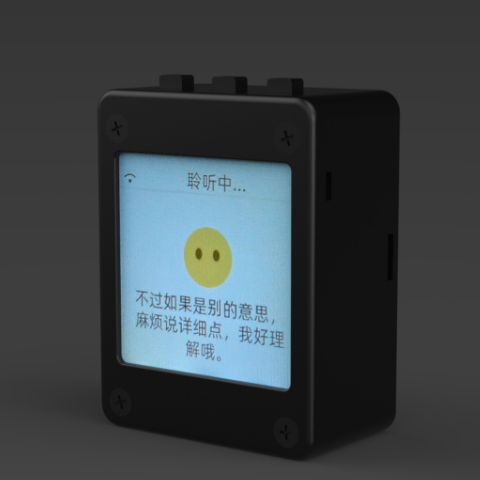
xiaozhi-esp32
78·C++
基于 MCP 协议、跑在 ESP32 上的聊天机器人固件,让单片机也能接入大模型对话与工具调用。
聊天机器人+4IoT / 固件
33006+1647.8kv2.5.22026-11-07 04:14 UTC
DeepSpeech
mozilla·C++
DeepSpeech is an open source embedded (offline, on-device) speech-to-text engine which can run in real time on devices ranging from a Raspberry Pi 4 to high power GPU servers.
IoT / 固件
267724.1k2025-06-19 12:52 UTC
Tasmota
arendst·C
给 ESP8266/ESP32 设备刷的替代固件,通过网页配置、OTA 升级和定时/规则自动化,用 MQTT、HTTP、串口或 KNX 实现完全本地控制。
ESP32+4IoT / 固件
24976+65.2kv16.0.02026-11-10 16:33 UTC