模型权重首次使用时才自动下载,需联网;NPU 需在独立环境中替换为对应厂商的 onnxruntime 包,且一个环境只能装一种变体;macOS 解压 zip 时需保留符号链接。
anylabeling
vietanhdevGPL-3.0活跃维护集成 YOLO 与 SAM 系列模型的 AI 辅助标注工具,能自动预标注图像,省去手工框选和分割的重复劳动。
Effortless AI-assisted data labeling with AI support from YOLO, Segment Anything (SAM+SAM2/2.1+SAM3), MobileSAM!!
v0.4.43发布于 2026-08-30 03:49 UTC3,520star +2 / 7 天356fork同步于 2026-11-10 11:40 UTC
conda create -n anylabeling python=3.12
conda activate anylabeling
pip install anylabeling
anylabeling 硬件要求按 README 说明
CPU 可运行,提供各平台 CPU 构建;GPU 加速支持 NVIDIA CUDA(Linux/Windows)、Apple Silicon CoreML,以及 DirectML、OpenVINO、ROCm、TensorRT 和厂商 NPU 等 ONNX Runtime 后端。README 未给出具体显存要求。
支持 Apple Silicon需要 CUDA支持 ROCm / AMD昇腾 / Ascend
集标注界面与 YOLO、SAM 系列自动标注于一体的图像标注工具
集成 YOLO 与 SAM 系列模型的 AI 辅助标注工具,能自动预标注图像,省去手工框选和分割的重复劳动。
核心能力
- 支持多边形、矩形、圆形、直线和点标注
- 用 YOLOv8 做目标检测自动标注
- 用 SAM、SAM2/2.1、SAM3、MobileSAM 做分割自动标注
- SAM3 支持文本提示开放词汇分割
- 支持 CUDA、CoreML、DirectML、OpenVINO 等硬件加速
容易踩的坑
内容由模型根据 README 生成,可能不完整或不准确,以官方文档为准。看原文 README
- v0.4.43AnyLabeling v0.4.43最新正式版2026-08-30 · 2026-08-30 03:49 UTC
Highlights
- Recover cleanly after auto-label model download or load failures, allowing another model to be selected without restarting the app (#262).
- Skip invalid images during SAM preload instead of terminating the preload worker (#264).
- Persist grouping and ungrouping changes, mark the document dirty, and make the operation undoable (#266, fixes #103).
- Close JSON label files deterministically after reads and writes so Windows can immediately overwrite or delete them (#269).
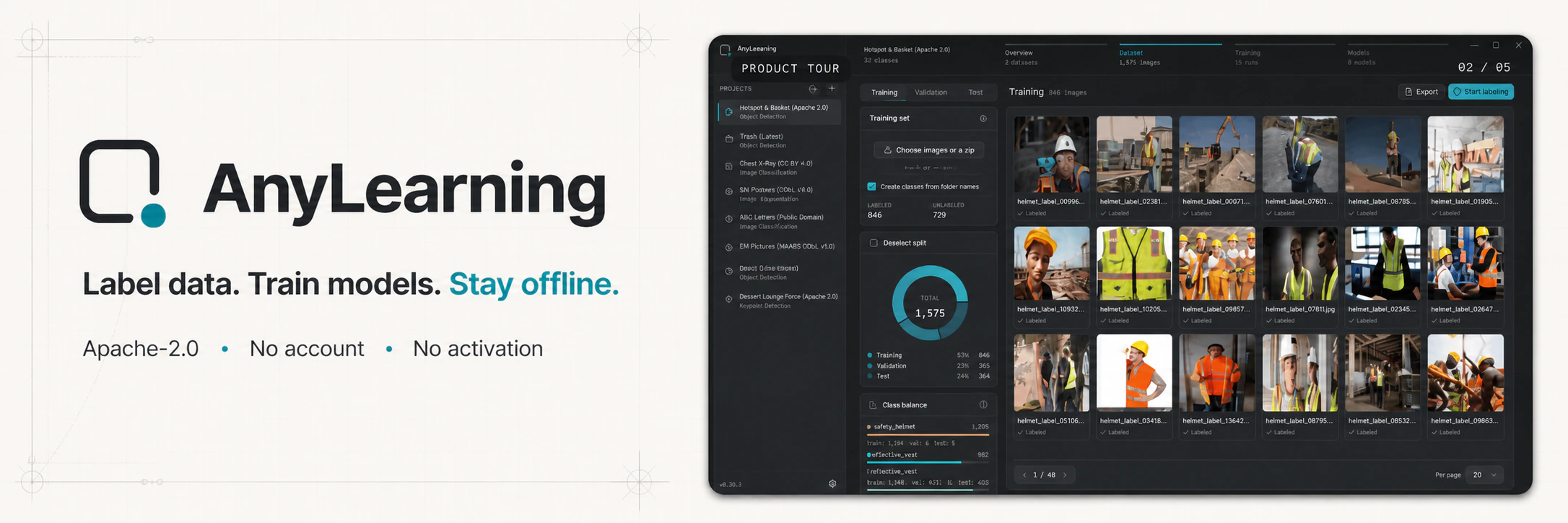
- Use an absolute, pinned AnyLearning banner URL that renders correctly on PyPI (#268).
Downloads
Platform CPU Accelerated Linux x64 CPU NVIDIA CUDA Windows x64 CPU NVIDIA CUDA Apple Silicon macOS CPU CoreML The macOS archives preserve PyInstaller symlinks; extract them with Archive Utility or
ditto.Install from PyPI
pip install anylabeling==0.4.43
# NVIDIA CUDA on Linux or Windows, in a separate environment:
pip install anylabeling-gpu==0.4.43
Validation
- 142 local tests passed in the dedicated environment; 13 optional real-model tests skipped because those model files were absent.
- All 9 CI cells passed on Ubuntu, Windows, and macOS with Python 3.11, 3.12, and 3.13.
- All six exact release artifacts were launch-smoke-tested for 15 seconds on native GitHub runners before upload. macOS archives were extracted and checked for preserved symlinks before launch.
- The CPU wheel, GPU wheel, and source distribution passed package validation; clean public-PyPI installs reported version 0.4.43 with the correct CPU/GPU build defaults.
SHA-256
c909274153858eeaaebd307bc555b209f6ae139381cfb806c236f9cfadf124f8 AnyLabeling-Linux-CPU-x64 62efc0d9fbf2ebbde2bacae689461f792a0c486b7f1ac5898c2092f08089d983 AnyLabeling-Linux-GPU-x64 cdae97611860c9c9e516d13ba8ea5b82c510d0f7fea58db97be5329cbd91f088 AnyLabeling-macOS-CPU.zip abe467fd9de247d02201c937a01a7bfa6d7546a8fb869f773ce08405a87146e4 AnyLabeling-macOS-GPU.zip 7740cebb78aee0ca92b9c61f04e3f230c7ba9a7a6a56fd5ccc67bc3900de7de8 AnyLabeling-Windows-CPU-x64.exe fc1744039d1b5fd4ba8587428d0965b4567be4f28e37038e6f5eaa259cd2e4ab AnyLabeling-Windows-GPU-x64.exeIf you find AnyLabeling useful, please consider sponsoring its development.
- v0.4.42AnyLabeling v0.4.422026-08-29 · 2026-08-29 18:56 UTC
查看更新说明
Highlights
v0.4.42 is the stable replacement for the affected v0.4.40 artifacts. It combines cross-platform accelerator support with corrected macOS/Linux packaging and release-time launch gates.
Fixed
- Re-enabled the model picker after an invalid custom model fails to load.
- Preserved required PyInstaller symlinks in macOS ZIP archives.
- Bundled the matching
libexpatin Linux frozen applications.
Hardware acceleration
- NVIDIA CUDA on Linux and Windows; the GPU distribution includes pip-managed CUDA 12 and cuDNN runtime libraries.
- CoreML on Apple Silicon.
- Opt-in DirectML, OpenVINO, TensorRT, ROCm, MIGraphX, WebGPU, and vendor NPU providers through
ANYLABELING_DEVICE. - CPU fallback when a requested provider is unavailable.
Downloads
Choose the artifact for your platform:
- Linux:
AnyLabeling-Linux-CPU-x64orAnyLabeling-Linux-GPU-x64 - Windows:
AnyLabeling-Windows-CPU-x64.exeorAnyLabeling-Windows-GPU-x64.exe - Apple Silicon macOS:
AnyLabeling-macOS-CPU.ziporAnyLabeling-macOS-GPU.zip
Python packages:
python -m pip install anylabeling==0.4.42
# NVIDIA CUDA on Linux/Windows, in a separate environment:
python -m pip install anylabeling-gpu==0.4.42
Validation
- All six uploaded artifacts were checksum-verified against the downloaded release assets.
- CPU and accelerated applications were launch-tested on Linux, Windows, and Apple Silicon macOS.
- CUDA, DirectML, CoreML, OpenVINO, and CPU provider paths were exercised in dedicated environments on available hardware.
- Release workflows now launch frozen Linux/Windows applications and extracted macOS archives before upload.
Full changelog: https://github.com/vietanhdev/anylabeling/compare/v0.4.40...v0.4.42
- v0.4.40AnyLabeling v0.4.40 (superseded)2026-08-29 · 2026-08-29 18:27 UTC
查看更新说明
[!WARNING] Do not use the macOS or Linux binaries from this release. The macOS ZIPs lost required PyInstaller symlinks and can crash at startup; the Linux executables omitted their matching
libexpatand can abort during startup. Use v0.4.42 or newer.What changed
- Made accelerator release checks aware of the operating-system runner.
- Published the first six platform artifacts after the v0.4.39 accelerator work.
Status
This release is retained for historical traceability. Its tags and assets are unchanged, but it has been superseded. The v0.4.41 publication was cancelled when artifact validation found these defects.
Full changelog: https://github.com/vietanhdev/anylabeling/compare/v0.4.39...v0.4.40
- v0.4.39AnyLabeling v0.4.392026-08-29 · 2026-08-29 18:20 UTC
查看更新说明
Highlights
This release introduces deterministic, cross-platform ONNX Runtime accelerator selection.
Added
- Automatic CUDA selection for Linux and Windows GPU builds.
- CoreML selection on Apple Silicon.
- Opt-in DirectML, OpenVINO, TensorRT, ROCm, MIGraphX, WebGPU, CANN, QNN, and Vitis AI providers.
ANYLABELING_DEVICEoverrides, including Intel, Qualcomm, AMD, and Huawei NPU aliases.- CPU fallback when a requested accelerator is unavailable.
- Pip-managed CUDA 12 and cuDNN runtime discovery, including Windows DLL registration.
Availability
No binary artifacts were published for this tag. Installers with these changes and subsequent packaging fixes are available in v0.4.42.
Full changelog: https://github.com/vietanhdev/anylabeling/compare/v0.4.38...v0.4.39
- v0.4.38AnyLabeling v0.4.382026-08-29 · 2026-08-29 16:28 UTC
查看更新说明
Highlights
This release focuses on UI stability, invalid-input handling, 16-bit image editing, and complete SAM 3 frozen builds.
Fixed
- Cleared stale canvas selection state when changing images.
- Treated empty user configuration files as defaults instead of crashing.
- Removed unsupported SVG files from the open-image filter.
- Added brightness and contrast support for 16-bit TIFF images.
- Prevented Escape from hiding the labeling workspace.
- Prevented invalid canvas previews after drawing-mode changes.
- Restored point drawing after closing Auto Labeling.
- Bundled SAM 3 tokenizer data in frozen applications.
Downloads
CPU and GPU binaries are attached for Linux x64, Windows x64, and Apple Silicon macOS. For new installations, use the latest stable release.
Full changelog: https://github.com/vietanhdev/anylabeling/compare/v0.4.37...v0.4.38
用户点评
登录用户的真实使用记录,可按版本和硬件筛选共 0 条
还没有人点评。第一个说出真实体验的人最有价值。



Auto Labeling with Segment Anything
- Youtube Demo: https://www.youtube.com/watch?v=5qVJiYNX5Kk
- Documentation: https://anylabeling.nrl.ai
- Download: https://anylabeling.nrl.ai/download
Features
- Image annotation for polygon, rectangle, circle, line and point.
- Auto-labeling with YOLOv8 (object detection).
- Auto-labeling with Segment Anything family:
- SAM (ViT-B / ViT-L / ViT-H) and MobileSAM
- SAM 2 and SAM 2.1 (Hiera-Tiny / Small / Base+ / Large)
- SAM 3 (ViT-H) — open-vocabulary segmentation with text prompts
- Text detection, recognition and KIE (Key Information Extraction) labeling.
- Hardware acceleration with CUDA, CoreML, DirectML, OpenVINO, and vendor NPU providers.
- Multiple languages available: English, Vietnamese, Chinese.
Supported Models
| Model | Prompt Types | Notes |
|---|---|---|
| SAM ViT-B / ViT-L / ViT-H | Point, Rectangle | Original Segment Anything |
| MobileSAM | Point, Rectangle | Lightweight SAM |
| SAM 2 Hiera-Tiny / Small / Base+ / Large | Point, Rectangle | Meta SAM 2 |
| SAM 2.1 Hiera-Tiny / Small / Base+ / Large | Point, Rectangle | Improved SAM 2 |
| SAM 3 ViT-H | Text, Point, Rectangle | Open-vocabulary; text drives detection |
| YOLOv8n / s / m / l / x | — | Object detection & auto-labeling |
Required model weights are downloaded automatically on first use.
Latest Release
AnyLabeling v0.4.43 is the current stable release. It fixes recovery after model download/load failures, skips invalid images during SAM preload, persists grouped shapes with undo support, and closes label files reliably after saving and loading.
The release workflow tests Python 3.11–3.13 on Linux, Windows, and macOS, then builds and launch-smoke-tests all six CPU and accelerated artifacts on their native runners.
Use the Download page for direct platform links, or see all GitHub releases.
Install and Run
1. Download and run executable
- Download the latest build from the Download page or GitHub Releases.
| Platform | CPU | Accelerated |
|---|---|---|
| Linux x64 | AnyLabeling-Linux-CPU-x64 | AnyLabeling-Linux-GPU-x64 (NVIDIA CUDA) |
| Windows x64 | AnyLabeling-Windows-CPU-x64.exe | AnyLabeling-Windows-GPU-x64.exe (NVIDIA CUDA) |
| Apple Silicon macOS | AnyLabeling-macOS-CPU.zip | AnyLabeling-macOS-GPU.zip (CoreML) |
For macOS, preserve the archive's symlinks while extracting it. See the macOS folder mode instructions.
2. Install from PyPI
-
Requirements: Python 3.11+. Recommended: Python 3.12.
-
Recommended: Miniconda/Anaconda.
-
Create environment:
conda create -n anylabeling python=3.12
conda activate anylabeling
- (For macOS only) Install PyQt6 using Conda:
conda install -c conda-forge pyqt=6
- Install anylabeling:
pip install anylabeling
For NVIDIA CUDA inference on Linux or Windows, use the GPU distribution in a fresh environment:
pip install anylabeling-gpu
Apple Silicon users can enable both ONNX Runtime CoreML and native CoreML SAM2 models with:
pip install "anylabeling[macos]"
export ANYLABELING_DEVICE=COREML
AnyLabeling automatically selects CUDA for Linux/Windows GPU builds and CoreML
for the macOS GPU build, with CPU fallback for unsupported model operations.
Advanced ONNX Runtime packages can be selected with ANYLABELING_DEVICE;
supported values include
CUDA, COREML, DIRECTML, ROCM, MIGRAPHX, OPENVINO, TENSORRT,
CANN, QNN, VITISAI, and WEBGPU. NPU aliases include NPU,
INTEL_NPU, QUALCOMM_NPU, AMD_NPU, and ASCEND_NPU. On Windows
PowerShell, set the override with $env:ANYLABELING_DEVICE = "DIRECTML".
The GPU distribution includes pip-managed CUDA 12 and cuDNN runtime libraries, so a compatible NVIDIA driver is sufficient; a system CUDA toolkit is not required.
NPU execution requires the matching vendor ONNX Runtime package in a fresh,
dedicated environment. For example, Intel Core Ultra systems use
onnxruntime-openvino with ANYLABELING_DEVICE=INTEL_NPU; Qualcomm Snapdragon
Windows ARM64 systems use onnxruntime-qnn with
ANYLABELING_DEVICE=QUALCOMM_NPU. Replace the default onnxruntime package,
because ONNX Runtime requires only one variant in an environment. Qualcomm HTP
models generally need QDQ quantization, and support still depends on the
operator coverage of the selected model.
See the Hardware Acceleration guide for isolated DirectML, OpenVINO, CUDA, CoreML, and NPU environment setup.
- Start labeling:
anylabeling
Documentation
Website: https://anylabeling.nrl.ai/
Applications
| Object Detection | Recognition | Facial Landmark Detection | 2D Pose Estimation |
|---|---|---|---|
| 2D Lane Detection | OCR | Medical Imaging | Instance Segmentation |
| Image Tagging | Rotation | And more! | |
| Your applications here! |
Development
- Install the project and development tools in a dedicated environment:
python -m pip install -e ".[dev]"
- Recompile translations and Qt resources when they change:
python scripts/compile_languages.py
- Run app:
python anylabeling/app.py
Build executable
- Install PyInstaller:
python -m pip install -e ".[dev]"
python -m pip install pyinstaller
- Build:
bash scripts/build_executable.sh
- Check the outputs in:
dist/.
Contribution
If you want to contribute to AnyLabeling, please read Contribution Guidelines.
Star history

References
- Labeling UI built with ideas and components from LabelImg, LabelMe.
- Auto-labeling with Segment Anything (SAM, SAM 2, SAM 2.1, SAM 3), MobileSAM.
- Auto-labeling with YOLOv8.
- Icons from FlatIcon: DinosoftLabs, Freepik, Vectoricons, HideMaru.

label-studio
HumanSignal·TypeScript
多类型数据标注工具,支持图像、文本、音频等标注任务,输出统一格式,方便为机器学习和深度学习项目准备训练数据。
数据标注+4标注与偏好数据
28669+223.8k1.23.22026-11-10 06:09 UTC
screenity
alyssaxuu·JavaScript
免费且注重隐私的浏览器屏幕录制扩展,不限录制时长,支持摄像头、麦克风和标注编辑,适合做演示和教程。
屏幕录制+4标注与偏好数据
18976+131.5kv4.7.22026-11-08 09:54 UTC

cvat
cvat-ai·Python
面向图像、视频、音频和 3D 数据的开源标注平台,支持 AI 辅助标注、质量校验、团队协作和开发者 API,适合构建计算机视觉数据集。
数据标注+4标注与偏好数据
17104+134.1kv2.82.02026-11-10 11:00 UTC

argilla
argilla-io·Python
面向 AI 工程师和领域专家的数据标注协作平台,支持主动学习和人机协同,帮助团队高效构建高质量训练数据集。
数据标注+4标注与偏好数据
5196+3516v2.8.02026-11-09 22:38 UTC