需按板子指南外接对应的 RF/红外/BLE/LoRa 收发模块才能工作;刷写和配置需参考官方文档与参考表,README 未给出具体引脚;遇到问题应先查文档和社区论坛而非直接开 issue

OpenMQTTGateway
1technophileGPL-3.0活跃维护把 ESP8266/ESP32 变成 MQTT 网关,双向桥接 433/315/868MHz 射频、红外、BLE 蓝牙和 LoRa 设备,让米家传感器、温湿度计、体重秤等接入 Home Assistant。
MQTT gateway for ESP8266 or ESP32 with bidirectional 433mhz/315mhz/868mhz, Infrared communications, BLE, Bluetooth, beacons detection, mi flora, mi jia, LYWSD02, LYWSD03MMC, Mi Scale, TPMS, BBQ thermometer compatibility & LoRa.
v1.9.0发布于 2026-11-07 16:32 UTC4,119star +2 / 7 天913fork同步于 2026-11-10 11:39 UTC
从 https://docs.openmqttgateway.com/upload/web-install.html 在线刷写,或用 PlatformIO 自行构建配置 硬件要求按 README 说明
运行在 ESP8266 或 ESP32 开发板上,需按文档外接 RF、红外、BLE、LoRa 等收发模块;README 未提及显存或 GPU 要求。
把 433/315/868MHz、红外、BLE、LoRa 等多种无线协议统一成 MQTT 的 ESP 固件网关
把 ESP8266/ESP32 变成 MQTT 网关,双向桥接 433/315/868MHz 射频、红外、BLE 蓝牙和 LoRa 设备,让米家传感器、温湿度计、体重秤等接入 Home Assistant。
核心能力
- 将多种无线协议统一汇聚到 MQTT 协议下
- 支持 433/315/868MHz、红外、BLE、LoRa 双向通信
- 识别米家温湿度、体重秤、TPMS、烧烤温度计等 BLE 设备
- 可对接 Home Assistant、OpenHAB、NodeRed、AWS-IOT
- 支持浏览器在线刷写或用 PlatformIO 自行构建配置
容易踩的坑
内容由模型根据 README 生成,可能不完整或不准确,以官方文档为准。看原文 README
- v1.9.0OpenMQTTGateway v1.9.0最新正式版2026-11-07 · 2026-11-07 16:32 UTC
What's Changed
OpenMQTTGateway v1.9.0 moves to the Arduino ESP32 core 3.x, ships Theengs Decoder 2.5.0, and adds a large set of security hardening fixes. Updating is recommended for all users.
Security
- Theengs Decoder 2.5.0 fixes a security issue in BLE advertisement parsing, reported by Tom Watson. All earlier releases (including v1.8.1) are affected. An advisory will follow.
- Hardened every place where MQTT, HTTP, BLE and RF input is copied into fixed buffers (#2321, #2324), replaced
dtostrf()with bounded formatting (#2368), fixed a buffer overflow when converting binary LoRa packets to hex (#2402) and a dangling pointer when saving the gateway password from the WebUI (#2408). {"cmd":"erase"}now really wipes the stored configuration, including MQTT credentials (#2372).
Upgrade notes and breaking changes
- Home Assistant entities: some unique_ids change, so Home Assistant may create new entities next to the old ones, which you can delete:
- gateway entities that previously had an empty unique_id suffix (#2401)
- RTL_433 devices whose model name contains
/, now replaced by_(#2369) - discovery now uses the abbreviated MQTT keys (#2221); hex-valued and enum sensors no longer get a
state_class/unit (#2315, #2316)
- BLE decryption: the default AES key is now empty and encrypted devices are skipped until you set your key (#2310).
- ESP8266 RF: the default
RF_RECEIVER_GPIOchanged from 0 to 4 (#2323). If your receiver is wired to GPIO0, set it back with a build flag. - BLE connections: NimBLE now allows 1 simultaneous connection instead of 3, to save RAM (#2300).
- Arduino core 3.x (#2177, #2248, #2329): custom builds and
prod_env.inioverrides based on the older 2.x platform need updating. - OTA: v1.8.1 gateways can update over the air (Home Assistant update entity or MQTT) or from the web installer. After an OTA from a custom URL,
installed_versionis now omitted rather than reported wrong; the correct version is published after reboot (#2374).
New Features
- WebUI: full BLE configuration page and MQTT Discovery toggle (#2293), the WiFi scan link works again (#2345), active modules shown as text in the page heading (#2406).
- BLE decryption of PVVX, BTHome v2 and Victron frames (#2219, #2226, #2228, #2230).
- WiFi reconnect watchdog that self-heals a wedged WiFi stack (#2319); the WiFiManager portal stays available when saved WiFi credentials are lost (#2340).
- Ethernet:
NetworkAdvancedSetupnow usable, WiFiManager skipped when Ethernet is up (#2351), PHY cold-cycle at boot to avoid link flapping (#2364). - OTA resolves the offered version per build environment (#2350).
- Serial gateway: configurable frame format (parity/stop bits) (#2342).
- Memory: lower RAM use on ESP32 BLE builds (#2294, #2302, #2223, #2232), dynamic TLS buffers so no-PSRAM boards can use MQTT over TLS (#2335).
- WiFi hostname set to the gateway name (#2272).
Theengs Plug and Theengs Bridge
- Theengs Bridge: PSRAM enabled (#2303) and Ethernet PHY cold-cycle at boot on by default, fixing intermittent link loss (#2364).
- Theengs Plug: MQTT over TLS now has enough free memory to run reliably (#2335);
{"cmd":"erase"}no longer leaves the plug stuck in a reboot loop (#2340, #2372). - Button → relay toggle restored (
ACTUATOR_TRIGGER) (#2334).
New BLE Devices
Theengs Decoder moves from v1.8.0 to v2.5.0:
- Victron: Smart Battery Protect, Orion XS, Orion TR, Blue Smart Charger, Smart Battery Sense, SmartSolar MPPT, SmartShunt and generic battery monitors
- EcoFlow Power Station
- SwitchBot Meter Pro and Meter Pro (CO2)
- Govee H5108 probe thermometer
- v1.8.1OpenMQTTGateway v1.8.12025-01-13 · 2025-01-13 16:17 UTC
查看更新说明
- Bug Fix: Resolved an issue where using adaptive scanning in the presence of a BLE device requiring continuous scanning could cause the gateway to restart unexpectedly.
- Updated CI python version to 3.11
Full Changelog: https://github.com/1technophile/OpenMQTTGateway/compare/v1.8.0...v1.8.1
- v1.8.0OpenMQTTGateway v1.8.02024-11-15 · 2024-11-15 17:20 UTC
查看更新说明
What's Changed
New Features
- Embedded MQTT Broker: Thanks to @mlesniew and the PicoMQTT library, OpenMQTTGateway now supports an integrated MQTT broker. This feature reduces server dependencies and enables more localized use cases.
- Tracker Synchronization: @DigiH introduced a powerful enhancement for tracker synchronization across multiple gateways. Now, "away" messages are only triggered if no gateways detect the tracker, ensuring more accurate notifications.
- Serial Communication Mode: OpenMQTTGateway can now operate without MQTT! Modules can communicate over a Serial connection, making it easier to link multiple microcontrollers.
Theengs Plug and Theengs Bridge
- The WebUI is now available for Theengs Bridge
- Theengs Plug has now the capability to detect voltage changes and publish when the voltage changed more than 2V. This is useful when having time sensitive scenario that requires a trigger when there is a voltage change.
New BLE Devices
- SwitchBot Blind Tilt and Curtains control, in addition to the previously supported SwitchBot Bot.
- Bosch Nyon eBike tracker
- ShellyBLU H&T SBHT-003C
- Onset Hobo Water Level Sensor
- Add support for ShellyBLU Wall Switch4 and RC Button4 devices
- Teltonika FMT100 vehicle tracker
- Feasycom beacon model BP102
- New Feasycom beacon BP103B
- Tilt Brewing Hydro- Thermometer
- Amphiro/Oras/Hansa Faucet decoder
- Otodata RC1010 propane tank transponder
- Gigaset G-Tag added as device tracker
- Govee H5105 Thermo Hygrometer
- XOSS X2 heart rate sensor chest strap
- NodOn NIU smart button decoder
- MUE4094RT improvements
- Jaalee F51C model
- Mobvoi TicWatch GTH (Pro) added as tracker
- ClearGrass/Qingping Barometer Pro CGP23W
- Apple Watch decoder
- Aranet4 CO₂ Monitor
Boards
- Added compatibility for M5 Stamp S3 and S3.
Farewell to Arduino Boards and IDE
- To streamline development and focus on widely used boards, OpenMQTTGateway is discontinuing support for Arduino boards and the Arduino IDE. While we remain committed to the Arduino framework, shifting resources to ESP boards and the web flasher ensures better support for the majority of users.
Over the Air server change
- Unfortunately Github changed its root certificate without notice breaking the existing Over the Air mechanism, the OTA server is now hosted outside of Github to have more control over certificates update.
- To update your boards you can either:
- Flash from the Web upload
- Download the binary below and Update with WiFiManager (you need to erase the flash first by a long button press or with the Home Assistant devices command)
- Update with PlatformIO with an USB cable or OTA locally
Breaking
Category Description BOARD-BREAKING Change of partition for esp32dev-pilight by @1technophile in https://github.com/1technophile/OpenMQTTGateway/pull/1952 BT-BREAKING Change Switchbot API and add new commands by @1technophile in https://github.com/1technophile/OpenMQTTGateway/pull/2003 LED-BREAKING Refactor LED handling by @1technophile in https://github.com/1technophile/OpenMQTTGateway/pull/2051 OTA-BREAKING Switch cloud OTA server to ota.openmqttgateway.com by @1technophile in https://github.com/1technophile/OpenMQTTGateway/pull/1962 RF-BREAKING Improve Home Assistant auto discoverability by @JamiePhonic in https://github.com/1technophile/OpenMQTTGateway/pull/2057 SERIAL-BREAKING RS232 change to SERIAL GATEWAY by @1technophile in https://github.com/1technophile/OpenMQTTGateway/pull/2008 SYS-BREAKING Add gateway state, offline mode and refactor sleep by @1technophile in https://github.com/1technophile/OpenMQTTGateway/pull/2020 LORA-BREAKING Update LoRa e - v1.7.0OpenMQTTGateway v1.7.02023-12-14 · 2023-12-14 16:57 UTC
查看更新说明
What's Changed
1 - New product We released the Theengs Bridge, an ESP32 based BLE gateway with an external antenna and an Ethernet RJ45 port. If you want to extend the range of your BLE network, the Theengs Bridge will help you reach further sensors than traditional embedded antennas. We used this opportunity to improve the support of Ethernet boards. You can onboard them through the WiFi portal and use Ethernet with WiFi as a backup network. With this evolution, there is no need to put your hands on a development environment or a configuration file!
Support our work by purchasing from our store !
2 - More RF devices supported OOTB Our users requested to decode RTL_433 FSK ( FSK is a radio frequency modulation) without building the environment. We now have Lilygo and Heltec environments supporting FSK (beta) from the web upload. And cherry on the cake, you can change the frequency directly from the WebUI. But that's not all. Users with a CC1101 will be pleased to see that they can change the frequency of their devices and the library they use from the WebUI!
3 - More BLE devices supported Over 90 BLE devices are now supported by OpenMQTTGateway and Theengs; look at this impressive devices list!
4 - DIY 🛠️ One of my favorite radio communication is LoRa. We added the capability to change the frequency, numerous parameters from the WebUI, and a new ESP32 temperature sender example https://github.com/1technophile/OpenMQTTGateway/pull/1742 . A great way to play with the protocol and build your nodes.
5 - Stability 🏋️BLE is not forgotten with a new, more stable controller. We also added a central queueing mechanism.
6 - User experience We simplified password management; now, you will have only one password for the WebUI, OTA, and WiFi portal connection. This password is defined during WiFi portal onboarding and is compulsory. If you upgrade from a previous version, the default password for the WebUI, the onboarding, and OTA will be
OTAPASSWORD.I invite you strongly to change it in the WebUI (Configure Gateway). Also, at the first connection, the WiFi portal no longer needs a password (bye-bye 👋 "your_password").7 - Integration Finally, @DigiH improved the discovery experience by tuning the Home Assistant MQTT discovery integration.
Theengs Plug
You can now change the brightness of the Theengs Plug LED with a slider. Suppose you use the plug in your bedroom; for example, you can program the LED to be OFF at night. The BLE gateway can be deactivated if you want to use it solely as a smart plug.
New BLE devices
Devices Model Measurements April Brother N07 temperature/humidity/battery/packet ID BM6 Battery Monitor BM6 battery GOVEE H5100 temperature/humidity/battery GOVEE H5104 temperature/humidity/battery GOVEE H5179 temperature/humidity/battery INKBIRD IBS-TH12S temperature/humidity/battery NUT NUTALE tracker Oral B Toothbrush state, mode, sector, pressure, time Lippert BottleCheck temperature/level/sync status/voltage - v1.6.0OpenMQTTGateway v1.6.02023-06-10 · 2023-06-10 20:01 UTC
查看更新说明
What's Changed
Significant features in this release include a webUI to control your gateway and directly see the sensor's data, access logs, and change the basic configuration without a controller!
Go to your gateway IP and type
admin/OTAPASSWORD. The password can be changed from the Wifi Manager portal. Thanks, @NorthernMan54, for this add and to Tasmota as they inspired this feature and the code. Note that the WebUI is unavailable with the Theengs plug in this version.Also, now we can detect the appliance cycle start and end by leveraging the accelerometers of BLE beacons. The beacon needs to be configured to stop advertising when there is no movement, and the gateway will automatically publish a message to the broker to say that the beacon is offline. This is great for washing machines, dryers, or dishwashers' end-of-cycle announcements and notifications.
Finally, OpenHAB users can now use any build with autodiscovery. The specificities of OpenHAB HA convention processing can be set at runtime with an MQTT command
Theengs Plug
- The Theengs Plug will now detect changes of current superior to 0.1A and publishes a message to the broker to speed up the detection when a connected device is powered ON. This is useful to trigger actions when the plugged device starts.
- We also added a task watchdog to restart the plug if the energy monitoring and overcurrent detection task is stuck
- A FailSafe Mode also enables loading the wifi manager portal with a minimal setup.
New devices
- Decoder for ShellyBLU Button1 by @koenvervloesem in https://github.com/theengs/decoder/pull/337
- Add Mopeka acceleration data by @DigiH in https://github.com/theengs/decoder/pull/340
- BlueCharm BC04P and BC021 by @DigiH in https://github.com/theengs/decoder/pull/332
- KKM K6P & K9 Beacons by @DigiH in https://github.com/theengs/decoder/pull/347
- SwitchBot Outdoor Meter by @DigiH in https://github.com/theengs/decoder/pull/333
New features
- [WebUI] - First Release by @NorthernMan54 in https://github.com/1technophile/OpenMQTTGateway/pull/1586
- [WebUI] Add Configure MQTT and Logging by @NorthernMan54 in https://github.com/1technophile/OpenMQTTGateway/pull/1592
- Add MQ2 Gas sensor & tweak DHT config to avoid editing source when PI… by @diepeterpan in https://github.com/1technophile/OpenMQTTGateway/pull/1576
- Add support for ESP8266 deep sleep and the sensor ds18b20 by @diepeterpan in https://github.com/1technophile/OpenMQTTGateway/pull/1591
- [INDICATORS] Neopixel 2leds by @mrickma in https://github.com/1technophile/OpenMQTTGateway/pull/1596
- [WebUI] Completion of WiFi and MQTT Configuration by @NorthernMan54 in https://github.com/1technophile/OpenMQTTGateway/pull/1603
- Update to version to RTL_433_ESP version 0.2.1 by @NorthernMan54 in https://github.com/1technophile/OpenMQTTGateway/pull/1612
- [RF] Added Pilight RAW packet return support by @V1pr in https://github.com/1technophile/OpenMQTTGateway/pull/1604
- [WebUI] Added Basic Authentication by @NorthernMan54 in https://github.com/1technophile/OpenMQTTGateway/pull/1618
- [RN8209] Publish on change detect and heap usage optim by @1technophile in https://github.com/1technophile/OpenMQTTGateway/pull/1630
- Added leak/water detection sensor with ESP32 deep sleep/sensor wake by @diepeterpan in https://github.com/1technophile/OpenMQTTGateway/pull/1615
- [BLE] Add moving beacon detection by @1technophile in https://github.com/1technophile/OpenMQTTGateway/pull/1636
- Add a sensor for esp32's touch sensing by @flo-x in https://github.com/1technophile/Op
用户点评
登录用户的真实使用记录,可按版本和硬件筛选共 0 条
还没有人点评。第一个说出真实体验的人最有价值。


OpenMQTTGateway aims to unify various technologies and protocols into a single firmware. This reduces the need for multiple physical bridges and streamlines diverse technologies under the widely-used MQTT protocol.
Sponsors
Documentation
The documentation is here
New to OpenMQTTGateway? Follow the Getting Started guide to flash a board from your browser and see your first sensor data in about 15 minutes.
The reference sheet, with the list of all functions, pinouts is here
Upload
Upload OpenMQTTGateway directly from the upload page (no additional software required) or build your own configuration with PlatformIO.
Using OpenMQTTGateway ?
Support open-source development through sponsorship, it helps keep the project healthy and evolving.

Products powered by OpenMQTTGateway
Theengs Bridge, Bluetooth gateway (BLE) with external antenna
Theengs bridge is a powerfull BLE to MQTT gateway for over 100 sensors. Equipped with an Ethernet port, and external antenna, ensuring an enhanced range for your BLE sensors. It supports also WiFi connectivity.

Support the project by purchasing the Theengs bridge
Compatible items
-
List of supported BLE devices, thermometers, scales, plant sensors, beacons...
-
Boards guide, RF Bridge, IR, BLE gateways...
Running on a computer If you want to use the BLE decoding capabilities of OpenMQTTGateway with a Raspberry Pi, Windows or Unix PC you can now leverage Theengs Gateway.
- Parts to build your gateway, DHT, RF, IR emitters and receivers...
Compatible controllers, saas or software
Contributors ✨
Thanks goes to these wonderful people who helped OpenMQTTGateway on Github and to the users contributions into the community.
Support
For Questions or Support please don't open an issue, first go to the docs and if you don't find your answer there, you can post your question in the community forum
Help
If you like the project and/or used it please consider supporting it! It can be done in different ways:
- Helping other users in the community
- Contribute to the code or the documentation
- Donate or sponsor the project developers
- Make a video or a blog article about what you have done with OpenMQTTGateway and share it to the community
Media
- Hackaday - ARDUINO LIBRARY BRINGS RTL_433 TO THE ESP32
- CNX Software - 433 MHz is not dead! Using an ESP32 board with LoRa module to talk to 433 MHz sensors
- RTL_433 PORTED TO ESP32 MICROCONTROLLERS WITH CC1101 OR SX127X TRANSCEIVER CHIPS
- Using low-cost wireless sensors in the unlicensed bands
- SMART PLUG ESP32 OPENMQTTGATEWAY SERVING AS AN BLE MQTT GATEWAY AND A POWER METER
Theengs Plug

433Mhz and BLE
BLE
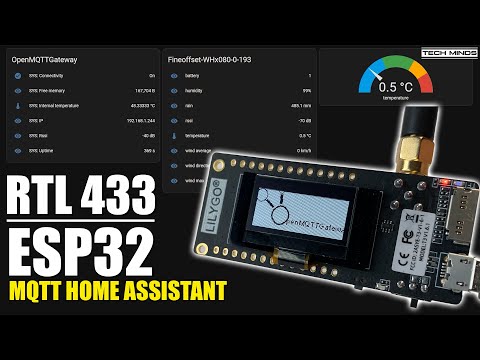
433Mhz
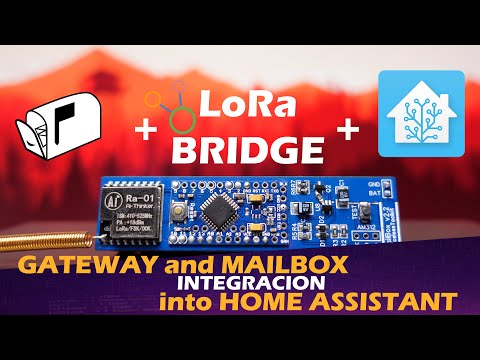
LORA
raylib
raysan5·C
用 C 写的轻量级游戏编程库,封装 OpenGL 等底层图形接口,让开发者不用折腾窗口、输入和渲染细节,专注写游戏逻辑,支持桌面、移动端和嵌入式平台。
游戏编程库+4IoT / 固件
35623+413.4k6.22026-11-10 08:11 UTC
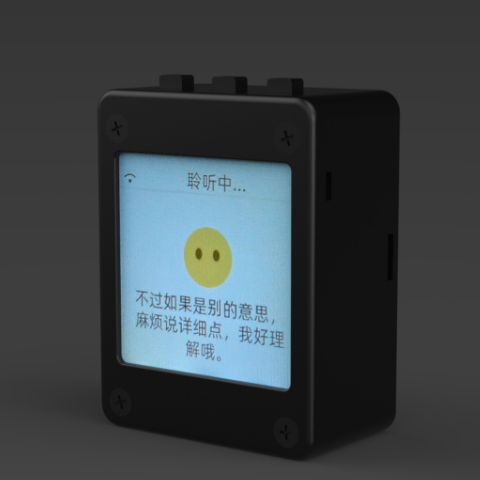
xiaozhi-esp32
78·C++
基于 MCP 协议、跑在 ESP32 上的聊天机器人固件,让单片机也能接入大模型对话与工具调用。
聊天机器人+4IoT / 固件
32984+1427.8kv2.5.22026-11-07 04:14 UTC
DeepSpeech
mozilla·C++
DeepSpeech is an open source embedded (offline, on-device) speech-to-text engine which can run in real time on devices ranging from a Raspberry Pi 4 to high power GPU servers.
IoT / 固件
267724.1k2025-06-19 12:52 UTC
Tasmota
arendst·C
给 ESP8266/ESP32 设备刷的替代固件,通过网页配置、OTA 升级和定时/规则自动化,用 MQTT、HTTP、串口或 KNX 实现完全本地控制。
ESP32+4IoT / 固件
24975+55.2kv16.0.02026-11-10 10:45 UTC