需自行下载 AI 模型并解压到 /AI-onnx 文件夹;需下载 ffmpeg.exe 放到 /Assets 文件夹;仅支持 Windows,需先装 Python 与 VSCode。

QualityScaler
DjdefragMIT活跃维护基于 ONNX Runtime 和 DirectX 12 的图像/视频 AI 超分工具,带图形界面,支持 N 卡、A 卡和 Intel 显卡,可降噪、去压缩伪影,适合修复动漫和漫画素材。
QualityScaler - image/video AI upscaler app
2026.4发布于 2026-08-26 16:14 UTC3,240star +2 / 7 天263fork同步于 2026-11-10 11:41 UTC
pip install -r requirements.txt 硬件要求按 README 说明
Windows 10/11,内存 8GB 以上,任意支持 DirectX12 且显存 ≥4GB 的 GPU(AMD、Intel、Nvidia 均可);README 未说明能否纯 CPU 运行。
Windows 上的 AI 图像视频放大去噪桌面应用,带图形界面,本地离线运行
基于 ONNX Runtime 和 DirectX 12 的图像/视频 AI 超分工具,带图形界面,支持 N 卡、A 卡和 Intel 显卡,可降噪、去压缩伪影,适合修复动漫和漫画素材。
核心能力
- 用 GUI 一键放大和去噪图片与视频
- 自动图像分块以规避 GPU 显存限制
- 支持多 GPU 与硬件加速视频编码
- 视频放大支持暂停与续跑
- 本地离线运行,无需联网保护隐私
容易踩的坑
内容由模型根据 README 生成,可能不完整或不准确,以官方文档为准。看原文 README
- 2026.4QualityScaler 2026.4最新正式版2026-08-26 · 2026-08-26 16:14 UTC
🚀 QualityScaler 2026.4 is here!
A big one — under the hood and on the surface. Smarter hardware detection, a sharper (pun intended) AI pipeline, a redesigned file list, and a long list of rock-solid fixes for a smoother experience worldwide.
🎮 Your GPU, recognized instantly
No more guessing games. QualityScaler now automatically detects every GPU in your system — NVIDIA, AMD or Intel — and shows it by its real name (say hello to RTX 5060 Ti instead of "GPU 1").
- ✅ VRAM auto-filled from your card's actual dedicated memory
- ✅ Hardware encoder auto-selected to match your GPU (NVENC / AMF / QSV) — always the fastest path to export
- ✅ Zero setup, zero manual VRAM math
🧠 A smarter, cleaner AI pipeline
- 🧵 Seamless tiling — a brand-new overlapping-tile engine with edge feathering means tiled/low-VRAM upscales no longer show visible seams between tiles
- ✨ AI Sharpening (formerly "AI Blending") — completely redesigned: instead of mixing the original image back in (which could bring back source noise and compression artifacts), it now sharpens the AI's own output with a clean unsharp mask. Same simple OFF / Low / High choice, better and more consistent results
- ⚡ Faster inference thanks to full ONNX Runtime graph optimizations under the hood
🗂️ A file list that actually shows you what's happening
The queue got a full visual overhaul:
- 🖼️ Every file is now a sleek card with thumbnail and a live Input → AI → Output resolution preview
- ❌ Remove single files from the queue with one click — no more "clear all or nothing"
- 📊 Partially-upscaled videos show an animated resume progress bar, so you always know exactly where you left off
- 🔦 The file currently being processed is highlighted live
🌈 A fresher look
- Softer accent color, rounded corners and a more polished dark theme across the whole app
- The status bar changes color with smooth animations — blue while working, green on success, orange on stop, red on error
- Error dialogs now include a "Copy log" button so you can quickly share what went wrong
🎬 Video upscaling, rock solid
- 📈 Real-time progress for both frame extraction and encoding — accurate live percentages, no more periodic estimates
- 🏎️ Faster frame extraction with hardware-accelerated decoding and full multi-core CPU usage
- 🔔 Native Windows notification when your batch finishes, even if the app is in the background
- 😴 The app now prevents your PC from sleeping mid-batch (and restores your normal power settings right after)
- 💾 Disk space check before starting a video job — a clear warning instead of a failed export with a nearly-full drive
- 🛡️ Fixed a crash when a queued file was moved, renamed or deleted mid-session
- ⏱️ Every internal process now has safety timeouts — no more risk of the app hanging when you stop a job
- 🌍 Fixed video export silently failing for file paths containing an apostrophe (e.g. usernames/folders like D'Angelo or O'Brien) — a real-world fix for our international users
⚙️ Under the hood
- 🩹 Fixed a startup crash caused by a corrupted preferences file — the app now safely falls back to defaults
- 🪶 Removed the bundled EXIF metadata tool — lighter install, fewer dependencies, smaller attack surface
- 🧮 Smarter memory-aware queue sizing for more predictable performance on any machine, low-end to high-end
- 🏗️ A major internal code refactor for a cleaner, more maintainable codebase — paving the way for faster future updates
🛡️ VirusTotal
- 2026.2QualityScaler 2026.22026-03-28 · 2026-03-28 15:02 UTC
查看更新说明
🚀 What's New
🛠️ Backend updates
- Updated to Python 3.14 (+5% overall performance)
- Updated AI engine to version 1.24.4 (bugfixes and better AI performance)
🧠 Updated AI models
- All AI models updated with newer tools for better efficiency
- Note: Higher-end hardware may experience even greater performance gains
- Performance Benchmarks (tested on RX 6600 + Ryzen 5600)
- LVAx2: +5% speedup
- MSharpx4: +10% speedup
- Other AI models: +3%
🎨 UI Changes
🖥️ Smart Backend Detection
- The app title now dynamically displays the AI engine version and backend
- DirectML detected: (
+ DirectML) GPU acceleration is active for maximum performance - No DirectML detected: (
+ CPU) GPU acceleration is disabled
[!WARNING] In CPU mode, upscaling will be significantly slower This may happen due to missing libraries or outdated GPU drivers
🗯️ Balloon messagebox
- Modified the app messagebox interface with a new, custom-styled balloon notification
🩹 Bugfix / Improvements
🎬 Video upscaling
- Video encoding is now 10% faster
- The app now automatically switches to H.264 if the GPU does not support the chosen codec
- Increased default video bitrate to 50 Mbps for improved visual fidelity
- Redesigned frame management for better stability and speed
⚙️ General
- Under-the-hood bug fixes and extensive code cleanup
- Updated all dependencies and libraries for better stability and compatibility
🛡️ VirusTotal
- 2026.1QualityScaler 2026.12026-01-26 · 2026-01-26 16:49 UTC
查看更新说明
▼ NEW
New versioning convention ⊡ QualityScaler now follows a [year.version] format ⊡ For example, 2026.1 represents the first release of 2026
New AI models ⊡ LVAx2: ultra-fast model for upscaling with light sharpening and denoising. Optimized for live-action videos ⊡ MSharpx4: advanced model focused on high-definition sharpening. Ideal for professional photography
App UI scaling ⊡ Added the ability to zoom the interface in and out (from 50% to 175%) ⊡ Scaling is relative to Windows UI settings and your preference is automatically saved
▼ BUGFIX / IMPROVEMENTS
Image upscaling improvements ⊡ Fixed a bug where the AI model reloaded for every single image ⊡ This significantly improves performance when processing multiple files
Video upscaling improvements ⊡ Optimized the video pipeline for better stability, especially on entry-level hardware ⊡ Increased default output bitrate from 12k to 20k for superior video quality ⊡ Video frames are now extracted at maximum quality settings ⊡ Updatef FFMPEG to version 8.0.1, with better encoding performance
General improvements
⊡ Under-the-hood bug fixes and code cleanup ⊡ Updated all dependencies and libraries for better stability and compatibility ⊡ Updated all AI models with latest tools▼ VirusTotal ⊡ https://www.virustotal.com/gui/file/98aae8899fa25e109d7c6b8ef5206d7d95b21fe93595b8ddbb88c30f4d31d422
- 4.9QualityScaler 4.92025-12-14 · 2025-12-14 10:25 UTC
查看更新说明
▼ BUGFIX / IMPROVEMENTS
General improvements
⊡ Various bug fixes and code cleanup ⊡ Updated dependencies for improved stability and compatibility▼ VirusTotal ⊡ https://www.virustotal.com/gui/file/0c4a4e37524ae6c90ddea34b7f23969481ef38c6a4c59ec8a44f5a859c582c2b?nocache=1
▼ ROAD TO 5.0 Get ready! I am preparing QualityScaler 5.0. Expect a variety of exciting new features, including powerful new AI models, several fresh functionalities, and major library overhauls that will bring superior stability across the board.
- 4.8QualityScaler 4.82025-11-08 · 2025-11-08 14:08 UTC
查看更新说明
▼ BUGFIX / IMPROVEMENTS
General improvements
⊡ Fixed an issue with upscaled video frame loss, particularly on very fast PCs or when using AI multithreading with values >4 ⊡ Optimised input / output scale system, now faster and less resource-intensive ⊡ Various bug fixes and code cleanup ⊡ Updated dependencies for improved stability and compatibility▼ VirusTotal ⊡ https://www.virustotal.com/gui/file/b5619573df3b4749db6f00219bee642b1cc208da949034021ca77bdb22be227e
用户点评
登录用户的真实使用记录,可按版本和硬件筛选共 0 条
还没有人点评。第一个说出真实体验的人最有价值。


📑 Table of Contents
- What is QualityScaler?
- Features
- How to use QualityScaler?
- Other AI projects
- Credits
- Citations
- How is made
- Make it work by yourself
- Requirements
- Roadmap
- Examples
❓ What is QualityScaler?
QualityScaler is a Windows app powered by AI to enhance, upscale and de-noise photographs and videos.
✨ Features
- Elegant and easy to use GUI
- Image and video upscale
- Multiple GPUs support
- Compatible images - jpg, png, tif, bmp, webp, heic
- Compatible video - mp4, webm, mkv, flv, gif, avi, mov, mpg, qt, 3gp
- Automatic image tiling to avoid GPU VRAM limitation
- Resize image/video before upscaling
- Interpolation between the original file and the upscaled file
- Video upscaling STOP & RESUME
- 🔒 Privacy focused - no internet connection required, everything runs on your PC
🎬 How to use QualityScaler?
🤖 Other AI projects
- RealScaler - image/video AI upscaler (Real-ESRGAN)
- FluidFrames.RIFE - video AI frame generation
🙏 Credits
❤️ Citations
🛠️ How is made
QualityScaler is completely written in Python, from backend to frontend.
🧑💻 Make it work by yourself
Prerequisites
- Python installed on your PC
- VSCode installed on your PC
- AI models downloaded
- ffmpeg.exe downloaded (release build > ffmpeg-release-essentials.7z)
Getting started
- Download the project on your PC (green button Code > Download ZIP)
- Extract the project from the .zip
- Extract the AI models files in the
/AI-onnxfolder - Extract
ffmpeg.exein the/Assetsfolder - Open the project with VSCode (drag & drop the project directory onto VSCode)
- Click on
QualityScaler.pyin the left sidebar (VSCode will ask to install the Python extension) - Install dependencies: open the VSCode "Terminal" panel and run
pip install -r requirements.txt - Close VSCode and re-open it (this refreshes all the installed dependencies)
- Click the "Play" button in the upper right corner of VSCode
💻 Requirements
| Requirement | Minimum |
|---|---|
| OS | Windows 10 / Windows 11 |
| RAM | 8 GB or more |
| GPU | Any DirectX12 compatible GPU with ≥ 4GB VRAM |
🗺️ Roadmap
- 1.X versions
- Switch to Pytorch-directml to support all Directx12 compatible gpu (AMD, Intel, Nvidia)
- New GUI with Windows 11 style
- Include audio for upscaled video
- Optimizing video frame resize and extraction speed
- Multi GPU support (for pc with double GPU, integrated + dedicated)
- Python 3.10 (expecting ~10% more performance)
- 2.X versions
- New, completely redesigned graphical interface based on @customtkinter
- Upscaling images and videos at once (currently it is possible to upscale images or single video)
- Upscale multiple videos at once
- Choose upscaled video extension
- Interpolation between the original and upscaled image/video
- More Interpolation levels (Low, Medium, High)
- Show the remaining time to complete video upscaling
- Support for SRVGGNetCompact AI architecture
- Metadata extraction and application from original file to upscaled file (via exiftool)
- 3.X versions
- New AI engine powered by onnxruntime-directml (https://github.com/microsoft/onnxruntime))
- Python 3.11 (performance improvements)
- Python 3.12 (performance improvements)
- Display images/videos upscaled resolution in the GUI
- Updated FFMPEG to version 7.x (latest release)
- Saving user settings (AI model, GPU, CPU etc.)
- Video AI multi-threading upscale
- Video upscaling STOP&RESUME
- 4.X version
- Hardware accelerated video encoding (nvenc / amf / qsv)
- More video extensions (.mp4 / .mkv / .avi / .mov)
- Choose output resolution scaling
- Video AI multi-threading improvements
- Updated AI-engine (onnxruntime-directml)
- Video frames extraction by FFMPEG (x10 times faster)
- 2026.X version
- Implement new AI models
- App interface % scaling
- TTA upscale mode
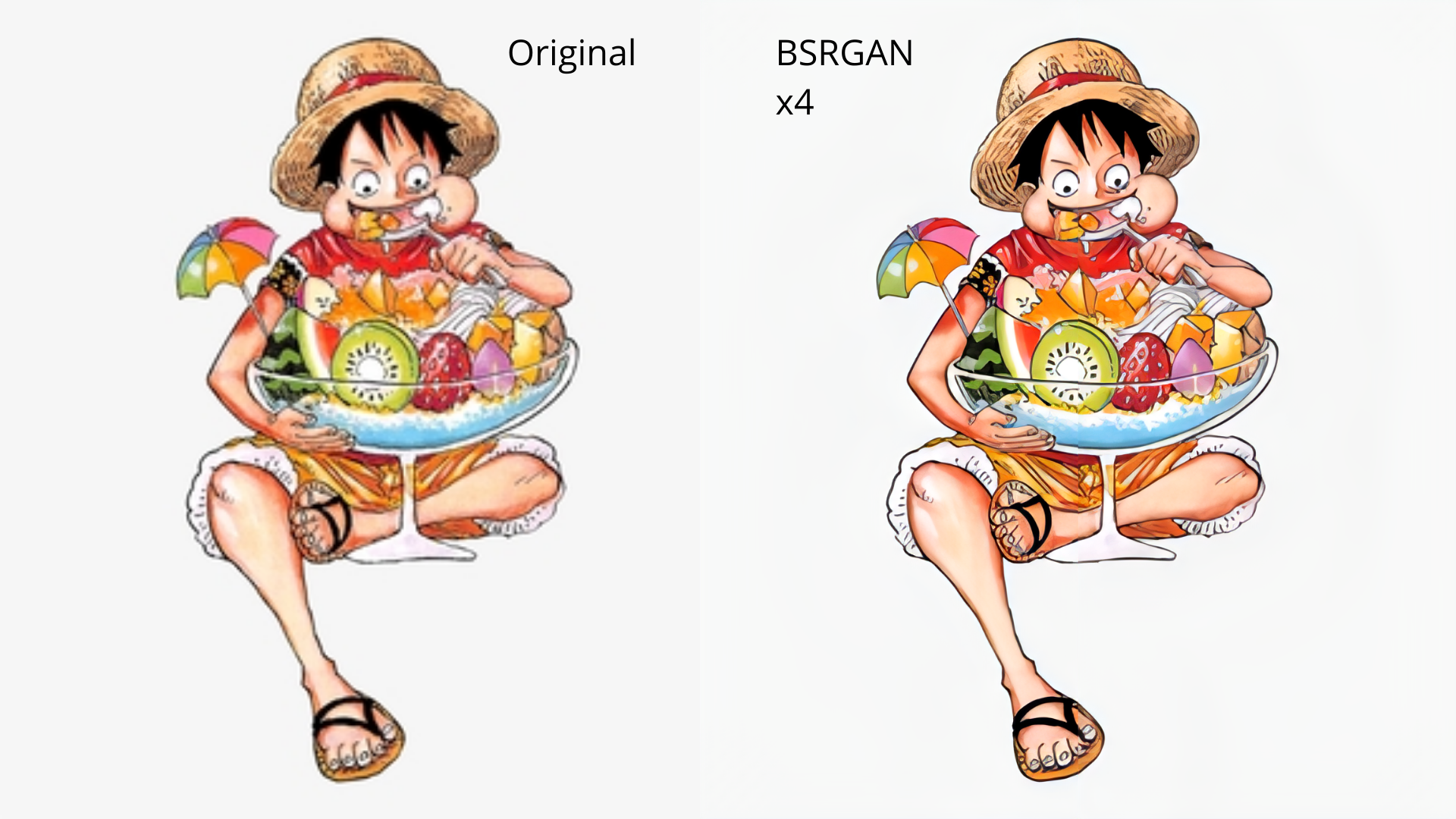
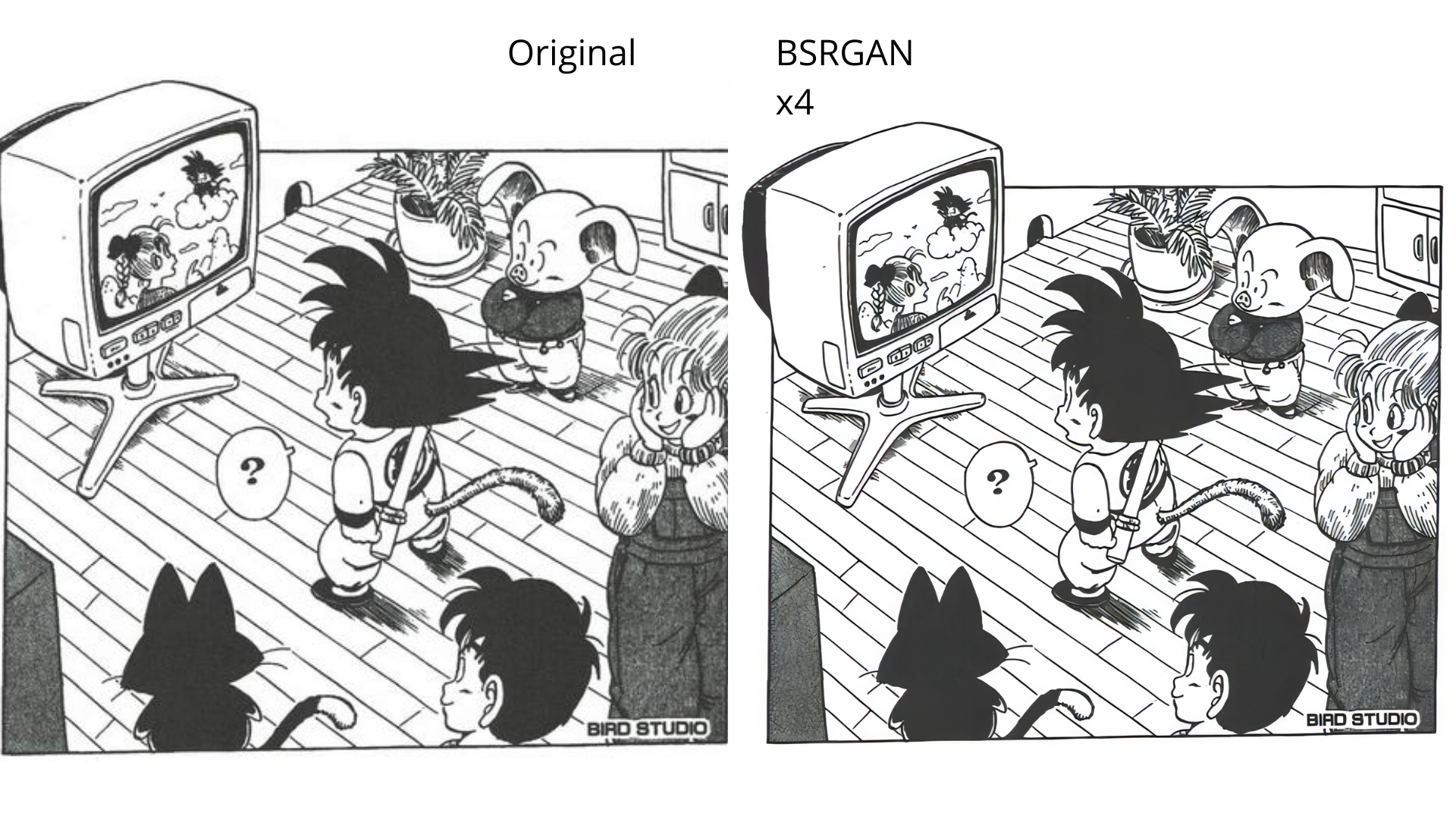
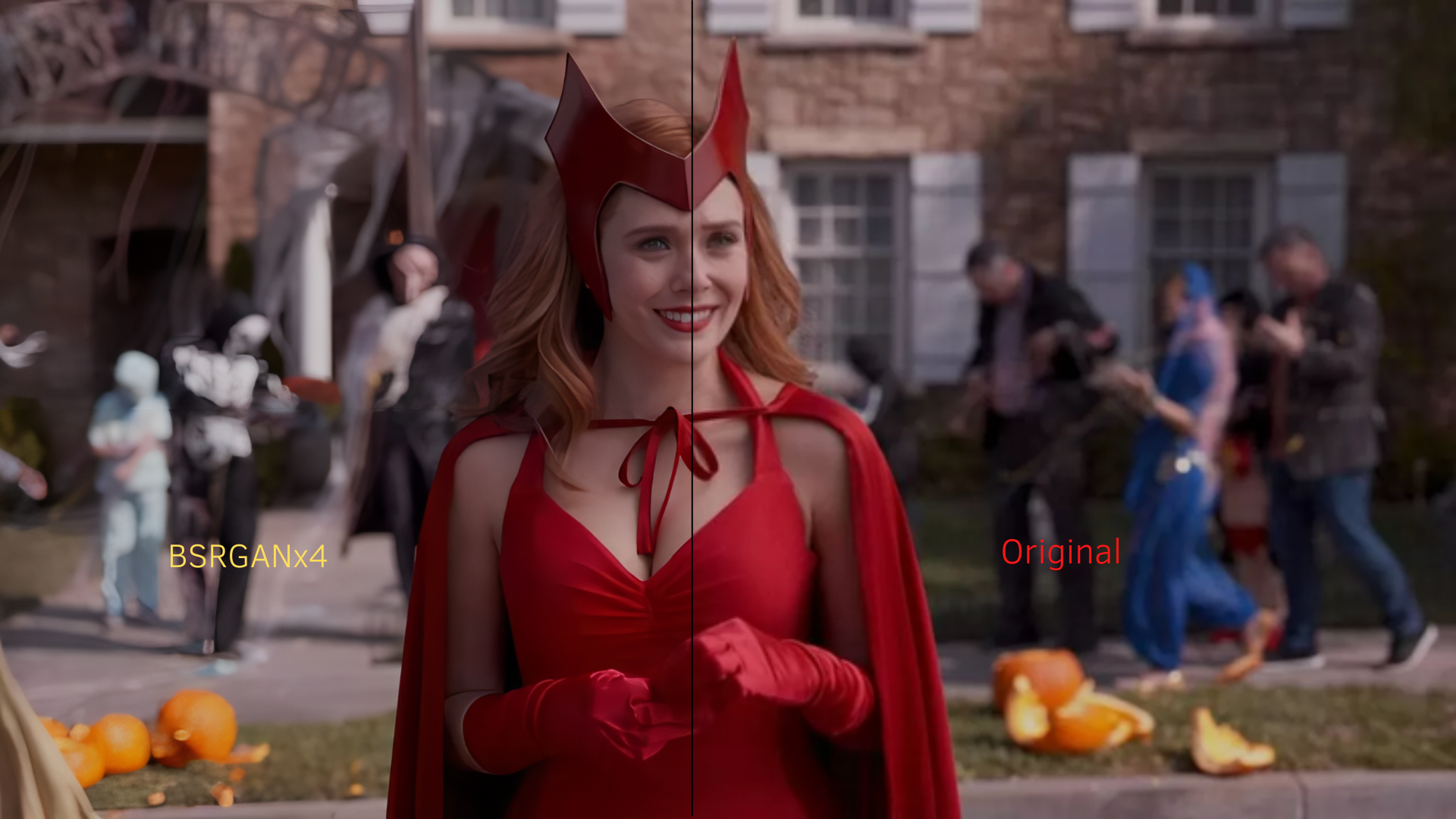
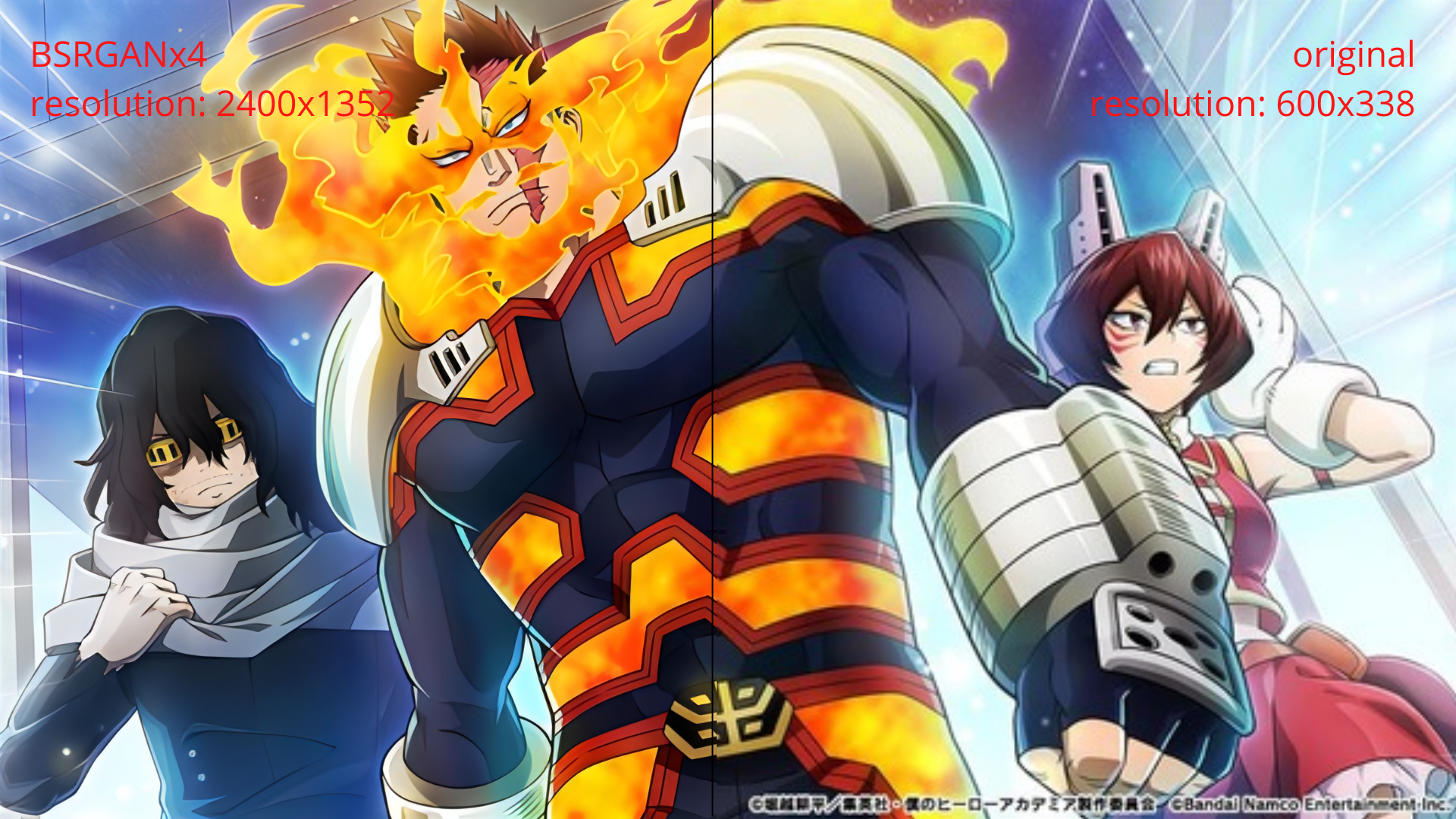
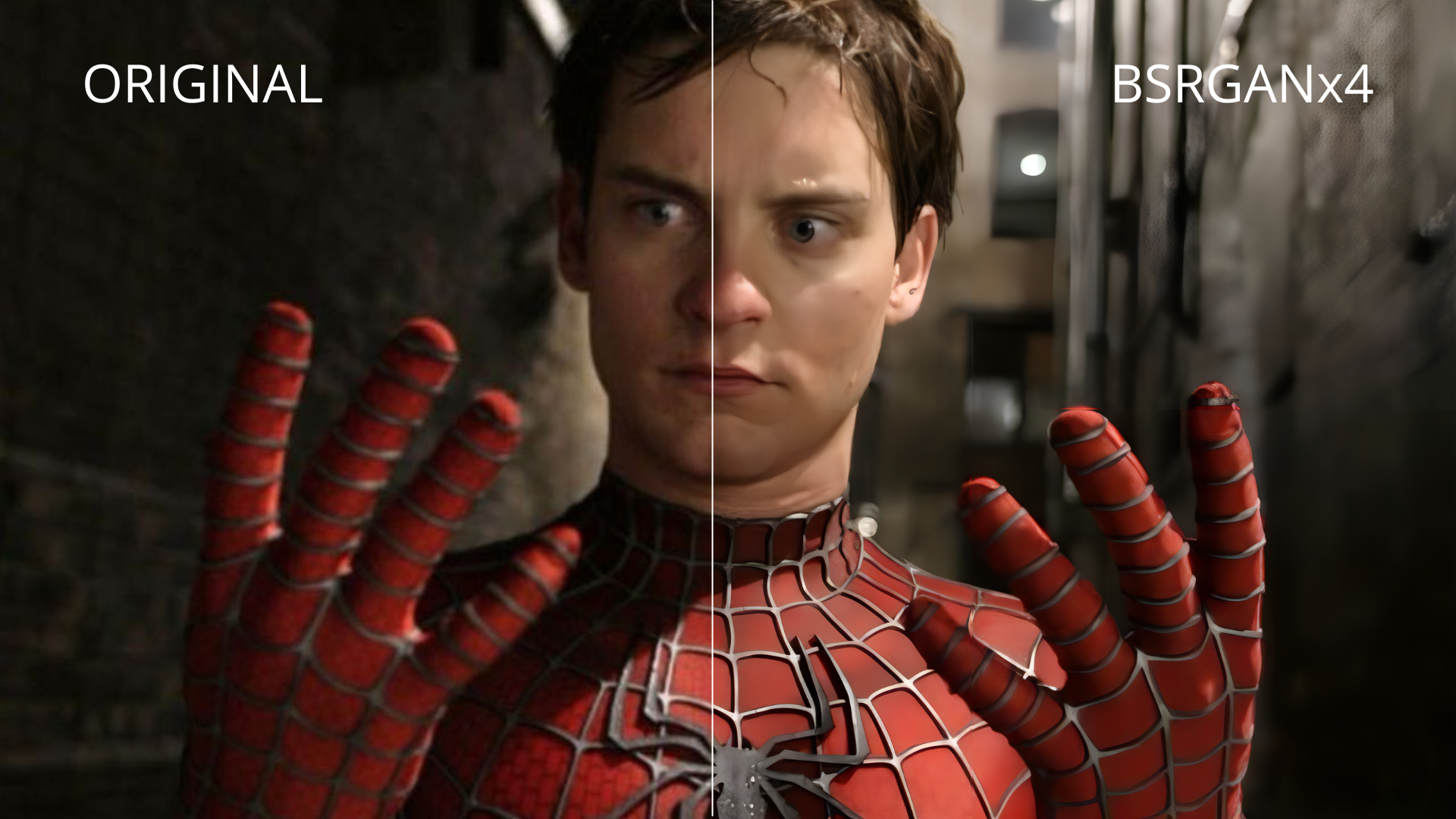
🖼️ Examples
Videos

Images

netron
lutzroeder·JavaScript
把 ONNX、PyTorch、Keras、CoreML 等格式的神经网络模型直接拖进浏览器就能看结构图,排查模型转换和层连接问题很方便。
模型可视化+4格式转换
33672+83.2kv9.3.52026-11-09 12:35 UTC

onnxruntime
microsoft·C++
跨平台高性能推理与训练加速引擎,可直接加载 ONNX 模型,兼容 PyTorch、TensorFlow 等框架导出,解决模型在不同硬件上高效部署的问题。
推理引擎+4格式转换
22275+154.4kv1.30.12026-11-10 11:19 UTC

onnx
onnx·Python
ONNX 是开放的机器学习模型交换格式标准,让 PyTorch、TensorFlow、Keras 等框架训练出的模型能互相转换、跨平台部署。
模型交换格式+4格式转换
21669+64.1kv1.23.22026-11-09 23:01 UTC
magika
google·Rust
用深度学习快速准确地识别文件真实类型,不依赖扩展名,支持 MIME 检测,Rust 实现,可嵌入各类应用做内容安全与文件分类。
文件类型检测+4格式转换
18785+91.2kcli/v1.1.02026-11-10 10:26 UTC