仓库为早期源码,新版本已闭源,功能与文档可能和商店版本不一致;扩展默认收集匿名使用数据,可用 database-client.telemetry.usesOnlineServices 关闭;数据库结构被外部修改后需点刷新按钮清缓存;内置备份功能不够稳定,建议把 mysql_dump 或 pg_dump 加入环境变量

vscode-database-client
cweijanMIT更新放缓VS Code 里的数据库客户端插件,支持 MySQL 等数据库的连接、SQL 查询和表数据管理,省去在编辑器和数据库工具之间来回切换。
Database Client For Visual Studio Code
4.7.0发布于 2022-02-26 07:52 UTC2,927star384fork同步于 2026-11-07 07:32 UTC
在 VS Code Marketplace 或 Open VSX 搜索并安装扩展 cweijan.vscode-mysql-client2 硬件要求按 README 说明
README 未说明硬件要求,作为 VS Code 扩展运行在本地编辑器环境中
VS Code 里的多数据库客户端扩展,一个面板管理 MySQL、PostgreSQL、Redis 等并兼作 SSH 客户端
VS Code 里的数据库客户端插件,支持 MySQL 等数据库的连接、SQL 查询和表数据管理,省去在编辑器和数据库工具之间来回切换。
核心能力
- 在 Database Explorer 面板统一连接 MySQL/MariaDB、PostgreSQL、SQLite、Redis、ClickHouse、达梦、ElasticSearch
- 提供绑定数据库的 SQL 编辑器,支持 IntelliSense 与 sel/del/ins/upd/joi 片段
- Ctrl+Enter 执行选中或光标处 SQL,Ctrl+Shift+Enter 执行全部 SQL
- 表视图内直接修改数据,右键菜单做导入导出与备份
- 内置查询历史记录与 Mock 测试数据生成
容易踩的坑
内容由模型根据 README 生成,可能不完整或不准确,以官方文档为准。看原文 README
- 4.7.0Database Client 4.7.0最新正式版2022-02-26 · 2022-02-26 07:52 UTC
4.7.0 2022-2-26
-
Access to the paid system, now the free use connection and some function(export, ftp) will be limited.
-
new:
- Support connect to ftp server.
- Better design for message notice.
- Support insert data by dialog.
-
Enhance:
- Detection of columns containing keywords.
- Get result lock state when open result view.
- Mock data config support remove unnecessary columns.
-
fix:
- Design table not chekc keyword and not refresh column cahce.
- Old version connection refresh not work.
- Create ssh tunnel fail when has multiple ssh tunnel.
- SFTP copy path fail.
- Count sql did not remove group by clause.
- Result view filter multi column fail.
-
用户点评
登录用户的真实使用记录,可按版本和硬件筛选共 0 条
还没有人点评。第一个说出真实体验的人最有价值。
Database Client
This repository contains the early source code. The new version is closed source.
This project is a database client for Visual Studio Code, supporting the management MySQL/MariaDB, PostgreSQL, SQLite, Redis, ClickHouse, 达梦, and ElasticSearch, and works as an SSH client, boost your maximum productivity!
Project site: vscode-database-client, 中文文档

Installation
Install from the Visual Studio Code Marketplace or Open VSX.
Telemetry Reporting
The Database Client extension will collects and sends anonymous usage data to the Database Client server to help improve our products and services. Read our Privacy Statement to learn more.
Telemetry reporting follows the telemetry settings of VS Code. Additionally, you can independently disable it by setting "database-client.telemetry.usesOnlineServices": false.
Connect
- Open Database Explorer panel, then click the
+button. - Select your database type, input connection config then click the connect button.
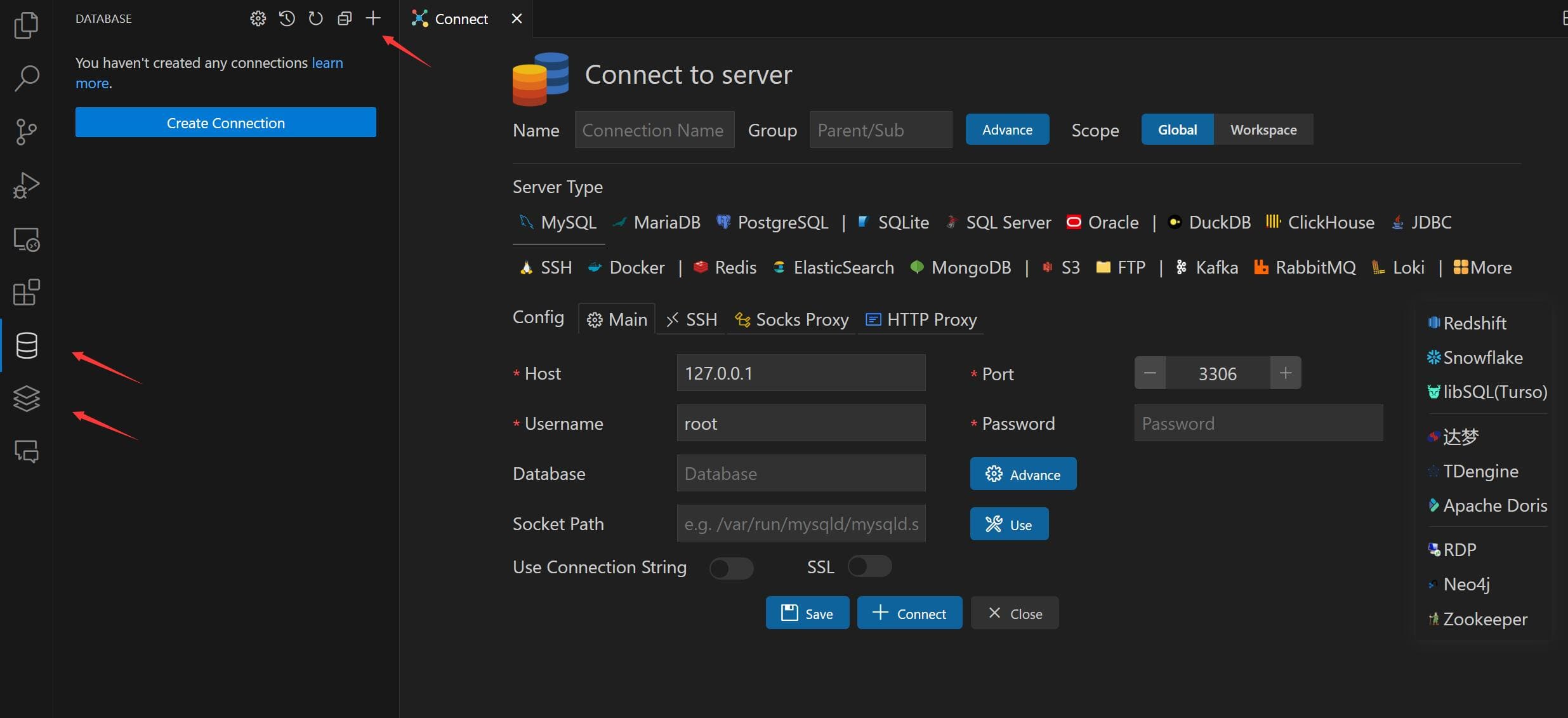
Table
- Click table to open table view.
- Click button beside table to open new table view.
- Then you can do data modification on the table view.
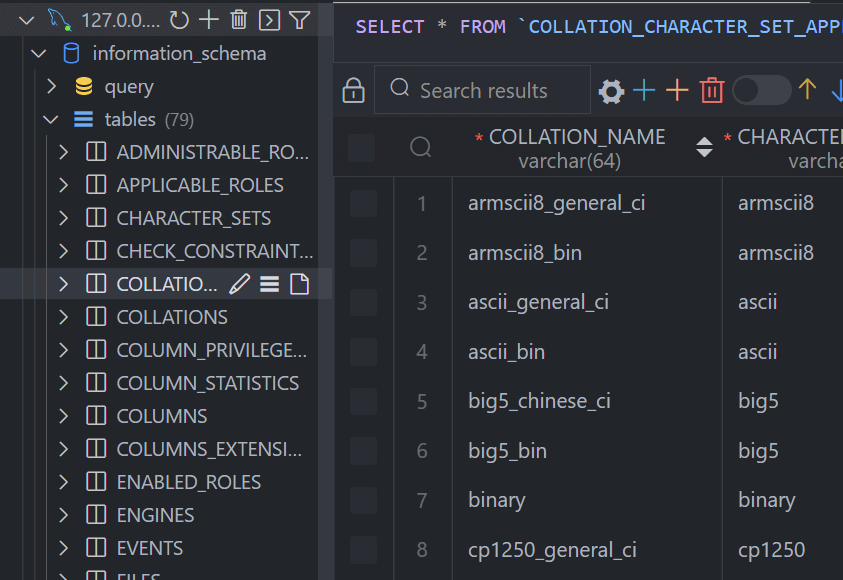
Execute SQL Query
In the Database Explorer panel, click the Open Query button.
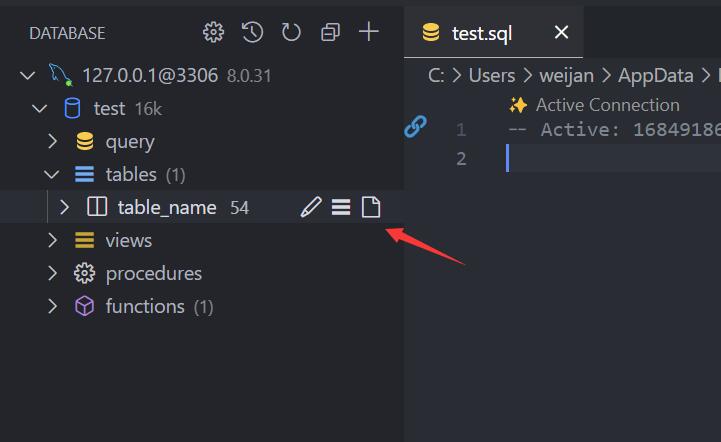
That will open a SQL editor bind of database, it provider:
- IntelliSense SQL edit.
- snippets:
sel、del、ins、upd、joi... - Run selected or current cursor SQL (Shortcut : Ctrl+Enter).
- Run all SQL (Shortcut : Ctrl+Shift+Enter, Command ID:
mysql.runSQL).
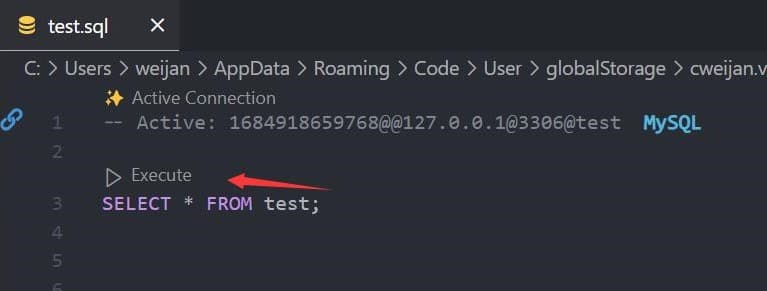
The database can be searched by clicking the search button to the right of "Tables".

Cache
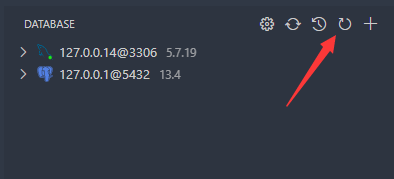
In order to improve performance, the database information is cached. If your database structure changes externally, you need to click the refresh button to refresh the cache。
Backup/Import
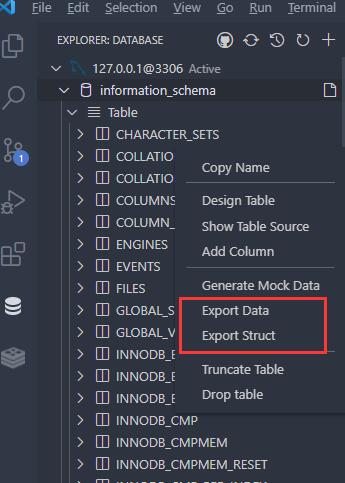
Move to ant DatabaseNode or TableNode. The export/import options are listed in the context menu (right click to open).
The extension implements the backup function, but it is not stable enough. You can add mysql_dump or pg_dump to the environment variable, and the extension will use these tools for backup.
Setting
The extension provides some settings, you can refer to the following operations to go to the console settings.

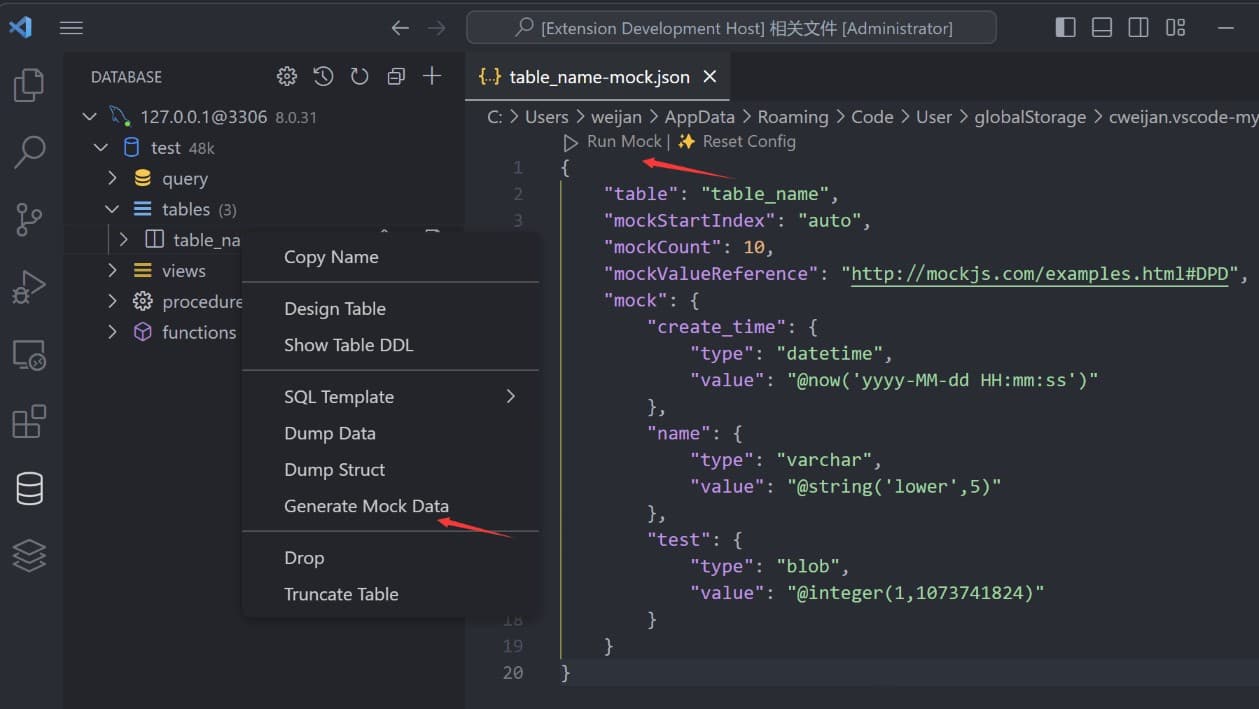
Generate Mock Data
You can easily generate test data.
History
Click the history button to open the list of recently executed query history records.

Credits
- ssh2: SSH client.
- sql-formatter SQL format lib.
- Client Lib:
- node-mysql2 : MySQL client.
- node-postgres: PostgreSQL client.
- tedious: SqlServer client.
- ioredis: Redis client.
- vscode-sqlite: SQLite client code reference.

dbeaver
dbeaver·Java
免费通用的数据库管理工具和 SQL 客户端,支持 MySQL、Oracle、DB2、Databricks 等多种数据库,用图形界面统一管理连接、执行查询和查看 ERD。
数据库客户端+4数据库工具
52382+534.5k26.2.42026-11-10 11:00 UTC

tidb
pingcap·Go
面向不可预测增长的 Agent 负载设计的分布式数据库,原生支持事务、分析与向量检索,避免数据孤岛和资源争抢。
分布式数据库+4数据库工具
40726+116.3kv8.5.82026-11-10 10:47 UTC
dbx
t8y2·Rust
25 MB 的轻量跨平台数据库客户端,一个界面连 MySQL、PostgreSQL、Redis、MongoDB、达梦等 100+ 数据库,还自带 AI 助手、MCP Server 和 CLI。
数据库客户端+4数据库工具
29877+4062.7kpackages-v0.4.1412026-11-10 11:10 UTC

Chat2DB
OtterMind·Java
跨平台本地优先的数据库客户端和 SQL 工作台,支持 40+ 数据库,可接入自有 AI 模型生成、解释和优化查询,桌面、Web、Docker、CLI 多端可用。
数据库客户端+4数据库工具
28358+53.0kv5.3.9-beta.22026-11-02 06:24 UTC