需 Python 3.10+,建议使用虚拟环境;用 llama.cpp 的 GGUF 模型需另装 llama-cpp-python;调用 LLM API 或 Ollama 需先 pip install txtai[pipeline-llm] 并自备服务与密钥;Docker 应用默认映射 8501 端口。
annotateai
neumlApache-2.0更新放缓用大模型自动给科研论文打标注,结合向量检索定位相关内容,省去人工逐篇阅读和整理文献的功夫。
📝 Automatically annotate papers using LLMs
v0.3.0发布于 2025-12-01 16:14 UTC430star45fork同步于 2026-11-07 07:29 UTC
pip install annotateai 硬件要求按 README 说明
README 未给出显存或 CPU 具体要求;Docker 示例使用 --gpus=all 启动,本地模型可用 llama.cpp GGUF 量化版本运行。
有 Docker 镜像
用 LLM 自动标注论文,边读边给出关键概念所在段落的简短注解
用大模型自动给科研论文打标注,结合向量检索定位相关内容,省去人工逐篇阅读和整理文献的功夫。
核心能力
- 一行调用完成读论文、抽标题与关键概念、定位强调段落并生成短主题
- 自动生成待检索的关键概念,也可用 keywords 参数指定
- 支持任意 txtai 兼容 LLM,含本地模型、API 服务与 Ollama 端点
- 提供 Docker 版 Web 应用,可用环境变量配置 LLM 与上下文长度
容易踩的坑
内容由模型根据 README 生成,可能不完整或不准确,以官方文档为准。看原文 README
- v0.3.0最新正式版2025-12-01 · 2025-12-01 16:14 UTC
This release adds the following enhancements and bug fixes:
- Add maxlength parameter (#10)
- Require Python >= 3.10 (#11)
- Update README to note latest recommended models (#14)
- Add stripthink to LLM calls (#15)
- Remove autoawq from Docker app (#16)
- v0.2.02024-12-18 · 2024-12-18 17:32 UTC
查看更新说明
This release adds the following enhancements and bug fixes:
- Update README.md (#2)
- Add an example application (#3)
- Add embeddings search to example app (#6)
- v0.1.12024-12-13 · 2024-12-13 17:19 UTC
查看更新说明
New release with README changes.
- v0.1.02024-12-13 · 2024-12-13 17:13 UTC
查看更新说明
Initial release 🎉 🥳
用户点评
登录用户的真实使用记录,可按版本和硬件筛选共 0 条
还没有人点评。第一个说出真实体验的人最有价值。
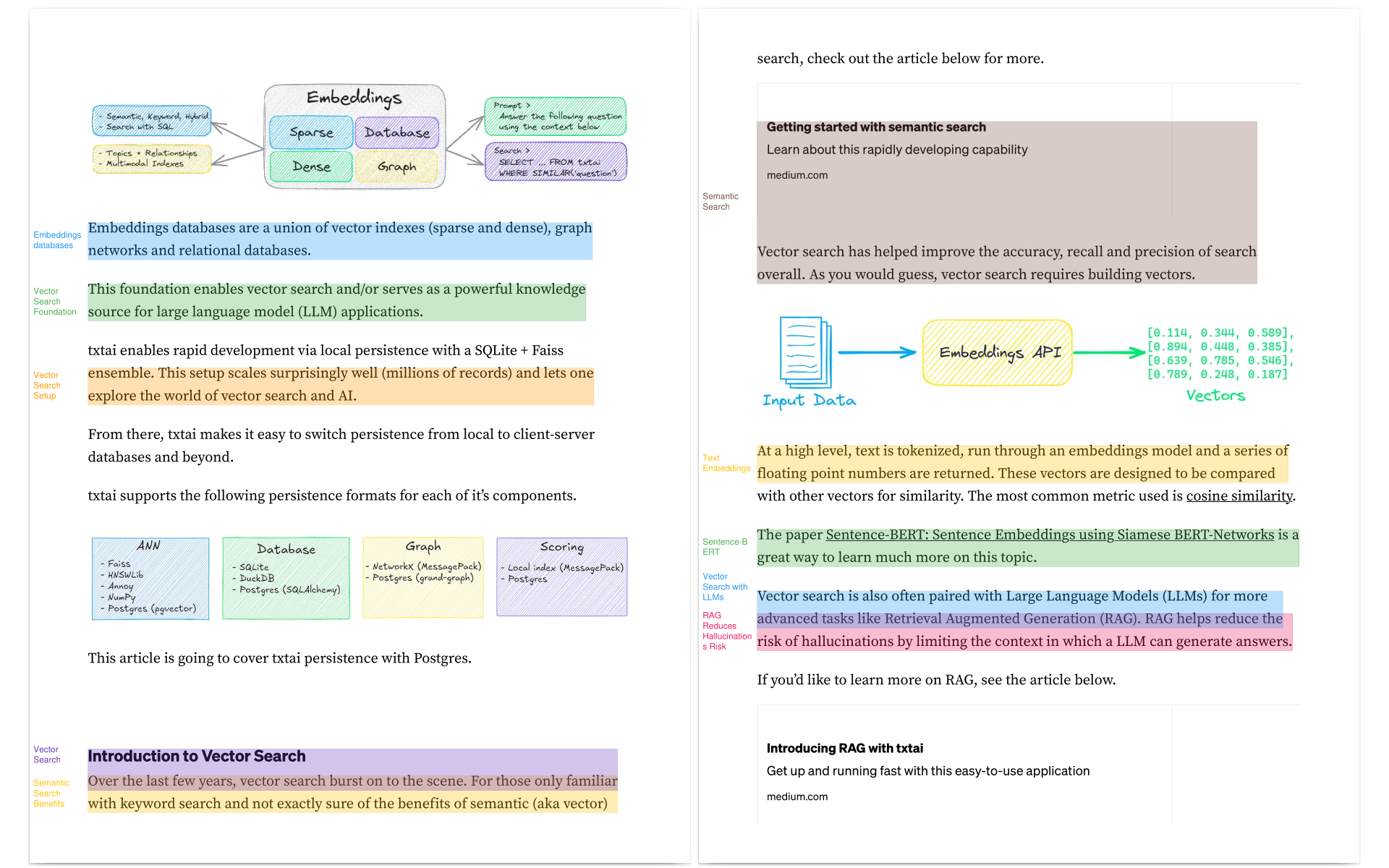
annotateai automatically annotates papers using Large Language Models (LLMs). While LLMs can summarize papers, search papers and build generative text about papers, this project focuses on providing human readers with context as they read.
Architecture


A one-line call does the following:
- Reads the paper
- Finds the title and important key concepts
- Goes through each page and finds sections that best emphasis the key concepts
- Reads the section and builds a concise short topic
- Annotates the paper and highlights those sections
Installation
The easiest way to install is via pip and PyPI
pip install annotateai
Python 3.10+ is supported. Using a Python virtual environment is recommended.
annotateai can also be installed directly from GitHub to access the latest, unreleased features.
pip install git+https://github.com/neuml/annotateai
Examples
annotateai can annotate any PDF but it works especially well for medical and scientific papers. The following shows a series of examples using papers from arXiv.
This project also works well with papers from PubMed, bioRxiv and medRxiv!
Setup
The primary input parameter is the path to the LLM. This project is backed by txtai and it supports any txtai-supported LLM.
from annotateai import Annotate

# Lightweight but powerful default model
annotate = Annotate("Qwen/Qwen3-4B-Instruct-2507")

# Gemma 4
annotate = Annotate("google/gemma-4-E4B-it")

# llama.cpp version of the above model
# Run pip install llama-cpp-python to enable
annotate = Annotate(
  "unsloth/gemma-4-E2B-it-GGUF/gemma-4-E2B-it-Q4_K_M.gguf"
)
Annotate paper "Retrieval-Augmented Generation for Knowledge-Intensive NLP Tasks"
This paper proposed RAG before most of us knew we needed it.
annotate("https://arxiv.org/pdf/2005.11401")
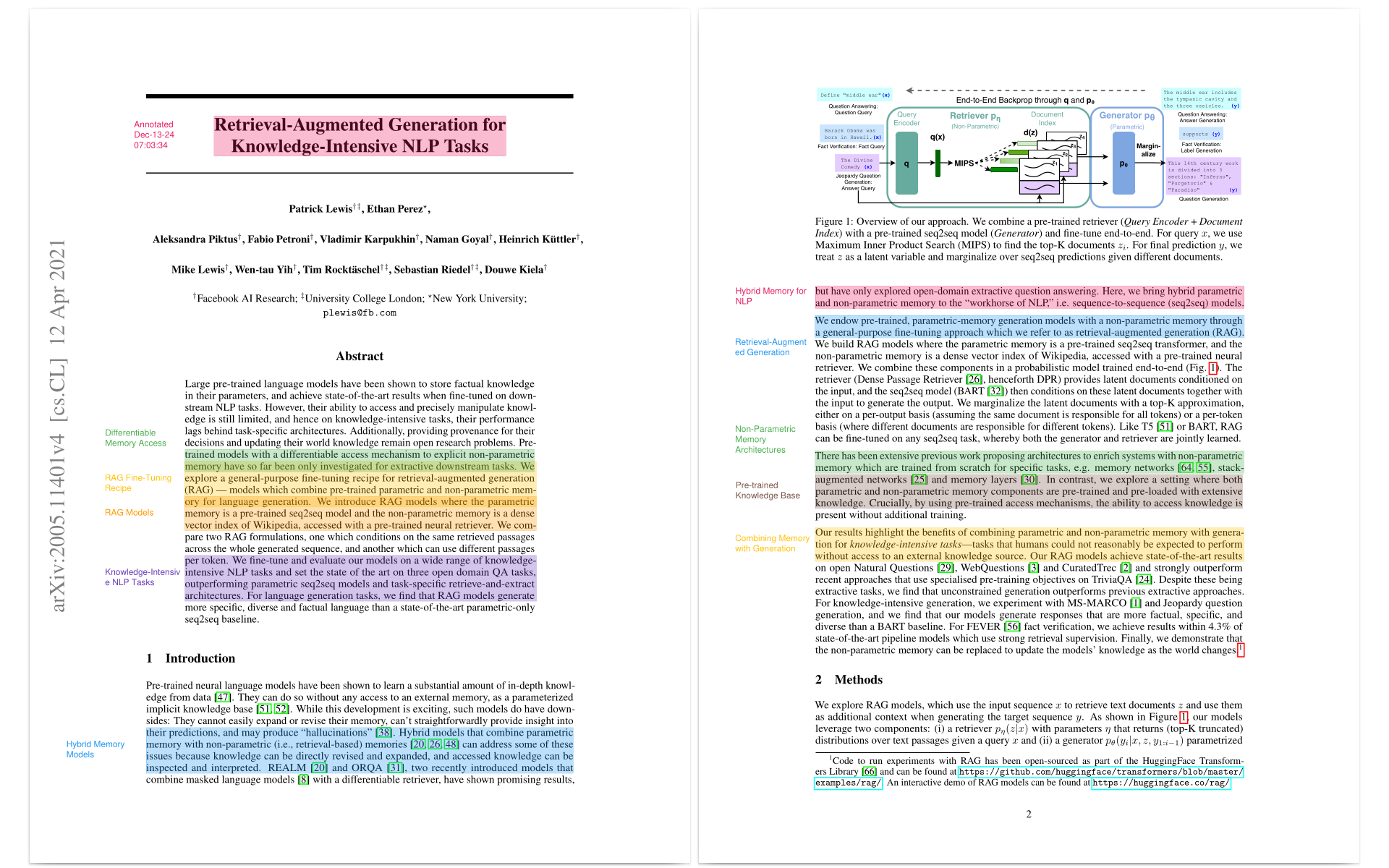
Source: https://arxiv.org/pdf/2005.11401
Annotate paper "HunyuanVideo: A Systematic Framework For Large Video Generative Models"
This paper builds the largest open-source video generation model as of Dec 2024.
annotate("https://arxiv.org/pdf/2412.03603v2")
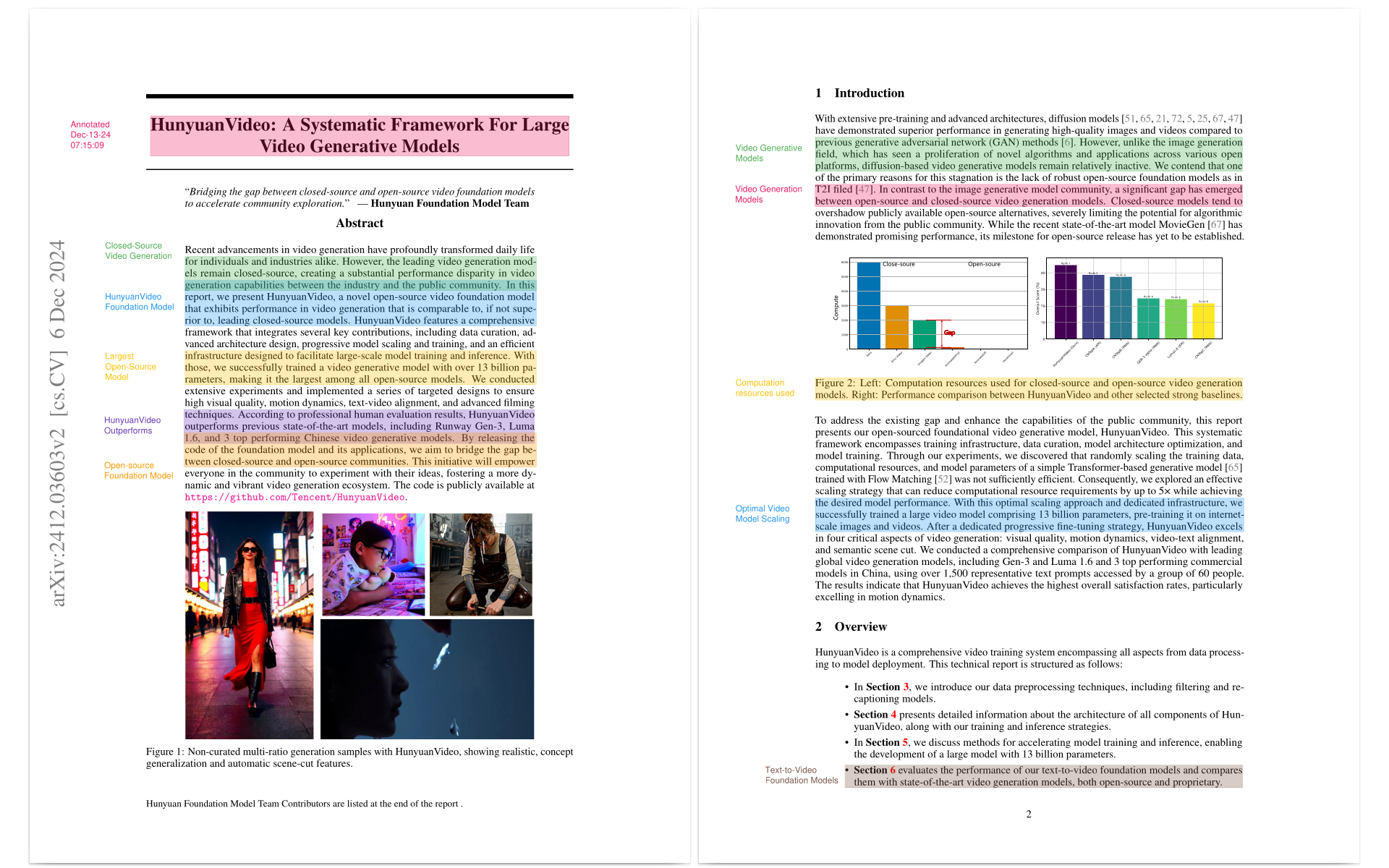
Source: https://arxiv.org/pdf/2412.03603v2
Annotate paper "OpenDebateEvidence: A Massive-Scale Argument Mining and Summarization Dataset"
This paper was presented at the 38th Conference on Neural Information Processing Systems (NeurIPS 2024) Track on Datasets and Benchmarks.
annotate("https://arxiv.org/pdf/2406.14657")
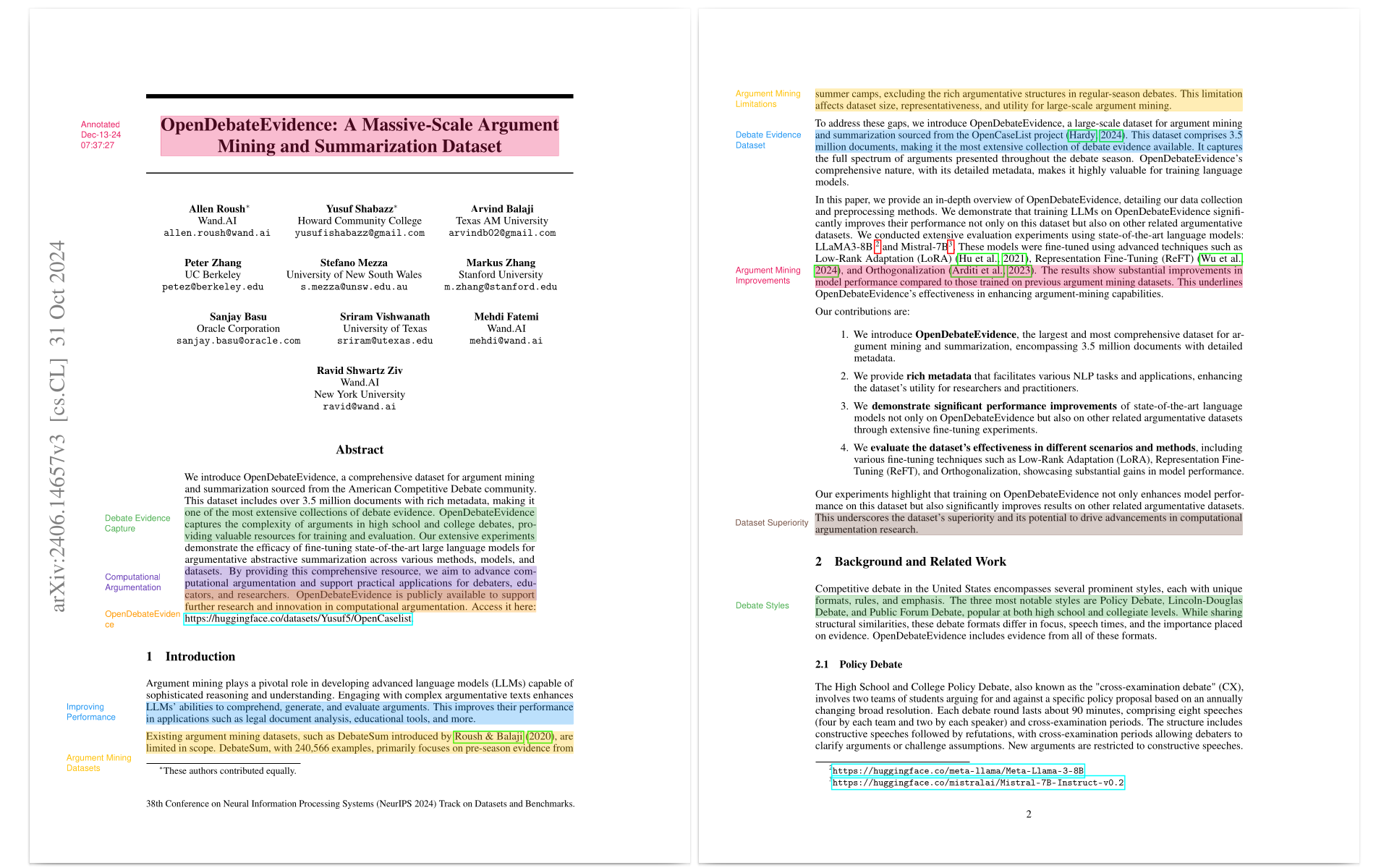
Source: https://arxiv.org/pdf/2406.14657
LLM APIs and llama.cpp
As mentioned earlier, this project supports any txtai-supported LLM. Some examples below.
pip install txtai[pipeline-llm]
# LLM API services
annotate = Annotate("gpt-5.5")
annotate = Annotate("claude-opus-4-6-20260205")
annotate = Annotate("gemini/gemini-3-pro-preview")

# Ollama endpoint
annotate = Annotate("ollama/gemma4")

# llama.cpp GGUF from Hugging Face Hub
annotate = Annotate(
  "unsloth/gemma-4-E4B-it-GGUF/gemma-4-E4B-it-Q4_K_M.gguf"
)
Additional parameters
The default mode for an annotate instance is to automatically generate the key concepts to search for. But these concepts can be provided via the keywords parameter.
annotate("https://arxiv.org/pdf/2005.11401", keywords=["hallucinations", "llm"])
This is useful for situations where we have a large batch of papers and we want it to identify a specific set of concepts to help with a review.
The progress bar can be disabled as follows:
annotate("https://arxiv.org/pdf/2005.11401", progress=False)
Docker Web Application
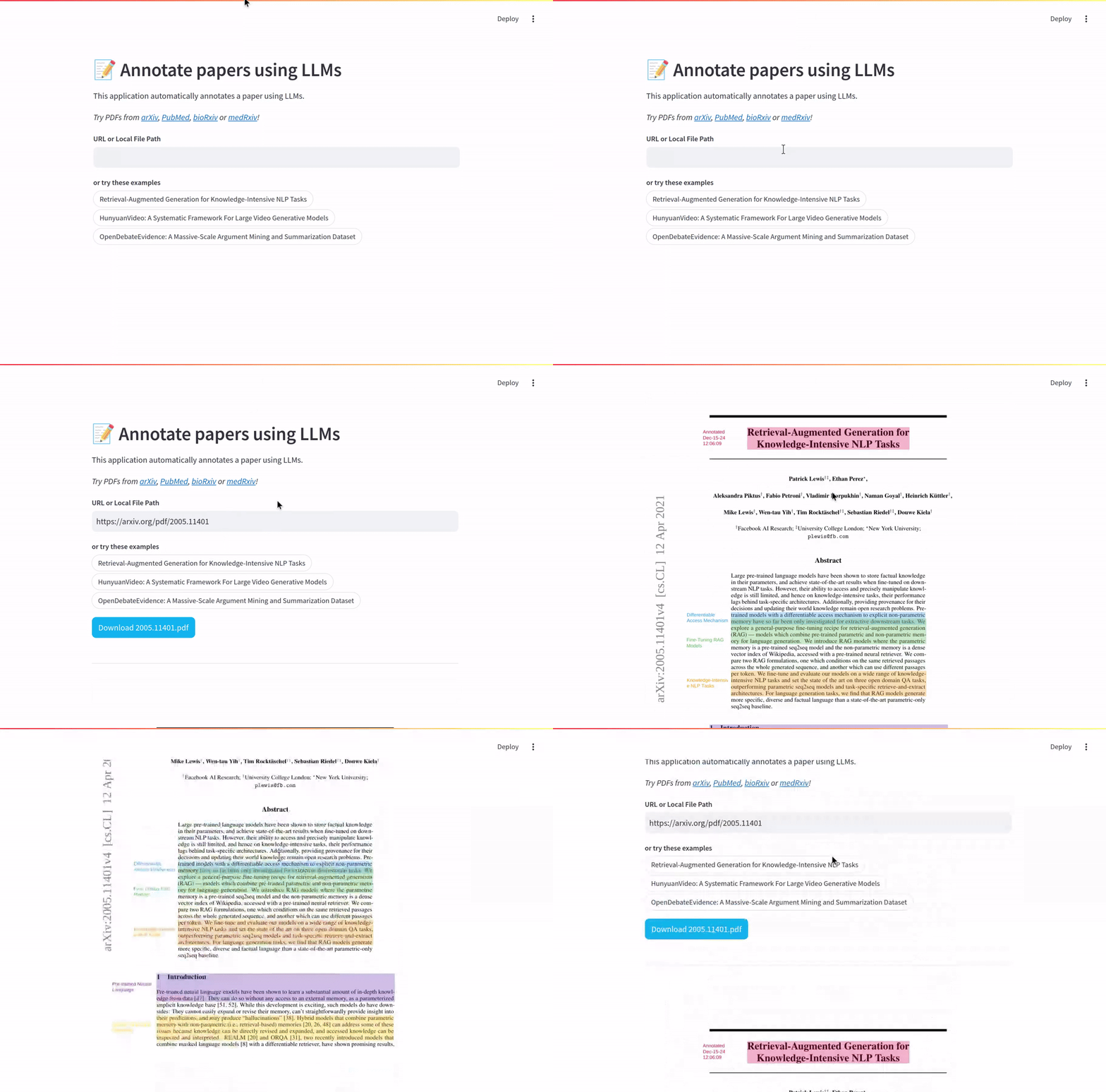
neuml/annotateai is a web application available on Docker Hub.
This can be run with the default settings as follows.
docker run -d --gpus=all -it -p 8501:8501 neuml/annotateai
The LLM can also be set via ENV parameters.
docker run -d --gpus=all -it -p 8501:8501 -e LLM=unsloth/gemma-4-E4B-it-GGUF/gemma-4-E4B-it-Q4_K_M.gguf -e MAXLENGTH=10000 -e n_ctx=4096 neuml/annotateai
The code for this application can be found in the app folder.
Further Reading

transformers
huggingface·Python
统一加载和运行文本、视觉、音频、多模态的预训练模型,覆盖推理与训练,省去为每个模型重写代码的麻烦。
预训练模型+4训练框架
168737+12535kv5.22.22026-11-10 17:05 UTC
LlamaFactory
hiyouga·Python
一套统一接口搞定 100+ 大语言模型和多模态模型的微调,支持 LoRA 等高效训练方式,省去为每个模型单独写训练脚本的麻烦。
微调框架+4训练框架
75977+549.4kv0.9.52026-11-10 11:46 UTC
keras
keras-team·Python
面向人类友好的深度学习 API,用 Python 编写,可跑在 TensorFlow、JAX、PyTorch 上,帮开发者快速搭建和训练神经网络。
深度学习+4训练框架
64421+520kv3.15.12026-11-10 11:13 UTC
langextract
google·Python
用 LLM 从非结构化文本中抽取结构化信息,并给出精确的原文出处定位和交互式可视化,方便核对抽取结果。
信息抽取+4训练框架
39298+242.8kv1.7.22026-11-10 01:39 UTC