首次必须先跑 quick_start.sh 交互式输入验证码生成 app/session 下的 session 文件;需自行到 my.telegram.org 申请 API ID/Hash 并用 userinfobot 获取账号 ID;./clean.sh 会清空数据库并丢失全部数据
编辑 informer.env 填入 Telegram API 与账号信息后运行:./quick_start.sh;随后 ./start.sh 启动含 MySQL 的 Docker 容器 硬件要求按 README 说明
README 未说明;仅要求 Python 3+,Docker 可选,未提及 GPU 或显存
有 Docker 镜像
用真实 Telegram 账号批量监控 500+ 频道的 Python 工具,消息落库并推送私密频道
用 Python 写的 Telegram 监控机器人,能批量监听群组和频道消息,适合做舆情追踪或加密货币相关情报收集。
核心能力
- 伪装成多个真实用户账号,规避官方 Bot API 限制
- 每账号最多加入 500 个频道并持久化会话免重复登录
- 按 CSV 频道链接列表自动加群
- 用正则表达式过滤关键词命中消息
- 消息与频道元数据写入 MySQL、Google Sheet 和私密频道
容易踩的坑
内容由模型根据 README 生成,可能不完整或不准确,以官方文档为准。看原文 README
暂无 release 数据(可能没有发版,或尚未同步)。
用户点评
登录用户的真实使用记录,可按版本和硬件筛选共 0 条
还没有人点评。第一个说出真实体验的人最有价值。

Informer - Telegram Mass Surveillance
Update 10-20-2025
- Security: Fixed high-severity vulnerability CVE-2022-1941 in mysql-connector-python
- Security: Migrated from deprecated oauth2client to google-auth
- Updated all dependencies to latest secure versions
- Fixed quick_start.sh script bugs (venv creation and account_id parameter)
- Fixed Docker MySQL connection issues for cross-platform compatibility
- Improved Google Sheets setup documentation
Update 08-23-2021
- Updated to latest Telethon 1.23.0
- Fixed database issues by migrating to docker-compose
- Made Google Spreadsheets optional in setup
- Secure ENV files for setup
- Easier setup
- Replaced docker-compose in lieu of App Engine bc AE sux
About
Informer (TGInformer) is a bot library that allows you to masquerade as multiple REAL users on telegram and spy on 500+ Telegram channels per account. Details are logged to a MySQL database, a private Google Sheet and your own private channel for analysis.
This is a functioning proof-of-concept project with known bugs. Feel free to fork, share and drop me a line.
Potential Business Applications
- Sock puppeteering to overthrow a despotic regime
- Brand monitoring and sentiment analysis
- Shilling cryptocurrency at a moments notice for financial gain
- Influencing sentiment on topical issues
- Getting in on price action early
- Running analysis of a telegram channel
Features
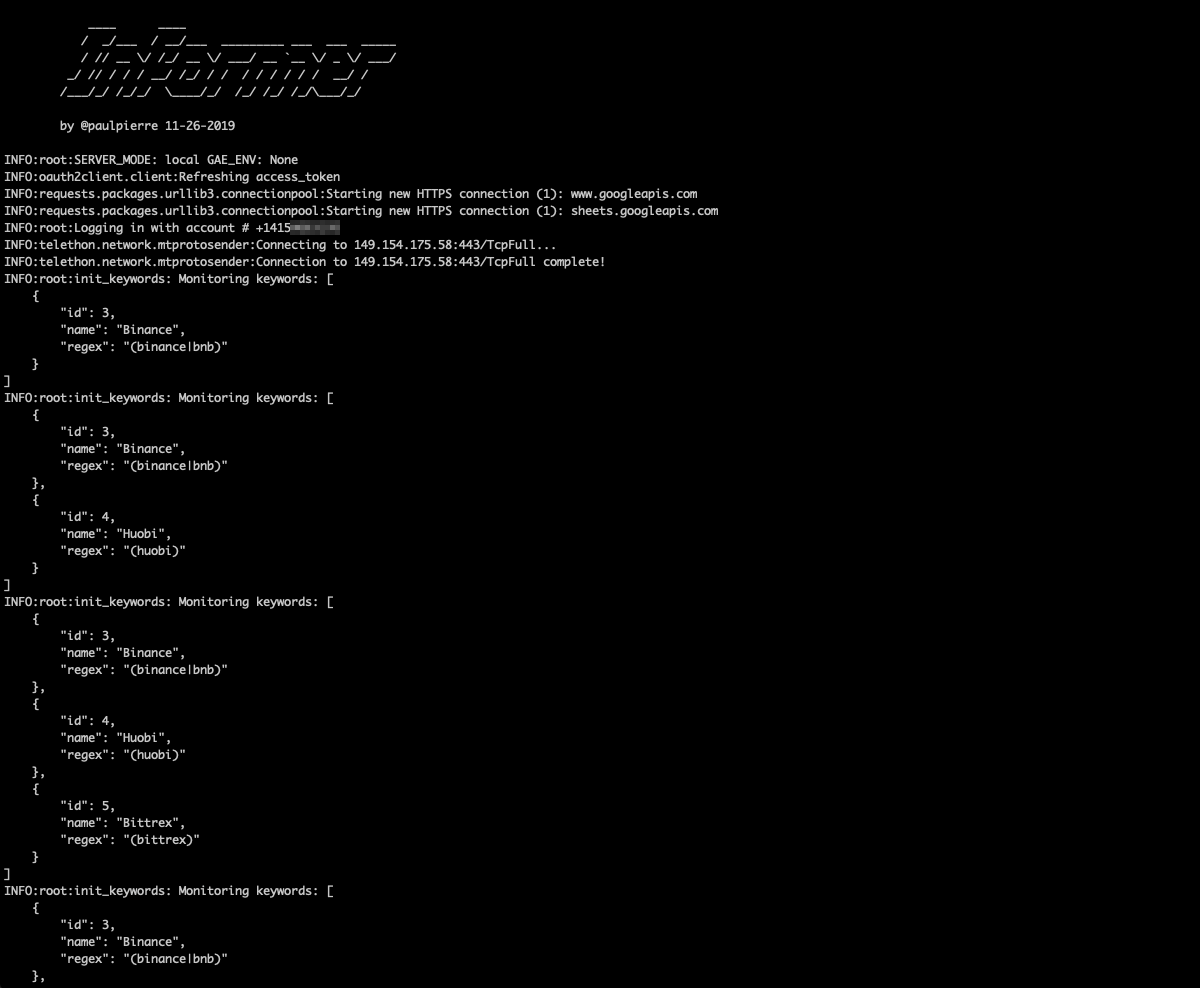
- Run all your bots in the cloud while you sleep. Support for Docker Compose

- Write all notifications to private Google Sheet
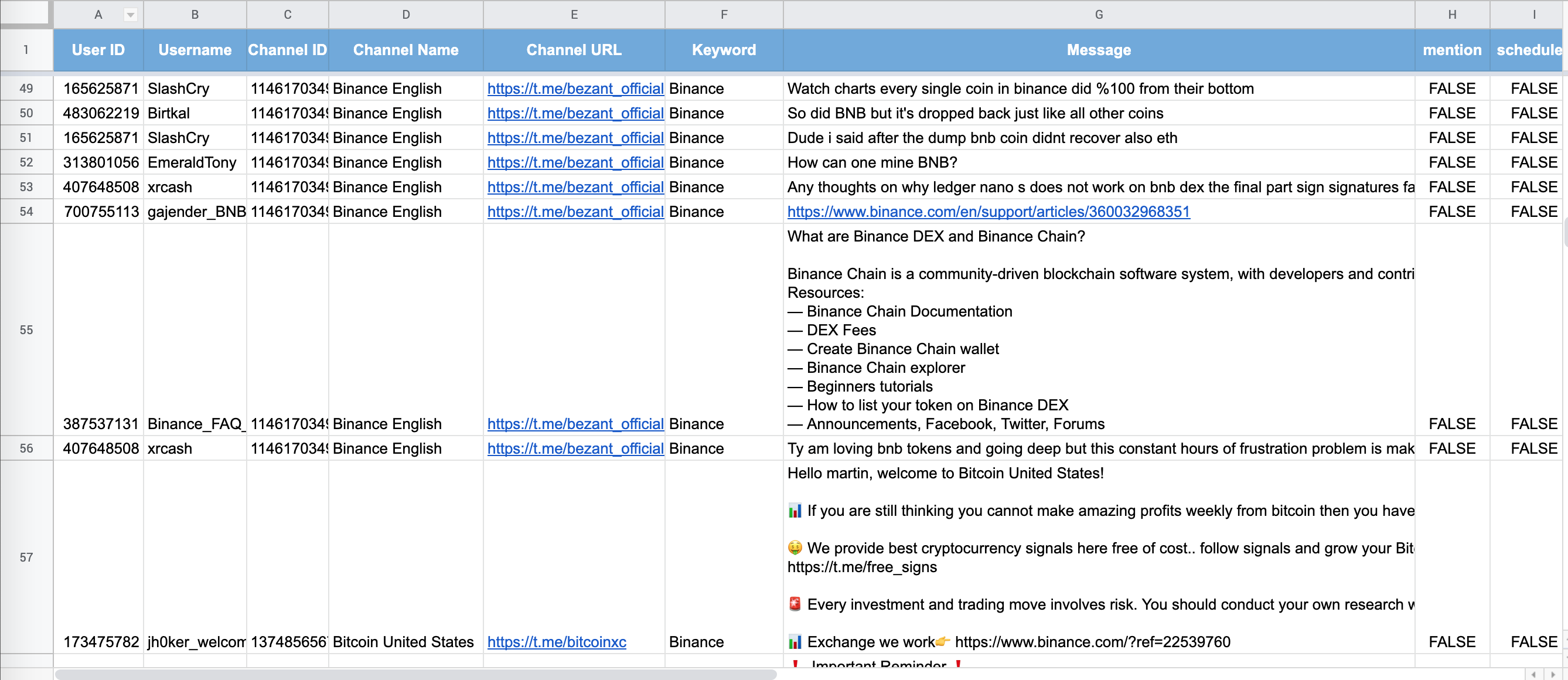
-
Supports regular expressions for keyword filtering
-
SQLAlchemy for agnostic data persistence
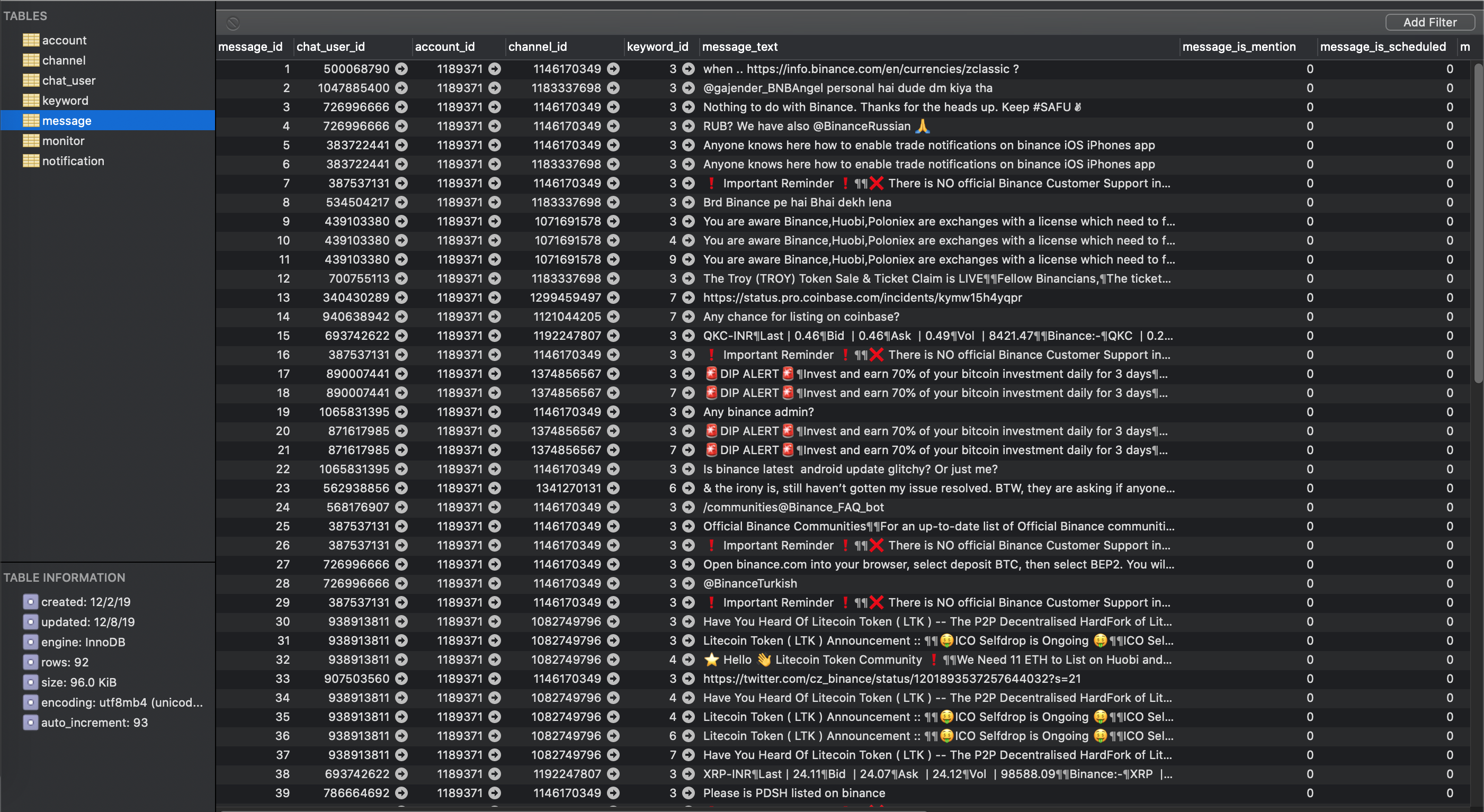
-
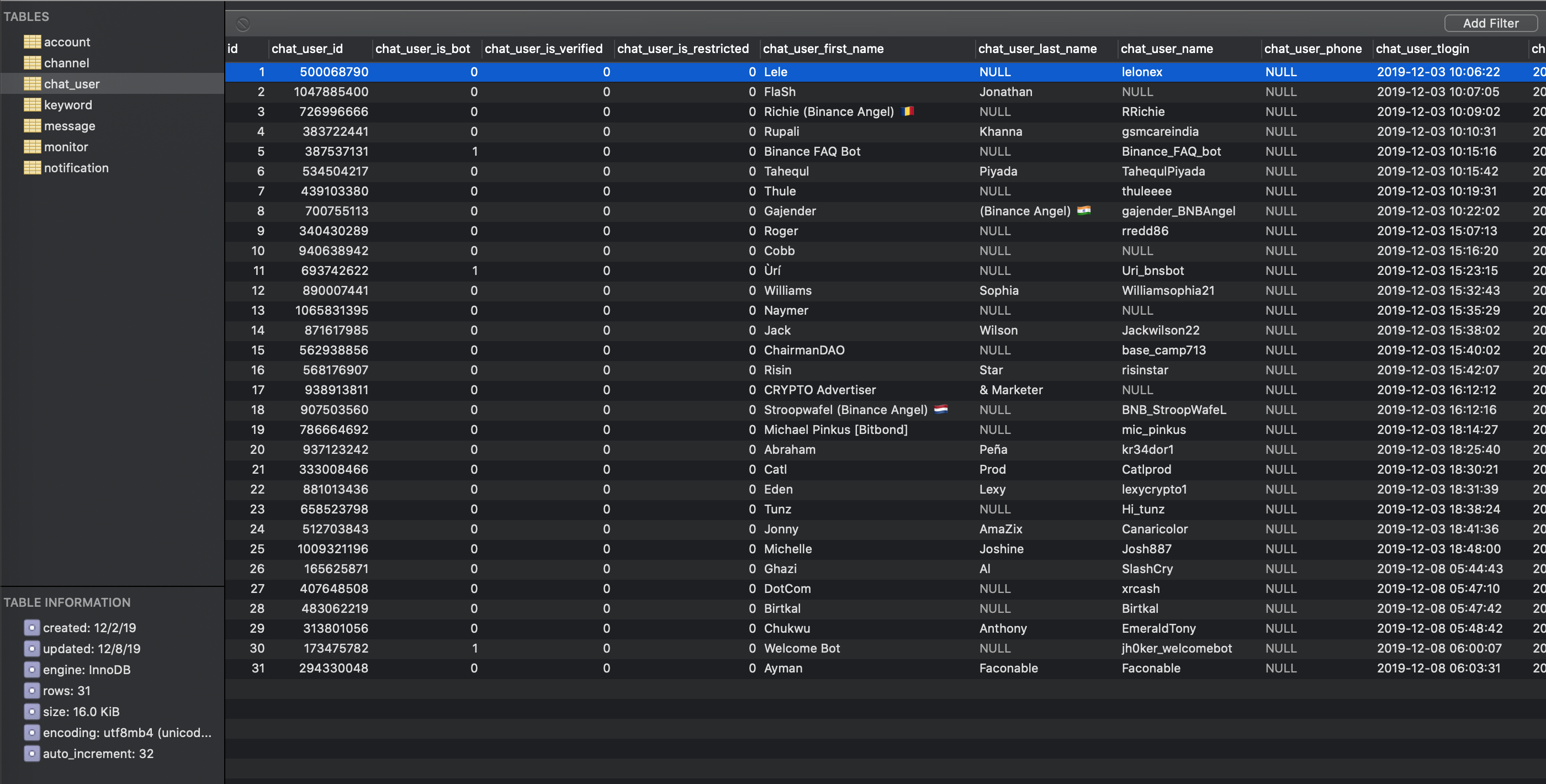
Logging contextual message and channel data to a private channel and database
-
Stores meta information about sender of message, channel, number of participants in the channel
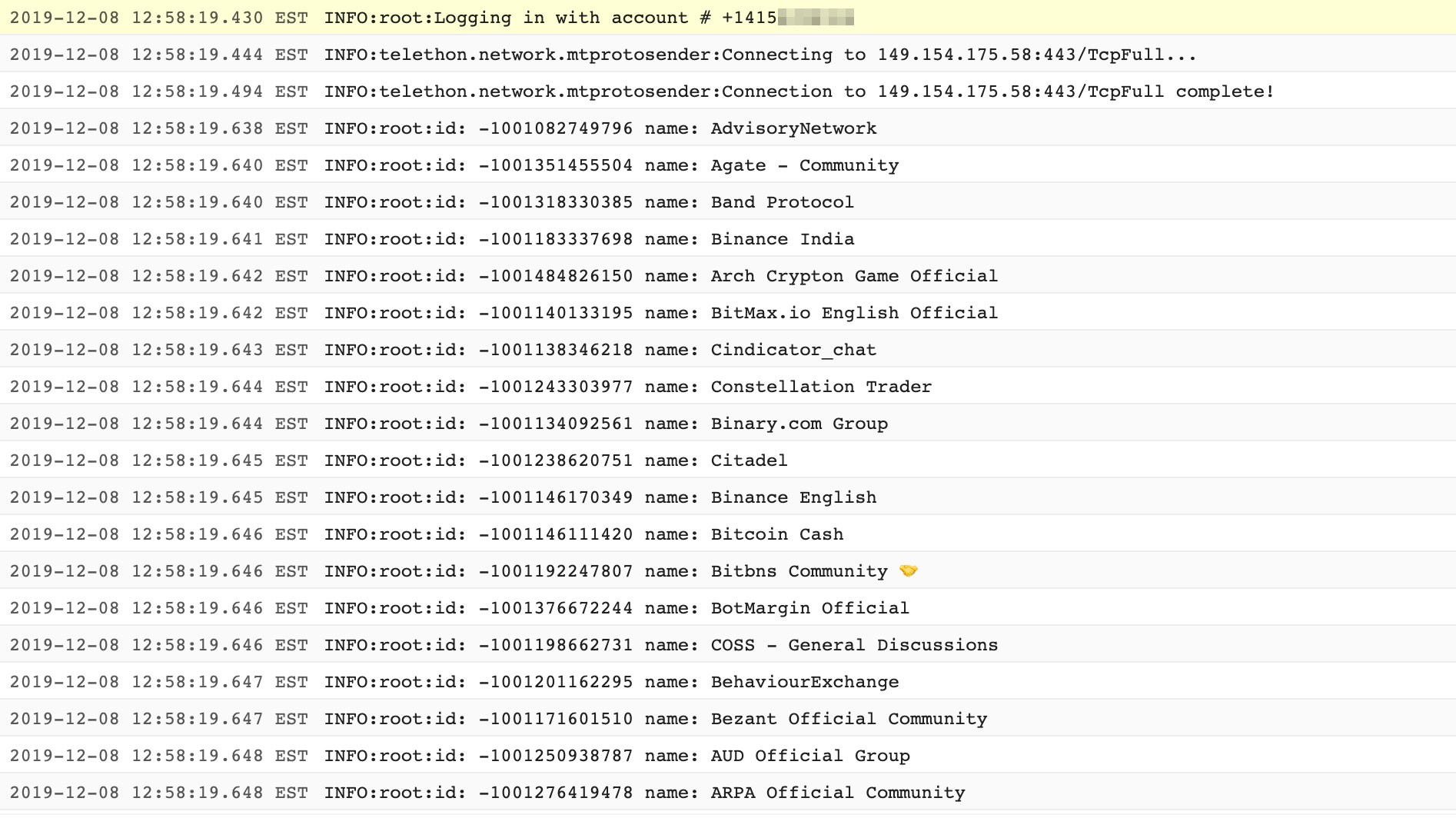
- Auto-joins channels from CSV list containing Telegram channel URLs
-
Persists session of channels joined
-
Login once, bot stays logged in forever without needing 2FA re-authentication
-
Join up to 500 channels per account
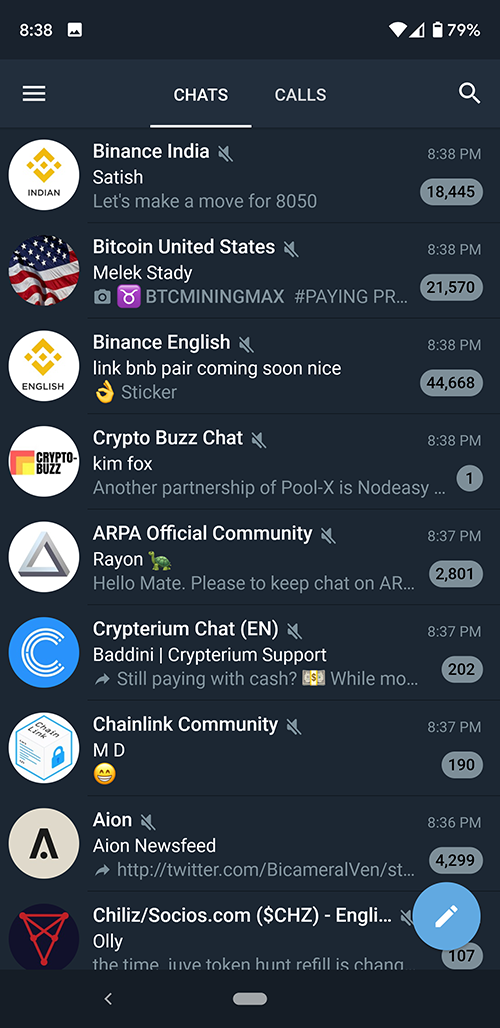
- Uses REAL accounts avoiding bot detection, THIS IS NOT A TELEGRAM BOT but a real automated user account. This is an important distinction because the official bot API is limited and bots are often restricted in public channels.
Requirements
OS / Infrastructure
- Python 3+
- Docker (optional)
- Telegram (Desktop, Web or Mobile download: https://www.telegram.org/)
- Burner app
Python packages
- SQLAlchemy (1.4.54)
- sqlalchemy-migrate (0.13.0)
- Telethon (1.36.0)
- mysql-connector-python (8.4.0)
- gspread (6.1.4)
- google-auth (2.37.0) - replaces deprecated oauth2client
- python-dotenv (1.0.1)
Quick Start
Setup your ENV vars
Edit the file informer.env which contains all the required environmental variables for informer
You can retrieve the necessary Telegram-related information here:
Setup Your Telegram App
- Head over to
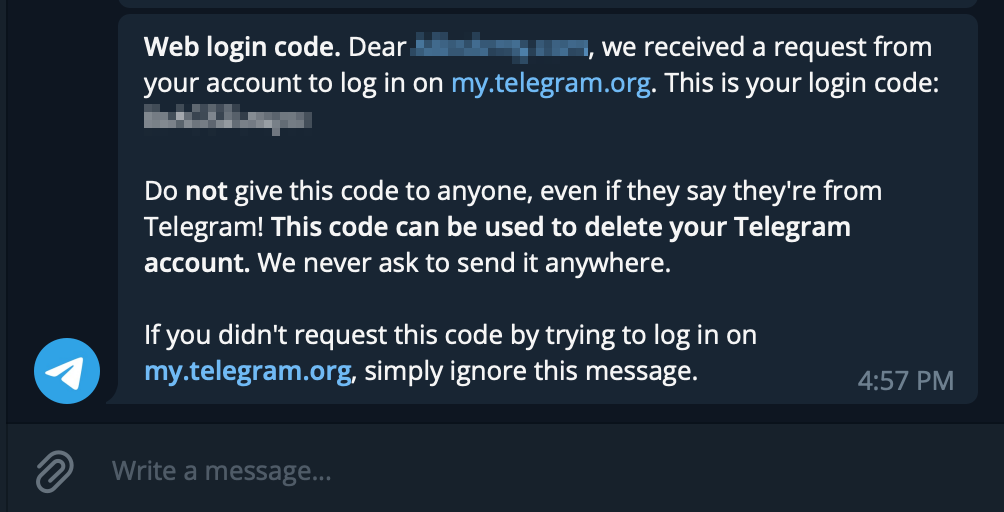
https://my.telegram.org/authto authenticate your account by providing a phone number and the confirmation code sent to your phone number (or Telegram)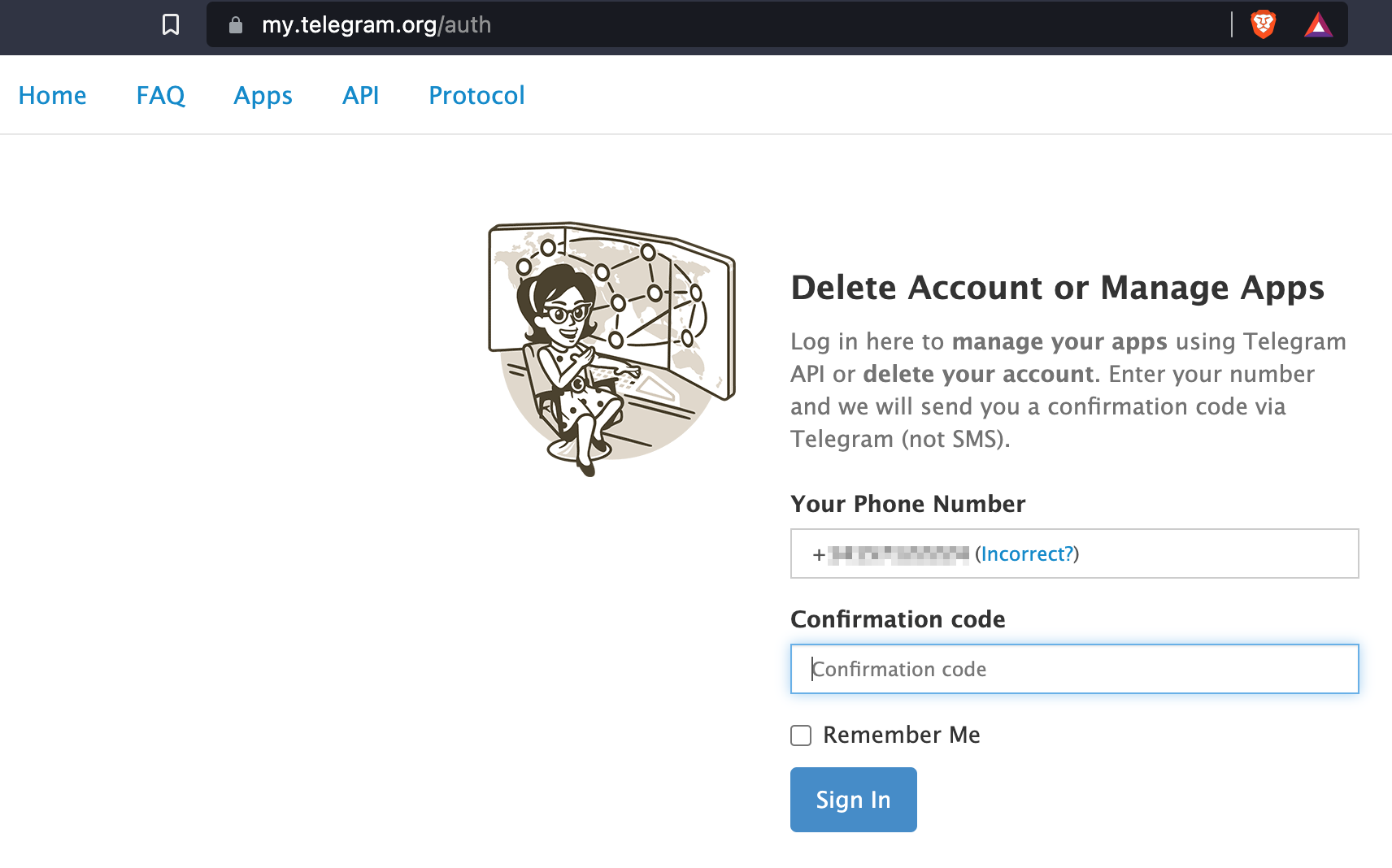
-
Once you are authenticated, click on "API Development Tools"
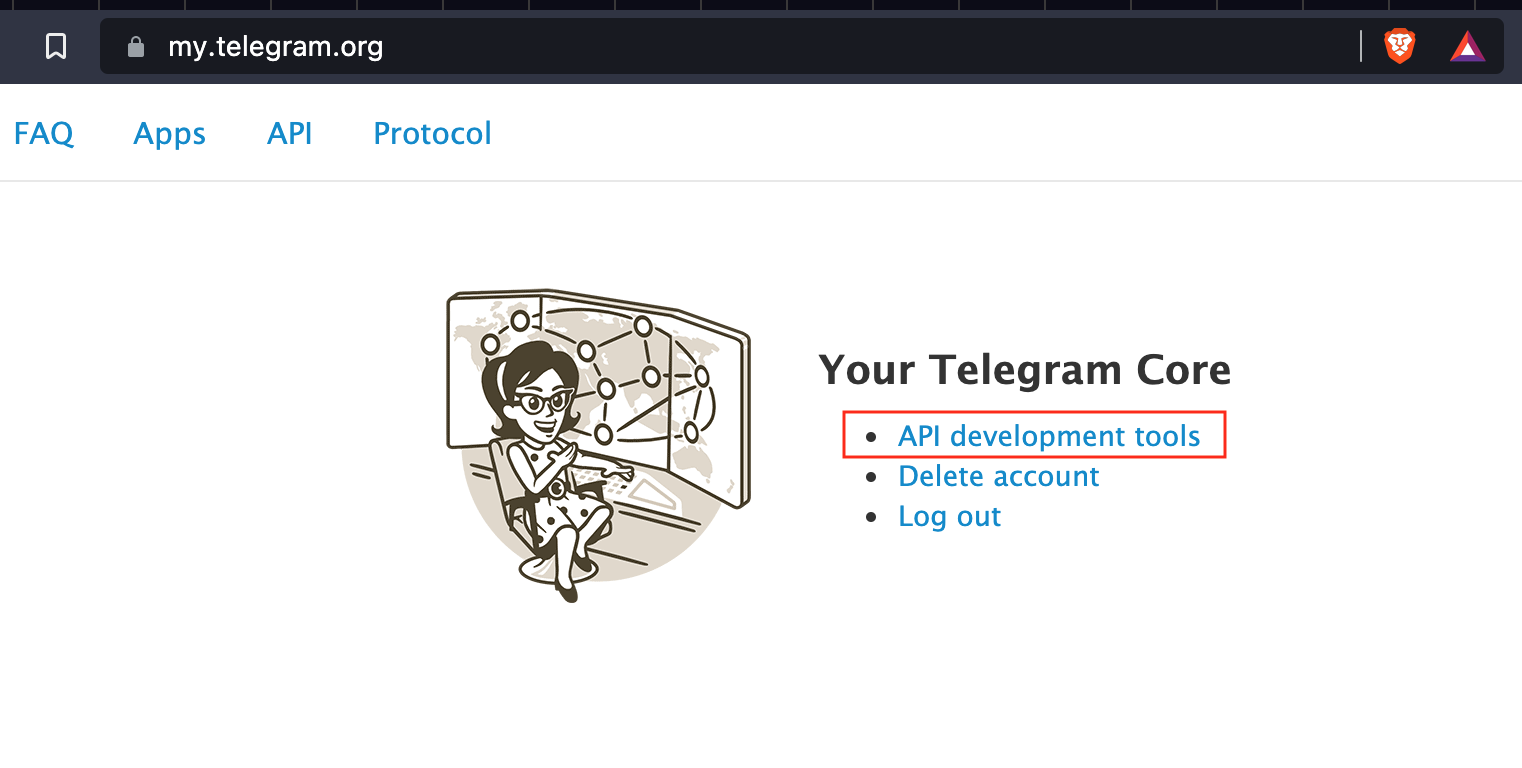
-
Go ahead and create a New Application by filling out the form shown below
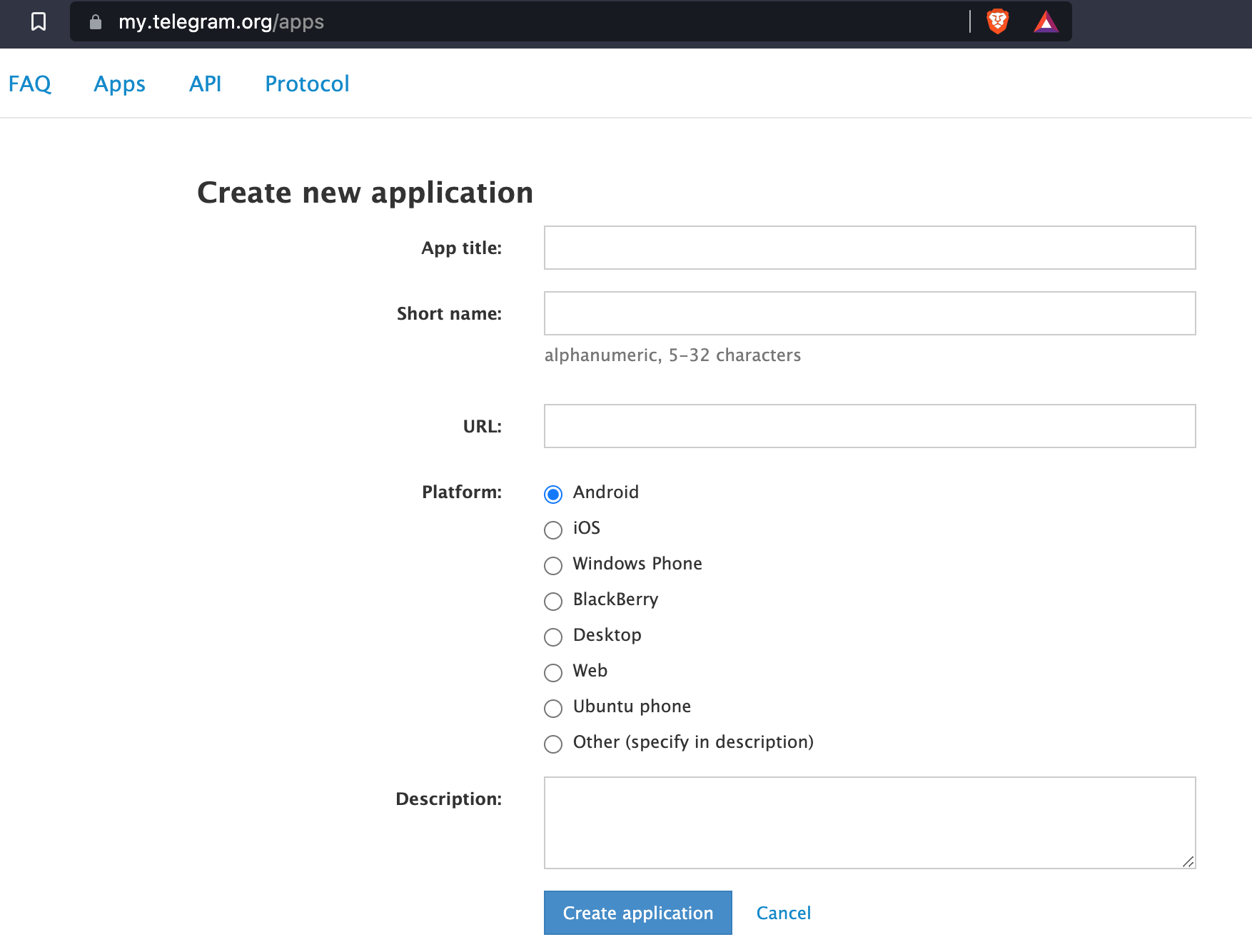
-
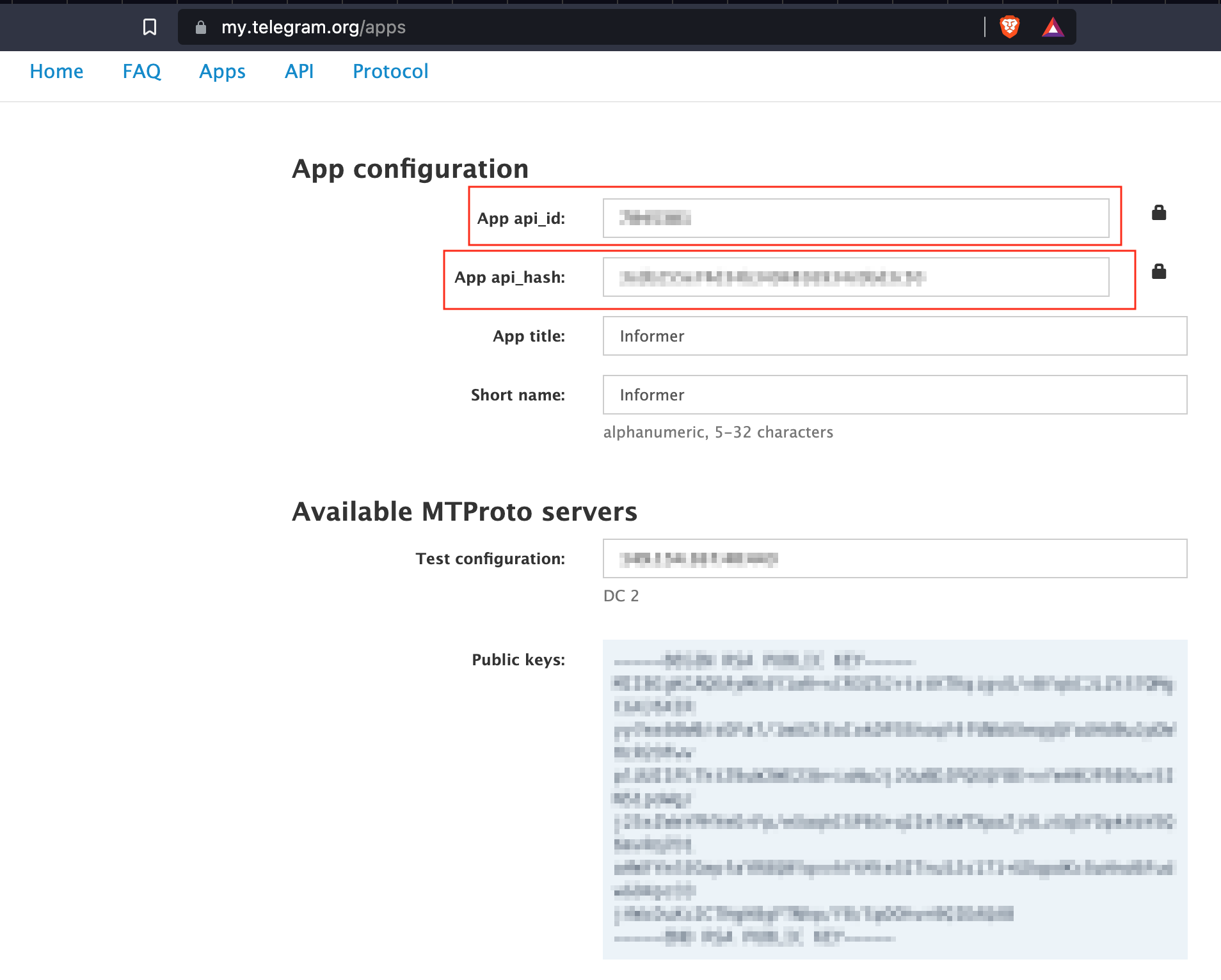
You should now have the necessary parameter values for the
informer.envfile fieldsTELEGRAM_API_HASHandTELEGRAM_API_APP_ID
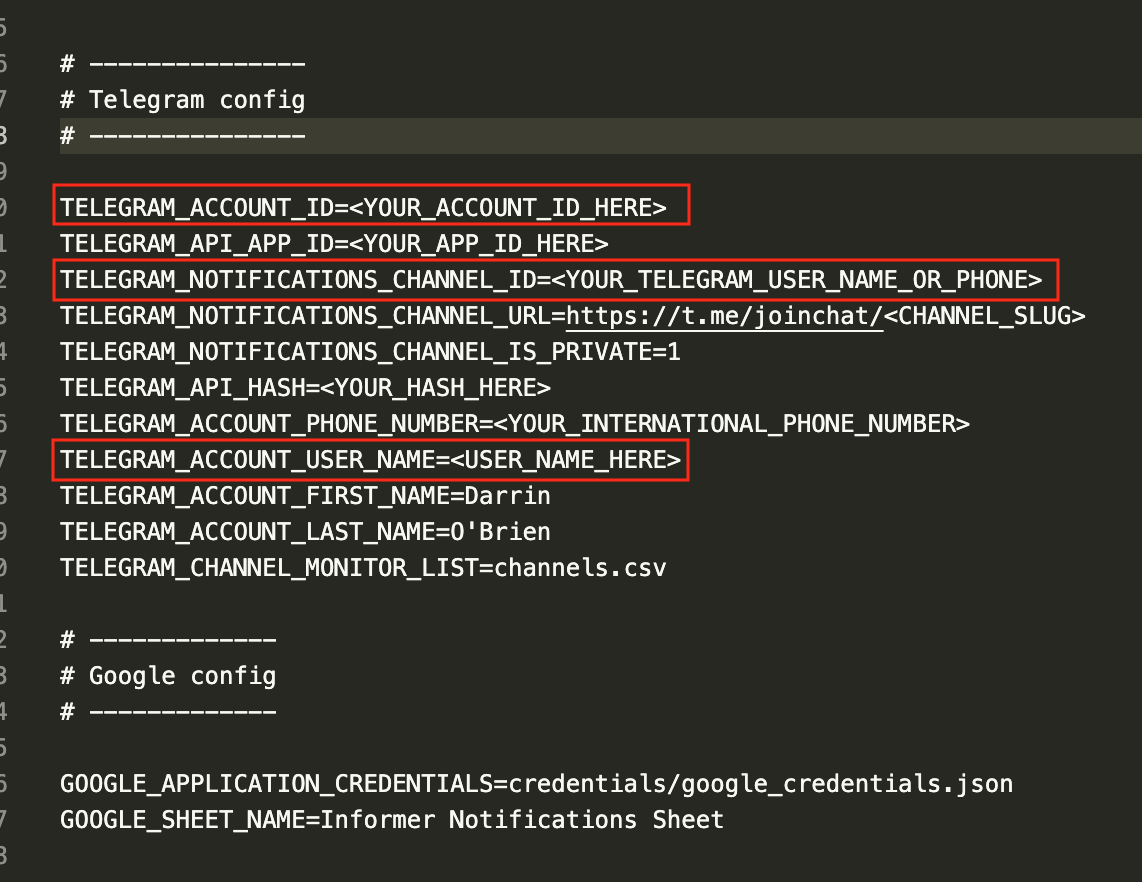
- Go ahead and replace the values, including
TELEGRAM_ACCOUNT_PHONE_NUMBERand move on to the next section
Getting your Telegram ID
So far we have what we need for Telethon and Informer to access the Telegram APIs, next we need to acquire the indentifiers for your bot's account.
- Open Telegram and search for the user
userinfobot.
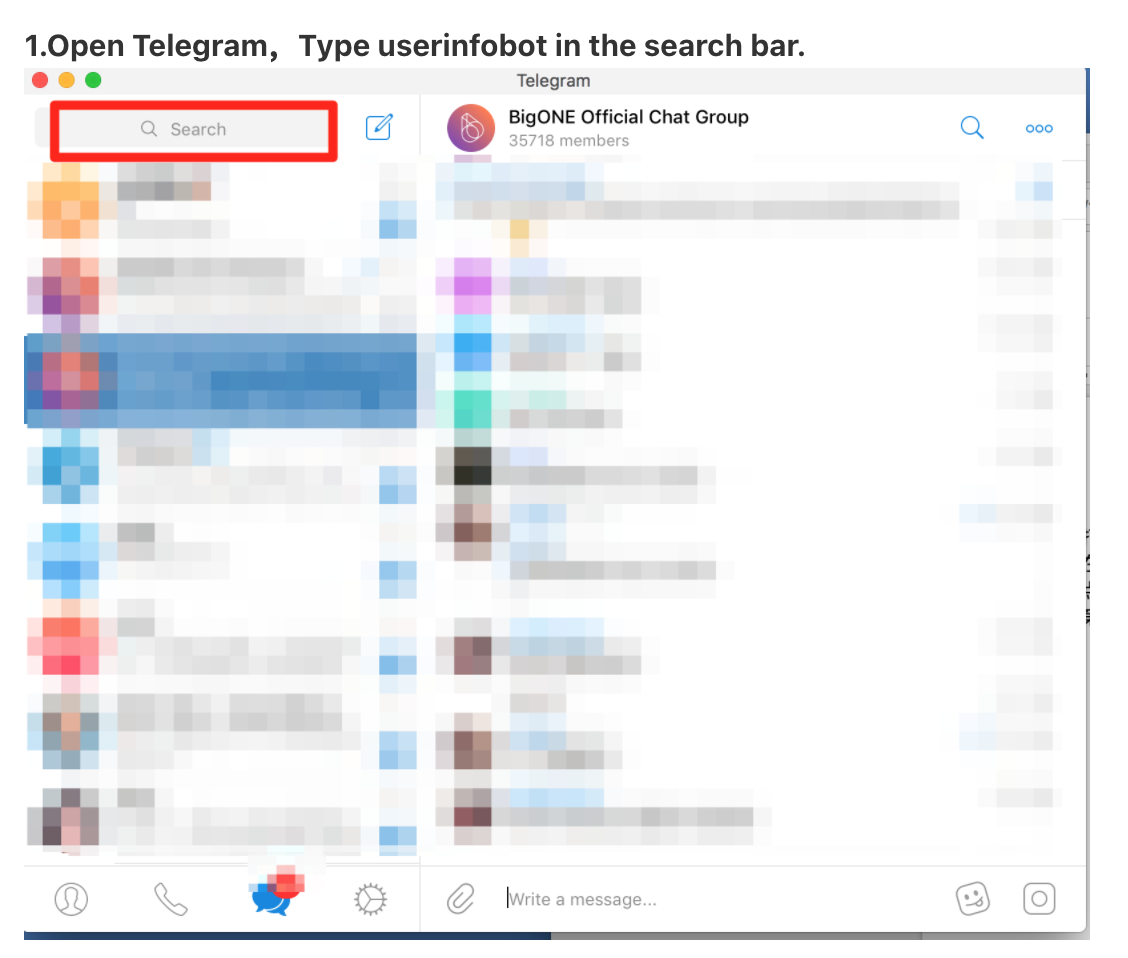
- You will see multiple, make sure you select the correctly spelled account.
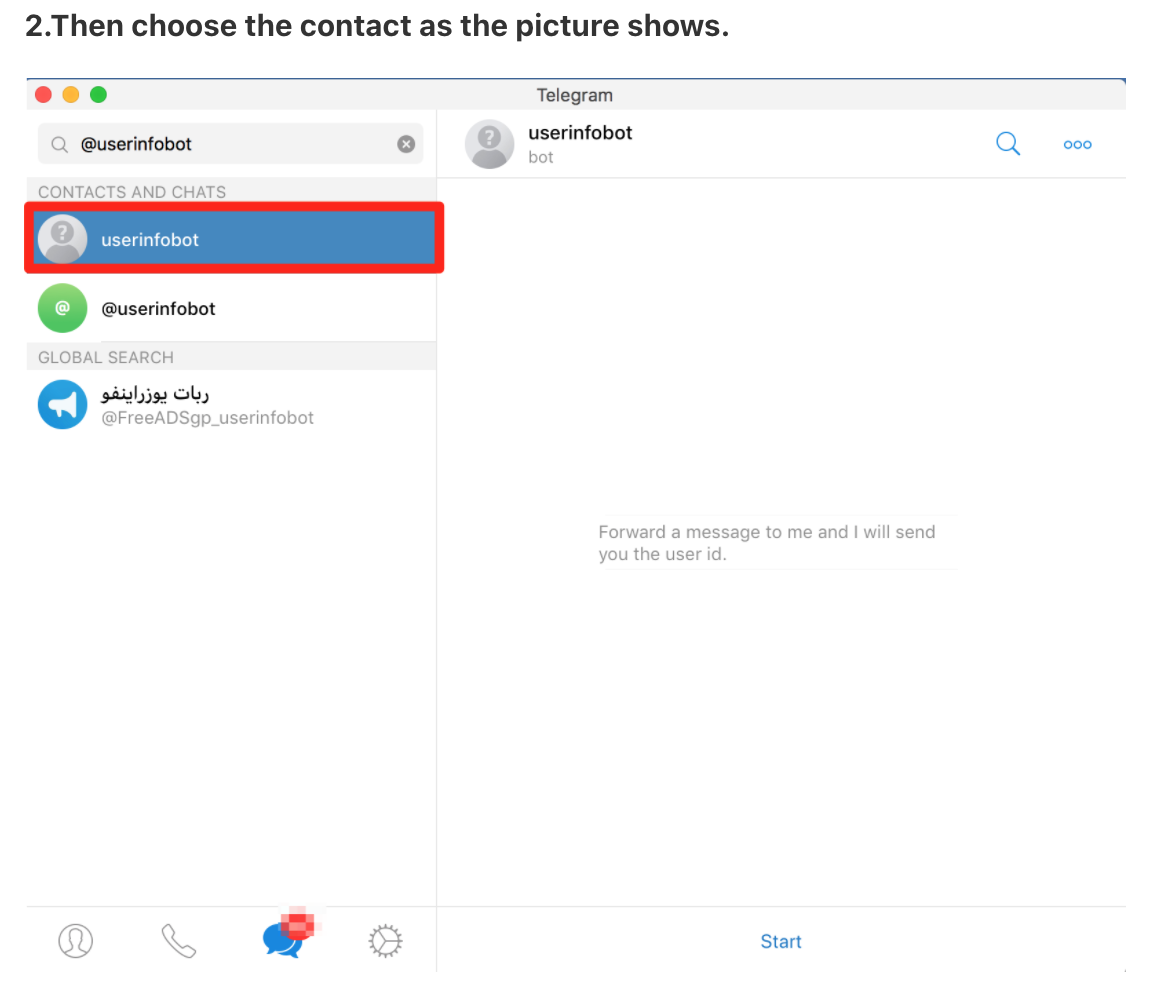
- Click on the user and you should see a dialog option at the bottom that says "Start". Click on this.
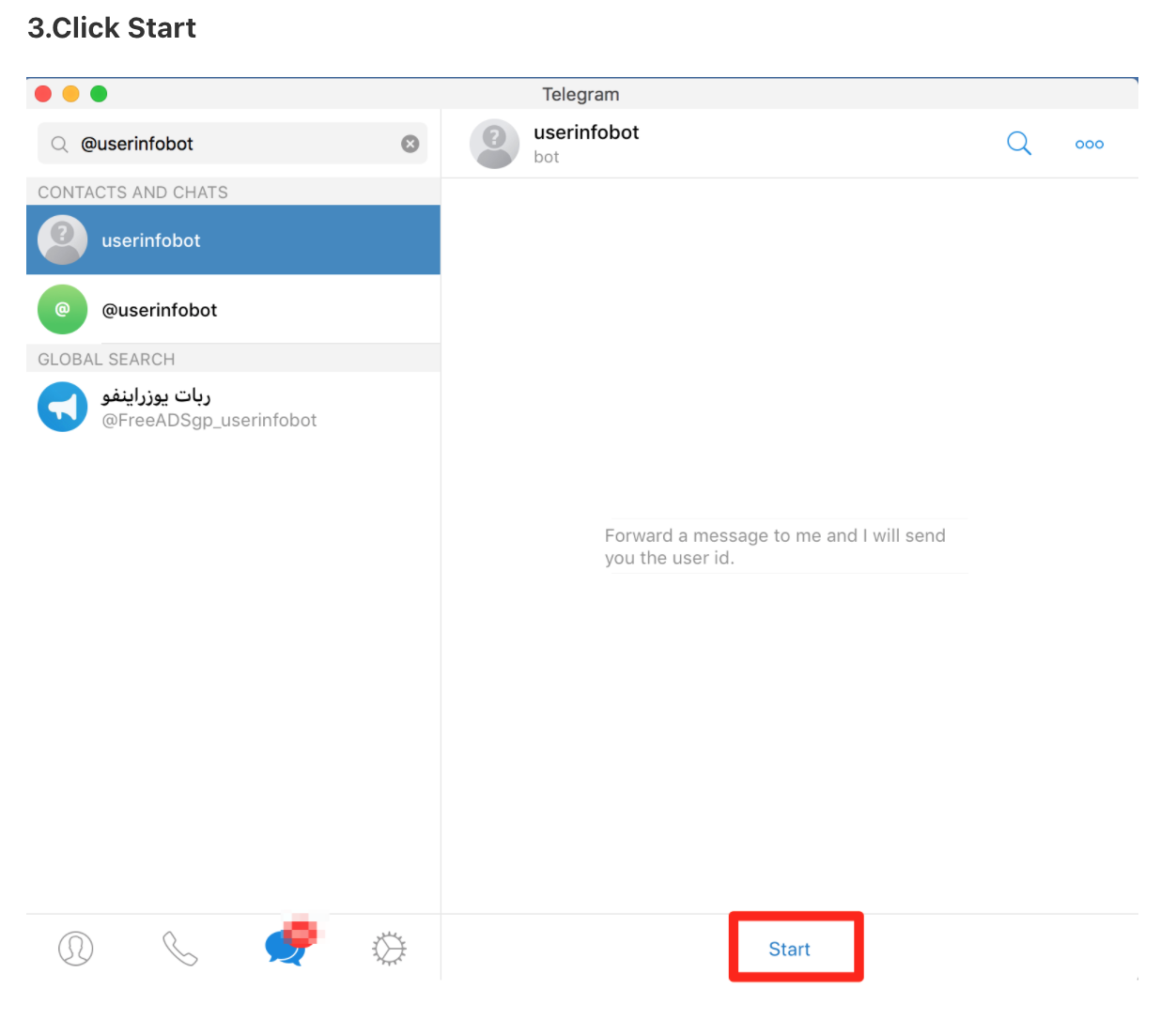
- The bot has a single purpose, to reflect back to you your current Telegram account's information.
You should receive your Telegram username and your Telegram account ID. This is important
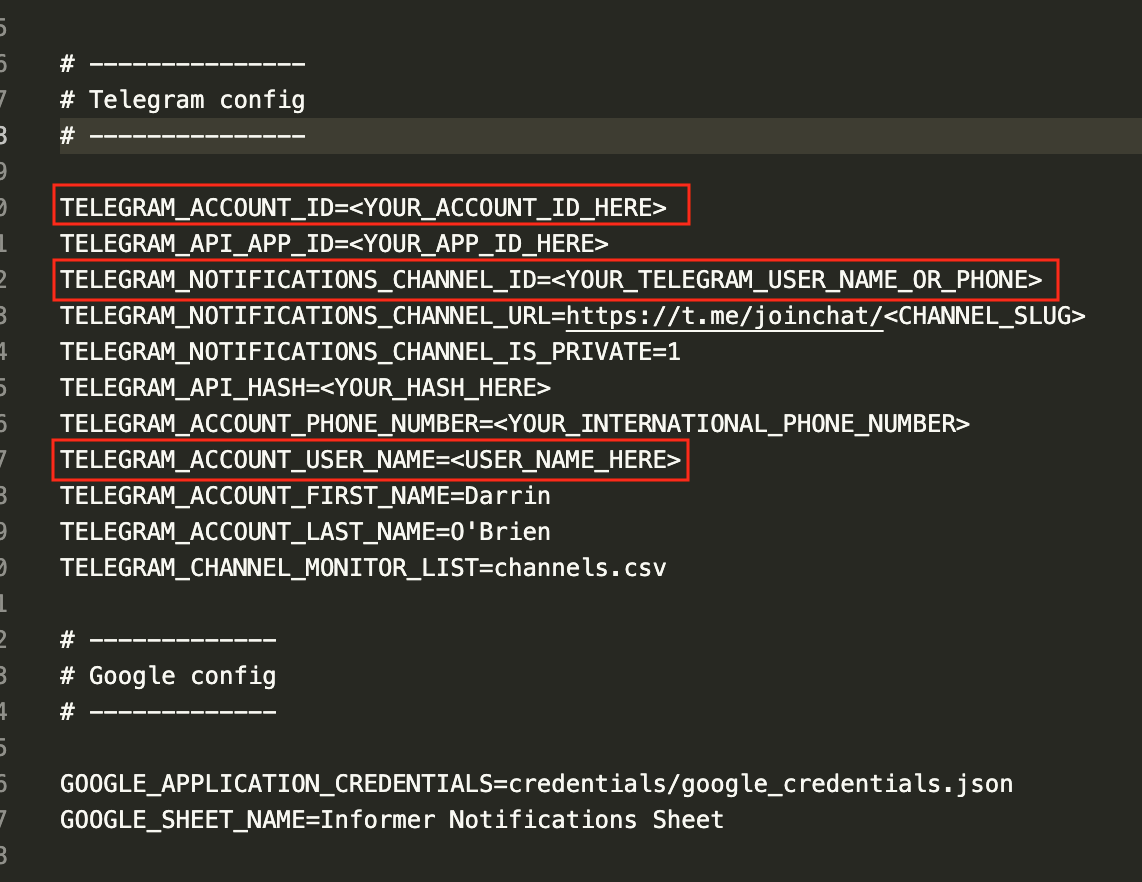
- Go ahead and edit the
informer.envfile and fill in the values forTELEGRAM_ACCOUNT_IDwhich should be your Telegram account ID from the previous step andTELEGRAM_ACCOUNT_USER_NAME.
You can optionally fill in TELEGRAM_NOTIFICATIONS_CHANNEL_ID with your user name or a channel ID.
- Make sure you have
TELEGRAM_ACCOUNT_PHONE_NUMBERfilled out as this is key to generating the session. For creating multiple accounts, please check out the Burner App below.
Initialize and authenticate session
Make sure you are running python 3 and simply run ./quick_start.sh in the directory.
You must run this first so that you can authenticate with Telegram on the first run and generate a local session file
You can later copy the files for the different accounts in app/session and mount them via Docker should you choose to do so.
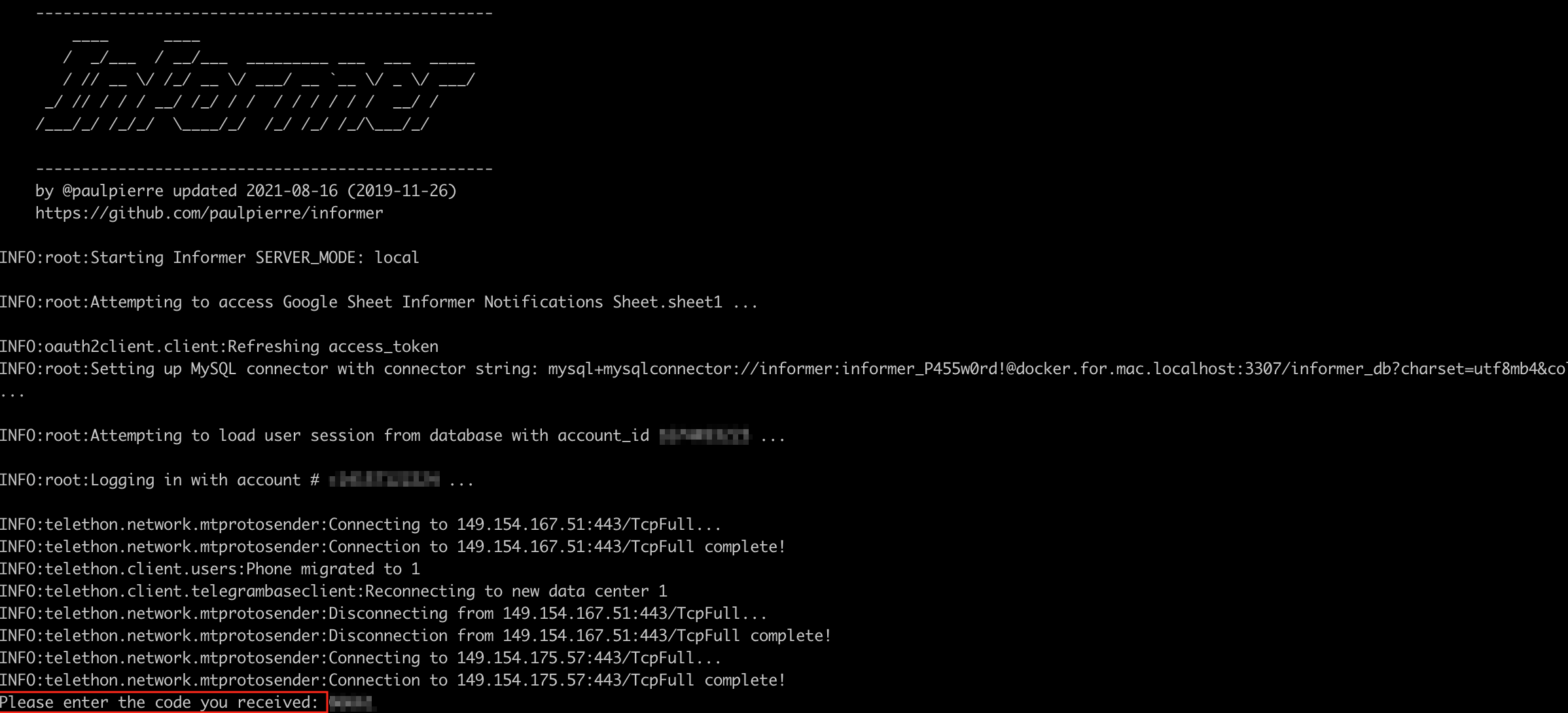
You will be prompted to enter in the authentication code you received either via Telegram if you have logged in before, or via SMS
Hit enter and your session should be generated in the folder app/session with the file name as the international phone number you provided with a .session extension.
Continue to the next section where we use Docker Compose to setup a database.
Setup a Notification Channel
This step is optional, but if you would like to create a private group channel and would like to acquire the group ID do the following:
- Create a group (or channel) and set it as private or public
- Be sure to get the Telegram URL
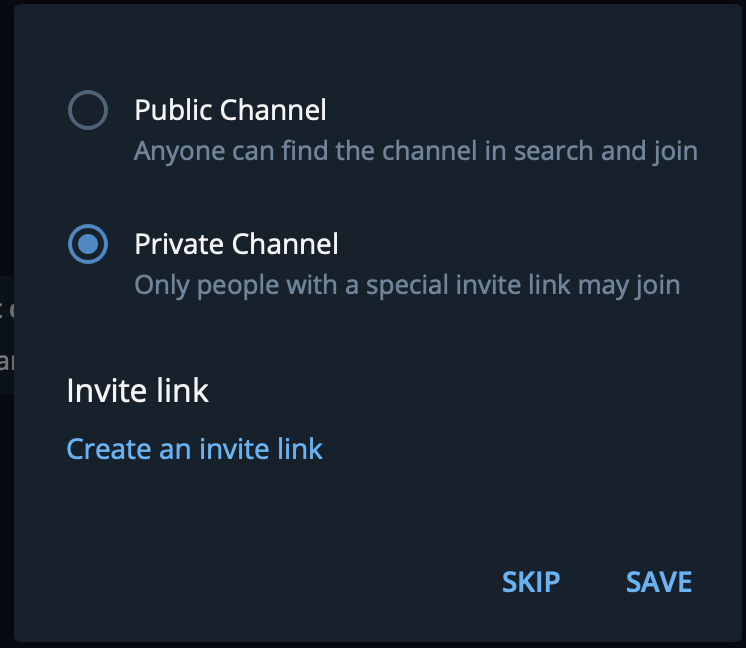
Set the URL in the informer.env file under the parameter TELEGRAM_NOTIFICATIONS_CHANNEL_URL
To get the channel ID simply run python3 bot.py <TELEGRAM_ACCOUNT_ID> in the app directory where <TELEGRAM_ACCOUNT_ID> is the account ID you previously generated.
When the script loads, it will display all the channels you are in, simply copy this value and put it in the TELEGRAM_NOTIFICATIONS_CHANNEL_ID parameter of the informer.env file and kill the script. You're now ready to run Informer.
Running Docker Compose
After running quick_start.sh you can run docker compose by:
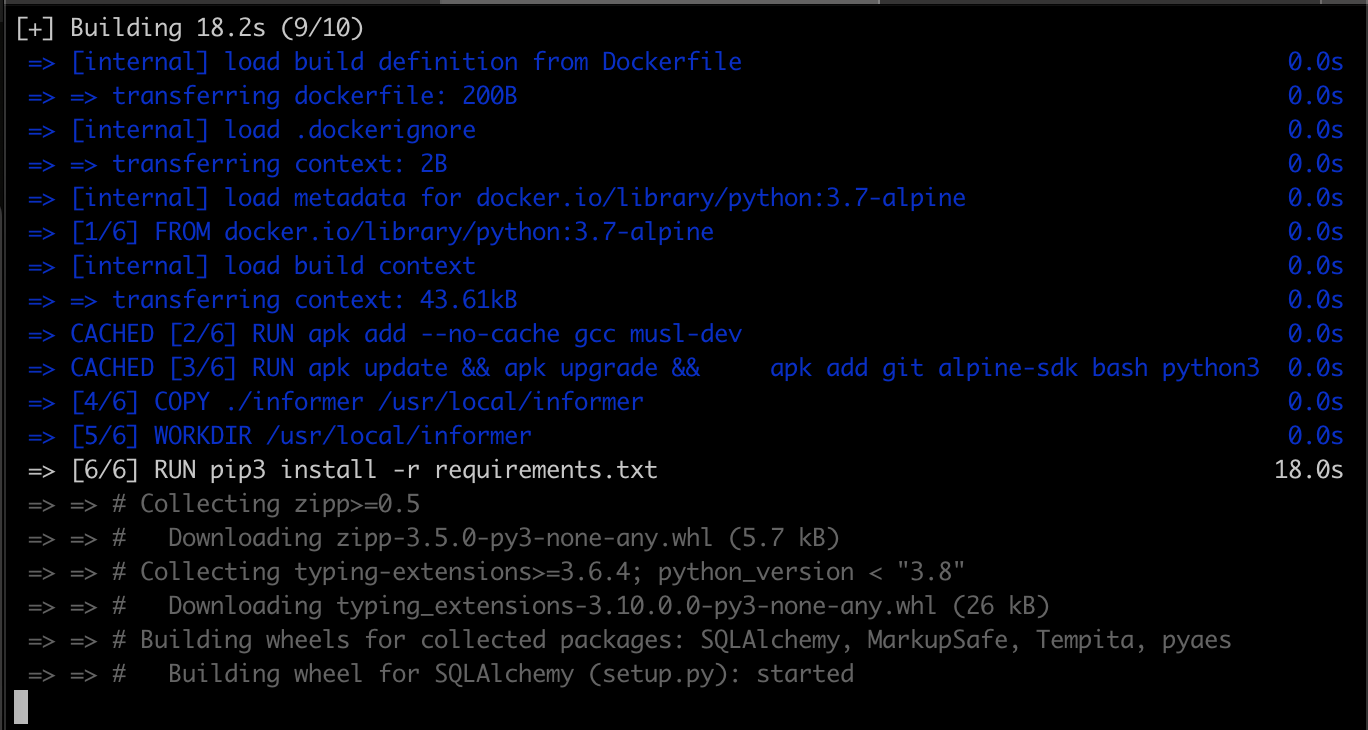
- running
./start.shto build the Docker containers which include the MySQL database
-
Run
./stop.shto stop the containers -
Run
./clean.shto remove an dangling containers and volumes. ** NOTE ** this will RESET the database and you will lose all your data.
A few things to note:
Before you were required to run your own MySQL instance and this created some issues with connection string compatability and versioning. In this update, it is just created for you and persisted on disk.
Additionally Dozzle is provided so that you may view logs in your browser, simply go to http://localhost:9999 and click on the app_informer container.
Create a telegram account with Burner App
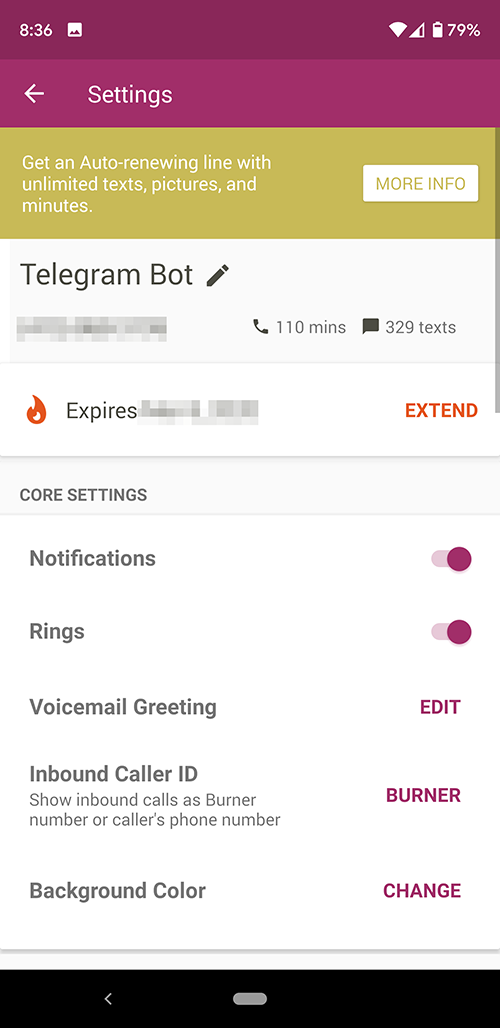
If you do not want to use your own phone number and want to run the Informer bot with some degree of anonymity you can use the Burner App available on iOS and Android.
-
Install the app Burner
-
Follow the same steps as above by providing the new phone number here: https://my.telegram.org/auth
-
Validate with Burner. You will be sent an authcode via SMS, you will need to provide
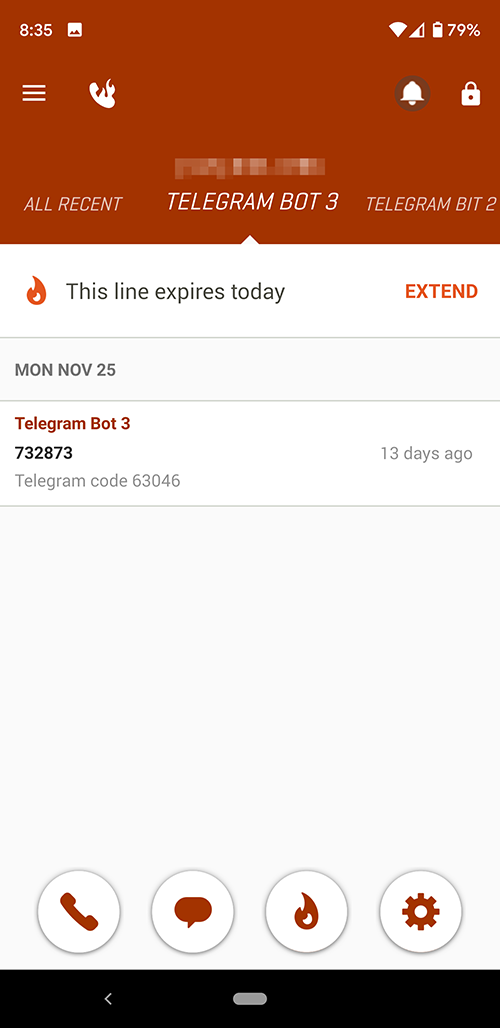
-
Log into Telegram
-
Attempt to login with the app by running
python3 bot.py <api_user_id> in the app directory.
- Since you are logging in with Telethon it will ask you for your authcode in the terminal like earlier.
This was sent via Telegram message or SMS.
Provide this and it will save your session credentials in the session file mentioned below. You will no longer need to authenticate so long as you have the session file saved.
Sessions are saved in the app/session/ folder as <telegram_phone_number>.session
Rinse and repeat until you have all the necessary session files and simply mount them in Docker.
Scaling Telegram accounts
Figuring out how to scale accounts was a bit of a nightmare as I needed an automated process. Telegram requires you use a real phone number that can recieve texts from a shortcode.
Unfortunately services with APIs like Twilio are prohibited from receiving SMS from shortcodes in the US, Canada and UK https://support.twilio.com/hc/en-us/articles/223181668-Can-Twilio-numbers-receive-SMS-from-a-short-code- for fraud purposes. This would’ve been ideal, bahumbug.
A whole evening was wasted on this endeavor until I remembered a great app I used in the past: Burner (https://www.burnerapp.com/) — which coincidentally does have an API (https://developer.burnerapp.com/api-documentation/incoming-webhooks/). Meaning you can dynamically generate numbers, instantiate a new account and authenticate it all via Telegram’s client SDK in Python (Telethon: https://docs.telethon.dev/en/latest/)
The best part is Burner numbers are free for 14 days. Telegram accounts connected via client API need only login once and permanently persist sessions. I have not integrated with the Burner API, but the process is straight forward.
Telethon SDK
The bot is built on top of the Telethon Python SDK (https://docs.telethon.dev/en/latest/)
A few things to note and gotchas encountered in building this proof of concept:
- Rate Limiting Telegram does intense rate limiting which will throw FloodWaitErrors. In my research it seems like no one knows the algorithm for this but you want your back off waits to scale in response because when you violate and exceed the unknown rate limit, the waits become exponential. I’ve found a happy medium with my approach to waiting.
FloodWaitErrors can occur when you are submitting too many requests to the API whether it is querying users information or joining too many channels too fast
- Telethon Sessions Telethon will create a session file. You can set the name of the session file when you instantiate the Telethon client:
TelegramClient(<session_file_name>, <api_user_id>, <api_user_hash>)
This file happens to be a sqlite database which you can connect to. It
acts like a cache and stores historical data as well as your session
authentication information so you will not have to re-authenticate with
Telegram’s 2FA . Note that you will need to login for a first time and
authenticate when you first use the API.
Managing Multiple Bot Accounts
As the bot runs and joins channel, you will see your client update in real time and display the new channels you have joined.
TIP: TelegramX is by far the better client to use for these purposes as it supports multiple login. Download here:
- Android - https://play.google.com/store/apps/details?id=org.thunderdog.challegram&hl=en_US
- iOS - https://apps.apple.com/us/app/telegram-x/id898228810
Google Sheets Integration
Note: Google Sheets integration is completely OPTIONAL. The application works perfectly fine with just the MySQL database.
If you want to enable Google Sheets logging:
- Follow the detailed setup guide in
app/credentials/README.md - The guide includes updated instructions for obtaining Google Cloud service account credentials (JSON key file)
- Google still provides JSON credential files - the process has just changed slightly since 2020
Quick overview:
- Create a Google Cloud project
- Enable Google Sheets API and Google Drive API
- Create a service account and download the JSON key
- Place the JSON file in
app/credentials/google_credentials.json - Share your Google Sheet with the service account email
This is optional and the bot will work without it.
Known Bugs
- Currently a channel must have already been joined in order to begin monitoring of keywords. It is likely you will need to run the
bot.pytwice, once to let it join channels and another time to monitor them. I’m aware of this glaring bug and will fix it in the next revision.
Todo
- Create user interface dashboard for bot management
- Create new accounts
- Add / remove channels
- Add / remove keywords to monitor
- View notifications
- Recieve web push notifications
- Automatically poll the database to update the keywords to monitor in memory
- Automate creation of phone numbers via Burner API and authcode process
Getting in touch
Did you find this project interesting? Please star it if so.
It was made in two days as a proof of concept for a friend in the cryptocurrency space. If you find any interesting or lucrative applications, I’m always happy to collaborate. You can reach me at:
@paulpierre on Twitter or hi (at) paulpierre (dot) com
Most of my interesting projects are private on github, but feel free to check them out: http://www.github.com/paulpierre or past work at http://www.paulpierre.com
Open Source License
Copyright (c) 2020 Paul Pierre Permission is hereby granted, free of charge, to any person obtaining a copy of this software and associated documentation files (the “Software”), to deal in the Software without restriction, including without limitation the rights to use, copy, modify, merge, publish, distribute, sublicense, and/or sell copies of the Software, and to permit persons to whom the Software is furnished to do so, subject to the following conditions: The above copyright notice and this permission notice shall be included in allcopies or substantial portions of the Software. THE SOFTWARE IS PROVIDED “AS IS”, WITHOUT WARRANTY OF ANY KIND, EXPRESS OR IMPLIED, INCLUDING BUT NOT LIMITED TO THE WARRANTIES OF MERCHANTABILITY, FITNESS FOR A PARTICULAR PURPOSE AND NONINFRINGEMENT. IN NO EVENT SHALL THE AUTHORS OR COPYRIGHT HOLDERS BE LIABLE FOR ANY CLAIM, DAMAGES OR OTHER LIABILITY, WHETHER IN AN ACTION OF CONTRACT, TORT OR OTHERWISE, ARISING FROM, OUT OF OR IN CONNECTION WITH THE SOFTWARE OR THE USE OR OTHER DEALINGS IN THE SOFTWARE.
playwright
microsoft·TypeScript
用一套 API 同时驱动 Chromium、Firefox 和 WebKit 的浏览器自动化与端到端测试框架,适合写跨浏览器测试和网页抓取脚本。
浏览器自动化+4爬虫工具
99796+2866.8kv1.65.02026-11-10 22:37 UTC
scrapy
scrapy·Python
Python 的高层网页抓取框架,帮你快速写爬虫,自动处理请求调度、页面解析和数据提取,适合大规模采集任务。
网页抓取+4爬虫工具
65319+5712k2.20.02026-11-10 14:33 UTC
EasySpider
NaiboWang·JavaScript
可视化无代码网页爬虫,通过图形界面设计和执行采集任务,让不懂编程的人也能批量抓取网页数据。
可视化爬虫+4爬虫工具
44778+95.4kv0.6.52026-11-07 13:35 UTC

cheerio
cheeriojs·TypeScript
用 jQuery 风格的语法在服务端解析和操作 HTML/XML,写爬虫时提取页面数据比正则和原生 DOM 顺手得多。
HTML解析+4爬虫工具
30538+41.7kv1.2.02026-11-10 03:19 UTC