需先把配置文件放到 /etc/umtprd/umtprd.conf 并改好存储路径与 USB ID,否则无法启动;内核低于 3.15 需加 OLD_FUNCTIONFS_DESCRIPTORS=1 重新编译;启动需用 umtprd_ffs.sh 或 umtprd_gfs.sh 选择 FunctionFS/GadgetFS 模式,不能直接裸跑。
uMTP-Responder
viverisGPL-3.0活跃维护轻量级 USB MTP 响应守护进程,让 Linux 设备(如树莓派)通过 USB 被电脑识别为 MTP 设备,实现文件传输。
Lightweight USB Media Transfer Protocol (MTP) responder daemon for GNU/Linux
umtprd-1.8.1发布于 2025-10-29 20:02 UTC243star72fork同步于 2026-11-10 18:04 UTC
make
cp conf/umtprd.conf /etc/umtprd/umtprd.conf
./umtprd_ffs.sh 硬件要求按 README 说明
需要带 USB device 口的开发板,内核启用 CONFIG_USB_FUNCTIONFS 或 CONFIG_USB_GADGETFS,并加载板级 USB device 驱动(如树莓派 Zero 的 dwc2);已在 Raspberry Pi Zero、BeagleBone Black、Sama5D2 等板卡上测试,README 未提及显存或 CPU 运行要求。
轻量级用户态 MTP 响应守护进程,让 Linux 开发板通过 USB 口与 PC 互传文件
轻量级 USB MTP 响应守护进程,让 Linux 设备(如树莓派)通过 USB 被电脑识别为 MTP 设备,实现文件传输。
核心能力
- 用 C 实现,用户态运行,依赖极少
- 挂接 FunctionFS/libcomposite 或 GadgetFS 内核层
- 动态分配句柄,无需预扫描文件系统
- 支持最多 16 个存储实例及挂载、锁定
- 支持文件夹增删改查与异步变更事件
容易踩的坑
内容由模型根据 README 生成,可能不完整或不准确,以官方文档为准。看原文 README
- umtprd-1.8.1uMTP-Responder-v1.8.1最新正式版2025-10-29 · 2025-10-29 20:02 UTC
-
Command line argument handling reworked
Make it possible to specify multiple -cmd: parameters at once, and to specify them when starting umtprd, e.g. instead of doing
  umtrpd &
  umtprd '-cmd:addstorage:/home Home rw'
  umtprd '-cmd:addstorage:/data Data ro'
you can now do:
umtprd '-cmd:addstorage:/home Home rw' '-cmd:addstorage:/data Data ro'Also make it so the order of parameters doesn't matter, i.e. specifying "-conf" before "-cmd:" will work as one might expect.
-
Switch to POSIX message queue
Simplify the code by switching to a POSIX message queue.
-
Fix default permissions and umask handling
On linux files are usually created with permissions set to 666+umask, and folders with 777+umask.
The previous codebase used to create files with 600 and folders with 700 unless a umask override was set in the configuration, then both files and folders would end up with 777+umask.
This new version addresses this by setting the umask override on process level; Creating files with permissions set to 666 and folders set to 777 - with either the overridden or the system default umask applied.
Please see in umtprd.conf for the umask configuration details.
-
Default USB entries path changed.
Default USB entries path changed from "/dev/ffs-umtp/epx" to "/dev/ffs-mtp/epx"
The built-in default config used /dev/ffs-umtp/ as the path to the endpoints, whereas both the sample umtprd.conf file and the umtprd-ffs.sh file used /dev/ffs-mtp/. Change the built-in default config to also use /dev/ffs-mtp, so that the startup script can be used out of the box without having to put the config file in /etc.
-
Cancel wait time between threads increased to 2.5s
Fix some cancellation issues on some machines/targets
-
Fix dangling symlinks handling
Dangling symlinks don't stop the file listing anymore.
-
New configuration option : "sync_when_close"
Set this option to 0x1 to request all file data to be flushed from the RAM buffer to the internal storage after transfer is completed, this prevents data loss in the case where user un-plugged a non-battery-powered device too soon when there are still buffered data stayed in the RAM
-
MTP_REQ_CANCEL fix - Fix video playback on Windows 10
Blocking read removed.
Doing a blocking read (even with count=0) when handling a cancel request from the host ends up blocking both the read in the request handler as well as a write in the thread that's being cancelled, blocking both threads indefinitely.
-
USB : Fix max packet size handing
The wMaxPacketSize is defined by the USB spec: FS/HS: 512 bytes, SS: 1024 bytes
Since the SS require FS/HS descriptors we can't just use a single value here. Drop the config value usage and set it according the spec instead.
-
USB : Fix SuperSpeed companion params
The SuperSpeed companion descriptor was not set to zero which can lead into bogus params send to the host. Also set bMaxBurst to zero to be compatible with more USB3.0 controller HW out-of-the box.
-
Fix >=4GiB files transfer support on Windows systems.
-
Output logs optimized/reduced.
-
Optimization : fs_handles_db enhanced with hash-table for faster file lookup.
-
Optimization : sendobject: avoid multiple open-write-close operations.
-
Configuration file : option to set the MTP_Extensions string added.
-
Cancellation logic changed/fixed.
-
- umtprd-1.6.8uMTP-Responder-v1.6.82024-07-08 · 2024-07-08 20:30 UTC
查看更新说明
-
Fix the GetDeviceInfo operation : It can be used without sending an OpenSession command according to the MTP specification.
-
Unicode string functions fixed to work on pre ARMv7 CPUs (Short values unaligned accesses fixed).
-
Systemd support : Can now tell Systemd that uMTP-Responder is ready (SYSTEMD_NOTIFY build option).
-
Code fixes and improvements.
-
- umtprd-1.6.2uMTP-Responder-v1.6.22021-12-26 · 2021-12-26 21:02 UTC
查看更新说明
-
Storage : Global and per storage UID/GID override options :
- Global and per storage UID/GID can be specified in the configuration file.
-
Code fixes / improvements :
- Message queue (-cmd: operations) possible issue fixed.
- More checks added during the MTP operations.
-
- umtprd-1.5.1uMTP-Responder-v1.5.12021-12-06 · 2021-12-06 18:49 UTC
查看更新说明
-
Storage : new flags and modes :
-
"locked" flag support.
-
"removable" flag support.
-
-
New dynamic/runtime commands (umtprd -cmd:COMMAND) :
-
"lock"/"unlock" commands to dynamically lock/unlock lockable storage.
Examples:
Unlock all locked storage (set with the 'locked' option in the configuration file) :
umtprd -cmd:unlockLock all lockable storage (set with the 'locked' option in the configuration file) :
umtprd -cmd:lock -
"addstorage"/"rmstorage" commands to dynamically add/remove storage.
Examples:
umtprd '-cmd:addstorage:/tmp Tmp rw'umtprd '-cmd:rmstorage:Tmp'Use double-quotes when arguments have spaces in them:
umtprd '-cmd:addstorage:/path "My Path" rw,removable'umtprd '-cmd:rmstorage:"My Path"'
-
-
Added umask configuration entry and fix permissions on send objects.
-
USB 3.0 SuperSpeed support.
-
Supports files rename at the MTP device side.
-
New "firmware_version" configuration field : set the MTP device info value.
-
Many fixes and improvements :
-
Fix inotify for root folders when using multiple storage.
-
Add guard to avoid storage from being added twice.
-
Update the file size information to the dataset when modifying the file content.
-
Check that fs handles db is valid before using it to get entries.
-
Security fix : Fix the invalid ".." setObjectPropValue access trick.
-
Fix deadlock when SendObject / GetObjectHandles fail.
-
Fix permissions on newly created folders.
-
Configuration file : realign user usb buffers size.
-
Internal : Remove redundant code and possible double closedir issue. (Fix segmentation fault with uClibc).
-
Reduce the default max usb read/write buffer size to 8KB. (This is required by some SoCs, e.g. the iMX series)
Many thanks to all the contributors !
-
-
- umtprd-1.3.6uMTP-Responder-v1.3.62020-04-03 · 2020-04-03 08:05 UTC
查看更新说明
-
MTP Storage mount / unmount support (-cmd:mount:[store name] / -cmd:unmount:[store name] / ).
-
Config file :
- "storage" operation : new "notmounted" option.
- New usb_max_rd_buffer_size option (iMX6 issue workaround).
- New usb_max_wr_buffer_size option (iMX6 issue workaround).
- New read_buffer_cache_size option (iMX6 issue workaround).
-
Config file path can be changed in the command line (-conf:[Config file path]).
-
Async/inotify event : Send file size changes.
-
Fix : GadgetFs -> Handle unexpected disconnection while transferring a file.
-
Fix : Shared multi-drives inotify events.
-
Code fixes / improvements :
- MTP operations : Better errors handling.
- Code refactoring (MTP operations code separated).
-
用户点评
登录用户的真实使用记录,可按版本和硬件筛选共 0 条
还没有人点评。第一个说出真实体验的人最有价值。

uMTP-Responder
Lightweight USB Media Transfer Protocol (MTP) responder daemon for GNU/Linux
The uMTP-Responder allows files to be transferred to and from devices through the devices USB port.
Main characteristics and features
-
Implemented in C.
-
Lightweight implementation.
-
User space implementation.
-
As few dependencies as possible.
-
Hook to the FunctionFS/libcomposite or the GadgetFS Linux layer.
-
Dynamic handles allocation (No file-system pre-scan).
-
Unicode support.
-
(Optional) Syslog support.
Current status
What is working
-
Folder listing.
-
Folder creation.
-
Files & Folders upload.
-
Files & Folders download.
-
Files & Folders deletion.
-
Files & Folders renaming.
-
Files / folders changes async events.
-
Up to 16 storage instances supported.
-
Storages mount / unmount.
-
Storages lock / unlock.
-
Global and Storages GID/UID override options.
-
GadgetFS and FunctionFS/libcomposite modes supported.
Which platforms are supported ?
Any board with a USB device port should be compatible. The only requirement is to have the USB FunctionFS (CONFIG_USB_FUNCTIONFS) or GadgetFS (CONFIG_USB_GADGETFS) support enabled in your Linux kernel. You also need to enable the board-specific USB device port driver (eg. dwc2 for the RaspberryPi Zero).
uMTP-Responder was tested on various Linux kernel versions (4.x.x / 5.x.x / 6.x.x ...) . This may work with earlier kernels (v3.x.x and some v2.6.x versions) but without any guarantee.
Successfully tested boards
-
Atmel Sama5D2 Xplained.
-
Raspberry PI Zero (W).
-
BeagleBone Black.
-
Allwinner SoC based board.
-
Freescale i.MX6 SabreSD. (Kernel v4.14)
-
Samsung Artik710. (FunctionFS mode)
-
Ultra96-V2 (Zynq UltraScale+, FunctionFS mode, SuperSpeed USB)
Successfully tested client operating systems
- Windows 7, Windows 10, Windows 11, Linux, Android.
How to build it ?
A simple "make" should be enough if you build uMTPrd directly on the target.
If you are using a cross-compile environment, set the "CC" variable to your GCC cross compiler.
You can also enable the syslog support with the C flag "USE_SYSLOG" and the verbose/debug output with the "DEBUG" C flag.
examples:
On a cross-compile environment :
make CC=armv6j-hardfloat-linux-gnueabi-gcc
On a cross-compile environment with both syslog support and debug output options enabled :
make CC=armv6j-hardfloat-linux-gnueabi-gcc USE_SYSLOG=1 DEBUG=1
Note: syslog support and debug output options can be enabled separately.
(replace "armv6j-hardfloat-linux-gnueabi-gcc" with your target gcc cross-compiler)
If you want to use it on a Kernel version < 3.15 you need to compile uMTPrd with old-style FunctionFS descriptors support :
make CC=armv6j-hardfloat-linux-gnueabi-gcc OLD_FUNCTIONFS_DESCRIPTORS=1
To enable the systemd notify event support when the endpoint setup is done :
make CC=armv6j-hardfloat-linux-gnueabi-gcc SYSTEMD=1
To get the current flags/options available :
make help
How to set it up ?
A config file should copied into the folder /etc/umtprd/umtprd.conf This file defines the storage entries (host path and name), the MTP device name, the USB vendor & product IDs and the USB device configuration. Check the file umtprd.conf file for details on available options.
Optional drop-in files can be placed in /etc/umtprd/umtprd.conf.d/*.conf (the config file path followed by .d). They are read in alphabetical order after the main file and add to / override its settings.
How to launch it ?
Once you have configured the correct settings in umtprd.conf, you can use umtprd_ffs.sh or umtprd_gfs.sh to launch it in FunctionFS/GadgetFS mode or use udev to launch the deamon when the usb device port is connected.
Runtime operations
uMTP-Responder supports dynamic commands to add/mount/umount/remove storage and lock/unlock storage.
Examples:
Unlock all locked storage (set with the 'locked' option in the configuration file) :
umtprd -cmd:unlock
Lock all lockable storage (set with the 'locked' option in the configuration file) :
umtprd -cmd:lock
"addstorage"/"rmstorage" commands to dynamically add/remove storage :
umtprd '-cmd:addstorage:/tmp Tmp rw'
umtprd '-cmd:rmstorage:Tmp'
Use double-quotes when arguments have spaces in them:
umtprd '-cmd:addstorage:/path "My Path" rw,removable'
umtprd '-cmd:rmstorage:"My Path"'
"mount"/"unmount" commands to dynamically mount/unmount storage.
umtprd '-cmd:mount:"Storage name"'
umtprd '-cmd:unmount:"Storage name"'
License
This project is licensed under the GNU General Public License version 3 - see the LICENSE file for details
raylib
raysan5·C
用 C 写的轻量级游戏编程库,封装 OpenGL 等底层图形接口,让开发者不用折腾窗口、输入和渲染细节,专注写游戏逻辑,支持桌面、移动端和嵌入式平台。
游戏编程库+4IoT / 固件
35626+443.4k6.22026-11-10 08:11 UTC
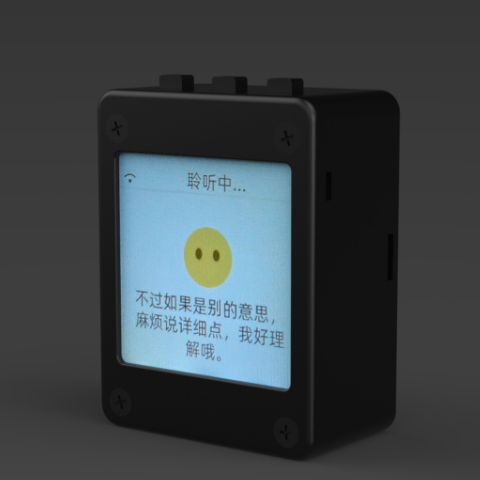
xiaozhi-esp32
78·C++
基于 MCP 协议、跑在 ESP32 上的聊天机器人固件,让单片机也能接入大模型对话与工具调用。
聊天机器人+4IoT / 固件
33009+1647.8kv2.5.22026-11-07 04:14 UTC
DeepSpeech
mozilla·C++
DeepSpeech is an open source embedded (offline, on-device) speech-to-text engine which can run in real time on devices ranging from a Raspberry Pi 4 to high power GPU servers.
IoT / 固件
267724.1k2025-06-19 12:52 UTC
Tasmota
arendst·C
给 ESP8266/ESP32 设备刷的替代固件,通过网页配置、OTA 升级和定时/规则自动化,用 MQTT、HTTP、串口或 KNX 实现完全本地控制。
ESP32+4IoT / 固件
24977+65.2kv16.0.02026-11-10 16:33 UTC