portable 包不含 adb 和 jadx,首次运行会询问是否自动下载到 ~/.noir/tools;deep 命令需要单独安装 jadx;DNS 拦截只导出清单不执行,domains-functional.txt 拦了会掉功能。
NOIR
VerlintasMIT活跃维护用 adb 扫描 Android 应用的权限、上报端点和数据流向,生成隐私审计报告,并给出可回滚的处置方案。
手机隐私审计:用 adb 扫出 Android 应用的权限、上报端点与数据流向,并给出可回滚的处置。Desktop Android leak audit: permissions, endpoints, data flows, reversible fixes.
v0.4.2发布于 2026-11-07 14:20 UTC3,226star +324 / 7 天295fork同步于 2026-11-10 17:43 UTC
brew install --cask android-platform-tools jadx
noir 硬件要求按 README 说明
README 未说明显存或 GPU 要求;工具运行在 macOS(Intel/Apple Silicon)、Windows 10/11、Debian/Ubuntu 桌面端,需 JDK 17+、Android platform-tools(adb),deep 命令另需 jadx。
支持 Apple Silicon
用 adb 审计 Android 应用的权限、上报端点与数据流向,并给出可回滚的处置
用 adb 扫描 Android 应用的权限、上报端点和数据流向,生成隐私审计报告,并给出可回滚的处置方案。
核心能力
- 在设备端用 unzip+strings 从 APK dex 抽取 URL,只回传几 KB
- 按包名和域名识别厂商与类别,结合权限和端点计算风险分
- 把权限翻译成可获取的数据类型,再与上报域名配对成数据流向
- 解析二进制 AXML,找出导出组件、明文流量、备份、debuggable
- 为每条处置动作生成回滚命令,默认只读、不卸载
容易踩的坑
内容由模型根据 README 生成,可能不完整或不准确,以官方文档为准。看原文 README
- v0.4.2NOIR 0.4.2 — security & safety release最新正式版2026-11-07 · 2026-11-07 14:20 UTC
NOIR v0.4.2 — security & safety release
Everyone running 0.4.1 or earlier should update.
This release fixes issues that could cause unexpected AppOps changes, unintended uninstalls, lost rollback records, and false-negative scans. If you use
--apply,noir block, ornoir deepscan --purge, update before your next run.Critical fixes
--apply=false,--yes=false, and--purge=falseare now treated as false. Previously they were treated as enabled, which could change device state or skip confirmation when you explicitly asked not to.rollback.txtis now written only after a successful apply, includes the device serial, and is no longer erased by a later scan or dry run. This is the safety net for AppOps changes.noir blockno longer emits the obsoletePROJECT_MEDIAno-op or runs AppOps after uninstalling a package. It performs a per-user uninstall and writes a concreteblock-rollback.txt.noir deepscan --purgenow uses the current Android user, writespurge-rollback.txt, and states clearly that reinstalling restores the APK but not app data.- Failed AppOps commands and non-interactive
--applywithout--yesnow exit nonzero instead of silently claiming success. - User-supplied package names are validated, and adb/jadx commands have real timeouts.
- Tool downloads reject non-HTTPS redirects and zip-slip paths.
Scan accuracy
- Split APKs and
classes16.dex+ are scanned. - Failed pulls/parses are no longer cached as “no endpoints”; the cache is scoped to the device/build.
- DeepScan no longer reuses a stale APK or stale decompiled sources.
Runtime.getRuntime().execis detected again.- Upload detection now covers
/stats,/logs,/tracking,/analytics,/metrics, and/crash. - Coarse location and legacy storage permissions are included.
- Domain classification no longer treats
static,biometrics, orsoundtrackas trackers. - Manifest/AXML/Dumpsys parsing handles application permissions, provider read/write permissions,
enabled=false, defaultallowBackup, malformed AXML, legacyuserId=, and shared UIDs.
Reports and CLI
- Reports add stable
leaksByTypekeys; HTML/Markdown escaping and upload-host counting are fixed. noir diffrejects empty/malformed reports and records scan filters.- Global flags work before commands;
noir scan --helpno longer runs a scan. --ascii, 40/50-column layouts, CJK table alignment, and Chinese TUI labels are fixed.
Packaging
- Intel (
x86_64) and Apple Silicon (arm64) macOS builds are both published. - Tagged releases run the test suite before packaging.
- Portable archives include the MIT
LICENSEandSHA256SUMS.txt.
Upgrade notes
- Download the asset for your platform and replace the old portable directory.
- Keep
--apply/block/purgereview habits: this release makes destructive intent explicit, but it still changes device state only when you ask. - The endpoint cache moved to
endpoints-v3.tsv; the first scan after upgrading will rebuild it. - Verify
SHA256SUMS.txtbefore running any downloaded build.
Full changelog: https://github.com/Verlintas/NOIR/blob/main/CHANGELOG.md Source: https://github.com/Verlintas/NOIR
If you are unsure whether to update: yes, update. The previous version could act on
--flag=falseand could lose the rollback record. - v0.4.1NOIR 0.4.12026-11-06 · 2026-11-06 12:40 UTC
查看更新说明
NOIR v0.4.1 — English interface + smarter AppOps.
Added
- Automatic English interface — NOIR follows the Android device locale, then the host locale, and renders the CLI, dashboard, guidance and reports in English for non-Chinese devices.
--lang auto|zh|enand theNOIR_LANGenvironment variable can pin the language.- Reports now include stable
categoryKey/actionKey/dataTypeKeysfields, so a Chinese report can still be diffed against an English one without false category changes.
Fixed
- Removed the misleading
PROJECT_MEDIA ignorerecommendation. Declaring screen-capture capability is not an action; that app-op only controls a persistent grant. - AppOp plans now query the device's current effective mode and omit actions that would be no-ops, so
plan.txtand--applyonly contain real changes.
Portable builds for macOS, Windows and Linux. Bundled runtime, no JDK, no account, no telemetry. MIT.
Full changelog: https://github.com/Verlintas/NOIR/blob/main/CHANGELOG.md Source: https://github.com/Verlintas/NOIR
- v0.4.02026-11-06 · 2026-11-06 06:32 UTC
查看更新说明
Full Changelog: https://github.com/Verlintas/NOIR/compare/v0.3.0...v0.4.0
- v0.3.02026-11-06 · 2026-11-06 06:22 UTC
查看更新说明
Full Changelog: https://github.com/Verlintas/NOIR/compare/v0.2.7...v0.3.0
- v0.2.72026-11-06 · 2026-11-06 05:21 UTC
查看更新说明
Full Changelog: https://github.com/Verlintas/NOIR/compare/v0.2.6...v0.2.7
用户点评
登录用户的真实使用记录,可按版本和硬件筛选共 0 条
还没有人点评。第一个说出真实体验的人最有价值。
  ███╗   ██╗ ██████╗ ██╗██████╗
  ████╗  ██║██╔═══██╗██║██╔══██╗
  ██╔██╗ ██║██║   ██║██║██████╔╝
  ██║╚██╗██║██║   ██║██║██╔══██╗
  ██║ ╚████║╚██████╔╝██║██║  ██║
  ╚═╝  ╚═══╝ ╚═════╝ ╚═╝╚═╝  ╚═╝
NOIR




把「这台手机到底能泄露什么」变成一份可复现的报告。
NOIR 是一个跑在电脑上的审计工具,通过 adb 读取已连接 Android 设备的应用清单、权限和 APK 里的网络端点,给出分类、风险评分和可执行的处置建议。它也可以在需要时调用 jadx 对单个应用做反编译和关键字检索。
定位:审计与自我防护。面向自己的设备、自己的应用、已授权的安全研究。
官网 / Website: https://verlintas.dev/noir/ · 中文
AtomGit G-Star 项目 / Mirror: https://atomgit.com/Verlintas/NOIR
它做什么
- 盘点:列出所有「有网络权限 + 敏感权限」的应用,以及它们各自拿到了什么。
- 抽取端点:在设备端用
unzip + strings从每个 APK 的 dex 里提取 URL,只回传几 KB,不把整包拉回电脑。 - 分类与打分:按包名和域名识别厂商(Xiaomi / Google / 腾讯 / 高德 …)与类别(遥测、广告、定位、输入法 …),结合权限和上报端点计算风险分。
- 数据关联:把权限翻译成"能拿到什么数据"(位置/通讯录/短信/通话/麦克风/相机/屏幕/应用列表/设备标识/文件/日历/账号),再和上报域名配对,得出"哪类数据可能流向哪里"。
- 共享 UID:识别
android.uid.system这类共享用户,列出哪些包实际上共享同一套权限并集。 - 清单层:解析
AndroidManifest.xml二进制 AXML,找出没有权限保护的导出组件、明文流量、备份、debuggable、targetSdk。 - 给建议:区分「可安全自动执行」「需人工确认」「不建议动」,并为每条动作生成回滚命令。
- 必要时深挖:
deep会把一个应用的基础 APK 和 split APK 拉到本地,用jadx反编译后检索Runtime.getRuntime().exec、setApplicationEnabledSetting、DexClassLoader、MediaProjection等高风险调用。
它不做什么
- 不联网、不上传任何数据、不需要账号。
- 不修改系统分区,不需要 root。
- 默认不会卸载任何东西;只有
noir deepscan --purge会逐个确认卸载高风险用户应用。
第一次运行
noir
不带参数会进入向导:
- 检查
adb,没有就问你要不要自动下载(~/.noir/tools) - 检查设备,没有就打印开发者模式 / USB 调试的开通步骤,然后等你插线(最多 180 秒)
- 问一句「开始扫描?」,扫完直接出仪表盘
- 问一句「执行安全处置?」,
y就执行,并写好回滚文件
全程只会问两三个 y/n,其余都是自动的。
环境自检
noir doctor
NOIR doctor
  platform  Mac OS X aarch64
  java      17.0.19
  adb       /opt/homebrew/.../platform-tools/adb
            Version 37.0.1-15733141
  device    178b0d2f  device  2509FPN0BC
  jadx      /opt/homebrew/bin/jadx
noir setup          # 缺什么下什么
noir setup --yes    # 不询问,适合脚本
出现问题时
所有错误都会带「怎么办」,而不是抛异常栈:
╭─ ERROR ──────────────────────────────────────────────────────────╮
│ 指定的 adb 不存在:/nonexistent/adb                              │
├──────────────────────────────────────────────────────────────────┤
│ 检查路径,或运行 noir setup 自动安装。                           │
╰──────────────────────────────────────────────────────────────────╯
没有设备时给出的是可执行步骤:
╭─ 没有检测到设备 ──────────────────────────────────────────────╮
│  1. 打开开发者模式                                           │
│     小米 / HyperOS:设置 → 我的设备 → 全部参数 → 连点「MIUI 版本」7 次
│  2. 开启 USB 调试:设置 → 系统 → 开发者选项 → USB 调试        │
│  3. 插线后手机弹「允许 USB 调试吗?」→ 勾选「一律允许」        │
│  4. 还不行就换一根数据线(很多线只能充电)                    │
╰──────────────────────────────────────────────────────────────╯
已连接但没授权时,会单独提示「撤销 USB 调试授权后重插」。
支持平台
| 系统 | 状态 |
|---|---|
| macOS (Intel / Apple Silicon) | ✅ |
| Windows 10 / 11 | ✅ |
| Debian / Ubuntu | ✅ |
依赖:
- JDK 17+
- Android platform-tools(
adb) - jadx(仅
deep命令需要)
程序会自动在常见安装位置查找 adb 和 jadx;找不到时可以用 --adb / --jadx 指定。
# macOS
brew install --cask android-platform-tools jadx

# Debian / Ubuntu
sudo apt install adb
# jadx: https://github.com/skylot/jadx/releases

# Windows (scoop)
scoop install adb jadx
安装
方式一:下载即用(推荐)
到 Releases 下载对应平台的 portable 包:
noir-vX.Y.Z-macOS-arm64-portable.zip
noir-vX.Y.Z-macOS-x86_64-portable.zip
noir-vX.Y.Z-Windows-portable.zip
noir-vX.Y.Z-Linux-portable.zip
SHA256SUMS.txt
解压后双击启动器即可,包内自带运行时,不需要安装 Java:
| 系统 | 双击这个 | 如果被拦 |
|---|---|---|
| macOS | Start NOIR.command | 右键 → 打开;或 xattr -dr com.apple.quarantine "Start NOIR.command" NOIR.app |
| Windows | Start NOIR.bat | SmartScreen → 更多信息 → 仍要运行(批处理会切到 UTF-8 并调用包内 JRE) |
| Linux | Start-NOIR.sh | 先 chmod +x Start-NOIR.sh,或在终端执行 |
启动器会打开一个终端窗口跑完向导,并在结束时停住(不会一闪而过)。
adb 和 jadx 不在包里——首次运行会询问是否自动下载到 ~/.noir/tools。
方式二:从源码构建
git clone https://github.com/Verlintas/NOIR
cd NOIR
./gradlew :cli:installDist
./cli/build/install/noir/bin/noir --about
构建
git clone <repo> && cd NOIR
./gradlew :cli:installDist
产物:
cli/build/install/noir/bin/noir        # macOS / Linux
cli/build/install/noir/bin/noir.bat    # Windows
也可以直接:
./gradlew :cli:run --args="devices"
界面

真机输出(macOS Terminal):渐变 logo、CJK 对齐的表格、按风险着色的分数、 每处理完一个 APK 就刷新一次的进度条。
noir ui 会把结果渲染成一块等宽仪表盘;颜色和边框都会按终端能力自动降级:
--ascii:纯 ASCII 边框,给旧版 Windows 控制台--no-color/--color:关闭或强制 ANSI 颜色(默认按是否为 TTY 自动判断)--quiet:只留仪表盘,不打印扫描过程--no-clear:不清屏(方便把输出重定向到文件)--lang <auto|zh|en>:界面语言。默认按手机系统语言切换;没有设备时按电脑系统语言;NOIR_LANG环境变量也可以指定
用法
noir --about              # 它是什么、会写什么、许可
noir --version
noir devices
noir scan                 # 全量扫描,输出 JSON / Markdown / 域名清单
noir diff old/report.json new/report.json   # 对比两次扫描
noir ui                   # 扫描并渲染仪表盘
noir auto                 # 扫描 + 分类 + 生成处置计划(dry-run)
noir auto --apply         # 执行安全的 appops 动作(可回滚)
noir deepscan --apply --purge    # 额外卸载高风险用户应用(逐个确认)
noir deep com.example.app # 拉包 + jadx + 关键字检索
noir block com.example.app        # 打印处置命令
noir block com.example.app --apply
常用参数:
| 参数 | 说明 |
|---|---|
--lang <auto|zh|en> | 界面语言(默认跟随设备语言) |
--serial <id> | 指定设备 |
--out <dir> | 输出目录(默认 noir-out) |
--min <score> | 只保留分数 ≥ N 的应用 |
--limit <n> | 最多输出 N 条 |
--only <regex> | 只扫描匹配的包名,例如 --only 'com\.miui\.' |
--adb <path> / --jadx <path> | 手动指定工具路径 |
--yes | 自动化场景下跳过确认 |
对比两次扫描
noir diff 读取两份 report.json,比较应用、分数、权限和端点:
noir diff noir-out-before noir-out-after
noir diff old/report.json new/report.json --json
noir diff old/report.json new/report.json --fail-on-regression
输出会分成 added / removed / changed,并标出新增权限和新增端点。
--fail-on-regression 会在出现新应用、分数上升、新增权限或新增端点时返回退出码 1,
适合放进 CI 或定期审计脚本。
DeepScan:一条命令反编译 + 处置
noir deepscan                  # 反编译风险最高的 15 个应用
noir deepscan --top 30         # 更多
noir deepscan --all            # 全部被标记应用(慢,占磁盘)
noir deepscan --jobs 4         # 并行 jadx 数量
流程是:扫描 → 按风险排序 → 逐个 adb pull + jadx → 统计代码级信号
(Runtime.getRuntime().exec、DexClassLoader、setApplicationEnabledSetting、
enabled_accessibility_services、MediaProjection、SystemProperties.set、
短信/设备标识、WebView 桥、无障碍/通知监听/设备管理员 …)→ 解析清单
(导出组件、明文流量、备份、debuggable)→ 识别 SDK(Umeng/Firebase/AppsFlyer…)
→ 输出 deepscan.md / deepscan.tsv → 询问是否清理。
noir deepscan --apply          # 分析后执行安全 appops
noir deepscan --apply --purge  # 再逐个确认卸载高风险用户应用
反编译结果按 包名 + APK 路径 缓存,第二次跑同一个应用会直接复用。
输出
noir-out/
├── report.json               # 结构化结果(应用、权限、端点、建议)
├── report.md                 # 人类可读报告
├── report.html               # 离线单文件报告,可直接用浏览器打开
├── domains-trackers.txt      # 统计/广告/崩溃上报,可整份导入
├── domains-other.txt         # 用途不明,导入前逐条判断
├── domains-functional.txt    # 推送/登录/更新/支付/商店/云同步,禁止拦截
├── domains.txt               # 等于 trackers(兼容旧脚本)
├── plan.txt                  # 本次可执行的 appops
├── applied.txt               # 实际执行的命令、退出码、完整 stdout/stderr
└── rollback.txt              # 回滚命令(成功后写入修改前的 AppOps 模式)
隐私
- 工具本身不联网:没有遥测、没有版本检查、没有崩溃上报
- 扫描结果只写在你指定的
--out目录 - 唯一的外部请求发生在
noir setup(下载 adb/jadx)和noir deep(jadx 是本地进程) - 报告里可能包含你设备上的包名和端点,分享前自行检查
缓存
扫描结果按 设备/构建指纹 + 包名 + APK 路径 缓存在 ~/.noir/endpoints-v3.tsv。应用更新后路径变化会自动重新分析,失败/半截扫描不会写入缓存。
架构
adb ──▶ pm / dumpsys ──▶ Dumpsys parser ──┐
                                          ├─▶ cache (pkg + apk path)
adb ──▶ unzip/strings ──▶ endpoints ──────┘        │
                                                   ▼
                                          Classifier ─▶ score ─▶ Advisor
                                                   │              │
                                                   ▼              ▼
                                              report.json    plan.txt
                                              report.md      rollback.txt
                                                   │
                                                   ▼
                                                 Tui / CLI
deep 走另一条支线:adb pull → jadx → 源码 grep。
设计取舍
- 端点抽取在设备端完成:
adb shell内跑unzip | strings | grep,避免把几百个 APK 拉回电脑。设备缺少unzip/strings时自动退化为本地解析。 - 共享 UID 特殊处理:Android 上
android.uid.system下的应用(常见 50+ 个)权限记录在dumpsys package尾部的Shared users段。解析器会把这些权限合并回每个包,否则最该被看见的应用反而会消失。 - 建议分级:只有 appops 级别的动作标记为可自动执行;卸载必须显式开启。
- 无遥测:程序不包含任何上报逻辑。
常见问题
需要 root 吗?
不需要。全部通过 adb 的 shell 权限完成;卸载只是 --user 0 级别,APK 仍在系统分区。
会改坏手机吗?
默认完全只读。--apply 只改 app-ops;执行前会查询原模式,成功执行的动作会写入
rollback.txt,按记录恢复。完整 stdout/stderr 和退出码写入 applied.txt。
noir block 的卸载也会先打印 pm install-existing 的恢复命令。
为什么有些应用只给"人工复核"?
系统应用不能真正卸载(--user 0 卸载也会被 OTA 或恢复出厂装回来),所以只建议
app-ops 或 DNS 层拦截。
DNS 拦截为什么只导出不执行? 跨平台改 DNS 很容易把设备网断掉(我们在开发中踩过),所以只导出清单:
domains-trackers.txt—— 统计/广告/崩溃上报,可以整份导入domains-other.txt—— 用途不明,导入前逐条判断domains-functional.txt—— 推送、登录、更新、支付、应用商店、云同步,拦了会掉功能domains.txt—— 现在只包含 trackers,兼容旧脚本
IP、localhost 和带 test/staging 的域名会被自动剔除。
支持 iOS 吗?
不支持。core 是按 Kotlin Multiplatform 组织的,但审计逻辑依赖 Android 的
dumpsys 和 APK 格式。
参与
- CONTRIBUTING.md — 构建、测试、规则放在哪
- SECURITY.md — 漏洞报告方式(请不要开公开 issue)
- Issues — bug 请附上
noir doctor输出
路线图
- 等宽仪表盘(
noir ui) - DeepScan(批量反编译 + 代码级信号)
- 自带运行时的双击即用包(jpackage)
- 图形界面(Compose Multiplatform)
- 规则文件可配置(YAML),支持社区规则包
- 与
apktool/jadx的批量流水线 - 设备端 DNS/VPN 拦截方案导出
- 扫描结果版本对比(
noir diff) - 扫描结果签名
免责声明
NOIR 只应用于你自己的设备,或你获得明确授权的设备。它给出的是静态证据 ("这个应用具备这个能力,并且代码里有这个端点"),不能证明某次具体传输发生过。 请结合网络层证据自行判断。
许可
MIT © 2026 Verlintas

meetily
Zackriya-Solutions·Rust
本地运行的 AI 会议记录工具,用 Whisper/Parakeet 在设备上完成转写和说话人分离,不需要会议机器人,会议内容不出本机。
会议记录+4加密 / 隐私工具
32592+823.6kv0.4.12026-11-10 08:07 UTC

nodewarden
shuaiplus·TypeScript
在 Cloudflare Workers 上运行、兼容 Bitwarden 客户端的自托管密码管理服务端,用 D1 和 R2 存储数据,无需自己维护服务器。
密码管理+4加密 / 隐私工具
4138+134.7kv1.8.12026-11-08 21:04 UTC

padloc
padloc·JavaScript
面向个人和团队的开源密码管理器,端到端加密保护凭据,支持 PWA 和桌面端,可自托管。
密码管理器+4加密 / 隐私工具
2940272v4.3.02026-11-10 10:27 UTC
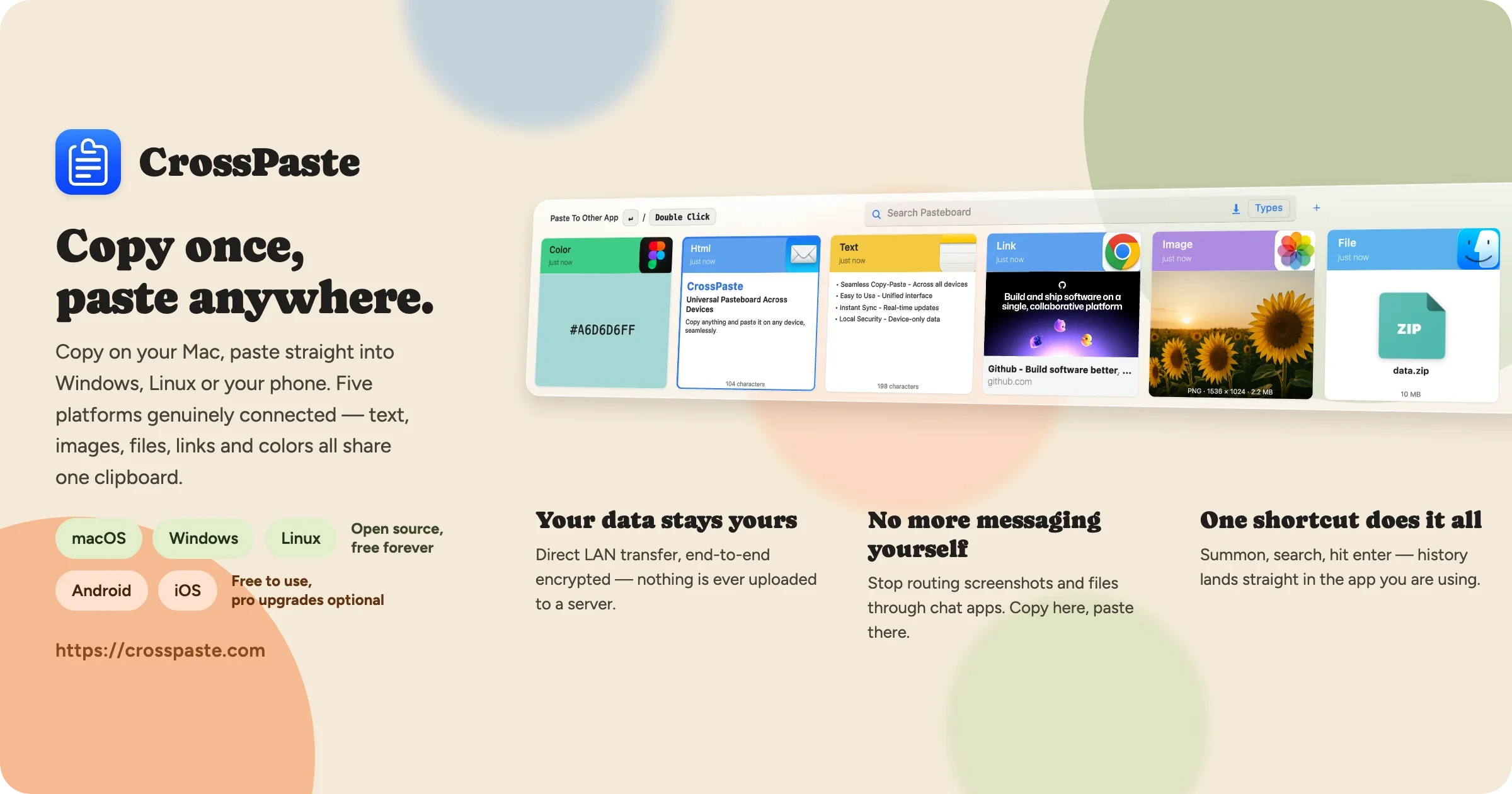
crosspaste-desktop
CrossPaste·Kotlin
跨设备剪贴板同步工具,支持 macOS、Windows 和 Linux,数据只在局域网内端到端加密传输、不经过云端,还内置 OCR、CLI 和 MCP 服务。
剪贴板同步+4加密 / 隐私工具
26921362.3.1.27812026-11-10 13:37 UTC