标准 Windows 安装包不会自动启用 CUDA,需要 NVIDIA 加速得自己从源码构建;macOS 只提供 Apple Silicon 的 dmg,Intel Mac 未提及支持;摘要若选云端提供商,转写文本会发送到该服务,只有本地 Ollama 才完全离线。
meetily
Zackriya-SolutionsMIT活跃维护本地运行的 AI 会议记录工具,用 Whisper/Parakeet 在设备上完成转写和说话人分离,不需要会议机器人,会议内容不出本机。
Privacy-first AI meeting note taker for Windows and macOS. Free, open source (MIT). On-device Whisper/Parakeet transcription and speaker diarization, no meeting bot. Open-source alternative to Granola, Otter and Fireflies. https://meetily.ai
v0.4.1发布于 2026-09-12 06:15 UTC32,599star +89 / 7 天3,603fork同步于 2026-11-10 23:23 UTC
Windows/macOS 从 Releases 下载安装包直接安装;Linux 从源码构建:git clone https://github.com/Zackriya-Solutions/meetily && cd meetily/frontend && pnpm install --frozen-lockfile && ./build-gpu.sh 硬件要求按 README 说明
Windows 安装包使用 Vulkan 版 Whisper,要求支持 AVX2 的 x64 CPU;CUDA 加速需自行用 NVIDIA 工具链从源码构建。macOS 包自动启用 Metal 和 CoreML,仅提供 Apple Silicon(aarch64)版本。README 未说明具体显存要求。
支持 Apple Silicon需要 CUDA
本地运行的隐私优先 AI 会议助手,录音转写与摘要全程留在自己设备上
本地运行的 AI 会议记录工具,用 Whisper/Parakeet 在设备上完成转写和说话人分离,不需要会议机器人,会议内容不出本机。
核心能力
- 用 Whisper 或 Parakeet 模型在本地实时转写会议
- 默认用本地 Ollama 生成摘要,也可接 Claude、Groq、OpenRouter 或自建 OpenAI 兼容端点
- 同时采集麦克风与系统音频,带智能闪避与削波保护
- 支持导入已有音频文件,并用不同模型或语言重新转写
- 基于 Tauri 构建,Rust 后端加 Next.js 前端,单应用自包含
容易踩的坑
内容由模型根据 README 生成,可能不完整或不准确,以官方文档为准。看原文 README
- v0.4.1Meetily v0.4.1最新正式版2026-09-12 · 2026-09-12 06:15 UTC
What's Changed
- fix(summary): preserve transcript coverage across chunks by @ShiroKSH in https://github.com/Zackriya-Solutions/meetily/pull/603
- fix(import): use decoder output sample rate, not container rate (HE-AAC half-duration bug) by @iphixit in https://github.com/Zackriya-Solutions/meetily/pull/608
- fix(recording): respect selected transcription provider by @tianrking in https://github.com/Zackriya-Solutions/meetily/pull/639
- fix(summary): handle Claude thinking blocks in Anthropic response parsing by @davertor in https://github.com/Zackriya-Solutions/meetily/pull/694
- fix(transcription): complete post-merge follow-ups by @safvanatzack in https://github.com/Zackriya-Solutions/meetily/pull/737
- Fix: stop dropping transcripts below confidence threshold (#675) by @ironmark72 in https://github.com/Zackriya-Solutions/meetily/pull/681
- fix(ui/summary): meeting-details layout and Ollama reasoning strip (#592) by @aliCamargo in https://github.com/Zackriya-Solutions/meetily/pull/665
- fix(parakeet): preserve completed files across download retries by @VictorMaxWang in https://github.com/Zackriya-Solutions/meetily/pull/682
- fix(ui/summary): follow up #665 reasoning isolation and sidebar logo by @safvanatzack in https://github.com/Zackriya-Solutions/meetily/pull/744
- fix(parakeet): harden recovery after PR #682 by @safvanatzack in https://github.com/Zackriya-Solutions/meetily/pull/749
- fix(audio): Bluetooth mic reliability on macOS — cold-start wake + mid-recording disconnect recovery (#450) by @athulchandroth in https://github.com/Zackriya-Solutions/meetily/pull/748
- fix(vad): stop fragmenting live speech into sub-4s ASR requests, and filter hallucinations on every engine by @Hus-Mek in https://github.com/Zackriya-Solutions/meetily/pull/679
- fix(vad): stabilize live segmentation and final timestamps by @safvanatzack in https://github.com/Zackriya-Solutions/meetily/pull/771
- fix(windows): load compatible ONNX Runtime dynamically by @safvanatzack in https://github.com/Zackriya-Solutions/meetily/pull/767
- Fix microphone checks, summary progress, and Start button layout [skip ci] by @athulchandroth in https://github.com/Zackriya-Solutions/meetily/pull/779
- fix(instrumentation): reduce duplicate transcription diagnostics by @safvanatzack in https://github.com/Zackriya-Solutions/meetily/pull/784
- hotfix(ui): polish sidebar and meeting controls by @safvanatzack in https://github.com/Zackriya-Solutions/meetily/pull/794
- fix(tests): resolve Bun TypeScript errors by @athulchandroth in https://github.com/Zackriya-Solutions/meetily/pull/795
- Release v0.4.1 by @athulchandroth in https://github.com/Zackriya-Solutions/meetily/pull/793
Installation
Platform Download Link Instructions Windows meetily_0.4.1_x64-setup.exe Download and run the installer macOS meetily_0.4.1_aarch64.dmg Open the .dmgfile, drag Meetily to Applications folder, then open from ApplicationsLinux Build from source Follow our detailed guides: Building on Linux or General Build Instructions
New Contributors
- @ShiroKSH made their first contribution in https://github.com/Zackriya-Solutions/meetily/pull/603
- @iphixit made their first contribution in https://github.com/Zackriya-Solutions/meetily/pull/608
- @tianrking made their first contribution in https://github.com/Zackriya-Solutions/meetily/pull/639
- @davertor made their first contribution in https://github.com/Zackriya-Solutions/meetily/pull/694
- @ironmark72 made their first contribution in https://github.com/Zackriya-Solutions/meetily/pull/681
- @aliCamargo made their first contribution in https
- v0.4.0Meetily v0.4.02026-06-05 · 2026-06-05 17:12 UTC
查看更新说明
What's Changed
- feat/multi language summary by @p-s-vishnu in https://github.com/Zackriya-Solutions/meetily/pull/447
- docs: archive legacy backend setup guidance [skip ci] by @safvanatzack in https://github.com/Zackriya-Solutions/meetily/pull/463
- fix: make analytics opt-in by default [skip ci] by @safvanatzack in https://github.com/Zackriya-Solutions/meetily/pull/452
- fix: use TDT duration head in Parakeet greedy decoder by @lorenzojb in https://github.com/Zackriya-Solutions/meetily/pull/459
- Fix/review 447 [skip ci] by @safvanatzack in https://github.com/Zackriya-Solutions/meetily/pull/455
- Fix/flash attention removal for vulkan by @safvanatzack in https://github.com/Zackriya-Solutions/meetily/pull/469
- fix(readme): update trendshift badge link by @safvanatzack in https://github.com/Zackriya-Solutions/meetily/pull/473
- fix(frontend): stabilize BlockNote ProseMirror resolution [skip ci] by @safvanatzack in https://github.com/Zackriya-Solutions/meetily/pull/472
- feat(tray): hide main window to tray on close instead of exiting by @passabilities in https://github.com/Zackriya-Solutions/meetily/pull/471
- fix(tauri): prevent multiple desktop app instances [skip ci] by @safvanatzack in https://github.com/Zackriya-Solutions/meetily/pull/476
- feat(summary): add Qwen 3.5 built-in models [skip ci] by @safvanatzack in https://github.com/Zackriya-Solutions/meetily/pull/462
- chore: readme star history update [skip ci] by @safvanatzack in https://github.com/Zackriya-Solutions/meetily/pull/484
- hotfix(release): Fix summary base language and macOS Dock reopen behavior [skip ci] by @safvanatzack in https://github.com/Zackriya-Solutions/meetily/pull/498
- fix(ui): improve built-in model card responsiveness [skip ci] by @safvanatzack in https://github.com/Zackriya-Solutions/meetily/pull/501
- Release v0.4.0 by @sujithatzackriya in https://github.com/Zackriya-Solutions/meetily/pull/502
Installation
Platform Download Link Instructions Windows meetily_0.4.0_x64-setup.exe Download and run the installer macOS meetily_0.4.0_aarch64.dmg Open the .dmgfile, drag Meetily to Applications folder, then open from ApplicationsLinux Build from source Follow our detailed guides: Building on Linux or General Build Instructions
New Contributors
- @lorenzojb made their first contribution in https://github.com/Zackriya-Solutions/meetily/pull/459
- @passabilities made their first contribution in https://github.com/Zackriya-Solutions/meetily/pull/471
Full Changelog: https://github.com/Zackriya-Solutions/meetily/compare/v0.3.0...v0.4.0
- v0.3.0Meetily v0.3.02026-03-03 · 2026-03-03 12:30 UTC
查看更新说明
What's Changed
- feat: add import audio feature for external audio files by @jeremi in https://github.com/Zackriya-Solutions/meetily/pull/304
- fix: improve transcription quality and add parallel resampling for la… by @p-s-vishnu in https://github.com/Zackriya-Solutions/meetily/pull/342
- Feat/import audio and retranscription by @safvanatzack in https://github.com/Zackriya-Solutions/meetily/pull/358
- feat(beta): add beta feature gating system for import/retranscribe by @safvanatzack in https://github.com/Zackriya-Solutions/meetily/pull/366
- Fix/pr 372 by @safvanatzack in https://github.com/Zackriya-Solutions/meetily/pull/374
- fix: resolve remaining PR #372 review bugs by @sujithatzackriya in https://github.com/Zackriya-Solutions/meetily/pull/375
- fix: unload transcription engine after batch jobs to free memory by @safvanatzack in https://github.com/Zackriya-Solutions/meetily/pull/378
- fix of main before release by @safvanatzack in https://github.com/Zackriya-Solutions/meetily/pull/381
Installation
Platform Download Link Instructions Windows meetily_0.3.0_x64-setup.exe Download and run the installer macOS meetily_0.3.0_aarch64.dmg Open the .dmgfile, drag Meetily to Applications folder, then open from ApplicationsLinux Build from source Follow our detailed guides: Building on Linux or General Build Instructions
What's Next
We're actively working on the following features for the next release:
Multi-Language Summary Generation
Support for generating meeting summaries in languages other than English. Ideal for multilingual teams — transcribe in one language and get a summary in another.
Inline Transcript Editing
Edit your transcript directly without leaving the app. Fix misheard words or formatting issues right where they appear, keeping your notes accurate and clean.
Post-Processing Mode (Retranscribe)
Option to disable live transcription during a meeting and process the full recording afterward instead. Useful for noisy environments or when accuracy matters more than real-time output.
Dark Mode
A proper dark theme across the entire interface for those late-night meetings and low-light environments.
New Contributors
- @jeremi made their first contribution in https://github.com/Zackriya-Solutions/meetily/pull/304
- @p-s-vishnu made their first contribution in https://github.com/Zackriya-Solutions/meetily/pull/342
Full Changelog: https://github.com/Zackriya-Solutions/meetily/compare/v0.2.1...v0.3.0
- v0.2.1Meetily v0.2.12026-02-11 · 2026-02-11 15:11 UTC
查看更新说明
What's Changed
- Fix for some Whisper models, incorrect url/size by @matbe in https://github.com/Zackriya-Solutions/meeting-minutes/pull/320
- Fix Windows system audio device selection reset bug by @matbe in https://github.com/Zackriya-Solutions/meeting-minutes/pull/321
- Start toast content updated by @safvanatzack in https://github.com/Zackriya-Solutions/meeting-minutes/pull/302
- Fix Whisper model metadata and model manager behavior by @safvanatzack in https://github.com/Zackriya-Solutions/meeting-minutes/pull/326
- Fix OpenAI compatible API connection test by @5m4u66y in https://github.com/Zackriya-Solutions/meeting-minutes/pull/316
- Fix api key and ollama host UI persistance and sync by @safvanatzack in https://github.com/Zackriya-Solutions/meeting-minutes/pull/329
- feat: Auto-fetch models from LLM providers by @athulchandroth in https://github.com/Zackriya-Solutions/meeting-minutes/pull/315
- fix(ffmpeg): implement build-time bundling to eliminate runtime downloads by @safvanatzack in https://github.com/Zackriya-Solutions/meeting-minutes/pull/325
- fix: preserve model settings and Ollama endpoint across provider switches by @safvanatzack in https://github.com/Zackriya-Solutions/meeting-minutes/pull/345
- fix: persist model config and API key to database from meeting details by @safvanatzack in https://github.com/Zackriya-Solutions/meeting-minutes/pull/348
Installation
Platform Download Link Instructions Windows meetily_0.2.1_x64-setup.exe Download and run the installer macOS meetily_0.2.1_aarch64.dmg Open the .dmgfile, drag Meetily to Applications folder, then open from ApplicationsLinux Build from source Follow our detailed guides: Building on Linux or General Build Instructions
New Contributors
- @matbe made their first contribution in https://github.com/Zackriya-Solutions/meeting-minutes/pull/320
- @5m4u66y made their first contribution in https://github.com/Zackriya-Solutions/meeting-minutes/pull/316
Full Changelog: https://github.com/Zackriya-Solutions/meeting-minutes/compare/v0.2.0...v0.2.1
- v0.2.0Meetily v0.2.02025-12-31 · 2025-12-31 13:03 UTC
查看更新说明
A major update bringing custom OpenAI integration, streamlined onboarding, automatic updates, and enhanced reliability. This release represents 314 commits of improvements focused on giving you more control and flexibility while maintaining privacy-first principles.
Installation
🪟 Windows
- Download the latest
x64-setup.exefrom meetily_0.2.0_x64-setup.exe - Right-click the downloaded file → Properties → Check Unblock → Click OK
- Run the installer (if Windows shows a security warning: Click More info → Run anyway)
🍎 macOS
- Download
meetily_0.2.0_aarch64.dmgfrom meetily_0.2.0_aarch64.dmg - Open the downloaded
.dmgfile - Drag Meetily to your Applications folder
- Open Meetily from Applications folder
🐧 Linux
Build from source following our detailed guides:
🎉 Major New Features
1. Custom OpenAI Integration ⭐ (Most Awaited!)
Connect your own OpenAI-compatible endpoints for maximum flexibility and control. Use any OpenAI-compatible API service with Meetily, including custom deployments, Azure OpenAI, and third-party providers. This gives you complete control over costs, models, and API endpoints.
Addresses: #289, #274, #210, #263, #152, #232 | Discord 1, Discord 2
2. Simplified Onboarding Experience
Completely rebuilt onboarding flow with:
- 4-step guided setup - Quick and intuitive
- Background model downloads - Continue setup while models download
- Smart model recommendations - Context-aware suggestions based on your system
- Better permission handling - Clear macOS permission dialogs
Addresses: #254 | Discord 1, Discord 2, Discord 3
3. OTA (Over-The-Air) Updates
Automatic application updates mean you'll always have the latest features and fixes without manual downloads.
4. Transcript Recovery
Never lose your notes! Automatic transcript recovery protects your data if:
- App crashes during recording
- Recording is interrupted
- System restarts unexpectedly
Addresses: Discord
5. Truly Offline Mode (Built-in AI)
For situations without internet access, Meetily now includes built-in AI capabilities. While we recommend Ollama or cloud providers for best quality, the offline mode ensures you can still generate summaries when needed.
✨ Enhancements
Model Management
- Enhanced Download Progress - Real-time MB/s speed tracking with visual progress bars
- Cancel Downloads - Stop model downloads mid-way without corrupting files
- Updated Claude Models List - Latest Claude model options ([D
- Download the latest
用户点评
登录用户的真实使用记录,可按版本和硬件筛选共 0 条
还没有人点评。第一个说出真实体验的人最有价值。
A privacy-first AI meeting assistant that captures, transcribes, and summarizes meetings entirely on your infrastructure. Built by expert AI engineers passionate about data sovereignty and open source solutions. Perfect for enterprises that need advanced meeting intelligence without compromising on privacy, compliance, or control.
Meetily PRO Upgrade Offer - Meetily PRO is available for users who need speaker identification, API, MCP and other integrations, advanced exports, custom summary workflows, and team-ready features. Use coupon code LAUNCH20 for 20% off until the next Meetily Community Edition release. Pro adds speaker identification (who said what), custom summary templates, PDF/DOCX export, and MCP, CLI and webhook integrations. Explore Meetily PRO →
- Introduction
- Why Meetily?
- Features
- Installation
- Key Features in Action
- System Architecture
- For Developers
- Meetily PRO
- Contributing
- License
Introduction
Meetily is a privacy-first AI meeting assistant that runs entirely on your local machine. It captures your meetings, transcribes them in real-time, and generates summaries with a local model by default. Audio and transcription never leave your device. If you choose a cloud AI provider for summaries, only the transcript text is sent to it. This makes it the perfect solution for professionals and enterprises who need to maintain complete control over their sensitive information.
Why Meetily?
While there are many meeting transcription tools available, this solution stands out by offering:
- Privacy First: All processing happens locally on your device.
- Cost-Effective: Uses open-source AI models instead of expensive APIs.
- Flexible: Works offline and supports multiple meeting platforms.
- Customizable: Self-host and modify for your specific needs.
Note: Official builds are only on meetily.ai and github.com/Zackriya-Solutions/meetily/releases.
Meeting AI tools create significant privacy and compliance risks across all sectors:
- $4.4M average cost per data breach (IBM 2024)
- €5.88 billion in GDPR fines issued by 2025
- 400+ unlawful recording cases filed in California this year
Whether you're a defense consultant, enterprise executive, legal professional, or healthcare provider, your sensitive discussions shouldn't live on servers you don't control. Cloud meeting tools promise convenience but deliver privacy nightmares with unclear data storage practices and potential unauthorized access.
Meetily solves this: Complete data sovereignty on your infrastructure, zero vendor lock-in, and full control over your sensitive conversations.
Features
- Local First: All processing is done on your machine. No data ever leaves your computer.
- Real-time Transcription: Get a live transcript of your meeting as it happens.
- AI-Powered Summaries: Generate summaries of your meetings using powerful language models.
- Multi-Platform: Native apps for Windows and macOS (Apple Silicon). On Linux, build from source.
- Open Source: Meetily is open source and free to use.
- Flexible AI Provider Support: Choose from Ollama (local), Claude, Groq, OpenRouter, or use your own OpenAI-compatible endpoint.
Installation
🪟 Windows
- Download the latest
x64-setup.exefrom Releases - Run the installer
Windows compatibility: The packaged installer uses a Vulkan-enabled Whisper build. It requires an AVX2-capable x64 CPU; AVX-512 is not required. CUDA acceleration requires a source build configured with a compatible NVIDIA CUDA toolchain.
🍎 macOS
- Download
meetily_0.4.1_aarch64.dmgfrom Releases - Open the downloaded
.dmgfile - Drag Meetily to your Applications folder
- Open Meetily from Applications folder
🐧 Linux
Build from source following our detailed guides:
Quick start:
git clone https://github.com/Zackriya-Solutions/meetily
cd meetily/frontend
pnpm install --frozen-lockfile
./build-gpu.sh
Key Features in Action
🎯 Local Transcription
Transcribe meetings entirely on your device using Whisper or Parakeet models. No cloud required.
📥 Import & Enhance Beta
Import existing audio files to generate transcripts, or enhance to re-transcribe any recorded meeting with a different model or language, all processed locally.
Contributed by Jeremi Joslin, improved by Vishnu P S and Mohammed Safvan
🤖 AI-Powered Summaries
Generate meeting summaries with your choice of AI provider. Ollama (local) is recommended, with support for Claude, Groq, OpenRouter, and OpenAI.
🔒 Privacy-First Design
All data stays on your machine. Transcription models, recordings, and transcripts are stored locally.
🌐 Custom OpenAI Endpoint Support
Use your own OpenAI-compatible endpoint for AI summaries. Perfect for organizations with custom AI infrastructure or preferred providers.
🎙️ Professional Audio Mixing
Capture microphone and system audio simultaneously with intelligent ducking and clipping prevention.
⚡ GPU Acceleration
Acceleration depends on the platform and build you use:
- macOS packages: Metal and CoreML are enabled automatically.
- Windows packages: Whisper is built with Vulkan support.
- Linux: Build from source with the acceleration configuration appropriate for your system.
CUDA is available through an appropriately configured NVIDIA source build; the standard Windows installer does not select it automatically.
System Architecture
Meetily is a single, self-contained application built with Tauri. It uses a Rust-based backend to handle all the core logic, and a Next.js frontend for the user interface.
For more details, see the Architecture documentation.
For Developers
If you want to contribute to Meetily or build it from source, you'll need to have Rust and Node.js installed. For detailed build instructions, please see the Building from Source guide.
Meetily Pro
Meetily PRO is a professional solution with advanced features for serious users and teams.
Community Thank-You Offer
Meetily Community Edition will remain free and open source (MIT). PRO exists for users and teams who want a more advanced meeting workflow, including speaker identification, custom summary templates, advanced exports, auto-meeting detection, and AI assistant integrations (MCP, CLI, webhooks), and self-hosted deployment options for teams.
For the community that helped Meetily grow, we are making the upgrade easier: use coupon code LAUNCH20 for 20% off Meetily PRO until the next Meetily Community Edition release.
Key Advantages Over Community Edition:
- Custom Summary Templates: Tailor summaries to your specific workflow and needs
- Advanced Export Options: PDF, DOCX, and Markdown exports with formatting
- Auto-detect and Join Meetings: Automatic meeting detection and joining
- Speaker Identification: Who said what, on your device, live and on imported audio
- Chat with Meetings: AI-powered meeting insights and queries (Coming Soon)
- Calendar Integration: Seamless integration with your calendar (Coming Soon)
- Self-Hosted Deployment: Deploy on your own infrastructure for teams with our enterprise plan
- GDPR Compliance Built-In: Privacy by design architecture with complete audit trails
- Priority Support: Dedicated support for PRO users
Who is PRO for?
- Teams and organizations (2-100 users) requiring self-hosted deployment
- Power users who need advanced export formats and custom workflows
- Compliance-focused organizations requiring GDPR readiness
Note: Meetily Community Edition remains free & open source forever (MIT) with local transcription, AI summaries, and core features. PRO is a separate professional solution for users who need enhanced accuracy and advanced capabilities.
Pro is $10/user/month, billed annually, with a 14-day free trial.
For organizations needing 100+ users or managed compliance solutions, explore https://meetily.ai/.
Learn more about pricing and features: https://meetily.ai/pro/
Contributing
We welcome contributions from the community! If you have any questions or suggestions, please open an issue or submit a pull request. Please follow the established project structure and guidelines. For more details, refer to the CONTRIBUTING.md file.
Thanks for all the contributions. Our community is what makes this project possible.
License
MIT License - Feel free to use this project for your own purposes.
Acknowledgments
- We borrowed some code from Whisper.cpp.
- We borrowed some code from Screenpipe.
- We borrowed some code from transcribe-rs.
- Thanks to NVIDIA for developing the Parakeet model.
- Thanks to istupakov for providing the ONNX conversion of the Parakeet model.
Star History

nodewarden
shuaiplus·TypeScript
在 Cloudflare Workers 上运行、兼容 Bitwarden 客户端的自托管密码管理服务端,用 D1 和 R2 存储数据,无需自己维护服务器。
密码管理+4加密 / 隐私工具
4139+144.7kv1.8.12026-11-08 21:04 UTC
NOIR
Verlintas·Kotlin
用 adb 扫描 Android 应用的权限、上报端点和数据流向,生成隐私审计报告,并给出可回滚的处置方案。
隐私审计+4加密 / 隐私工具
3230+328295v0.4.22026-11-07 16:07 UTC

padloc
padloc·JavaScript
面向个人和团队的开源密码管理器,端到端加密保护凭据,支持 PWA 和桌面端,可自托管。
密码管理器+4加密 / 隐私工具
2940272v4.3.02026-11-10 10:27 UTC
crosspaste-desktop
CrossPaste·Kotlin
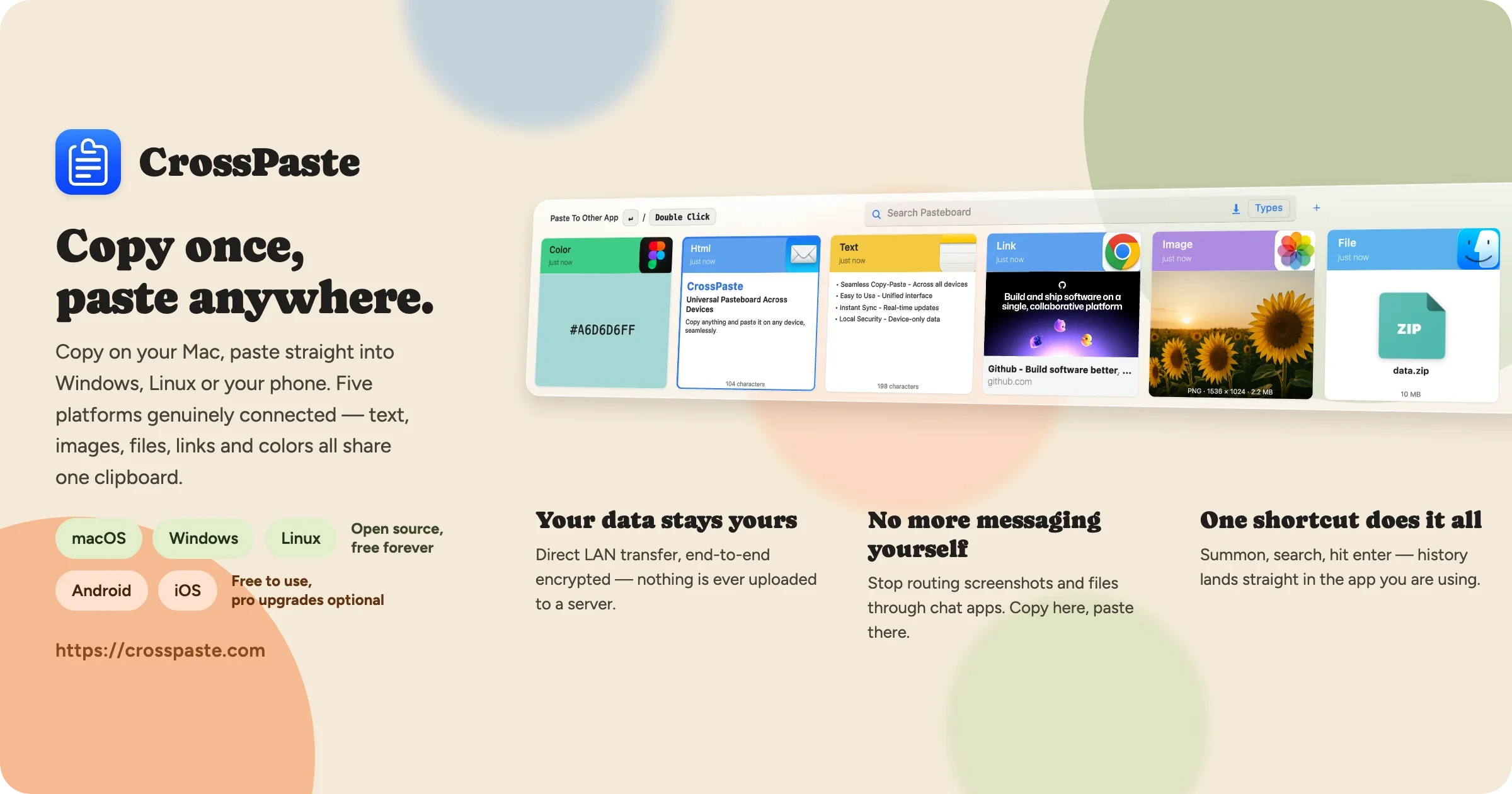
跨设备剪贴板同步工具,支持 macOS、Windows 和 Linux,数据只在局域网内端到端加密传输、不经过云端,还内置 OCR、CLI 和 MCP 服务。
剪贴板同步+4加密 / 隐私工具
26921362.3.1.27812026-11-10 13:37 UTC